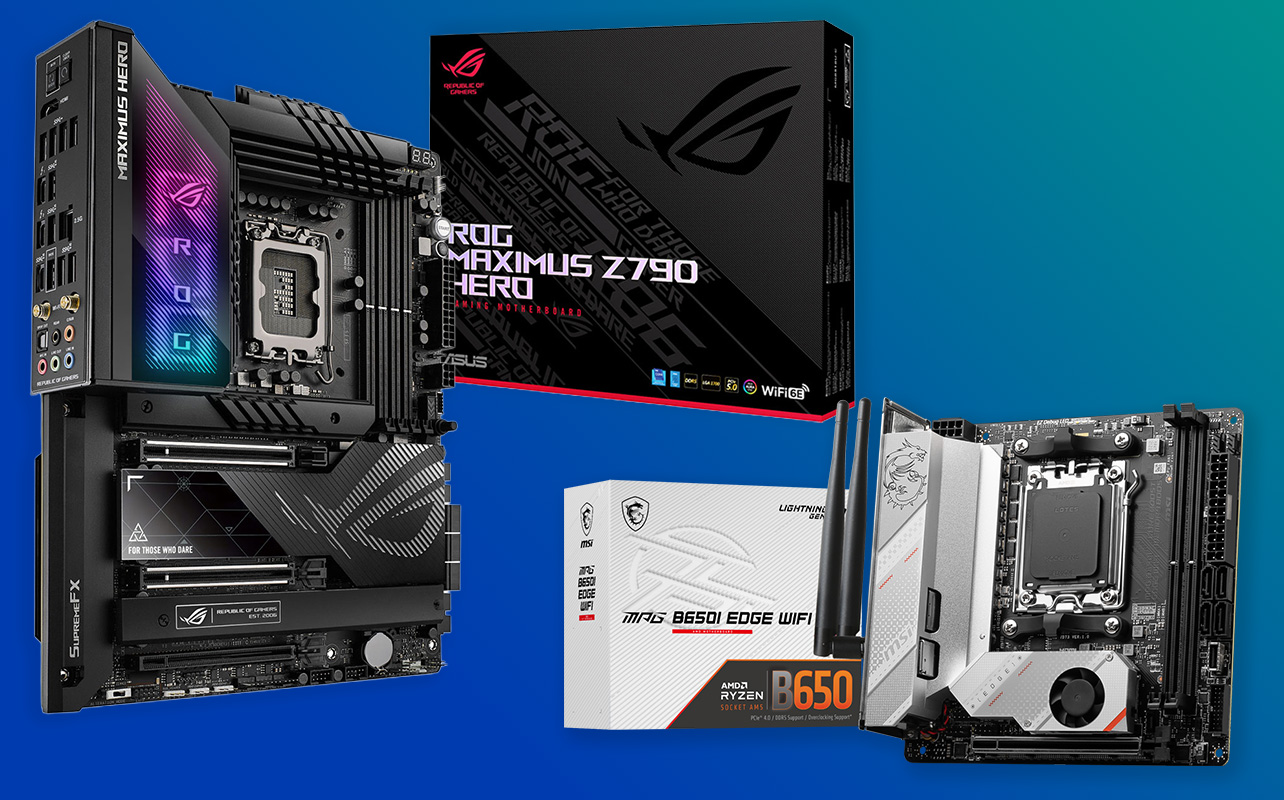
If you’re planning to build a custom PC, one of the first decisions you’ll encounter is the motherboard size. One of the most common comparisons builders make is Mini-ITX vs ATX. While both form factors perform the same basic job connecting all the components of your PC they differ significantly in size, expansion capabilities, cooling potential, and overall build experience.
For someone new to PC building, this can feel confusing. Does a bigger motherboard mean better performance? Is a smaller one always cheaper? And which option makes the most sense for gaming or future upgrades? The answer depends on what kind of system you want to build. Mini-ITX boards focus on compact, space-saving systems, while ATX boards prioritise expandability and flexibility. Understanding these differences can help you choose the right foundation for your PC build.

Mini-ITX vs ATX: overview of the two motherboard form factors
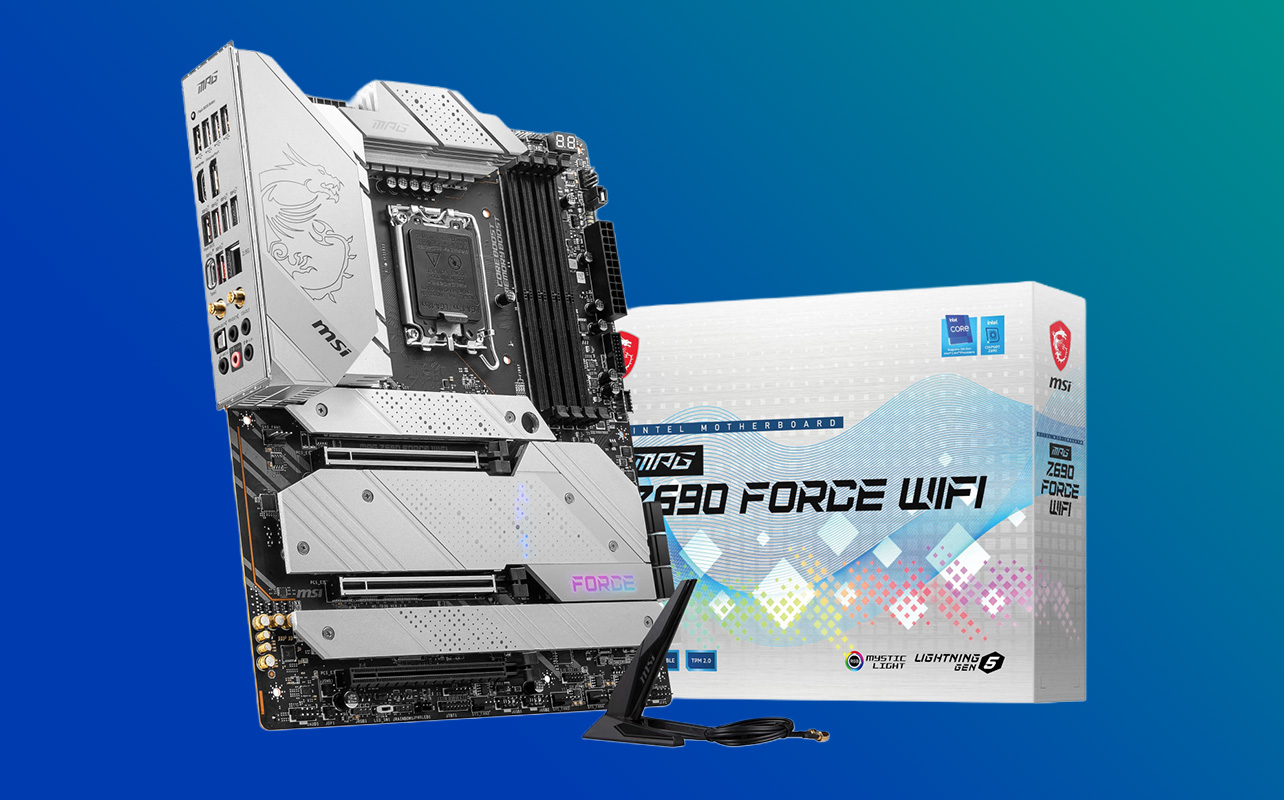
When comparing Mini-ITX vs ATX, it’s important to understand that both refer to motherboard form factors that describe the physical size, layout, and mounting standards of the board. These differences influence what type of PC case you can use, how many components can be installed, and how much space is available for airflow and cooling inside the system. Our PC case compatibility guide explains how to match your motherboard with the right case.
An ATX motherboard measures roughly 305 mm × 244 mm, making it one of the most widely used formats in gaming PCs and high-performance desktops. Because of its larger size, ATX boards can accommodate more expansion slots, additional RAM slots, and extra connectivity options such as more USB ports, storage connectors, and PCIe lanes. This flexibility makes them a popular choice for builders who want room to upgrade or customise their system over time.
A Mini-ITX motherboard, on the other hand, is much smaller at 170 mm × 170 mm. It is designed specifically for compact builds and small form factor (SFF) cases, where saving space is a priority. To fit everything into a smaller board, Mini-ITX designs usually include fewer expansion slots and connectors, but modern models still support powerful processors, high-speed storage, and full-size graphics cards. Despite the size difference, both form factors can support modern CPUs, GPUs, and fast storage technologies. The main distinction lies in how much space you have to work with and how flexible your system can be in the future.
Typical use cases and target builds
ATX systems are commonly used for:
- Gaming PCs with powerful graphics cards
- Workstations for video editing, streaming, or 3D rendering
- Systems that may require multiple upgrades or expansion cards over time
Mini-ITX systems are often chosen for:
- Compact gaming PCs that fit smaller desks or rooms
- Minimalist desktop setups with a clean aesthetic
- Portable or living-room PCs used for entertainment
Summary of key differences
In simple terms, Mini-ITX prioritises compact size and portability, while ATX prioritises expansion capability, cooling support, and long-term upgrade flexibility. Motherboard size itself does not directly affect raw performance. Instead, performance depends mainly on the CPU, GPU, RAM, and storage components installed in the system.
Expansion and upgrade options
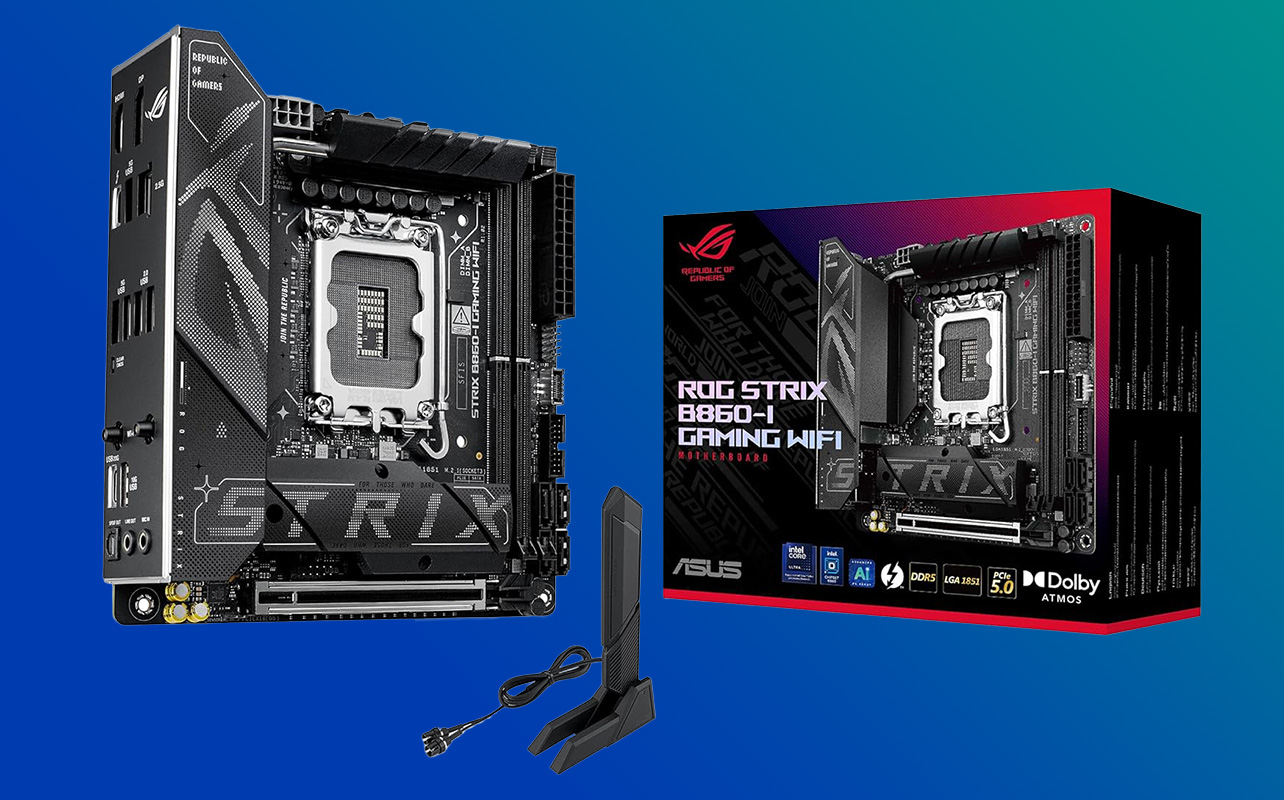
When looking at Mini-ITX vs ATX, expansion capability is one of the biggest differences. The size of the motherboard affects how many components you can install today and how easily you can upgrade your system in the future.
PCIe slots and add-on cards
ATX motherboards typically include multiple PCIe slots, usually between three and seven. These slots allow you to install additional hardware that expands your system’s capabilities, such as:
- Graphics cards
- Capture cards for streaming or recording gameplay
- Wi-Fi or networking adapters
- Storage expansion cards
- Sound cards for enhanced audio
Having several PCIe slots means you can add more features to your system over time without replacing the motherboard. Mini-ITX boards usually include just one PCIe slot, which is normally used for a graphics card. This works perfectly for many builds, especially compact gaming systems, but it does mean you won’t have space for additional add-in cards. If you need extra functionality, you’ll often rely on built-in motherboard features or USB-based accessories instead.
RAM and storage capacity
ATX motherboards generally include four RAM slots, which allows you to install more memory and upgrade gradually. For example, you might start with two RAM sticks and add more later if your workload or gaming needs increase.
Mini-ITX boards usually include two RAM slots, which still support high capacities but offer less flexibility for incremental upgrades. In many cases, increasing memory may require replacing the existing modules rather than simply adding more.
Storage support can still be strong on both formats. Many Mini-ITX boards include modern M.2 NVMe slots for fast SSDs, while ATX boards often provide additional SATA ports and multiple M.2 slots, making it easier to expand storage with multiple drives.
Future upgrade potential
Because of their extra slots and connectors, ATX systems generally offer better long-term upgrade flexibility. Builders who plan to expand their system with additional hardware, more storage, or upgraded cooling solutions often prefer ATX for this reason.
Mini-ITX builds can still be upgraded graphics cards, RAM (within limits), and storage can all be replaced but the compact design means planning your components carefully from the start is more important.
Cooling and performance considerations
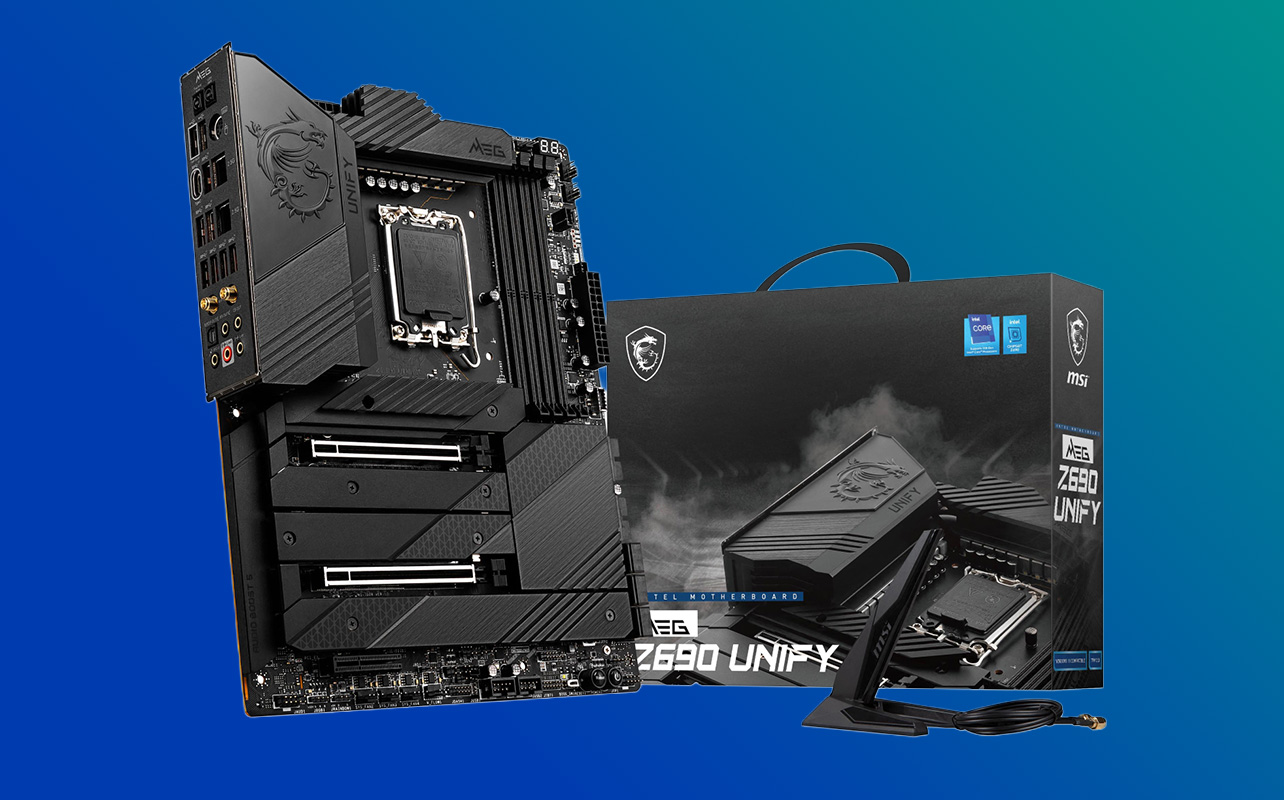
When comparing Mini-ITX vs ATX, cooling is another area where motherboard size can make a noticeable difference. Because these builds use different case sizes, the amount of airflow and cooling hardware you can install often varies.
Airflow and cooling solutions
ATX cases typically have more internal space, which allows for a wider range of cooling options, including:
- Larger tower-style CPU coolers
- Multiple case fans for improved airflow
- Larger liquid-cooling radiators
This extra room helps move heat away from key components like the CPU and GPU, which is particularly helpful in high-performance gaming systems or workstations running demanding applications.
Mini-ITX systems usually use smaller cases, which means cooling options can be more limited. Builders often need to carefully choose low-profile air coolers or compact liquid cooling systems that fit within the tighter space. While these solutions can still perform well, selecting compatible parts becomes more important.
Thermal challenges in compact builds
Small form factor builds can sometimes run warmer because components are packed closer together. Limited airflow paths and smaller cooling hardware mean heat can build up more quickly. To manage this, builders often pay extra attention to fan placement, cable management, and case airflow design. Choosing efficient components and properly organising cables can make a noticeable difference in maintaining stable temperatures.
Impact on gaming and workstation performance
Mini-ITX and ATX systems can deliver identical gaming results if they use the same CPU and GPU. If you’re planning a gaming-focused build, our PC gaming buying guide covers the essential components to consider.. However, ATX systems may handle long gaming sessions or heavy workloads more comfortably because they usually allow for stronger cooling setups. This can help maintain consistent performance during demanding tasks such as gaming, streaming, or video editing.
Cost and build complexity
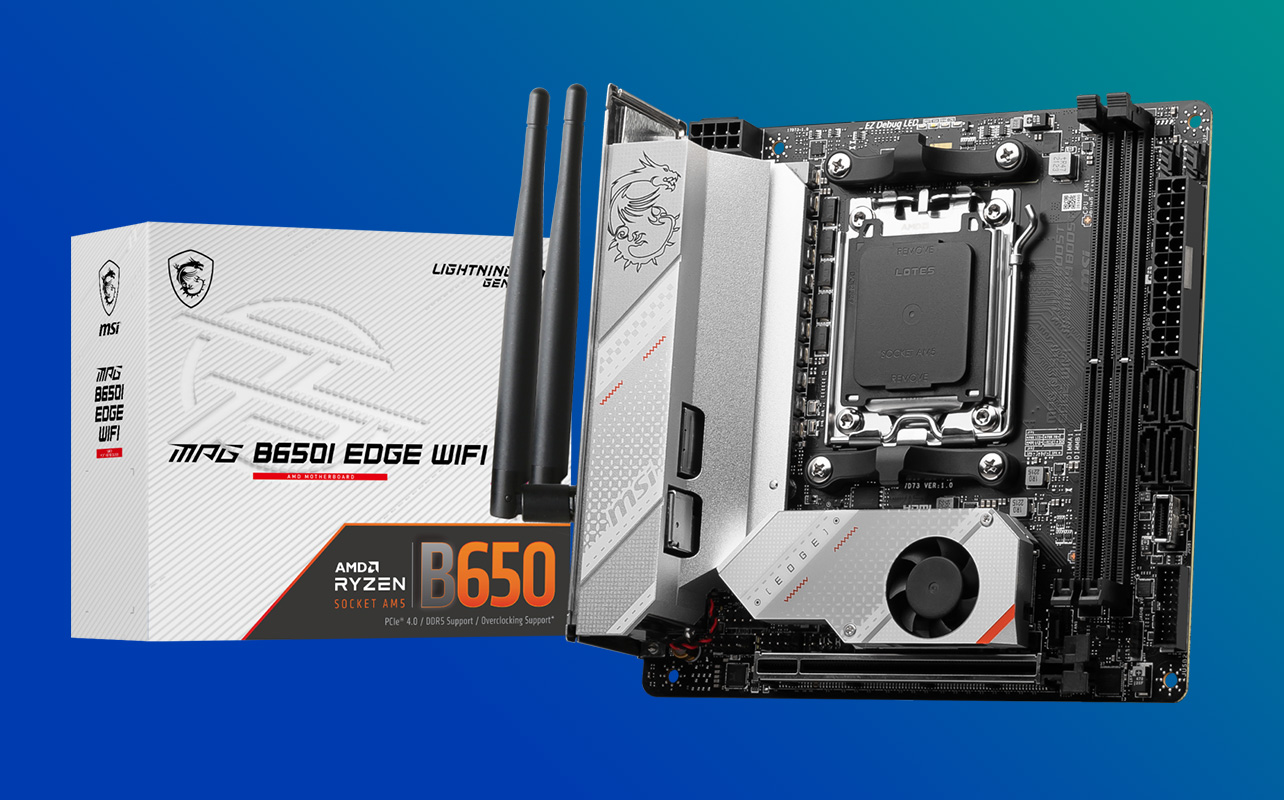
Motherboard size can also influence how expensive and how easy your PC build will be, especially for first-time builders.
Price differences and reasons
Mini-ITX motherboards often cost more per feature, even though they are physically smaller. Designing compact boards requires more engineering to fit components into a limited space, and these boards are typically produced in smaller volumes.
ATX motherboards generally offer better value for the price, since their larger size allows manufacturers to include more ports, expansion slots, and features without the same design constraints.
Ease of building for beginners
ATX systems are usually easier to assemble, particularly for beginners. Larger cases provide more room to install components, route cables, and access connectors on the motherboard.
Mini-ITX builds require a bit more planning because space is limited. Installing components often needs to be done in a specific order, and careful cable management is important to maintain airflow and keep the build organised.
Component availability and compatibility
ATX builds also tend to offer broader compatibility. Most PC cases, coolers, and power supplies are designed with ATX systems in mind, making it easier to find suitable parts.
Mini-ITX builds sometimes require more specialised components, such as compact power supplies (SFX) or low-profile CPU coolers that fit within smaller cases.
Want help beyond form factors? Our motherboard buying guide covers everything from chipsets to connectivity.
Power consumption and efficiency
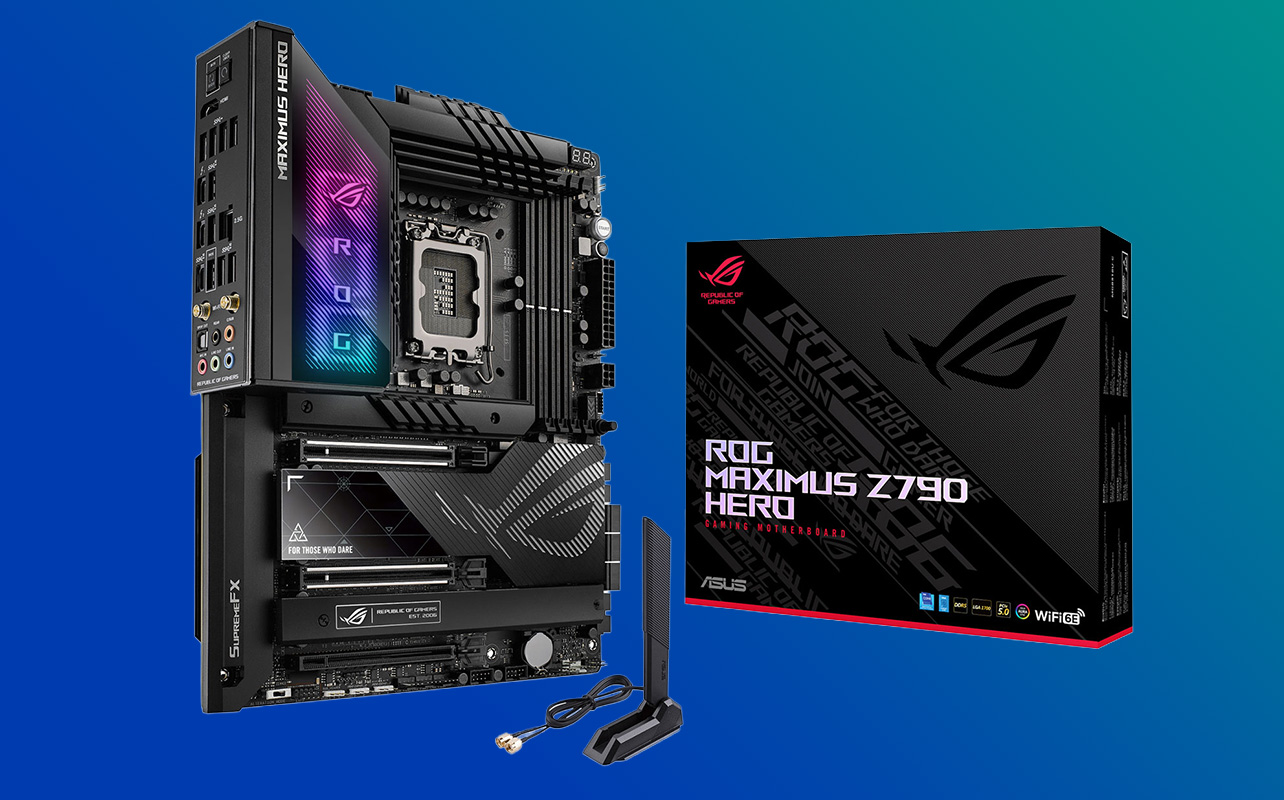
Many people assume that smaller PCs automatically use less power, but the reality is a bit more nuanced.
Typical PSU sizes and power headroom
ATX systems usually use standard ATX power supplies, which are larger and capable of delivering higher wattage. This makes them well suited for systems with powerful graphics cards and multiple components.
Mini-ITX systems often use SFX or compact power supplies designed to fit inside smaller cases. These units are smaller but can still provide enough power for modern gaming systems.
Idle and load power usage
The actual power consumption of a PC depends mainly on the CPU, GPU, storage drives, and cooling components installed, rather than the motherboard size. For example, a high-end Mini-ITX gaming system with a powerful graphics card may consume just as much electricity as a similarly equipped ATX system.
Effect of components vs form factor
While compact builds sometimes use slightly lower-power components to manage heat and space, the motherboard form factor itself doesn’t directly determine energy efficiency. Instead, efficiency depends on the overall hardware configuration and how the system is designed and cooled.
Choosing the right form factor for your needs
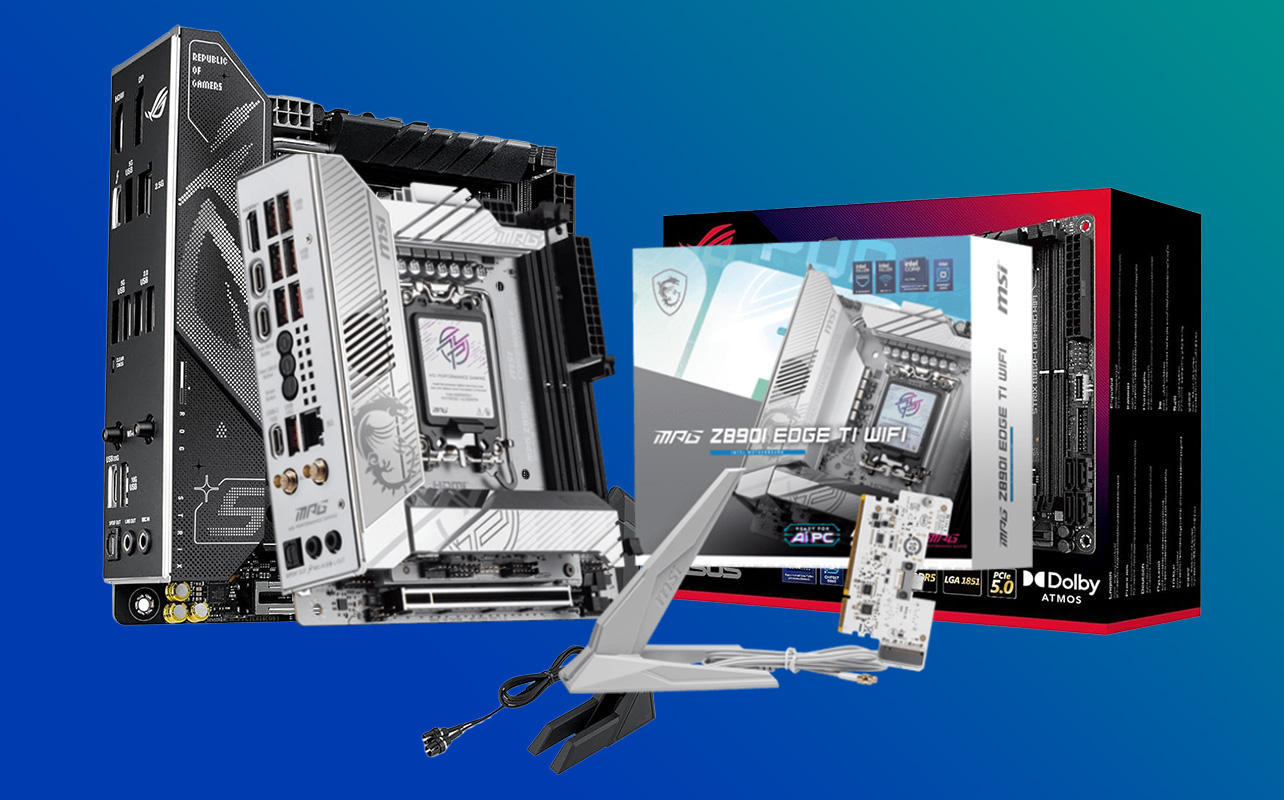
The best motherboard size ultimately depends on the kind of PC you want to build and how you plan to use it over time. While both Mini-ITX and ATX systems can deliver excellent performance, the right choice often comes down to space, upgrade plans, and build preferences.
Best scenarios for Mini-ITX
Mini-ITX is ideal if you:
- Want a compact or minimalist PC setup
- Have limited desk space or prefer a cleaner workspace
- Want a portable PC or a system that fits easily in a living room or entertainment centre
Because Mini-ITX systems use small form factor (SFF) cases, they’re often chosen by builders who value sleek aesthetics and efficient use of space. Compact gaming PCs and stylish desk setups are common examples where Mini-ITX builds shine. However, these systems usually require a bit more planning since space and expansion options are more limited.
Best scenarios for ATX
ATX is usually the better choice if you:
- Want maximum upgrade flexibility over time
- Plan to install multiple expansion cards or additional storage drives
- Need stronger cooling support for high-performance components
The larger size of ATX motherboards makes them especially popular for gaming PCs, creator workstations, and enthusiast builds. The extra space inside ATX cases also makes the build process easier and provides more room for powerful graphics cards, cooling systems, and future upgrades.
Middle ground options and recommendations
Some builders prefer Micro-ATX, which sits between Mini-ITX and ATX in both size and capability. It offers more expansion slots than Mini-ITX while still fitting in smaller cases than a full ATX build. For many people, Micro-ATX can provide a balanced option that delivers good expansion flexibility without requiring a large PC case. Ultimately, the right form factor depends on whether you prioritise compact design or long-term flexibility.
To make the differences easier to compare at a glance, the table below highlights the key distinctions between Mini-ITX vs ATX motherboards:
| Feature | Mini-ITX | ATX |
| Size | 170 mm × 170 mm | 305 mm × 244 mm |
| PCIe slots | Usually 1 | Multiple (3–7) |
| RAM slots | Usually 2 | Usually 4 |
| Case type | Small form factor (SFF) | Mid or full tower |
| Cooling support | Limited radiator and fan space | Larger radiators and better airflow |
| Build difficulty | More complex | Easier for beginners |
| Upgrade flexibility | Limited | High |
| Cost per feature | Often higher | Generally better value |
Want help beyond form factors? Our motherboard buying guide covers everything from chipsets to connectivity.
Frequently asked questions
Mini-ITX vs ATX: which should you choose?
Choose Mini-ITX if you want a compact PC build that saves desk space or fits into a small form factor case. These builds are popular for minimalist setups, living-room PCs, or compact gaming systems.
Choose ATX if you prefer easier assembly, better airflow, and more room for upgrades. ATX systems are often the go-to choice for gamers, enthusiasts, and anyone planning to expand their system over time.
Which is better for gaming: Mini-ITX or ATX?
Both form factors can deliver the same gaming performance if they use the same CPU, GPU, and RAM. The motherboard size itself doesn’t directly affect frame rates or graphics performance. However, ATX systems often provide better cooling and upgrade flexibility, which can be helpful for high-end GPUs or future hardware upgrades.
Are Mini-ITX motherboards more expensive than ATX?
In many cases, yes. Mini-ITX motherboards can cost more per feature because designing compact boards with the same functionality requires more complex engineering. ATX motherboards are produced in larger volumes and have more physical space, which often makes them better value for the price.
Is Mini-ITX harder to build with?
Mini-ITX builds can be slightly more challenging, especially for beginners. Smaller cases mean tighter cable management, limited airflow space, and less room for installing components. ATX systems are generally easier to assemble because larger cases provide more space to work with, making them more beginner-friendly.
Does Mini-ITX use less power than ATX?
Not necessarily. Power consumption depends mainly on the CPU, graphics card, and other components in the system rather than the motherboard size. A high-end Mini-ITX gaming PC with a powerful GPU can use just as much power as an ATX system with similar hardware.
Can you upgrade a Mini-ITX build easily?
Upgrading a Mini-ITX system is still possible, but the options are more limited. Because these boards typically have fewer PCIe slots and RAM slots, upgrades may involve replacing existing components instead of adding new ones.
You can still upgrade the graphics card, storage drives, and RAM (within the availa ble slots), but expansion options will be more limited compared to ATX systems.
Making the right choice for your PC build
Choosing between Mini-ITX and ATX comes down to what kind of PC you want to build. Mini-ITX is perfect for compact, space-saving systems, while ATX gives you more room for upgrades, cooling, and future expansion. Both form factors can power impressive builds the key is choosing the one that matches your needs today and your plans for tomorrow.
When you’re ready to start building, Best Buy Canada offers a wide selection of motherboards, cases, and PC components to help bring your setup together, whether you’re building a compact system or a full-size performance rig.