
Putting on a pair of AI glasses is supposed to feel like the future appears right before your eyes in every literal sense. Capturing real photos and footage from your own viewpoint, as well as seeing real-time contextual information, like information about a place or translating a sign in a different language, can be a liberating experience.
You may have even seen them out in the wild already. People wearing Ray-Ban Meta frames with built-in cameras, or other slick glasses that can do far more than just protect your eyes from the sun. This guide breaks it all down, from how AI glasses actually work to who makes them, and all the nuances involved in wearing a pair yourself.

Table of contents
- What are AI glasses?
- How do AI glasses work?
- What are the top AI glasses available today?
- How do AI glasses compare to AR glasses?
- How do AI glasses compare to regular smart glasses?
- Key features to look for in the best AI glasses
- Are AI glasses compatible with smartphones?
- How much do AI glasses cost in 2026?
- What are the main benefits of using AI glasses?
- What are the privacy concerns with AI glasses?
- What are the best AI glasses in 2026?
- FAQ
What are AI glasses?
AI glasses are basically any form of eyewear that incorporate artificial intelligence features. These can include computer vision, voice-activated assistants, language translation, and contextual awareness. What makes all this “smart” is that these functions usually display right into the lenses themselves, which is why they represent a significant step beyond traditional “smart glasses”. Those typically offer more limited functionality like music playback, notification alerts, or basic hands-free calling.
In other words, intelligence is the key distinction. Smart glasses aren’t all that different from other Bluetooth accessories for your phone, whereas AI glasses can activate based on your environment. They can understand where you are, respond to natural language, and identify objects or people (not all models do that), all by design to proactively assist you.
Most AI glasses come equipped with some combination of the following:
- Built-in AI assistants: By “AI assistants”, we’re not talking standard voice assistants (Siri, Google Assistant) but rather voice-driven interfaces powered by large language models (Google Gemini) or platform-specific AI (like Meta AI)
- Cameras: Forward-facing lenses for photo, video, and visual recognition
- Speakers and microphones: Open-ear or bone conduction audio for hands-free interaction, generally
- Sensors: Accelerometers, ambient light sensors, and in some models, eye-tracking or biometric monitors
Notable examples include the Ray-Ban Meta AI glasses, which brought mainstream consumer attention to the category, as well as emerging competitors like Oakley’s AI-enhanced sport frames.
How do AI glasses work?
AI glasses essentially work by combining hardware (cameras, mics, sensors) that’s constantly ready with AI software that can interpret input and provide feedback or context in the form of voice, audio, or visual overlays.

On-device vs. cloud-based AI processing
The way AI glasses process data may differ from one model to another. Some glasses rely more on on-device AI, meaning that it’s running locally through small neural processors embedded in the frame or temple arms. Because it’s local, this process offers faster response times and better privacy but also requires more from the battery and processor. Moreover, the amount of relevant data available is likely going to be less expansive.
That’s why most AI glasses are now cloud-based. Your voice query or captured image uploads to remote servers where AI processes the request and sends a response back, usually within a few seconds. The Ray-Ban Meta glasses are a good example of this because they connect through the Meta AI cloud ecosystem for most of their intelligent features.
Voice commands and real-time assistance
Most AI glasses operate through your own natural speech. You issue a command, “Hey Meta, what’s that building?” or “Translate what that sign says,” and the AI responds through built-in speakers. This hands-free interaction model is what makes AI glasses genuinely useful for activities like cooking, cycling, or navigating an unfamiliar city.
Computer vision
The cameras play a big role here because the cloud-based AI can process what they see and provide timely and relevant information. Maybe it’s identifying a restaurant, reading through a menu in a foreign language, describing a scene to a visually impaired user, or even recognizing a face. That last feature does raise some important ethical questions that we’ll cover under the privacy concerns later in this article.
Smartphone integration
Most AI glasses need to pair with a connected smartphone app to handle configuration, firmware updates, media management, and connectivity. Basically, the phone acts as a hub and conduit—providing cellular data access, syncing photos and videos, and extending the glasses’ capabilities through deeper app integrations.
What are the top AI glasses available today?
Ray-Ban Meta AI Glasses
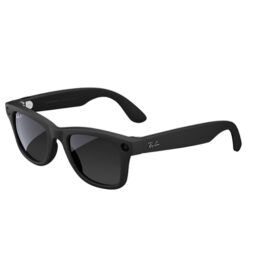
The Ray-Ban Meta collaboration remains the gold standard for mainstream AI glasses, particularly because they combine a stylish eyewear brand consumers already trust with Meta’s growing AI infrastructure. Here are some key features:
- Prescription lenses are openly supported with options to swap them out after purchase
- 12-megapixel camera for photos and 1080p video
- Live streaming to Instagram and Facebook directly from your glasses
- Meta AI assistant with open-ended voice queries, real-time visual interpretation, and web search
- Five-mic array for high-quality audio capture and hands-free calling
- Open-ear speakers with improved audio clarity over earlier versions
These smart Ray-Ban models lean heavily on traditional designs. They look like ordinary Ray-Ban frames, including longtime stalwarts like Wayfarer, Headliner, Skyler, and others. Wearing them isn’t a big flashing sign saying, “I’m a tech person,” but rather a subtler way of adopting new technology from a true first-person perspective. In that regard, these glasses are very different from more conspicuous wearables.
Pricing does carry a premium over what a standard pair would cost, which is why the Ray-Ban Meta lineup currently ranges from about $299 to $609, depending on whether it’s Gen 1 vs. Gen 2, frame style and lens options.
Oakley AI Glasses
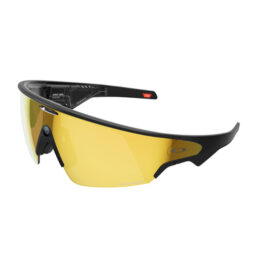
Oakley takes its sporty and performance-driven design philosophy and applies it to AI glasses, focusing on athletes, outdoor enthusiasts, and those with active lifestyles looking for something a little more rugged. Since features are more performance-based, here’s what you can expect:
- Sweat-resistant and impact-rated construction
- Built for sports— think running, cycling, skiing—with more durability and wind resistance
- Some configurations offer integrated biometric sensors, like heart rate monitoring
So, Ray-Ban Meta is more of an everyday lifestyle option, while Oakley’s AI glasses fit more firmly in athletic pursuits, going as far as hands-free real-time performance coaching, route navigation, and workout metrics. Their AI features lean toward fitness intelligence rather than general assistant functionality.
How do AI glasses compare to AR glasses?
In a nutshell, AI glasses look and feel like ordinary eyewear but use cameras, microphones, and speakers built into the frame to connect you with an AI assistant. AR glasses add a digital layer in projecting content directly onto the lens, and that’s why they’re usually heavier, pricier, and more complex. Think of it like this: AI glasses put intelligence in your ears, while AR glasses put information in your eyes.
XREAL and Viture are good examples of AR glasses. XREAL makes AR glasses, like the XREAL One Pro and XREAL 1S, that project virtual displays into your visual field, essentially a floating virtual screen only you can see. They’re more goggles than glasses, and have more of an entertainment and productivity aspect to them. You can use them to project your phone, tablet, or laptop screen, either while travelling or even laying back in bed or on the couch. They can even work with handheld gaming consoles.
Viture offers a similar AR display experience, with a premium display panel and support for side-loaded apps, gaming, and media consumption. Great for watching what you want in comfort, but not meant for all-day wear.
How do AI glasses compare to regular smart glasses?
Let’s get the confusion out of the way quickly. Smart glasses, in and of themselves, aren’t a new concept. Google Glass and the original Snapchat Spectacles (remember those?) are classic examples of what “regular” Bluetooth smart glasses were. They simply acted as extensions of your phone with basic input/output capabilities.
| Feature | Regular smart glasses | AI glasses |
| Primary function | Notifications, audio playback | Voice AI, visual understanding, real-time assistance |
| AI capabilities | Minimal to none | Core feature |
| Contextual awareness | None | High (camera + AI interpretation) |
| Price range | $100–$300 | $250–$800+ |
| Use cases | Music, calls, step tracking | Navigation, translation, content creation, accessibility |
| Future potential | Limited | Significant (AR integration roadmap) |
Think of AI glasses as the evolutionary step past regular smart glasses. They are, in many ways, what smart glasses were trying to become back then. What’s changed is that on-device AI chips continue to shrink yet do more. Not to mention that major improvements in battery power also helps narrow the gap between what AI glasses can do and what a phone can do.
Key features to look for in the best AI glasses
Since not all AI models are made equal, nor are AI glasses going to all do the exact same things, look for features that meet your needs.
AI assistant capabilities
Look for glasses that support natural language queries over preset commands, so you can get answers to open-ended questions and comments. AI models and glasses with regular software and firmware updates should ensure performance feels fresh and robust.
Meta AI, for example, draws on the same models powering Meta’s broader product suite and improves over time without requiring new hardware. Also consider whether the onboard AI has access to real-time information via web search or is limited to a static knowledge base.
Camera and audio quality
Camera specs will say plenty about photo and video quality. The Ray-Ban Meta’s 12-megapixel camera is capable of genuinely usable social media photos and clear 1080p video—a major improvement over earlier generations. Just be mindful that image sensors in glasses like this aren’t going to be as large as they are on smartphones, for example, nor anywhere close to the massive (by comparison) sensors in mirrorless and DSLR cameras.
The cameras on these glasses aren’t designed for frame-worthy photos and cinematic video. That being said, resolution matters less than processing pipeline quality for AI vision tasks, like object recognition and translation.

For audio, you’ll find two main approaches. One is open-ear speakers built into the temples, which is the most common. While more standard in implementation, they may be audible to others nearby at higher volumes. The other is bone conduction, which uses vibrations through your cheekbones and skull to transmit sound, thereby leaving ears fully exposed and offering more privacy in quieter environments.
At the same time, microphone quality is equally important so that your AI assistant and callers can understand what you’re saying without ambient noise causing audible problems.
Battery life
While battery life is only going to get better over time, it still remains one of the biggest constraints in AI glasses. Typical active-use ranges last about 4-8 hours with just basic audio and notifications coming in. Add AI assistant usage, and that may drop to 3-5 hours, dipping even further to 1-3 hours when you start using the camera and recording video. Most models include a case that can recharge the glasses 2-4 times, not unlike wireless earbuds or some smart rings.
Comfort and design
AI glasses live or die with the convenience of wearing them on a daily basis. It doesn’t make much sense to wear a device you won’t be using much, no matter how impressive its specs. Here are some key factors to consider:
- Weight: Under 50g is ideal for all-day comfort; many frames are in the 40–55g range
- Frame aesthetics: Do they look like glasses or gadgets?
- Prescription compatibility: Some models support Rx lenses, while others don’t
- Fit range: Head size and nose bridge fit vary considerably, so watch out for that
The Ray-Ban Meta line succeeds partly because the frames genuinely look like your usual Ray-Ban sunglasses. If you’d feel self-conscious wearing them, you won’t.
Connectivity
All current AI glasses rely on Bluetooth to pair with a smartphone, though some also support Wi-Fi for higher-bandwidth tasks like live streaming. Built-in cellular connectivity, like you see in some smartwatches, remains rare in AI glasses. They still generally rely on your phone’s data connection.
Check that the glasses support both iOS and Android before buying, and take note of any points about connection stability because they can vary significantly by model.
Are AI glasses compatible with smartphones?
Most AI glasses are agnostic in that regard since they’re designed to work with both iOS and Android. That doesn’t mean the experience is universal between them, so you may find variances by platform. For example, Meta’s glasses pair with the Meta View app, which is available on both platforms. Core features—voice assistant, photo sync, speaker/mic—typically work across both. Here’s where some ecosystem friction might show up:
- Live streaming may require specific social apps that aren’t universally available or preferred. The usual suspects, like Facebook and Instagram, are always there but some lesser-known ones might not be.
- Siri vs Google Gemini integration: Some glasses let you trigger your phone’s native assistant; others use their own proprietary AI exclusively. For Android users, Gemini is now the default, and it’s considerably more expansive than Siri, though the latter does piggyback off ChatGPT these days.
- iMessage vs RCS: Hands-free messaging features can behave differently depending on your messaging platform.
You still need the dedicated companion apps for initial setup and ongoing configuration. The quality of these apps may vary considerably, so while the Meta View app is polished, smaller brands might come across a little less refined.
How much do AI glasses cost in 2026?
AI glasses cover a surprisingly wide price range, from relatively affordable everyday smart eyewear to premium models packed with advanced AR and AI features.
Entry-level: $200–$400
Ray-Ban Meta base models and Gen 1 pairs typically fall into this range. They may not have the full cupboard of goodies but you still get solid AI assistant functionality, reasonable camera quality, and comfortable all-day wear. It’s the sweet spot for most, especially anyone new to the AI glasses category.
Mid-range: $400–$800
Mid-range glasses take it up a notch with better camera systems, clearer audio, expanded AI features, more frame variety, or specialized use-cases. Oakley’s sport focus falls into this category, though it’s also worth noting some models in this range begin offering AR overlay capabilities, too.
Premium: $800+
Premium and enterprise-grade AI glasses offer advanced AR projection, professional-grade audio, expanded sensor arrays, or purpose-built hardware for specific industries. These are sometimes vocational, like healthcare, field service, and logistics, so without a consumer focus.
What are the main benefits of using AI glasses?
From hands-free use to content creation, AI glasses can help enhance your day-to-day:
- Hands-free assistance is the clearest advantage. If you ever recall how smartwatches or even smart speakers took some of the work out of your hands, the paradigm is very similar here. The sheer ability to get answers, take photos, make calls, or get navigation details without reaching for your phone is genuinely useful in dozens of everyday situations. Think about that when cooking, commuting, exercising, parenting, or working with your hands.
- Real-time translation is a standout feature when travelling. Being able to hear a translation of a spoken foreign language, or have a camera read and translate text in your environment. Removing that kind of friction when travelling abroad can do wonders in reducing anxiety and bridging cultural divides.
- Content creation makes camera-equipped glasses easy to like. Having a first-person camera available hands-free produces naturally compelling footage and photos that a handheld phone can’t replicate in the same way.
- Accessibility may be the most meaningful long-term benefit. Users with visual impairments wearing AI glasses can hear verbal real-time descriptions of their surroundings. For those with cognitive or memory challenges, an always-on AI assistant can provide peace of mind with reminders, context, and guidance throughout the day. Look for this particular aspect to develop further with accessibility-focused applications for AI eyewear platforms.
What are the privacy concerns with AI glasses?
This is a very real issue that still hasn’t been figured out yet, either socially or legislatively. AI glasses carry real privacy implications for both for the wearer and everyone around them. Let’s look at some of the salient points:
Always-on cameras are the crux of these concerns. A phone is easy to see because you visibly hold it up to take a photo or video. AI glasses are far more subtle in that they can capture images and video without an obvious indication. For some, this can create some understandable discomfort when they can’t even tell it’s happening or haven’t consented to being filmed.
Data collection extends that concern. When AI glasses stream video to the cloud for processing, it raises questions about what is retained, how it’s used, and who can access it. Read privacy policies carefully, especially from companies whose business model involves advertising or data monetization, including Meta.
Public perception remains a social challenge because it’s still a nascent category for most. Privacy concerns from the Google Glass era haven’t fully faded. People wearing camera-equipped glasses in sensitive spaces, like gyms, restrooms, private homes, schools, raise reasonable concerns.
Brand safeguards are still a work in progress. Ray-Ban Meta glasses have a small white LED light on the frame that stays lit up when the camera is recording. But it may not be the easiest to catch, particularly in bright daylight conditions. It’s still the most visible attempt at a hardware privacy signal in the market.
The truth is, if you use AI glasses responsibly by respecting others’ reasonable expectations of privacy and being transparent about what you’re wearing when appropriate, they could be along the lines of a smartwatch or earbuds. It’s just that the potential for misuse is real, and the technology is moving faster than social norms or regulations.
Final Verdict: What are the best AI glasses in 2026?
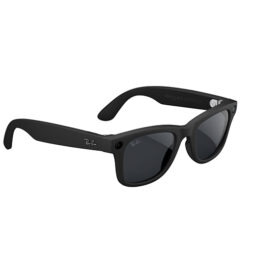
Best overall: Ray-Ban Meta Gen 2
Given the combination of familiar design, more effective Meta AI integration, solid camera hardware, and mainstream price point, the Ray-Ban Meta Gen 2 are the obvious recommendation for most people. They’re AI glasses you’ll actually wear every day.
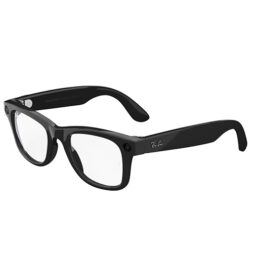
Best budget: Ray-Ban Meta Gen 1
Even at the entry price and despite the lack of having the latest and greatest features, you still get the full Meta AI experience. If money is a big factor, the base Wayfarer or Headliner styles offer excellent value.
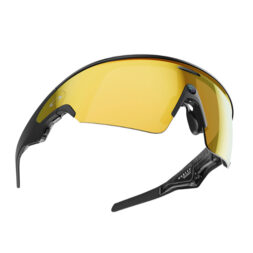
Best for sports: Oakley Meta Vanguard
It’s hard to beat these for their breadth and focus. They integrate Garmin and Strava tracking and data, deploy a motion-stabilized camera, and feature that signature wrap-around lens protection. They do sacrifice some general-purpose AI polish for purpose-built performance features, so being sporty doesn’t mean you get everything.
How we decide what’s best
At Best Buy Canada, curating a “Best of” or “Top X” list is a thoughtful and transparent process. We evaluate products based on brand reputation, popularity, customer interest, and relevance within their category. Our bloggers then bring deep product knowledge and hands-on experience to help identify the best options for you.
Testing goes far beyond unboxing—products are used in real-world scenarios, with our bloggers putting themselves in your shoes to better understand how a device or accessory performs day to day and whether it meets expectations. Where possible, they compare similar models and assess key factors such as design, performance, and category-specific features to offer well-rounded, informed recommendations. For niche or new product categories where broader hands-on testing might not be possible within that category as a whole, our skilled bloggers evaluate the products using every objective method they can.
In some cases, a blogger may not have direct experience with a specific product. When that happens, they draw on broader expertise, such as time spent with comparable items, an understanding of the brand’s current lineup, and its overall reputation. We also draw on insights from Best Buy’s in-house category experts and aggregate feedback from both trusted reviewers and customer ratings to make the best selections.
We’ll always be clear about the basis of our recommendations—whether they stem from first-hand testing or extensive research. Authenticity matters to us. Every “Best of” guide is built on objective insights, product knowledge, and a commitment to helping you make confident buying decisions.
FAQs
AI glasses combine cameras, microphones, and speakers with AI software that they either process on-device or in the cloud to provide voice-based assistance, visual recognition, and real-time information. You interact primarily through your own voice input, with responses coming back through built-in audio.
For most people, yes, especially in the budget or mid-range as a start. The hands-free convenience, photo/video capability, and AI assistant functionality provide genuinely useful value. They’re not just a novelty to wear and show off. If you frequently use your phone for navigation, music, calls, or quick questions, AI glasses can make those interactions feel more fluid.
Not anytime soon. For the time being, AI glasses still heavily rely on the content and connectivity smartphones provide. As such, they’re more of a complement than an outright replacement. They also can’t compete on battery life. Even so, they can reduce how often you reach for your phone for specific tasks, like hands-free queries, first-person photos, and music playback.
Yes, but some social grace and awareness is always nice. The camera is the biggest point of contention, which is why using it responsibly and transparently with people around you when recording is a matter of respect. Visible recording indicators can help make others aware, though in fairness, wearing AI glasses in most public spaces may not be that different from wearing earbuds or carrying a phone. Be mindful of restrictions some venues (gyms, courtrooms, certain workplaces) may have on camera-equipped devices.
Not at the present time. Major consumer AI glasses, including Ray-Ban Meta pairs, don’t require a paid subscription to access core features. You get Meta AI access included with the device out of the box. Some features, like expanded cloud storage for photos or premium AI capabilities, may require subscriptions in the future as the market matures. Always check the current terms before purchasing.