

Amp up your dorm room with some multi-functional audio essentials
Your dorm room is your space to create all of those life-lasting memories, make it happen with a multifunctional audio system.

Buying a laptop? Here’s how Chromebook, MacBook, and Windows PC compare
Shopping for a laptop, but not sure whether to go with a Windows laptop, MacBook, or Chromebook? Here's how to decide.

MacBook Air vs. MacBook Pro for students: which one should you...
Choosing between the MacBook Air vs MacBook Pro for school? For most students the Air is enough but your program makes all the difference. Here's how to decide.
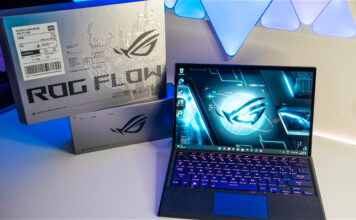
Enter for a chance to win an Asus ROG Flow gaming...
With a simple entry to this contest you might be heading back to school, or back to work, with a powerful 2 in 1 Asus laptop.

What laptop specs do students actually need?
Learn what laptop specs students actually need for school, coding, design, gaming, and classes. Compare RAM, storage, battery life, and more.

The ultimate back-to-school buying guide
Heading back to school this year? This comprehensive buying guide provides tips on all the essentials you'll need for success.

How much RAM and storage do you need for school?
Most students need 16GB RAM and a 512GB SSD. Budget users can get by with 8GB/256GB, but will hit limits faster than expected.

Enter Best Buy’s back 2 school 360 degree Video contest
Enter to win new tech before going back to school since Best Buy is giving away four $500 Best Buy gift certificates as the contest prizes.

Beginner 3D printing projects for kids and students
Discover easy and safe 3D printing projects for kids and students, plus what to buy and how to get started

Switching from Windows to MacBook for school: what to know
Thinking about switching from Windows to a MacBook for school? Here's everything you need to know before you make the move.