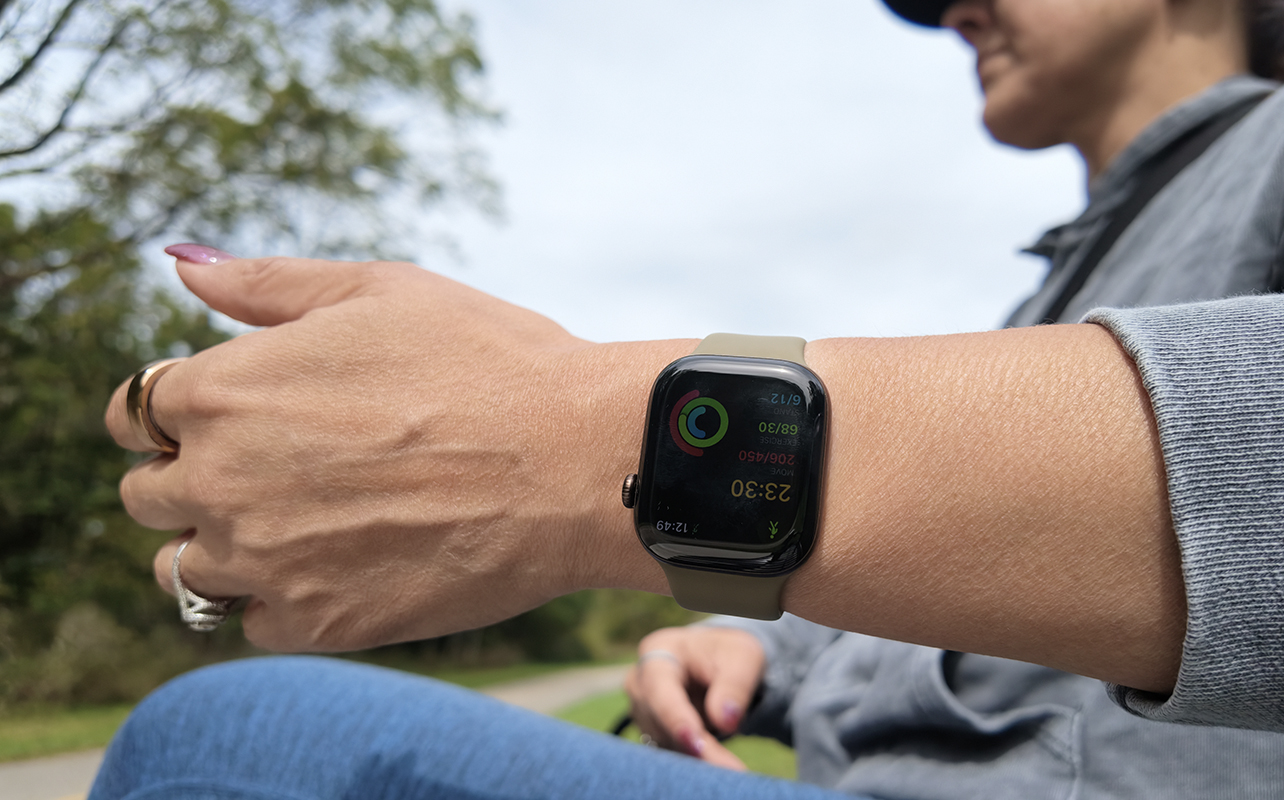
Apple Watch Series 12 looks a lot like Apple Watch Series 11. As with other Apple Watches dating back a few generations, you get the latest OS with both. But there’s a serious upgrade with Apple Watch Series 12: the S11 chip affords unique features and functions you can only get on this model.
I switched from Apple Watch Series 11 (see my Apple Watch Series 11 review) to Apple Watch Series 12 to evaluate the difference. There are a few key things:
- New readiness score leverages sleep and vitals to help you decide how to tackle the day
- Audio Recognition features includes music identification and Sound Recognition, while Siri Recap and Live Rewind are coming later this year
- New Health Sensing System offers enhanced heart rate tracking that Apple says the most accurate of any smartwatch
- Siri AI upgrades with more intelligent and contextual responses, faster replies
- S11 chip gives you more powerful processing and support of the new Health Sensing System
These, it should be noted, are not part of a traditional OS upgrade. That means the Apple Watch Series 12 is a serious performance upgrade with some features you won’t get in any other model (save for the new Apple Watch Ultra 4). One thing to note is that because of these upgrades, the Watch only works with iPhone 11 and up running iOS 27.


Check out my video on the Apple Watch Series 12
The Apple Watch Series 12 at a glance
| Our rating | 4.5/5 |
| Best for | iPhone users upgrading from an Apple Watch Series 10 or earlier. |
| Starting price | $549.99 |
| Best features | Continuous heart rate tracking via Health Sensing System, readiness score, Live Music Recognition, Apple product integration |
| Works with | iPhone 11 and above (requires iOS 27) |
Also meet the other products in Apple’s most recent lineup, from iPhone Duo, Apple Watch Ultra 4, and the iPhone 18 Pro—and read about our trade-in offers on eligible device.
Tracking workouts and vitals is enhanced
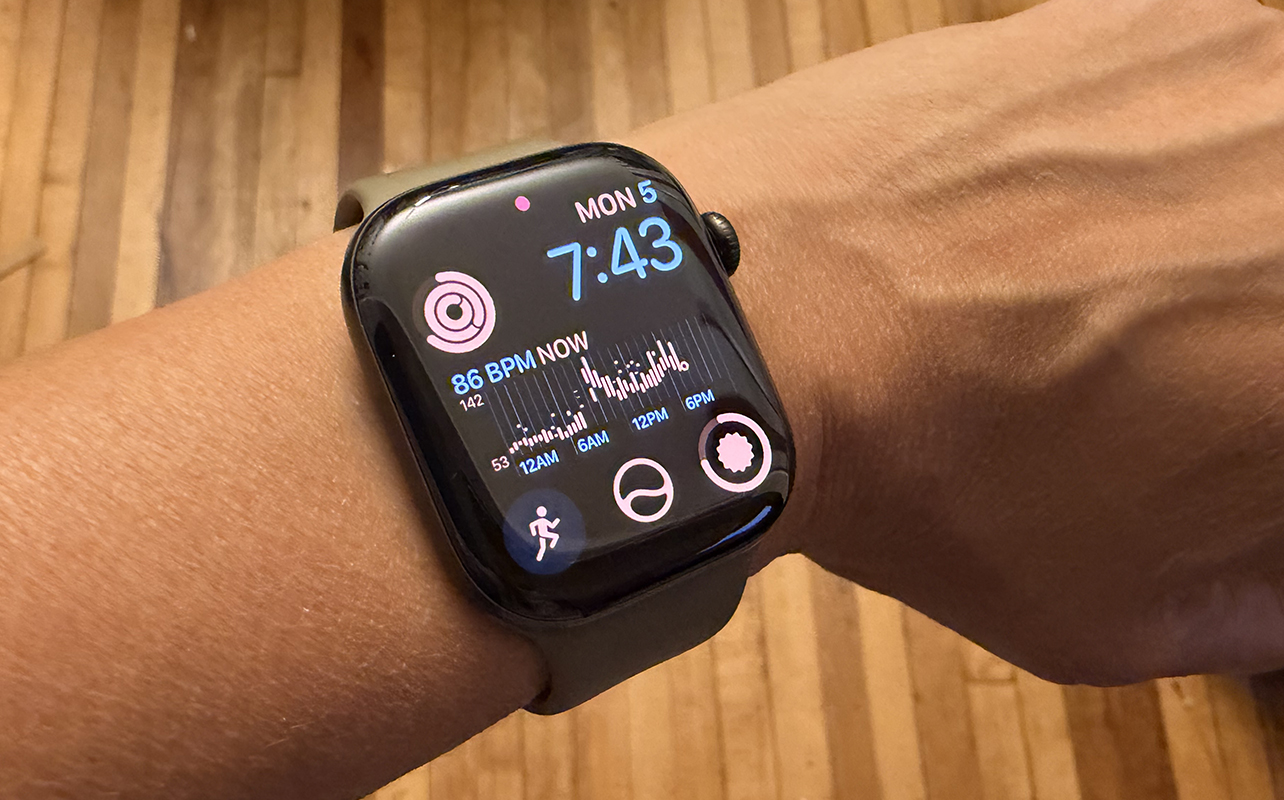
You get all the same advanced tracking options, as other recent Apple Watch models, like hypertension notifications. ECG, and sleep apnea notifications. Apple says step and distance tracking is more accurate for activities like indoor walks and runs. There’s also a new steps complication for tracking in real time.
More accurate heart rate tracking
Apple says you get more accurate and frequent heart rate and heart rate variability (HRV) analysis. The new optical and electrical heart rate sensors measure your heart rate every five seconds and HRV up to 24 times more often. Seeing HRV after an activity can help you determine signs of potential stress and see how well your body recovers. Overall HRV provides insight into your cardiovascular health.
I chose a watch face that displays my heart rate as one of its complications. It’s pretty wild to look down at my wrist at any given time and see my real-time heart rate immediately. An HRV measurement in the overnight vitals is measured against your personal baseline to give you even more precise data.
Readiness score is finally here
Part of this new suite of features is readiness score, which most other smartwatch and fitness tracker brands have had for years. It factors in your activity, training load, sleep, and vitals and delivers a score from 0-10 to guide you for the day. Log at least seven nights of sleep and readiness score kicks in from there.
It might recommend that you do a lighter workout, take a rest day, or go all out for an intense workout. The numerical result is combined with words like Recover, Pace Yourself, Ready, and Go For It. It can update throughout the day as well, so you might start at an 8 but be a 6 by the evening! There’s also an indication of why a readiness score might be low to help you make positive changes to daily habits.
It seems like I hovered around a 7, but I occasionally fell to a 6 and conversely, jumped to an 8. Interestingly, one of the days I was given a 7 and Apple Watch suggested I was ready to go, the Fitbit Air (see my Fitbit Air review) worn on my opposite arm logged me at an 11/100 and recommended I take a rest day. The Oura Ring 5 (see our Oura Ring 5 review) showed a fair score of 67 that same day, and warned that I would not be up for peak performance. That tells me that the way this figure is calculated is markedly different for each tracker, and Apple might be less conservative in its recommendations.
Apple ecosystem features
Of course, Apple Watch does more than just track activities, sleep, and wellness. It’s also for notifications, apps, and more. Apple Watch Series 12 works just as well for all my usual tasks. This includes AirPlaying workouts to the TV and tracking Fitness+ workouts, accessing offline Apple Music playlists, navigating with Apple Maps, tap-to-pay with Apple Wallet, Camera Remote for selfies, and app notifications from smart home devices, like my LG washing machine and dryer and Ring camera.
Siri is majorly improved
Siri has been a step behind Gemini. I could ask Gemini a question and get a straight answer. If I asked Siri the same, I would be asked if I want her to leverage ChatGPT. But Apple has seriously revamped the Siri experience, not only on iPhone, MacBook, and iPad, but also for Apple Watch. Now, it provides detailed and accurate answers off the bat, like what ingredient to sub in for a recipe or measurement conversions.
That said, Siri still has a long way to go. When I asked about showtimes for a movie in my city, Apple Watch knew the movie and its opening date, but said there were no showtimes in my area. Using Gemini on a Google device, it noted the same, but advised me that the film is playing at a different theatre chain in a neighbouring city a 10-minute drive away. Granular details like this make a difference, and it’s one area where Apple has some catching up to do.
It’s worth noting that I’m using a beta version of Siri AI, so we’re sure to see even more improvements. And compared to the experience before, Siri is vastly improved.
Audio Intelligence offers practical and fun features
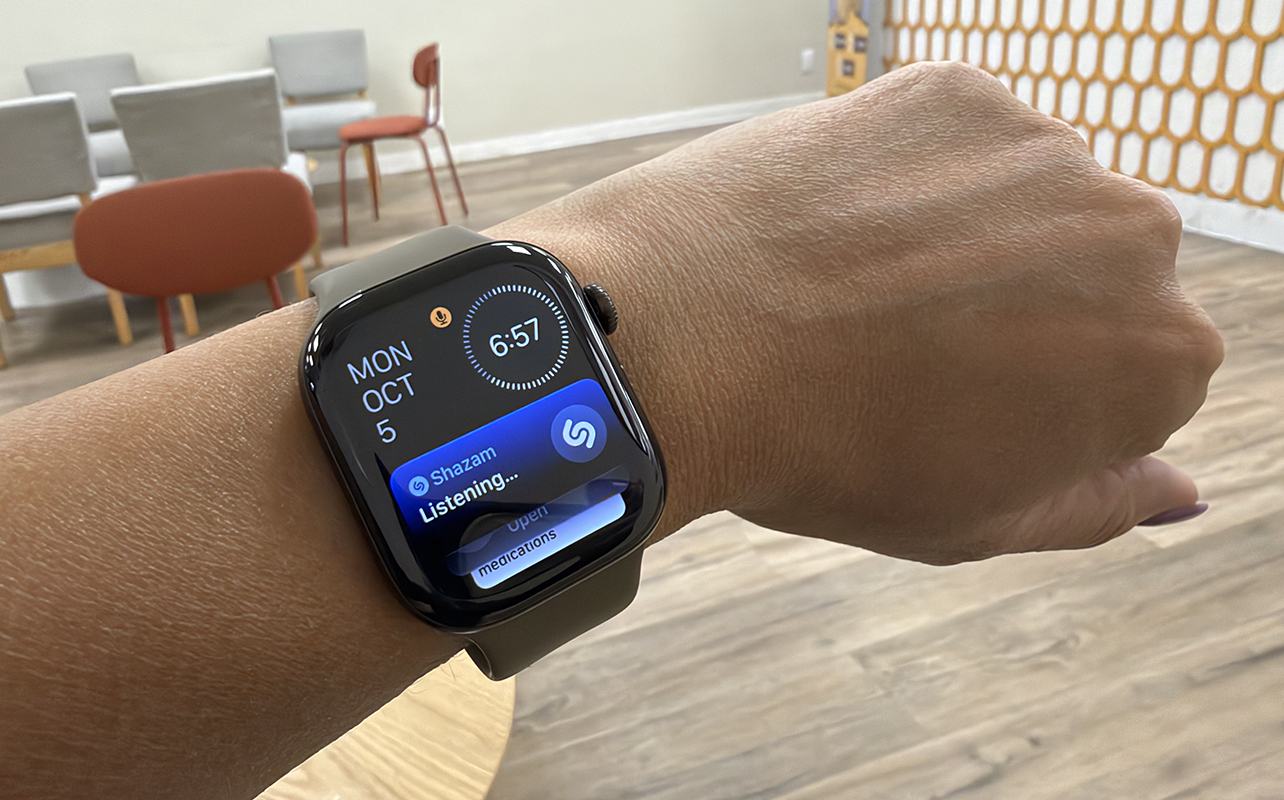
Audio Intelligence is a standout and there are several ways to leverage this.
Sound Recognition
Already available in the Accessibility menu of iPhone, you can now enable the feature for Apple Watch. It alerts you to important sounds, like a doorbell, alarm, or crying baby. This is most helpful for those who are deaf or hard of hearing.
Live Music Recognition
Ever call up the Shazam app on your Apple Watch or say “Hey Siri, Shazam” to get the title and artist of a song you hear playing and by the time you’re done, the song is over? Now, you can do this instantaneously. Once enabled, scroll up using the Digital Crown and you’ll see the Shazam icon and “listening…” Within seconds, the title and artist pop up. I had lots of fun trying this out. Sometimes, the live tile would not activate, but I suspect this is a bug that will be worked out.
Live Rewind
Arriving later this year, scroll back to recall key moments from a conversation. It’s useful for people like me who instantly forget someone’s name or directions to somewhere you were just told.
Siri Recap
Also coming in beta later this year, get high-level summaries of conversations to help you jog your memory. When turned on, Apple Intelligence automatically generates a title, like your personal trainer’s recommended routine, and highlights key points in a new Siri app. It does not identify speakers and leaves out sensitive information, like financial details or government-assigned identifiers. (If there’s ever a way to unquestionably win an argument with your spouse or child, I think Apple found it!)
Addressing privacy
Concerned about privacy? Shazam only listens for music in the same way Siri only listens for the “Siri” wake word. Recordings are never kept and raw audio is not accessible by the operating system apps, Apple, or even you, Apple says. Everything exists in the hardware-isolated Secure Enclave. Once audio is processed and you receive the results, it’s deleted. You can also choose which Audio Intelligence features you want to opt into.
The design hasn’t really changed
Apple Watch has looked the same since the first-generation model with a square face and your choice of band. I appreciate that Apple has found a design that works and it’s sticking to it. Apple Watch Series 12 employs the slimmed down version that was launched with the Series 10 and looks identical to the Series 11, though its screen is supposedly more scratch-resistant. It comes in new colours like the elegant Dark Bronze of my review sample. Along with titanium, there are also new ceramic options.
I love the darker colour of the Digital Crown with the sample I received, though I find it sometimes sticks. It’s usually when I try to scroll up and down from the home screen to access the Smart Stack. Pushing in to select, however, is always flawless.
Battery life is the same
Apple Watch owners have gotten used to daily recharging, and sadly, this won’t change. This model is rated to last up to 24 hours, the same as Apple Watch Series 11. But I have observed that it can sometimes last much longer. After charging in the late morning one day, for example, then doing a workout and going about my regular day and evening, by 11 a.m. the next morning, the battery was still at 49%. So you can absolutely get more than 24 hours depending on usage.
The Watch 12 also charges quickly, giving you up to 12 hours after just 15 minutes, 50% more than you’d get with the Series 11. I charged at 11% and within 25 minutes, it was back up to 71%.
Apple Watch Series 12 vs Apple Watch Series 11
If you’re curious about upgrading, here’s a quick look at how the two latest models compare.
| Key specs/features | Apple Watch Series 12 | Apple Watch Series 11 |
| Size | 42mm, 46mm | 42mm, 46mm |
| Material and Colours | Aluminum (Dark Bronze, Light Gold, Black, Space Grey), Titanium (Radiant Gold, Natural), Ceramic (Pearl White, Night Blue) | Aluminum (Rose Gold, Silver, Space Grey, Jet Black), Titanium (Natural, Gold, Slate) |
| Health Sensors | Health Sensing System, heart rate, stress, temperature, sleep, blood oxygen | Heart rate, stress, temperature, sleep, blood oxygen |
| Processor | S11 chip, 64-bit dual-core | S10 chip |
| Software | watchOS | watchOS |
| Sleep Tracking | Yes (detailed with sleep apnea notifications) | Yes (detailed with sleep apnea notifications) |
| Automatic Workout Detection | Yes | Yes |
| Battery Life | Up to 24 hours (38 hours in Low Power Mode) | Up to 24 hours (up to 38 hours in Low Power Mode) |
| Charging Time | Up to 80% in 30 minutes, 12 hours in 15 minutes, 10 hours sleep tracking in 5 minutes | Up to 80% in 30 minutes, 8 hours in 15 minutes, 8 hours sleep tracking in 5 minutes |
| GPS | Yes (built-in precision L1) | Yes (built-in) |
| Durability | IP6X, water‑resistance rating of 50 metres | IP6X, water‑resistance rating of 50 metres |
| Bluetooth | 5.3 | 5.3 |
| Cellular | Yes (optional) | Yes (optional) |
| Unique Features | S11 chip, Health Sensing chip, more accurate heart rate measurements, sleep HRV, Siri powered by Apple Intelligence, Audio Intelligence (Live Rewind, Siri Recap coming soon), double-tap gestures, readiness score | Siri AI, single-tap gestures |
| Starting Price | $549.99 | $549.99 |
Who should buy the Apple Watch Series 12?
Buy Apple Watch Series 12 if:
- You have an iPhone and want the top-line model with all the latest features.
- You’re upgrading from Apple Watch Series 10 or older.
- You exercise often and will appreciate improved heart rate tracking and readiness score.
- The Audio Recognition features sound like ones you would use.
Consider keeping your current Apple Watch if:
- You already have an Apple Watch Series 11.
- You have at least an Apple Watch Series 9, the oldest that is compatible with watchOS 27, and you are happy with it for basic tracking.
Consider another smartwatch if:
- You want more specialized training metrics. If so, consider a model from a brand like Garmin.
- Your priority is a more AI-driven and/or passive on-wrist experience. I’d recommend the Fitbit Air (with a Google Health subscription).
- You have an Android phone since Apple Watch only works with iPhone. The Samsung Galaxy Watch 9 (see my Galaxy Watch 9 review) or Google Pixel Watch 5 (see my Pixel Watch 5 review) are good options.
- You want something with longer battery life. Consider a brand like Amazfit as an alternative that works with iPhone or go with a smart ring like the Oura Ring 5.
Check out our smartwatch buying guide.
Ready to upgrade to Apple Watch 12?
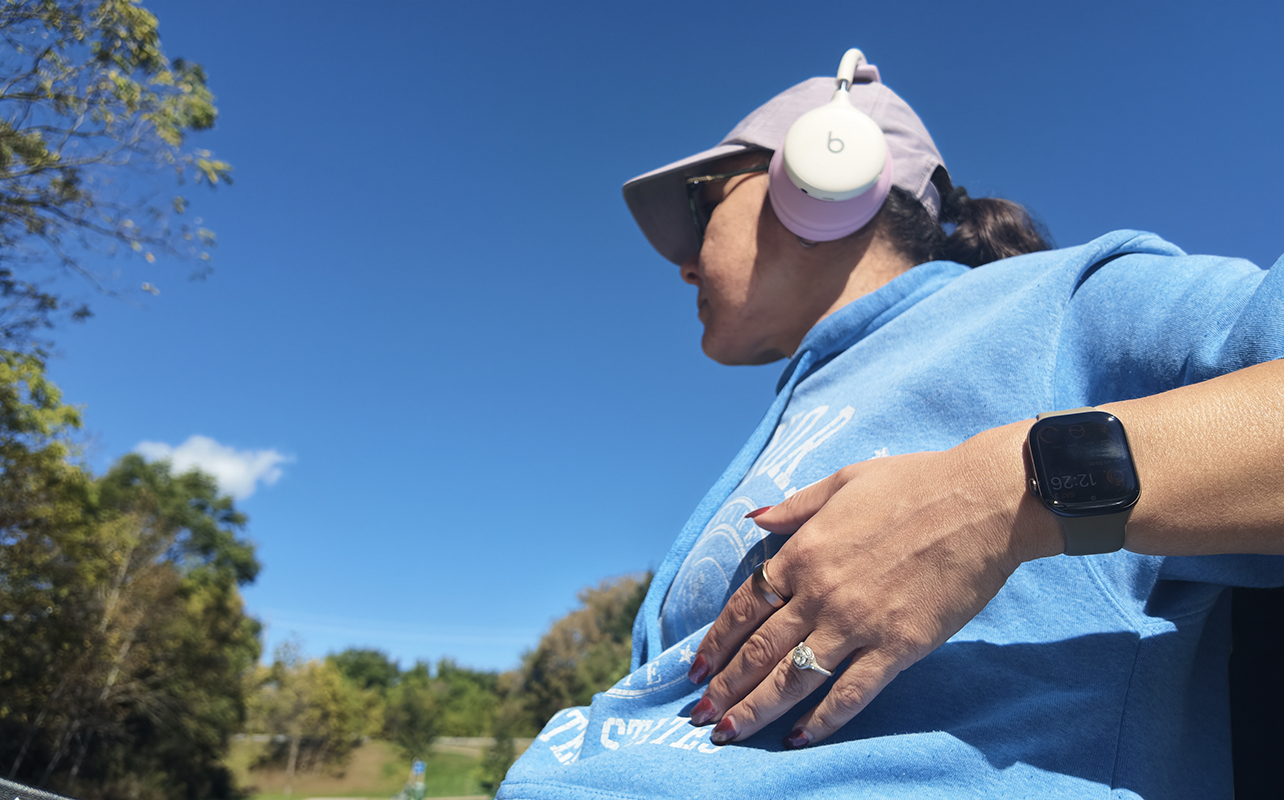
With new features coming later this year, including Siri Recap and Live Rewind, you’ll have more exciting things to try once you get familiar with the Apple Watch Series 12. It’s not a change in style, but under the hood, the S11 chip and Health Sensing System offer more accurate fitness, health, and vitals tracking, improved Siri, and better performance overall.
I can’t say I noticed anything performance-wise that was leaps and bounds above the Apple Watch Series 11. But the exclusive features are convincing enough to suggest getting this model instead of the Series 11, even if you pay a slight premium for it.
Find the Apple Watch Series 12 at Best Buy Canada.