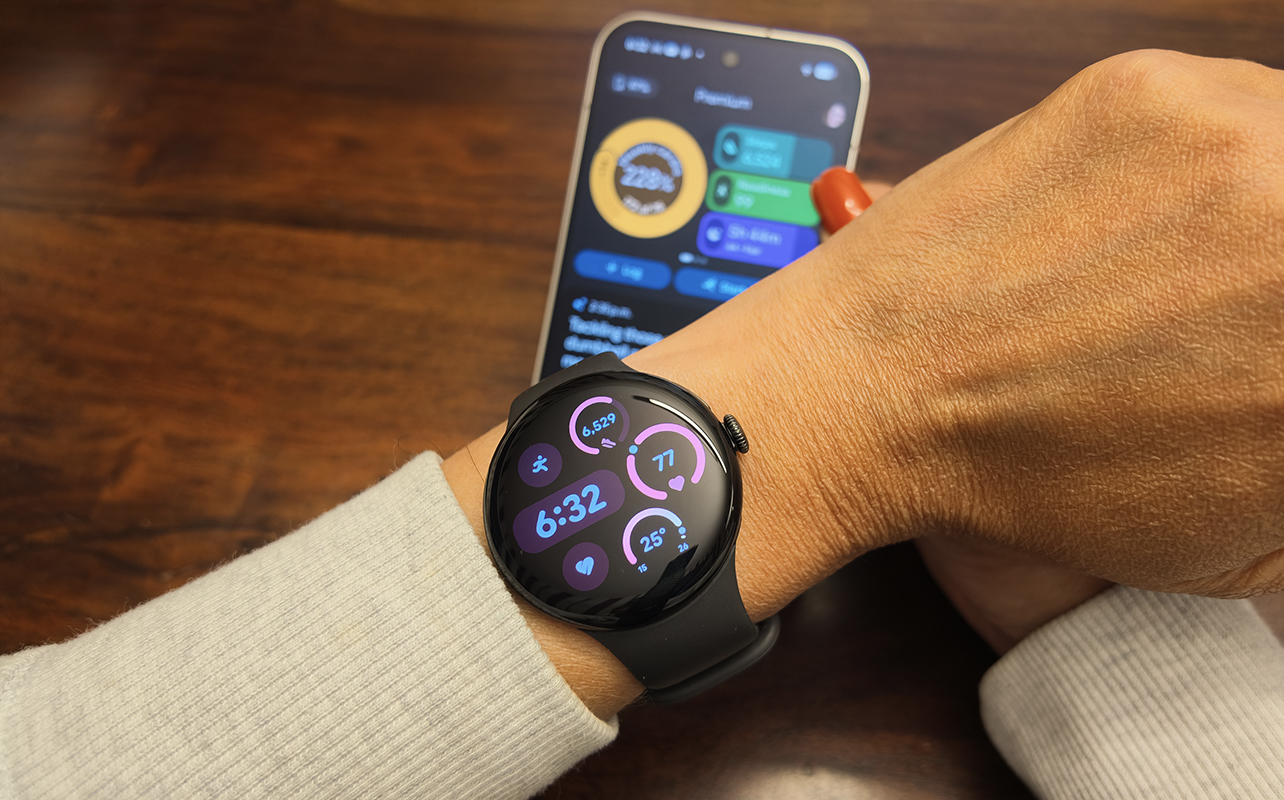
The Google Pixel Watch 5, available in 41mm and 45mm sizes, pairs best with Pixel smartphones, but it’s one of the best Android smartwatches to pair with any Android phone. Yes, you get specific features with a Pixel phone you won’t get with others. But if you don’t care about these additional niceties, it’s one of the nicest looking Android watches you can find.
I spent several weeks with the Pixel Watch 5 and it is one of the most feature-rich, AI-centric smartwatches around, too. Combined with the Google Health app, you can get as little or as much guidance as you need, based on if you decide to go with a Premium subscription or not. So, what’s so great about this smartwatch? Let’s dive into my experience.

It’s one of the nicest looking Android smartwatches
The Google Pixel Watch 5’s Actua 360 320ppi AMOLED LTPO always-on display has the same elegant domed look as the Pixel Watch 4 (see our Pixel Watch 4 review). It comes in Matte Black/Obsidian, Polished Silver/Fog, and Satin Pyrite/Olive. The 41mm version also comes in Champagne Gold/Canyon. There’s both a Wi-Fi only and 4G LTE version of each.
It’s durable with Custom 3D Corning Gorilla Glass 5 and a 5ATM and IP68 rating, so you can swim with it. With up to 3,000 nits brightness, it’s easy to see in bright sunlight as well. There’s a single digital crown on the side along with a recessed button above it for easy navigation.
I love that you can not only customize the look of the watch face with a variety of options in the expansive library but also use Gemini and the Create Watch Face app to create custom looks based on your own prompts. You can only use basic concepts. For example, I asked it to create a face themed by the streets of Toronto, Ontario Canada and the face changed to simply look like a paved road. But asking for shiny amethyst jewels yielded a much cooler set of options. You can effectively have a one-of-a-kind watch face no one else has. There are also upgraded complications with new formats and semantic colours, so the look is even more stylish.
It’s easy to navigate through menu options with simple swipe up/down and side movements plus using the touchscreen and digital crown.
Track workouts, vitals, and health
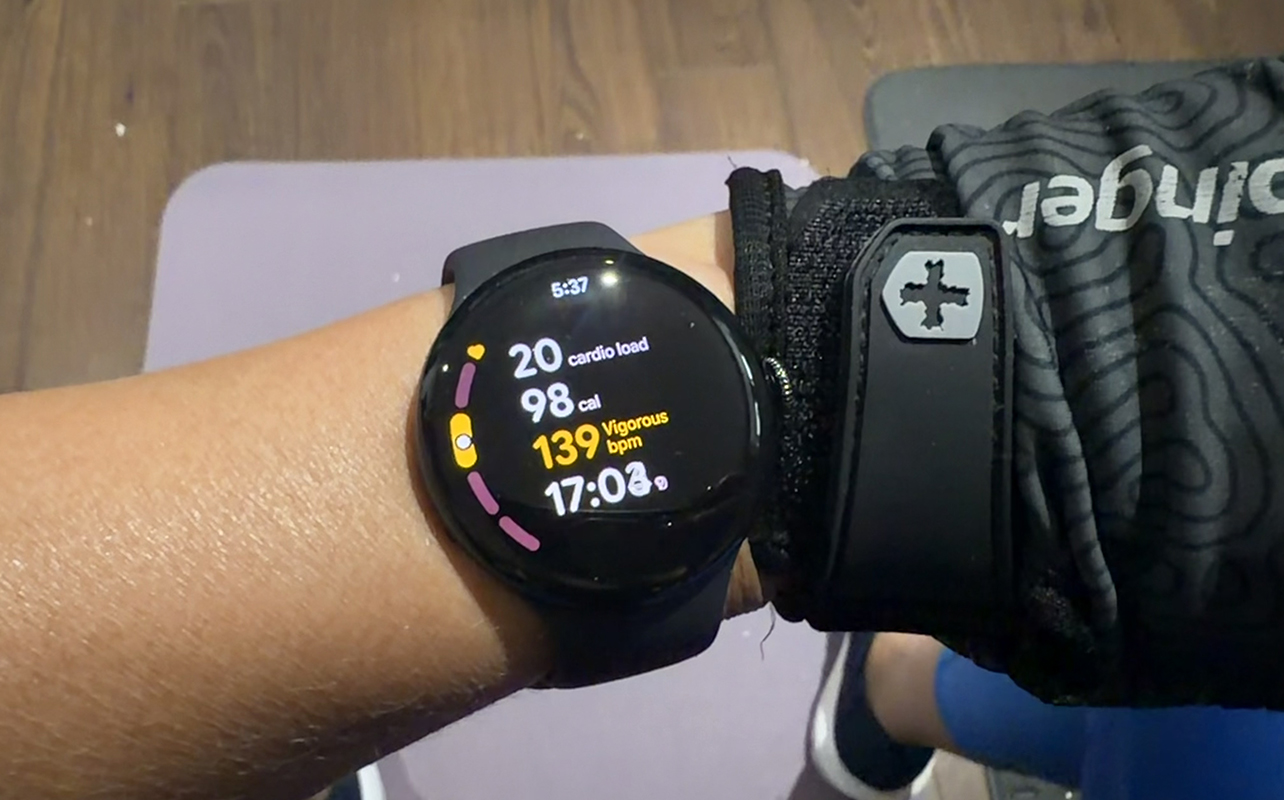
You can use the Pixel Watch 5 with the standard Google Health app, or upgrade to Google Health Premium, which is $12.99/mo. with a three-month trial. I spoke at length of my experience with Google Health Premium in my Fitbit Air review, and I used it with this watch as well.
The experience is largely the same except it’s less passive than it is with that screenless tracker since you can do so much more with the Pixel Watch 5. This includes starting and stopping workouts right from the watch itself. This is useful since the Pixel Watch 5 does not auto-track strength training, which is what I do most often. It does, however, auto-track walks and some other exercises with distinct movements, like cycling and rowing.
Thanks to dual-frequency GPS, you get accurate tracking for outdoor workouts and activities. While I didn’t go into any especially dense areas, I did walk by a busy film set where there was a lot of equipment and obstructions, and it did not impact the tracking accuracy.
I like the subtle visual changes for workout views. It’s more pleasant and easier to see than with the Pixel Watch 4 and other previous generation models. The updated typography with larger fonts and a high-contrast palette let me glance over while doing an intense workout and easily see what my heart rate is.
I also love the morning brief that highlights sleep and stages, readiness, and more right on the watch face. It also provides relevant health alerts if any, like if your skin temperature has risen or your HRV is out of range.
Tracking is generally accurate
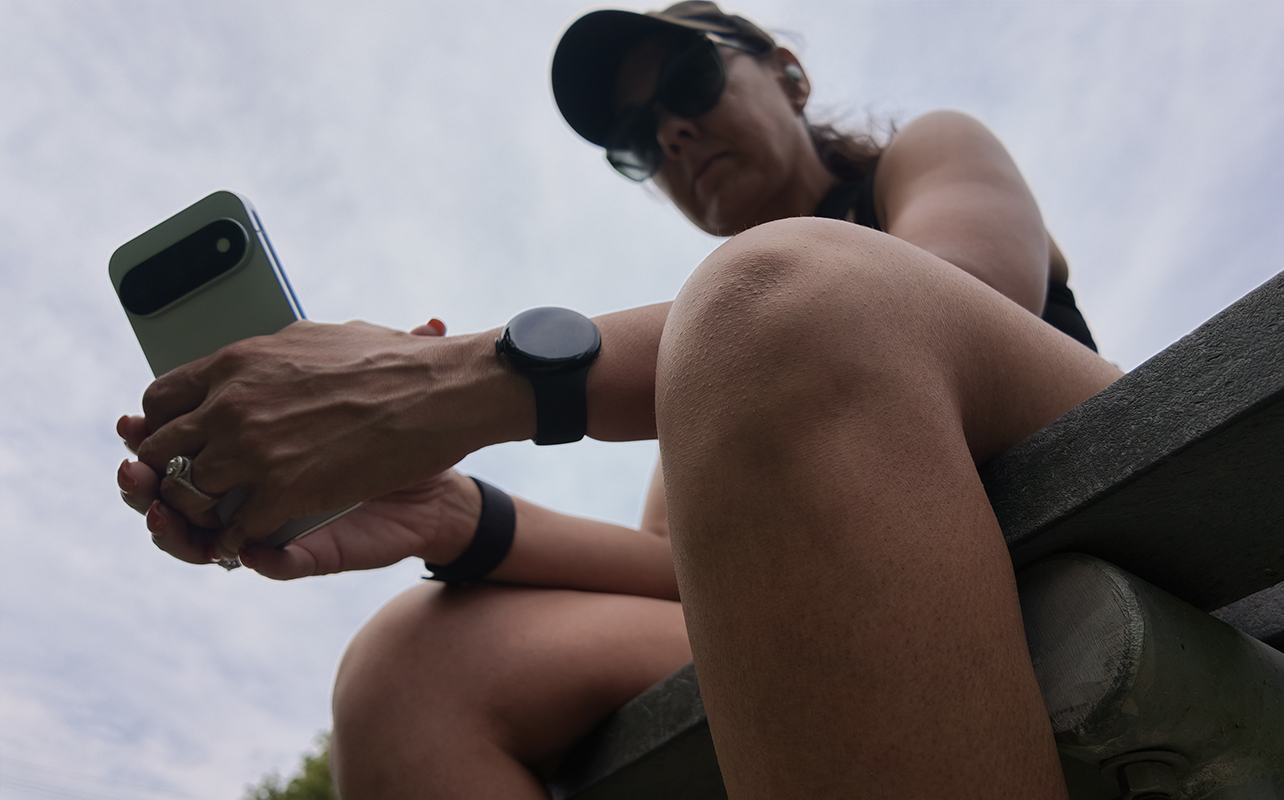
While I found that the Fitbit Air consistently undershot steps, the Google Pixel Watch 5 did the opposite. It would often overcalculate steps. Interestingly, most of the steps on the days it overcalculated were logged during a time when I know I was furiously working away on my laptop, which suggests it captures my quick typing as movement.
However, the rest of the tracking was on par with other devices, from sleep to vitals, workout recaps and stats, and more. Google says you get 15% more accurate sleep tracking. Whatever the case, it was in line with other devices, including my Oura Ring 5 (see our Oura Ring 5 review), which is known to be among the best for sleep tracking.
Leverage advanced fitness and health metrics
Along with tracking a predefined workout, you can generate step-by-step workouts with the help of Health Coach or build one yourself. From there, you can follow along from the watch or your phone, adding details for reps and weights used. I tried it on the phone alone (a seemingly known bug prevented it from syncing to the watch) and it’s not my cup of tea. I prefer to watch a guided workout with real people on the big screen. But I do love that you can add what weights you used for each exercise, which sure beats using a pen and paper!
A feature called Health Guardian is coming to Canada starting with a September rollout. It will provide breathing emergency detection, blood pressure trends, insulin resistance trends, and sleep breathing quality. Once launched, it will be available via OS update and accessible for Pixel Watch 4 owners as well.
Gestures are more useful than you think
The Pixel Watch 5 works with touchless, one-handed gestures. Pinch twice and it will pull up notifications. Keep pinching and it will scroll through items. Turn your wrist back and forth to dismiss. The gestures trigger different actions based on what’s happening. You can customize it to snooze or dismiss an alarm, for example. Double pinch to play, pause, or skip tracks while listening to music as well.
At-a-glance shows a tiny widget on the home screen for a live update with compatible apps, like if you are calling an Uber and waiting for pickup or listening to music from Spotify on your phone. Tap to call up the app and see the status or use the aforementioned gestures to interact. You can also use this to get back to it if you pause a workout or live navigation.
Other useful features
Water lock is useful when you plan to go swimming, locking the screen so movement underwater doesn’t inadvertently trigger something on screen. There’s also a built-in flashlight, find my phone, and more.
Use the watch to control a connected Pixel phone camera to capture photos like selfies and group pics or shoot video (yes, using those same gestures). Access maps both while connected to your phone and offline if you download them. Even use the watch as a remote for a Google TV and other connected smart devices in the home.
Though I didn’t use it, there’s an auto media pause feature that pauses media if the watch detects that you have fallen asleep. I know a lot of parents of teens who would appreciate this feature. My friend once received a massive cell phone bill because her daughter fell asleep while listening to music from her phone over the cellular network! This feature would prevent that from happening.
Gemini is at your fingertips
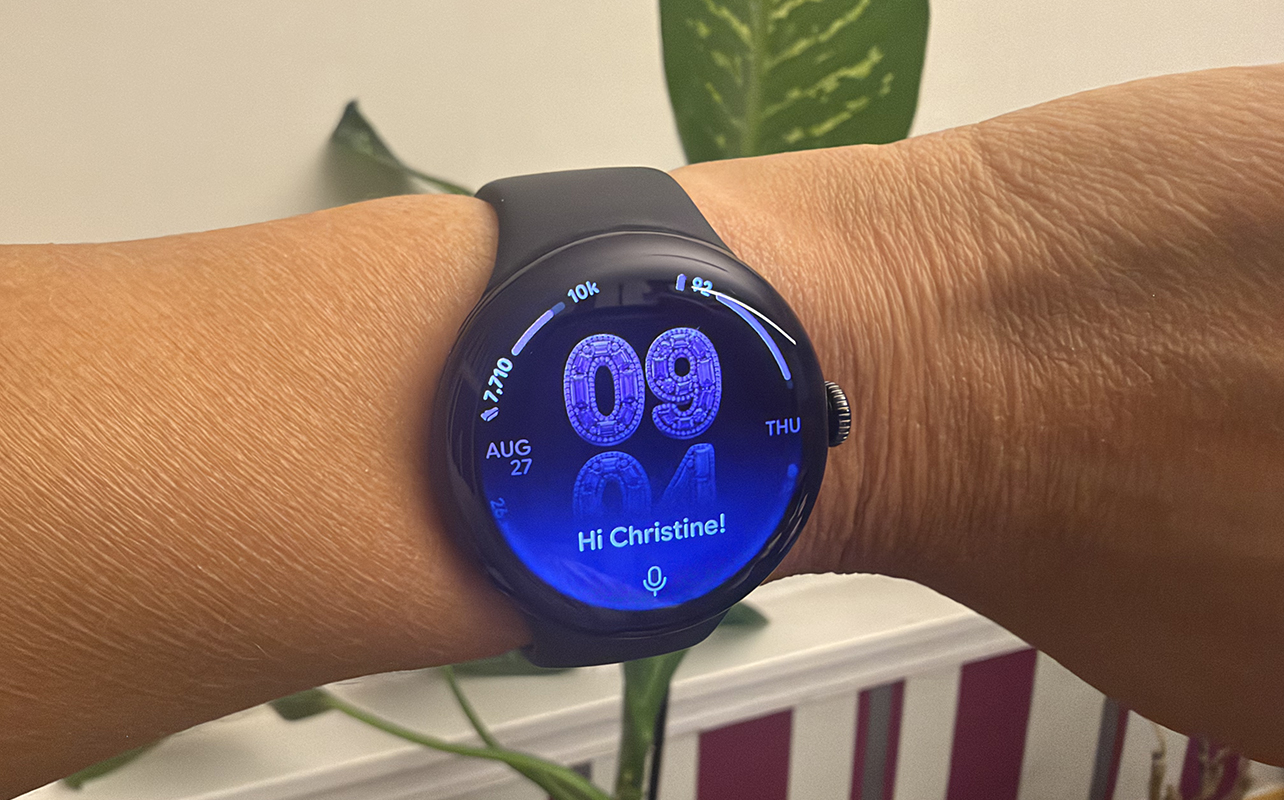
While the Pixel Watch 5 has the same processor as the Pixel Watch 4, it’s an “accelerated” version that Google says results in slightly boosted CPU performance and a smoother feel. It’s relatively smooth to navigate, though some apps take a split second to open or swipes to register. Gemini activates quickly, though.
Raise to Talk is a useful feature, also available in the Samsung Galaxy Watch 9 (read my Galaxy Watch 9 review). Once set up, raise your wrist to your mouth and begin speaking to Gemini. You can adjust the sensitivity in the app if you find that you need to jerk your arm up too aggressively or conversely, that it thinks you want to speak to Gemini when you’re only checking the time. I did find that even with sensitivity at the highest, it sometimes wouldn’t trigger. After a few tries, you might get frustrated and just press and hold the function button to call up the AI assistant.
It’s worth noting that you can use Gemini offline for basic tasks by putting the watch in Airplane Mode. It works for basic actions like setting an alarm, opening an app, tracking a workout, skipping a song, and more. I can’t imagine any times you’d need this. Maybe you want to track a workout at the gym while your phone is in the locker, or to set a wake-up alarm on a flight while the watch isn’t connected. But you could do this manually, too.
Battery life is better than expected
The larger size has a bigger 465mAh battery that lasts up to 40 hours per charge with the always-on display and 72 hours in Battery Saver mode. The 41mm, of which I had a sample, has a 332mAh battery that should last up to 30 hours with the always-on display or 48 hours in Battery Saver mode.
Based on my experience, these battery life estimates are accurate. In fact, the Pixel Watch 5 often lasted longer than the 30 hours without needing to be in battery saver mode. Expect to charge it every day-and-a-half. But rest assured it will last all day, even with heavy tracking, Gemini use, and the always-on display.
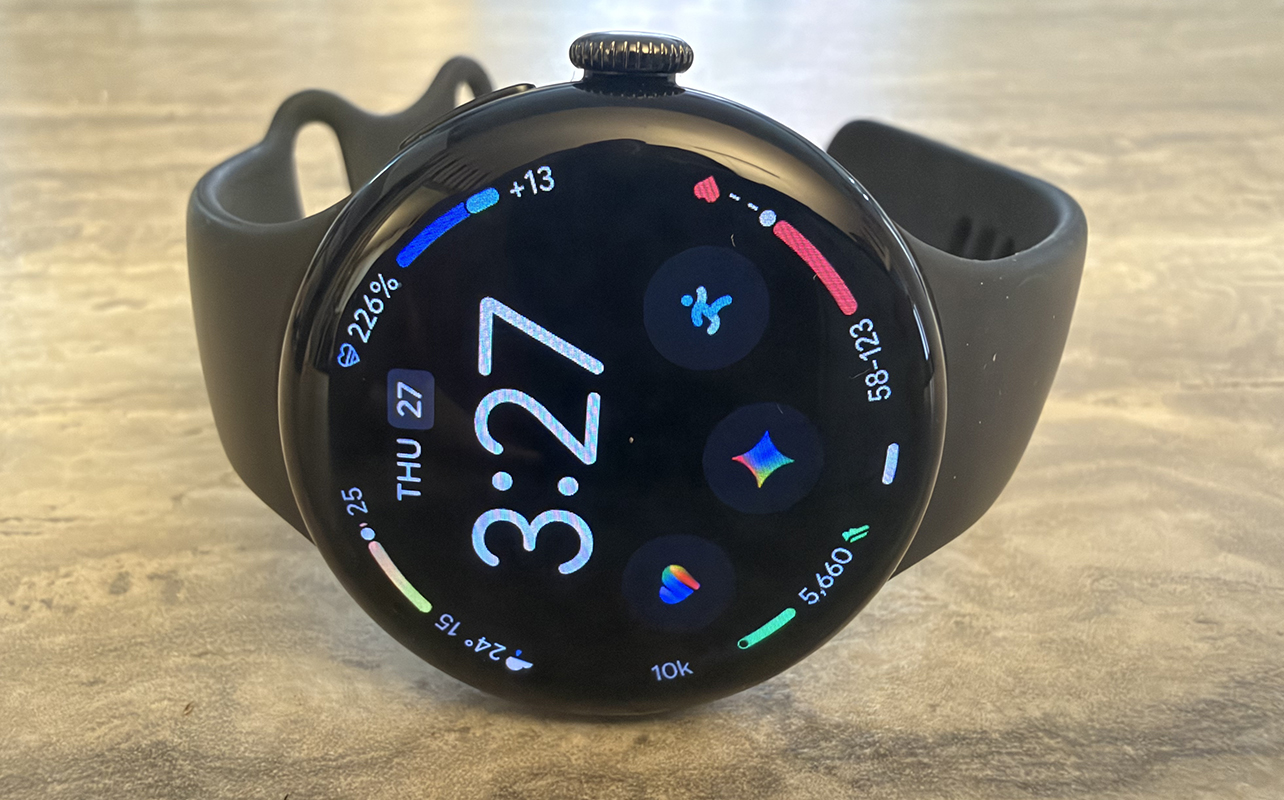
The charging dock that lets you sit the watch sideways to charge is such a smart design. Even smatter is that the screen also auto rotates so you can see the time and other important information, helpful if you have it on your work desk.
The watch can recharge up to 100% in an hour, 80% in half an hour, and 50% in 15 minutes. So, by the time you’re done your protein shake in the morning, it will have enough juice to track your run.
A wonderful detail is that both the display and battery are serviceable, which gives you more value since you can extend its life.
Google Pixel Watch 5 vs. Google Pixel Watch 4
Wondering if you should upgrade? Here’s a quick at-a-glance look at how the Google Pixel Watch 5 compares to the Pixel Watch 4.
| Google Pixel Watch 5 | Google Pixel Watch 4 | |
| Size | 41mm, 45mm | 41mm, 45mm |
| Colours | Obsidian, Fog, Olive; Canyon (41mm only) | Obsidian, Porcelain; Lemongrass, Iris (41mm); Moonstone (45mm) |
| Health Sensors | Optical heart rate, red and infrared, electrical for ECG, EDA, skin temperature | Optical heart rate, red and infrared, electrical for ECG, EDA, skin temperature |
| Processor | Snapdragon W5 Gen 2 Accelerated | Snapdragon W5 Gen 2 |
| Software | Wear OS 7 | Wear OS 6.0 |
| Sleep Tracking | Yes | Yes |
| Automatic Workout Detection | Yes | Yes |
| Battery Life | Up to 40 hours with AOD (Up to 72 hours with Battery Saver) for 45mm, Up to 30 hours with AOD (48 hours with Battery Saver) for 41mm | Up to 40 hours with AOD (72 hours with Battery Saver) for 45mm, up to 30 hours with AOD (48 hours with Battery Saver) with 41mm |
| GPS | Yes (built-in) | Yes (built-in) |
| Durability | 5ATM, IP68 | 5ATM, IP68 |
| Bluetooth | 6.0 | 6.0 |
| Unique Features | Gemini, Raise to Talk, Satellite SOS, one-handed gestures, smart home control, AI-generated watch faces, Google Health Premium option | Gemini, Raise to Talk, Satellite SOS, one-handed gestures, smart home control, Google Health Premium option |
| Hardware Price | Starts at $549.99 | Starts at $479.95 |
Watch the Google Pixel Watch 5 in action
Is the Google Pixel Watch 5 right for you?
The Google Pixel Watch 5 is one of those Android watches that, while part of the Pixel ecosystem, works equally well with all Android phones. It’s maybe a bit of the agnostic Fitbit ecosystem rubbing off on it. In fact, you can technically pair the Pixel Watch 5 with the Google Health app on iPhone, though you won’t get things like notifications from apps and for calls and messages,
While you can use it with any Android phone without this limitation, you do get exclusive software integrations with a Google Pixel phone (I paired my sample with the new Google Pixel 11 Pro). These include the camera app remote, unlocking your Pixel phone from the watch, call screen integration, and more. If none of these functions matter to you and you have another branded Android phone, the Pixel Watch 5 is a solid choice.
The Pixel Watch 5 looks more like a watch than a smartwatch. You get intelligence from your wrist with Gemini, accurate workout, health, and vitals tracking and decent battery life. And, as with the Fitbit Air, if you sign up for Google Health Premium, you get tons of added fitness and wellness goodies.
I would recommend the Google Pixel Watch 5 to anyone who owns an Android phone and wants a great all-around smartwatch. If you have a Pixel phone, it’s definitely the best option right now.
Find the Google Pixel Watch 5 in 41mm size and 45mm size and multiple colours with Wi-Fi only and LTE at Best Buy Canada.