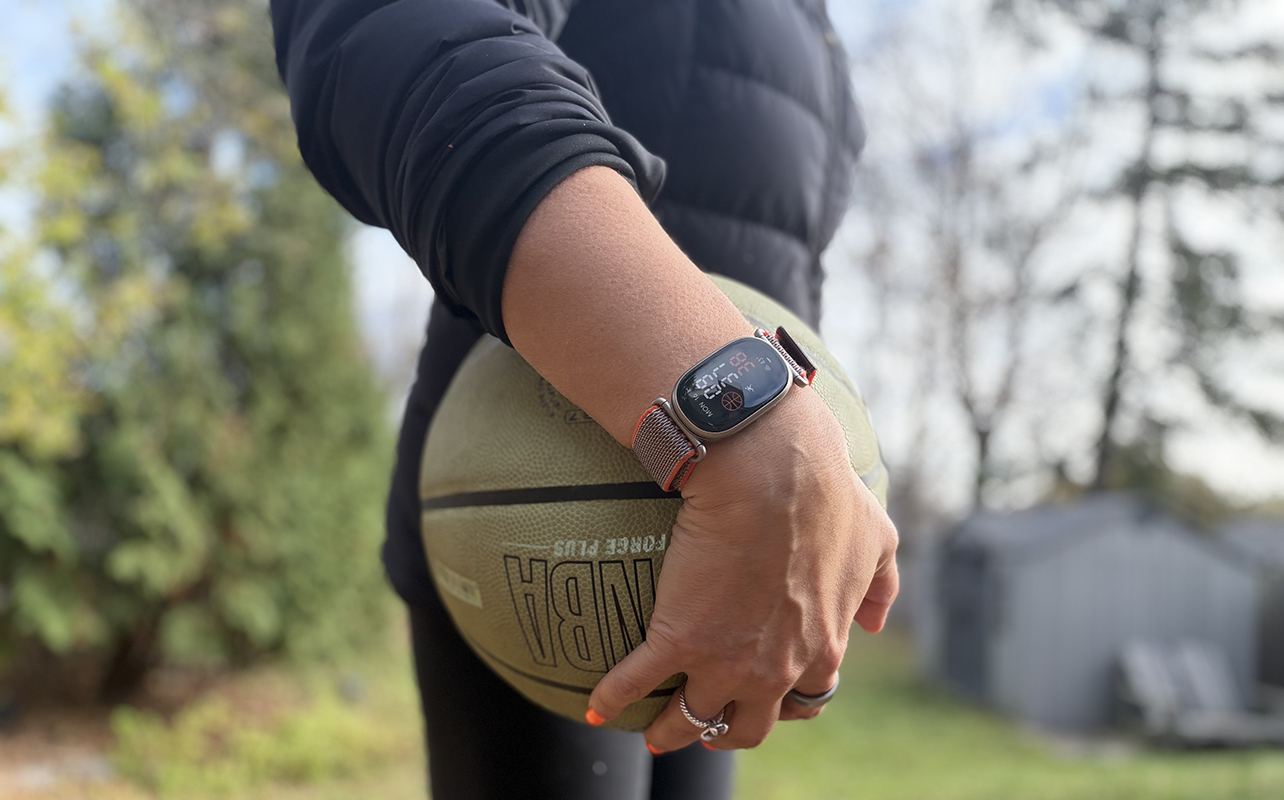
Google Fitbit and professional basketball legend Stephen “Steph” Curry have come together for a special edition version of the new Fitbit Edge fitness tracker that’s exclusive to Best Buy. The Fitbit Edge sits between a screenless fitness tracker, like the Fitbit Air, and a full smartwatch, like the Google Pixel Watch 5. Its compact screen gives you useful at-a-glance information without feeling as distracting as a larger smartwatch display. And the inclusion of Curry’s styling is especially exciting for basketball fans.

The Fitbit Edge Stephen Curry special edition tracker design
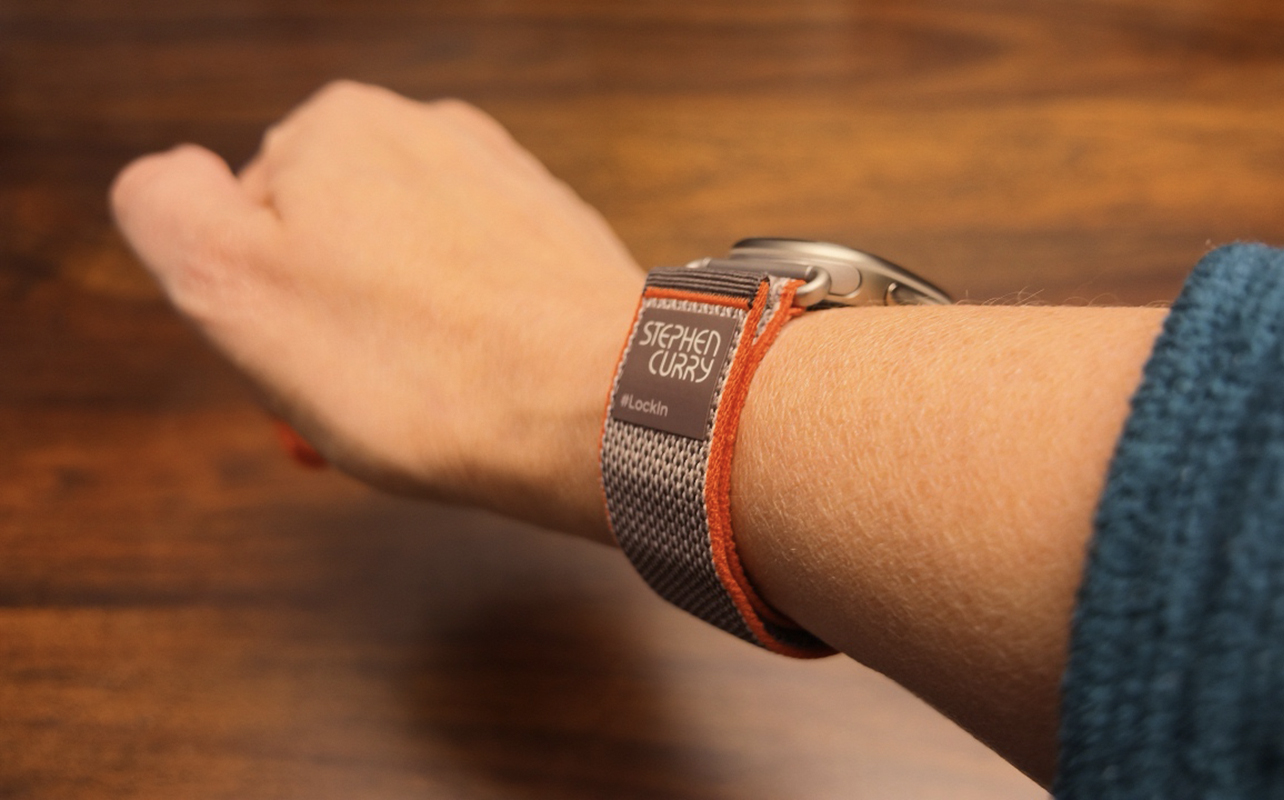
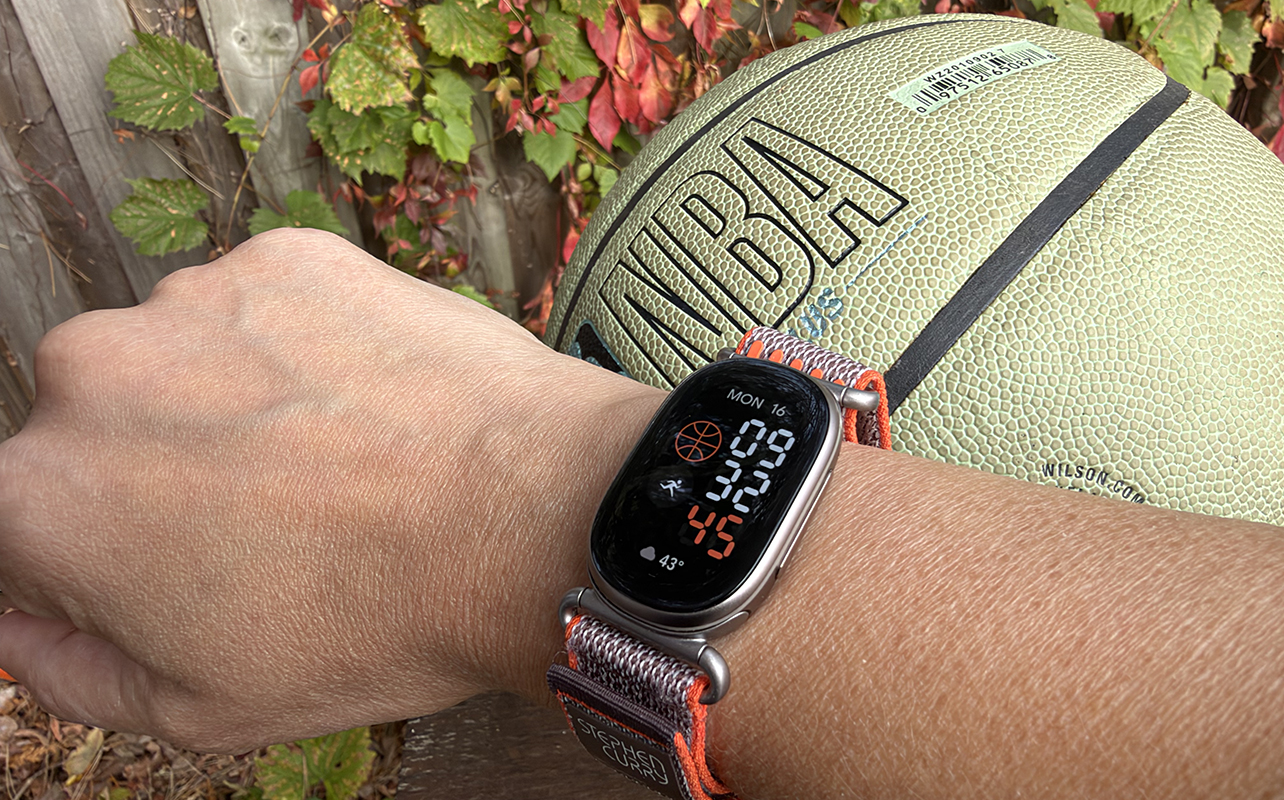
The Fitbit Edge Stephen Curry is identical to the standard Fitbit Edge in functionality, but there are a few key visual differences. The most noticeable difference is the Rye orange and grey band, which strikes a nice balance between stylish and sporty. It has a basketball-inspired look, emblazoned with Curry’s name and the “#LockIn” hashtag, expressing his well-known pre-game mantra. It’s a motivational reminder to “lock in” to your day, work hard, and try your best. The review unit came with one band size, which wraps farther around my smaller wrist than I would prefer, but I adore the design of the band. The proprietary charger is also included along with the miniature guide and warranty card. That’s pretty much all you need.
Like the standard Fitbit Edge, this one comes with a three-month trial of Google Health Premium, which I would recommend taking advantage of from the start. It takes about two weeks for data to calibrate to your baselines, as with any wearable. Through this process and the months after, you can decide if you want to keep Premium going ($12.99/mo. thereafter) or stick with the free basic app experience.
How the Fitbit Edge Stephen Curry special edition works
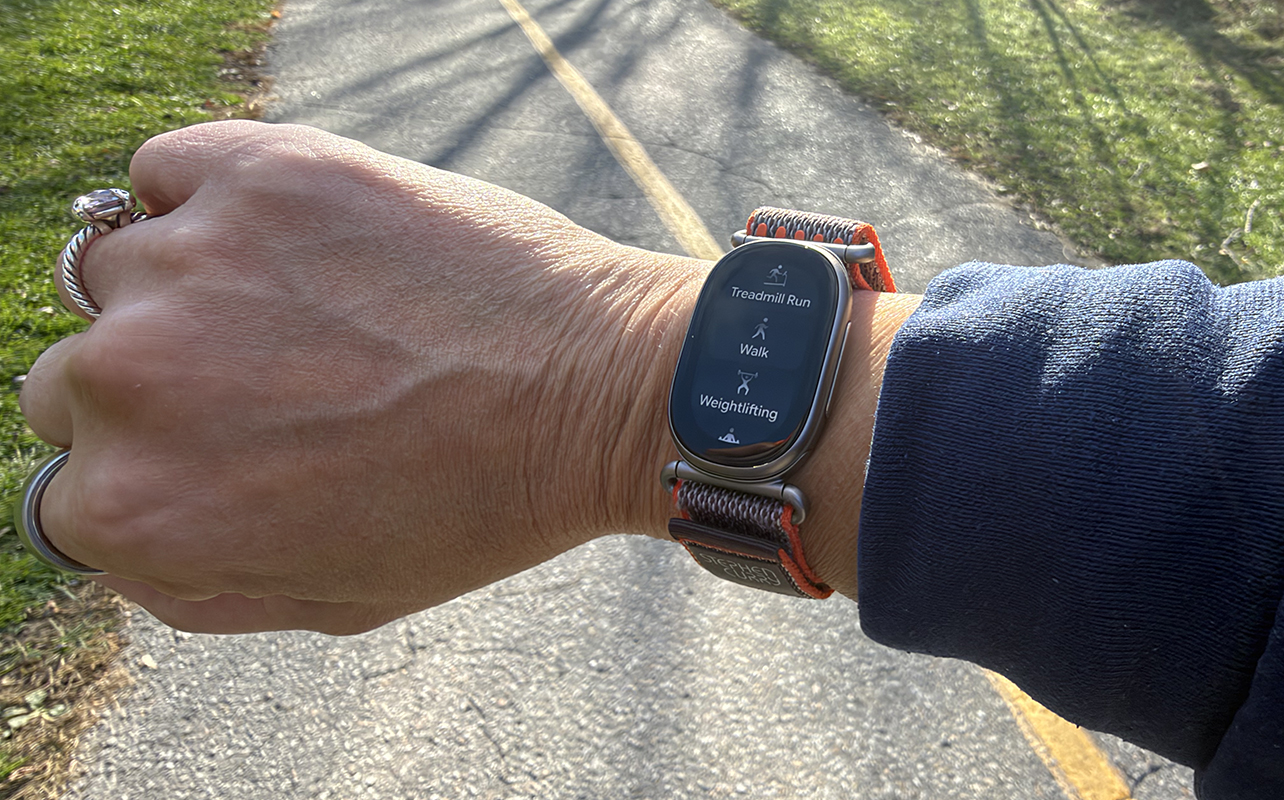
The Fitbit Edge works similarly to the screenless Fitbit Air (see my Fitbit Air review) with one major difference: it has a small screen. The display is larger and wider than those on many slim fitness trackers, but more compact than a typical smartwatch display. Since it’s wider, you get a bit more screen real estate while still maintaining the discreet feel of a fitness tracker. Of course, since this is Curry’s design, the default home screen displays an orange basketball for one-tap logging when you’re about to hit the court and play.
Customizing the screen
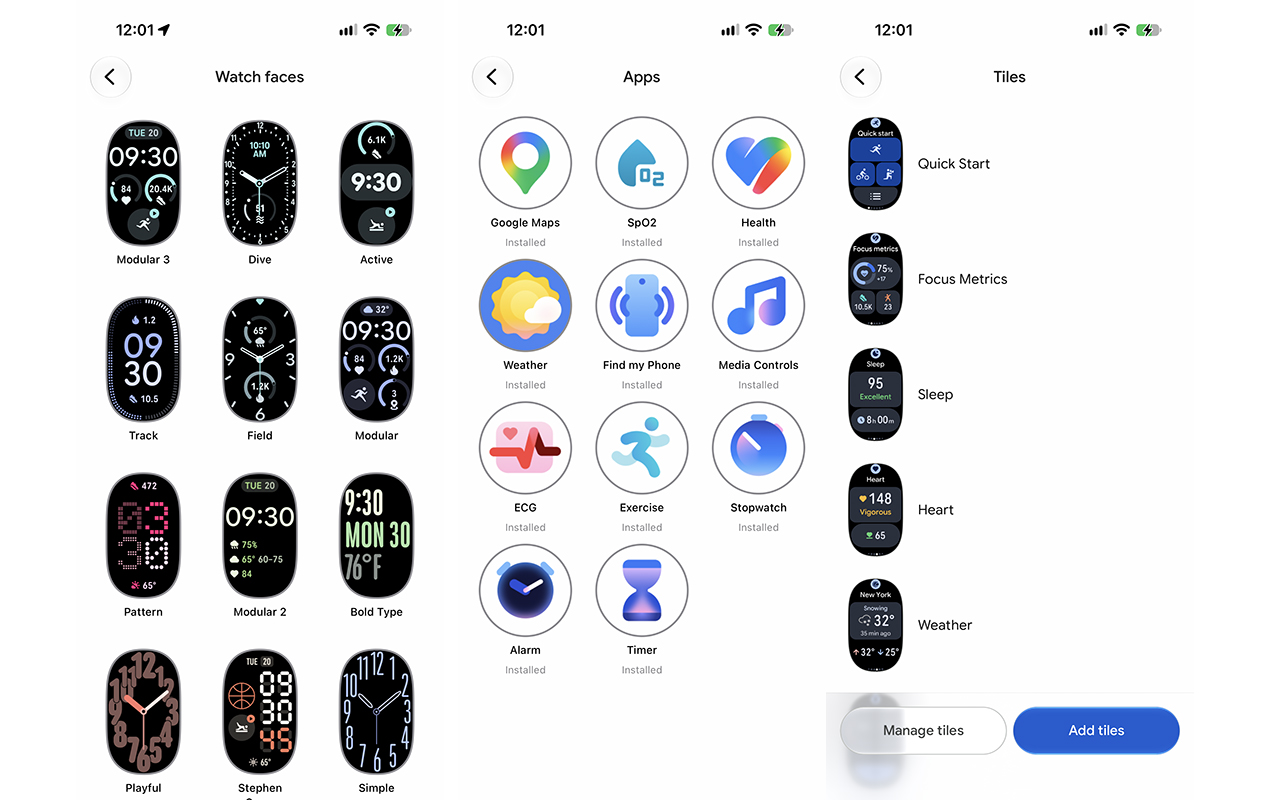
During my testing, I could choose from 12 additional watch faces in the app, including traditional modular designs, playful options, and digital and analog styles. The list of pre-installed apps are currently the only ones available on the tracker. They include Health, Exercise, SpO2, Find my Phone, Alarm, Media Controls, Stopwatch, Weather, Google Maps, ECG, and Timer. One glaring omission is Google Pay since the tracker does not have an NFC chip for contactless payments.
You can also customize which Tiles are accessible from the device’s screen, prioritizing what’s most important to you. Quick Start, for example, offers one-touch access to start a workout. Focus Metrics shows essentials like progress towards your daily goal, steps, and exercise minutes. Other pre-loaded ones include Sleep, Heart, Weather, Timer, and Media Controls. The only optional tile you can add at this time is Cycle Health, which provides quick access to menstrual cycle information. You can have up to eight tiles on the Fitbit Edge at any time, so all of them fit. Or choose to pare it down to just the ones you want to see on your wrist for a more streamlined experience.
Accessing data and menu options
See captured data in the companion Google Health app, but also on the screen itself by swiping left or right to view details. Swipe down for settings and up for notifications. Press the elongated side button to return to the home screen or open the app menu.
Notifications keep you on top of what’s going on
The tracker is easy to use and pair with your phone, including both iPhone and Android devices: I tried with both an iPhone 17 Pro and Google Pixel 11 Pro. Notifications like e-mails, calendar reminders, incoming calls, and more come through reliably. It’s nice to glance at my wrist during a workout to see that an e-mail isn’t urgent or incoming call is one that can wait.
If you pair it with an Android phone, you can also use quick preset replies like “yes,” “no,” and “I’ll call you later.” Also exclusive to Android is an always vibrate option so the tracker provides a haptic response with every notification. Despite being more compact than a typical smartwatch screen, it’s still easy to read and navigate.
Features of the Fitbit Edge fitness, health, and wellness tracker
Fitbit Edge, including this special edition version, tracks common fitness and wellness metrics, including steps, activity, workouts, calories burned, sleep, heart rate, resting heart rate, heart rate variability (HRV), breathing rate, blood oxygen, and skin temperature variation. You also get a readiness score that helps you decide how to tackle the day.
My experience with the Fitbit Edge Stephen Curry special edition tracker
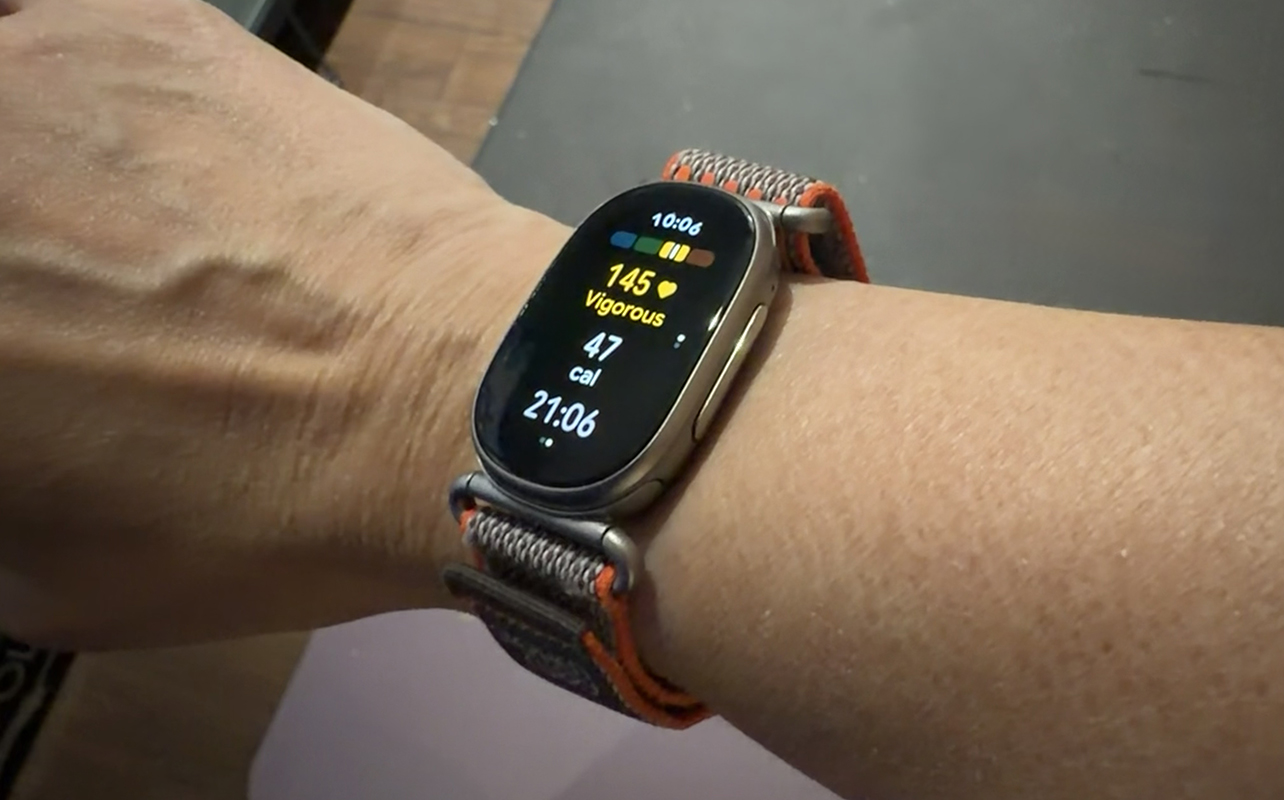
I spent about a week and a half with the Fitbit Edge to get first impressions and I really enjoyed it. Since I have been using Google wearable products for the last few months, including the Google Pixel Watch 5 (see my Pixel Watch 5 review), my baselines have already been established.
The first thing I noticed and appreciate is that automatic workout detection works well. It automatically detected my first strength training session. I was surprised when it even captured a short 11-minute kickboxing workout. This was nice since many wearables do not auto-detect a workout that’s shorter than 15 minutes. The tracker labelled the workout with low confidence and incorrectly categorized it as strength training, but it was easy to edit the activity afterward. The tracker also consistently captured the proper workout or activity duration. My post-workout stats were also generally consistent with those recorded by other wearables I wore at the same time.
Having the tiny screen is useful for phone notifications. It’s also handy to manually log workouts that might not be as easily detectable, like dancing or playing pickleball. Plus, it’s nice to quickly gauge where I am in the day without having to open the app.
Sleep duration, stages, score, and quality also appeared consistent with my recent trends and the other wearables I was using. The readiness score is usefu, you can use it as a guide when deciding whether it’s a good day for an intense basketball session or a lighter recovery workout. I do wish it had an NFC chip for mobile payments. But most people will be fine using their phones anyway.
Taking an ECG from your wrist
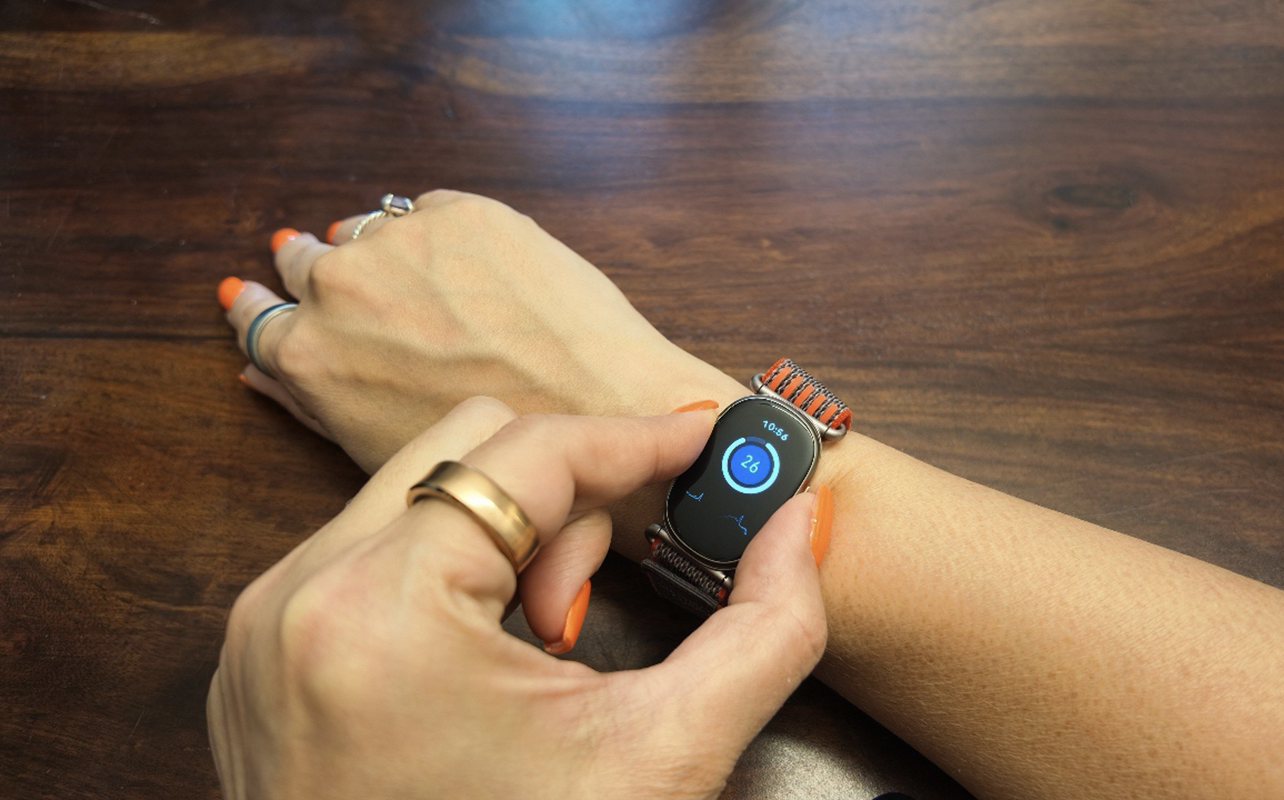
A neat feature is the ability to take an ECG test at any time. This feature is typically reserved for more expensive wearables. Open the app and place your thumb and index finger on the side sensors. After 30 seconds, the app provides an ECG reading that can indicate whether your heart rhythm shows signs of a normal sinus rhythm or a possible irregularity.
Google Health vs. Google Health Premium
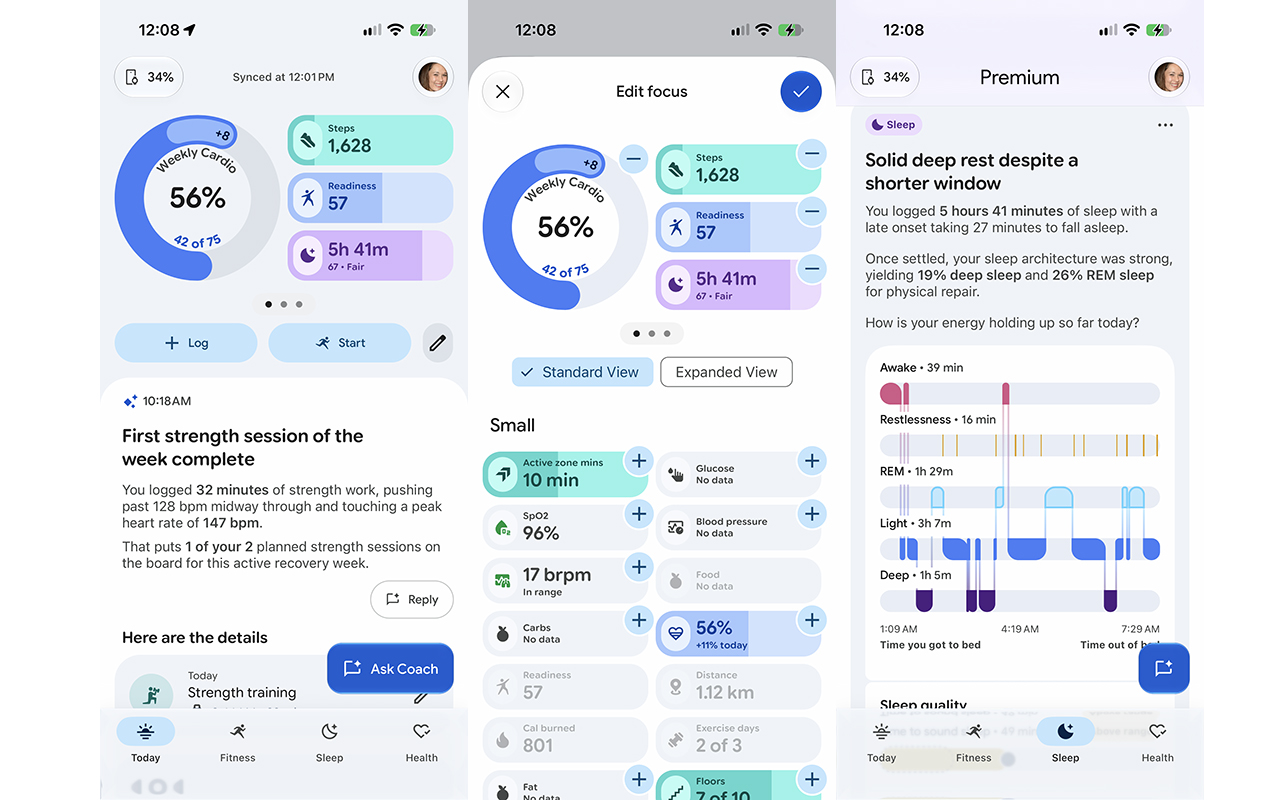
The Google Health app, developed in partnership with Curry and his performance team as performance advisors, is easy to navigate. Everything is cleanly laid out in the Today tab. Additional information is accessible in Fitness, Sleep, and Health tabs across the bottom. I like that you can adjust the metrics that appear up top. Just tap the pencil-shaped edit icon to move, remove, or add metrics. If you’re a runner, you can highlight the Running distance card. If you want to prioritize seeing your Active zone minutes, push those to the top. Or add Food tracking for one-tap access.
Google Health free tier
With the free tier, you get basic activity and workout tracking. This includes steps, distance, active zone minutes, calories burned, elevation, and built-in GPS for outdoor runs. The Fitbit Edge supports more than 50 exercise modes and can automatically recognize select activities. The 24/7 heart rate tracking, high/low heart rate alerts, skin temperature sensor, blood oxygen, ECG, and Afib detection are all included with the free app.
Sleep tracking is also included alongside cardio load and daily readiness score, phone notifications, and app access. Health Guardian can also surface important wellness trends and notifications, including unusually high or low heart rate readings. There’s also nutrition and hydration logging and cycle and symptom tracking for women.
Google Health Premium add-ons
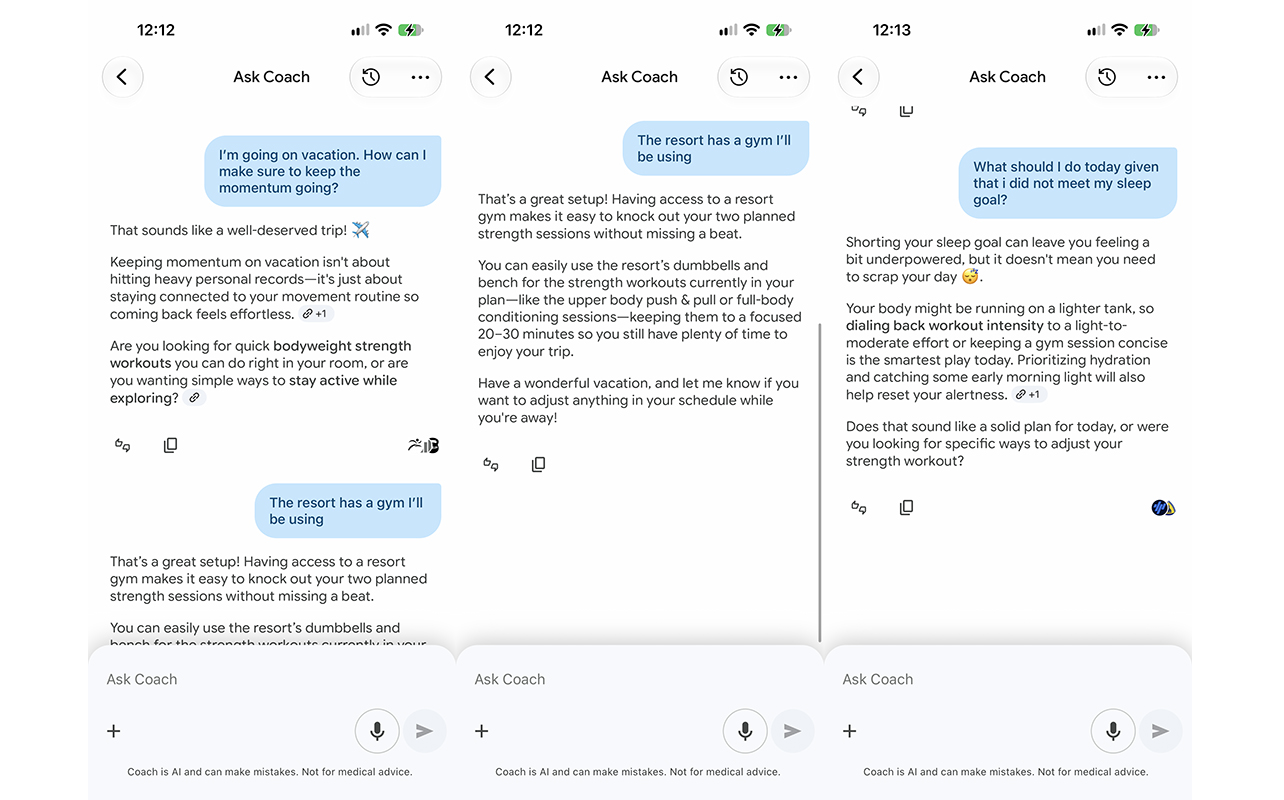
Premium adds the Gemini-powered Google Health Coach, Ask Coach AI assistance, and a system that ties all these metrics together to provide useful guidance. I love getting kudos for my workouts, with commentary like that I stepped up intensity from the previous day’s workout and I’m progressing well towards my weekly workout goals. You can converse with Ask Coach about, well, anything. How should I modify my workout with a knee injury? What should I do today based on how I slept? What training have I been neglecting and should I focus on? Even questions about reducing stress or getting better sleep can yield useful suggestions.
Advanced Health Guardian features include trends for insulin resistance and blood pressure. Nutrition logging is also enhanced with my favourite feature: being able to snap photos of your meals or an item barcode for instant logging. Cycle coaching connects a woman’s cycle to her daily routine. There’s also a premium content library with video workouts and guided mindfulness sessions.
Bottom line: you can get by without a subscription, since the free experience covers the core tracking features. Premium may be worth considering if you want personalized coaching, deeper insights, and more guidance based on your health and fitness data.
Battery life and charging
Google rates the Fitbit Edge for up to seven days of battery life, or up to two days with the always-on display enabled. It takes about 90 minutes to fully charge, while a five-minute top-up can provide up to a day of use when the battery is low.
Who should get the Fitbit Edge Stephen Curry special edition tracker?
Overall, the Fitbit Edge is a nice Goldilocks option if you find that a smartwatch is too big and a screenless tracker offers too passive of an experience. The Fitbit Edge Stephen Curry special edition tracker, available exclusively at Best Buy, is particularly appealing for Stephen Curry, basketball, and Golden State Warriors fans.
If you’re considering buying the Fitbit Edge for someone who is a basketball fan, this special edition model is definitely worth considering. Wear it with pride while watching the game at home (or live), playing basketball, or working out at the gym after a long day. Glance at your wrist and it’s an instant reminder to lock in, just like Curry does, game after game.
Find the Google Fitbit Edge Stephen Curry special edition tracker exclusively at Best Buy.