
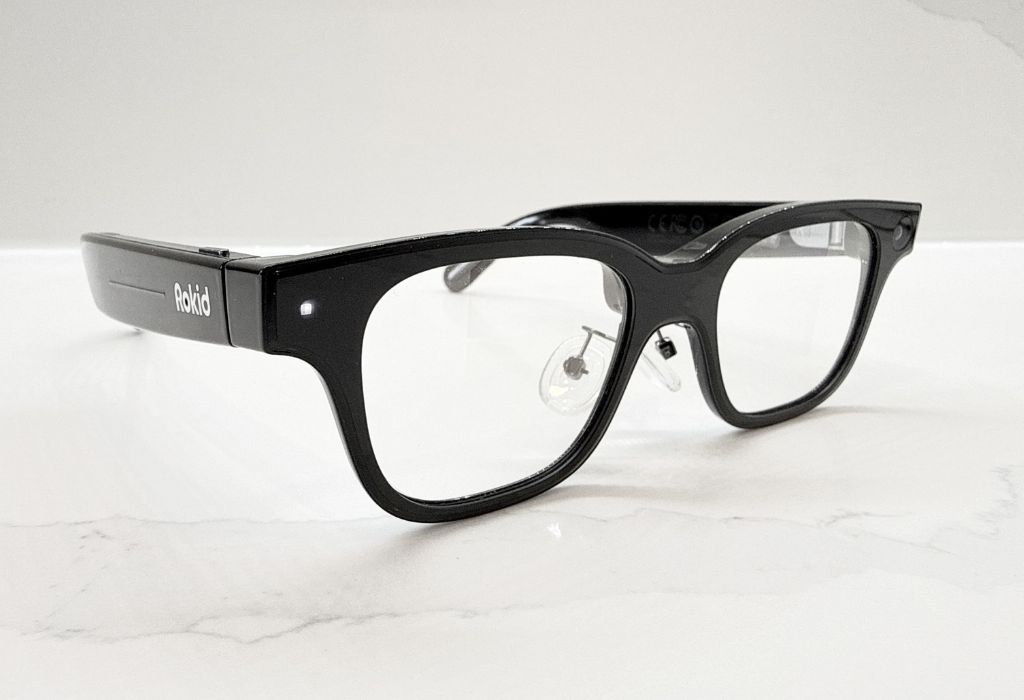
The Rokid AI Smart Glasses RV101 bring exciting futuristic features to everyday eyewear, from an AI assistant to an augmented heads-up display. What if your glasses could answer questions, capture photos and videos, and display information right before your eyes? I put the RV101 glassess to the test to see how well they deliver in each area.


Watch my review
Unboxing and setup of the Rokid AI Smart Glasses RV101
The Rokid AI smart glasses combine artificial intelligence with a built-in display, camera, and audio that are practical for day-to-day activities. It’s a hands-free experience that feels straight out of a science fiction movie. Before we delve into all aspects of each of these areas, let’s look at what’s included in the box and the steps needed for setup.
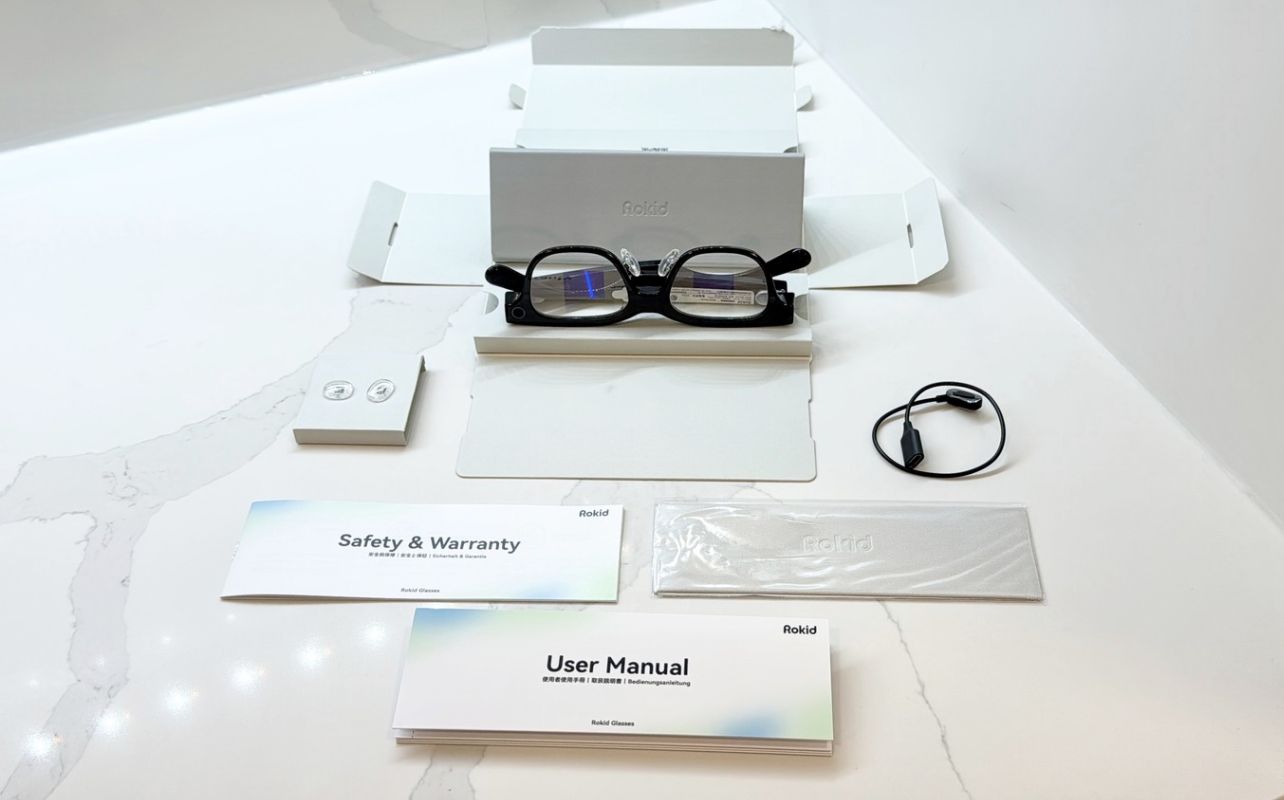
What’s included in the box of the Rokid AI Smart Glasses RV101 ?
Inside the box, you’ll find the Rokid AI Smart Glasses, a sleek protective storage case, a magnetic charging cable, a cleaning cloth, interchangeable nose pads, and user and warranty manuals. Most of what you need to get started is included, although you’ll need your own USB power adapter and a compatible smartphone. For this review, I used an iPhone 16 Pro running on iOS 27.2.1. Given the premium price point, I would have liked to see a power adapter included as well. It’s not a deal breaker, and I have plenty of cables from other devices, but it’s always nice to have all hardware included.
Quick and easy iPhone setup
Setting up the glasses was quick and easy thanks to the clear instructions. Using my iPhone, I downloaded the “Hi Rokid” app from the App Store, paired the glasses, and installed the latest firmware update. Within minutes, I was ready to explore everything they had to offer; overall, it was a fast, hassle-free experience.
I really liked how well the companion app integrates with the hardware, giving you access to different features, settings, and media. Rokid delivers a straightforward experience both through the glasses’ heads-up display (HUD) and the smartphone app.
Lightweight design with a few compromises
At just 49 grams, the Rokid RV101s pack an impressive amount of technology into a relatively compact frame. They resemble traditional eyewear rather than the bulky augmented reality headsets we’ve seen over the years.

That said, I found the frames a little small for my face, and they sat a little higher on the bridge of my nose. After switching to the second set of included nose pads, the glasses felt much more comfortable. Fit and comfort will ultimately depend on your preference, but I would have appreciated a slightly roomier design.
Getting used to the touch controls
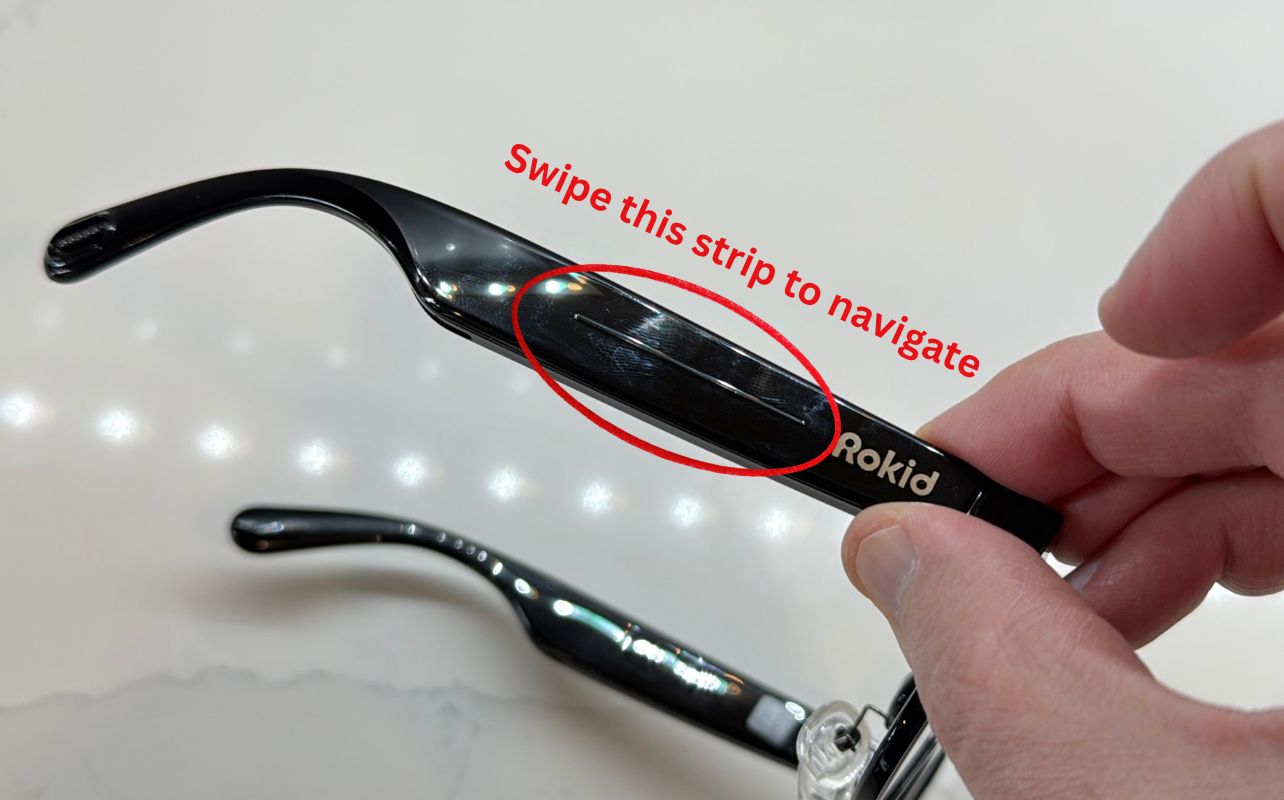
Navigation is handled through a touch-sensitive strip along the right arm of the glasses. You can swipe and tap to interact with menus and different features. The controls are responsive and relatively easy to learn, but they are also overly sensitive.
During testing, I occasionally triggered accidental inputs while adjusting the glasses, so for some settings I found myself using the smartphone app instead. The controls work well overall, though I think a little less sensitivity would make them even easier to use. That said, making adjustments through the Hi Rokid app on my iPhone was seamless and responsive.
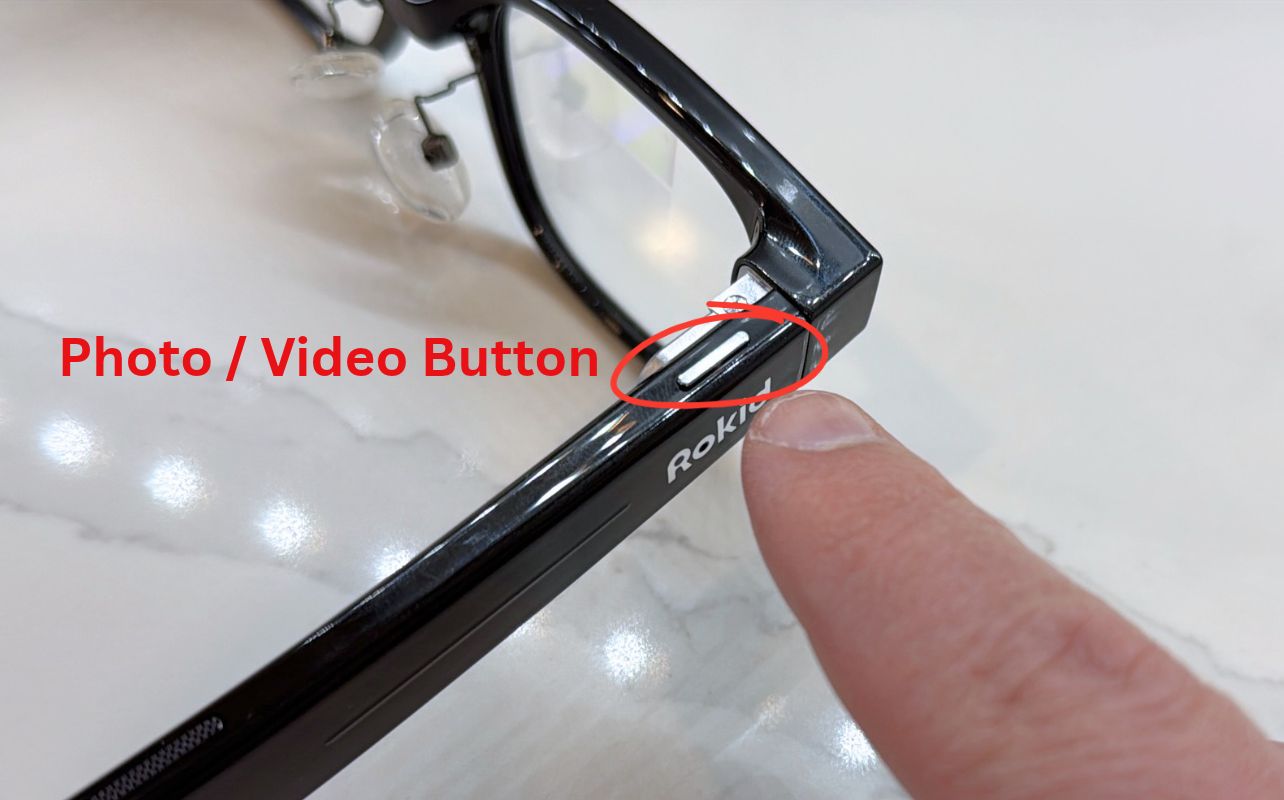
Snappy, responsive button for photos and video capture
Thankfully, there’s a dedicated button on the upper left side of the frame for capturing photos and videos. One quick press lets you take a picture, and a longer double press starts a video recording. This worked incredibly well and quickly became one of my favourite physical controls.
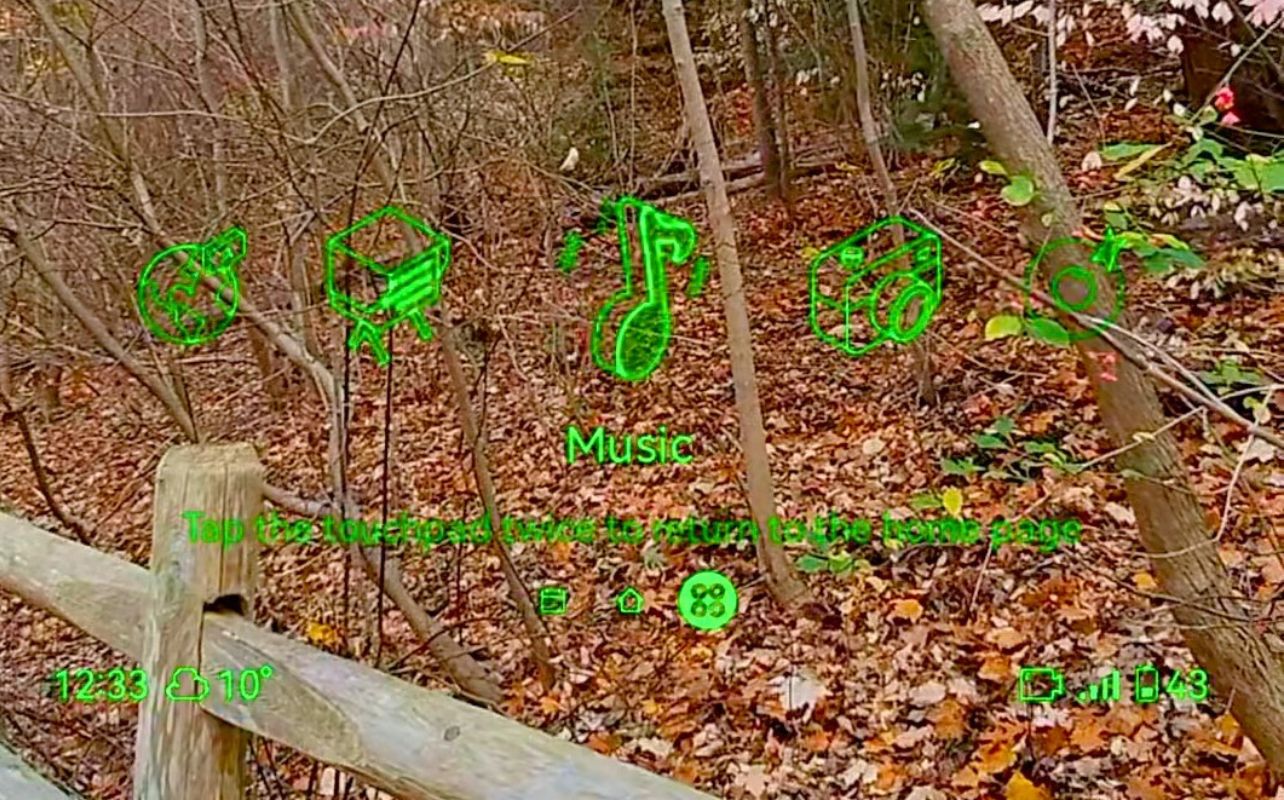
Crisp, bright Micro-LED display
One of the Rokid AI Smart Glasses RV101’s biggest pluses is the built-in dual-eye Micro-LED display. It projects bright green text into your field of view, providing information without requiring you to look down at your phone.
The display offers up to 1,500 nits of brightness, and I was genuinely impressed with its clarity. Even outdoors in bright daylight, text remained sharp and legible. Increasing the display brightness made information easy to read in virtually every lighting condition I encountered. It’s a clever implementation that makes the technology feel genuinely useful and functional, not just another novelty.
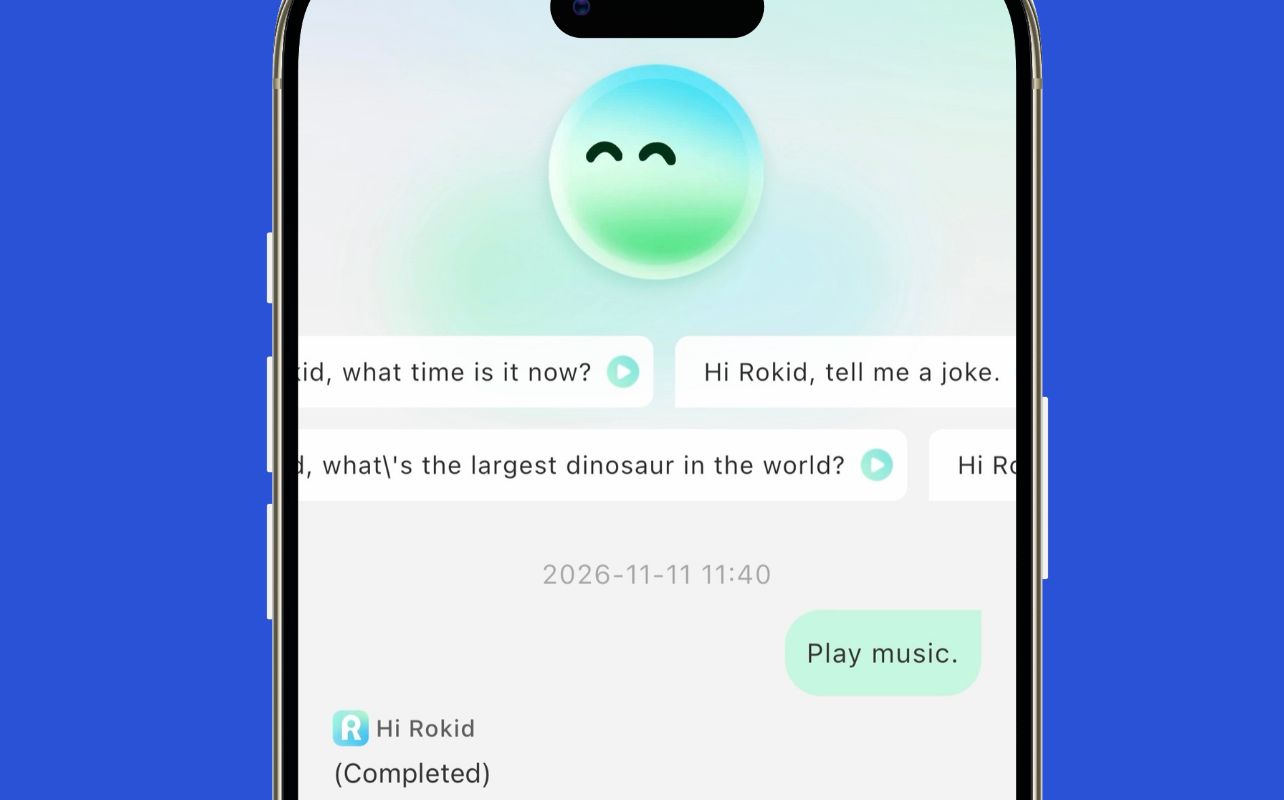
Excellent AI assistant
One of the standout features of the Rokid AI Smart Glasses RV101 is the built-in AI assistant. Simply say “Hi Rokid” to activate it, and you can begin asking questions without touching your phone.
I’ll admit, there’s something incredibly satisfying about speaking to your glasses and having information appear almost instantly. As a Marvel fan, it reminded me of Tony Stark interacting with JARVIS in Iron Man. During testing, I asked the assistant about weather conditions, performed calculations, and requested general information. Responses were quick during my testing, and seeing information appear directly in my field of view made the experience feel futuristic.
Beyond AI: Translation, navigation, and more
Beyond basic questions, Rokid supports features such as real-time translation, navigation, meeting transcription, and a teleprompter. The translation feature supports up to 89 languages online, with six available offline. I tried the translation feature with French and Spanish YouTube videos with mixed results. It picked up some terms, but it did miss quite a bit.
Teleprompter is a plus
I can see the teleprompter being especially useful for presentations or creating video content, while translation and navigation could make the glasses an appealing travel companion. There’s plenty of potential here, although some AI features require an internet connection and accuracy can vary by situation. For example, I found that the translation feature struggled when multiple people were speaking at once.
Capturing photos and video hands-free
The Rokid AI Smart Glasses RV101 also feature a 12MP Sony camera that can capture photos and video directly from your perspective. I came away impressed with the overall photo and video results, especially considering how much technology is packed into such a small frame. Below is an actual photo captured directly from the glasses:

A new perspective on everyday photography
The biggest advantage is convenience. Instead of reaching for your smartphone, you can capture what you’re seeing with a button press on your glasses’ frame. It’s particularly useful for spontaneous moments when you want to keep your hands free. My iPhone 16 Pro still delivered better photo and video quality overall, but having a camera built into the glasses was convenient for quick, hands-free captures.
32GB of onboard storage
The glasses also include 32GB of internal storage, giving you room to capture content before transferring it through the companion app. While I wouldn’t consider these a replacement for a dedicated camera or a flagship smartphone, they offer a different and enjoyable way to document everyday experiences.
Audio and everyday connectivity
The Rokid AI Smart Glasses RV101 include two directional open-ear speakers and a four-microphone array, allowing you to listen to music, take calls, and interact with the AI assistant without headphones. I found call quality to be very good. Audio was clear with no noticeable static or interference, and the person I spoke with said my voice sounded similar to when I use my phone’s built-in microphone.
The open-ear design is appealing because it lets you remain aware of your surroundings while receiving audio feedback and notifications. Bluetooth 5.3 and Wi-Fi 6 provide wireless connectivity, and I appreciated having calls, music, and notifications integrated into one wearable device.
Battery life depends on how you use them
The Rokid AI Smart Glasses RV101 include a 210mAh battery, and battery life will vary depending on how you use the glasses. With lighter activities, such as listening to music, taking calls, checking notifications, and occasionally using the AI assistant, I was able to get more than five hours of use.
More demanding features, particularly frequent photo and video capture, used the battery much faster. During my testing, heavier use brought battery life closer to an hour, while a mix of different features generally gave me around three to five hours. If you plan to use the glasses throughout the day, especially for capturing photos and videos, it’s worth keeping the magnetic charging cable nearby.
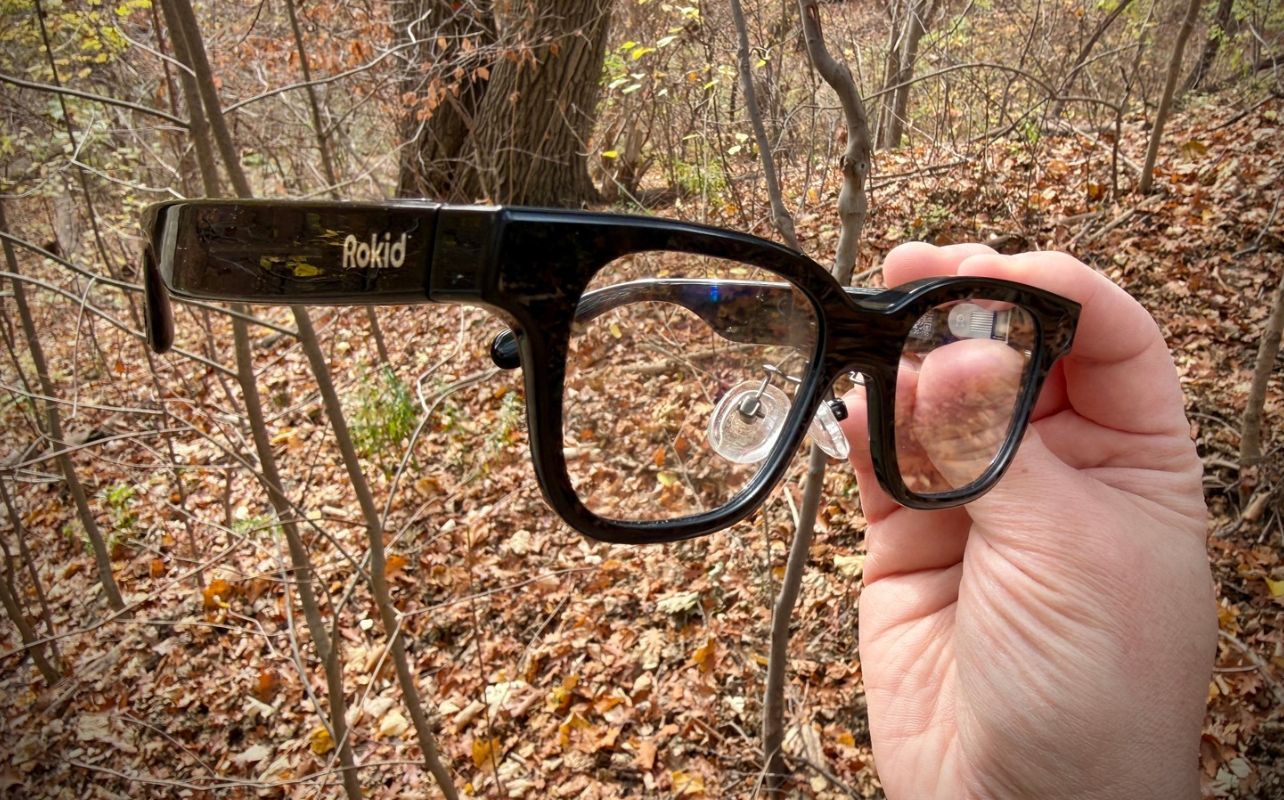
Final thoughts on Rokid AI Smart Glasses RV101
The Rokid AI Smart Glasses RV101 offer an exciting glimpse into the future of wearable technology. I enjoyed the bright Micro-LED display, responsive AI assistant, and convenience of capturing photos and video hands-free. While the sensitive touch controls, smaller frame, and limited battery life during intensive use leave room for improvement, there’s still plenty to be excited about with the RV101. For tech enthusiasts interested in AI-powered eyewear, the RV101 deliver a genuinely futuristic experience.