
Apple is bringing three exciting upgrades to your smart home and entertainment experience with the new Apple HomeView, HomePod mini 2, and Apple TV 4K. Looking for your next binge-watch? Ask Apple TV 4K for recommendations tailored to your tastes. Want to create a cozier living room for movie night? Use HomePod mini 2 to dim the lights, adjust the thermostat and set the mood with a simple voice command. And with Apple HomeView’s smart display, you get another convenient way to stay connected and manage your home.
Powered by a more capable and conversational AI assistant, Siri AI helps you discover content, answer questions, and manage everyday tasks, all with a simple voice command. The Apple HomeView, HomePod mini 2, and Apple TV 4K double as smart hubs so you can easily control compatible smart home devices.1 Read more about this new lineup from Apple.


Apple HomeView
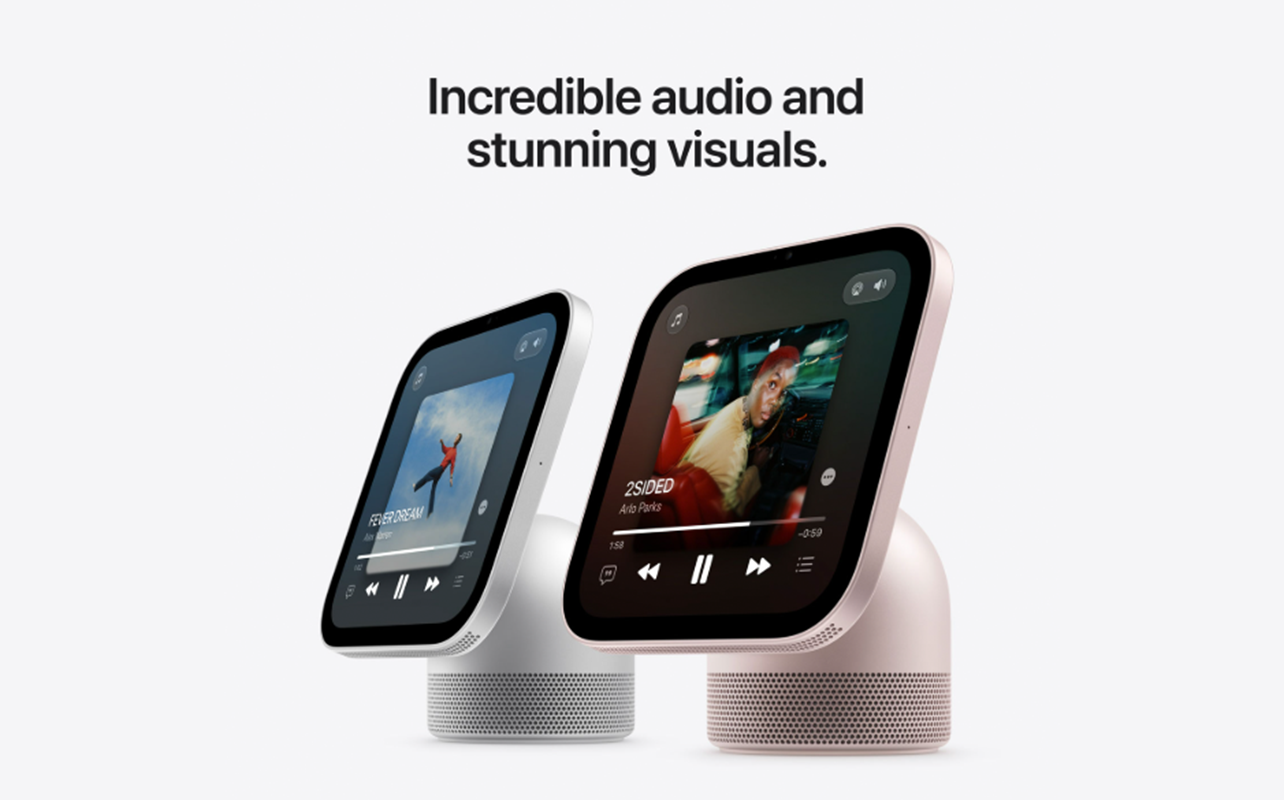
Apple introduces Apple HomeView. Featuring a 7-inch Liquid Retina display, built-in Siri AI, and smart home controls, this smart display is designed to be the centre of your connected home. Watch your favourite show while cooking dinner. Check who’s at the door without leaving your couch, or control your smart home from one screen. HomeView keeps everything you need within view.

Other highlights
- FaceTime. Text. Intercom: Enjoy clear, hands-free FaceTime calls.2 Send messages and make calls using just your voice. Use Intercom to communicate with people throughout the house using Apple devices.
- Smart home control at a glance: Use the Home app to monitor cameras, adjust lighting, control thermostats, lock doors, and manage scenes and automations.1 The Home Camera view can display multiple camera feeds at once, making it easy to keep an eye on your home.
- Entertainment and communication hub: Stream music, podcasts, audiobooks, and videos, enjoy room-filling Spatial Audio, and make hands-free FaceTime calls with the built-in 12MP Center Stage camera that keeps everyone in frame.
- Personalized experience: Apple HomeView can recognize the faces and voices of up to six people and seamlessly switch between personalized experiences.3
Apple HomePod mini 2
Apple HomePod mini 2 puts a powerful AI assistant right at the centre of your home. Ask Siri for the weather before heading out the door. Check today’s schedule. Or simply ask it to play your favourite music. Siri AI makes everyday conversations feel more natural. It draws on broad world knowledge and your personal context so you get richer responses and get more done every day.
Other highlights
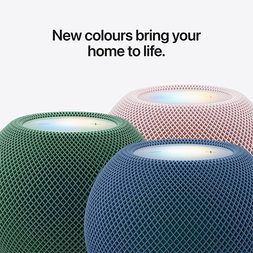
- Immersive 360-degree sound: Enjoy rich, room-filling audio from a single speaker. You can add multiple speakers to enjoy multi-room audio.
- Sound Glow: The top of HomePod mini 2 comes alive with dynamic lighting effects that pulse with the bass and treble in real time. It’s a fun way to bring your music to life.
- Smart home management: Control compatible smart home devices. Ask it to adjust lighting, lock doors, manage thermostat, and more. You can even create scenes to automate multiple accessories at the same time. As a home hub, you can securely control accessories from the Home app on your iPhone, whether you’re home or away.1
Apple TV 4K
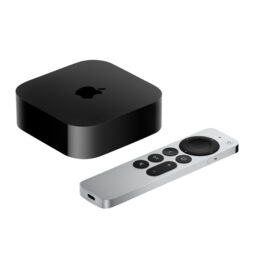
The new Apple TV 4K makes it easier than ever to find something you’ll love to watch. Instead of scrolling endlessly through apps, simply ask Siri for recommendations based on your favourite genre, actors, or moods. Curious whether a movie is based on a true story? Just ask Siri and get answers. It’s a smart entertainment hub that brings together streaming, gaming, smart home control, and AI-powered assistance in one device.
Powered by the A19 chip, Apple TV 4K delivers fast navigation, smooth animations, and responsive performance when streaming, gaming, and switching between apps. It also supports more efficient, high-quality video streaming with less bandwidth. The updated Siri Remote now includes Find My support with Precision Finding. Misplaced it? Say “Siri, find the remote” to play a sound and easily locate.5
Other highlights
- 4K streaming and entertainment hub: Stream your favourite movies, TV shows, sports, and apps in stunning 4K quality from one easy-to-use interface.4 Apple TV 4K supports thousands of apps through the App Store, including Netflix, Crave, Disney+, CBC Gem, and more.
- Far-field microphones: Apple TV 4K has far-field microphones built in, so you can talk to Siri from across the room using just your voice.6
- Smart home control: Manage compatible HomeKit and Apple Home accessories directly from your TV. Control lights, cameras, locks, thermostats and more without reaching for your phone.1
- Big screen gaming: Playing Apple Arcade games is even more immersive on your big screen.
Get more from this new Apple lineup
From cinematic surround-sound to hands-free smart to ensuring your data stays private, here’s how you can get the most of this new lineup.
Pair Apple HomePod and Apple TV 4K for a surround-sound home theatre
Apple supports a four-speaker surround-sound setup that automatically detects where each speaker is placed and fine-tunes the audio for your room. Create this surround-sound setup with four HomePod mini 2 speakers or HomePod (2nd generation) speakers arranged as matching front and rear pairs.

Keep your data private and secure
Like every Apple product, the Apple HomeView, HomePod mini 2, and Apple TV 4K are private and secure by design. With the bold new architecture for Apple Intelligence, Siri requests can use on-device processing or Private Cloud Compute. With Private Cloud Compute, your data is neither stored nor made accessible to Apple or anyone else.
Pre-order now
Be among the first to experience Siri AI right at your home. Pre-order the Apple TV 4K, HomePod mini 2, and HomeView today.
Frequently asked questions
Yes. Pair two HomePod mini 2 speakers for immersive stereo sound, or combine four speakers with Apple TV 4K to create a more cinematic home theatre experience with expansive, room-filling audio. Also read our home theatre setup guide.
No. Apple TV 4K is backward compatible and will automatically detect the resolution and match your TV resolution, as well as dynamic range, and frame rate. However, you’ll need a compatible 4K television to view content in 4K resolution.
Yes. While an Apple Account and a compatible iPhone or iPad are required for a fully personalized experience, they can still use HomeView to control smart home devices, check the weather, set timers, and play music. Personal information remains private and is only available to recognized users.
Yes. You can use them to access Siri AI, control compatible smart home devices, communicate with family using Intercom, and enjoy a connected Apple Home experience throughout your home.
1 Requires a HomeKit- or Matter-enabled accessory. Smart home accessories sold separately.
2 FaceTime calling requires a FaceTime-enabled device for the caller and recipient and a Wi‑Fi connection.
3 Requires a compatible iPhone or iPad running the latest software.
4 Works with compatible content in supported apps on compatible devices. Not all content is available in 4K, HDR, HDR10, HDR10+ or Dolby Vision. Playback quality will depend on hardware and internet connection.
5 Requires Siri Remote (2nd generation or later) and iPhone running the latest iOS software.
6 Far-field microphone support for Siri varies by region and language. Supported when the primary tvOS language is set to Chinese, Dutch, English, Finnish, French, German, Hebrew, Norwegian or Swedish.