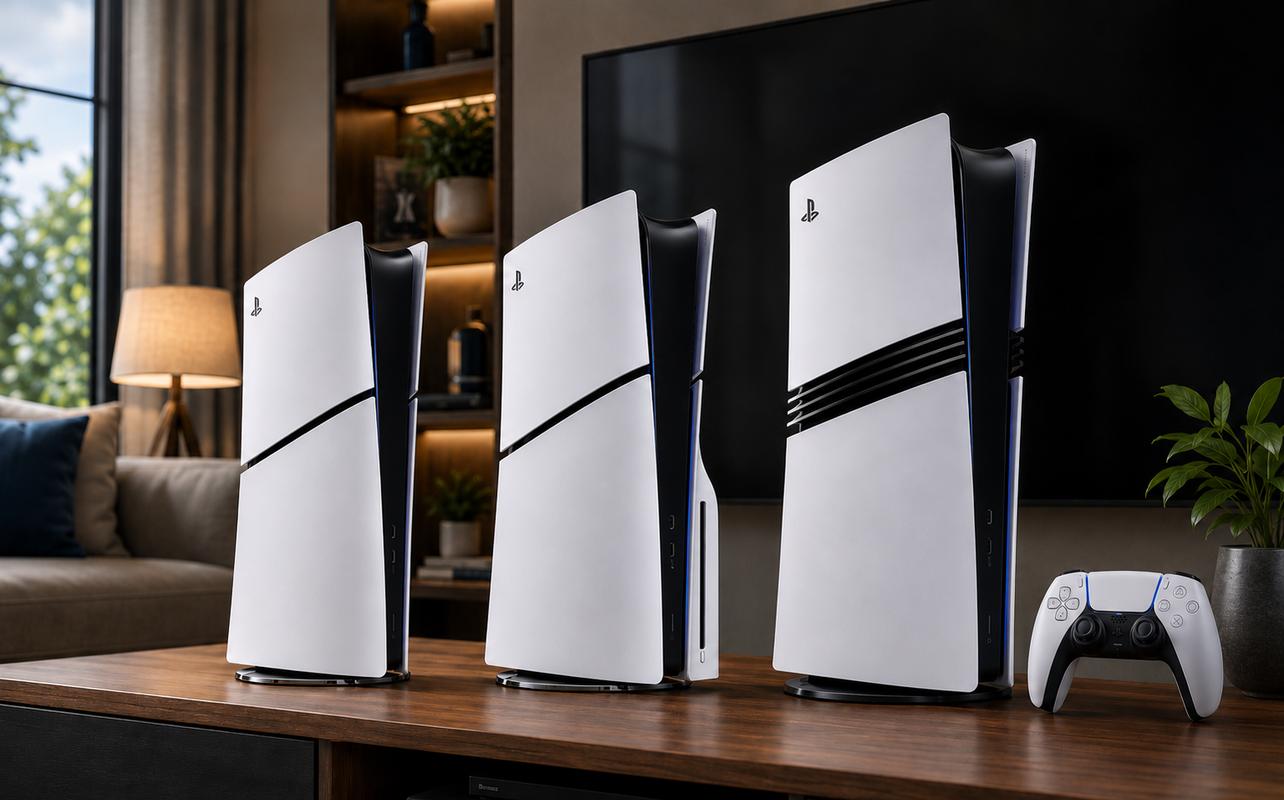
Buying a PS5 takes more thought now that there are three main versions to consider. The PS5 Slim, the PS5 Slim Digital Edition, and the PS5 Pro all play PS5 games, but they differ in disc support, storage, price, and performance. For the best balance of features and value, the PS5 Slim is the best place to start. The PS5 Slim Digital Edition has the lower upfront price if you buy only digital games. When performance is your priority, the PS5 Pro is the premium option.
How you buy games is one of the biggest factors in that decision. If you already own PS4 or PS5 discs, a disc drive can be especially useful. If you already buy everything digitally, you may prefer the lower upfront cost of the PS5 Slim Digital Edition. Your TV, storage needs, and budget can also affect which version makes the most sense.
This PS5 buying guide compares all three models and helps you choose based on how you play, what you already own, and your budget. It also covers gifting, storage, accessories, and the choice between physical and digital games. Once you know what matters most to you, it becomes much easier to compare the PS5 consoles and bundles at Best Buy Canada.

What PS5 versions are available?
There are three main PS5 models to consider. With the PS5 Slim, you get a disc drive and a 1TB SSD. The PS5 Slim Digital Edition doesn’t include a built-in disc drive and has 825GB of storage. The PS5 Pro includes a 2TB SSD and adds higher-end graphics and performance features.
Current pricing is $819.99 for the PS5 Slim, $749.99 for the PS5 Slim Digital Edition, and $1,099.99 for the PS5 Pro. Prices can change, so check the latest listing before buying.
| Model | Disc Drive | Storage | Best For |
|---|---|---|---|
| PS5 Slim | Included | 1TB | Physical games and both physical and digital buying options |
| PS5 Slim Digital Edition | Optional add-on | 825GB | Digital-only buyers and lower upfront cost |
| PS5 Pro | Optional add-on | 2TB | Premium graphics, performance, and more included storage |
PS5 bundles and special editions are also available from time to time. They can pair a console with a game or feature a limited-edition design, so check the current selection when comparing PS5 options.
If you’re upgrading from PS4, most PS4 games are backwards compatible with PS5, so you can keep playing much of your existing library. More than 8,500 PS4 games are playable on PS5, making it a strong upgrade path if you already own a PlayStation game library. Digital PS4 purchases appear in your library after you sign in. Physical PS4 game discs require a PS5 with a compatible disc drive.
If you’re choosing your first PS5 game, start with something that matches how you like to play. For example, consider Saros for sci-fi action, LEGO Batman: Legacy of the Dark Knight for family co-op, or 007 First Light for stealth action. Our Best PS5 games guide has more options across different genres.
If PlayStation exclusives are a big reason you’re buying a PS5, our best PS5 exclusive games guide can help. If you have PlayStation VR2, our best PS5 VR games guide covers more options.
PS5 Slim vs PS5 Slim Digital Edition
The main difference
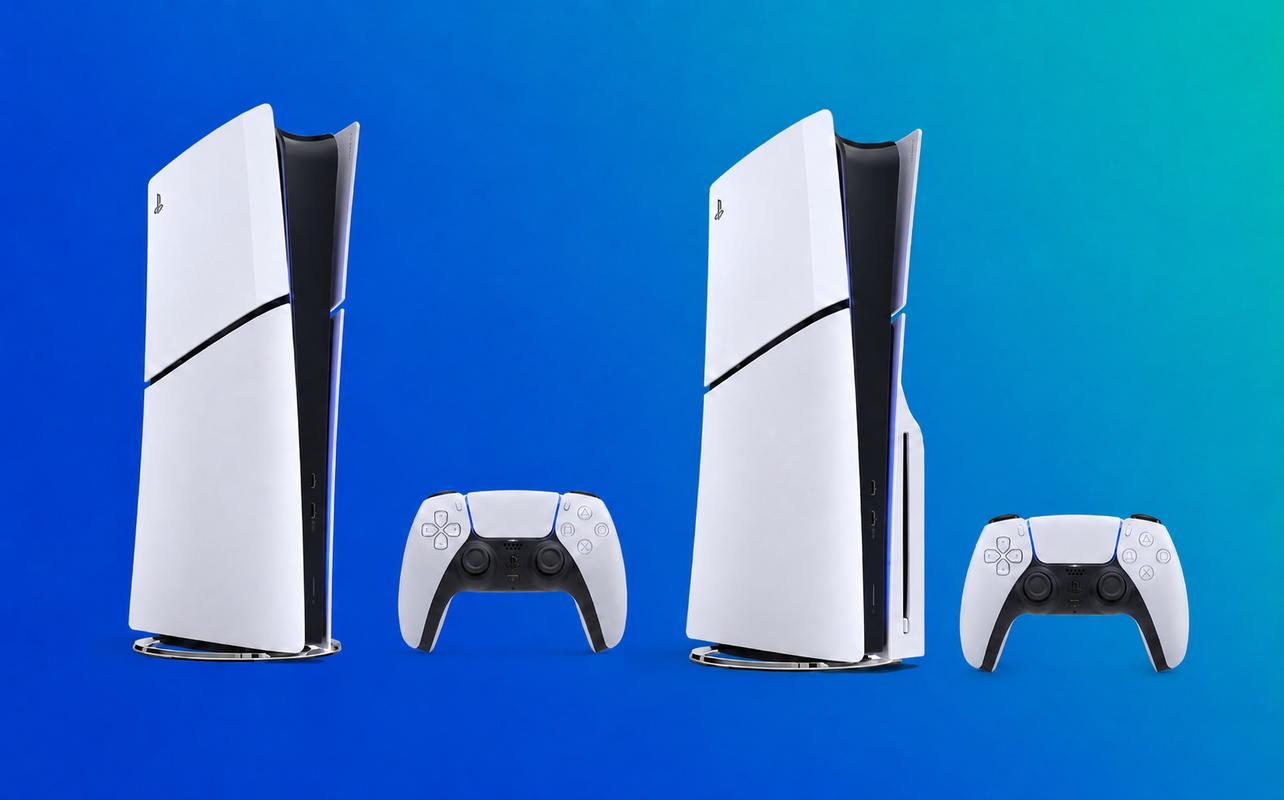
The biggest difference between the PS5 Slim and the PS5 Slim Digital Edition is the disc drive. The PS5 Slim includes a disc drive, so you can play supported PS5 and PS4 game discs. It also plays 4K Ultra HD Blu-ray, Blu-ray, and DVD movies.
The PS5 Slim Digital Edition doesn’t include a disc drive, so you’ll buy and download your games digitally. If you decide you want to use physical games later, you can add the compatible disc drive. It’s sold separately and needs an internet connection the first time you pair it with the console.
Benefits of the PS5 Slim
The PS5 Slim is the more versatile choice if you want physical games. You can buy new or used discs, borrow games from friends or family, lend your own games, and resell physical copies when you’re finished with them. Physical games can also be easier to give as gifts because the recipient has something tangible to open.
The disc drive also makes sense if you already own PS4 games on disc. You can continue using most of that collection instead of repurchasing digital copies. The drive also plays 4K Ultra HD Blu-ray, Blu-ray, and DVD movies.
Benefits of the PS5 Slim Digital Edition
The PS5 Slim Digital Edition costs less upfront and keeps everything digital. You can buy a game digitally, download it, and start it without finding or swapping a disc.
It also means fewer game cases to store around your home. If you already buy games digitally and don’t watch movies on disc, the included disc drive on the PS5 Slim may not add much value for you. The PS5 Slim Digital Edition also has less included storage, so you may need to think about expansion sooner if you keep a lot of games installed.
Which one offers better value?
If the price difference fits your budget, I’d choose the PS5 Slim. The PS5 Slim Digital Edition is currently $70 cheaper. The compatible disc drive is $99.99.
Buying the PS5 Slim Digital Edition first and adding that drive later would bring the combined cost to $849.98. The PS5 Slim is currently $819.99 with its drive included. That makes the PS5 Slim cheaper overall if you expect to add a disc drive later.
The PS5 Slim Digital Edition can still make more sense if you genuinely plan to stay digital. If there’s a good chance you’ll want discs later, the PS5 Slim keeps both buying options open. It also includes 1TB of storage instead of 825GB.
Is the PS5 Pro worth it?
What makes PS5 Pro different?
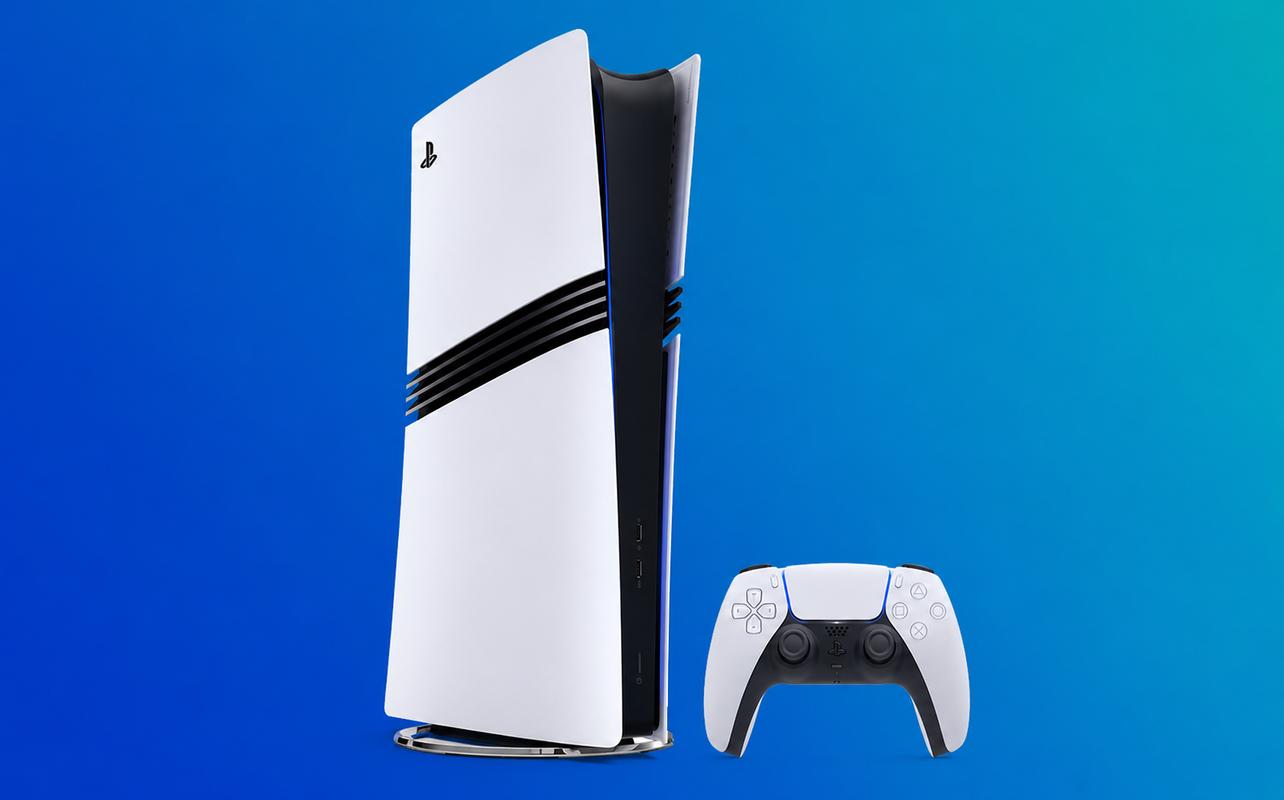
The PS5 Pro is the highest-performance console in the current PS5 family. It adds PlayStation Spectral Super Resolution, or PSSR, which uses AI-enhanced resolution to improve image clarity in compatible games. The PS5 Pro also supports advanced ray tracing and higher or more consistent frame rates in supported games.
The PS5 Pro comes with a 2TB SSD, twice the listed capacity of the PS5 Slim. That is also considerably more than the 825GB in the PS5 Slim Digital Edition. The PS5 Pro costs more, and a disc drive is sold separately.
Who should buy a PS5 Pro?
The PS5 Pro makes the most sense if you’re a hardcore gamer or performance enthusiast who notices differences in frame rate and image quality.
Your display matters if you’re considering the PS5 Pro. Features such as PSSR, advanced ray tracing, and higher or more consistent frame rates are easier to appreciate on a display that can show them clearly. If your TV supports 120Hz and variable refresh rate (VRR), you can also take advantage of compatible high-frame-rate modes.
If competitive gaming is important to you, those higher and more consistent frame-rate options can also be useful. You’ll need a 120Hz display to take advantage of games that offer 120Hz modes.
Who doesn’t need a PS5 Pro?
If you’re a casual player or budget-conscious shopper, you probably don’t need the PS5 Pro. The PS5 Slim and the PS5 Slim Digital Edition play the same PS5 library at lower prices.
If you’re a first-time console buyer, think about what else the price difference could cover. Choosing the PS5 Slim can leave more room in your budget for games, a second controller, storage, or a headset. The PS5 Pro makes more sense if premium performance is one of your main reasons for buying.
Which PS5 is best for different types of gamers?
Best PS5 for casual players
If you play casually and already prefer digital purchases, the PS5 Slim Digital Edition is a good choice. Its lower upfront price gets you into the same PS5 game library without paying for a disc drive you may never use.
Choose the PS5 Slim instead if you expect to buy used games, borrow discs, or use the console for Blu-ray movies.
Best PS5 for families
If you’re buying a PS5 for your family, I’d go with the PS5 Slim. The disc drive gives you more ways to buy and share games, including physical gifts and used copies. It also makes it easier to build a household collection without tying every purchase to one digital account.
The 1TB SSD also gives you more included storage than the PS5 Slim Digital Edition. That can be useful when several people keep different games installed.
If your family likes playing together, our best multiplayer PS5 games guide can help you find more options.
Best PS5 for collectors
If you collect physical games, look first at the PS5 Slim. Its included disc drive supports physical PS5 games and compatible PS4 games, so you can keep using an existing disc collection.
It also supports 4K Ultra HD Blu-ray, Blu-ray, and DVD movies. That adds another reason to choose it if physical media matters to you.
Best PS5 for competitive gamers
If competitive gaming is a priority, the PS5 Pro is the best choice here. Its higher and more consistent frame-rate options in supported games pair well with a capable 120Hz TV or monitor.
The difference will not be equally important in every game. Competitive modes, your display, and whether a game supports the relevant performance features all matter.
If racing is your competitive game of choice, our best PS5 racing games guide can help you find more options.
Best PS5 for kids and teens
If you’re buying for a kid or teen, I’d go with the PS5 Slim. The disc drive leaves more options open for birthdays, holiday gifts, used games, and borrowing games from friends or family.
It also reduces the chance of choosing the PS5 Slim Digital Edition and later discovering they wanted physical games.
Buying a PS5 as a gift? Here’s what to consider
Buying a PS5 as a gift adds a few questions that matter less when you’re shopping for yourself. Start with the recipient’s age, existing game library, and physical or digital preference. Then consider your budget and whether a current bundle includes a game or design they’ll actually want.
Check what games they already own before choosing the console. If they already have a stack of PS4 discs, choose a PS5 with a disc drive. That lets them keep using much of what they already own. If they already buy everything digitally, the PS5 Slim Digital Edition may be all they need. If they like horror, our best horror games on PS5 guide can help you choose a game.
Best PS5 gift under a budget
The PS5 Slim Digital Edition has the lowest upfront price of the three main models. It can be a good gift when you know the recipient prefers digital games and doesn’t need Blu-ray playback.
If you’re not sure about their preference, the PS5 Slim is the safer gift. The included disc drive keeps both physical and digital games open as options.
Best premium PS5 gift
The PS5 Pro is the premium gift option. It has the largest included SSD and the highest performance in the current PS5 lineup. It makes the most sense if the person you’re buying for has a capable 4K display. If they care a lot about graphics and frame rate, the extra cost may be easier to justify.
The PS5 Pro doesn’t include a disc drive. If the recipient collects physical games, include that separate purchase in your budget.
Should you choose physical games or digital downloads?
Choosing between physical and digital games affects more than which PS5 console you buy. It changes how you shop, share games, give them as gifts, and manage your collection.
Advantages of physical games
Physical games can be resold, traded, lent to somebody else, or added to a collection on a shelf. They’re also easy to wrap and give as a gift without needing access to the recipient’s PlayStation account.
A disc drive also opens the door to used PS4 and PS5 games. That gives you another way to shop beyond buying new releases digitally.
There’s an important long-term change to know about. PlayStation has announced that physical disc production for new games releasing on PlayStation consoles will end starting in January 2028. Games already released on disc, or scheduled to release on disc before then, aren’t affected. Existing supported PS4 and PS5 discs will not stop working because of the January 2028 date.
Advantages of digital games
Digital games are convenient. You can buy and download them without visiting a store, and you don’t need to swap discs when moving between installed games.
A fully digital collection also means there are no cases or discs to store. If that is already how you buy games, the PS5 Slim Digital Edition can lower the initial console cost.
Which option saves more money?
There’s no single answer that applies to everyone. The PS5 Slim Digital Edition costs less upfront. A disc model gives you access to used games, sales on physical copies, borrowing, and resale.
The current console pricing also matters. Buying the PS5 Slim Digital Edition and later adding the $99.99 disc drive currently costs more than buying the PS5 Slim with its drive included.
The better value depends on your habits. If you plan to stay entirely digital, the PS5 Slim Digital Edition has the lower initial price. If you buy used games, keep physical media, or want the option to resell games, the PS5 Slim can make more sense.
PS5 storage explained
Storage matters because PS5 games are installed to the console’s SSD even when you own them on disc. How quickly you need more space depends on the games you keep installed and how often you delete or redownload them.
How much storage does each PS5 have?
The current PS5 Slim includes a 1TB SSD. The PS5 Slim Digital Edition has an 825GB SSD. The PS5 Pro includes 2TB.
The usable amount is lower than the advertised capacity because part of the SSD is reserved for console software and other functions.
How many games fit on a PS5?
There’s no fixed number of games that fits on any PS5. Installation sizes vary widely, and updates or downloadable content can increase them over time.
Think about your own library instead. If you regularly finish one or two games before moving on, the included storage may be enough for quite a while. If you like keeping many large games installed and ready, storage will become a bigger concern.
Do you need additional storage?
You don’t need to buy extra storage with a new PS5. You can add it later if managing installed games becomes inconvenient.
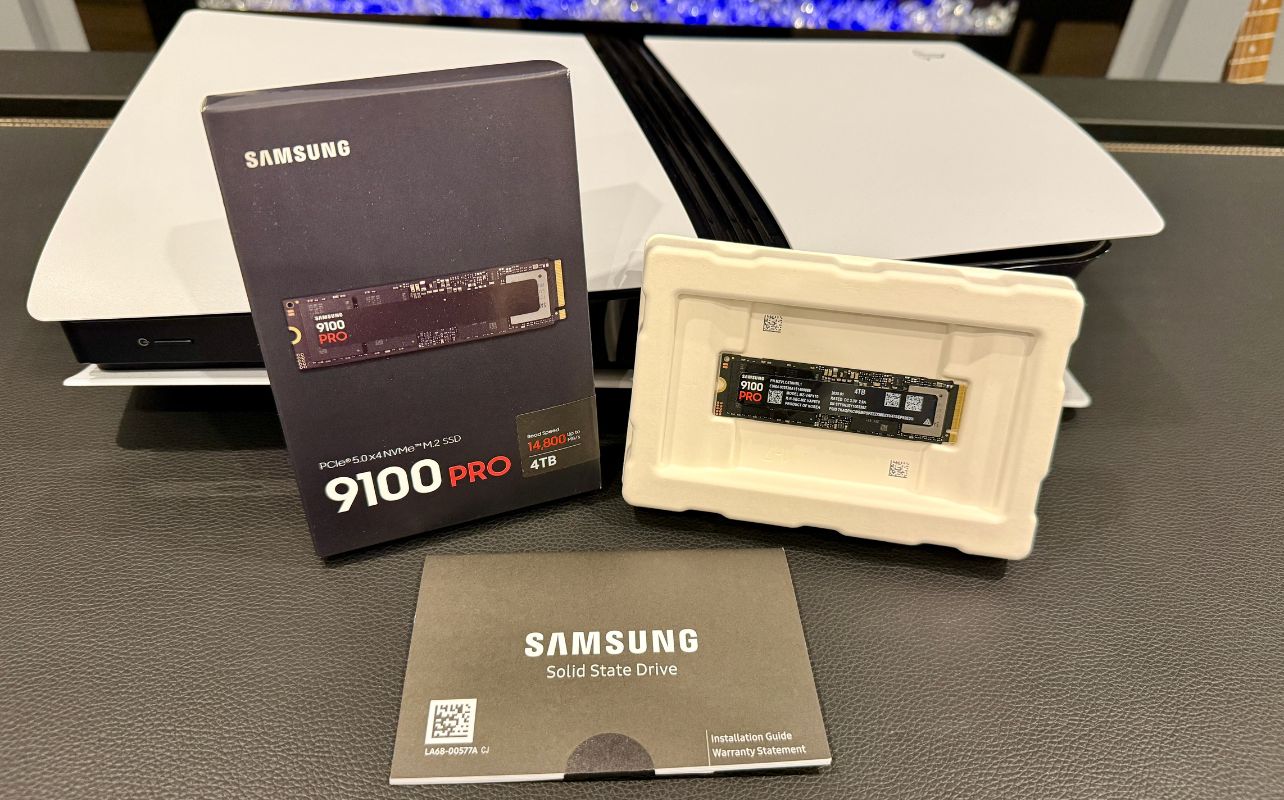
PS5 consoles support compatible PCIe Gen4 x4 M.2 NVMe SSDs from 250GB up to 8TB. PlayStation recommends sequential read speeds of 5,500MB/s or faster. The drive also needs an appropriate heat-dissipation solution such as a heatsink.
PS5 and PS4 games can be downloaded, stored, and played directly from a compatible M.2 SSD. You can wait until you actually need the space before buying one. If you decide to expand your storage, our step-by-step PS5 Pro SSD installation guide shows the installation process, which is similar on current PS5 Slim models.
PS5 accessories worth buying
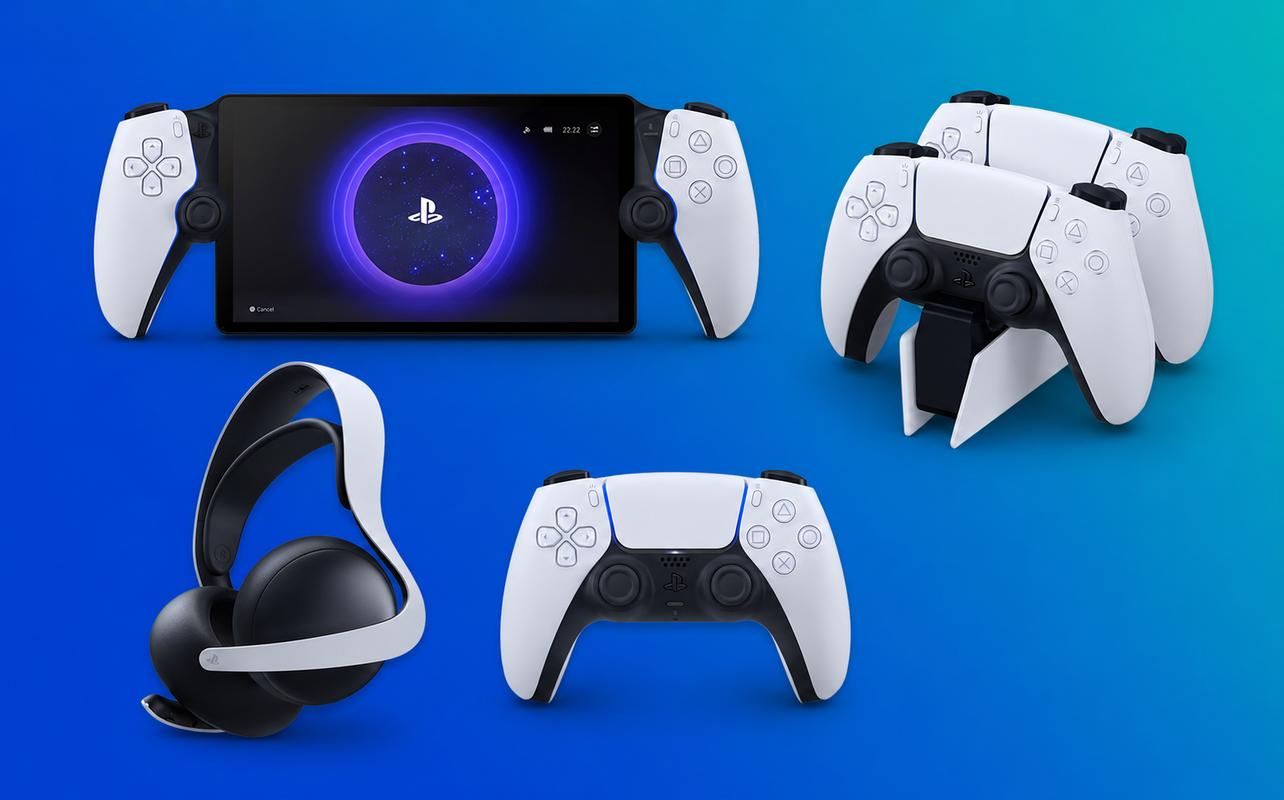
A new PS5 already includes the main items you need to start playing, so the accessories below aren’t mandatory for everyone. Think about how and where you plan to use the console before choosing PS5 accessories. Our Best PS5 accessories guide goes deeper if you want to compare more options.
Extra DualSense controller
If you play local multiplayer games with family or friends, a second DualSense wireless controller is useful. It also lets you keep another controller charged and ready when the first one needs power.
The DualSense controller supports haptic feedback and adaptive triggers in compatible games. An extra controller is one of the first accessories to consider when local multiplayer is part of your plan.
If you also play on PC, our guide explains how to connect a PS5 controller to PC. If your current controller develops stick drift, our guide to fix PS5 controller drifting covers troubleshooting steps.
Gaming headset
If you play online with voice chat, want more private audio, or don’t want the TV volume filling the room, a gaming headset can be useful. Wired and wireless PS5-compatible options cover a wide range of prices.
You don’t need one simply because you bought a PS5. It becomes more useful when multiplayer communication or private listening is part of how you play.
Charging dock
If you use more than one DualSense wireless controller, a charging dock can make it easier to keep them ready. PlayStation’s DualSense charging station can charge up to two DualSense wireless controllers at once. It also gives the controllers a regular place to charge without using the console’s USB ports.
Storage expansion
If you keep a large installed game library, an M.2 SSD can be a useful upgrade. Once installed, a compatible drive works as additional internal storage and can launch PS5 games directly.
Look for a drive that meets PlayStation’s M.2 requirements rather than choosing one based on capacity alone. Models with a compatible heatsink already installed can make setup simpler. Our PS5 storage expansion guide explains what to look for and how to add an M.2 SSD to your console.
PlayStation Portal
PlayStation Portal gives you another way to play PS5 games away from the TV. It can connect to your PS5 through Remote Play, letting you play compatible games over a high-speed internet connection.
PlayStation Portal also supports cloud streaming with PlayStation Plus Premium. You can stream eligible PS5 games from PlayStation Plus along with select digital PS5 games from your library.
PlayStation Portal can be useful if your TV is often occupied or you want another way to access your PS5 games. It isn’t another PS5 console, and you don’t need one just because you own a PS5.
Quick comparison: which PS5 should you buy?
If you already know what matters most to you, this table gives you the quick answer.
| If You Want… | Buy This |
|---|---|
| Cheapest PS5 | PS5 Slim Digital |
| Physical Games | PS5 Slim |
| Best Performance | PS5 Pro |
| Best Gift | PS5 Slim |
| Largest Storage | PS5 Pro |
Frequently asked questions
The PS5 Slim is the mainstream model. The PS5 Pro costs more, has 2TB storage, and adds enhanced graphics and performance features in supported games.
Yes. All three play PS5 games. A disc drive is required to use physical PS5 games and supported PS4 discs.
It can be if premium graphics, higher frame rates, and 2TB storage matter to you. If those upgrades aren’t priorities, you can pay less for the PS5 Slim.
The PS5 Slim is the best overall choice because it supports both physical and digital games and leaves more gifting options open.
Yes, on compatible PS5 Slim Digital Edition and PS5 Pro consoles. The drive is sold separately and requires internet access during initial pairing.
Yes. The PS5 Slim Digital Edition can be a good gift if the recipient prefers digital games. If you’re unsure, the PS5 Slim is safer because it also supports physical games.
If you’re buying your first PS5, the PS5 Slim is the best starting point because it balances price, 1TB storage, and physical and digital game support.
Final verdict
If you want the best balance of features and value, I’d recommend the PS5 Slim. It includes 1TB storage and supports physical and digital games. The disc drive is especially useful if you own PS4 discs or buy used games. It also works well if you collect physical games or watch Blu-ray movies.
Choose the PS5 Slim Digital Edition if you only buy digital games and want the lowest upfront console price. You get the same core PS5 game library. It has an 825GB SSD and doesn’t include a disc drive. Keep both points in mind before choosing it solely for the lower price.
Choose the PS5 Pro if you want the highest-end PlayStation experience and are comfortable with the higher price. You get a 2TB SSD, PSSR, advanced ray tracing, and enhanced performance in supported games. Choose it if graphics and frame rate are priorities.
If you’re also deciding between PS5 and a gaming PC, PS5 is simpler if you don’t want to choose individual PC components. A gaming PC makes more sense if you want more control over components and future upgrades. You can also tune performance in more detail. Our PC gaming buying guide goes deeper into those choices.
Once you’ve narrowed it down, compare the current PS5 consoles, games, accessories, and bundles at Best Buy Canada.