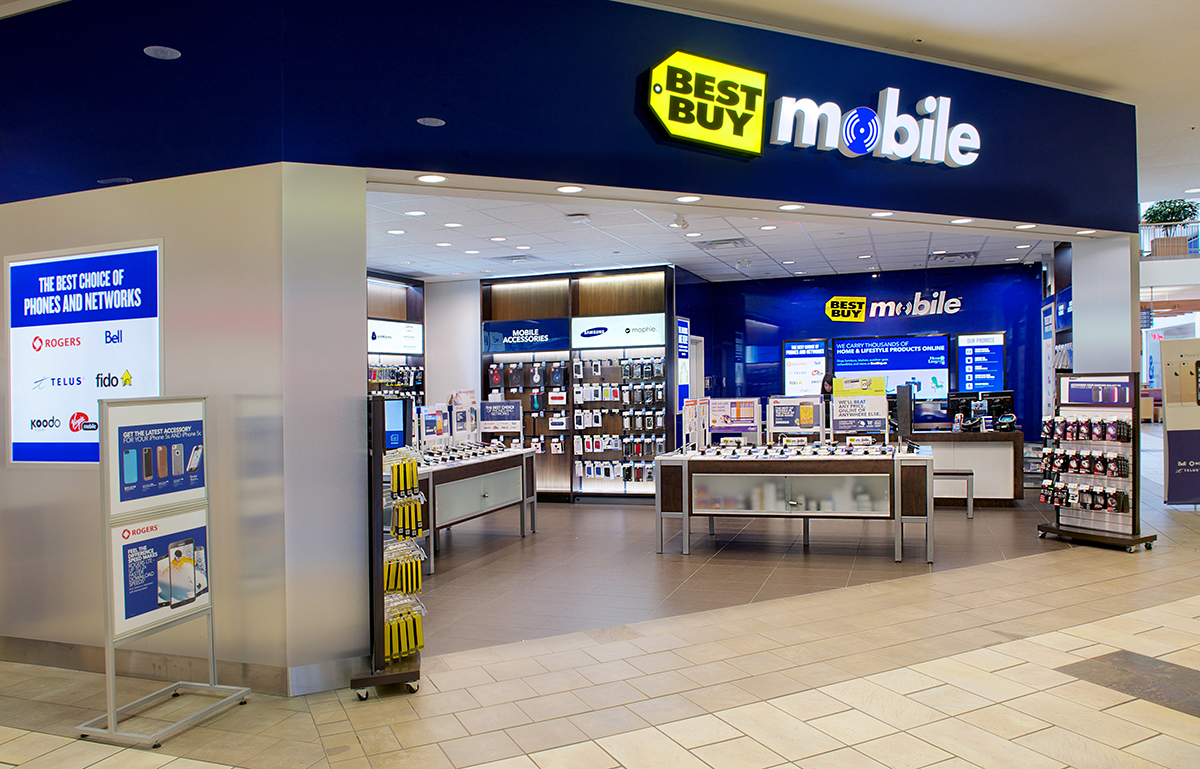
Best Buy Mobile is more than a place to buy a phone. It’s where you can trade in your old one, compare plans from various carriers, and find the accessories and protection you need—all in one visit.
Whether you’re upgrading your current phone, switching carriers, or buying your first smartphone, Best Buy Mobile helps you compare the latest devices, plans, and offers all in one place, making it easier to find the right fit for your budget and lifestyle.

Why visit a Best Buy Mobile store
- Compare plans from all major Canadian carriers
- See and try phones in person before you buy
- Activate your new phone
- Get personalized, expert help from a Mobile Advisor
- Quick and easy store pickup
- Trade in your old device
- Protect your phone with Best Buy Protection Plan
- FAQs
Compare plans from all major Canadian carriers in one visit
At Best Buy Mobile, you can compare plans from seven carriers side by side before committing.
| If you want… | Consider… |
|---|---|
| The widest coverage across Canada | TELUS, Bell, or Rogers |
| More competitive pricing | Koodo, Fido, Virgin Plus, or Freedom Mobile |
| A Bring Your Own Device (BYOD) plan | All seven carriers offer BYOD options |
If you’re buying a new phone through a carrier, the cost is typically spread over a 24-month financing term. If you’re not sure how carrier financing works, read our guide to mobile phone financing at Best Buy before you visit.
See and try phones in person before you buy
Reading reviews is helpful, but nothing beats holding a phone in your hand before making a decision.
Best Buy Mobile carries a selection of the latest smartphones from Apple, Samsung, Google, and more across flagship, mid-range, and budget price points. You’ll also find tablets, cases, screen protectors, chargers, and other mobile accessories. Whether you’re comparing camera quality, screen size, or how a phone feels in your hand, visiting a store can help you make a more confident choice.
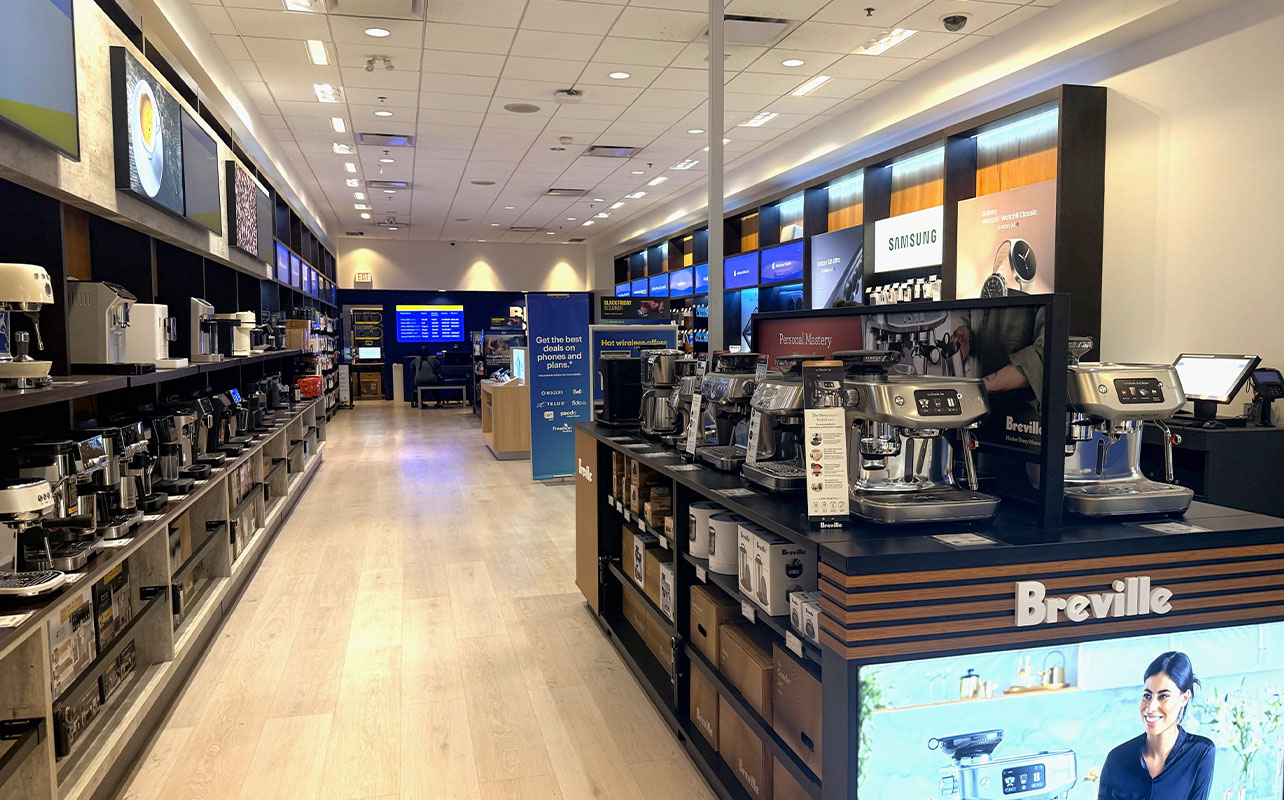
And if you’re visiting our Vaughan Mills Best Buy Mobile store in Ontario, don’t be surprised to find more than mobile tech. This location also features a curated selection of espresso machines, so you can shop for your next smartphone and coffee setup under one roof.
Activate your new phone
If you reserved a phone with a carrier plan online, you can complete your activation at any Best Buy Mobile store. You’ll need two pieces of government-issued photo ID, such as your driver’s licence, provincial ID card, or passport, to complete the activation.
If you’re shopping an advertised promotion, be sure to complete your activation in-store on the same day you see the offer. Wireless promotions and pricing can change frequently, so same-day activation helps ensure you receive the displayed offer.
Get personalized, expert help from a Mobile Advisor
In addition to activating your phone, a Mobile Advisor can help you compare devices, explain carrier plans, answer questions about your monthly costs, and recommend options based on your budget and what matters most to you.
Afterall, buying a new phone isn’t just about picking the latest model; it’s about finding the one that’s right for you. Whether you’re starting your purchase online or visiting a Best Buy Mobile store, a Mobile Advisor is there to guide you through the process.
Here are some things Mobile Advisors can help with:
- Insert your SIM card
- Confirm your wireless service is working
- Help set up features on your new device
- Share tips and tricks to help you get the most out of your phone
- Answer any questions you have along the way
If you’re purchasing a new phone and plan, it’s a good idea to set aside at least 30 minutes for your visit so your Mobile Advisor has enough time to complete your setup and walk you through your new device.
Reserve online with Quick and Easy Store Pickup
Already know which phone you want? Save time by reserving it online through Quick and Easy Store Pickup.
Simply choose Reserve in Store on BestBuy.ca, select your preferred Best Buy Mobile location, and submit your reservation.
During regular store hours, you’ll typically receive an email confirmation within 20 minutes when your reservation is ready. Wait until you receive this confirmation before heading to the store.
A Mobile Advisor may also call to review your reservation and recommend the best time to visit.
When you arrive, head to the Customer Service desk and provide the contact information you entered online. You’ll then be directed to the Best Buy Mobile counter to complete your purchase, activate your phone if needed, and get everything set up.
Trade in your old device
If you’re upgrading your device, don’t forget to bring your old one with you.
Through the Best Buy Trade-In Program, you can trade in eligible phones and receive a Best Buy gift card based on their assessed value. You can put that credit toward your new phone, accessories, or almost anything else at Best Buy Canada.
Here’s how it works:
Check your estimated trade-in value online
Use the online Trade-In Calculator to estimate what your device may be worth before visiting a store.
Bring your phone in
Bring your device along with two pieces of government-issued photo ID. A Best Buy advisor will assess your phone’s condition and determine whether it qualifies for trade-in.
During the assessment, advisors can perform a visual inspection of your phone’s exterior, including any obvious signs of physical or liquid damage. However, stores don’t open devices or perform internal diagnostics.
Receive your Best Buy gift card
If your device qualifies, you’ll receive a Best Buy gift card that you can use right away or save for a future purchase.
Protect your phone with Best Buy Protection
Accidents happen. Best Buy Protection helps cover eligible mechanical breakdowns and accidental physical damage beyond the manufacturer’s warranty.
While Best Buy Mobile stores don’t perform phone repairs in-store, if you have a Best Buy Protection Plan and experience a covered issue, you can submit a service request through the online self-service portal. Eligible repairs or replacements are managed through the protection plan process.
Best Buy Protection Plan includes:
- Physical damage coverage if you accidentally damage your device, with repair or replacement up to two times
- Coverage for accessories included in the original packaging, such as your charging cable
- Convenient monthly billing to your Visa, Mastercard, or American Express card
- Premium screen protector installation at the time of purchase to help protect against scratches from keys, dirt, and debris
- 24/7 remote support for service requests if your phone isn’t working the way it used to
If you ever need to make a claim, simply sign in to the self-service portal using the email address and phone number associated with your purchase. You can submit your request, track its progress, and follow the next steps online.
You can add or return a Best Buy Protection Plan in store within 30 days of purchasing your phone.
Frequently asked questions
Best Buy Mobile lets you compare phones and plans from multiple Canadian carriers in one place, instead of visiting each carrier separately. You can also shop unlocked phones, accessories, trade-in your current device, and more during the same visit.
Best Buy Mobile carries TELUS, Bell, Rogers, Koodo, Virgin Plus, Fido, and Freedom Mobile. You can compare plans from all of them in one visit without going to each carrier separately.
Yes. Bring your device to any Best Buy Mobile location and a Best Buy advisor will assess its condition and issue a Best Buy gift card based on the current trade-in value. Check your estimated trade-in value before you visit, and read our tech expert Chandeep’s article for even more ways to save on your next purchase.
No. Best Buy Mobile stores do not perform in-store phone repairs. To help protect your device from unexpected drops, spills, and other everyday accidents, consider adding a Best Buy Protection plan when you buy your phone.
If your phone takes an unexpected dive into a pool, bathtub, or even toilet, don’t panic! Our experienced blogger, Christine, shares some helpful first steps you can take to help minimize water damage.
Find a Best Buy Mobile store near you
Best Buy Mobile stores are located in malls and shopping centres across Canada. Use the store locator to find your nearest location, confirm available services, and check hours before visiting.
See you soon!