Over the last few years, I haven’t gone without a smart ring on my finger, and the latest to make its way to my hand is the RingConn Gen 3. This ring improves on its predecessor and rivals some of the bigger brands. In fact, for the entire time I reviewed the RingConn Gen 3, I was wearing an Oura Ring 5 on the opposite hand, too.
What makes the RingConn Gen 3 stand out? First and most importantly, it doesn’t require a subscription. Second is the incredible battery life. But there’s more to note as well, as I observed after wearing one for the last few months.

Design and fit
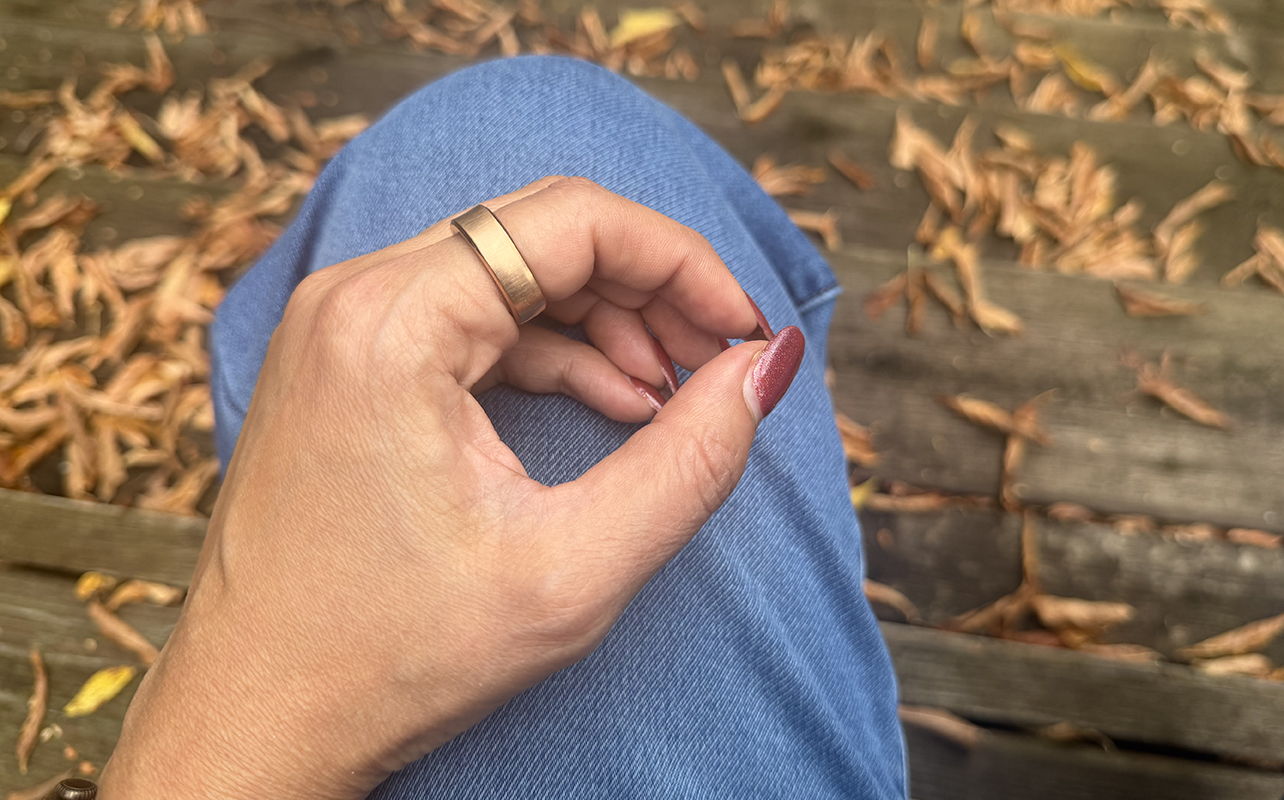
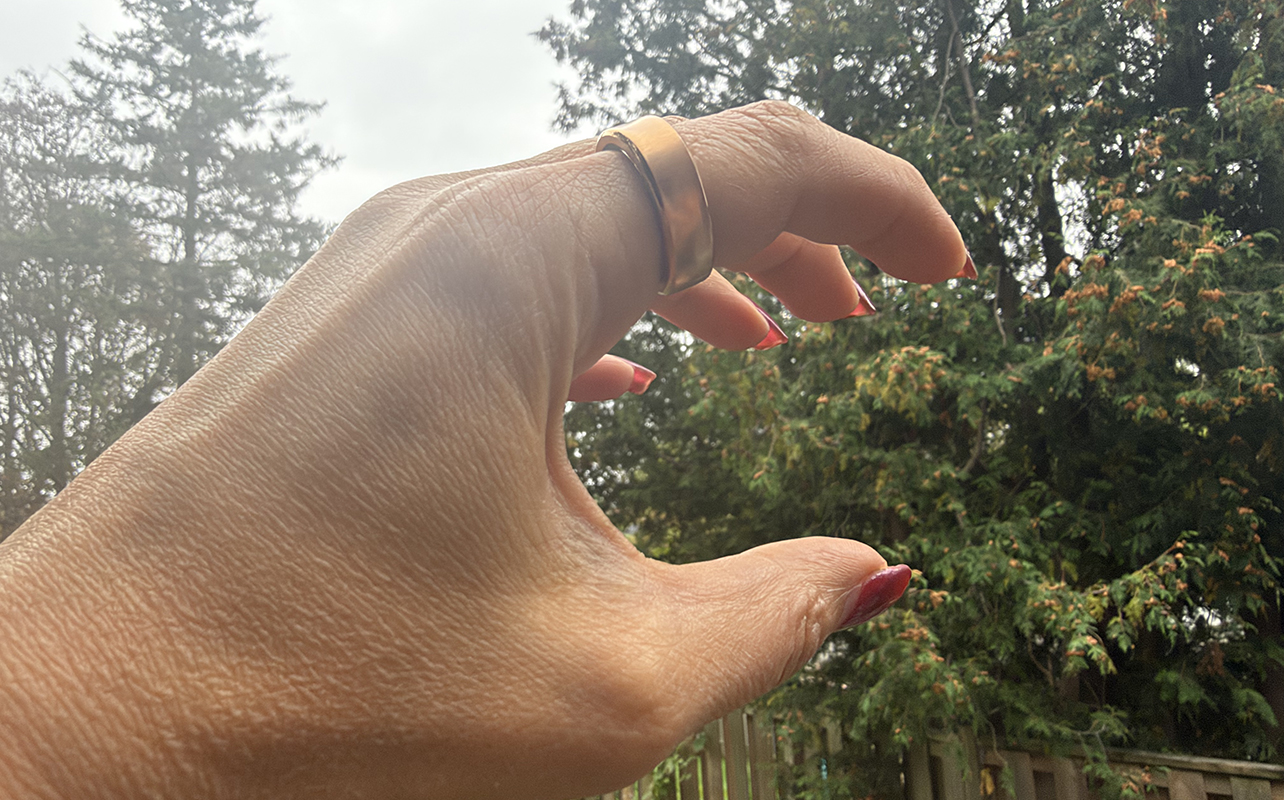
The RingConn Gen 3 has a ridge around the perimeter, giving it a subtle, barely detectable squarish look. It’s not the slimmest smart ring I have worn (that honour goes to the Oura Ring 5; read our Oura Ring 5 review) but not the thickest either.
My review sample came in Royal Gold. My usual size eight fits but feels tighter when trying to remove it compared to other smart rings of this size. It goes to show that when looking at how to choose a smart ring, you should always get the sizing kit and try on a dummy ring for at least 24 hours.
It’s comfortable and won’t interfere with everyday activities; you’ll forget you’re wearing it. Since it meets both an IP68 and 10ATM rating, you can safely wear it in the shower or pool, even underwater with higher pressure. I so appreciate that the ring comes with a wireless charging case, an accessory I think every smart ring should have versus a wired dock.
RingConn Gen 3 vs. RingConn Gen 2
App design and access
All smart rings generally work the same way, and the RingConn is no exception, pairing with the companion app where all the magic happens. The best part is that there’s nothing behind a paywall, which is so refreshing. Once you pay for the premium ring, that’s it.
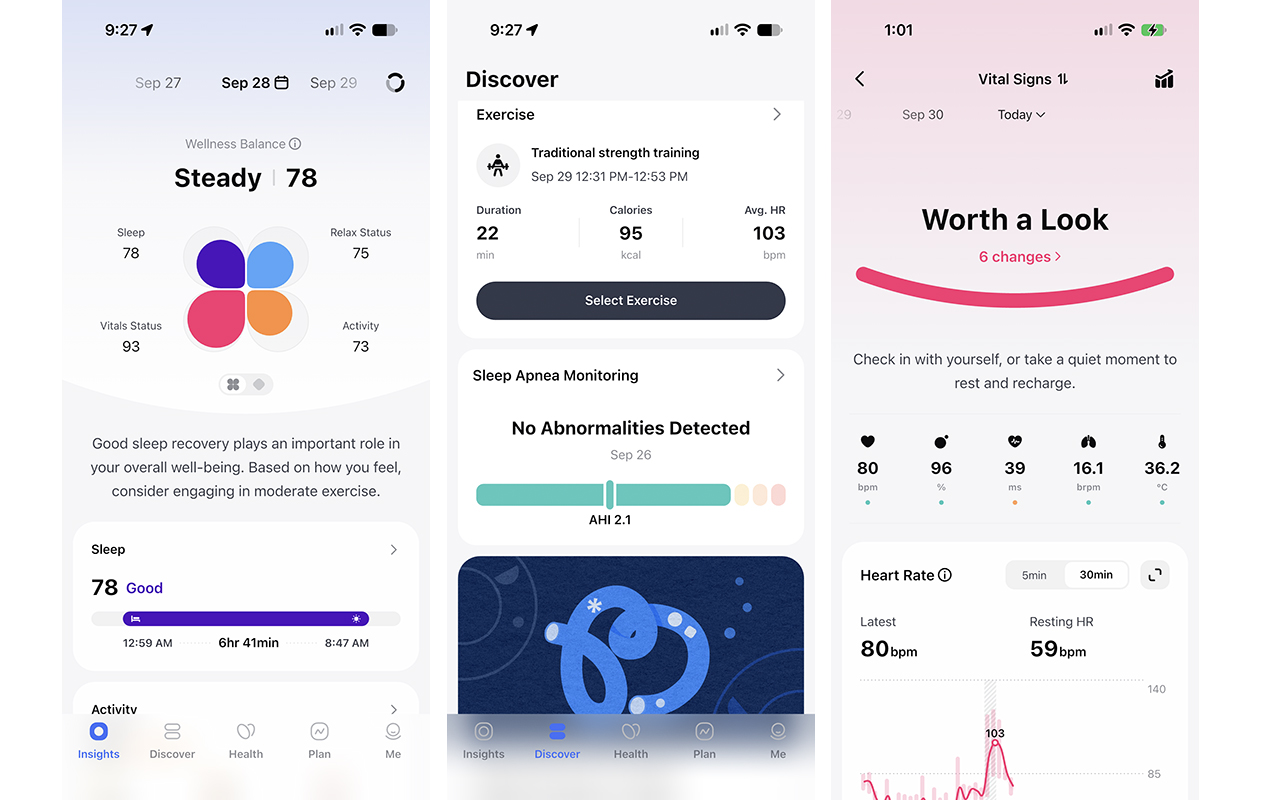
Overall summary “flower”
Key metrics in the app appear in a flower-like formation. This includes sleep, relax status, vitals status, and activity. Each virtual “leaf” fills up with colour as you progress towards meeting goals. Underneath is a summary of your night’s sleep and a recommendation of how to approach the day. One day, it said I recovered well and should plan for moderate exercise. Another day, it noted that my time asleep had dropped and I should reflect and focus on recovery.
Scroll down or tap any section to get more granular data about sleep, activity, stress, and vitals. I like alerts about noticeable changes in vital signs, like if your average heart rate is up or down compared to the previous seven days, or your heart rate variability (HRV) has changed. There’s even a section to add notes, like how you were feeling that day or what happened to caused stress or joy. In the Discover tab, review logged exercises and, for women, your cycle.
Tracking and vitals help you improve
RingConn Gen 3 continuously monitors daily health along with sleep and even checks for sleep apnea, just as the RingConn Gen 2 did. But one of the biggest upgrades with this smart ring is the addition of vascular health trends. Take a baseline blood pressure measurement using a cuff and the ring will continue to calculate this data using its sensors. From there, it will assess changes in vascular strain.
Actionable insights via a Lifestyle Score
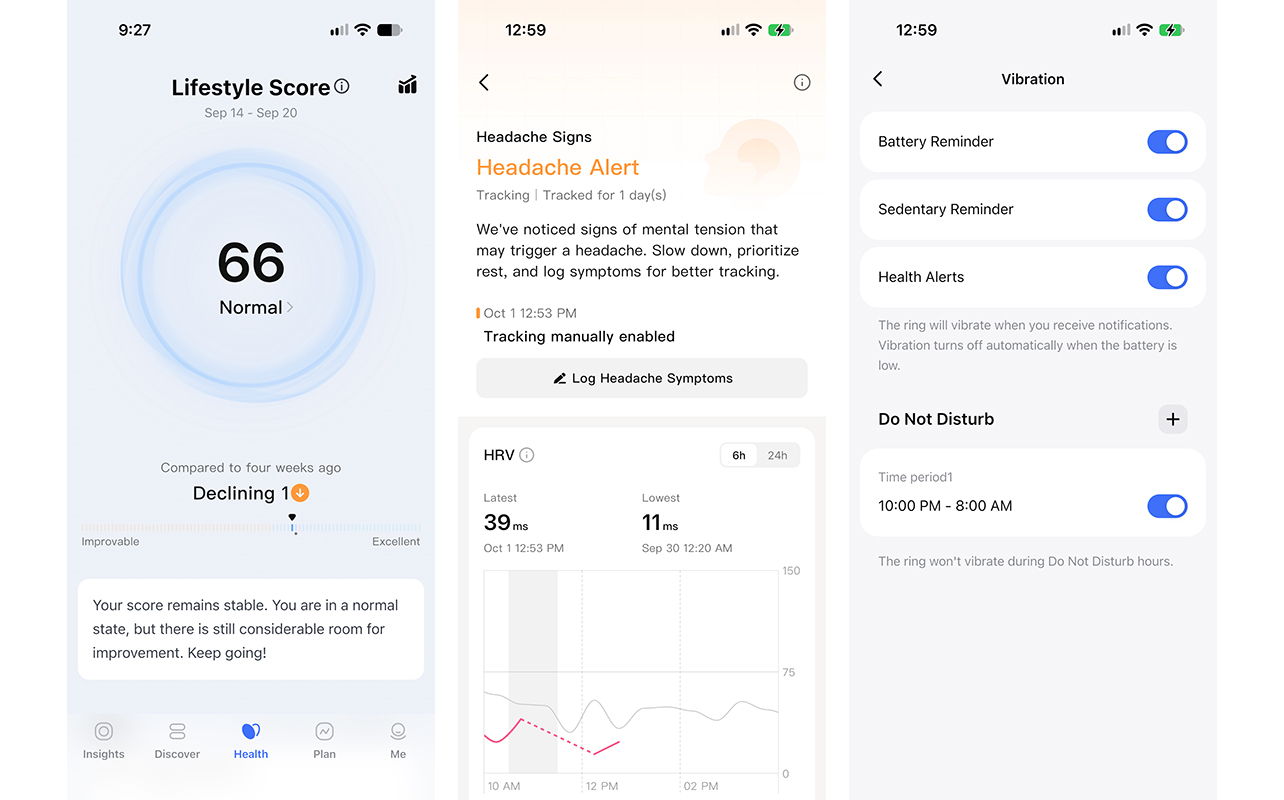
Along with tracking activities and vitals like heart rate, blood oxygen saturation, and stress, the RingConn Gen 3 also analyzes signals to provide useful guidance. Knowing what to do about the numbers is what matters, after all. Once you have worn the ring for long enough, it compares weekly data to the previous four weeks and presents a Lifestyle Score. It’s on a scale from improvable to excellent and is designed to help you determine how your daily habits might impact your long-term health. It then further breaks down where you can improve (for me, sleep!) and where you’re doing well (I earned kudos for activity intensity).
A step up from readiness score, Lifestyle Score factors in sleep and activity and grades specific data in each. I learned that my heart rate consistently decreases significantly before I fall asleep, which means my body and mind sufficiently relax before dozing off. My activity level is adequate, but I need to improve sleep recovery. I can even see that my highest stress scores are usually in the afternoon and evening, and I have at least 45 minutes of high stress time on average per day.
There are a lot of graphs and charts to interpret. But you can look through them on your lunch break, the train to work in the morning, or while unwinding at night. The paragraph summary is nice for a quick glance, but I wish it included more detail for quick reference.
Unique features you won’t find in other rings
Headache Sign Alerts tracks barometric and physiological changes to detect when you might be getting a headache. I suffer from frequent sinus headaches, and as it happens, I set this up when I did indeed have a headache. It immediately reported that it “noticed signs of mental tension that may trigger a headache.” It was validating to see the ring pick up on it.
This is the first time I have seen such a feature in a wearable, and while you can’t really do anything with the information, the warning might at the very least remind you to rest, hydrate, or do whatever usually helps to ease the pain before a headache starts. Plus, you can log headache symptoms then look back at patterns to determine triggers, like lack of sleep or weather.
Other health alerts include Vital Sign Abnormalities, looking at heart rate and skin temperature, and Sun Exposure & Hydration, which adds ambient light exposure data. In the Discover tab, you can check for signs of sleep apnea if you turn this feature on. Thankfully, there were no abnormalities detected for me.
Tracking accuracy: automatic detection needs work
Automatic activity detection is crucial for smart rings since there’s no on-device screen to start and stop a workout. You can do it in the app, but why bother if you don’t have to?
The RingConn Gen 3 does have this feature, but I found that when tracking workouts, it thinks virtually everything is walking. Did a kickboxing session? I was walking. Did a strength training workout? Walking. Cardio HIIT? That’s walking, too.
The plus is that, for the most part (though not always), the ring does detect that I’m doing something. The downside is that it rarely gets the actual activity right…unless it’s walking. It’s easy to re-label the activity in the app, at least. I also notice it doesn’t accurately capture activity duration. After doing a 35-minute strength training session, it logged it not only as a walk, but a 15-minute one.
The simple solution is to manually start and stop a workout in the app. But if you do that, you oddly only get a few options to choose from: outdoor walking, outdoor running, indoor running, indoor cycle, outdoor cycling, indoor rowing machine, and gentle yoga. Anything else, you need to rely on automatic detection and manually adjust the time and activity type afterwards. When manually updating a workout, more activity types pop up because they are strictly for labeling purposes.
Beyond workouts, tracking other metrics like sleep, heart rate, and blood oxygen was in line with other devices I wore at the same time. This includes an Apple Watch Series 12 (stay tuned for my review!), Oura Ring 5, and Fitbit Air (see my Fitbit Air review).
Vibration alerts
The ring offers light vibration alerts, which you can set for battery, sedentary reminders, and/or health alerts (oddly not as a wake-up alarm). I didn’t feel the vibration for months until oddly, right before I was about to finalize this review, I felt a very light buzz. It’s too bad the intensity can’t be adjusted because had I been doing anything but sitting quietly on the couch on the computer, I would not have felt it.
There’s also one other issue: I had no idea what it was trying to tell me. I enabled all vibration features in the app, so how do I know if it’s telling me the battery is low, I have been sedentary for too long, or there’s a health alert? Given this, I’d suggest choosing just one function for vibration reminders.
Battery life is the best feature
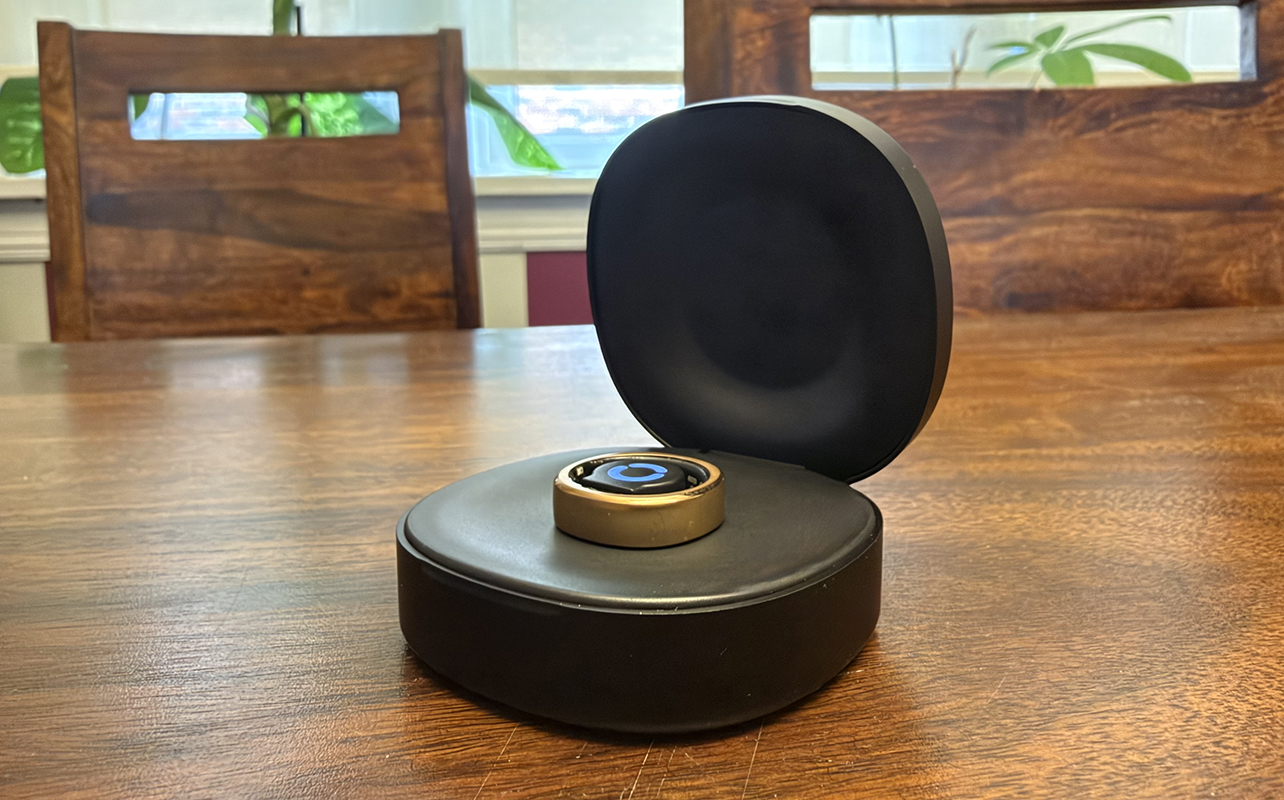
One of the best features of this smart ring is battery life: it’s rated to last up to 14 days, which is downright remarkable. I love that the app doesn’t just show battery percentage but also tells you how many days and hours you have left before the battery will drain.
Even more impressive is how accurate this is. At about 77% battery life, the app advised me that I had about nine days and five hours left before I would need to recharge. Three days later, it was at 56% with six days and 17 hours. Knowing I can recharge this ring before heading out on a 10-day vacation and it will last the whole time is fantastic. I have not come across another smart ring with battery life as good as this one.
Should you upgrade to the RingConn Gen 3?
If you’re deciding between RingConn models, the RingConn Gen 2 is the value option while the RingConn Gen 3 is suitable for more serious users. It boasts advanced features and health metrics like vascular trends. It offers slightly longer battery life and comes with the wireless charging case instead of the wired dock. It’s slightly thicker and adds the haptic vibrations that you might appreciate.
| RingConn Gen 3 | RingConn Gen 2 | |
| Ring Sizes | 6-15 | 6-14 |
| Material | Titanium epoxy resin | Titanium epoxy resin |
| Colours | Future Silver, Royal Gold, Matte Black, Brushed Silver, Brushed Rose Gold | Royal Gold, Future Silver, Matte Black, Rose Gold |
| Size | 2.3mm | 2mm |
| Weight | 2.5-3.5 grams | 2-3 grams |
| Water Resistance | IP68, 10ATM | IP68, 100 metres |
| Rated Battery Life | up to 14 days | up to 10-12 days (depending on size) |
| Unique Features | Comes with a wireless charging case, vibration alerts, vascular health insights, sleep apnea pattern insights | Comes with a wired charging dock, sleep apnea patterns |
| Subscription | None | None |
| Hardware Price (subject to change) | $489 | $279 |
Who should get the RingConn Gen 3?
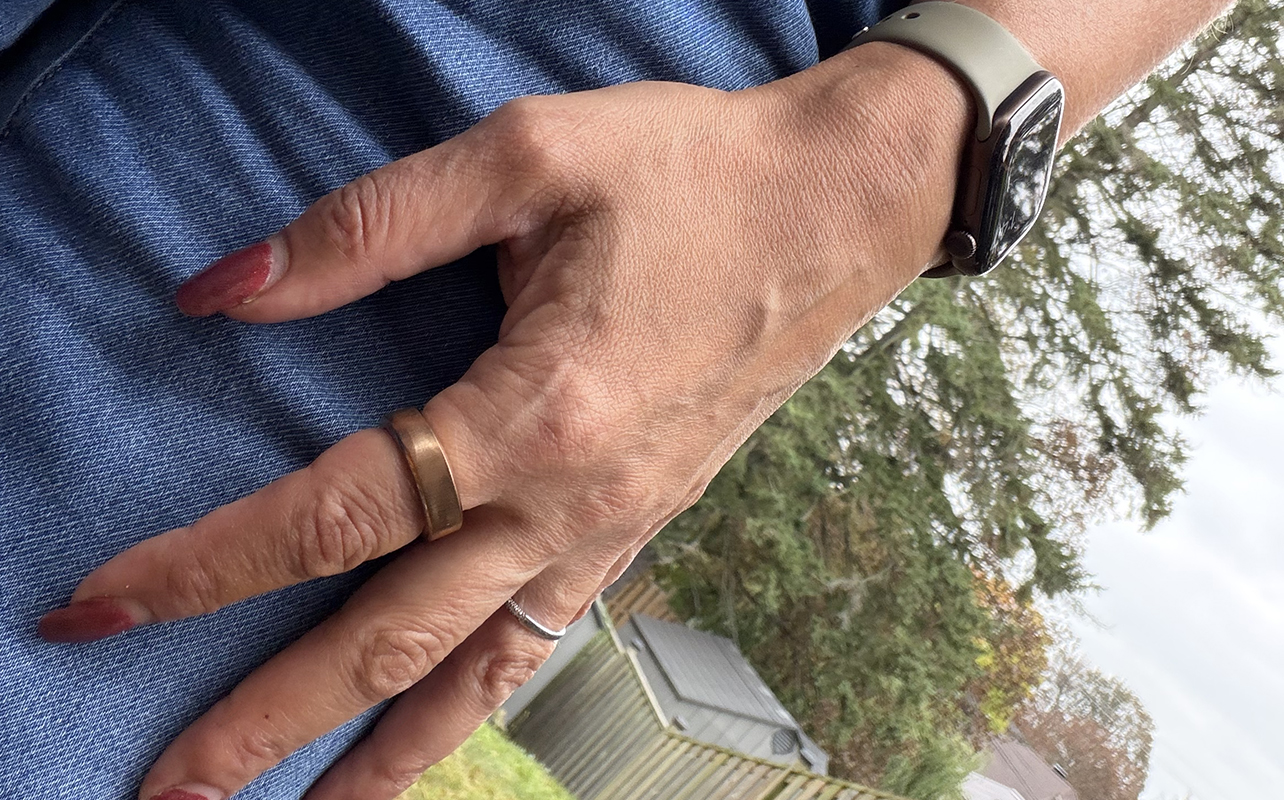
When considering other smart rings, the Oura Ring 5 offers more accurate automatic activity detection: it’s the best smart ring I have used for this feature, even better than most smartwatches and fitness bands, too. But it also requires a subscription. If you’re willing to consider a screenless fitness band instead, the Garmin CIRQA (see my Garmin CIRQA review) is a good alternative that doesn’t require a subscription either.
But for an advanced smart ring experience with unbeatable battery life, the RingConn Gen 3 is a solid choice. It not only costs considerably less than the Oura Ring 5, it’s also a smart ring that doesn’t require a subscription. You will have to manually start and stop workouts or tweak exercise logging after each session if you do anything beyond walking and running. That’s important for fitness enthusiasts. But if you prioritize passive health, wellness, and vitals tracking, you might not care about that minor annoyance. It’s an all-around great smart ring that I’d comfortably name among my favourites.
| Key Considerations | RingConn Gen 3 | Oura Ring 5 | Better Option |
| Subscription | None | Yes | RingConn Gen 3 has no recurring costs |
| Material | Titanium epoxy resin | Fully titanium | Oura Ring 5 is higher quality |
| Battery Life | Up to 14 days | Up to 9 days | RingConn Gen 3 lasts much longer |
| Activity and Vitals Tracking | Accurate vitals, automatic activity detection is spotty | Accurate vitals, very accurate automatic activity detection | Oura Ring 5 has unbeatable automatic activity detection but both track vitals well |
| Size | 2.3mm | 2.28mm | Oura Ring 5 is much slimmer even if the number seems very close |
| Price | $489 | $650 | RingConn Gen 3 is more affordable |
Find the RingConn Gen 3 at Best Buy Canada.