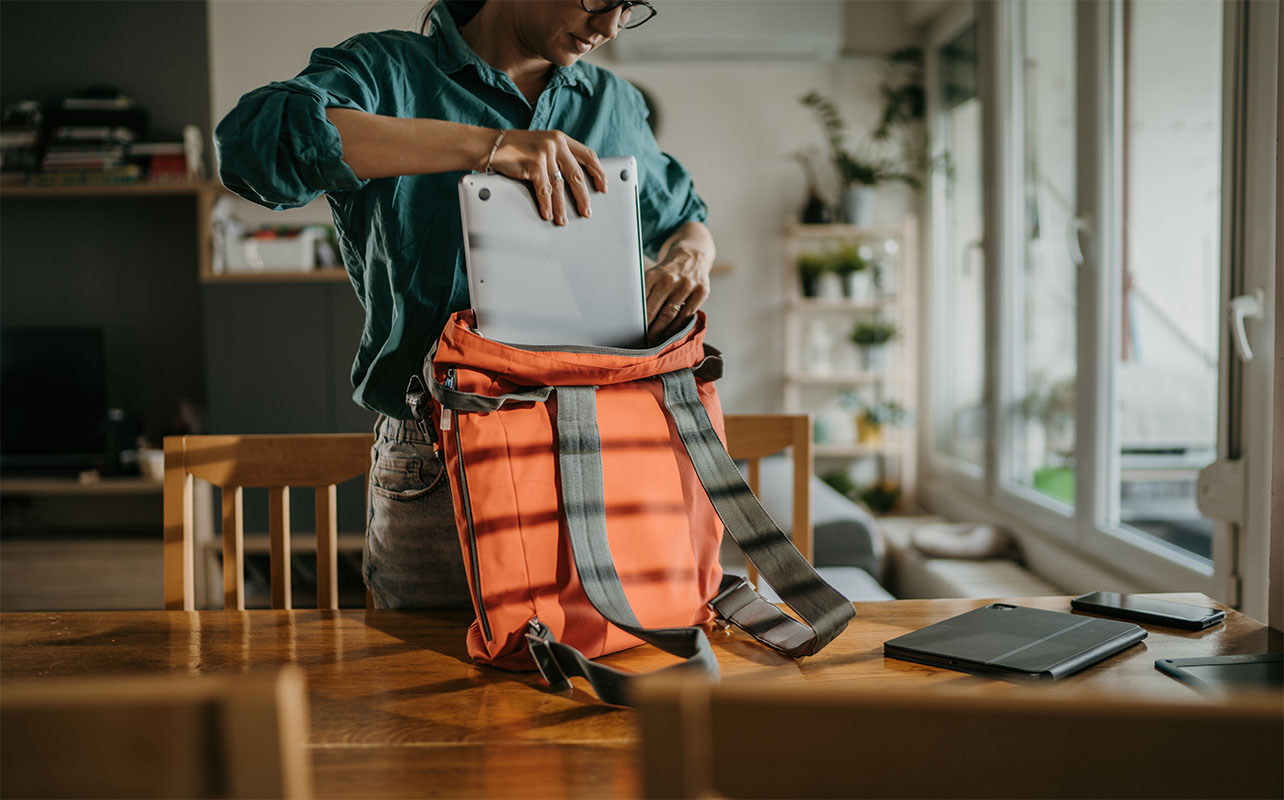
Work no longer lives in one fixed place. It follows us from kitchen tables to coworking spaces, quiet cafes, and even airport lounges. But when your surroundings change, deadlines don’t, and neither does the need for a setup that keeps you productive, comfortable, and connected. That’s where a remote office in a backpack comes in: a compact kit of portable tech, built around a few remote work essentials, that turns almost any table into a proper workspace.
If you’re trading a desk for a dining table or logging in with a view instead of a cubicle wall, the recipe is the same. Start with a reliable laptop or tablet, then add comfortable accessories, steady power, good audio, and a little privacy.
Whether you’re shopping for yourself or gifting it to someone else, here’s what’s worth packing and why. Start by browsing laptops and MacBooks at Best Buy Canada or our guide to the best laptops for working from home.


What does a remote worker need to work from anywhere?
Working on the go doesn’t change what you need from your workspace. It just means fitting those essentials into a smaller footprint. Here’s a list of remote work essentials you can pack.
- Laptop or tablet: It’s your workspace, so it needs enough battery and memory to handle calls and multitasking without slowing down.
- Headphones: Noise cancelling protects your focus and your call quality in cafés, airports and busy homes.
- Charger: A compact USB-C wall charger tops up your laptop and phone from a single outlet.
- Power bank: It keeps your phone and earbuds going, and with the right model, your laptop too, when outlets are scarce.
- Mouse: A mouse is faster and kinder to your wrist than a trackpad over a full workday.
- Keyboard: A compact keyboard gives tablets and small laptops comfortable, full-size typing.
- Backpack: A padded bag protects your gear and keeps cables and chargers in one place.
- Privacy screen: It stops people nearby from reading your screen while you work on shared or public tables.
- USB-C hub: It adds HDMI, USB-A and charging pass-through to laptops with only a couple of ports.
- Portable monitor: A second screen makes spreadsheets, notes, and presentations easier anywhere.
Remote work essentials for productivity anywhere
Remote work looks different for everyone, but most days are a mix of virtual meetings, email and messaging, project management, cloud collaboration and, for some, content creation. The first four mostly run in a browser, so they reward a laptop with enough memory (16GB is a comfortable target), a good webcam and microphone, and a battery that lasts. Content creation adds a need for faster processors and more storage.
One term you’ll see on many of these laptops is Copilot+ PC. It’s a Windows laptop with a dedicated AI chip (called an NPU) that handles NPU-powered experiences including live captions, translation, and call-quality effects on the device itself. Copilot+ PCs require an NPU capable of more than 40 trillion operations per second. You don’t need one to work remotely, but it’s a useful bonus if you spend a lot of time on calls.
Laptops for remote work
Your laptop is the anchor of the whole setup, so spend your budget here first. Look for battery life you can trust, a webcam that makes you look good on video calls, enough memory for multitasking and a weight you won’t mind carrying. Here’s how four popular options compare.
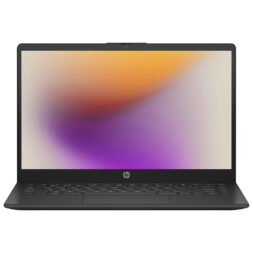
HP 14″ laptop
This HP 14″ Windows 11 laptop covers emails, documents, browsing and hybrid working without fuss. It has an HD (1,366 x 768) display and up to eight hours of battery life. Note that its USB-C port handles data only, with no charging or external monitor support. Keep its charger in the bag and use the HDMI port for a second screen.
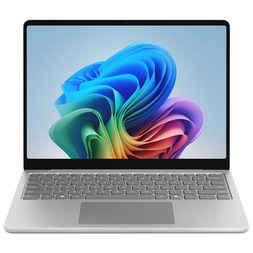
Microsoft Surface Laptop 13″ Copilot+ PC
This Microsoft Surface laptop is built for travel, with up to 23 hours of battery life (a manufacturer estimate, so real-world use will vary). Plus, you can enjoy Copilot+ PC features for calls and search. Two things to know: 256GB fills up quickly, so lean on cloud storage, and it runs Windows on an Arm chip, so check that any specialized work software supports it.
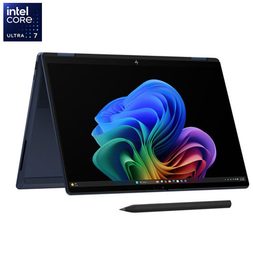
HP OmniBook X Flip 14″ 2-in-1
The HP OmniBook X Flip folds into laptop, tablet, tent and stand modes. This 14-inch 2K OLED touchscreen is powered by an Intel Core Ultra 7 355 processor with 16GB of RAM and a 512GB SSD. Plus, it includes an HP rechargeable pen for handwritten notes, a 5MP webcam with a privacy shutter for video calls, and Wi-Fi 7. HP rates battery life at up to 23.5 hours of mixed use (a manufacturer estimate, so real-world results will vary).
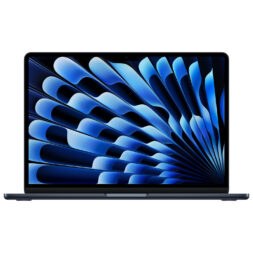
Apple MacBook Air with M5
The current MacBook Air pairs the Apple M5 chip with 16GB of RAM and a 512GB SSD, and it adds Wi-Fi 7. It also supports up to two external displays, which pairs well with a portable monitor later in this guide. Apple rates it for all-day battery life.
Also consider the MacBook Pro as a step up for editors, creators and power users who need more processing muscle.
If you want a clear starting point: the Surface Laptop 13″ or MacBook Air are the safest all-rounders for most remote workers, the HP 14″ is the budget pick for lighter workloads, and the OmniBook X suits anyone who wants a laptop and tablet in one.
Tablets for flexible work
A tablet won’t replace a laptop for everyone, but it’s a great second device for note-taking, presentations, reading documents, and quick replies. With a keyboard, some of these get surprisingly close to laptop-style productivity.
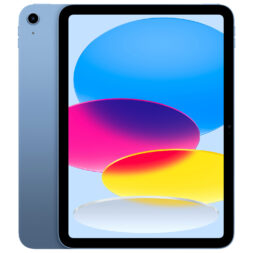
Apple iPad (11th Gen)
Reliable and fast, the Apple iPad is a good fit for digital planners, documents, reading and video calls. Pair it with Apple Pencil and a keyboard (sold separately) for laptop-style productivity.
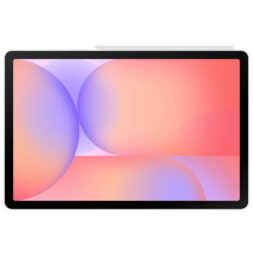
Samsung Galaxy Tab S10 Lite
The Samsung Galaxy Tab S10 Lite keeps it light for travel and work on the go. It comes with a large 10.9″ display with smooth 90Hz scrolling and a slim 6.6mm build. Enjoy using the S Pen for handwritten notes and quick sketches.
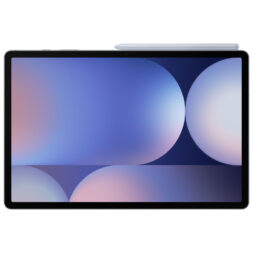
Samsung Galaxy Tab S10+
With a 12.4-inch Dynamic AMOLED 2X display, 12GB of RAM, and an included S Pen, the Samsung Galaxy Tab S10+ is the most laptop-like tablet in this lineup. It’s ideal for split-screen work, presentations, and handwritten notes. And it’s rated IP68 for dust and splash protection, which is handy at a café table.
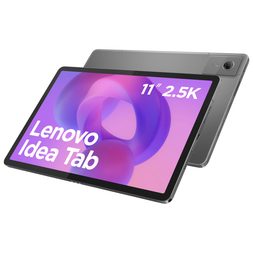
Lenovo Idea Tab 11″
This budget-friendly Lenovo Idea Tab features a sharp 2.5K (2560 x 1600) display at 90Hz, quad Dolby Atmos speakers, and microSD storage that expands up to 2TB. It makes a comfortable second screen for documents, email, and video calls. It has 4GB of RAM, so it suits light multitasking rather than heavy app-switching, and there’s no charger in the box.
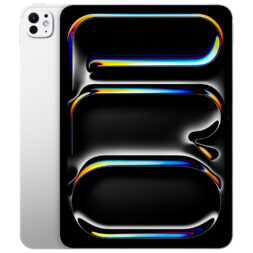
Apple iPad Pro
The most powerful tablet in this guide, the iPad Pro has the Apple M5 chip, an 11-inch Ultra Retina XDR display with ProMotion and Wi-Fi 7. The landscape 12MP Center Stage front camera keeps you framed on video calls, and with Magic Keyboard (sold separately) it gets close to laptop-style work. It’s also the priciest option here, and the keyboard and Apple Pencil are extra, so it’s best if the iPad will genuinely be your main device.
If you’re choosing one, the iPad is the easiest all-round pick, the Tab S10+ is the one to choose if you take handwritten notes or want to run two apps side by side, and the iPad Pro is the one to pick if your tablet will be your main device.
Also check out our tablet and iPad buying guide.
Hybrid work technology for the office and home
Splitting your week between two workspaces creates its own problems: carrying heavy gear back and forth, forgetting a charger, or buying everything twice. The easiest fix is to give each location a permanent base (a full-size keyboard, a monitor, a charger) and carry only the light stuff. If your laptop can connect to everything through a single USB-C cable, switching from home to office takes about ten seconds.
Portable keyboards and mice
Compact accessories can turn any surface, from a cafe counter to a train tray, into a workspace that’s truly yours. They’re light, wireless, and designed for movement, so comfort and efficiency travel with you. For hybrid workers, there’s one more rule of thumb: keep the full-size set at your desk and pack the compact one.
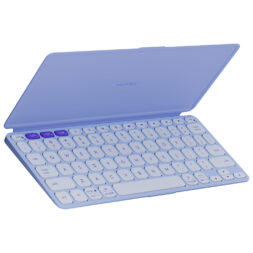
Logitech Keys-To-Go 2 universal keyboard with cover
This ultra-slim keyboard from Logitech works with iOS, Android, and Windows devices, which makes it a good match for a tablet or phone in the bag. It’s colourful, lightweight and easy to pack.
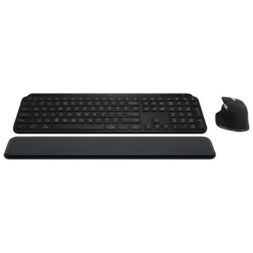
MX Keys S Bluetooth Combo
The MX Keys S Bluetooth Combo comes with a quiet, backlit keyboard and the MX Master 3S mouse with a palm rest. It’s full-size, so it’s built for your home or office desk rather than your backpack, and it answers the hybrid question of buying once and leaving it where you work most.
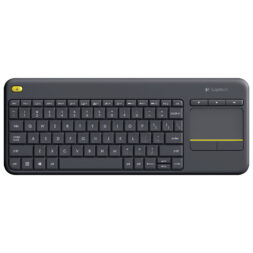
Logitech K400 Plus wireless keyboard with touchpad
This Logitech K400 Plus compact wireless keyboard features a built-in touchpad and a 10-metre wireless range, suited to working from a couch or a small table. It connects through a USB receiver, so pair it with a hub if your laptop only has USB-C ports.
Need a mouse? Browse mice and keyboards at Best Buy Canada for compact wireless options.
Docking and connectivity accessories
A USB-C hub adds ports, such as HDMI, USB-A, and Ethernet, to a laptop that doesn’t have many. A dock does the same but usually plugs into the wall, so one cable from your laptop handles power, displays, and accessories. For travel, a small hub is the packable choice, and you can browse USB-C hubs for laptops at Best Buy Canada. For your home or office desk, a dock is the better fit. Before you buy either, check that your laptop’s USB-C port supports charging and video output, because not all do. Look for power pass-through so charging doesn’t take up your only port.
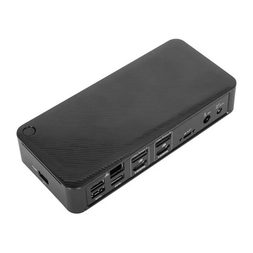
Targus DV4K USB-C docking station
This Targus docking station turns one USB-C cable into dual 4K displays at 60Hz, four USB-A ports, a USB-C port, Gigabit Ethernet and up to 100W of charging. It suits the home or office half of a hybrid setup: leave it on the desk and plug in your laptop when you arrive. It’s a desktop dock rather than a travel hub, so it stays at your desk.
For power, a compact multi-port USB-C charger (65W or higher) can replace both your laptop brick and your phone charger in the bag. Our wall charger wattage guide explains how much power your devices need. If you travel internationally, you’ll also need a plug adapter.
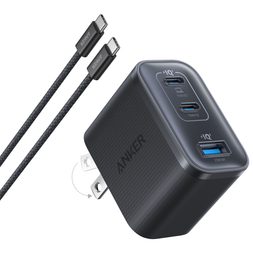
Anker Nano 70W 3-port USB-C wall charger
This compact charger from Anker delivers up to 70W in single-port mode, enough for most thin-and-light laptops. It adds two more USB-C ports and one USB-A port for your phone and earbuds, and a 1.5 m USB-C cable is included. The 70W maximum applies when one port is in use, so your laptop will charge more slowly with everything plugged in.
Connectivity matters too. If you sometimes work where Wi-Fi isn’t reliable, your phone’s hotspot is the simplest backup, though it uses your plan’s data, so check your allowance. A mobile internet stick is another option; see mobile internet sticks and Bring Your Own Device plans.
Travel tech for business trips and working on the move
Working while travelling is its own skill. You might be setting up at an airport gate, turning a hotel desk into a workstation, answering messages between meetings, or adapting to different plugs abroad. The tech that earns its place here is light, flexible and doesn’t depend on finding the perfect desk.
Noise-cancelling headphones for travel
Good audio gear keeps your remote office quiet and focused, even when the world around you isn’t. Whether it’s chatter at the airport or a bustling family home, noise-cancelling headphones carve out a calm space wherever you are. Active noise cancelling (ANC) uses microphones to cancel steady background sounds like engines and air conditioning; it’s less effective on voices. Over-ear models typically block most noise, while earbuds win on pocket space.
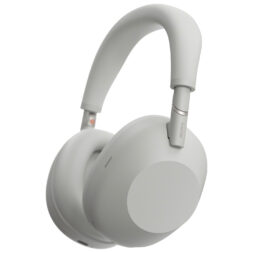
Sony WH-1000XM6
Lightweight comfort, strong noise cancelling and a clear call microphone make these Sony headphones one of the most widely recommended pairs for travel and remote work.
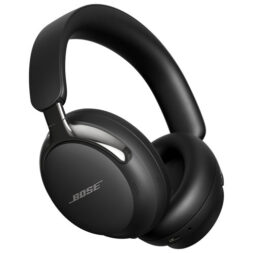
Bose QuietComfort Ultra Headphones (2nd gen)
The Bose QuietComfort Ultra offers flagship noise-cancelling and immersive spatial audio in a plush, comfortable fit. Battery life is up to 30 hours (23 hours with Immersive Audio on).
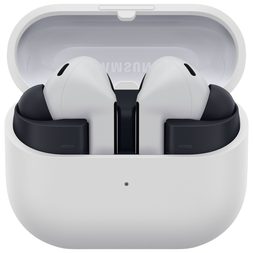
Samsung Buds3 FE
The Samsung Buds3 FE is the newest successor to the Galaxy Buds FE. These earbuds have active noise cancelling, 11mm drivers, and improved microphones with echo reduction for clearer calls. They’re a pocketable choice for flights and focus time, and built-in hands-free assistant support helps when you’re on the move. They’re designed for Android devices, so iPhone users should look elsewhere.
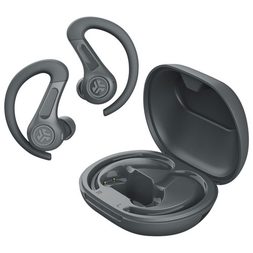
JLab JBuds Sport ANC 4
Hybrid active noise cancelling cuts airplane and café noise, and Be Aware mode lets you hear announcements when you need to. Secure earhooks keep them in place, and they connect to two devices at once. Each charge lasts 14+ hours, with 46+ more from the case, and they’re IP66 sweat-resistant. The 60+ hour total is with noise-cancelling off, so expect less with it on.
Browse more in headphones at Best Buy Canada.
Portable power solutions
Power is the first thing to run out and the last thing people plan for. The key point most guides skip: not every power bank can charge a laptop. Depending on the laptop, a power bank needs roughly 30 to 100W of output and Power Delivery support. Many popular power banks top out well below that, which is perfect for phones and earbuds but won’t help your laptop. Check the USB-C output before you buy.
For flying, power banks go in your carry-on, not checked luggage, and airlines set limits on battery size. Our guide explains whether you can bring a power bank on a plane.
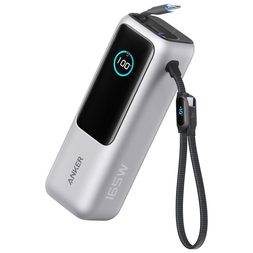
Anker 25,000mAh 165W multiport power bank
Enough output to charge a laptop alongside a phone or tablet, with a retractable cable so there’s one less thing to lose.
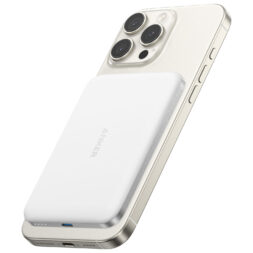
Anker Nano 5,000mAh power bank with MagSafe (for iPhone)
A compact, pocket-friendly MagSafe power bank that snaps onto your iPhone for a top-up between meetings. It’s a phone and earbuds accessory, so it won’t run a laptop or a tablet.
See more options in power banks at Best Buy Canada, including work from home power banks.
Portable technology that makes any space more productive
Some of the most useful remote work tech is also the most overlooked: a second screen, a better laptop angle, a way to keep your screen to yourself, and a bag that keeps it all organized. Together they turn “making do” into a setup that feels intentional.
Portable monitors
A portable monitor is a thin, lightweight second screen that connects to your laptop with a single USB-C cable, often drawing power from the laptop itself. It’s useful for dual-screen productivity, spreadsheet work, presentations and temporary workspaces like a hotel room or a borrowed desk. Check that your laptop’s USB-C port supports video output; if not, you’ll need a model with HDMI and separate power.
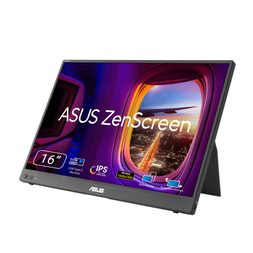
ASUS ZenScreen MB16FC 16″ portable monitor
This ASUS ZenScreen features a 16-inch display with a taller 16:10 (1920 x 1200) screen. So spreadsheets and documents show more rows than on a standard Full HD panel. The 75Hz refresh rate makes scrolling smoother. Two full-function USB-C ports with power pass-through let your laptop power the monitor or the monitor charge your laptop, and a mini-HDMI port adds compatibility. Sleeve and cables are included.
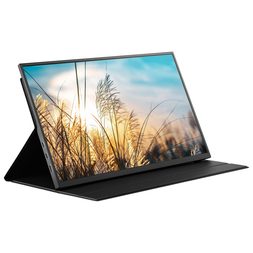
Insignia 15.6″ FHD portable monitor
A 15.6-inch Full HD IPS display from Insignia that weighs 0.7 kg, with a folio cover that protects it in your bag. It has two USB-C input ports and a mini-HDMI port, and the box includes a USB-C cable, case and bag. It’s a no-frills way to add a second screen for email, documents and calls, and it’s only sold at Best Buy.
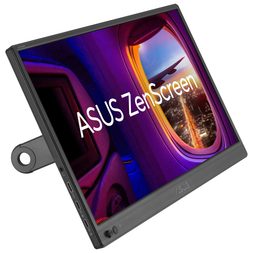
ASUS ZenScreen MB169CK 15.6″ portable monitor
The ASUS ZenScreen MB169CK is a 15.6-inch Full HD anti-glare IPS display with a 360° kickstand and a tripod socket. You can prop it up or mount it at eye level in a hotel room or cafe. It has two USB-C ports (DisplayPort Alt Mode) and a mini-HDMI port, and the box includes a USB-C cable, mini-HDMI cable, and sleeve. TUV Rheinland-certified flicker-free and low blue light technology helps with long sessions.
Foldable laptop stands
Raising your laptop to eye level makes a real difference over a long day. A foldable stand weighs very little and packs flat, then lifts your screen so you’re not hunching. Pair it with a separate keyboard and mouse for a more comfortable posture anywhere.
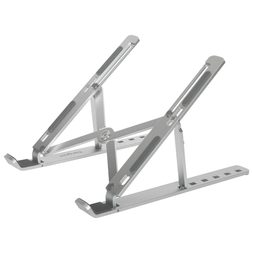
Targus portable ergonomic laptop and tablet stand
This Targus aluminum laptop stand folds flat and lifts your screen to eye level, with six height settings for devices from 10 to 15.6 inches. A carrying pouch is included.
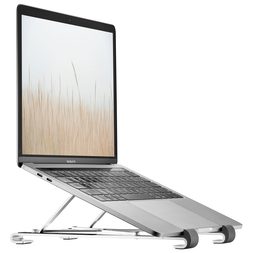
Insignia portable adjustable laptop stand
A Best Buy-exclusive Insignia laptop stand folds down flat to carry anywhere. It’s an easy upgrade for café tables, hotel desks, and kitchen counters.
Webcam cover + privacy screen
Remote work often means working in shared spaces, where privacy can be tricky. From webcam covers that protect your camera when not in use to privacy filters that block unwanted glances, these small tools add a layer of comfort and security to your digital workspace.
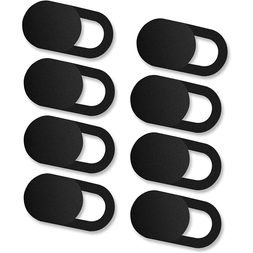
Ultra-thin webcam cover slider
These sliding covers are just 0.027 inches thick that stick over your laptop or tablet camera and slide open for calls. The eight-pack covers every device you travel with.
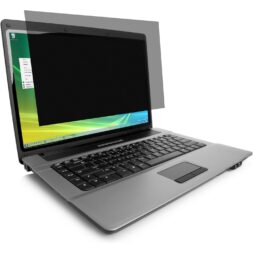
Kensington FP140W10 14 inch laptop privacy screen
A full privacy filter from Kensington is made for 14-inch laptops with a 16:10 screen. It limits viewing angles and reduces glare and blue light, which makes it ideal for cafes and airplanes.
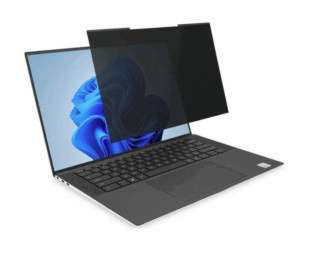
Kensington MagPro magnetic privacy screen
The Kensington MagPro‘s magnetic design is quick to attach and remove, reducing glare and limiting viewing angles to protect sensitive work data in public spaces. This version is made for 15.6-inch 16:10 laptops, so match the size and aspect ratio to your screen before you buy.
Backpacks and tech organizers
Every remote worker’s best friend is an organized bag. Between laptops, chargers, headphones and notebooks, a good backpack or tech organizer keeps everything protected, accessible, and tangle-free. These picks combine durability, style and travel convenience for a mobile lifestyle.
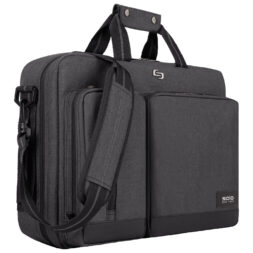
Solo Urban 15.6″ briefcase
A Solo Urban briefcase converts to a backpack, so you can carry it either way. Stylish and practical, it suits hybrid professionals moving between the office, home and cafe.
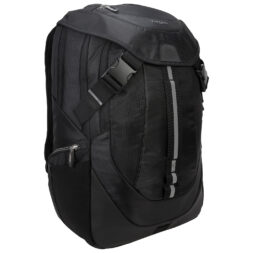
Targus Voyager II backpack
A durable build, a hide-away rain cover and smart compartments make this backpack from Targus a solid pick for frequent travellers with plenty of room for gear. It fits laptops up to 17.3 inches.
Browse more in laptop backpacks at Best Buy Canada.
Building the ideal office in a backpack
You don’t need all of it. The right kit depends on how you work, so here are three setups, from a lean starter kit to a full travel workstation.
| Setup | What’s in the bag | Who it suits |
| Budget setup | HP 14″ laptop (or a Chromebook), Samsung Buds3 FE, Anker Nano 5,000mAh power bank | Light email, documents, and video calls on a tight budget |
| Productivity setup | Surface Laptop 13″ or HP OmniBook X 14″, a compact wireless mouse, Logitech Keys-To-Go 2, Sony WH-1000XM6 | Daily meetings, multitasking, and working across home, office, and cafes |
| Premium travel setup | MacBook Air M5, ASUS ZenScreen 15.6″, Bose QuietComfort Ultra (2nd gen), Anker 165W power bank | Frequent travellers who want a full workstation in a bag |
Everything starts with the laptop, so if you have to prioritize, put your budget there and add the rest over time.
FAQs
At minimum, a reliable laptop or tablet, headphones, a charger and a way to stay online. Comfort and power accessories like a keyboard, mouse, and power bank make the setup far easier to live with day to day.
For email, documents, notes, and calls, yes, especially with a keyboard. For heavy multitasking, large files or specialized desktop software, a laptop is still the safer choice.
It’s a Windows laptop with a dedicated AI chip that handles features like live captions and call effects on the device. You don’t need one for email and documents, but it’s a useful bonus for people who spend a lot of time in meetings.
Only if its USB-C output matches what your laptop needs, and it has to go in your carry-on. Check your airline’s battery rules before you fly.
Keep a permanent base at each location (a full-size keyboard, a monitor, a charger) and carry only the laptop and a few compact accessories. A USB-C hub or dock makes switching a one-cable job.