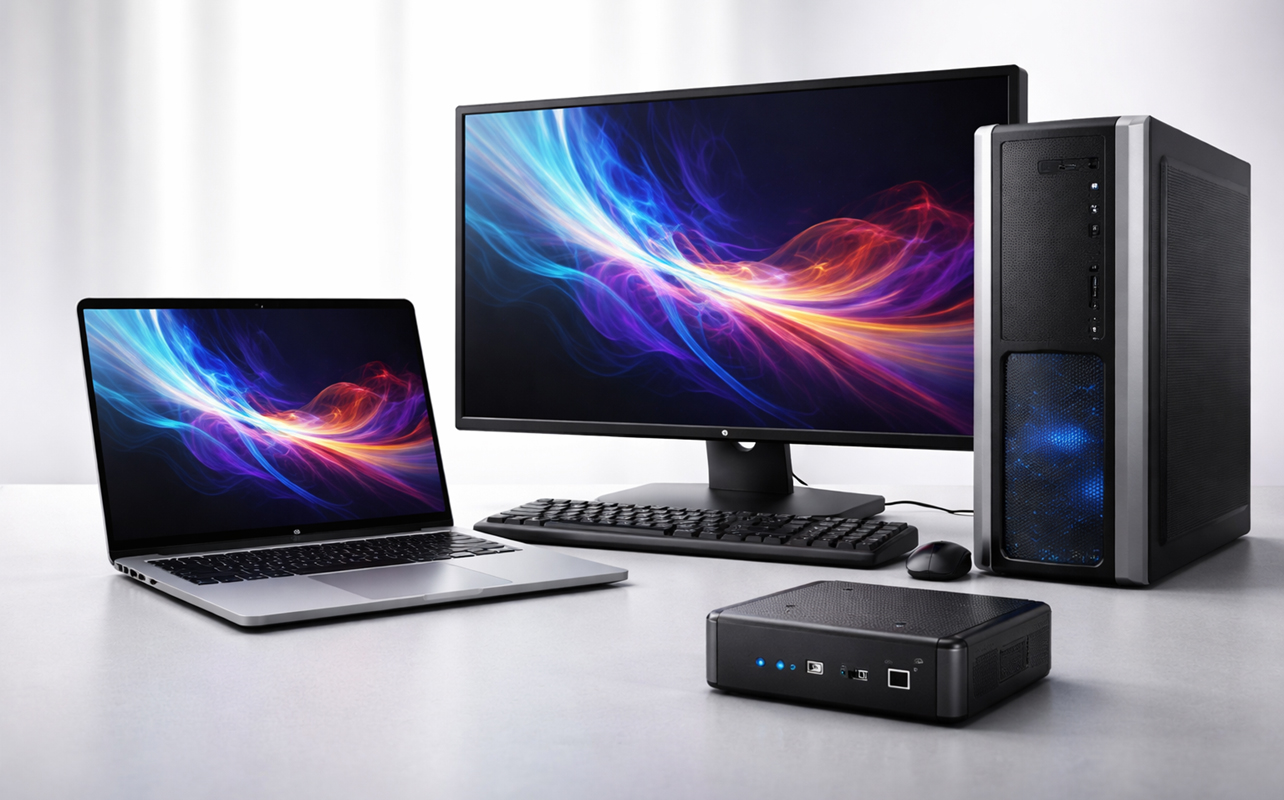
So, you’re looking for a new computer and want to make sure you find the right type of device for how you actually live and work. Whether you’re setting up a home office in Toronto or studying on campus in Vancouver, you’ll typically find options like mini PCs, laptops, and desktops. The thing is, they each serve a different purpose. A mini PC focuses on compact efficiency, whereas a desktop delivers maximum power and flexibility. A laptop is all about portability and convenience. None of them are universally the “better” option—they simply excel in different situations.
This guide is designed to help you make a confident decision. By looking at a practical comparison of mini PCs vs laptops vs desktops that explains and breaks down technical terms into everyday language, you’ll know which option fits your workflow, space, and budget.


Key differences and similarities
At a glance, the distinctions between mini PCs, laptops, and desktops come down to a few key factors. This goes beyond just specs and digging a little deeper into real-world use to further clarify those differences.
Portability and form factor
Laptops are basically self-contained units with built-in displays, batteries, and input devices. They move with you because portability is always the key point. Mini PCs are compact and lightweight but still require a monitor and power source, giving them limited portability in the true sense. Desktops are larger systems with separate components, designed to stay in one place.
Students or professionals who need to work in multiple locations will find laptops the most effective and convenient at the same time. Mini PCs work best in fixed, space-constrained setups like a condo desk or living room media station, which contrasts with how desktops work best in dedicated workspaces where mobility isn’t a concern.
Performance and upgradeability
By their very size, desktops offer the highest performance because they can fit and support full-sized components like powerful CPUs (processors) and GPUs (graphics cards), along with better cooling. They’re also the easiest to upgrade because you can usually swap out parts like RAM, storage, and graphics cards over time. That’s not always the case, mind you, so it can depend on both the manufacturer and model involved.
Laptops come in broad varieties—probably the most varied of the three types here—and that means they can provide balanced performance using compatible components, which are generally designed to be efficient but slightly less powerful. Mini PCs typically use similar low-power components as laptops, meaning they’re great for everyday tasks but less suited for heavy workloads.
That’s why a desktop is often ideal for video editing or gaming at high settings, while a laptop works well for productivity and moderate creative tasks. A mini PC fits everyday computing like browsing, streaming, and office work.
Energy efficiency and power consumption
Mini PCs use the least power, often running on energy-efficient processors that consume as little as 10–65 watts. Laptops are also efficient, typically ranging from 30–100 watts depending on usage. Desktops, especially gaming systems, can exceed 300 watts under load.
This makes mini PCs a strong choice for always-on setups like home servers or office workstations, while laptops balance efficiency with portability. Desktops are better suited for performance-focused tasks where energy use is less of a concern.
Cost considerations
Desktops generally offer the best performance per dollar because you’re not paying for portability. Laptops cost more for similar specs but their build, compact design, and built-in features largely determine how much they will sell for. Mini PCs are affordable for basic use, but higher-end models can approach laptop pricing without matching desktop-level performance. You also have to factor in a monitor, keyboard, and mouse if you don’t have those accessories.
For example, if you’re budget-conscious or a home user who doesn’t want the mobility nor the higher-end components, a mini PC may feel like the right way to go, whereas a gamer looking for value would likely get more performance from a desktop at the same price. These differences shape how each device fits into real-world use, making it easier to match the right computer to your needs.
What is a mini PC?
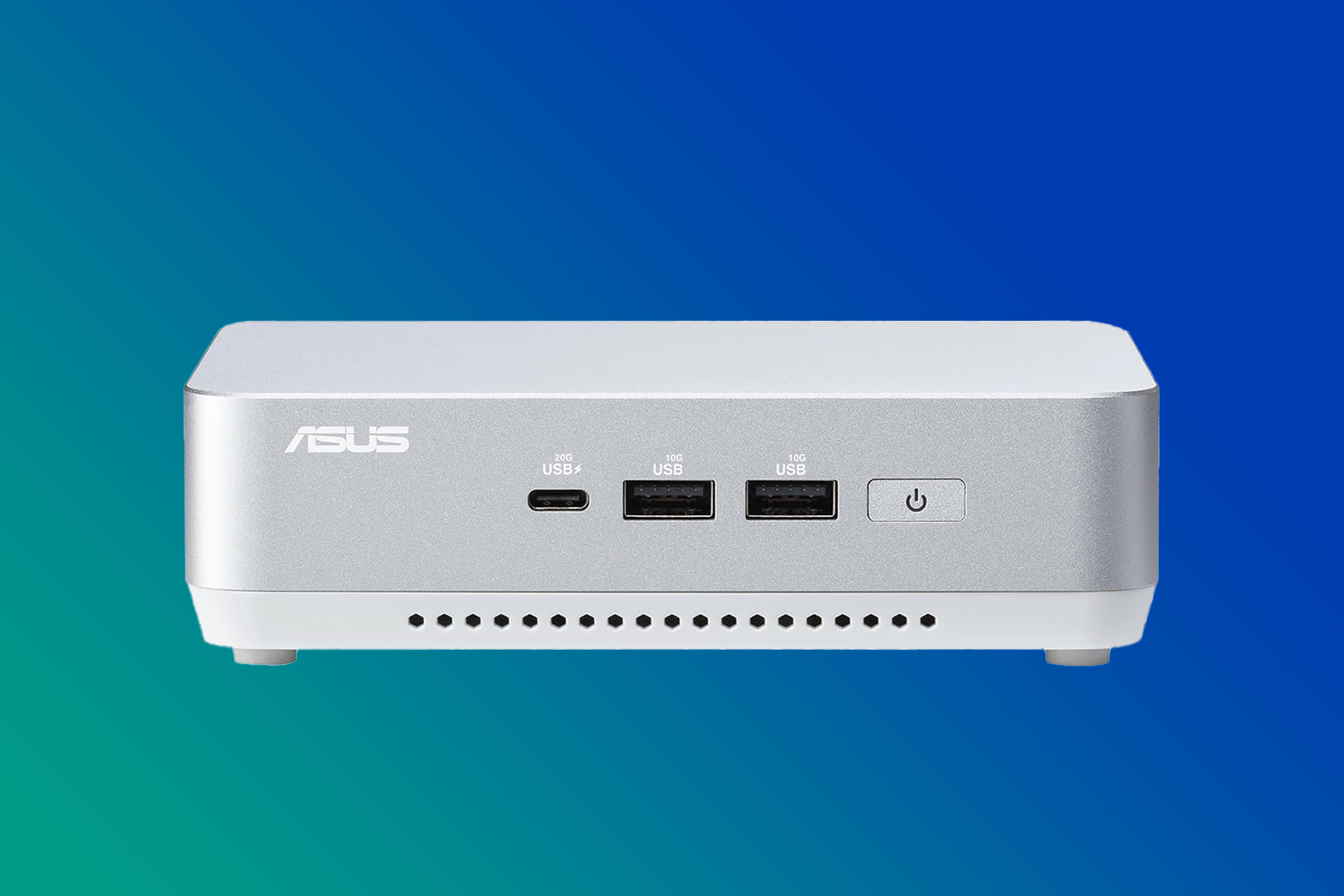
In a nutshell, a mini PC is a compact desktop computer designed to deliver everyday computing power in a much smaller footprint. It may be small enough to fit in your hand or mount behind a monitor, but it still functions like a traditional desktop. You still need to connect a monitor, keyboard, and mouse. Users who choose a mini PC do it because they’re fairly simple, enabling reliable setups for home offices, media streaming on a TV, or light productivity tasks like document editing and web browsing. It’s an especially popular choice for smaller Canadian homes or minimalist workspaces where saving space matters.
Advantages of a mini PC:
- Compact size: The biggest appeal of a mini PC is its size. If you’re working with limited desk space—like a condo or shared workspace—it’s a clean, clutter-free solution.
- Energy efficiency: They’re also very energy-efficient, particularly those mini PCs using laptop-style processors designed to deliver good performance with less power. That can translate into lower electricity costs over time, which can be an important consideration for Canadian households paying more attention to hydro bills.
- Quiet operation: Another underrated benefit is noise. By generating less heat, mini PCs often run very quietly. Some models are even fanless, meaning no moving parts and near-silent operation.
Disadvantages of a mini PC:
- Limited performance: The trade-offs are important to understand. Since mini PCs typically can’t match a desktop’s pure processing power, they can struggle with demanding tasks like advanced video editing or high-end gaming.
- Upgradeability is also limited: While you may be able to upgrade RAM (memory) or storage, components like the CPU (the “brain” of the computer) are usually fixed.
- Tighter port selection: You might need adapters or hubs if you’re connecting multiple devices.
When to choose a mini PC
It really comes down to how simple your needs are. If you mainly browse the web, stream content, or use office applications, a mini PC can handle those tasks comfortably. It’s also a great fit if you want a clean, minimalist workspace or care about energy efficiency and low noise. For example, a remote worker using cloud-based tools like Google Workspace or Microsoft 365 will likely find a mini PC more than capable for daily tasks.
Should I get a laptop?
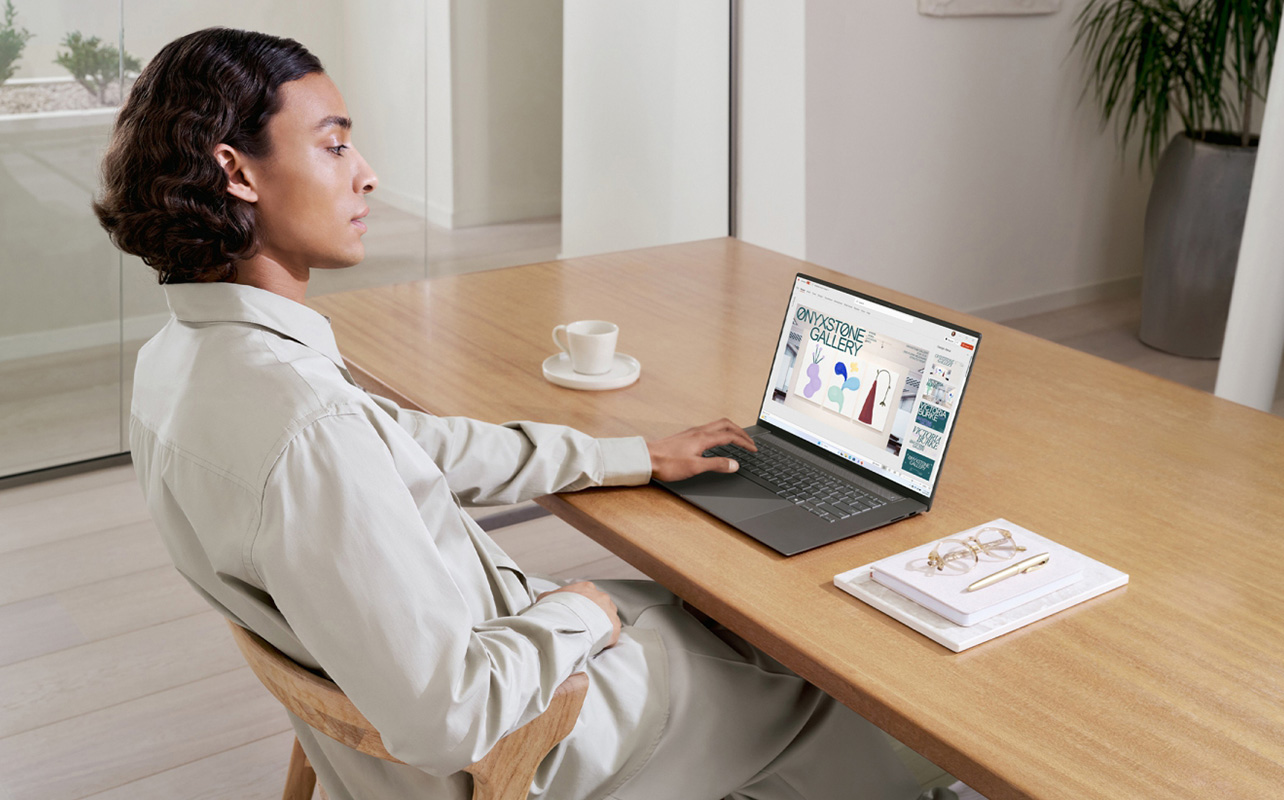
At its core, a laptop is a portable, all-in-one computer that combines a screen, keyboard, trackpad, battery, and internal hardware into a single device. That’s why it’s incredibly versatile for people who need to work, study, or stay connected from different locations. They also have broad appeal, like how students use them in class and professionals work with them remotely or while travelling. Not to mention everyday users who want a simple, ready-to-use computer without extra setup.
Advantages of a laptop
- Portability is the biggest advantage: You can pretty much work with one anywhere—a coffee shop, classroom, living room, balcony, airplane, and on and on—without needing to plug into a full setup.
- The all-in-one design also simplifies things: There’s no need to buy a separate monitor or keyboard, which makes laptops especially appealing for first-time buyers.
- Battery power adds another layer of convenience: Even during a power outage—a consideration in some Canadian regions—you can continue working on the laptop’s battery.
Disadvantages of a laptop
- Limited upgradeability is a downside: Most laptop manufacturers solder components in place, giving you no upgrade path thereafter. However, some models do allow upgrades—especially for storage.
- Heat management is another factor: Packing everything into a slim body means laptops can get warm under heavy use, thereby affecting performance over time, especially during gaming or video editing.
- Cost is also worth noting: You’ll generally pay more for a laptop with the same performance as a desktop because of the engineering required to make it portable.
When to choose a laptop
A laptop is the right choice if your routine involves moving between locations or if you value convenience above all else. It’s especially useful for students commuting to school or professionals splitting time between home and the office. In these scenarios, the ability to simply open your device and start working outweighs the limitations in upgrades or raw performance.
Need help choosing the best laptop for you? Read our laptop buying guide.
Is a desktop better for my workload?
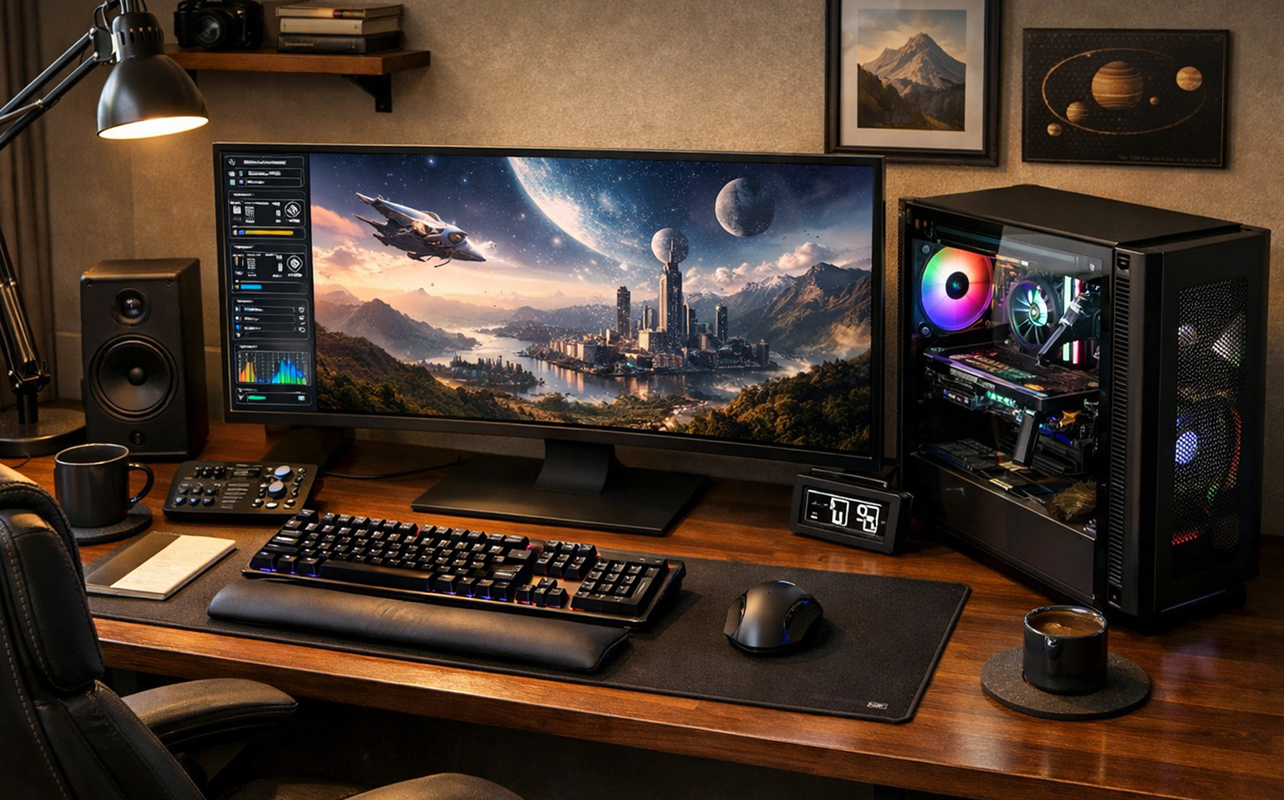
A desktop computer is a stationary system made up of a tower, monitor, and external peripherals. Unlike laptops or mini PCs, desktops are designed for performance, flexibility, and long-term use in a dedicated workspace. Gamers prefer them for the raw performance and upgrade flexibility, while creatives doing video editing or graphic design also need power to produce high-end content. Desktops are good for heavier professional workloads and home office environments where performance matters most.
There are some all-in-one desktops as well but those usually come with performance caveats. Many of them prioritize clean, space-saving design. Typically have limited upgrade options and may use laptop-class components, which can affect long-term flexibility more than day-to-day performance.
Advantages of a desktop
- Desktops offer the highest performance: They have more space for powerful components and better cooling systems.
- Cooling is especially important: When a computer stays cool, it can maintain higher performance for longer periods. This is why desktops are ideal for tasks like rendering videos or running complex software.
- Upgradeability is another major advantage: You can replace or upgrade individual components over time, which extends the life of your system and saves money in the long run.
Disadvantages of a desktop
- The biggest drawback is portability: Once your desktop is set up, it’s not going anywhere. You’re also not likely taking it with you unless you move homes.
- They take up more space: Desktops may not suit smaller homes or apartments because they require a larger footprint.
- Power consumption is higher: High-performance builds with dedicated graphics cards consume more energy.
When to choose a desktop
A desktop is the best option if your work or hobbies demand serious computing power. Editing 4K video, running complex software, or playing the latest games at high settings can benefit significantly from a desktop setup. It’s also a smart choice if you want to upgrade components over time instead of replacing the entire system. For example, a gamer or content creator can start with a mid-range build and gradually improve performance by upgrading the graphics card or adding more memory.
Laptop vs desktop vs mini PC: Which one is best for gaming?
Gaming is where the differences between mini PCs, laptops, and desktops really stand out. If you’ve ever dealt with lag, low frame rates, or long load times, that usually comes down to your system’s GPU (graphics card) and thermals (cooling). Simply put, better hardware means smoother gameplay and better visuals—especially for modern AAA titles.

Desktops are the clear winner for gaming performance. Their size makes them well suited to support powerful, full-sized GPUs and better, more elaborate cooling components, so you can play demanding games at high settings without slowdowns. Upgrade options also mean you can swap in a new graphics card later instead of replacing the entire system. If you’re building a gaming setup at home and want it to last several years, a desktop gives you the most flexibility and long-term value.
Gaming laptops are a solid middle ground if you want portability. They can run modern games well, but they’re more expensive for the same performance and can get warm during long sessions. Plus, battery life drains much faster because of the performance demands. Mini PCs, meanwhile, are best for light gaming—think indie titles, older games, or cloud gaming. If gaming is a top priority, a desktop is still your best bet.
Which type of computer is the most energy efficient?
Energy efficiency matters more than ever, especially if your computer runs for hours every day. A more efficient system doesn’t just lower electricity costs, it also produces less heat to make your workspace more comfortable.
Mini PCs are the most energy-efficient. Depending on the model, they often use as little as 10 to 65 watts during everyday tasks. That makes them ideal for home offices, streaming setups, or always-on systems. For example, if you’re working from home and mostly using web apps or video calls, a mini PC can handle it all while keeping energy use low.
Laptops are also efficient, typically using 30 to 100 watts depending on workload when plugged in. Desktops, especially gaming systems, use the most power—sometimes over 300 watts under load—because they prioritize performance. If saving energy is a priority, mini PCs and laptops are the better fit, while desktops make sense when power matters more than efficiency.
Which one gives you the best value for your money?
When it comes to cost, it’s not just about the price tag, it’s about what you get for your money over time. In Canada, prices vary widely, so it’s helpful to think in terms of value rather than just upfront cost.
Mini PCs are usually the most affordable starting point for basic computing, typically ranging from $300 to $900 CAD depending on performance. They’re great for everyday tasks, but you may need to budget an additional $150 to $400 CAD for a monitor and accessories if you don’t already have them. Laptops generally range from $600 to $2,500+ CAD, with higher prices reflecting better performance, build quality, and battery life. You’re essentially paying for portability and convenience.
Desktops offer the best performance per dollar, with pre-built systems starting around $700 CAD and going beyond $3,000+ CAD for high-end gaming or professional setups. Dollar for dollar, a desktop will usually outperform a laptop or mini PC, making it a strong choice for gaming, creative work, or heavy multitasking. Over time, desktops also tend to offer better value since you can upgrade individual components instead of replacing the entire system. It’s just that you have to use it in one place the whole time.
Mini PC vs laptop vs desktop: Here’s a quick guide
Here’s a snapshot of how each type of computer compares across the features that matter most. It’s a helpful way to spot which device aligns best with your needs at a glance.
| Feature | Mini PC | Laptop | Desktop |
|---|---|---|---|
| Portability | Moderate (small but needs monitor) | High (all-in-one portable) | Low |
| Performance ceiling | Moderate | Moderate to high | Highest |
| Upgradeability | Limited (RAM & storage) | Limited | Extensive (CPU, GPU, RAM, storage) |
| Gaming capability | Light to moderate | Moderate (gaming models) | High-performance |
| Energy efficiency | Very high | High | Lower |
| Noise level | Very quiet | Quiet to moderate | Moderate to loud |
| Space required | Minimal | Minimal | Large desk space |
| Value per dollar | Good for light tasks | Higher cost per performance | Best performance value |
| Ideal for | Home office, streaming | Students, remote work | Gaming, creative work, heavy workloads |
Factors to consider when choosing your device
When choosing the right computer, start by considering key factors—from how you actually plan to use it to the amount of space you have, and your budget:
- How portable you need your device to be: Think about whether you’ll be using your computer in multiple locations or mostly in one place, since this will determine if a laptop’s mobility is worth the trade-off in power and cost. Bear in mind that “mobility” in this case can also mean the short distances within your home, like using it on the couch or at the kitchen table. Only a laptop works well for moving around within that space.
- Your performance requirements: Consider what you actually do day to day, like browsing and documents need far less power than gaming, video editing, or running multiple heavy applications at once.
- Upgrade needs: If you want your computer to last several years, being able to upgrade parts like RAM or storage can make a big difference instead of replacing the entire device. However, if you don’t know how to do it yourself, you may have to also consider the labour costs.
- Desk space availability: Your physical setup matters more than you might think, especially in smaller homes or shared spaces where a compact mini PC or laptop may fit better than a full desktop. Seniors who want a big screen, like a monitor, but don’t need higher performance are a good example of those who might like mini PCs.
- Energy consumption preferences: If you’re mindful of electricity usage or running your computer for long hours, choosing a more energy-efficient device like a mini PC or laptop can help reduce costs over time.
- Budget: Look beyond the upfront cost and think about overall value, including accessories, future upgrades, and how long the device will meet your needs.
Frequently asked questions
What are the main differences between mini PCs, laptops, and desktops?
Mini PCs are compact and efficient, laptops prioritize portability, and desktops offer maximum performance and upgrade flexibility.
Which option is best for portability and travel?
Laptops are clearly the best option for portability since they combine screen, keyboard, battery, and computing power in one device. They also don’t need to be tethered to power the entire time.
Which is better for gaming: mini PC, laptop, or desktop?
Gaming desktops provide the highest performance and upgrade potential. Gaming laptops offer mobility with strong performance. Mini PCs are suitable only for light gaming unless using specialized high-performance models.
Which is more energy efficient?
Mini PCs are typically the most energy-efficient, followed by laptops. Desktops consume the most power, especially under heavy workloads.
How do costs compare?
Desktops generally offer the best performance per dollar. Laptops cost more for similar performance due to portability features. Mini PCs are affordable for light productivity but may cost more per performance tier at higher configurations.
What should you consider when choosing which type of computer?
The right choice often comes down to balancing performance, convenience, and long-term value based on your specific needs.
If your day revolves around browsing, streaming, or office work, you won’t need the same level of performance as someone editing videos or gaming. Don’t feel compelled to get what’s considered “better” or “best” if it feels like overkill. While it’s never a bad idea to think ahead in drawing out the value of a computer over a longer period by going above the specs you need, it’s not always necessary. Matching the device to your real needs helps you avoid overspending or ending up with something underpowered.
Budget and portability are often the biggest deciding factors. Portability makes a laptop ideal when you’re constantly moving between home, school, or work, while a desktop or mini PC makes more sense for a fixed setup. A student commuting daily or a professional who travels often will benefit from a laptop, while someone with a dedicated home office may prefer a desktop for comfort and performance.
Finally, think about your space and how long you want the device to last. A mini PC works well in tight or minimalist setups, while desktops offer the most upgrade flexibility over time. Taking a few minutes to consider these factors can make a big difference in choosing a computer that fits both your current needs and future plans.
Can a mini PC replace a desktop?
Yes for everyday tasks, but not for high-performance tasks, like gaming or heavy creative workloads.
Are laptops less powerful than desktops?
For the same price, desktops typically offer more power. However, high-end gaming laptops can approach desktop-level performance.

This article was drafted using AI technology and then reviewed, fact-checked, and revised by a member of our editorial team.