Starting 2026 with a well-equipped home office can make a big difference in how you’ll feel at work all year. Whether you work remotely, in a hybrid role, or create content from home, having the right home office setup helps you stay organized, efficient, and focused. Creating a space with plenty of functional home office tech in 2026 can help improve your workflow, reduce your stress levels, and just make your workdays feel better. From smart home accessories to ergonomic keyboard and mouse supports, upgrading your workspace can help you make big changes simply.
With thoughtful planning and the right gadgets, you can transform your home office into a space that enhances productivity while supporting your health and well-being. Here’s a guide to the most effective upgrades, along with practical tips and product recommendations.


Upgrade to a larger, dual-monitor, or multi-monitor setup
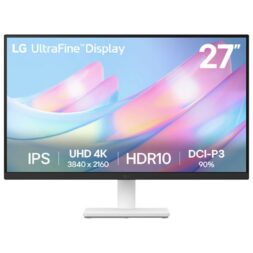
Relying solely on a laptop screen can feel limiting. This applies doubly if you manage multiple documents, spreadsheets, and video calls every day. Adding an external monitor, a dual-monitor setup, or a multi-monitor setup will dramatically expand the size of your digital and visual workspace. Wider screens allow you to keep multiple windows open simultaneously, so you can multitask and track tasks easily.
QHD monitors offer crisp, clear visuals at 1440p. These monitors are crisp, clear, and their displays are more detailed than standard full HD. Ultra-wide monitors provide an immersive experience for designers, analysts, and video editors, expanding the field of view on a single monitor. Both are great choices for both office workers and artists.
USB-C monitors simplify connectivity, reducing cable clutter and providing fast charging for compatible devices, and curved or height-adjustable monitors improve ergonomics. Using a properly-placed external monitor is great for reducing neck and eye strain over long workdays, and height-adjustable monitors make that even easier to achieve.
If you’re considering a laptop upgrade, pairing a new monitor with best laptops for working from home in 2026 ensures a smooth workflow. Together, they’ll make a powerful combination for productivity. Check out Best Buy’s monitor selection to find options suited to your desk size and workflow needs.
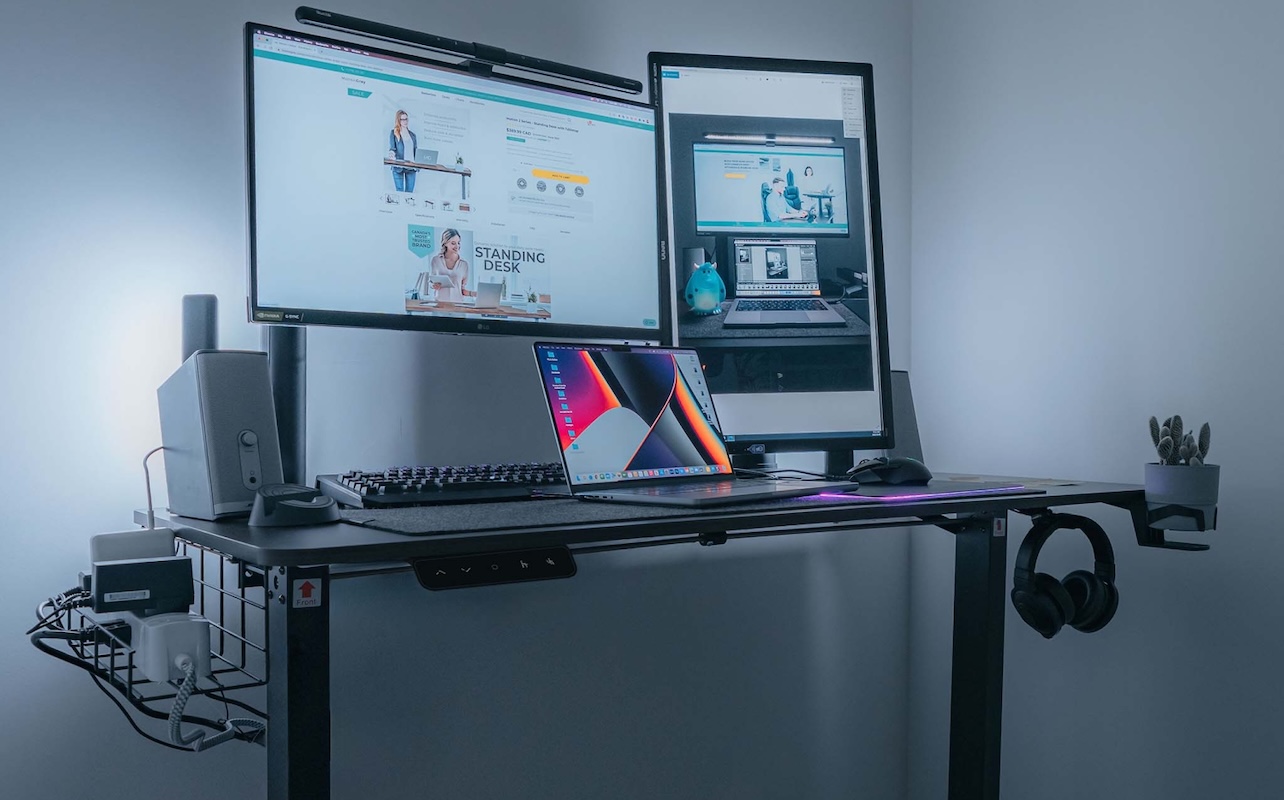
Upgrade to a dual-monitor setup
See more without switching screens with a dual-monitor setup.
Invest in a high-quality webcam and microphone
High-quality video and audio are no longer optional—they’re home office essentials in Canada for professional remote work. A clear webcam and reliable microphone make virtual meetings, presentations, and client calls more engaging and effective. Grainy video or muffled audio can disrupt communication, leaving a poor impression.
1080p or 4K webcams with auto-focus and low-light correction ensure you always look your best on camera. Pairing your webcam with a USB microphone or noise-cancelling headset delivers crystal-clear sound for presentations, podcasts, or streaming. Even simple upgrades, like a ring light or desk lamp, can improve video clarity and lighting balance. High-quality work-from-home accessories like these make collaboration smoother and more professional. Explore webcams and computer microphones for options that suit your needs.
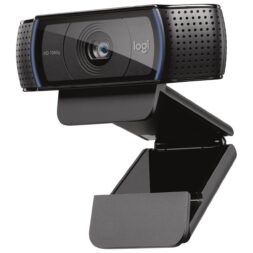
Achieve crisp, clear video and audio
Come across clearly and professionally with the right video call setup at home.
Choose an ergonomic keyboard and mouse
Long hours at a desk can cause wrist strain, discomfort, and even long-term repetitive strain injuries. Ergonomic keyboards and mice are designed to reduce these risks and make typing or navigating your computer more comfortable. Split keyboards, vertical mice, and trackball options encourage natural hand positions, while wireless designs reduce cable clutter.
Compact keyboards and mice are ideal for smaller desks or shared spaces, making them versatile home office productivity gadgets. Investing in ergonomic accessories can increase focus, reduce fatigue, and ultimately improve your workday. Browse mice and keyboards to find options that match your workflow.
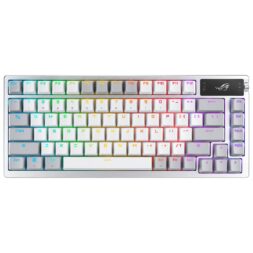
Enjoy typing again
Remember when you were a kid and typing felt so cool? That feeling still exists—you just have to switch back to a mechanical keyboard. Enjoy improved aesthetics, unique customizations, and that creamy, smooth, ASMR-effect while you type.
Add smart lighting for better focus
Lighting plays a crucial role in productivity, mood, and eye health. Poor lighting can cause eye strain and headaches, making concentrating harder than it needs to be. Smart bulbs with adjustable brightness and colour temperature can help you create the ideal environment for focused work, video calls, or creative projects.
Many smart lighting solutions integrate with Google Assistant, Alexa, or other smart home platforms. They’re excellent home office productivity gadgets that also make your day to day life feel more seamless, and they’re easy to control with voice commands, app controls, and pre-set schedules. You can create morning routines for alertness, afternoon routines for productivity, and evening routines to help you wind down. These practical, smart home office tools make your workspace more adaptable and comfortable, and they’re easy to install and set up. Explore smart lighting options for effective solutions.
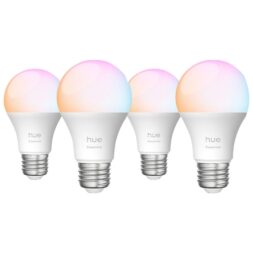
Come across in high-res on calls
Your video call’s lighting matters just as much for quality as your webcam. Stay current with a well-lit room or video setup.
Upgrade your Wi-Fi for smoother calls and faster downloads
A strong, stable internet connection is essential for remote work. Poor connectivity can lead to dropped calls, slow uploads, and frustrating interruptions. Upgrading to a Wi-Fi 6 router or mesh network improves speed, coverage, and reliability. Dual- or tri-band routers help households manage multiple devices without interruptions. If you’re looking at home office upgrade ideas, make sure upgrading your Wi-Fi plan and router sits at the top of your list.
Whether you attend frequent video conferences, upload large files, or stream content, investing in a robust network is one of the simplest ways to boost productivity. Upgraded Wi-Fi is among the most effective tech to improve home office performance. Explore Wi-Fi and networking solutions for devices that keep your connection fast and reliable.
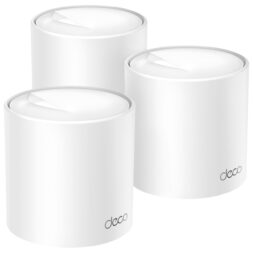
Upgrade your Wi-Fi router or mesh network for a smoother connection
Important especially in larger homes, using great Wi-Fi router and mesh network is essential for most professional work-from-home setups.
Use a sit-stand desk or desk converter
Sitting for long periods can lead to poor posture, fatigue, and discomfort. Sit-stand desks and desk converters allow you to alternate between sitting and standing, improving circulation and helping you stay alert. Motorized desks make the sit-stand transition effortless, while manual converters offer a more affordable option with the same results.
Pairing a standing setup with an anti-fatigue mat further reduces strain on your legs and feet. This upgrade is one of the most practical home office upgrade ideas, promoting both productivity and health. Explore Best Buy’s desks and workstations collection to find a desk that fits your space and workflow—and don’t shy away from under-desk walking pads if you want to move around more in 2026!
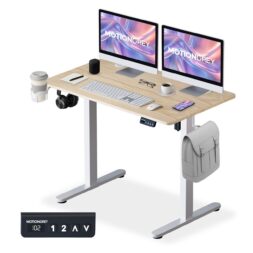
Switch to a sit-stand desk
Want to be able to move around a bit while you work, but don’t have the time to take constant breaks? A sit-stand desk is a great compromise. They help you adjust your position as needed, so your workday doesn’t take a toll on your body.
Improve comfort with a better office chair
Just like taking breaks and switching positions, using a supportive chair is essential for long hours at your desk. Ergonomic chairs with adjustable lumbar support, armrests, breathable materials, and reclining or headrest options can prevent back pain and improve posture. Investing in high-quality seating is one of the key home office essentials, and they’ll help improve both your comfort and focus. Explore office chairs to find one that suits your style and work habits.
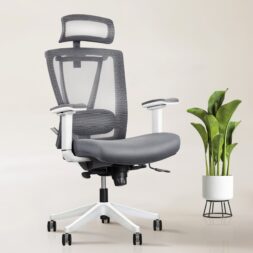
Sit comfortably in an ergonomic office chair
It’s easier to focus when you’re comfortable, no matter what you’re focusing on. Investing in a high-quality office chair is a great idea for remote workers and home gamers alike.
Declutter with charging stations and hubs
Managing multiple devices can quickly create a messy workspace. Multi-port USB hubs, charging stations, and wireless charging pads help organize laptops, tablets, smartphones, and earbuds. Keeping devices charged and accessible reduces distractions and keeps your desk tidy. Simple work-from-home accessories like these make your home office more functional and efficient.
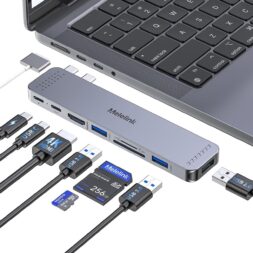
Manage your messy workplace
Reducing clutter helps keep you focused and cuts down on cleaning time when it’s time to tidy in the future.
Use a second screen with a tablet
Tablets are versatile tools that can act as a second monitor, perfect for displaying reference documents, chat apps, or digital notes. Stylus input allows you to annotate, sketch, or brainstorm ideas easily. Using a tablet as a second screen is a clever home office setup idea, especially for hybrid workers or those with limited desk space. If a dual-monitor setup is too much for you, tablets can provide a flexible, portable support to enhance your productivity.
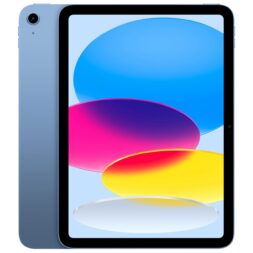
Extend your desktop with a tablet
iPads and tablets are an easy way to extend your desktop setup without installing a permanent second monitor. They’re a great choice for small spaces and frequent travellers.
Personalize your space for creativity and calm
A home office should feel inviting, comfortable, and inspiring. Personal touches like smart speakers, plants, artwork, and décor help create a positive environment. Great décor often serves multiple functions, too: things like organizers, lamps, and mousepads look great, improve your office’s functionality, and reduce clutter. These thoughtful additions are some of the best home office productivity gadgets and smart home office tools for keeping your mind focused and creative. Explore smart home accessories to combine technology and style seamlessly.
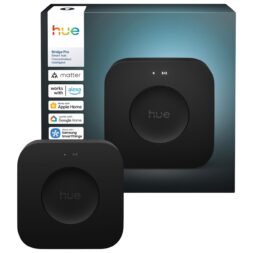
Personalize your office with cozy, multi-functional décor
A great home office décor piece makes you feel at home—while also helping you streamline your process. Smart lights and other smart home accessories are a great place to start if you’re looking to create a vibe that switches from productive to cozy at the touch of a button.
Refresh your home office with Best Buy
From monitors and webcams to ergonomic chairs, smart lighting, and powerful laptops, Best Buy offers everything you need to upgrade your workspace. These home office tech essentials make working from home more comfortable, efficient, and enjoyable. Explore computing and smart home accessories, plus the latest deals, to start the year with a home office that inspires focus, creativity, and productivity.

This article was drafted using AI technology and then reviewed, fact-checked, and revised by a member of our editorial team.