
Put on a pair of Ray-Ban Meta smart glasses and you get the best of both worlds—normal sunglasses with built-in tech that makes them so much more. It took some iterating to get here but these are the kind of AI glasses that don’t sacrifice fashion to deliver advanced function.
But are they worth buying? Here’s an honest look at what you get, what you don’t, and who these are best suited for.

Table of contents
- Pros and Cons of Ray-Ban Meta AI Glasses
- What are Ray-Ban Meta AI glasses?
- Design and build quality
- Camera and video quality
- Smart features and Meta AI
- Battery life and charging
- Who should buy Ray-Ban Meta glasses?
- Are Ray-Ban Meta smart glasses worth it?
Pros and Cons
Pros:
- They look like a real pair of Ray-Bans
- Hands-free camera and video with solid 12-megapixel quality
- Decent open-ear audio for calls and music (Gen 2 over Gen 1)
- Meta AI integration adds real-world utility
- Charging case extends daily battery life significantly
Cons:
- Battery life under heavy use increases charging frequency
- Some users may have questions around privacy
- No display means limited on-screen feedback
- Photo/video transfer requires the charging case dock
What are Ray-Ban Meta AI glasses?
The Ray-Ban Meta glasses were borne out of a partnership between Meta and EssilorLuxottica, Ray-Ban’s parent company in Italy. They first launched Ray-Ban Stories in 2021 as a proof of concept, putting a camera and speakers in a pair of sunglasses for practical use. Stylistically, could they fit without making them look ridiculous? The answer was mostly yes, but software still needed a lot of work, and the AI element was totally absent.
The current generation takes a significant leap forward. The glasses now run on a Qualcomm Snapdragon AR1 Gen1 processor, feature a 12-megapixel ultra-wide camera (including 3K video at 30fps), dual open-ear speakers, a five-microphone array, and Meta AI built directly into the voice interface. There’s no heads-up display or AR overlay. What you see through the lenses is the real world without any augmented reality.
Three classic frame styles are available: the Wayfarer, rounded Skyler, and more sporty Headliner. Ray-Ban and Meta see them as ideal for creators who want to capture life from a first-person perspective, commuters who want hands-free audio and calls, and curious tech enthusiasts who want to live with AI in a low-friction way.
Design and build quality

Classic Ray-Ban look
The design is the single biggest reason these glasses have succeeded where others failed. Who doesn’t like a nice pair of Wayfarers? These smart pairs look the same as a regular pair because they’re essentially the same with hidden hardware inside. The open-ear speaker vents aren’t easy to see, especially on darker colourways. The camera in the corner of the right lens frame is more noticeable up close, and a small LED next to it lights up during recording. It, too, tends to be more noticeable in closer confines, so people won’t notice anything unusual in most cases.
In addition to the tech inside, the idea is that the glasses should feel comfortable to wear, just like any other pair of Ray-Bans. The frames don’t feel flimsy and hinges are smooth. These glasses are meant to be like others wherever you wear them.
Build and durability
The frames feel like what you’d expect from a premium Ray-Ban product. The current Gen 2 lineup also have a slimmer design compared to previous types, thanks to 10 degrees of extra rotation in the hinges, flexible nose pads, and adjustable temple tips for a customizable fit. The glasses are water-resistant (rain and light splashes), though not a pair you’d want to dunk in the pool. They hold up well on a daily basis.
Controls and usability
The right temple arm houses all the physical controls. There’s a capacitive touchpad for play/pause, volume, and photo capture. Tap to pause music, swipe for volume, press and hold to start recording.
Voice commands start with “Hey Meta” to handle verbal input. That can include starting a video, asking questions, making calls, and sending messages. That helps make hands-free situations considerably more convenient. Think about cooking or working on a repair with where you need both hands to get something done. Live streaming with Gen 2 models can also be helpful if the job is collaborative. It’s just a small delay between issuing the command and hearing the response can feel sluggish for time-sensitive moments like capturing a fleeting scene.
Camera and video quality
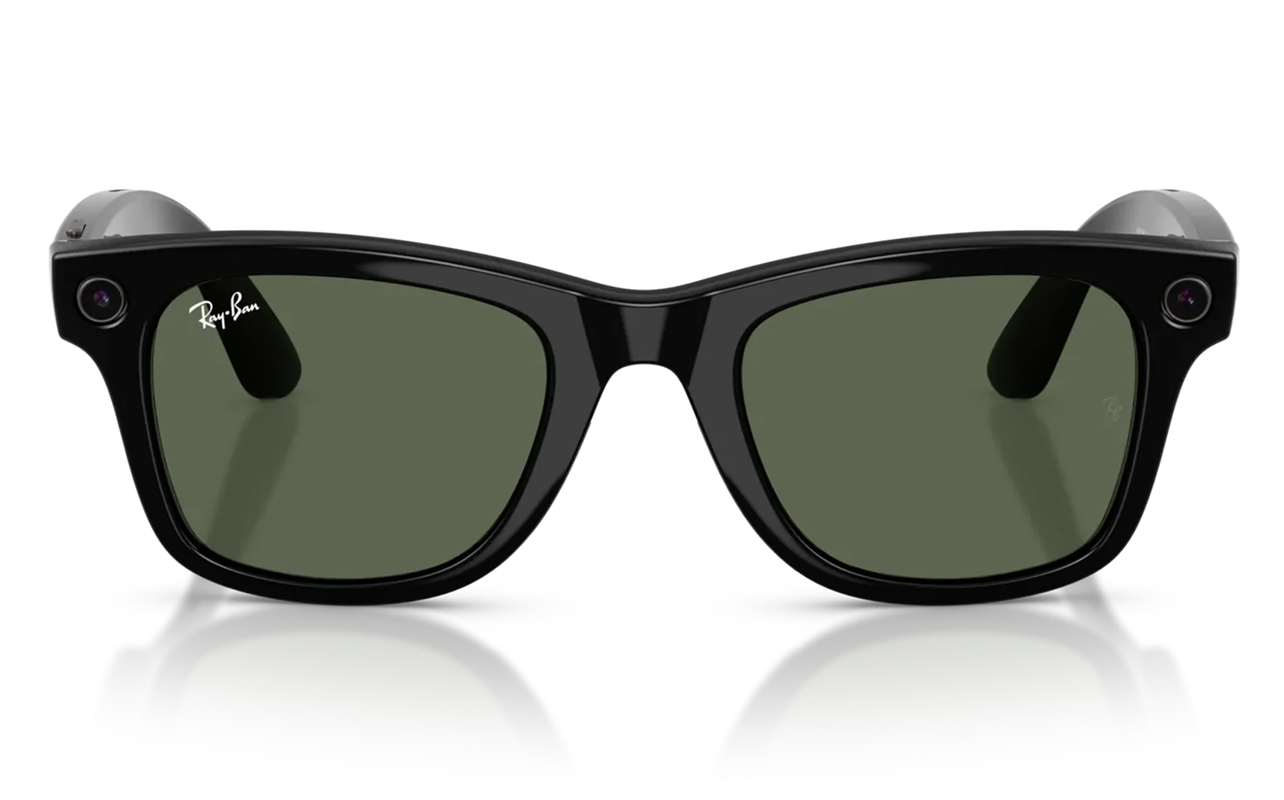
Photo quality
The 12-megapixel ultrawide camera captures photos at 3024 x 4032 pixels in portrait orientation—perfect for social media. Photos will come out looking best in good daylight with broad exposure to produce usable images. The wide angle provides enough lateral and vertical space to capture more in a natural point-of-view, making content look very unique, especially for travel and lifestyle content.
In low-light conditions, however, the limits start to show. These glasses have a small image sensor, no optical zoom, and limited processing compared to even a smartphone. That’s why photos in dim environments will come out softer and noisier. At this stage, Ray-Ban Meta glasses can’t replace your phone’s camera under these conditions. Think of it as a complement rather than a substitute.
Video quality
Video records in 3K at 30fps and in 1080p at up to 60fps. There’s adjustable stabilization for footage in 1080p and up. The built-in array of five microphones capture good quality audio to go with the footage. The POV angle makes videos feel more intimate and immediate compared to footage from a phone, simply because it’s entirely from your own viewpoint. When you move your head, so does the POV.
The main limitation is transfer workflow. While you can import photos and videos wirelessly through the Meta AI app, automatic syncing typically happens when the glasses are placed in the charging case. There’s no true real-time transfer while recording, so you may still need to wait before sharing captured content. Meta designed it this way to preserve battery life, though the extra sync step might feel a little frustrating when you’re eager to share what you’ve captured.
Real-world use cases
Travel probably stands out as the most impactful use case. Imagine walking through a market, hiking a trail, or exploring a city—all of which the glasses can capture from your actual eye level without requiring you to hold anything up. This kind of footage can feel almost like shooting a documentary or capturing undercover footage like some investigative journalist. You may have seen content along these lines on Instagram and TikTok.
Other content, like bike rides, cooking tutorials, repair how-to’s, and instructive step-by-step processes can all fit in this way. It’s not all that different in concept from creating POV content using a camera affixed to a chest, helmet, or shoulder mount. These glasses are just a more elegant way of doing it.
Audio and speaker performance
The open-ear dual micro-speakers may be better than you’d otherwise expect. While they won’t match the depth and bass of good earbuds or headphones, podcasts, audiobooks, and voice calls should come in clear. Music is more something you’d listen to for a little serenade in your ears but not to rock out on the tunes you love most. There’s not enough bass and sound isolation to get there.
Another reason is that sound leaks is at higher volumes. People will hear what you’re listening to in places like a quiet office or on public transit. You can reduce that by keeping volume between 50-70% but cranking it up further won’t lead to demonstrably better quality anyway. Call quality is better, in part because the mics use beamforming to isolate your voice from ambient noise, so those on the other end can hear you clearly.
Smart features and Meta AI
Voice assistant capabilities
“Hey Meta” is where it all starts for the built-in voice assistant. From there, you can ask it to take a photo, start a video, play music, call a contact, send a message via WhatsApp or Messenger, set a reminder, or ask a general knowledge question. The assistant can also read incoming messages aloud to you, letting you subsequently reply by voice. Meta AI then converts your spoken reply to text and sends it. Very convenient when you need to respond hands-free.
AI features
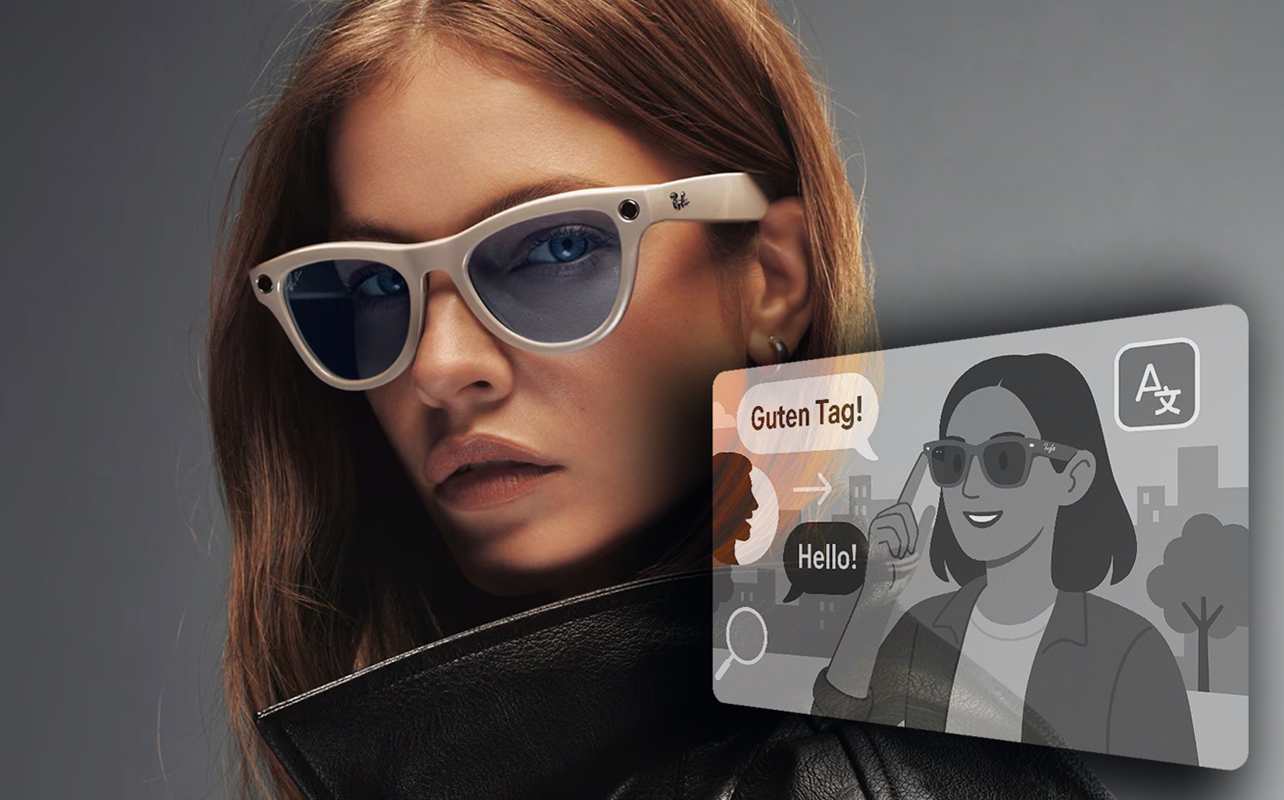
By voice, you can ask the glasses to describe what they’re looking at, be it to identify a landmark, translate a sign, or answer questions about objects in your field of view. You can even ask it to identify a plant or translate a menu in another language. Real-time translation supports conversations in six languages so far (more are available as part of Meta’s Early Access Program), letting you hear the translation via audio in your ear.
Otherwise, real-time information works well for quick factual queries for things like sports scores, weather, recipes, and general knowledge. Just be aware that this AI assistant does not yet match the breadth of expertise and features you get from AI platforms you can use on your phone, like Gemini, Claude, ChatGPT, and others.
App experience
The Meta AI app (iOS and Android) acts as the control hub. It’s where you update the firmware, apply camera settings and preferences, and transfer media files. It’s a pretty quick and painless setup. With your existing accounts active, you can integrate Instagram and Facebook to post content from the glasses more seamlessly. Like media transfer, firmware updates can only go through when leaving the glasses in the charging case, so checking the app regularly can tell you when an update is ready. Updates don’t push automatically while you’re wearing them.
Battery life and charging
Meta rates battery life at up to eight hours on a single charge with moderate use. Heavy video recording and constant AI queries will drain the battery faster, so more intensive use cuts that down to about 4-6 hours.
The charging case holds up to six additional full charges, so you’re looking at about 40 hours total combined. You can get a quick jolt to last you about an hour with a 15-minute top-up. This can be useful if you’re near the charger and plan on going out to record or capture something during a jaunt somewhere.
Ray-Ban Meta vs. Ray-Ban Stories
The original Ray-Ban Stories established the concept when they launched in 2021 but felt more like a concept that wasn’t fully finished. They had a lower-resolution camera, weaker audio, no voice assistant, and non-existent AI integration.
The current Gen 2 pairs are entirely different in every way. The 12-megapixel camera is considerably better, video quality reaches 3K resolution, speakers produce better sound, and Meta AI provides useful interactions in key situations.
If you own a pair of Stories and use them regularly, this will feel like a substantial upgrade. But if you own them and barely use them, you should consider whether the AI features change the value proposition for you. They should for most, but think about it first.
Who should buy Ray-Ban Meta glasses?
Content creators who shoot lifestyle, travel, or POV video are clearly ideal for such a setup. Instead of a chest mount or phone mounted on something, this is purely wearable and offers glimpses into the viewpoint of whomever is wearing them. It can make for some interesting footage, to say the least.
Travellers who want to document trips, translate signs, and identify landmarks also fit the bill. The bonus is staying connected to calls and messages without constantly reaching for a phone. As is the case with a content creator, however, if quality matters you have to see these as a complement to your phone’s better camera.
Basically, any tech enthusiast who likes having the latest and greatest could like what these glasses do. For now, they’re the closest thing currently available to a practical AI companion you wear rather than carry.
On the other hand, if you prefer a more traditional experience or are cautious about wearable cameras and AI-enabled features, regular Ray-Bans may be a better fit. Meta has added privacy features like a recording indicator light, though conversations around data use and regulation are still evolving as the technology becomes more widely adopted.
Are Ray-Ban Meta smart glasses worth it?
If you’re looking for AI smart glasses and the features we’ve listed match your interests, the answer is yes. The key is knowing what they can and can’t do right now.
Ray-Ban Meta glasses won’t replace your phone. Nor are they close to professional camera quality or offer the kind of augmented reality (AR) features other smart glasses do. They’re primary purpose is wearable AI that integrates into your day without demanding your attention. They fit in because they look like regular glasses. Audio quality is pretty good. The 12-megapixel camera captures life in a unique way.
Battery limits will be a factor but at least the charging case helps. Privacy concerns are also legitimate and shouldn’t be taken lightly. While Gen 1 is less advanced than Gen 2, they may be a good place to start if you want to explore within a budget. Otherwise, Gen 2 gives you all the newest features.
Check out the full Ray-Ban Meta lineup available at Best Buy now.