
Apple’s latest MacBook lineup brings new AI-powered features, faster M5 performance, and a wider range of price points. It gives you more options and more factors to weigh. But with their high price tag, is a MacBook worth it?
In this article, we’ll explore the different MacBook models, what makes them stand out, and what type of users can benefit from their key features.


MacBook Air vs. MacBook Pro vs. MacBook Neo
You can choose from these three models. Each comes with unique strengths tailored to your different needs. Here’s how they compare.
MacBook Air
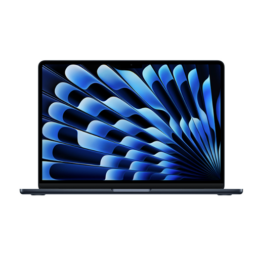
The MacBook Air is renowned for its lightweight design, impressive battery life, and dependable performance. It’s perfect if you’re always on the move. While it remains exceptionally thin and lightweight, the M5 chip on the newest models allows it to handle a much broader range of workloads than previous generations.
Plus, it now starts with 16GB of unified memory, a significant upgrade from the 8GB base configuration that Apple offered for years. This gives you more headroom for creative applications and AI-powered features.

MacBook Pro
The MacBook Pro is a powerhouse laptop. Powered by the M5 family of chips—including M5, M5 Pro, and M5 Max—it’s built for AI and demanding workflows. It features a stunning Liquid Retina XDR display featuring ProMotion technology. Thanks to an adaptive refresh rate of up to 120Hz, you get exceptionally smooth scrolling and responsive visuals.
You can enjoy up to 24 hours of battery life. Whether you’re editing 8K video, producing music, developing software, creating 3D content, or working with AI-powered applications, the MacBook Pro is built to tackle intensive workloads with ease.

MacBook Neo
The MacBook Neo is Apple’s most affordable Mac notebook. Powered by the A18 Pro chip, it combines responsive everyday performance. It features a 13-inch Liquid Retina display and up to 16 hours of battery life.
It’s well suited for web browsing, streaming, productivity apps, video calls, email, and schoolwork. That’s why it’s an excellent choice for first-time Mac users, students, and anyone looking for an affordable Mac laptop.
Which MacBook should I buy?
The answer depends on your needs. Need an everyday laptop for school or for work? MacBook Neo offers the most affordable entry into the Mac ecosystem, while MacBook Air provides the best balance of portability and performance for most people. If you require high performance, MacBook Pro is designed for users who regularly push their hardware with demanding applications.
Here’s how the lineup compares at a glance:
| MacBook Neo | MacBook Air | MacBook Pro |
| Everyday productivity, web browsing, streaming, email, schoolwork | Multitasking, content creation, productivity, photo editing, business use | Professional video editing, software development, music production, 3D design, AI workflows |
| A18 Pro chip | M5 chip | M5, M5 Pro, or M5 Max chips |
| 13-inch Liquid Retina display | 13-inch or 15-inch Liquid Retina display | 14-inch or 16-inch Liquid Retina XDR display with ProMotion |
| Starting with 8GB unified memory | Starting with 16GB unified memory | Starting with 16GB unified memory |
| Apple Intelligence | Apple Intelligence | Apple Intelligence |
| Up to 16 hours of battery life | Up to 18 hours of battery life | Up to 24 hours of battery life |
Considering the iPad instead? Check out our iPad vs MacBook comparison.
What makes MacBook stand out?
From Apple silicon and Apple Intelligence to long battery life and durable designs, today’s MacBook offers features that appeal to everyone from students to creative professionals and everyday users.
Performance
Apple’s current MacBook lineup is built entirely around Apple silicon. Each model is designed for different needs. MacBook Neo features the A18 Pro chip for responsive everyday performance and Apple Intelligence. The latest MacBook Air is powered by the M5 chip, while MacBook Pro is available with M5, M5 Pro, and M5 Max processors for increasingly demanding professional workloads. The M5 Pro and M5 Max were released just this year.
Building on the M4 generation, Apple’s latest M5 family delivers faster performance. It offers a more capable GPU, enhanced graphics capabilities, and a powerful 16-core Neural Engine for AI and machine-learning tasks. Because Apple silicon and Apple Intelligence are designed together, today’s MacBook is optimized for AI-assisted workflows without sacrificing battery life or everyday responsiveness.
Apple Intelligence
One of the biggest additions to today’s MacBook lineup is Apple Intelligence. It’s Apple’s personal intelligence system built into current MacBook Neo, MacBook Air, and MacBook Pro models. Designed to work seamlessly with macOS, Apple Intelligence powers features that can help you summarize and rewrite text, generate images, prioritize notifications, and make Siri more capable while maintaining Apple’s strong focus on privacy.
macOS operating system
macOS, the operating system that powers MacBook, is another major draw for MacBook users. Designed to be intuitive and user-friendly, its clean and straightforward interface makes it easy to navigate for new users. And, if you own other Apple devices like an iPhone or iPad, macOS seamlessly integrates with them. So it’s easy to share documents, tasks, and information across all your devices. With regular updates and robust security features, macOS not only keeps your work environment efficient but also ensures your data stays safe.
Premium build quality
One of the most standout features of a MacBook is its aluminum unibody design, which gives it a sleek, professional look. It’s perfect for busy professionals and those who value longevity in their devices.
Battery life and portability
Battery life and portability remain two of the biggest strengths of the MacBook lineup. Current MacBook Air models offer up to 18 hours of battery life, while the latest MacBook Pro delivers up to 24 hours. Depending on your needs, MacBook Neo also offers up to 16 hours of battery life for reliable all-day use.
MacBook Neo and MacBook Air are especially easy to carry. Even the more powerful MacBook Pro maintains a relatively slim profile, yet it can give you desktop-class performance.
Pros and cons of buying a MacBook
Here’s a quick look at the strengths and trade-offs of buying a MacBook.
| Pros | Cons |
| Apple silicon performance: Choose from the A18 Pro (MacBook Neo), M5 (MacBook Air), or M5, M5 Pro, and M5 Max (MacBook Pro) for fast, power-efficient performance. | Higher upfront cost: MacBook typically costs more than many comparable Windows laptops. |
| Apple Intelligence: Built into current MacBook models to help you write, communicate, stay organized, and get more done while prioritizing privacy. | No post-purchase upgrades: Memory and storage are configured when you buy and can’t be upgraded later. |
| 12MP Center Stage camera: Keeps you centred during video calls and supports Desk View on compatible models for work, school, and virtual meetings. | |
| Long battery life: Up to 16 hours on MacBook Neo, 18 hours on MacBook Air, and 24 hours on MacBook Pro. | |
| Premium build quality: Durable aluminum unibody design that’s lightweight, stylish, and built to last. | |
| Apple ecosystem integration: Works seamlessly with iPhone, iPad, Apple Watch, and other Apple devices through features like Continuity. |
Why buy a MacBook?
Apple’s lineup offers models tailored to different needs, budgets, and workloads.
Creatives
From graphic design and music production to software development and filmmaking, the MacBook Pro is the best choice. Available with M5 Pro and M5 Max chips, it offers exceptional processing power, advanced graphics performance, a Liquid Retina XDR display with ProMotion, and extended battery life for professional workflows.
Students
Students have more choices than ever in Apple’s lineup. MacBook Neo is a strong option for everyday coursework, web browsing, note-taking, and online learning. The M5 MacBook Air, on the other hand, offers additional performance for multitasking, research, content creation, and more demanding university programs. Both models are lightweight and portable. They offer long battery life that can easily get through a day of classes.
Office and remote workers
For professionals who split their time between the office, home, and travel, the MacBook Air strikes an excellent balance between portability and performance. It combines fast everyday performance, long battery life, 16GB of standard unified memory, and Apple Intelligence to handle multitasking, video conferencing, presentations, and productivity with ease.
Longtime Apple user
If you already use an iPhone, iPad, Apple Watch, or other Apple devices, a MacBook fits naturally into the Apple ecosystem. Features like AirDrop, Handoff, and Universal Clipboard help create a connected experience that lets you move between your MacBook, iPhone, and iPad. You can even turn on your MacBook automatically while wearing your Apple Watch nearby.
Budget-conscious buyers
MacBook Neo introduces a more affordable way to own a Mac. If your needs focus on everyday computing—such as web browsing, streaming, email, productivity apps, and video calls—it offers an excellent balance of value, portability, and Apple Intelligence features without stepping up to the MacBook Air or Pro.
Alternatives to a MacBook
The MacBook is popular. But it’s not the only option available. Depending on your needs and budget, you might want to compare MacBook models with Chromebooks and Windows laptops, as well as other devices.
Windows laptops
Windows laptops provide a diverse range of options in terms of features, specifications, and price points, catering to various needs. From budget-friendly models suitable for basic tasks to high-performance machines designed for intensive applications like gaming and multimedia editing, Windows laptops offer flexibility and customization options that appeal to a wide variety of users.
Windows 11 also includes Microsoft Copilot, an AI-powered assistant that can help with writing, research, organization, and everyday tasks.
Chromebooks
Chromebooks are popular for their affordability, lightweight design, and integration with Google’s suite of productivity tools like Google Docs and Google Drive. They are ideal for those whose computing needs primarily revolve around web browsing, document editing, and online collaboration. However, since they rely heavily on web-based apps and have limited offline capabilities, they may not be ideal if you need a broad range of software compatibility or offline access to apps.
Tablets
Tablets are known for their portability and touchscreen features. They’re ideal for digital art, enjoying multimedia, and note-taking on the go, especially when paired with a keyboard. Devices like the iPad Pro, for example, boast powerful processors, support stylus input, and offer a range of apps tailored for both creative and professional use. However, because they run on mobile operating systems, they might not fully support all specialized applications, which is something to consider when making a choice.
2-in-1 laptops
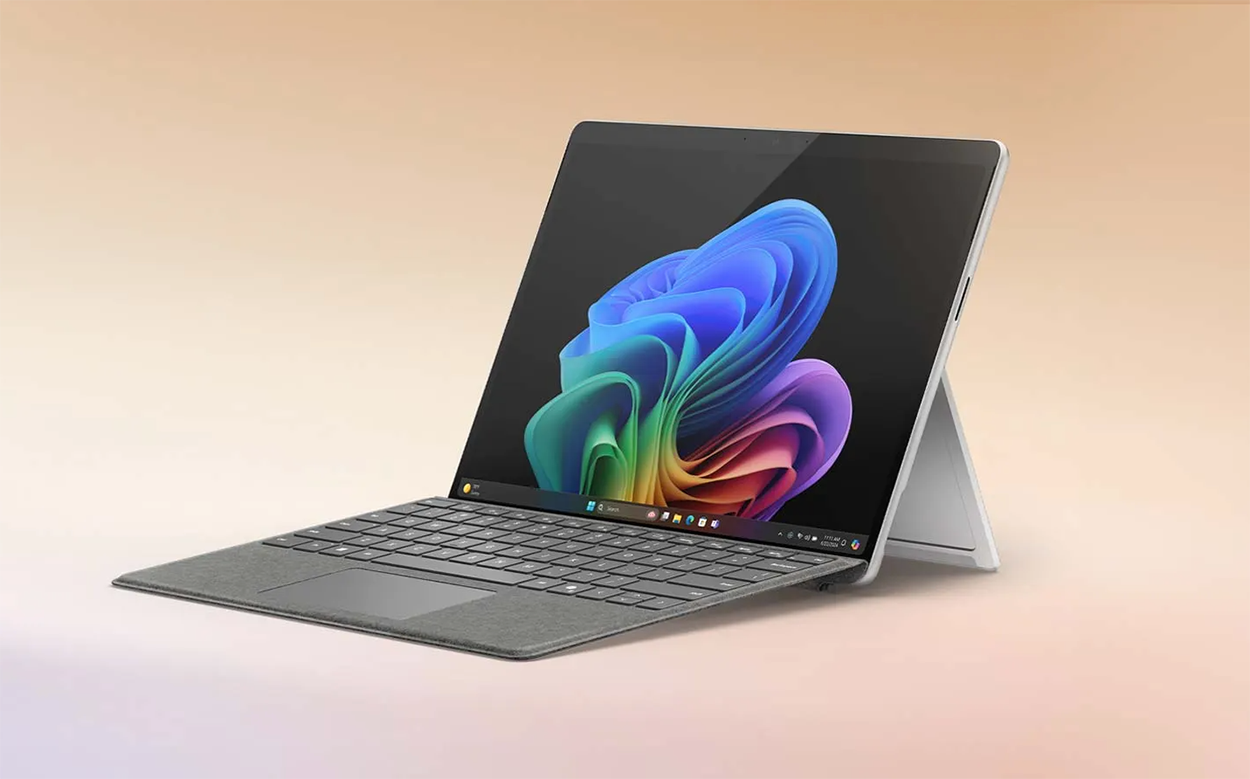
Convertible 2-in-1 laptops combine the portability of tablets with the functionality of laptops, offering versatility for those who value both mobility and traditional computing. Devices like the Microsoft Surface series, for instance, feature detachable keyboards, powerful processors, and stylus support, making them suitable for a range of tasks from note-taking to graphic design. Their flexibility comes with a higher price tag compared to standard tablets but offers the benefits of a full desktop operating system.
The bottom line: Is a MacBook actually worth it?
Whether a MacBook is worth the investment depends on what you need from your laptop. Apple’s current lineup gives shoppers more choices than before, with MacBook Neo, MacBook Air, and MacBook Pro each designed for different types of users.
- MacBook Neo is a great option if you want an affordable Mac for everyday tasks like browsing, streaming, video calls, and schoolwork, while still getting Apple Intelligence features.
- MacBook Air remains the best choice for many users, offering a strong balance of portability, performance, battery life, and features. Powered by the M5 chip, it is well suited for students, professionals, remote workers, and anyone who wants a lightweight laptop that can handle a wide range of tasks.
- MacBook Pro is designed for users who need maximum performance, including creative professionals, developers, and anyone working with demanding applications. With M5 Pro and M5 Max as additional chip options, advanced display technology, and extended battery life, it is built for professional workflows.
Before choosing a MacBook, consider what you’ll use it for, how long you plan to keep it, and which features matter most. The best option is the one that fits your workflow, budget, and everyday needs.
Make sure to read our laptop buying guide to learn more about how to choose the right laptop.
MacBook FAQs
The MacBook Air is designed to deliver a balance of portability and performance. Current models feature the M5 chip with 16GB of unified memory and Apple Intelligence support. The MacBook Pro is designed for users who need more power for demanding workflows. It features M5, M5 Pro, and M5 Max chip options, a Liquid Retina XDR display with ProMotion technology, and longer battery life.
Looking for a laptop for school? Check out our guide comparing MacBook Air vs. MacBook pro for students.
The MacBook Pro is worth the extra cost if you need professional-level performance for tasks like video editing, software development, 3D content creation, or other demanding workflows. For everyday tasks like browsing, email, and productivity apps, MacBook Neo or MacBook Air may provide everything you need.
Current MacBook Air and MacBook Pro models start with 16GB of unified memory, providing more capability for multitasking, creative applications, and Apple Intelligence features. MacBook Neo offers 8GB unified memory.
Useful accessories include a protective case or sleeve, a reliable external hard drive for backups and extra storage, a laptop stand for ergonomics, and a wireless mouse and keyboard for enhanced productivity and convenience.

This article was drafted using AI technology and then reviewed, fact-checked, and revised by a member of our editorial team.