You generally know what a Kindle eReader can do. Do you know what sets the different models apart? The Kindle lineup isn’t just one or two variants, it includes several models with distinct features and capabilities. We’re not just talking size and shape, but also monochrome and colour, as well as durability and screen technology.
The best of the bunch isn’t necessarily the one with the best specs, it’s what best suits your own preferences and reading habits. You’ll probably know which it is after reading through this rundown.


Kindle: The one that sticks to the basics
The Kindle base model sticks to being a dedicated reading device and nothing else, no bells and whistles. It sports the smallest screen at six inches, with no waterproofing nor an adjustable warm light. In the simplest terms, you turn it on when it’s time to read, then press the button to put it to sleep when done. Repeat the process. If this is your bedtime wind-down routine—and that’s good enough for you—you’re probably right at home here.

The basic Kindle is the casual eReader. It doesn’t have to stay home the whole time; you can take it with you on your commute or travels but you have to be careful when bringing it out near water, like the bathtub or pool. It doesn’t have that kind of durability, though it can last a long time if you generally treat it right.
Since eReaders tend to use very little power, battery life is usually measured in weeks, not days. For a senior who just wants something simple, there’s probably no better option because the focus is so narrow. Certainly doesn’t hurt that it’s also the most budget-friendly.
The Kindle Store and Kindle Unlimited subscription are both available, and adding content from supported file types works similarly, too.

Looking for the right eReader and accessories?
Here’s a selection of the best eReaders and accessories for every type of bookworm.
Kindle Paperwhite: The one that steps up
This is the step-up that’s hard to overlook. It adds something on almost all levels compared to the base model. The screen is bigger (seven inches), more durable (IPX8 water resistance), more adaptable (adjustable warm light), and more reliable for longer-term use. It’s also important to understand that multiple versions have come out over the years. The 12th-gen Kindle Paperwhite released in 2024 is the latest and the one we’re focusing on here.
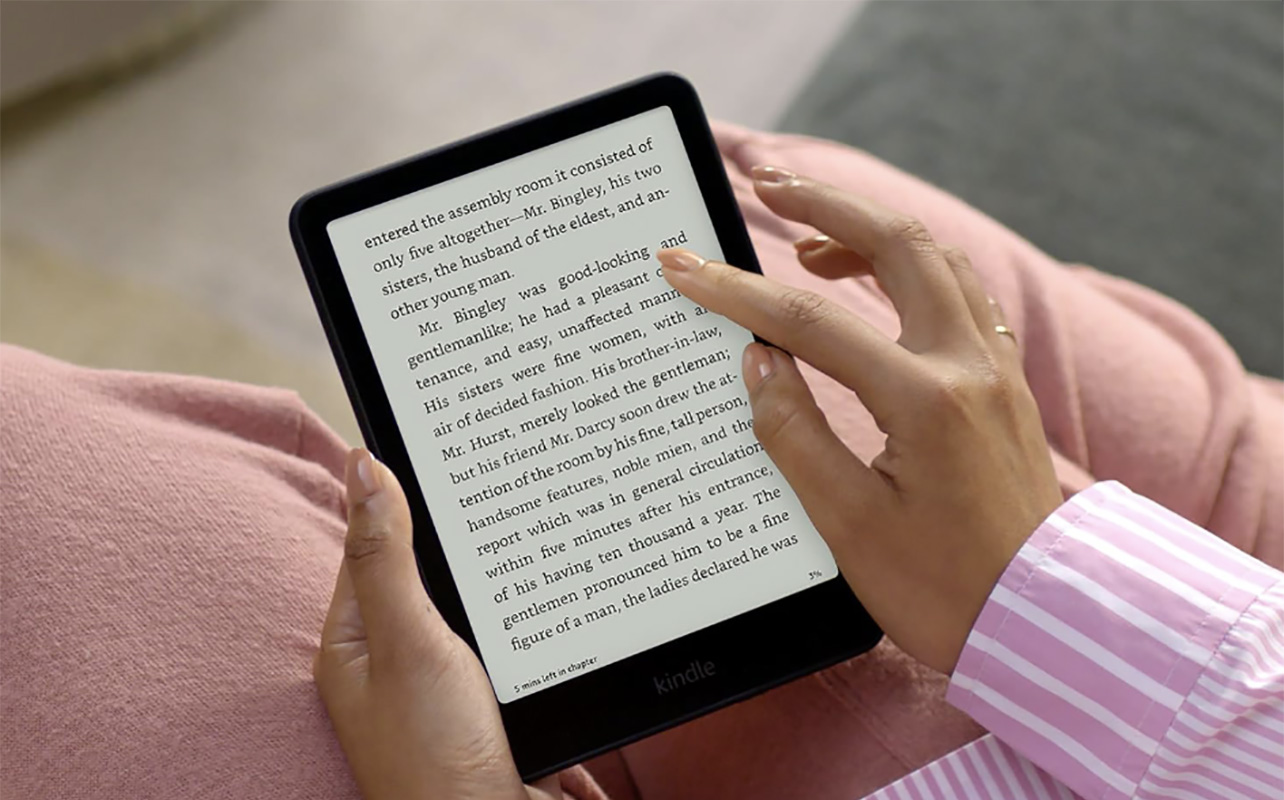
A bigger screen is always nice when you want bigger text and photos (if the ebook has them) but equally substantive is the way you can adjust the screen’s brightness and colour temperature based on your surrounding conditions. If it’s dark, the screen can blend into a more amber hue to go easy on the eyes. On a patio in broad daylight, a cooler tone with peak brightness can help ensure everything is visible. Not only that, but its water resistance makes it suitable for the tub or pool—except the ocean (no saltwater).
Battery life and storage also get bumped up, though you may never end up testing the limits of each anyway. Amazon rates the 12th-gen Paperwhite at up to 12 weeks of battery life based on 30 minutes of daily reading. No matter how much you read on any given day, recharging this won’t pose a problem. The 16GB of storage is good enough for thousands of ebooks, including documents you might transfer over.
Kindle Scribe: The big one you can write on
The Kindle Scribe is the unique one that flips the script in one respect: It comes with a stylus you can use to write on the screen. That means jotting down notes, reminders, basically anything that you might otherwise do if it was real pen and paper. The annotations are the big one because the sheer ability to write makes it so much easier to express thoughts or remember key points within the text you’re reading. It doesn’t always have to be words, it could be underlining or highlighting passages with the stroke of that pen.
Granted, this combination can’t fully emulate the tactile feel and friction that comes with putting pen to paper but it adds a dynamic the regular Kindle and Paperwhite simply don’t have. Not to mention the large 11-inch E Ink display that feels monstrous in relation to those two when reading anything on it. The Scribe’s very size also makes it less portable—you’re not slipping it into your jacket pocket—so there’s a trade-off to consider. Bigger screen, bigger text, bigger everything at the expense of easy mobility.
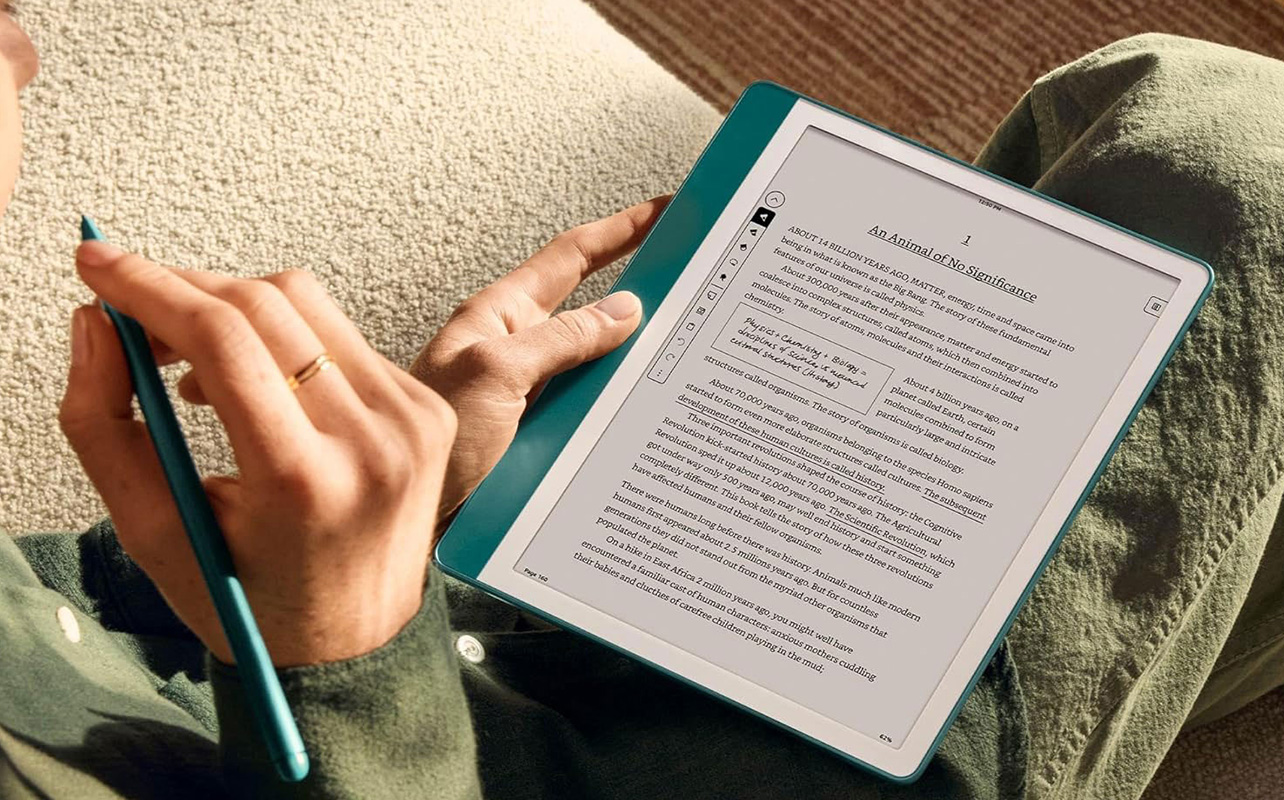
The Scribe is essentially a tablet-like eReader, only with a clear, narrow focus. You can totally use it as a notebook and create documents based on whatever you want to jot down. It’s not purely about writing something in the ebooks themselves, as Amazon believes this model has a worthy productivity angle to it. That’s subjective given that you would need to like how it feels to write, scribble, or sketch on it. You’d have to try it to find out.
The magnetic pen doesn’t need to charge because it gains its utility from the eReader itself, so that’s one less thing to worry about. Whether you like the idea of writing on it or not, the Scribe is really your only option for something big, though read on for another alternative.
Check out the review of the original Kindle Scribe released in 2022.
Kindle Colorsoft: The one that breaks out the colour
The name says it all for this one. You get colour! But it’s also worth pointing out that it comes in different sizes. Think of the regular Kindle Colorsoft as the colour version of the Paperwhite, while the Scribe Colorsoft is the same for the regular Scribe. There are additional nuances but the main contrast is clearly the fact that you’re not limited to monochrome. Book covers, comic books, graphic novels, manga, cookbooks, and children’s books come alive a little more because of it.
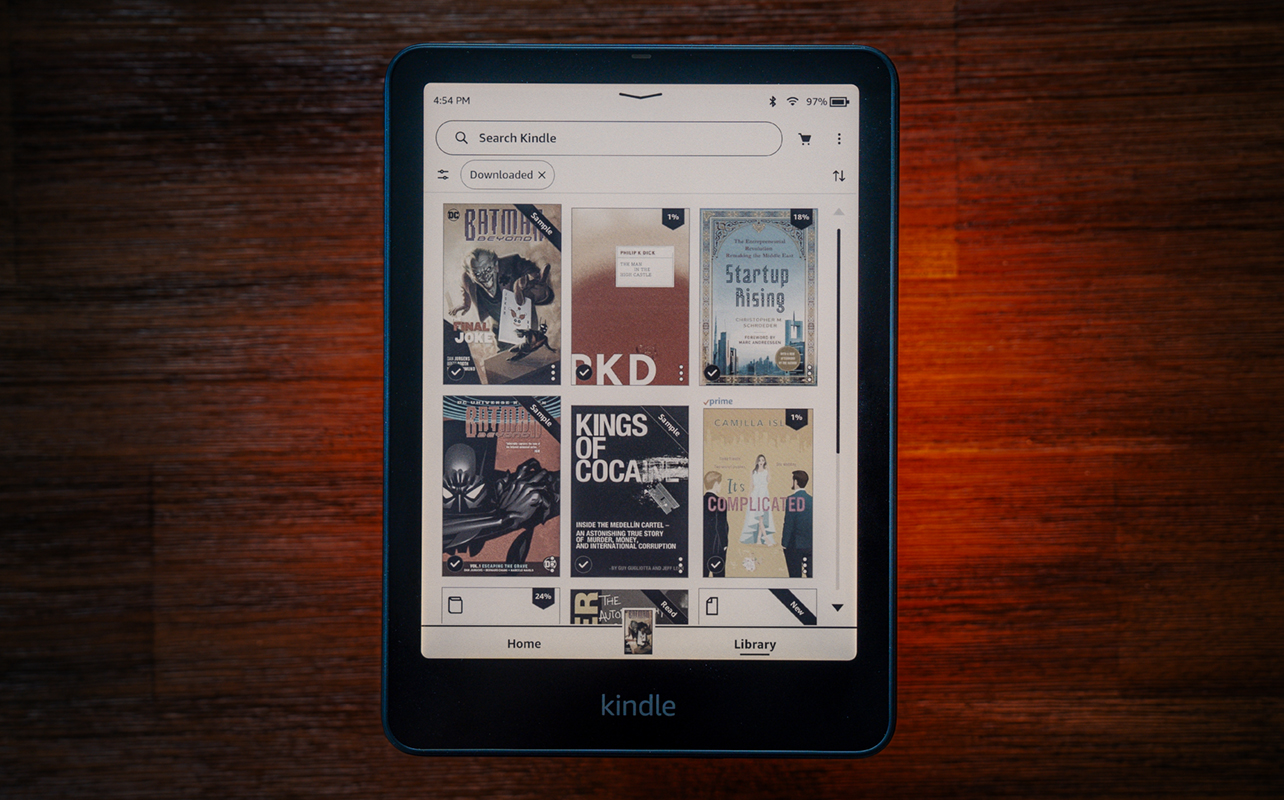
There are, however, only 4,096 colours in the total palette—paltry compared to the 16 million you see in an iPad or Android tablet. That’s why they look muted here. There is a Vivid setting to pick up the saturation a little but it can only work with the palette available. Indeed, it changes screen resolution from 300 dpi in black and white to 150 dpi in colour. That doesn’t mean text isn’t sharp but there is a slight softness that comes with the colour infusion. It may be a little more apparent on the Scribe Colorsoft (and its 11-inch display) over the smaller 7-inch model purely because of pixel density spread out over a larger space.
Adding colour also adds usability perks that aren’t available without it. For instance, you can highlight anything in an ebook in any one of four colours. That means you can determine what the highlight colours signify. Maybe you choose yellow for key points, blue for people and places, and orange for quotes you like. It’s really up to you. On a monochrome Kindle, all highlights look the same.

The Scribe Colorsoft makes it easier because you can do all of that with the pen. You can even choose to write notes in the different colours in case that matters to you. While the reading experience isn’t all that different, especially when it comes to navigating your way around the menus, the colour part does make it look different throughout.
Bringing in colour documents is part of that as well. That’s partly why storage tends to start at 16GB or 32GB and go up to 64GB for these models. You’re all but encouraged to use them to view anything you can on them.
Check out my Kindle Colorsoft review and Kindle Scribe Colorsoft review.
Kindle for kids
For kids, there are actually versions dedicated to them, like the Kindle Paperwhite Kids, and the Kindle Colorsoft Kids. There’s no difference in hardware between these and their standard counterparts, it’s just that the Kids versions add a kid-friendly cover, a two-year worry-free warranty, and an ad-free experience.
Each one comes bundled with a 12-month subscription to Amazon Kids+, which unlocks thousands of age-appropriate books and audiobooks, along with parental controls that restrict store purchases and web browsing, plus tools to monitor reading time. Basically, the underlying hardware is the same, placing the real value in the software experience.
How these Kindle eReaders can access more content
Every Kindle listed here has access to the Kindle store. Browsing through ebooks, getting recommendations, sampling, purchasing—all of that is pretty uniform across the lineup. It just might look or feel a little different depending on the screen size you’re looking at.
Kindle Unlimited is available as a subscription for every one of them as well. It’s a buffet-style arrangement where you can read as many titles as you want each month for one price, although the available ebooks only represent a fraction of the store’s library. When it comes to documents, you can transfer ePUB, DOC, DOCX, TXT, RTF, HTM, HTML, PNG, GIF, JPG, JPEG and BMP files to your Kindle by plugging it into your computer and drag and drop them in.
For models that are 2024 or newer, you may want to download the Send to Kindle app on macOS to facilitate these types of transfers. There is also a Send to Kindle app for Windows PCs that does the exact same thing.
Another method is Send to Kindle by email, which you can activate by going to Settings > Your Account > Send-to-Kindle Email. You’re limited to files at 200MB or lower but that should cover a vast majority of documents.
It’s your taste and your choice
In the end, there’s no “bad” Kindle. Every model does the key thing well: displaying ebooks in a readable form. They just differ in how, where, and when you can do that, all of which I outlined above. The good news is there’s enough variety throughout the lineup to offer something for everybody and for any budget.
Check out the Blog’s eReader buying guide.