The Kindle Scribe—the one you can write on with the included pen—joins the Colorsoft line. By adding both colour and a large screen, the Kindle Scribe Colorsoft takes the familiar premise and makes this model the most advanced eReader Amazon has made to date.
It’s also a big commitment up front. You get the largest screen in colour, a pen that works, and the ability to steer the device towards productivity. Some of what’s available here may be familiar to Kindle users, whereas other points of interest may resonate as something new.


Watch my review of the Kindle Scribe Colorsoft
The Kindle Scribe Colorsoft is a high-end Kindle. With a large colour screen, it has basically all the bells and whistles you’d want in an eReader. Here’s my video review.
The biggest Kindle out there
An eReader with an 11-inch E Ink display showing colour is easily noticeable. While hardly new as far as colour goes, the Scribe Colorsoft is actually an ergonomic improvement over the monochrome models that came before it. It’s lighter, thinner, and bigger. The screen is flush with the body and the unit comes in either graphite grey or fig for an interesting colourful alternative.
What impresses me off the bat is the indent on the side under the power button, which is a magnetic holder for the included Premium Pen. It’s a strong magnet requiring some effort to dislodge the pen when you want to use it. That’s not to say that it can’t accidentally fall off if you bump into someone or something while attached. But there is at least some peace of mind that the magnetic attachment isn’t flimsy at all.
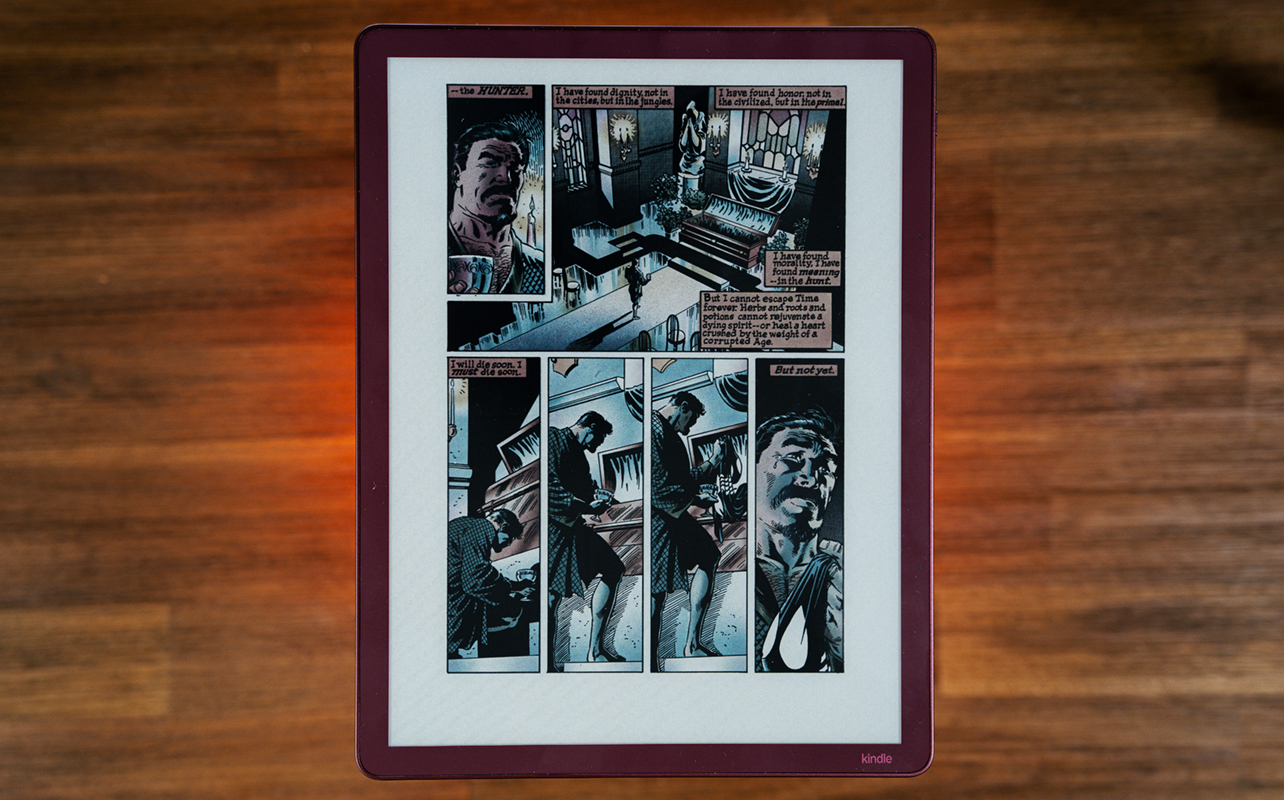
The screen alone makes the Scribe Colorsoft the bigger sibling to the smaller 7-inch Colorsoft I’ve reviewed before. In that sense, it’s essentially like an expanded variant, only being a Scribe model, you get the pen input. Screen resolution also follows suit at 300 dpi for black and white and 150 dpi for colour. As with other colour Kindles, you’re getting a limited colour palette here. So don’t expect the richness you’d get from, say, an iPad or Android tablet.
You still get all the colour temperature tweaks. You can brighten the screen as you wish. Switch to an amber hue in low-light or nighttime reading, and set up the automatic schedule. IPX8 protection gives it a higher degree of water resistance for reading in the tub. But dust is a longer-term concern, so be careful if you plan to take it to the beach.
Adjusting colour and more
Every time I review a colour eReader, I always note the kind of content that can bring it to life—book covers, comics, graphic novels, and magazines. Granted, at a mere 4,096 colours, everything looks muted. But the 11-inch screen adds additional pop that might not be as visible on the smaller seven-inch screen of the regular Colorsoft. Your eyes will really substantiate the difference for you.
The same two colour styles return, letting you choose between Standard and Vivid. They don’t look different from before, as Vivid adds extra saturation to make colour pop out a little more. The key, however, is that any additional colour is purely because of that, since the range is no different between the two modes. That’s really the only option you have to adjust the actual colour, save for anything related to brightness.
You still have the choice to go to light or dark mode, adjust brightness and warmth, and customize the size of both text and layout. From that standpoint, it’s typical Kindle all the way, which isn’t a bad thing.
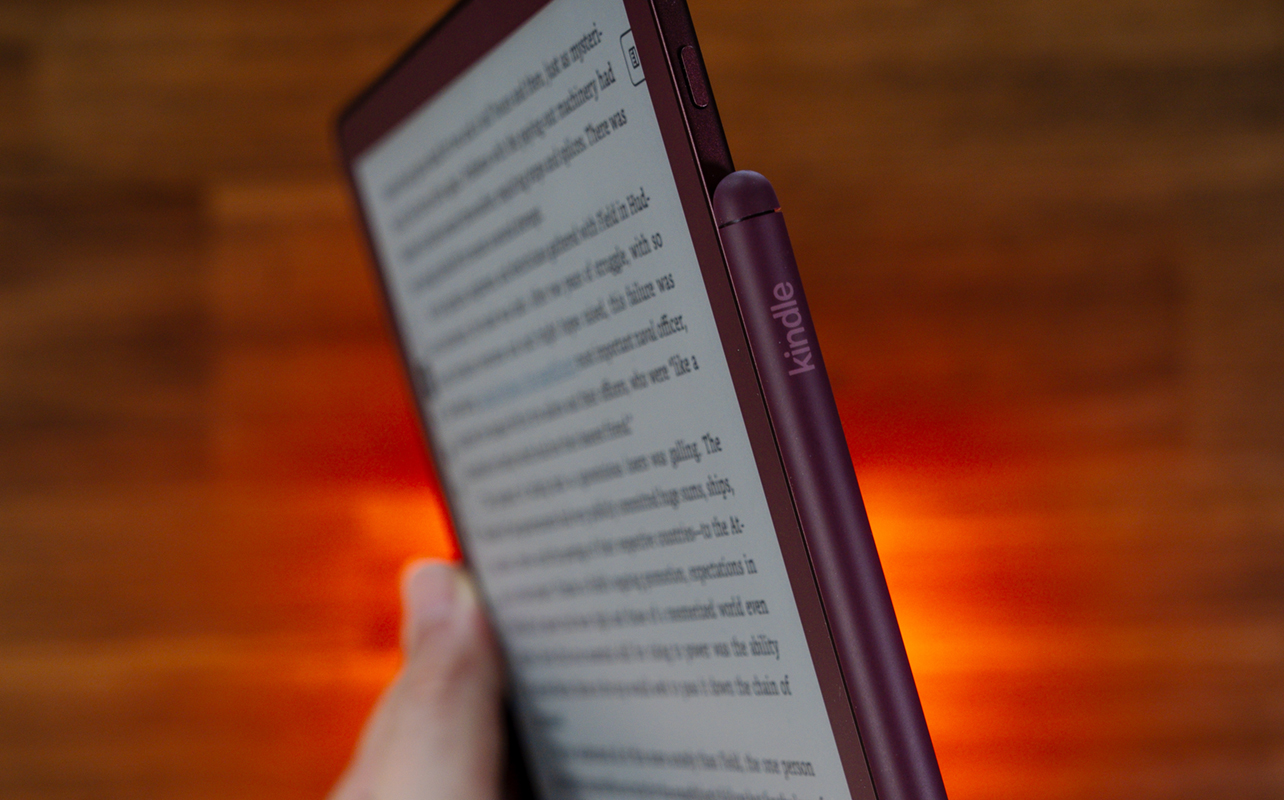
The device comes in either 32GB or 64GB storage configurations, so it really depends on what you think is enough. Colour doesn’t make ebooks bigger files. But the ability to upload or create all sorts of files for notetaking (among other things) means you can make them add up over time. There are also direct cloud sync connections with Google Drive, Microsoft OneDrive, and OneNote.
It’s also worth noting that this eReader can also handle audiobooks from Audible. It’s just that getting to them can be tricky. I’ve found that if you first connect to Bluetooth headphones or a speaker, there may be audio options that appear onscreen since the device has no speakers. One option is VoiceView—ebooks supporting it allow you to hear a voice read aloud while you follow along. But I find it confusing to set up since not all ebooks have it. And there’s the issue of the voice itself being very monotone and robotic. It’s AI, but boring AI.
Looking for the right Kindle eReader? Check out my blog post comparing the different Kindle eReader models.
Reading on the Colorsoft
Reading anything on this, at least for me, feels like a physical expansion of what I experienced with the smaller Colorsoft. Knowing that colours aren’t rich or overly detailed going in, I just appreciate that there is colour to begin with. It makes the device feel more in tune with what’s currently available in the market.
Whether it’s simple text or checking out a comic book or graphic novel, the existing hues are welcome to my eyes. I also find it less taxing on them longer-term, especially if I really get into a book and come to realize I ran through chapters like it was nothing. It’s also a smoother experience when Amazon finds subtle ways to improve the software. Page turns are snappier, menus pop up with less of a delay, and the ambient features seem to respond just a tad faster.
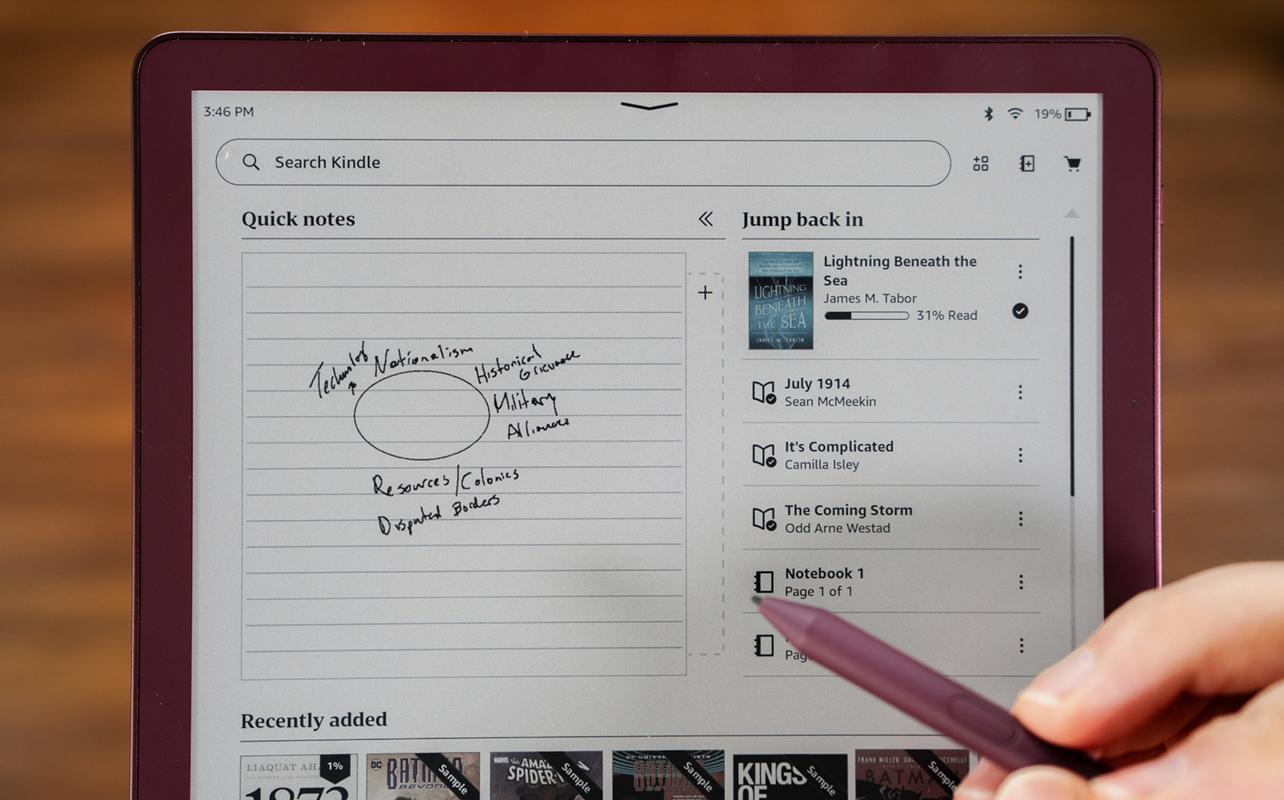
Adding the pen to the mix partly makes reading an exercise in memory and learning. As with previous Scribe models, you can take notes anywhere on the page, underline or highlight passages, look up words, and otherwise jot down thoughts or points you want to address. That’s the part that makes the Scribe Colorsoft inherently personal. Your interpretations and takeaways from anything you read don’t have to just stay in your head.
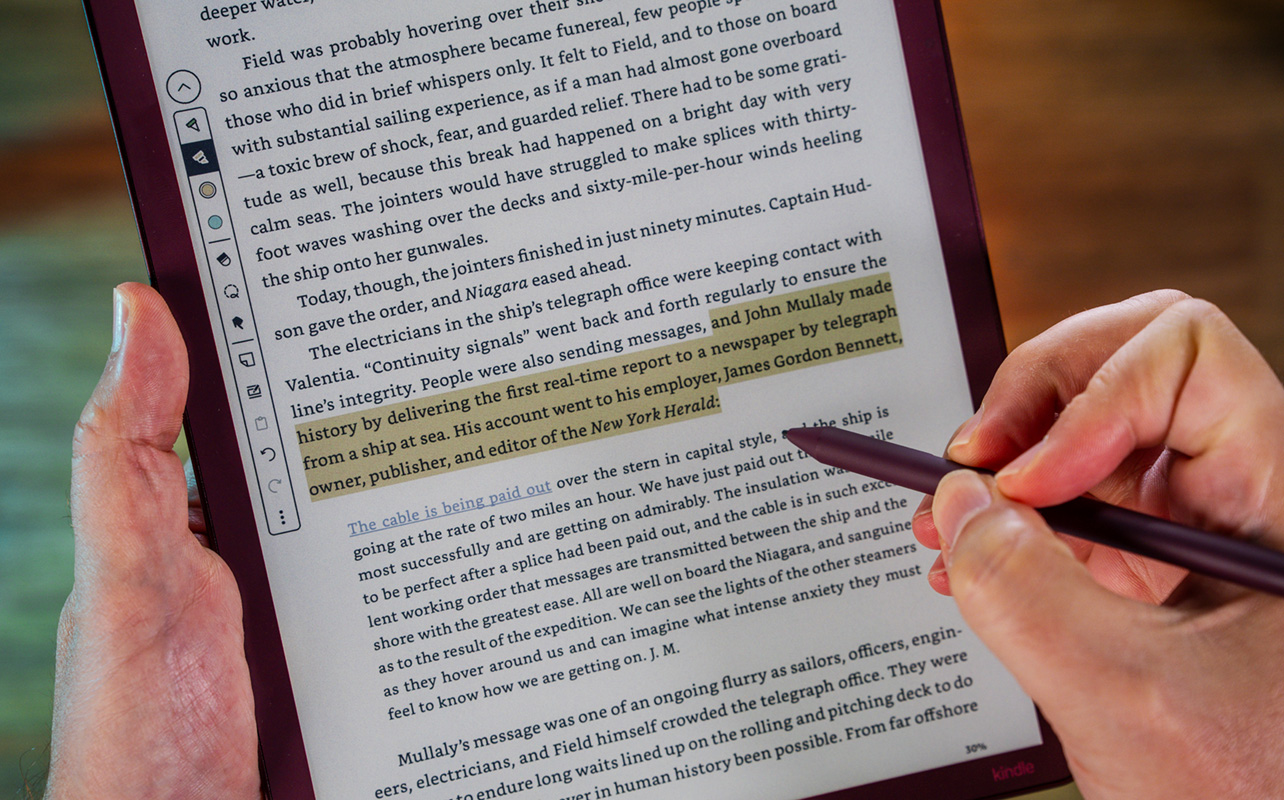
In addition, you can utilize some existing features to your benefit. For example, if you like to highlight certain words to better understand them, you can do it in a different colour than, say, a passage or quote you really like. This helps instantly visualize the context of each highlight. You still can’t look up anything purely by highlight colour. But at least there are useful ways to leverage the feature.
Finding more content
The Kindle store is always there when you want to browse to find new books. Not that Amazon is subtle about it anyway since rows of choices are displayed for you at any given time. You can filter out what you don’t want. And as you finish a book, other recommendations pop up. Needless to say, the store is hardly out of sight here.
Kindle Unlimited remains an option if you want an all-you-can-read subscription per month. But it only offers a fraction of the store’s library. To add more compatible content, the Scribe Colorsoft also supports ePUB, DOC, DOCX, TXT, RTF, HTM, HTML, PNG, GIF, JPG, JPEG and BMP files.
Yet another standard option is Send to Kindle. You can activate it by going to Settings > Your Account > Send-to-Kindle Email. You can also plug it in directly to a PC or Mac via USB-C and drag and drop the files in.
Creating your own content with the pen
Nothing dramatically changes in what kind of content you can produce with the pen but colour helps differentiate it a bit. For instance, you can start a notebook and use different colours to detail whatever is you want to delineate. If that means certain notes or details need to be colour-coded for any reason, this gives you the flexibility to do it.

I will say, however, that the Scribe Colorsoft doesn’t offer the kind of granularity that a more focused product like Remarkable’s lineup does. Pure notetaking devices are grander in scope because that’s their core competency. Here, it’s part of a broader feature set. And the pen’s presence is equally honed in on producing notes for ebooks.
At the same time, I’m pointing out something that’s highly subjective. If you like the idea of an eReader that also acts as a notetaking device, the combination is hard to ignore, expensive as it may be. Additionally, while it’s terribly difficult to truly emulate the feeling of pen on paper, the pen runs smooth with just enough friction to feel precise with this model. How you feel when using the pen or taking notes could completely differ compared to how I might use it.
Battery life for weeks
Battery life is hardly a concern with any eReader and that’s certainly the case here. I unboxed the device at roughly 60% and two weeks later, it was down to 32%. Amazon doesn’t even provide a definitive figure other than to say “weeks” worth of usage at 30 minutes daily before a recharge. That’s accurate, give or take a week (or how long you might be engrossed in a book for days on end.) The pen doesn’t have its own battery either; it uses a cool electromagnetic resonance technology based on Wacom’s styli. The screen recognizes the pen’s proximity and does the rest.
Final thoughts
With the previous Colorsoft, Amazon finally brought colour to its lineup. The Kindle Scribe Colorsoft adds a bigger screen and pen input to the mix. The same caveats largely come with that—size, portability, pricing. But whether or not you want your eyes gazing at it on the regular really depends on your priorities. Casual reading every so often? Not sure this is the way to go unless the price matters less than the screen real estate.
You have to accept the pen even if you feel you have no major use for it. Trust me, that could change after trying it out, especially when jotting down notes while reading an ebook.
The Amazon Kindle Scribe Colorsoft is available now in graphite or fig in 32GB or 64GB variants.