
Computers, Laptops & Tablets
Which printer should you take back to school this year?
Latest and Greatest Computer tech announced at CES 2021
How to avoid getting a virus or malware on your computer

12 Days of Christmas – Day 12 is TP-Link Wi-Fi 7
8th generation Intel Coffee Lake CPUs coming soon
Replacing your wireless router: what’s really involved and what you gain
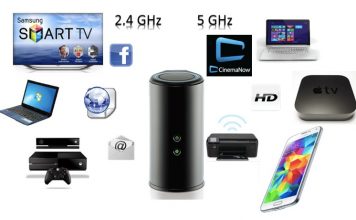
Students: how to connect your home network with printers and devices
When your Wi-Fi network is set up properly and everything’s humming, life is good. But what happens when it’s time for a new router, or when you move out of your parents’ house to go to college or university and need to start from scratch with your own Wi-Fi network? Building a new wireless network —complete with printer access and storage— used to be a challenge, but these days you don’t need to be a systems administrator to do it. In fact, most router companies offer plug and play options that make setup and configuration a matter of minutes.

How to find the right graphics card for your computer

A trio of Logitech computer accessories reviewed
As good as your PC or laptop might be, you can make it even better with accessories. A wireless keyboard, a touch-enabled mouse or a set of powerful external speakers will improve your experience without having to upgrade the computer itself. And few companies can match Logitech when it comes to computer accessories —in quality, design or sheer selection of products. I recently had the opportunity to try out a trio of Logitech’s latest: the Logitech Ultrathin Touch Mouse, TK 820 Wireless Keyboard and Z600 Bluetooth speakers. Here’s what I thought of them.