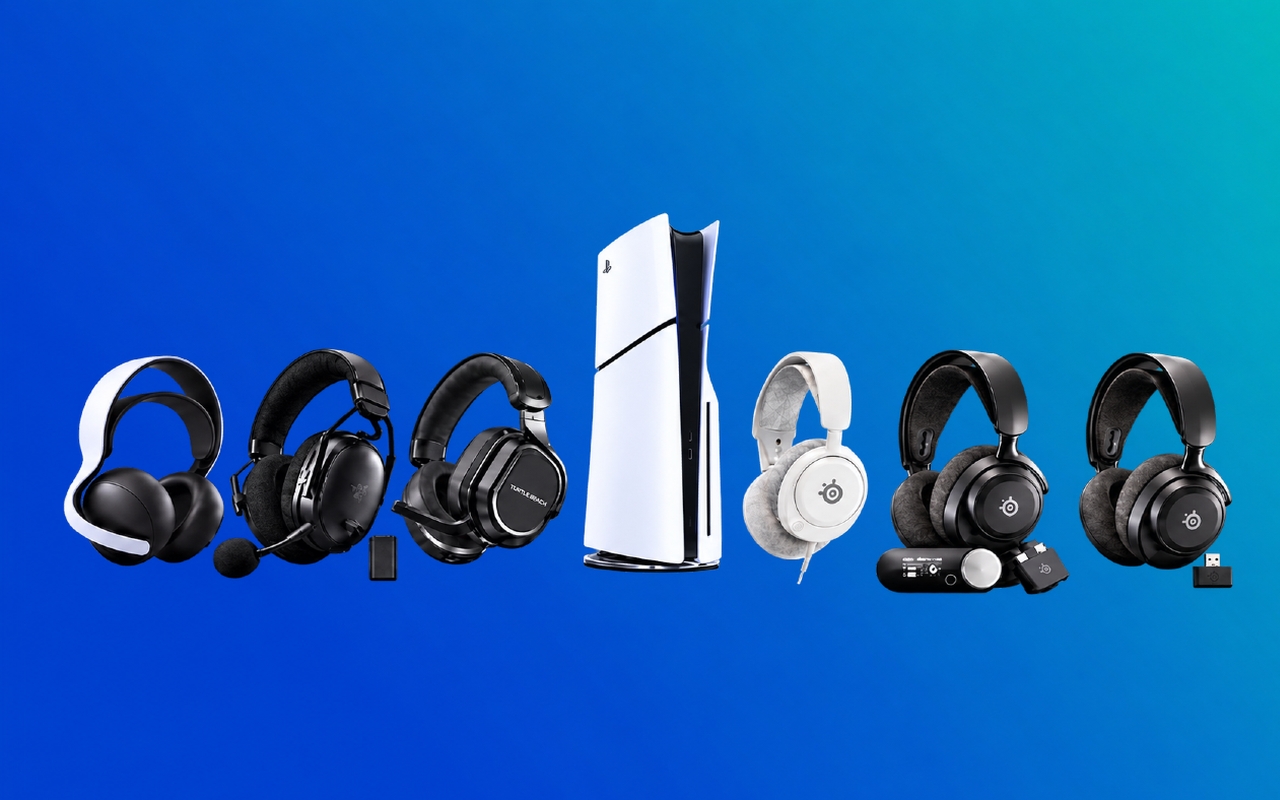
Buying a PS5 headset gets complicated quickly. Once you move past wired or wireless, you’re comparing battery life, microphones, Bluetooth, 3D Audio, comfort, and features you may never use.
If you’re wondering where I’d start, I recommend the SteelSeries Arctis Nova 7P Gen 2. It covers the features I think matter most when you’re gaming on your PS5. Battery life tops 50 hours, and you can use 2.4GHz wireless and Bluetooth at the same time. You also get a retractable microphone and plenty of audio controls.
That doesn’t mean it’s the right headset for everyone. You can pay much less if you don’t mind a cable, and several models offer considerably longer battery life. You can also move up to a premium headset with active noise cancellation and multi-device controls.
Let’s break down those differences so you can find the headset that fits how you actually use your PS5.

Which is the best PS5 headset?
The SteelSeries Arctis Nova 7P Gen 2 is my best overall pick for PS5. It sits in the mid-range and gives you a strong mix of wireless convenience, long battery life, mobile audio, and useful audio controls.
If battery life and value matter more, take a close look at the HyperX Cloud III S Wireless. It offers up to 120 hours over its 2.4GHz connection, and you also get Bluetooth plus support for PS5, PC, Mac, Nintendo Switch, and mobile devices.
For a lower-cost wired option, the SteelSeries Arctis Nova 1P sits at the budget end and plugs straight into the DualSense wireless controller. If you want to move well beyond the midrange, the SteelSeries Arctis Nova Pro Omni adds active noise cancellation, swappable batteries, a GameHub, and support for several connected devices.
At regular pricing, the headsets in this guide range from roughly $70 for the budget option to about $550 for the premium model. Prices can change, so check Best Buy Canada for current pricing.
How we chose the best PS5 headsets
You don’t need the headset with the biggest drivers or the longest feature list. You need the one whose features line up with the way you play.
For this guide, I compared audio features, microphone design, comfort, battery life, connection options, build quality, platform support, and current Best Buy Canada availability. Those are the differences I’d focus on when choosing the best PS5 headset for you.
One thing to know about PS5 3D Audio is what it actually does. Tempest 3D AudioTech is PS5’s spatial audio technology, which can make sounds seem like they’re coming from different directions around you. The processing is handled by the console, so you don’t need a PlayStation-branded headset to use it. Compatible USB and 3.5mm headphones can use PS5 3D Audio, and you can personalize the 3D Audio profile in the console’s Sound settings.
Bluetooth works differently on PS5. Standard third-party Bluetooth headsets don’t connect directly to the console for game audio. The wireless headsets in this guide use a USB wireless adapter, dongle, or transmitter to connect to your PS5, depending on the model. Bluetooth is used for your phone or another device.
Best PS5 headsets compared
Prices can change, so the table below uses approximate regular pricing as a guide. Check Best Buy Canada for the latest pricing and availability.
| Headset | Wireless | Battery life | Mic quality | Best for | Price |
|---|---|---|---|---|---|
| SteelSeries Arctis Nova 7P Gen 2 | 2.4GHz + Bluetooth | 50+ hours | ClearCast Gen 2 with noise reduction | Overall | Approx. $250 |
| HyperX Cloud III S Wireless | 2.4GHz + Bluetooth | Up to 120 hours on 2.4GHz | Detachable 10mm boom mic | Value | Approx. $230 |
| SteelSeries Arctis Nova 1P | No, 3.5mm | No battery | Retractable ClearCast mic | Budget | Approx. $70 |
| SteelSeries Arctis Nova Pro Omni | 2.4GHz + Bluetooth | Swappable dual-battery system | ClearCast Pro with AI noise rejection | Premium | Approx. $550 |
| Turtle Beach Stealth 700 Gen 3 | 2.4GHz + Bluetooth | Up to 80 hours | Flip-to-mute mic with AI noise reduction | Wireless | Approx. $270 |
| Razer BlackShark V3 Pro for PlayStation | 2.4GHz + Bluetooth | Up to 48 hours on PS5 | Detachable 12mm boom mic | Competitive gaming | Approx. $350 |
| PULSE Elite | PlayStation Link + Bluetooth | Up to 30 hours | Retractable mic with AI noise rejection | Story-driven games | Approx. $200 |
Best overall PS5 headset
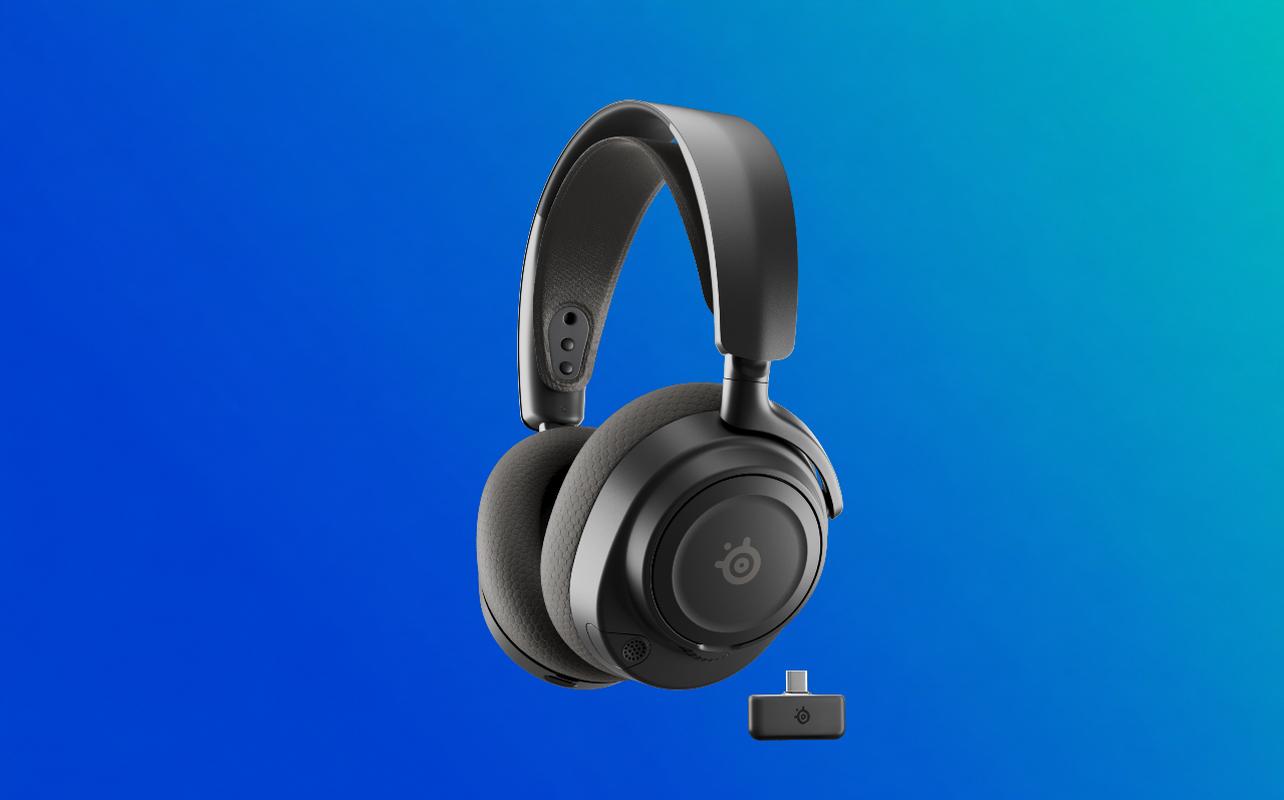
The SteelSeries Arctis Nova 7P Gen 2 is the headset I’d point most PS5 owners toward first. It gives you most of the features I think are important and that I’d want in a PS5 headset without moving into premium pricing.
Product overview
You connect it to your PS5 through the included USB-C wireless dongle. Bluetooth can stay connected to your phone at the same time, so you can hear mobile audio without disconnecting from your game. Battery life is rated at more than 50 hours.
For audio, the Nova 7P Gen 2 uses custom neodymium magnetic drivers. Its retractable ClearCast Gen 2 microphone reduces background noise by up to 25dB. An elastic headband and AirWeave memory foam cushions cover the comfort side.
That’s why I have the Nova 7P Gen 2 as my best overall headset. You get long battery life, simultaneous 2.4GHz and Bluetooth, useful audio controls, and a retractable microphone without moving into premium pricing.
Pros
The simultaneous 2.4GHz and Bluetooth connection is useful if you regularly use your phone during a game. Calls, music, or other mobile audio can come through alongside your PS5 audio instead of forcing you to switch devices.
You also get more than 200 game-specific EQ presets through SteelSeries software and mobile controls. That leaves plenty of room to adjust the sound without moving into a much more expensive headset.
Cons
If you hate charging headsets, the HyperX Cloud III S Wireless lasts considerably longer. Its 2.4GHz battery rating reaches up to 120 hours.
You’re also not getting active noise cancellation or the multi-device hub included with the Nova Pro Omni. If either of those features matters to you, keep the Nova Pro Omni in mind.
Who should buy it?
I’d go with the Nova 7P Gen 2 if you want a wireless PS5 headset for party chat, different types of games, and a phone connection without jumping to premium pricing. If battery life, ANC, or competitive audio controls matter more, one of the other headsets below may suit you better.
Best value PS5 headset
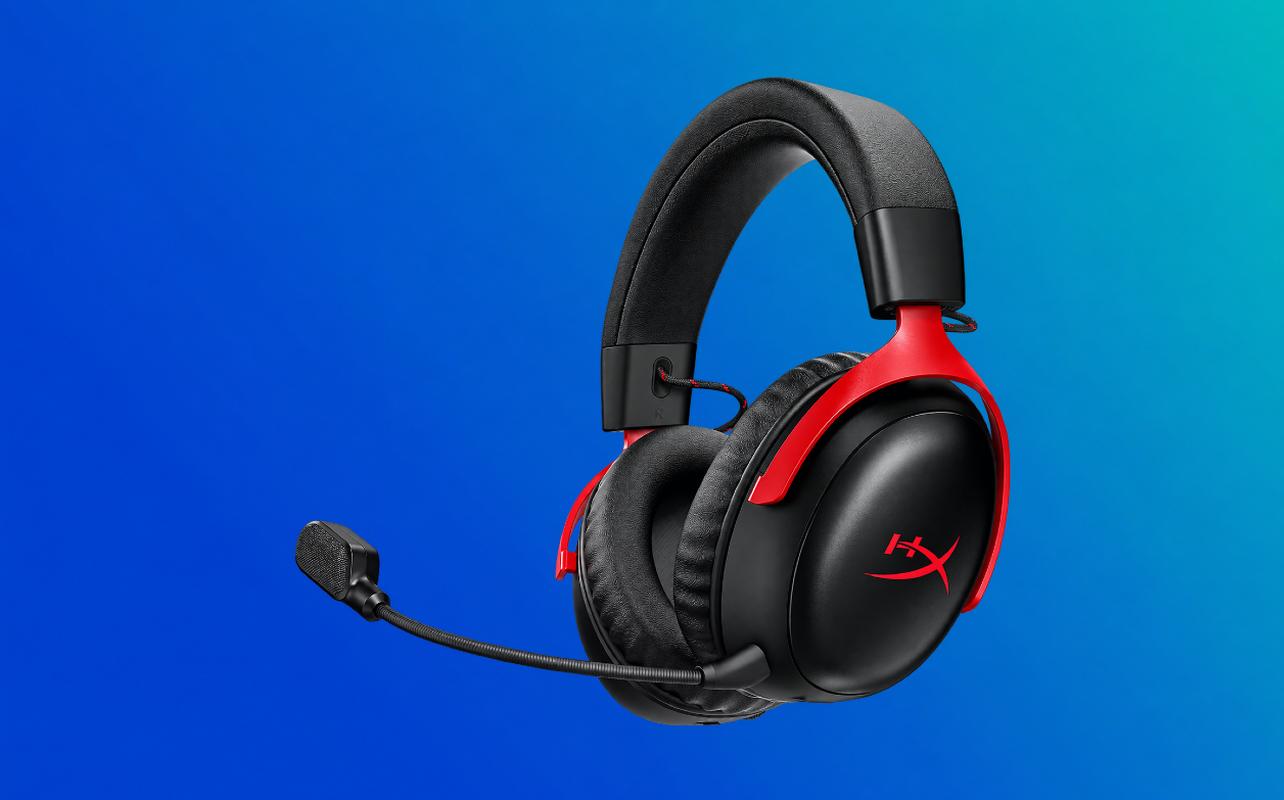
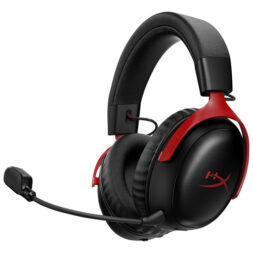
The HyperX Cloud III S Wireless is my value choice if long battery life matters more than premium extras. It reaches up to 120 hours over its 2.4GHz connection and also includes Bluetooth, giving you plenty of wireless use before you need to recharge.
Its detachable 10mm microphone and 53mm angled drivers cover the features I’d want for everyday PS5 gaming. You also get support for PS5, PC, Mac, Nintendo Switch, and mobile devices, so it isn’t tied to your PS5.
Who should buy it?
Choose the HyperX Cloud III S Wireless if battery life and broad device support matter more to you than ANC or a multi-device hub. Its long 2.4GHz battery life is the main reason I have it as the best value headset in this guide.
Best premium PS5 headset
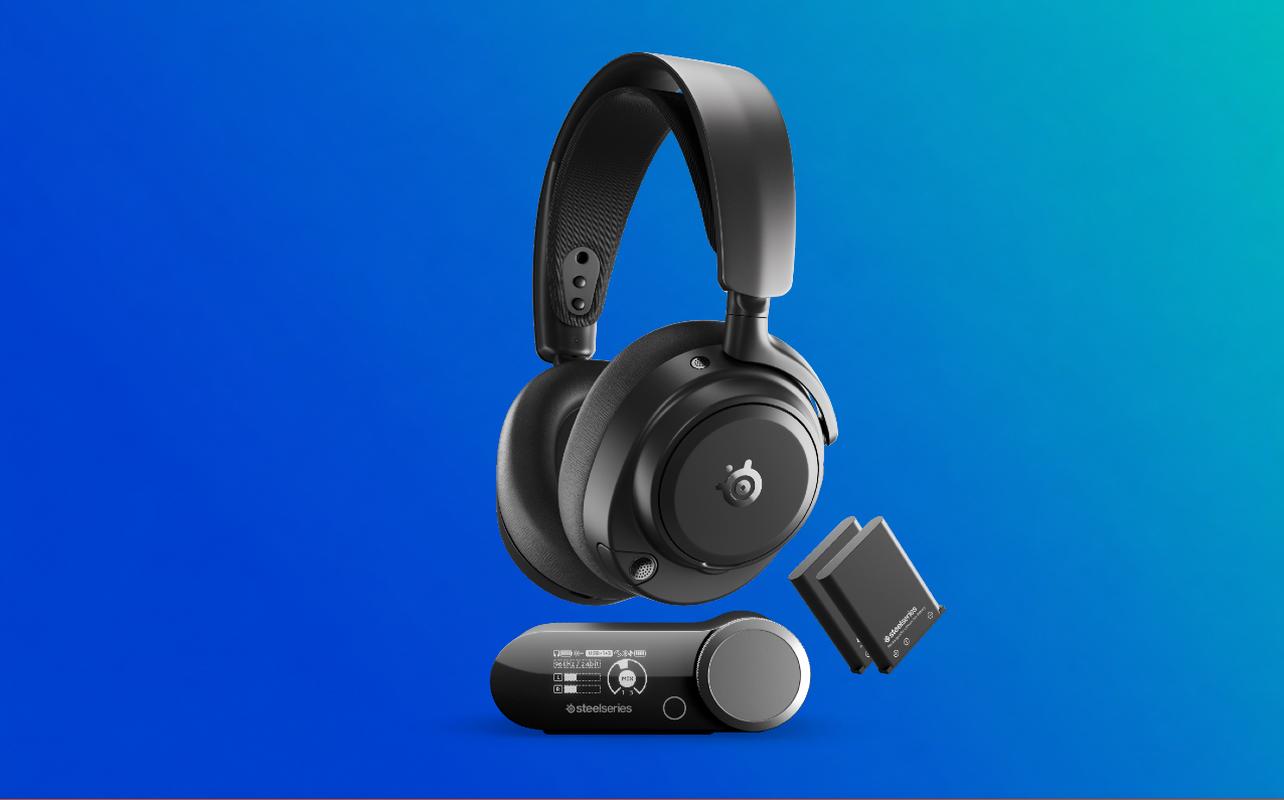
The SteelSeries Arctis Nova Pro Omni is my premium choice if your PS5 shares space with several gaming devices. Its GameHub, active noise cancellation, and swappable batteries are the features that separate it from the less expensive headsets in this guide.
Why it’s worth the money
The GameHub has three USB-C ports. It can mix up to four audio sources at once using two USB sources, Bluetooth, and line-in. You also get two batteries, so one can charge in the GameHub while the other powers the headset.
Premium features
Active noise cancellation helps cut down background noise. Transparency mode lets outside sound back in when you need it. The headset also uses Hi-Res neodymium magnetic drivers and a ClearCast Pro microphone with onboard AI noise rejection.
PS5 gaming experience
If you only plan to use the headset with your PS5, I’d think carefully about paying for features you may not use. The Nova Pro Omni makes more sense if you also use PC, XBOX, Nintendo Switch, or mobile devices.
Who should buy it?
Choose the Nova Pro Omni if you want ANC, swappable batteries, and one hub managing several devices alongside your PS5. If you mainly need a straightforward PS5 headset, less expensive options cover that need.
Best budget PS5 headset
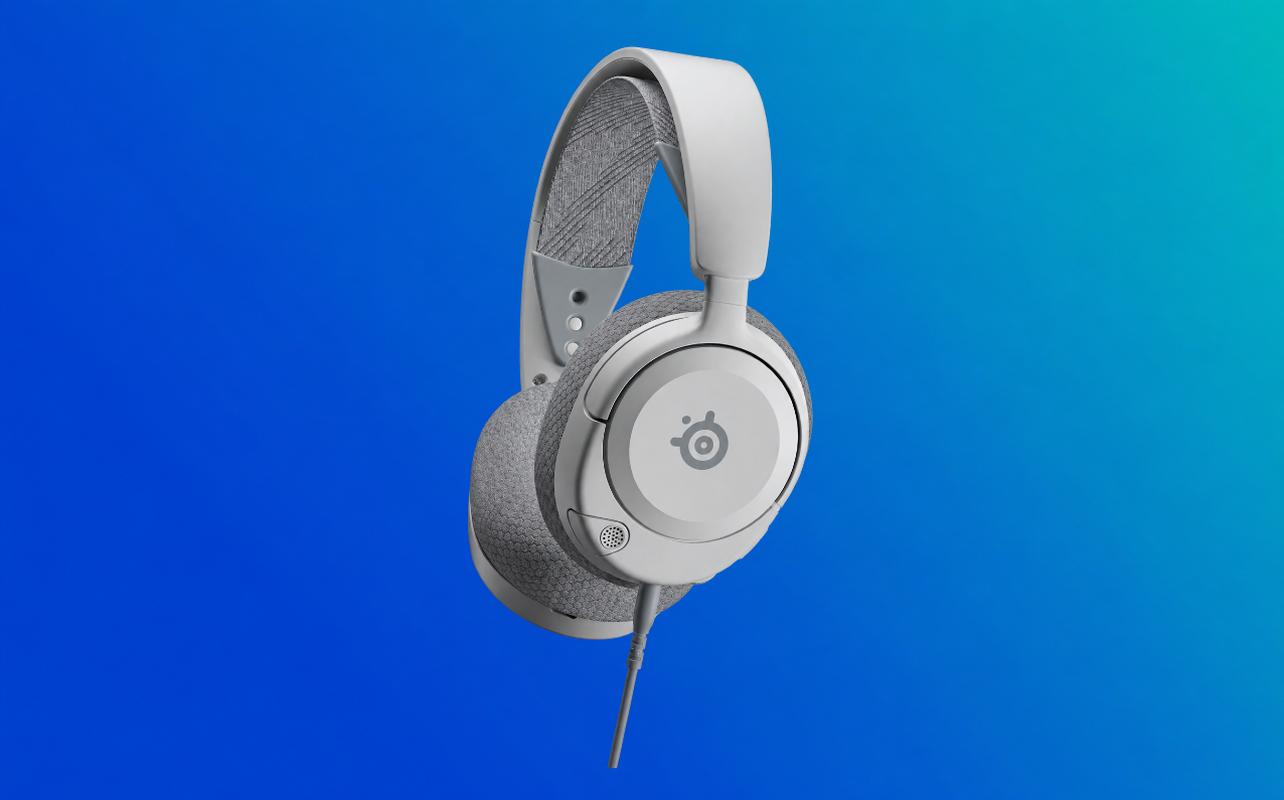
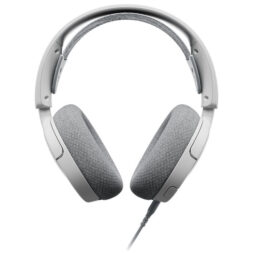
The SteelSeries Arctis Nova 1P is my budget choice if you want a straightforward PS5 headset and don’t mind a cable. It plugs directly into the DualSense wireless controller, so there’s no wireless adapter to manage and no battery to charge.
Key features
You still get AirWeave memory foam ear cushions, a retractable ClearCast Gen 2 microphone, and onboard volume and mute controls. The 3.5mm connection also works with PlayStation, XBOX, Nintendo Switch, PC, Mac, and other compatible devices.
What you give up
You’re giving up Bluetooth, wireless mobile audio, and the extra features found on more expensive headsets. The cable connects to your controller rather than stretching across the room to your PS5, which keeps things simple.
Best games for this headset
A wired connection doesn’t stop you from using PS5 3D Audio. Compatible 3.5mm headsets can still use the console’s headphone audio features, so the Nova 1P works across competitive games, RPGs, action games, and anything else you play on PS5.
Who should buy it?
The Nova 1P suits you if keeping the price down matters more than Bluetooth or wireless freedom. It covers the basics well without adding features you may not need.
Best wireless PS5 headset
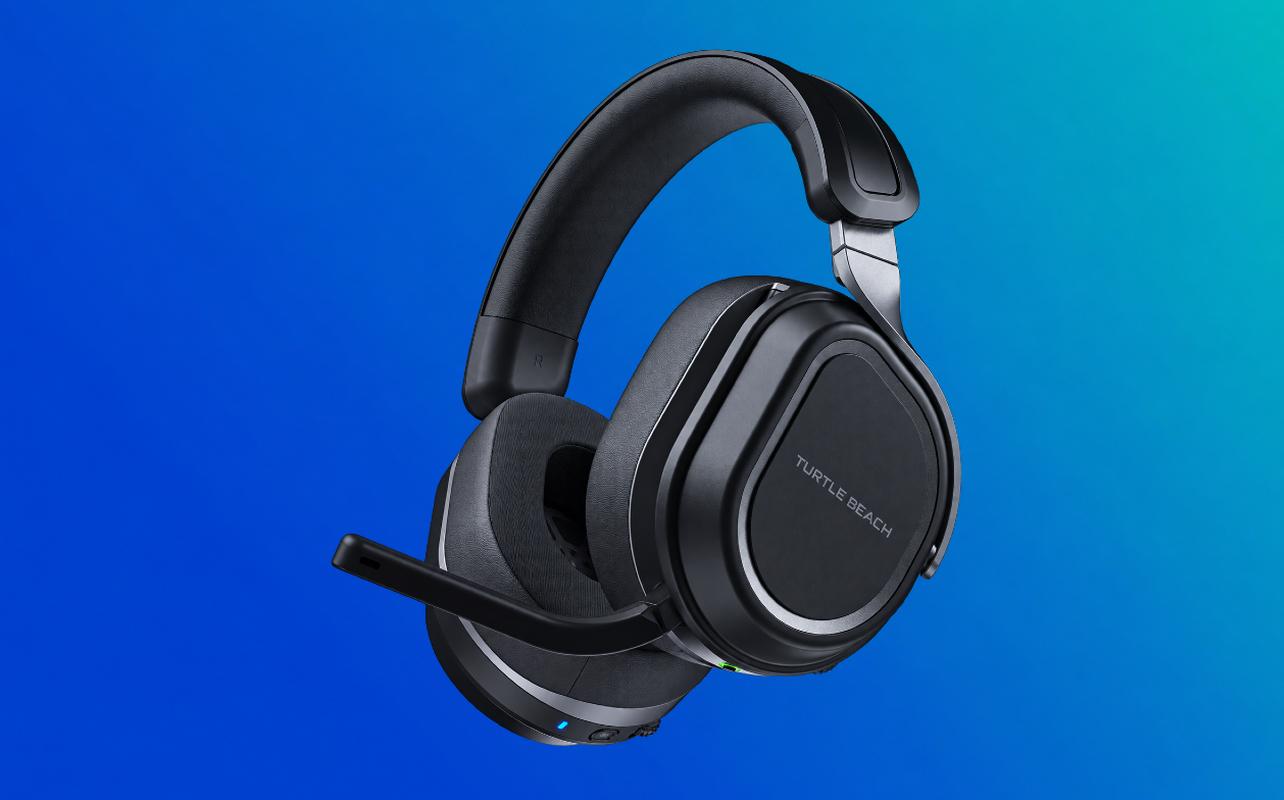
The Turtle Beach Stealth 700 Gen 3 is my wireless choice if you want more connection options around your PS5. Its dual transmitters let you keep one with your PlayStation and another with a compatible PC. Bluetooth can stay connected to your phone or tablet.
Battery life
Battery life reaches up to 80 hours, and a 15-minute charge can provide up to three hours of use. The HyperX Cloud III S Wireless lasts longer over 2.4GHz, so battery life alone isn’t the reason I’d choose the Stealth 700.
Wireless stability
PS5 game audio uses the dedicated 2.4GHz wireless connection instead of Bluetooth. A button on the headset lets you switch between the two USB transmitters. Bluetooth 5.2 handles a second device at the same time.
Comfort for long sessions
The memory foam ear cushions combine leatherette and athletic-weave fabric. The ProSpecs design leaves more room for glasses. Fit will still vary from person to person, but those details are useful if glasses or heat are concerns.
Who should buy it?
Consider the Stealth 700 Gen 3 if you want a wireless PS5 headset that moves easily between PlayStation and PC and keeps your phone connected. Its dual-transmitter design is what separates it from a more basic wireless headset.
Best PS5 headset for competitive gaming
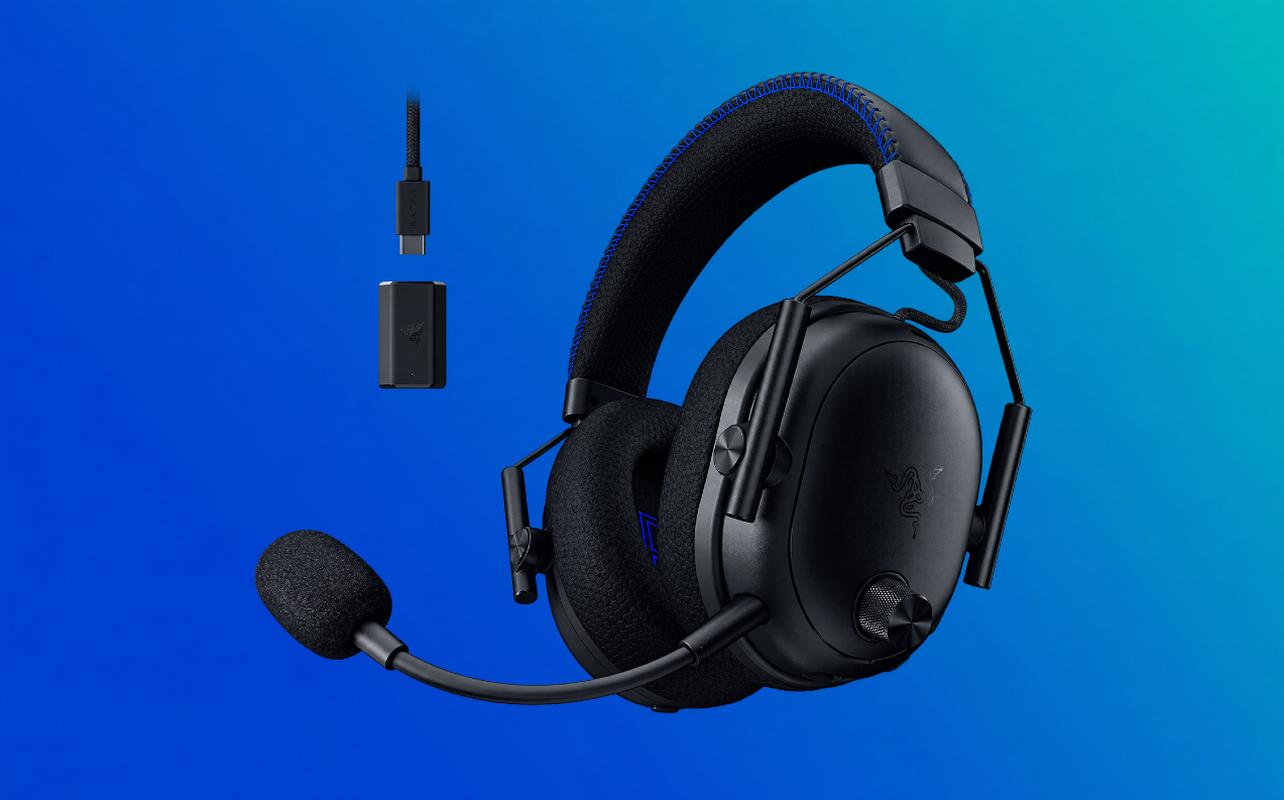
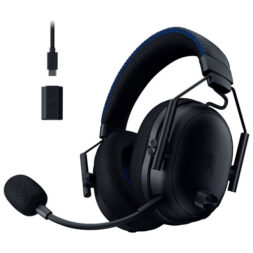
The Razer BlackShark V3 Pro for PlayStation is my competitive gaming choice because it gives you more control over the audio and microphone settings that matter during multiplayer matches.
Positional audio
The PlayStation version uses 50mm bio-cellulose drivers and Razer HyperSpeed Gen-2 wireless through its USB dongle. You can also connect through Bluetooth or a 3.5mm cable. Your PS5 handles the 3D Audio processing.
Footstep clarity
Razer includes competitive-game EQ profiles, and the configurable roller can adjust footstep-focused audio. That can be useful in games such as Call of Duty: Black Ops 7, Apex Legends, Rainbow Six Siege X, and Fortnite, where directional cues can help you react faster.
Your PS5 also includes Audio Focus, which gives you another way to emphasize higher-frequency sounds such as footsteps.
Communication quality
The detachable microphone uses a 12mm unidirectional capsule, and the headset includes sidetone control. Hybrid active noise cancellation can also cut down background distractions while you play.
Who should buy it?
The BlackShark V3 Pro for PlayStation is the better fit if competitive audio controls, microphone adjustment, and low-latency wireless matter more to you than keeping the price down. It gives you more control over what you hear and how your voice comes through during multiplayer games.
Best PS5 headset for story-driven games
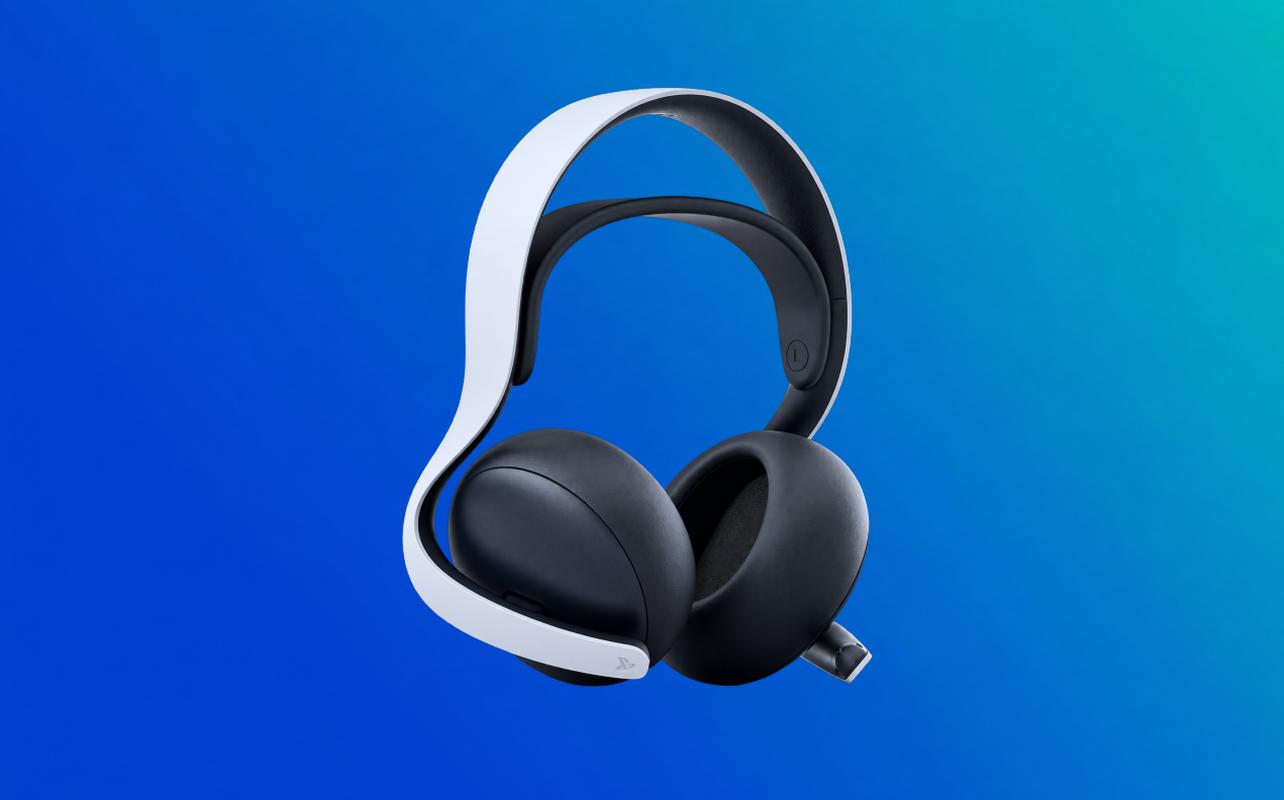
I recommend the PULSE Elite for story-driven PS5 games because its audio features suit games where dialogue, music, environmental sound, and directional effects are all important parts of the experience.
Soundstage
PULSE Elite uses planar magnetic drivers, which PlayStation uses to reproduce fine detail across the audible range. I’d consider it if detailed PS5 audio matters more to you than maximum battery life or support for a long list of devices.
Tempest 3D Audio performance
PULSE Elite connects to your PS5 through the included PlayStation Link USB adapter. PlayStation Link provides a low-latency wireless connection. Your PS5 handles the Tempest 3D AudioTech processing.
You can also create a personalized headphone profile in your PS5 sound settings, so PULSE Elite doesn’t have exclusive access to 3D Audio.
Story-driven gaming experience
This is the type of headset I’d consider for games such as Marvel’s Spider-Man 2, God of War Ragnarök, Horizon Forbidden West, and The Last of Us Part I, where dialogue, music, and environmental audio are a large part of the experience.
PULSE Elite also supports PlayStation Link and Bluetooth audio at the same time. Battery life reaches up to 30 hours.
Who should buy it?
PULSE Elite makes sense if your PS5 is your main gaming platform and you want strong first-party integration with detailed audio and simultaneous Bluetooth. It is the better match when those PlayStation-specific features matter more than maximum battery life.
Wired vs wireless PS5 headsets
You can have a very good PS5 headset either way. This decision is really about convenience, price, and what else you want the headset to do.
Wired advantages
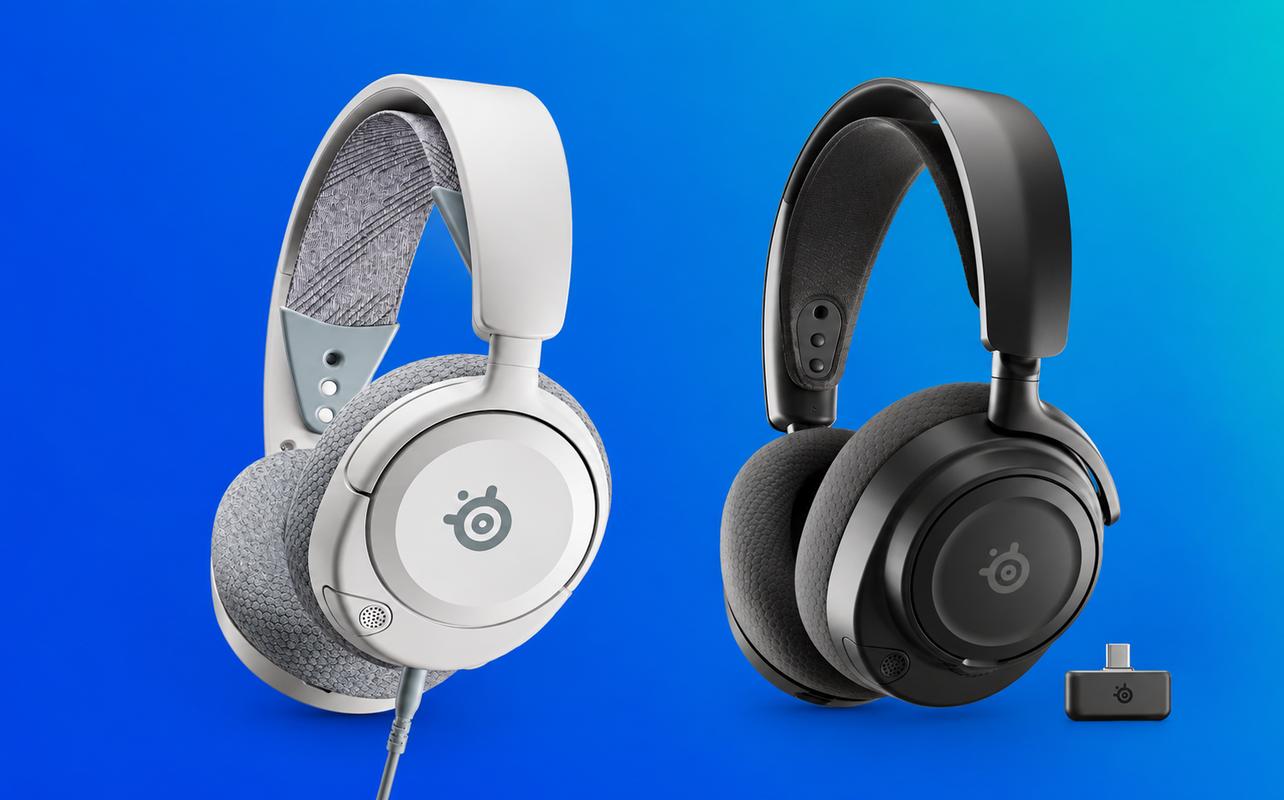
A 3.5mm headset plugs directly into your DualSense controller. You don’t have to charge it, pair a wireless connection, or keep track of a USB transmitter.
Wired models also tend to cost less. The Nova 1P is a good example, and compatible wired headphones can still use 3D Audio on your PS5.
Wireless advantages
Wireless gets the cable away from your controller and can add features that aren’t possible on a basic wired headset. Depending on the model, that can include Bluetooth, active noise cancellation, quick charging, multiple transmitters, or simultaneous audio from another device.
Just remember that Bluetooth itself isn’t how the headset connects to your PS5. Third-party Bluetooth headsets aren’t supported directly for PS5 game audio, so compatible wireless models normally use their own USB transmitter.
Which should you choose?
Go wired if you want to pay less and don’t care about the cable. Go wireless if removing that cable, using your phone at the same time, or getting extra audio controls is worth the additional cost to you.
Connecting either type is straightforward. Plug a wired headset into the DualSense 3.5mm jack, or connect the USB transmitter that comes with a compatible wireless headset. You can then check your output device, headphone volume, and microphone under your PS5’s Sound controls.
If you want to use the headset with other devices, compatibility depends on the model. A 3.5mm model such as the Nova 1P works with a wide range of devices. Wireless models vary by transmitter and connection type, so check the exact model before assuming it will work with another console.
What features matter most in a PS5 headset?
Once you know whether you want wired or wireless, a few features make the rest of the comparison much easier.
Tempest 3D Audio support
You don’t need a PlayStation-branded headset to use 3D Audio on your PS5. Compatible USB and 3.5mm headphones can use the console’s headphone 3D Audio features.
For 3D Audio support itself, there isn’t a separate “best” tier among compatible headsets because your PS5 handles the processing. If you want the first-party option I prefer, PULSE Elite is where I’d start because it combines that PS5 integration with PlayStation Link and planar magnetic drivers.
Instead of shopping for a headset simply because the box mentions 3D Audio, compare the connection, controls, microphone, battery, and other features you’ll actually use.
Microphone quality
If you regularly use party chat, look closely at the microphone rather than treating it as an extra.
A detachable or retractable boom lets you position the mic closer to your mouth. Sidetone lets you hear your own voice through the headset, and noise-reduction features can reduce some unwanted background sound.
If microphone features are your priority, I’d start with the BlackShark V3 Pro for PlayStation. Its 12mm unidirectional boom mic, sidetone control, and dedicated mic controls offer more than the simpler microphone arrangements in this comparison.
Battery life
Battery life varies a lot. PULSE Elite reaches up to 30 hours, and the Nova 7P Gen 2 goes beyond 50 hours. The Stealth 700 Gen 3 reaches up to 80 hours, and the HyperX Cloud III S Wireless reaches up to 120 hours over 2.4GHz.
You may not need the biggest number. Think about how often you want to charge and whether features such as quick charging or swappable batteries would be more useful to you.
Comfort
Specifications can tell you about cushion material, weight, and headband construction. They can’t tell you exactly how a headset will fit your head.
If you wear glasses, look for models that account for them. If you tend to play for several hours, pay closer attention to the ear cushion material and adjustment range.
Bluetooth connectivity
On a PS5 headset, Bluetooth is most useful for connecting a second device. That can let you hear calls, music, or mobile audio at the same time as your PS5 connection.
It doesn’t mean your PS5 accepts ordinary Bluetooth headset audio.
Driver size
Don’t buy a headset because one driver number is larger than another.
The headsets in this guide use different driver sizes and technologies, including planar magnetic drivers in PULSE Elite. Those differences are part of the audio design, but they don’t give you a simple bigger-is-better ranking.
Are official PlayStation headsets worth it?
They can be, especially if you do most of your gaming on your PS5. PlayStation’s own headsets tie closely into its wireless ecosystem and console controls.
I wouldn’t rule out third-party headsets, though. They can give you longer battery life, ANC, or broader device support.
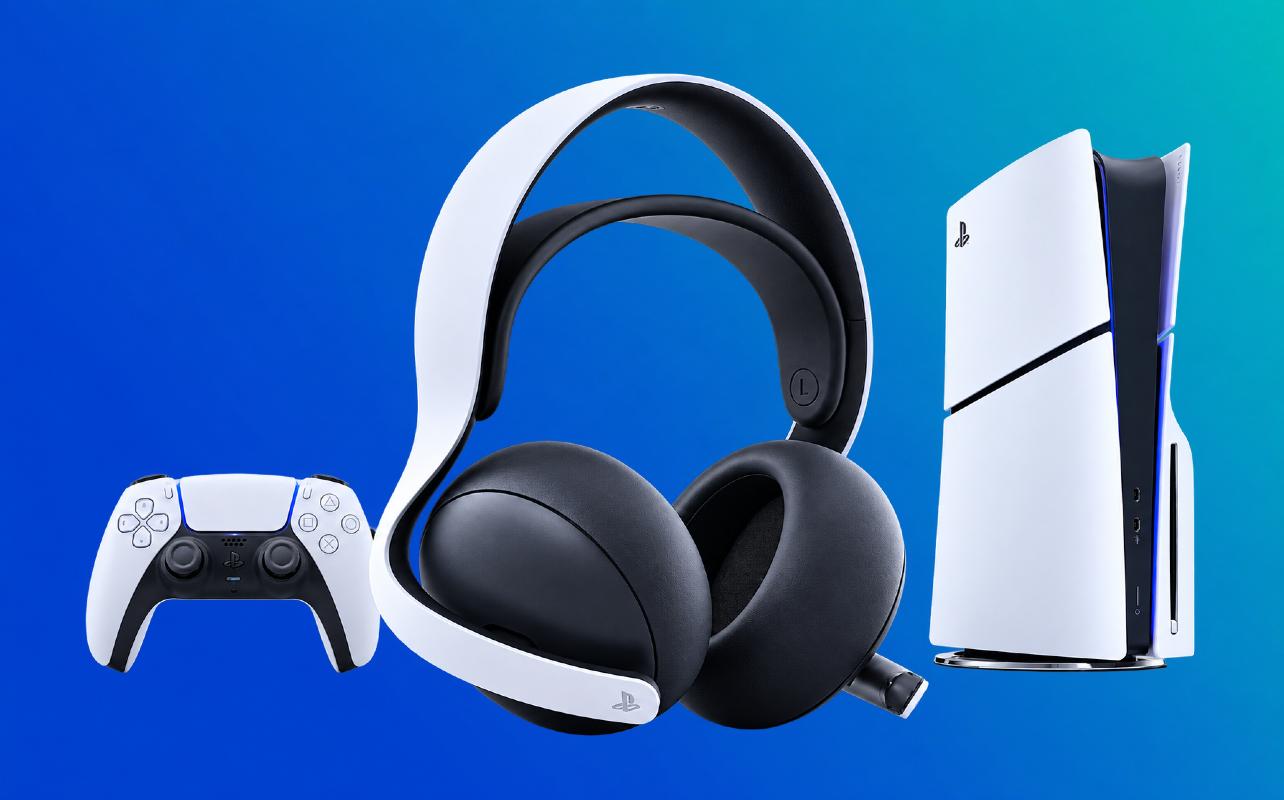
PULSE Elite
If you’re choosing between the two PlayStation headsets, I’d go with PULSE Elite. It has planar magnetic drivers, PlayStation Link, simultaneous Bluetooth, AI-enhanced microphone noise rejection, and up to 30 hours of battery life.
It also sits around the middle of the price range. If your PS5 is your main gaming platform, you’re getting PlayStation Link and the planar magnetic drivers without moving into premium pricing.
PULSE 3D
PULSE 3D is the older option. It was tuned around PS5 3D Audio, offers PS5 EQ presets, and uses dual hidden microphones. Its battery is rated for up to 12 hours.
I wouldn’t choose PULSE 3D over PULSE Elite today. PULSE Elite offers much longer battery life and adds PlayStation Link, Bluetooth, and planar magnetic drivers.
Third-party alternatives
Go third-party if battery life, ANC, multi-device support, or broader compatibility matters more to you than PlayStation integration.
The Nova 7P Gen 2 lasts more than 50 hours and supports simultaneous Bluetooth. The HyperX Cloud III S reaches up to 120 hours over 2.4GHz. Turtle Beach adds dual transmitters, and Razer adds competitive-focused controls and ANC.
Start with the feature you care about most, then work backward to the headset. That is a much better way to shop than starting with the logo on the earcup.
Frequently asked questions
The SteelSeries Arctis Nova 7P Gen 2 is my best overall pick for your PS5. It combines wireless connectivity, more than 50 hours of battery life, simultaneous Bluetooth, and useful audio controls.
You don’t need a PlayStation-branded headset to use 3D Audio on your PS5. Compatible USB and 3.5mm headphones can use it because your PS5 handles the processing.
Not automatically. Wireless removes the controller cable and can add Bluetooth or other features. Wired headsets usually cost less and don’t need charging.
Standard third-party Bluetooth headsets aren’t supported directly for game audio on your PS5. Compatible wireless gaming headsets normally connect through an included USB wireless adapter, dongle, or transmitter instead.
The SteelSeries Arctis Nova 1P is my budget pick. It connects directly to your DualSense controller through its 3.5mm connection and keeps the cost well below the wireless models in this guide.
There isn’t one headset used by everyone. For this guide, the Razer BlackShark V3 Pro for PlayStation has the strongest competitive-focused feature set of the models compared.
Final verdict
If you want one headset that covers most of what you need when gaming on your PS5 without jumping into premium pricing, the SteelSeries Arctis Nova 7P Gen 2 is my best overall pick.
For value, the HyperX Cloud III S Wireless combines up to 120 hours of battery life over 2.4GHz with broad device support without moving into premium pricing. The SteelSeries Arctis Nova 1P is the budget pick if you’re happy to connect directly to your DualSense controller.
At the premium end, the SteelSeries Arctis Nova Pro Omni makes the most sense if you’ll actually use its GameHub, ANC, multi-device connections, and swappable batteries. The Razer BlackShark V3 Pro for PlayStation is my competitive gaming pick, and PULSE Elite is the one I’d look at for story-driven PS5 games and first-party integration.
Once you know which features matter most to you, the list gets much shorter. From there, compare the current PS5 headset selection at Best Buy Canada. You can also check Best PS5 accessories and Best PS5 Controllers if you’re putting together the rest of your PS5 gear.