GPU servers for AI are servers built around one or more graphics processing units (GPUs) or dedicated AI accelerators instead of relying purely on a CPU to do the heavy lifting. Because GPUs can run thousands of calculations in parallel, they’re well suited to the math-heavy, repetitive work that AI models depend on, including training a model, fine-tuning it, or running it to generate predictions.
That’s the short version. The longer, more useful version is that GPU server for AI isn’t one fixed product; it’s a category that spans everything from a single-GPU box used for development to a multi-server cluster training large models. Choosing the right one means matching the hardware to the workload, not just picking the option with the most GPUs. That’s what this guide walks through.

Table of contents
- What is a GPU server and how it differs from a CPU server?
- Which AI workloads need a GPU server?
- How many GPUs does an AI server need?
- What storage is best for AI workloads?
- Why is networking important for AI servers?
- What power and cooling requirements do GPU servers have?
- What software does a GPU server need?
- What is the difference between a GPU server and a workstation?
- Is a gaming PC the same as a GPU server?
- GPU server buying checklist
- Frequently asked questions
What is a GPU server?
A GPU server is a server configured with one or more GPUs or computing accelerators alongside its CPU. The GPUs handle the parallel mathematical work; the CPU still manages the operating system, storage, networking, and everything that isn’t well suited to parallel processing.
GPU servers show up across a wide range of workloads, including:
- Machine learning and deep learning.
- Generative AI.
- Computer vision.
- Natural-language processing.
- Recommendation systems.
- Data analytics.
- Scientific computing.
- Rendering and simulation.
- Virtual workstations.
One thing worth clarifying early: a GPU server is still a server. It needs a CPU, memory, storage, and networking just like any other server; the GPU is an addition to that foundation, not a replacement for it.
What is the difference between a CPU server and a GPU server?
A standard server is built around one or more CPUs, which are optimized for general-purpose, sequential tasks, such as running applications, managing databases, or handling virtualization. A GPU server adds one or more GPUs designed specifically for highly parallel workloads like AI and rendering.
| Area | CPU server | GPU server |
| Processing design | Optimized for general-purpose, sequential tasks | Optimized for highly parallel workloads |
| Typical workloads | File services, applications, databases, virtualization | AI, rendering, simulation, accelerated analytics |
| Hardware | One or more CPUs | CPUs plus one or more GPUs or accelerators |
| Power and cooling | Varies by configuration | Often substantially higher for dense GPU systems |
| Software requirements | General server software | GPU-aware drivers, libraries, and frameworks |
The practical takeaway: a GPU server still requires a capable CPU. The GPU accelerates the workload, but the CPU keeps everything else—the operating system, storage, and networking—running underneath it. If you’re still getting familiar with server basics before narrowing in on GPU-specific hardware, our servers buying guide is a good starting point.
Why are GPUs used for AI?

Training and running AI models involves an enormous number of small mathematical operations matrix multiplications, in particular repeated across huge datasets. A CPU handles a smaller number of complex instructions quickly and sequentially; a GPU runs thousands of simpler operations at the same time.
That difference is why AI frameworks and libraries are specifically designed to take advantage of GPU acceleration where it’s supported. It’s also why the benefit isn’t automatic or universal; how much a GPU actually helps depends on the model, the software stack, the data type, and the specific task. A workload that isn’t built to use GPU acceleration won’t see much benefit from adding one.
What is the difference between AI training and inference?
Training is the process of building or updating a model using data. It’s typically the most demanding stage because the system needs strong compute capability, sufficient GPU memory, and often multi-GPU scaling and fast storage throughput to keep data flowing to the GPUs.
Inference is using an already-trained model to generate predictions or responses; this is what happens every time a deployed AI application answers a query or classifies an image. Inference generally prioritizes latency, throughput, efficiency, and availability over raw training power.
This distinction matters because a system sized for inference may not be capable of large-scale training, while a system built for training may be more than what’s needed and more expensive to run for straightforward inference.
Which AI workloads need a GPU server?
Not every AI task needs the same hardware. Here’s how the main workload types differ:
| Workload | Definition | Common hardware priorities |
| Training | Building or updating a model using data | Compute capability, GPU memory, multi-GPU scaling, storage throughput |
| Fine-tuning | Adapting an existing model to a specific task or dataset | GPU memory, software support, data pipeline |
| Inference | Using a trained model to generate predictions or responses | Latency, throughput, efficiency, availability |
| Development and testing | Experimenting with models and code | Flexibility, affordability, software compatibility |
These map to common use cases like large-language-model training, model fine-tuning, production inference, image and video analysis, computer vision, generative media, recommendation systems, speech processing, data science, and simulation or research work.
It’s also worth saying plainly: not everything needs a GPU server. Lightweight inference, smaller models, and occasional development tasks can often run on CPUs, AI PCs, workstations, or smaller accelerators. GPU servers earn their cost on sustained, demanding, or production-scale work, not every AI-adjacent task. Smaller organizations still mapping out their first server purchase may want to start with our guide to servers for small businesses before deciding whether AI workloads justify GPU-specific hardware.
How much GPU memory do you need?
GPU memory (often called VRAM) determines whether a model and its data can actually fit and run on a given system. If a model doesn’t fit in available GPU memory, it either won’t run or will need to be split across multiple GPUs, which introduces its own complexity.
How much you need depends on several factors working together:
- Model size.
- Data type and precision.
- Batch size.
- Whether you’re training or running inference.
- Input size.
- The framework being used.
- The parallelization method.
- Additional memory overhead from the software stack itself.
There’s no single “right” number here; a fixed figure would be outdated within months as models and frameworks evolve. Check the requirements published by your specific application or model, then size your GPU memory around that with some headroom for overhead.
How many GPUs does an AI server need?
The number of GPUs a server needs depends on the workload, not the other way around:
- Single-GPU setups are common for development, smaller models, and early experimentation.
- Multi-GPU setups become relevant when a model or dataset is too large or too slow to handle on one GPU.
- Multi-server scaling comes into play when even a multi-GPU server isn’t enough, requiring GPU-to-GPU communication across machines.
Here’s the tradeoff that’s easy to miss: adding GPUs doesn’t guarantee a proportional performance gain. It depends on the software’s ability to parallelize the task and the quality of the interconnect between GPUs. A poorly optimized workload on four GPUs may barely outperform the same workload on two, while costing roughly twice as much. More GPUs is a scaling option, not an automatic upgrade.
Choosing the CPU and system memory
The CPU in a GPU server has real work to do even though the GPUs get most of the attention. It’s responsible for:
- Preparing and feeding data to the GPUs.
- Running the operating system.
- Managing networking and storage.
- Handling non-accelerated application tasks.
If the CPU can’t feed data fast enough, the GPUs sit idle, which defeats the purpose of having them. System memory needs the same attention: size it against your dataset, your preprocessing needs, your GPU count, and any virtualization or container workloads running alongside.
What storage is best for AI workloads?
Storage is one of the most commonly underestimated parts of a GPU server build. If storage can’t deliver data fast enough, the GPUs—the most expensive components in the system—end up waiting instead of working.
Key storage considerations include:
- Dataset capacity.
- SSD and NVMe performance for read and write throughput.
- Local storage versus shared network storage.
- Checkpoint storage (saving model progress during training).
- Data protection, backup, and archival needs.
The practical rule: match your storage throughput to your GPU workload, not just your storage capacity. A system with plenty of storage space but slow throughput can still bottleneck an otherwise well-specced GPU server. For local storage, browsing Best Buy’s selection of internal SSDs is a practical way to compare throughput options before settling on a configuration.
Why is networking important for AI servers?
Networking becomes critical the moment a workload spans more than one server. Distributed training, in particular, depends on fast, low-latency communication between servers to keep GPUs synchronized.
Relevant factors include:
- Network bandwidth and latency.
- Cluster communication for distributed training.
- Shared storage access across servers.
- Network adapters and switches.
- Room to expand as workloads grow.
Detailed network architecture is a specialized topic best planned with a qualified infrastructure specialist, especially once multi-server clusters are involved, but knowing that networking can become a bottleneck is essential before you commit to a multi-server plan.
What power and cooling requirements do GPU servers have?
Dense GPU configurations draw significantly more power and generate significantly more heat than a standard server. This affects more than just the server itself:
- GPU power consumption and server power supply capacity.
- Electrical circuit capacity.
- UPS (uninterruptible power supply) sizing.
- Rack compatibility.
- Cooling approach: air cooling for most configurations; liquid cooling may be used in denser systems.
- Server room noise and monitoring needs.
Rack compatibility also ties into a broader form-factor decision worth settling early; see our comparison of rack servers vs. tower servers if you haven’t picked a physical configuration yet. The infrastructure around the server has to support the complete configured system, not just the server on its own. A powerful GPU server dropped into a space without adequate power or cooling capacity won’t perform reliably, regardless of its specs.
What software does a GPU server need?
Hardware is only half the equation. GPU servers also depend on a compatible software stack, including:
- Operating system.
- GPU drivers.
- AI frameworks and libraries.
- Container platforms.
- Model-serving software.
- Orchestration tools.
- Application certification and security updates.
- Vendor support.
There isn’t a single software ecosystem that’s the only viable option; the right stack depends on the frameworks and applications you’re already using. Confirm compatibility between your application, framework, operating system, drivers, and GPU hardware before purchasing; mismatches here are a common, avoidable source of delays.
What is the difference between a GPU server and a workstation?
This is one of the most common points of confusion, since both can be described as “built for AI.”
| Consideration | GPU workstation | GPU server |
| Primary use | Individual development or professional work | Shared, remote, or production workloads |
| Location | Desk or studio | Server room or data centre |
| Multi-user support | More limited | Designed for centralized access |
| Remote management | Varies | More likely to include server-management features |
| Redundancy | Usually limited | Available on supported configurations |
| GPU density | Generally lower | Can support denser configurations |
| Best for | Development, testing, design, smaller projects | Production inference, shared compute, large workloads |
The right choice depends on the workload, not the word “AI” on the spec sheet. A single developer prototyping models may be well served by a workstation; a team running shared, production-scale inference needs the centralized access and redundancy a server provides. If a workstation looks like the better fit for your workload, it’s worth comparing options directly through our GPU workstation selection.
Is a gaming PC the same as a GPU server?
No. A gaming PC may include a genuinely powerful GPU, but it isn’t built for centralized, sustained, or multi-user workloads. GPU servers are designed with management tools, reliability features, cooling for continuous operation, networking, and multi-GPU support that gaming hardware simply isn’t engineered around.
Should you use an on-premises server or cloud GPUs?
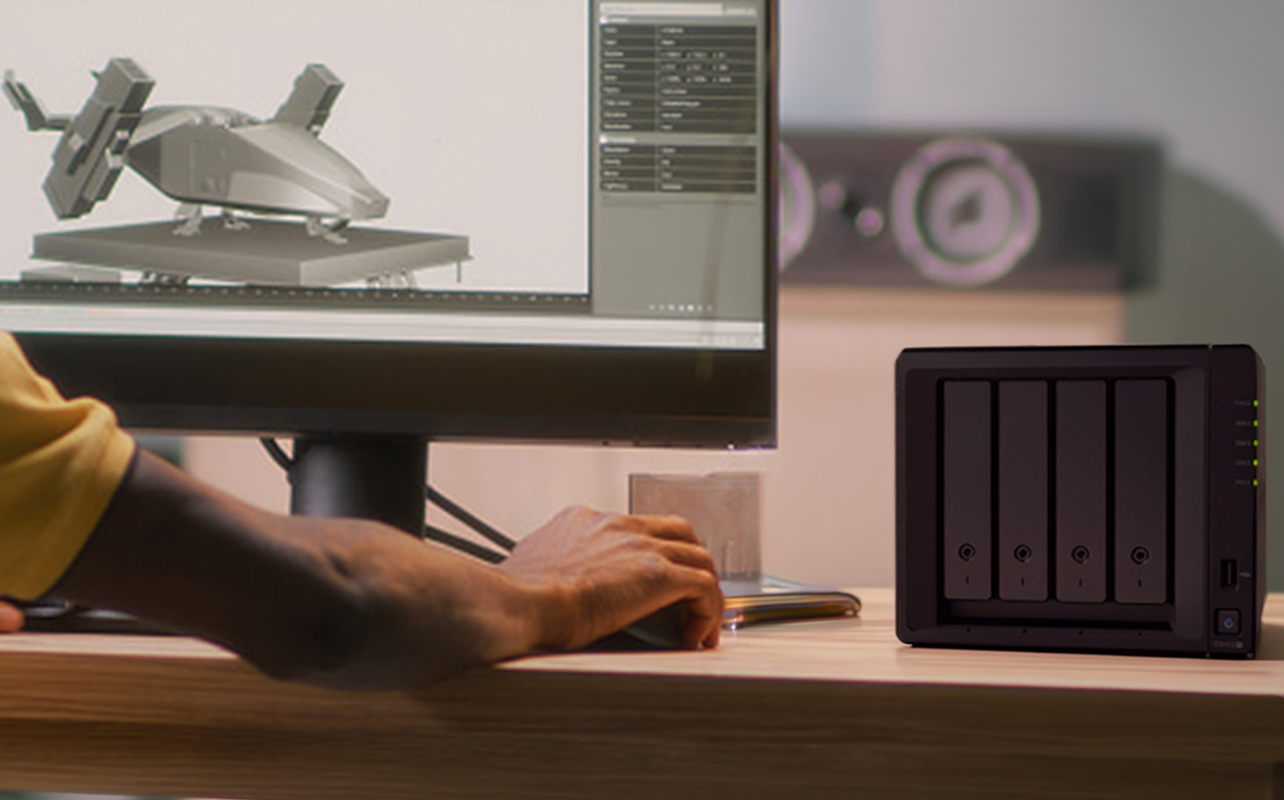
Neither option is universally better; the right answer depends on how consistent and predictable your workload is.
On-premises GPU servers typically offer:
- Greater local control over hardware and data.
- Predictable, dedicated hardware access.
- Advantages for data-location or compliance requirements.
- Higher upfront capital cost.
- Ongoing administration, power, and cooling responsibility.
Cloud GPUs typically offer:
- Faster access to a range of configurations.
- Flexible, usage-based scaling.
- No local hardware maintenance.
- Data transfer and provider-specific considerations.
- Potentially high ongoing cost for continuous, always-on workloads.
Many organizations land on a hybrid: on-premises hardware for steady workloads, cloud GPUs for occasional spikes or rapidly changing needs. Continuous workloads with strict data-location requirements tend to favour on-premises; occasional or still-changing needs tend to favour cloud flexibility. Organizations leaning toward on-premises can explore our commercial-grade servers to see what’s available for business deployment.
GPU server buying checklist
Before purchasing, confirm:
- Your AI use case and whether it’s training or inference.
- Model and dataset size.
- GPU compatibility with your intended software.
- Required GPU memory.
- Number of GPUs needed.
- CPU capability.
- System RAM.
- Storage capacity and throughput.
- Networking requirements.
- Software stack compatibility.
- Available rack space.
- Power capacity.
- Cooling capacity.
- Remote management needs.
- Security requirements.
- Warranty and support terms.
- Room to scale.
- Total cost of ownership, not just purchase price.
Where to go from here
There’s no single “best” GPU server, only the one that fits what you’re actually trying to run. Get the workload right first: training versus inference, single-GPU versus scaled-out, and the rest of the configuration follows from that, rather than working backward from whatever setup sounds most powerful. Best Buy stocks a range of configurations to match those different starting points, and browsing GPU servers is a good way to see how those tradeoffs show up in real hardware.
If your workload turns out to be closer to individual development than shared production use, it’s worth taking a look at GPU workstations instead; the two are built for genuinely different jobs, not just different budgets. And if you’re curious where GPU-accelerated hardware is headed next, our article on what’s next in AI computing looks at the trends shaping future server and workstation designs.
Frequently asked questions
GPU servers are used for workloads that benefit from parallel processing, including AI training, inference, computer vision, rendering, simulation, and scientific computing.
No. Smaller models, lightweight inference, development work, or occasional tasks may run well on CPUs, AI PCs, workstations, or cloud services.
It depends on model size, precision, batch size, software, and whether the system is handling training or inference. Confirm application-specific requirements before purchasing.
No. A gaming PC may have a capable GPU, but a GPU server is built for centralized workloads with different management, reliability, cooling, networking, and multi-GPU capabilities.
Neither is universally better. On-premises servers tend to suit continuous workloads or strict data-location needs, while cloud GPUs offer faster access and more flexible scaling for temporary or changing requirements.