Two upcoming AI computers, Google’s Googlebook and NVIDIA’s RTX Spark, are arriving this fall and go further than adding an AI app to a regular laptop. Both are built from the ground up so AI is part of how the computer works, not a feature bolted on afterward. If you’re shopping for a computer soon, or just trying to understand where laptops are headed, here’s what’s actually changing and what it means for you.
Computers already use AI for things like photo editing, video calls, and voice assistants. What’s coming this fall goes a step further: devices designed so AI can see what’s on your screen, act on it, and stay in sync across your phone and computer without you asking twice. Googlebook and RTX Spark are the two clearest public examples of these upcoming AI computers, and both are expected to arrive this fall.

What’s new in AI computing, at a glance
Before the details, here’s the short version: two upcoming AI computers are landing soon, and here’s how they compare at a glance:
| Upcoming technology | What it represents | What customers can expect |
| Googlebook | A new laptop category built around Gemini Intelligence | Personalized assistance, Android phone integration, and AI-supported productivity |
| NVIDIA RTX Spark | A new computing platform for slim Windows laptops and compact desktops | Local AI processing, creative performance, gaming, and support for personal AI agents |
| Next-generation AI PCs | Continued development across Windows and other ecosystems | More on-device AI features, smarter applications, and new processor options |
| AI-powered compact desktops | More powerful AI computing in smaller designs | Space-saving systems for work, creation, development, and entertainment |
Features and availability will vary by manufacturer and model. Not every AI computer will include every feature described here.
Meet Googlebook: a laptop designed around Gemini
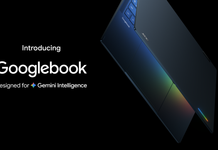
Googlebook is Google’s answer to what a laptop looks like when AI is built in from the start, not added on afterward. Here’s what that means in practice.
What is Googlebook?
Googlebook is a new laptop category from Google, built on a foundation that combines elements of ChromeOS and Android, with Gemini Intelligence at its core. Instead of running Gemini as a separate app, Googlebook is designed so the assistant is woven into how you navigate, search, and get things done.
The centrepiece is something Google calls the Magic Pointer. Rather than a standard cursor, you wiggle it over something on your screen to bring up Gemini, whether that’s a paragraph of text, an image, or a date in an email. From there, you can ask Gemini to explain, compare, or create based on what you’ve pointed at.
Googlebook also introduces Create My Widget, which lets you build a custom home-screen widget just by describing what you want it to show. On the connectivity side, features like casting apps from a paired Android phone and browsing phone files directly from the laptop are designed to make the two devices feel like one connected system rather than separate gadgets you happen to own.
Is Googlebook replacing the Chromebook?
Googlebook is a new, separate category, not a rebrand or replacement of the Chromebook line. Chromebooks are still built for simplicity, speed, and everyday use at accessible prices. Googlebook is positioned as a premium platform with deeper AI integration and Android features layered in, so the two are expected to coexist rather than one phasing out the other.
How could Googlebook change everyday laptop use?
The practical value of Googlebook comes down to fewer manual steps. A few examples of what this could look like:
- Getting contextual help based on what’s actually on your screen, instead of switching tabs to search separately.
- Moving between your Android phone and laptop without re-downloading apps or hunting for files.
- Organizing tasks and information through widgets you describe rather than build manually.
- Getting assistance with writing, planning, and research without leaving what you’re working on.
These are the features Google has described publicly. How well they work in daily use, and whether every app supports them equally, will become clearer once the laptops are actually in people’s hands.
Who could benefit from Googlebook?
Googlebook is shaping up to be most useful for:
- Android phone owners who want their laptop and phone to feel like one connected system.
- Students juggling research, writing, and organization across devices.
- Remote and hybrid workers who rely on Google’s apps day to day.
- Anyone who values a more personalized, proactive computer over a purely manual one.
If you’re not an Android user, or you don’t rely heavily on Google’s ecosystem, some of Googlebook’s signature features will matter less to you.

Meet NVIDIA RTX Spark: personal AI in new PC designs
NVIDIA’s approach looks different from Google’s, built around raw local processing power rather than software integration. Here’s what sets it apart.
What is NVIDIA RTX Spark?
NVIDIA RTX Spark is a new computing platform, not a graphics card. That distinction matters, because a lot of early chatter treats it like a GPU upgrade when it’s actually a complete system design that manufacturers build slim Windows laptops and compact desktops around.
RTX Spark combines a CPU built for everyday computing with an RTX GPU built for graphics, creative work, and AI processing, along with a large pool of shared memory the whole system can draw on. NVIDIA is positioning it around four things: local AI performance, creative and video workflows, gaming, and support for personal AI agents, all in a smaller, more energy-efficient design than a typical high-performance desktop.
Laptops and small desktops built on RTX Spark fall under the Copilot+ PC category, so if you’ve already looked at Copilot+ laptops, this is an extension of that same family of AI-capable Windows devices rather than something separate.
What does personal AI mean?
A personal AI agent is designed to do more than answer one question at a time. Depending on the software involved, it may be able to follow multi-step instructions, understand context from what you’re working on, help organize information, or assist with a creative project from start to finish, rather than just responding to a single prompt.
This is different from the AI assistants most people are used to today, which typically wait for a specific question. Not every application will support agent-based features right away, and how autonomous these agents actually feel will vary by software.
Why does local AI processing matter?
Local, or on-device, AI processing means some AI tasks run directly on your computer’s hardware instead of being sent to the cloud. The potential advantages:
- Faster responses for supported tasks, since there’s no round trip to a remote server.
- Less reliance on your internet connection for certain AI features.
- More control over how some files and data are handled.
- Room for more demanding AI workloads, useful for developers and advanced users.
- More responsive creative tools, since processing happens closer to the work itself.
It’s worth being clear-eyed here: not all data stays on the device just because a computer has strong local AI hardware. Whether a task runs locally or in the cloud depends on the specific application and feature, not a blanket promise from the hardware alone.
Who could benefit from RTX Spark computers?
RTX Spark is aimed squarely at people with heavier creative or technical workloads:
- Content creators and video editors who want faster local rendering and editing.
- Designers working with graphics-intensive applications.
- Developers and AI enthusiasts testing or building AI applications locally.
- Gamers who want strong graphics performance in a smaller, quieter system.
- Professionals who want serious local AI capability without a full desktop workstation.
If your day-to-day is closer to email, browsing, and streaming, RTX Spark’s strengths will be more headroom than necessity.
What do all of these upcoming AI computers have in common?
Beyond the two named platforms, this is really a broader shift happening across the entire AI PC category. A few patterns show up consistently.
How will these computers understand more context?
Rather than treating every request as a fresh, unrelated question, upcoming AI experiences are designed to factor in the app you’re using, what’s currently on your screen, your connected devices, and your own saved preferences. The goal is assistance that feels aware of what you’re actually doing, not generic answers pulled out of context.
How is more AI processing moving onto the computer itself?
This shift is being driven by improvements across several parts of the hardware working together: neural processing units (NPUs) built specifically for AI tasks, more capable graphics processors, dedicated AI accelerators, and memory designs built to move data faster between components. Software is being optimized to take advantage of all of it. The result is more AI work happening on-device rather than defaulting to the cloud.
How will these computers work more closely with your other devices?
Googlebook’s Android integration is the clearest public example of this: casting phone apps to your laptop and browsing phone files without transferring anything manually. Expect this kind of cross-device continuity, shared notifications, and app hand-off to become a bigger selling point across the AI PC category generally, not just on one platform.
What new form factors will include AI features?
AI computing isn’t limited to traditional laptops. It’s expected across thin-and-light laptops, performance laptops, compact desktops, mini PCs, workstations, and gaming systems. If you’re browsing mini PCs or gaming desktop computers, AI-related features are increasingly part of what differentiates newer models, not just laptops.
How could the next generation of AI PCs help you?

The right AI computer depends heavily on what you actually do with it, so here’s how these upcoming AI computers could realistically fit into different day-to-day routines.
| User type | Potential AI benefits |
| Students | Research assistance, note organization, study support, writing tools |
| Professionals | Meeting summaries, document support, communication, multitasking |
| Creators | Image, video, audio, and design assistance |
| Developers | Local model testing, coding support, AI application development |
| Gamers | AI-enhanced graphics, performance, streaming, and communication tools |
| Everyday users | Search, organization, photo management, and cross-device assistance |
Should you buy an AI computer now or wait?
This is the question most readers actually want answered, and there isn’t a single right answer for everyone.
Why buy an AI PC now?
- Current Copilot+ PCs and AI laptops already deliver strong everyday performance.
- You can choose from a wide range of brands, processors, screen sizes, and price points already available through the AI-Powered Computing hub.
- If you need a computer now, you don’t have to give up AI-supported productivity and creative features to get one.
- Existing computers will keep receiving software and feature updates where supported.
Why wait for the upcoming launches?
- You specifically want the deeper Android and Gemini integration Googlebook offers.
- Local AI development or heavy creative work is a priority, and RTX Spark’s approach appeals to you.
- You’re interested in the new compact desktop designs coming with these platforms.
- Your purchase isn’t urgent, and you’d rather compare multiple new AI platforms before deciding.
So, should you wait?
There’s no single reason every customer should hold off for the next launch. Current AI-powered computers already offer genuinely useful performance and features, while Googlebook and RTX Spark are expected to expand the range of AI experiences and form factors available, not replace what already works. The right call depends on what you need your computer to do, and when you need it.
What should you look for in your next AI computer?

Whether you buy now or wait for the fall lineup, the same shopping fundamentals apply.
Which AI platform and ecosystem should you choose?
Compare the ecosystem you’re actually going to use day-to-day: Gemini and Google’s services, Microsoft Copilot and Windows, NVIDIA’s RTX applications, and where relevant, Apple Intelligence or Samsung Galaxy AI. The platform that matters most is the one that already matches your phone and the apps you rely on.
What do the CPU, GPU, and NPU actually do?
Think of it this way: the CPU handles general everyday tasks, the GPU handles graphics and visually demanding work, and the NPU is built specifically to handle AI tasks efficiently. No single one of these is always the most important. The right balance depends on your workload; a student writing essays needs a very different mix than a video editor or a developer training small models locally.
How much RAM and storage do you need?
More RAM and storage generally support smoother multitasking, better performance in creative applications, and more room to run AI models locally. If you plan to keep a computer for several years, it’s worth checking whether components can be upgraded later, since your needs today may not match your needs in three years.
How much do portability and battery life matter?
If you’re moving between campus, commutes, or client sites, a thinner, lighter laptop with strong all-day battery life will matter more than raw power. If your computer mostly stays on a desk, this becomes far less important.
What display and connectivity features matter?
Look at display size and quality, support for external monitors, USB-C or Thunderbolt ports, HDMI, memory-card support, and Wi-Fi. Desktop shoppers should also check for Ethernet support if a stable wired connection matters for your setup.
Will your software and apps work?
Before buying anything, confirm that the applications you actually need, whether that’s school software, creative tools, games, or development environments, are compatible with the operating system and hardware you’re considering. AI-feature availability in particular can vary by app, so don’t assume every feature described here will work identically everywhere.
Where does this leave your next computer purchase?
The real shift isn’t a spec to add to your checklist; it’s a different relationship with the computer itself. A machine that works with what’s already on your screen instead of waiting for you to ask feels different to use, whether that shows up as Gemini on a Googlebook or a local agent on RTX Spark. That’s the part worth paying attention to, more than either name on its own.
If you want a sense of that shift without waiting for either one, Copilot+ PCs already build some of it in, and Best Buy’s AI-Powered Computing page is a good place to see how far that experience has come before deciding whether now’s the time to buy or watch a little longer.
Frequently asked questions
Googlebook and NVIDIA RTX Spark are the two major publicly announced platforms to watch this fall. Expect additional AI-powered laptops and desktops as manufacturers continue introducing new processors and software.
Googlebook is a new laptop category built around Gemini Intelligence, combining elements of ChromeOS and Android with closer integration to Android phones.
No. Googlebook is a new, separate category. Google has not positioned it as a Chromebook replacement.
RTX Spark is a computing platform for slim Windows laptops and compact desktops, built around local AI, content creation, graphics, gaming, and personal AI agents.
No. It’s a full computing platform, not a standalone consumer graphics card. Exact configurations will vary by manufacturer.
Both are expected this fall. Availability will vary by product and manufacturer, so it’s worth checking the AI-Powered Computing hub and individual product pages for the latest updates.
Only if you specifically want one of these newly announced platforms and don’t need a computer right away. Otherwise, current AI-powered laptops and Copilot+ PCs remain solid choices.
No. They remain capable options. Upcoming products are expected to expand your choices, not make today’s AI PCs obsolete overnight.
Some features run locally on the device, while others rely on cloud processing. This depends on the specific feature and application, not the computer as a whole.