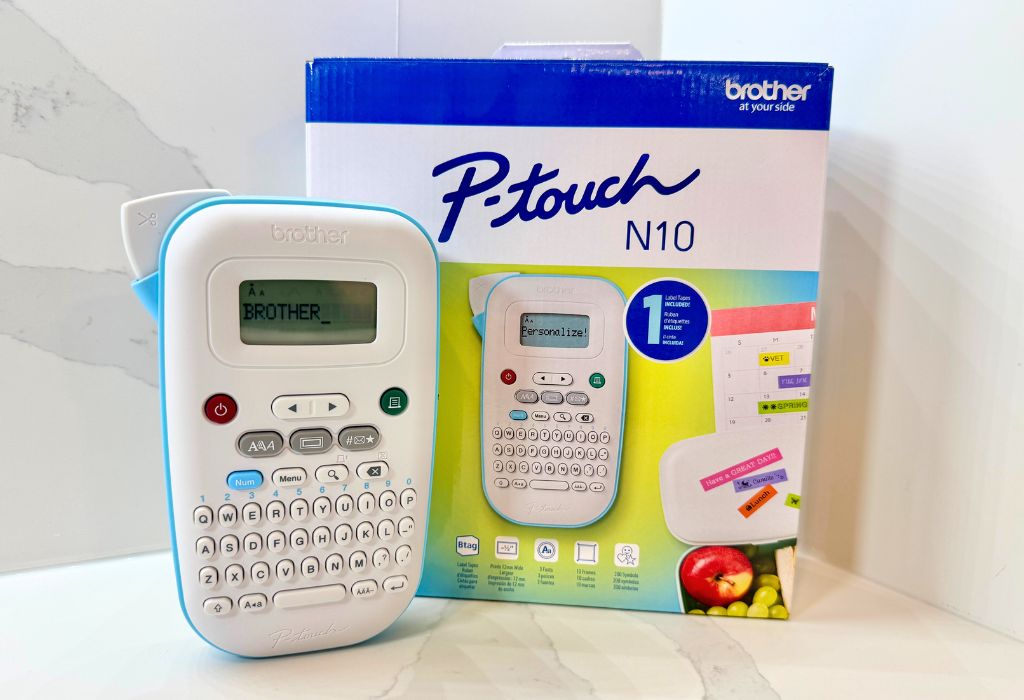
The Brother P-touch N10 BTag label maker is a handy tool designed to make home and office organization quick, simple, and even add a little creative flair. There’s something satisfying about getting organized, especially when everything has a clearly defined place.
This compact handheld label maker helps you build that system, letting you create personalized labels without connecting to a computer, smartphone, or app. Everything you need is built directly into the device, including a QWERTY keyboard, display, different fonts, frames, symbols, and a manual cutter. Its simplicity makes it easy to use and label quickly. It’s what makes the P-touch N10 appealing for quick organization projects at home, in the office, or in the classroom.

Watch my Brother P-touch N10 BTag label maker review
Unboxing and setting up the Brother P-touch N10 BTag
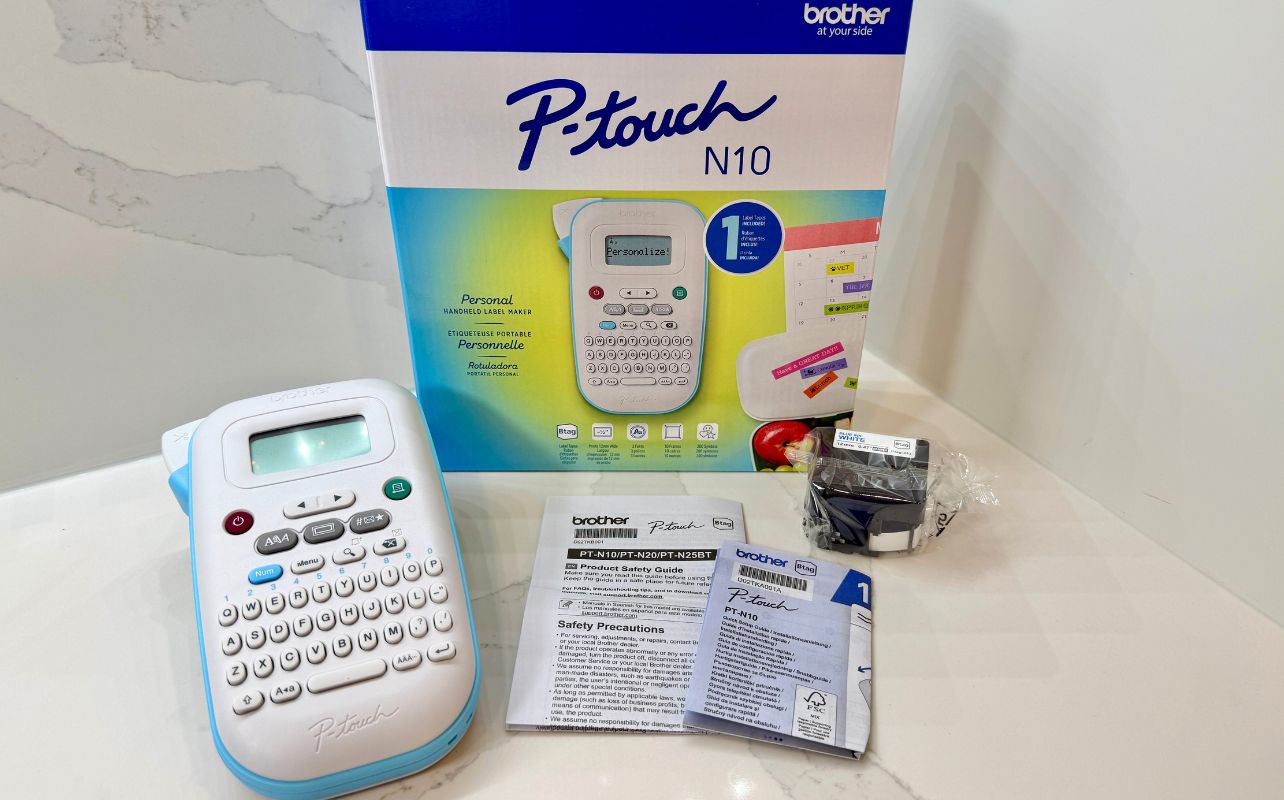
Getting the P-touch N10 up and running is nice and straightforward. Inside the box, you get the label maker itself, documentation, and a Blue on White Btag sample tape measuring 12 mm x 2 m, giving you enough tape to start experimenting right away.
Setup is similarly simple. Install the Btag tape, add six AAA batteries (not included), and you are ready to start creating labels. There is no app to download, account to create, or device to pair, which I appreciate. Its familiar QWERTY keyboard and built-in display make the entire process feel immediate: type your text, preview it, and print. It’s simple, straightforward and worked the way I needed it to.
One thing to keep in mind when unboxing: the six AAA batteries aren’t included, so have a set ready if you plan to start labelling right away.
All-in-one compact design with everything built in
The Brother P-touch N10 BTag measures 4.6 inches wide, 7.5 inches deep, and 2.8 inches high, and weighs about 1 pound without batteries. It is small enough to keep in a desk drawer, cabinet, classroom supply bin, or wherever you tend to tackle organization projects.
QWERTY keyboard layout
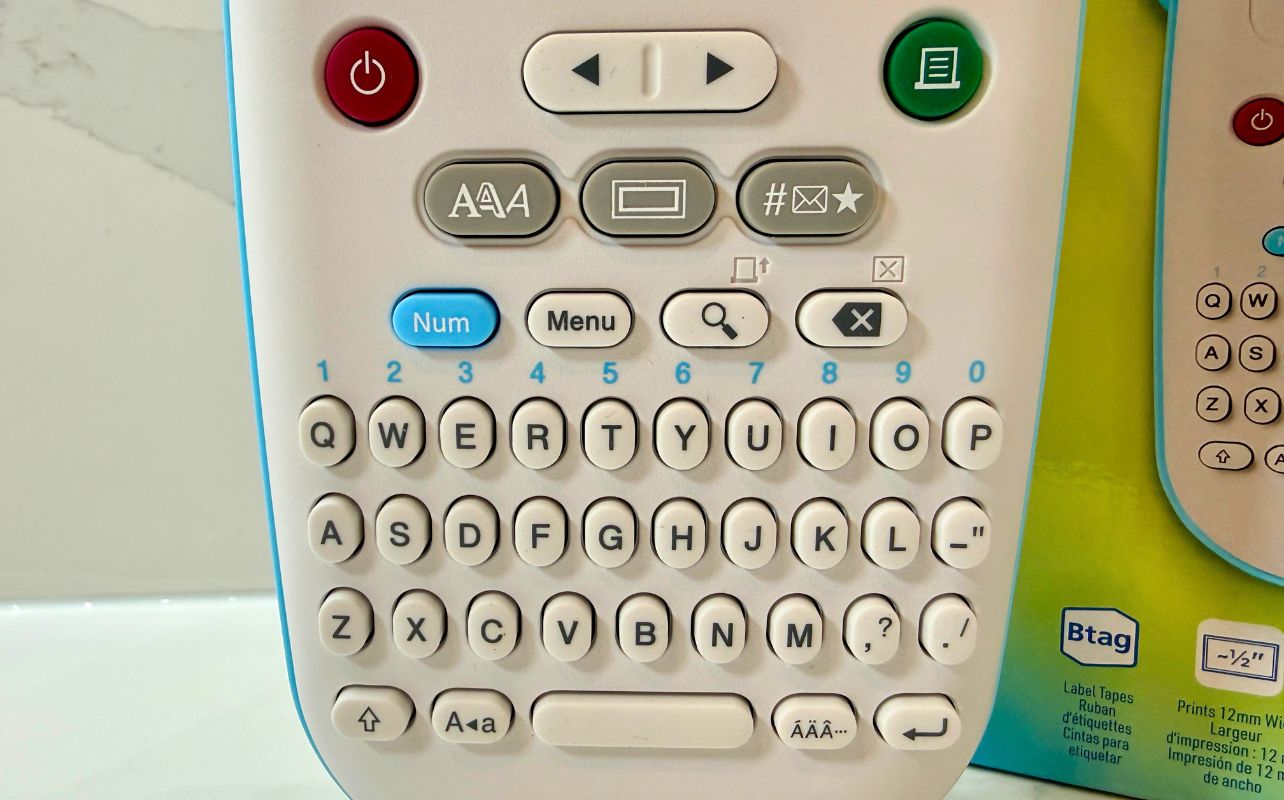
The P-touch N10’s layout feels immediately familiar thanks to its full QWERTY keyboard. Instead of scrolling through letters individually, you can type a label much like you would a short message on a traditional keyboard.
Above the keyboard is an easy-to-read 12-character display that lets you review your text before printing. I like this straightforward approach because the P-touch N10 doesn’t complicate the process with an app or wireless connection. You simply type what you need, make any adjustments, preview the label, and print. Text also comes out crisp and easy to read at 180 dpi, with print speeds up to 9 mm per second.
Battery power adds untethered portability
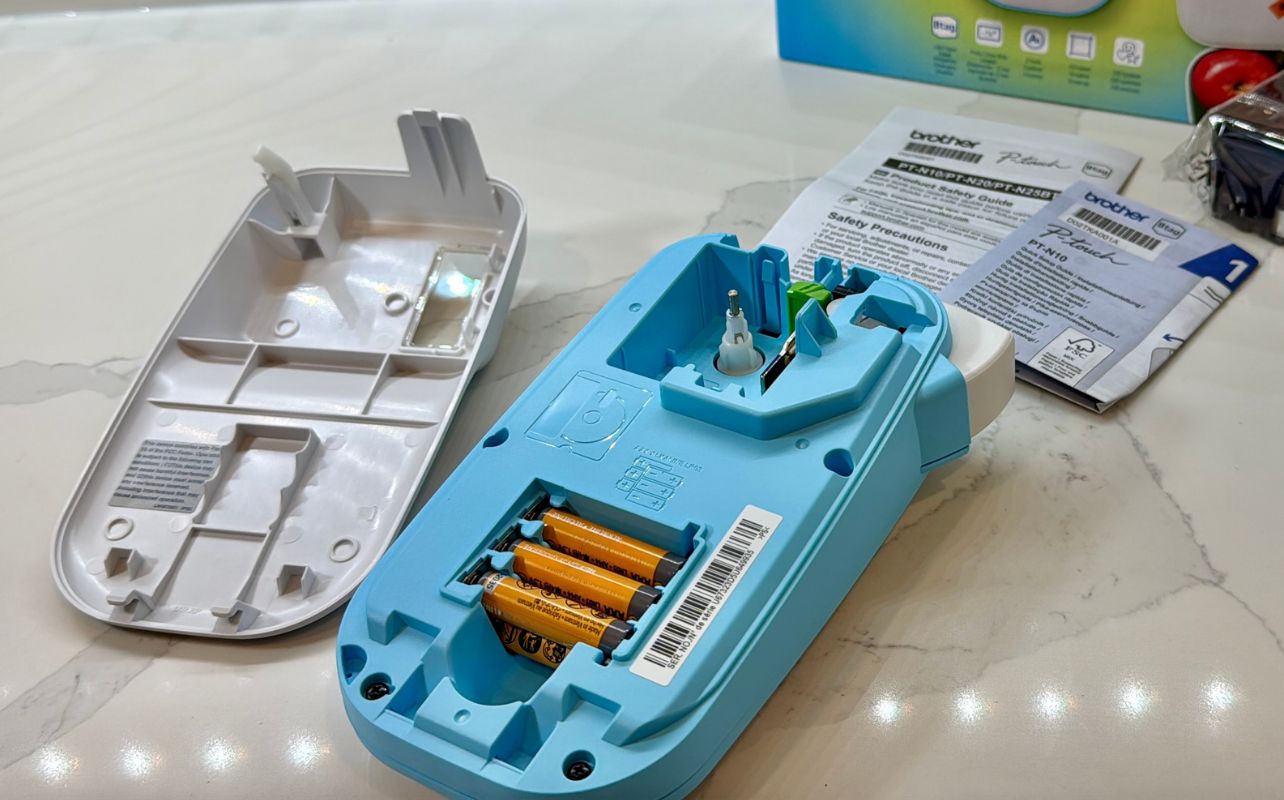
The P-touch N10 runs on six AAA alkaline batteries, giving it useful flexibility. Because it does not need to stay plugged into an outlet, you can easily carry it around the house, classroom, or workspace and create labels wherever you need them. The trade-off is that you will want to keep a spare set of batteries nearby, especially if you plan on using it frequently.
Plenty of ways to personalize your labels
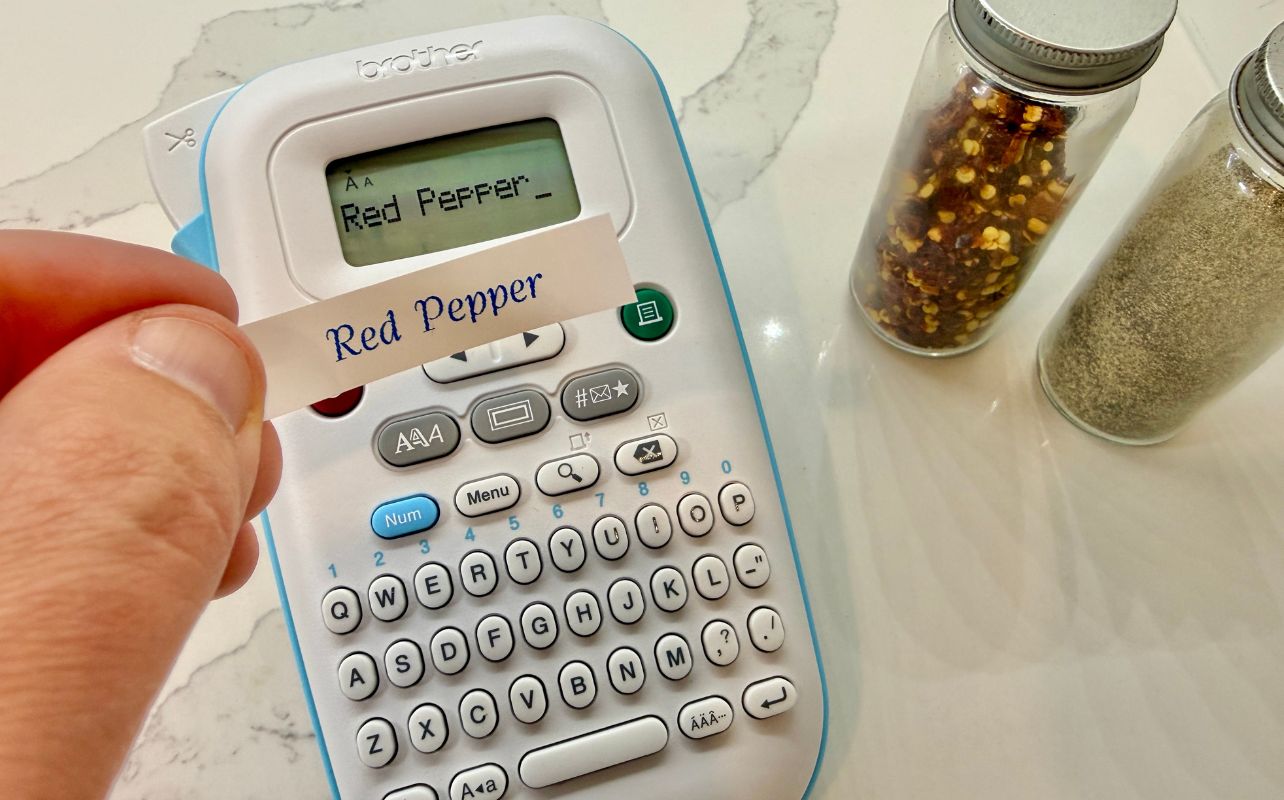
Although the P-touch N10 is designed to be simple, it still offers plenty of room for creativity.
You can choose between three fonts, six font styles, 10 frames, and 200 built-in symbols. Labels can contain up to two lines of text, with a maximum print height of 7 mm. That gives you enough flexibility to create everything from straightforward storage labels to something with a little more personality.
You can also save up to 10 of your favourite labels, which is another convenient feature. If you regularly print the same names, categories, or messages, you can store them and quickly print another copy instead of rebuilding the label each time. You can also batch print multiple copies when you need several matching labels. Once your label is finished, the built-in manual cutter gives it a clean edge.
Brother Btag tapes add colour to organization
The P-touch N10 works with Brother’s 12 mm Btag label tapes. Brother offers Btag tape (sold separately) in 17 colour combinations. You can colour-code different areas or simply add a little personality to your projects.
As someone who uses colour coding a lot to organize my home office, I particularly like the multiple colour combinations. You could give each family member a different colour, separate school supplies by subject, or use different tapes to distinguish cables, storage containers, and office supplies at a glance.
Plenty of uses around the home, classroom, and office
The real strength of a handheld label maker like the P-touch N10 is how many small jobs it can tackle.
In the kitchen, labels can help identify pantry containers, storage bins, baking ingredients, or shelves. Around the house, you could use them for toy bins, seasonal decorations, craft supplies, toolboxes, cables, chargers, and electronics.
For families, the P-touch N10 can also be handy during back-to-school season. You can clearly mark containers, pencil cases, folders, art supplies, and other belongings.
It also offers plenty of ways to organize a classroom. Teachers can label supply bins, folders, storage areas, student materials, and different learning stations. In a home office, the same device can help organize documents, filing systems, drawers, cables, and equipment.
You are not limited to practical organization either. The P-touch N10 can create personalized messages, gift tags, scrapbook labels, party decorations, or labels for homemade gifts.
Final thoughts on the Brother P-touch N10 BTag
The Brother P-touch N10 BTag label maker keeps label making simple and approachable. Its QWERTY keyboard, useful customization options, and portable battery-powered design make it easy to create labels whenever and wherever you need them.
That simplicity is one of its biggest strengths. Whether you are organizing a kitchen, tidying up a home office, or bringing some order to a cluttered storage space, the P-touch N10 makes the process quick and easy. If you are like me and enjoy keeping things neat and organized, it is the kind of practical tool you will find yourself reaching for again and again.

This content is created in collaboration with Brother. All opinions expressed are our own.