
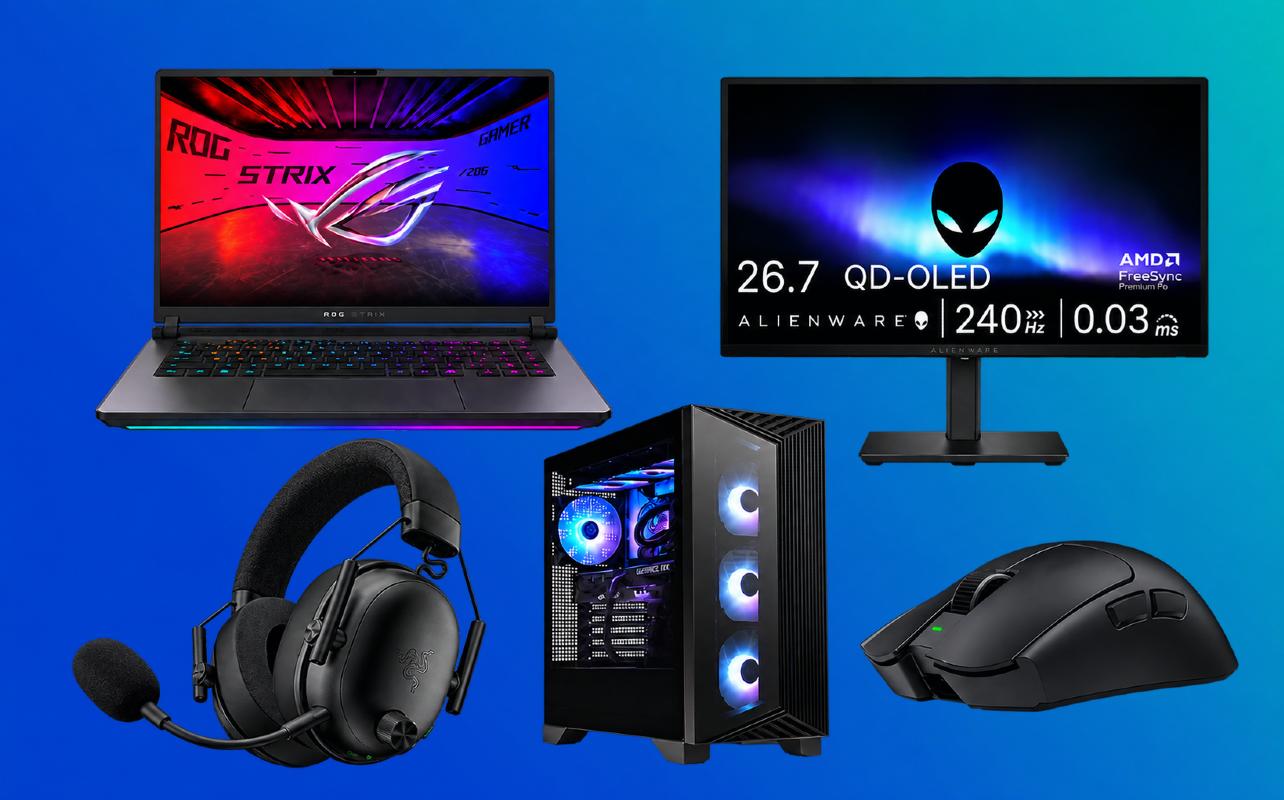
Shopping for a PC gamer can be tricky, especially if they’ve already got a computer and accessories they enjoy using. The best gifts for PC gamers don’t have to be expensive or involve replacing their whole PC. A better mouse, monitor, headset, or even a desk accessory might be exactly what they’re missing.
Start with the games they enjoy and the parts of their setup they’d most like to improve. A competitive shooter fan may want faster controls, but someone who plays story-driven adventures could get more use from a new monitor or headset. Whether you’re shopping for a longtime PC gamer or someone getting started, this guide will help you find a useful upgrade. You can explore PC gaming gear and accessories at Best Buy Canada as you narrow down your options.

What does their PC gaming setup need?
You don’t need to know everything about gaming PCs to choose a thoughtful gift. Knowing what they already own and what they’d like to change can quickly point you in the right direction. Use this table to get started.
| If they want… | Consider… |
|---|---|
| A major performance upgrade | Gaming desktop or gaming laptop |
| Better visuals | Gaming monitor |
| Better control and precision | Gaming mouse or keyboard |
| Better audio and communication | Gaming headset or microphone |
| More comfort | Gaming chair or ergonomic setup accessory |
| More storage | Compatible SSD or storage solution |
| A personalized setup | Lighting, mousepad or desk accessories |
| Streaming/creator upgrades | Microphone, webcam or lighting |
These are starting points, not a shopping checklist. A great gift fills a real gap in their setup. Someone happy with their mouse may get much more from the better display they’ve been talking about.
Best big upgrades for PC gamers
A new gaming computer is a substantial gift. It makes sense when the person you’re shopping for has outgrown their current PC, but a gaming monitor may be the more useful upgrade if their computer already plays their favourite games well.
The choice between a gaming desktop and gaming laptop comes down to where they play, what they need to carry, and whether they’ve got a permanent gaming desk.
If you’re still deciding between the two, our PC gaming buying guide goes through the differences in more detail.
MSI Aegis ZS2 gaming desktop
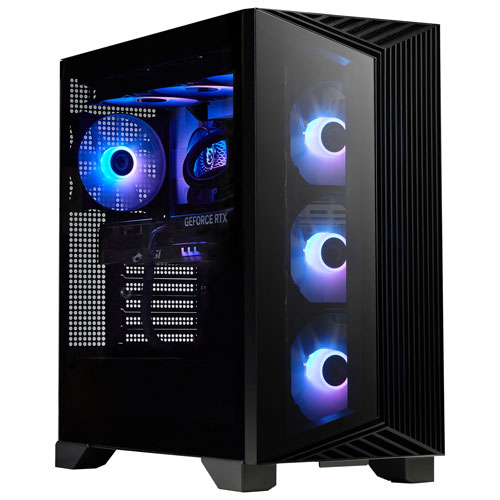
Best for: PC gamers ready to replace an ageing desktop.
If their old PC struggles with newer games, the MSI Aegis ZS2 gives them an updated computer without having to choose and assemble the parts themselves. This configuration includes an AMD Ryzen 9 9900X processor, NVIDIA GeForce RTX 5070 graphics, 32GB of RAM, and a 2TB solid-state drive (SSD). The extra storage is handy if they keep several large games installed.
They can also keep using a monitor they already like. A keyboard and mouse come in the box, so they can use those to get started or keep their existing favourites.
A monitor isn’t included. It’s a substantial tower, so desk space and monitor connectivity are worth considering. For a gift this substantial, it’s also worth finding out whether they’d prefer choosing their own PC parts.
If they’re thinking about building a PC instead, our PC components buying guide covers the parts they’ll need and what to check for compatibility.
ASUS ROG Strix G16 gaming laptop
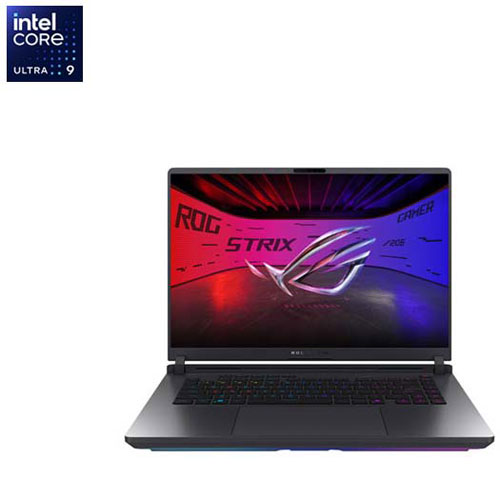
Best for: Someone who wants PC gaming they can take beyond their desk.
Maybe they game in different rooms, visit friends, or need one computer for both gaming and school. That’s where the ASUS ROG Strix G16 has an advantage over a desktop. The 2026 configuration combines an Intel Core Ultra 9 processor and RTX 5070 graphics with a 16-inch high-refresh-rate display.
That high refresh rate can be especially useful for fast-paced games, provided the laptop can deliver enough frames to take advantage of it. The display can reach 300Hz, although it’ll run at 240Hz in its standard graphics modes. To get the full 300Hz, they’ll need to switch to Ultimate GPU mode in ASUS Armoury Crate.
A gaming laptop also needs room for ventilation and an outlet nearby for demanding games. Its 16-inch size makes portability another consideration, especially if they plan to carry it between school, work, and gaming spaces.
If you’re comparing different sizes and specifications, our gaming laptop guide can help you narrow down the options.
Alienware AW2726DM gaming monitor
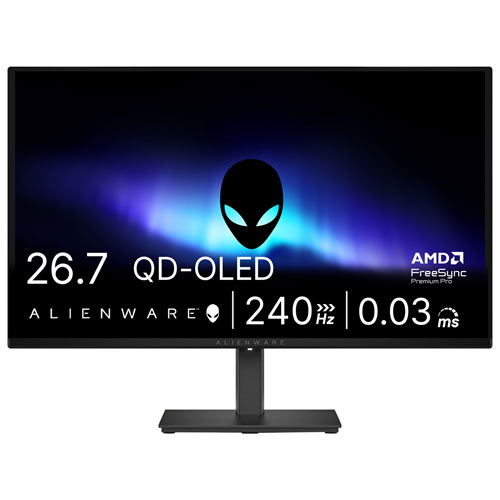
Best for: Someone with a capable PC who’s still using an older display.
You don’t have to replace a gaming computer to change what playing on it looks like. The Alienware AW2726DM combines a 27-inch QD-OLED screen, 1440p resolution, and a 240Hz refresh rate. The OLED panel delivers deep blacks and strong contrast, which can bring out more detail in dark scenes. Its 240Hz refresh rate also helps make fast action look smoother.
For someone who also enjoys competitive games, that fast refresh rate is another reason to consider it.
If they want the full 240Hz refresh rate, they’ll need to connect the monitor through DisplayPort. HDMI tops out at 120Hz at 1440p, so it’s worth checking which connections their PC has. Getting the most from a 240Hz display also depends on having a graphics card capable of delivering high frame rates in the games they play. As with other OLED displays, usage habits and screen-care features are worth considering.
For more on panel types, refresh rates, and resolution, see our gaming monitor buying guide.
Best gifts for competitive PC gamers
If the person you’re shopping for plays Counter-Strike 2, Valorant, or other competitive games, their mouse and keyboard preferences may be quite specific. Equipment that responds the way they want can be more useful than a decorative upgrade.
A high-refresh-rate monitor and a good headset can help too, but when it comes to controls, personal preference matters even more. Here are a few options for gamers who care about speed, precision, and customization.
Our mice and keyboards buying guide also covers connections and layout choices if you’re unsure what they’d prefer.
Razer Viper V4 Pro gaming mouse
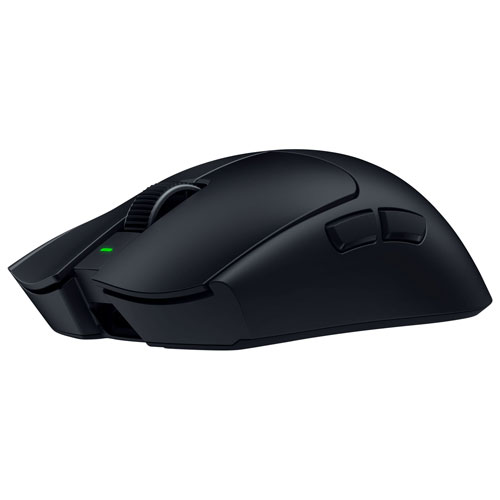
Best for: Competitive shooter fans who prefer a lightweight mouse.
Someone who aims with quick wrist and arm movements may appreciate the Razer Viper V4 Pro. It’s a wireless mouse that weighs around 49 g and is built for quick movements and customizable performance settings. Its lighter weight is especially useful for players who make quick aiming adjustments, particularly with lower mouse sensitivity.
But mouse shape and grip are personal, and MMO players might want more programmable buttons.
The Viper V4 Pro uses its wireless receiver or a wired connection rather than Bluetooth. Mouse shape and grip are highly personal, so this is one gift where knowing their preferences can make a real difference.
SteelSeries Apex Pro Gen 3 gaming keyboard
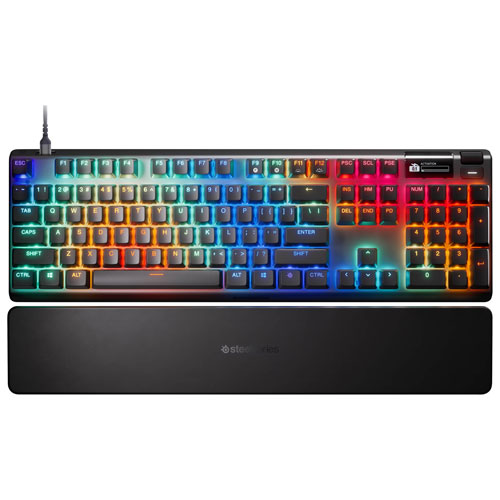
Best for: Gamers who like adjusting how their keyboard responds.
The SteelSeries Apex Pro Gen 3 lets players change how far a key needs to be pressed before the keyboard registers it. That can be useful if they want quick movement controls in a game but a different response for everyday typing.
Its magnetic switches and SteelSeries software offer considerable customization, but those options will matter most to someone who enjoys fine-tuning their gear. Those customization options will appeal most to someone who enjoys fine-tuning their gear.
As a full-size keyboard, it takes up more desk space than compact gaming models, which some competitive players prefer for the extra mouse room.
Turtle Beach Victrix Pro BFG Reloaded controller
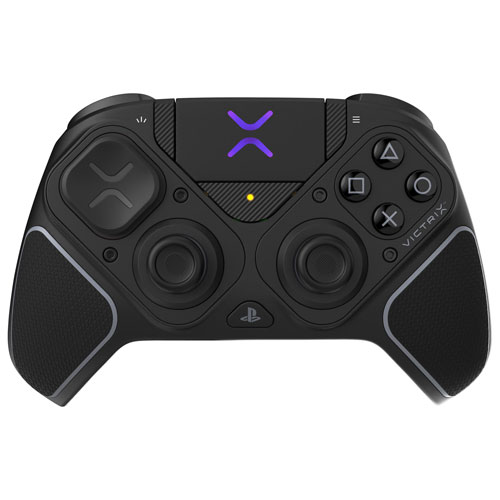
Best for: Fighting-game fans who want more ways to arrange their controls.
Not every PC game plays best with a mouse and keyboard. If your gift is for someone who loves Street Fighter 6 or Tekken 8, the Turtle Beach Victrix Pro BFG Reloaded is an interesting alternative to a conventional controller.
Its interchangeable modules include a six-button Fightpad arrangement. Players can also customize the buttons for the games they play. Those extras matter most to someone who plays fighting games regularly rather than just occasionally.
This version includes the six-button Fightpad and works with Windows PCs, making it a good option for fighting-game fans. Features can vary by edition, so check that you’re choosing the right model for their PC setup and confirm how they plan to connect their headset. It’s also worth making sure they prefer playing with a controller before buying.
Best gifts for a more comfortable setup
A comfortable gaming space isn’t only about the chair. The height of the desk, the room available for a mouse, and where everything sits can affect how comfortable it is to play for hours.
That makes comfort-related gifts easier to choose when you know what their desk setup looks like and what currently bothers them about it.
If you’re not sure where to start, our guide to setting up a comfortable workspace covers monitor placement and other desk adjustments.
Razer Iskur V2 NewGen gaming chair
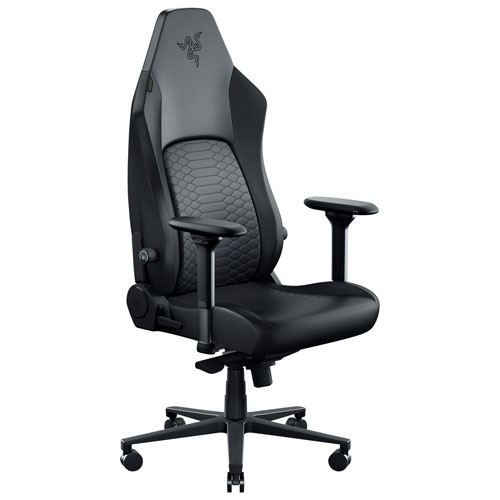
Best for: Someone who needs a more adjustable chair at their gaming desk.
An old chair can be an everyday annoyance, especially if someone games, works, and studies in the same place. The Razer Iskur V2 NewGen offers adjustable lumbar support, recline, and other seating controls, giving them more control over their sitting position.
It can be useful well beyond gaming, but fit is more important than a gaming-branded design. If you’re considering a chair, check its dimensions and recommended user size against the person you’re shopping for. Their height, desk dimensions, and preferred seating position are all worth considering before you buy.
A well-fitted office chair might be the better option for someone whose needs differ from this model’s size and adjustments.
ASUS ROG Sheath II XXL gaming mousepad
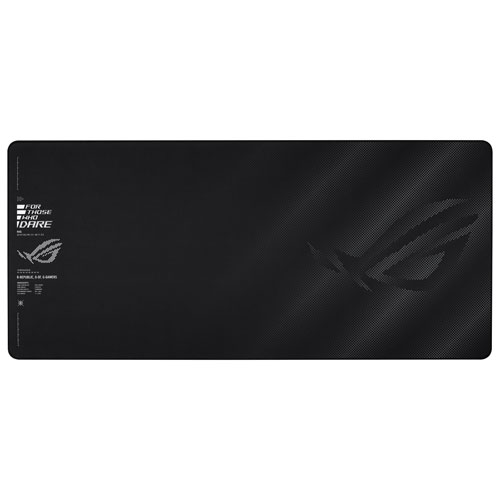
Best for: Gamers who need more mouse room on their desk.
An extended mousepad can be particularly helpful when someone uses lower mouse sensitivity and makes larger movements to aim. The ASUS ROG Sheath II XXL covers about 900 × 400 mm, creating space for both a keyboard and mouse on the same surface.
It’s a straightforward upgrade that doesn’t require new software or replacing equipment that already works. The larger surface can also help protect the desk from everyday wear.
If RGB lighting matters more than maximum desk coverage, the Razer Firefly V2 Pro further down offers a more colourful alternative. If RGB lighting matters more to them than desk coverage, the Razer Firefly V2 Pro further down is another option.
Best audio gifts for PC gamers
A gaming headset and a dedicated microphone solve different problems. A headset lets someone hear the game and talk with friends using one device. A standalone microphone is more useful when they want greater control over their recorded voice for streams, videos, or commentary.
Their current audio setup is a good starting point. If their headphones are excellent but their voice sounds muffled in recordings, another headset probably isn’t the best gift.
Razer BlackShark V3 wireless gaming headset
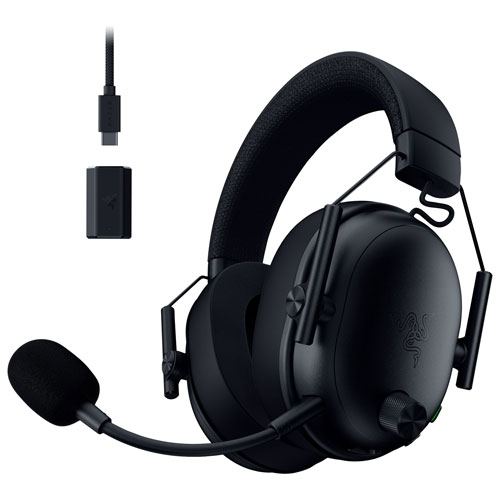
Best for: Gamers who regularly chat with friends or teammates during games.
A good headset brings game audio and voice chat together, which is especially convenient in multiplayer games. The PC version of the Razer BlackShark V3 offers a wireless connection for gaming, a microphone, and additional wired and Bluetooth connection options.
It’s an upgrade to consider if the person you’re shopping for has an ageing headset, wants to lose the cable, or needs one device for both listening and talking. Over-ear comfort is personal, so their preferred headset style is worth keeping in mind. Their PC will also need a free port for the wireless receiver.
Some advanced audio options rely on compatible Windows software, so it’s worth checking their computer before buying. If they mostly record videos, a dedicated microphone may do more for their voice quality.
HyperX QuadCast 2 USB microphone
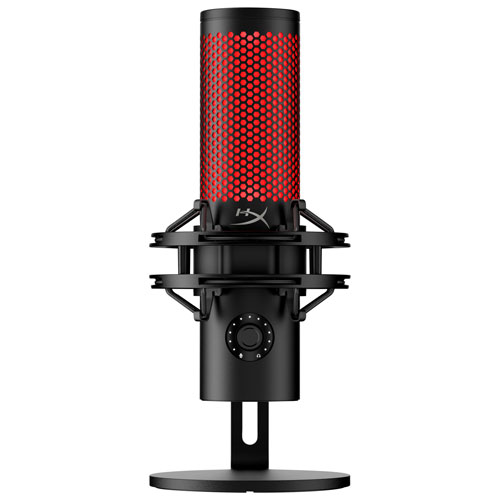
Best for: Gamers who record commentary, stream, or want a separate microphone for talking online.
The HyperX QuadCast 2 is a useful gift if someone already owns headphones they’re happy with but wants better control over how their voice is recorded. It connects over USB and offers four selectable recording patterns for different recording arrangements.
Controls on the microphone itself, along with a headphone jack for monitoring, let them hear what the microphone is capturing. That makes it easier to adjust their speaking position without constantly opening software menus.
Placement matters with any desktop microphone, since nearby keyboard sounds and conversations can make their way into recordings. The QuadCast 2 also needs some room beside the monitor and works best as part of a setup that already includes headphones.
Best gifts for streamers and creators
For someone who streams or makes gaming videos, the next useful upgrade might be their webcam or lighting rather than the computer they play on. A good microphone or headset matters as well, but you don’t need to buy everything at once.
For a streamer who’s already happy with their audio setup, the next upgrade could be what viewers see on camera. Capture cards and programmable controls can also be useful, but they require a closer look at the streamer’s existing hardware and software.
If they’re putting together their first streaming setup, our PC gaming streaming setup guide covers the other equipment they’ll need.
Elgato Facecam MK.2 webcam
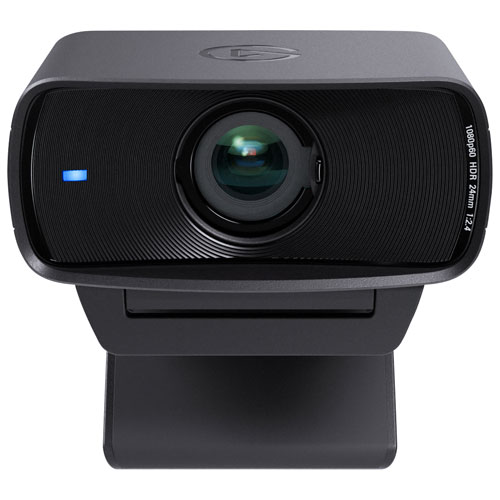
Best for: Streamers who want a dedicated camera for their facecam footage.
If viewers can see the person playing, camera quality becomes part of the stream. The Elgato Facecam MK.2 captures 1080p video at up to 60 frames per second, and Elgato’s Camera Hub software lets them adjust their picture instead of relying only on automatic camera settings.
The Facecam MK.2 doesn’t have a built-in microphone. They’ll need a headset or separate microphone, which is why it works well as an addition to equipment they already own.
For the best video quality, they’ll want to connect the Facecam MK.2 directly to a USB 3.0 port, which supports uncompressed 1080p footage at 60 frames per second. Elgato currently specifies Windows 10 (64-bit) or later, while Camera Hub 2.0 and newer requires macOS 13.3 or later.
Elgato Key Light Neo
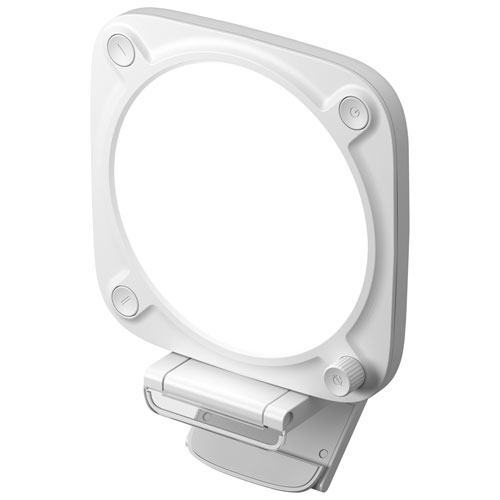
Best for: Streamers who need better lighting in front of their webcam.
Have you ever seen a stream where the camera looks dark because the brightest light is behind the person playing? A dedicated light can help with that. The Elgato Key Light Neo provides adjustable light in a compact design that sits near a monitor, making it useful for a desk without room for large studio lights.
It’s an especially sensible gift when the person already has a decent webcam but struggles with dim or uneven room lighting. Better lighting can improve how they look on camera without requiring a webcam upgrade.
The Key Light Neo works through USB, but reaching its maximum brightness requires a compatible 5 V/3 A external power supply, which isn’t included.
Best gifts for personalizing a setup
Some PC gamers have already chosen the computer, monitor, and controls they want. If that’s the case, a gift that changes how their desk or gaming room looks could be a better idea than replacing equipment they’re happy with.
Lighting and coordinated accessories can add personality without changing how their favourite games play.
Philips Hue Solo 3m light strip
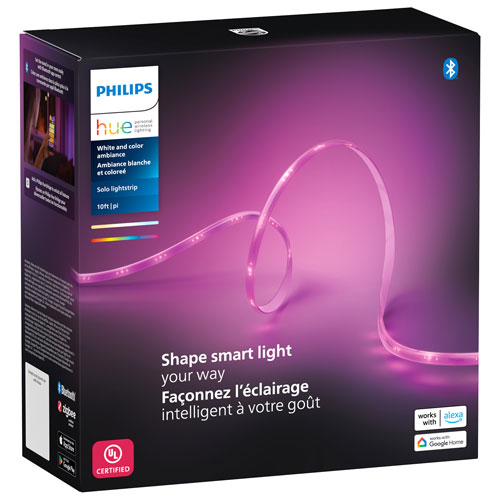
Best for: Gamers who want to add colour around their desk or gaming room.
The Philips Hue Solo light strip can add ambient light behind furniture, along a shelf, or around another spot in the room. It’s a way to personalize the space without having to change any PC components.
The 3m strip can be cut to a shorter length, but it can’t be extended with another section. Since the strip can be shortened but not extended, its 3 m length is an important consideration for anyone hoping to run it across the full width of a desk or another large area.
Basic phone control works over Bluetooth, so they don’t need a Hue Bridge just to change the lights. A Hue Bridge unlocks additional smart-lighting features and integrations, making it especially useful for someone who already has one in their setup.
Razer Firefly V2 Pro RGB gaming mouse mat
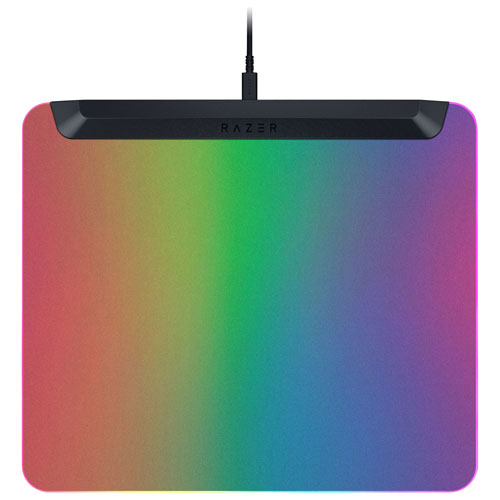
Best for: Gamers who enjoy colourful, coordinated lighting on their desk.
The Razer Firefly V2 Pro takes a different approach from a strip along the wall. Its hard mouse surface lights up, with customizable RGB zones that can match other compatible Razer accessories.
That makes it a more specific gift than a standard cloth mousepad. Someone who has put effort into matching the colours of their keyboard and mouse may appreciate having the mouse mat become part of that look.
The surface itself is an important consideration. Not everyone likes the way a mouse moves across a hard mat, and it needs USB power. Gamers who prefer a large cloth surface for sweeping mouse movements may be better served by the ASUS mat earlier in the guide.
Smaller PC gaming gifts
A smaller gift can still be useful, especially when you’re not sure which graphics card or monitor someone owns. Everyday desk accessories are often easier to buy because they don’t depend on the exact PC model.
These two options focus on keeping a desk more comfortable and organized without asking someone to replace major equipment.
HyperX Cool Gel memory foam wrist rest
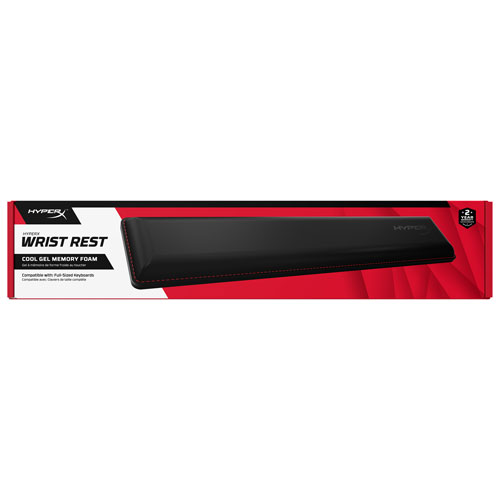
Best for: Gamers with a full-size keyboard who want a padded place to rest their wrists between typing or gaming.
The HyperX Cool Gel wrist rest is a simple accessory with memory foam cushioning and a gel layer. There are no settings to adjust, cables to connect, or batteries to manage. It’s the kind of gift someone can add to a desk right away.
Size is the main consideration. At about 457 mm across, this version is designed for a full-size keyboard, while compact keyboards may pair better with a shorter wrist rest.
Corsair ST100 RGB Premium Headset Stand
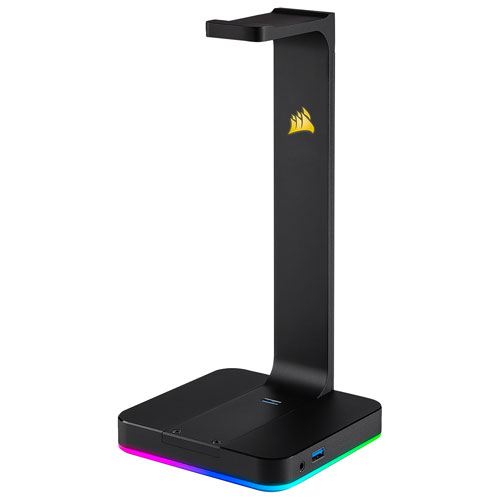
Best for: Gamers who want to give their headset a proper place on the desk.
If someone’s headset is always lying beside the keyboard, the Corsair ST100 provides a dedicated place to keep it between games. It also adds customizable RGB lighting, two USB 3.1 ports, and a 3.5 mm audio connection.
Those connections make it more useful than a basic headset holder for someone who wants easier access to USB devices. Corsair’s iCUE software can control the lighting and compatible audio features, but the stand still needs to connect to the computer.
Don’t assume it’ll charge every wireless headset simply because there’s a place to hang one. The extra connectivity will be most useful for a setup that can take advantage of those USB and audio ports.
Before you buy
A little homework can prevent a gift from turning into a return, especially with PC gaming gear where compatibility and personal preference can matter. You don’t need to learn everything about their setup, but these six details are worth knowing before you order.
- Desktop or laptop: Where do they normally play? A desktop usually has a permanent desk, but a laptop may be used in several places. That affects available ports and room for accessories.
- Current monitor and accessories: What do they already have? Find out whether their keyboard, mouse, headset, and display meet their needs before replacing anything.
- Games they enjoy: Competitive shooters can benefit from responsive controls and high-refresh-rate displays. Someone who mainly plays single-player adventures may care more about image quality, audio, or comfort. Casual players may not need specialized competitive accessories.
- Streaming and content creation: Do they record videos or stream with a webcam? Check which microphone, camera, lights, and recording controls they already own.
- What actually needs improving: More performance isn’t always the answer. If they’re regularly deleting games to make room, a compatible solid-state drive (SSD) or external storage option could be a more useful gift. Internal upgrades require the correct drive format, slot, clearance, and computer compatibility. External storage also needs the right connection, and not every drive is ideal for running games directly. For more help matching a drive to the computer, see our SSD compatibility guide.
- Ports, software, and extras: Check USB and display connections, supported operating systems, required applications, wireless receivers, power adapters, and any other equipment needed for the gift to work.
If you’re unsure about a computer’s specifications, try to find out before ordering a major upgrade. Otherwise, choose an accessory with fewer compatibility requirements rather than guessing.
Find the right PC gaming gift at Best Buy Canada
The best gift is something they’ll actually use with the games they enjoy. Someone using an ageing display may get more enjoyment from a monitor than a new keyboard. Another gamer might appreciate a better headset, a chair that fits their desk, or a small accessory that makes daily use more comfortable.
Once you’ve worked out what they’d appreciate, explore PC gaming computers, accessories, and upgrades at Best Buy Canada to find the right gift.