
How much RAM do I really need? What’s the difference between a CPU and a GPU? What is an NPU? These are just some of the questions that can leave people shopping for laptops scratching their heads. Laptop specifications might seem complex, but understanding them is key to finding the device that suits your needs.
From speed to storage capacity, computer specifications determine how well a laptop can perform. This article breaks down the most important laptop specifications and explains how they affect real-world performance.


At a glance: Key laptop specifications
Laptops are made up of many technical components that work together to deliver performance and functionality. Key specs include:
- Processor or Central Processing Unit (CPU): The CPU is responsible for executing instructions, performing calculations, and running applications efficiently.
- Neural Processing Unit (NPU): A dedicated AI processor, the NPU is designed to accelerate AI-powered tasks while using less power than the CPU or GPU. AI PCs use the CPU, GPU, and NPU together to deliver faster AI performance and improved battery life.
- Random Access Memory (RAM): This short-term memory enables the laptop to manage multiple tasks at once, ensuring smooth and responsive performance.
- Storage: It’s the space where all your files, software, and the operating system are permanently saved, influencing speed and capacity for data access.
- Graphics card or Graphics Processing Unit (GPU): The GPU processes and displays visuals, including images, videos, and complex 3D graphics.
- Display: It determines the laptop’s visual output, encompassing screen size, resolution, and panel quality for clarity and viewing comfort.
- Battery life: This indicates the duration the laptop can operate on a single charge. Battery life depends on usage, hardware efficiency, and power settings.
- Ports and connectivity: These physical and wireless interfaces, such as USB, HDMI, Wi-Fi, and Bluetooth, allow you to connect devices and peripherals seamlessly.
Laptop specs to consider before buying
We break down these key specifications so you can better understand how each contributes to your overall user experience.
1. Neural Processing Unit (NPU)
One of the biggest changes in laptops is the addition of a Neural Processing Unit (NPU). An NPU is a specialized processor designed to handle artificial intelligence workloads efficiently. Supported AI workloads can be offloaded to the NPU, reducing power consumption while allowing the CPU and GPU to handle other demanding tasks.
An NPU can accelerate features such as:
- AI-assisted photo and video editing: AI can automatically remove unwanted objects, enhance image quality, generate backgrounds, improve lighting, or speed up tasks like masking and video editing, allowing creators to spend less time on repetitive work.
- Live captions and real-time language translation: Whether you’re attending an online class, participating in an international meeting, or watching a video in another language, AI can generate captions and translate conversations in real time for improved accessibility and communication.
- AI writing and productivity tools: AI can help summarize documents, organize notes, draft emails, generate ideas, and answer questions, making it easier to stay productive at school or work.
While not every application currently uses an NPU, AI-powered software continues to evolve rapidly. Choosing a laptop with a modern NPU can help future-proof your purchase as more productivity, creative, and communication apps adopt on-device AI features.
2. Processor (CPU)
The processor or CPU acts as the brain of your laptop. It executes instructions and runs programs. For the best performance and longevity, look for the latest processors when buying a laptop.
- Intel processors: They’re known for reliability and broad compatibility. The latest Core and Core Ultra Series 3 processors offer improved performance, battery efficiency, and built-in AI acceleration through dedicated NPUs. They are available across everything from thin-and-light everyday laptops to powerful gaming and creator systems.
- AMD processors: AMD’s latest Ryzen AI processors—including Ryzen AI 300 and newer Ryzen AI 400 Series models—deliver excellent multi-core performance, integrated AI capabilities, and strong graphics performance. They’re well suited for productivity, content creation, and gaming.
- Apple M5 family chips: Built into the latest MacBook Air (M5) and MacBook Pro models (M5, M5 Pro, and M5 Max), they combine impressive performance, excellent battery life, and powerful AI capabilities through Apple’s unified memory architecture and Neural Engine.
- Qualcomm Snapdragon X Series processors: Designed for AI PCs, Snapdragon X processors offer exceptional battery life, always-connected capabilities, and dedicated NPUs that accelerate AI features while maintaining excellent everyday performance.
Core count and clock speed
Cores and clock speed are still useful indicators of processor performance. But they shouldn’t be the only factors you consider. Generally, more CPU cores allow your laptop to handle multitasking and demanding workloads more efficiently, while higher clock speeds help individual tasks run faster.
However, newer processor architectures, built-in AI acceleration, graphics performance, and power efficiency often have a greater impact on real-world performance than clock speed alone. As a result, a current-generation processor can outperform an older chip even if both have a similar number of cores or maximum clock speed.
3. RAM
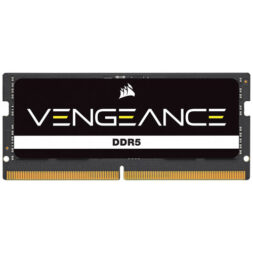
RAM impacts how many tasks your laptop can handle simultaneously. How much RAM do you need? While 8GB of RAM is still suitable for basic tasks like web browsing, email, and document editing, 16GB has become the recommended amount for most people buying a new laptop today. It provides a smoother experience when multitasking, running modern applications, and using AI-powered features.
Gamers, content creators, programmers, and professionals working with large files or AI-assisted software should consider 32GB or more for the best long-term performance.
You’ll also see terms like DDR5 and LPDDR5X when comparing laptop specifications. These newer memory technologies provide faster performance and improved power efficiency than previous generations, helping applications load faster while extending battery life.
4. Storage: SSD vs. HDD
Storage determines where your files and programs are saved. While laptops can still use different types of storage, nearly all consumer laptops now come equipped with a Solid-State Drive (SSD), which offers significantly faster performance than traditional hard drives.
Solid-State Drive (SSD)
SSDs dramatically reduce boot times, application loading, and file transfers while consuming less power than traditional hard drives. A 256GB SSD remains the minimum storage capacity for entry-level laptops. But 512GB is now recommended for most users. Gamers and creatives should consider 1TB or more to accommodate large games, media libraries, and professional software.
Many modern laptops also use high-speed PCIe NVMe SSDs, which deliver substantially faster performance than older SATA SSDs. Faster SSDs can improve everything from boot times to transferring large files and loading demanding creative applications.
Hard Disk Drive
Hard Disk Drives (HDDs) offer large storage capacities at a lower cost but are significantly slower, noisier, and more susceptible to physical damage than SSDs. Today, HDDs are primarily used as external storage devices or in desktop computers rather than modern laptops.
Unlike a few years ago, laptops with both an internal SSD and HDD are now uncommon. If you’re shopping for a new laptop, prioritize SSDs for overall system performance. If you need additional storage later, an external SSD or hard drive is an easy and affordable upgrade.
5. Graphics Card (GPU)
The GPU is responsible for rendering and displaying images, videos, and 3D graphics on your laptop’s screen. In addition to rendering graphics, the latest GPUs also accelerate AI workloads, creative applications, video editing, and 3D rendering. Choosing the right GPU is important not only for gaming but also for content creation, engineering, and AI-assisted workflows. Here are the types of GPUs:
Integrated GPUs
They’re built directly into the processor and share system memory. Thanks to major improvements in recent Intel, AMD, Apple, and Qualcomm processors, today’s integrated graphics can comfortably handle web browsing, streaming, office work, photo editing, and even light gaming without requiring a dedicated graphics card.
Dedicated GPUs
Dedicated GPUs include their own high-speed video memory (VRAM) and deliver substantially higher graphics performance than integrated solutions. They are recommended for gaming, video editing, 3D modelling, AI development, engineering, animation, and other graphics-intensive workloads.
Many mid-range and premium laptops combine integrated and dedicated graphics. Intelligent switching technologies automatically use the integrated GPU for everyday tasks to conserve battery life, then switch to the dedicated GPU when running games, creative software, or AI-intensive applications. This provides an excellent balance between performance and power efficiency.
If you plan to use applications such as Adobe Photoshop, Premiere Pro, DaVinci Resolve, Blender, or modern AI image generation tools, investing in a laptop with a dedicated GPU can significantly improve performance and reduce rendering times.
6. Display
The display shapes your overall viewing experience. Here are a few things to consider:
- Display type: IPS displays offer accurate colours and wide viewing angles for everyday use. OLED, on the other hand, delivers vibrant colours and deep blacks for movies, gaming, and creative work, while mini-LED provides higher brightness and excellent HDR performance on some premium laptops.
- Resolution: Full HD (1920 × 1080) offers the best balance of sharpness, performance, and battery life for most users. Higher resolutions such as 2.8K, 3K, and 4K provide greater detail for creative work and entertainment but can reduce battery life.
- Refresh rate: Measured in hertz (Hz), refresh rate affects how smooth motion appears on screen. A 60Hz display is suitable for everyday use. 120Hz delivers smoother scrolling and responsiveness, while 144Hz to 240Hz is ideal for gaming.
- Screen size: Smaller 13- to 14-inch laptops prioritize portability, 15- to 16-inch models offer a balance between workspace and mobility, and 17-inch or larger displays are best for gaming, content creation, and multitasking.
- Touchscreen display: A touchscreen makes navigation more intuitive and is especially useful on 2-in-1 laptops for note-taking, sketching, and creative work with a stylus, though it may add a little weight and slightly reduce battery life.
7. Battery Life
Battery life shows how long a laptop can operate on a single charge, which is crucial for users who frequently work on the go. Here are some factors to keep in mind when evaluating a laptop’s battery:
- Usage factors: Battery performance varies depending on how the laptop is used. Intensive tasks like gaming or video editing will drain the battery faster than casual activities such as web browsing or document editing.
- Influencing features: Screen brightness, display resolution, processor efficiency, graphics usage, and background applications all affect battery life. Newer processors with built-in AI engines (NPUs) can improve efficiency by handling supported AI tasks using less power than the CPU or GPU.
- Power management: Look for laptops that support fast charging and intelligent power management. Some laptops today can recharge to around 50% in about 30 minutes, making them more convenient for busy users. While battery life varies by workload, a laptop capable of lasting 10 hours or more under typical everyday use is now a good benchmark for students and professionals who work away from a power outlet. Premium ultraportable laptops can often last significantly longer.
8. Ports and connectivity
Ports and connectivity options play a significant role in how versatile and compatible your laptop is with other devices.
- USB-C has become the standard port on most laptops now, supporting charging, high-speed data transfer, and external displays through a single cable.
- HDMI ports are crucial for connecting your laptop to larger screens, such as monitors or projectors. They are useful for presentations or media viewing.
- For wireless connectivity, look for Wi-Fi 7 or Wi-Fi 6E support for faster speeds, lower latency, and improved performance on compatible networks. Bluetooth 5.4 or newer offers more reliable connections for wireless headphones, keyboards, mice, and other accessories.
- Depending on your needs, you may also want to check for features such as an SD or microSD card reader, Ethernet port, headphone jack, or support for multiple external monitors.
What to look for when buying a laptop
Whether you’re using your laptop for everyday tasks, gaming, work, or creative pursuits, understanding the specs that matter most will help you select the best device for your needs. Rather than buying the most powerful laptop available, focus on the specifications that best match how you plan to use it. Here’s a breakdown of what to look for based on different usage scenarios:

Everyday use
For daily activities such as web browsing, checking emails, and streaming videos, a laptop with moderate specs will deliver a smooth experience. Look for the following:
- Processor: An Intel Core 5 or Core Ultra 5 Series 3 processor, AMD Ryzen AI 5 (400 Series), Qualcomm Snapdragon X processor, or Apple M5 chip offers excellent performance, energy efficiency, and AI capabilities for everyday computing.
- RAM: 16GB RAM is recommended for most buyers, providing smoother multitasking and better long-term performance. While 8GB is still suitable for basic computing, 16GB offers more headroom for modern applications and AI-powered features.
- Storage: A 512GB SSD provides a good balance of speed and storage capacity for documents, photos, applications, and media. Entry-level laptops with 256GB SSDs remain available, but many users will appreciate the additional space offered by a larger storage.
Gaming
Gaming is resource-intensive, requiring a laptop with powerful specifications to handle complex graphics and real-time processing. Make sure the laptop has the right specs to provide you with an optimal gaming experience.

- Processor: Choose a high-performance processor such as an Intel Core Ultra 7 or Core Ultra 9 Series 3 processor, or an AMD Ryzen AI 7 or Ryzen AI 9 (400 Series) processor. These CPUs deliver excellent gaming performance while supporting modern AI-enhanced gaming features and background tasks.
- Graphics card: A dedicated GPU remains the most important component in a gaming laptop. NVIDIA GeForce RTX 50 Series Laptop GPUs and the latest AMD Radeon laptop GPUs provide the graphics performance needed for modern AAA games, ray tracing, AI-enhanced graphics, and high refresh rate gaming.
- RAM: 16GB RAM is the minimum recommendation for gaming, while 32GB provides additional headroom for streaming, multitasking, content creation, and future game releases.
- Storage: A 1TB NVMe SSD is recommended for gaming laptops, as modern games can easily exceed 100GB each. Fast PCIe NVMe SSDs also reduce loading times and improve overall responsiveness.
- Display: For the best gaming experience, consider a display with at least a 120Hz refresh rate. Competitive gamers may prefer 144Hz, 165Hz, or even 240Hz displays for smoother gameplay and reduced motion blur.
Work or business
For productivity tasks, such as working with spreadsheets, video conferencing, or multitasking between applications, focus on:
- Processor: An Intel Core Ultra 5 or Core Ultra 7 Series 3 processor, AMD Ryzen AI 5 or Ryzen AI 7 (400 Series), Qualcomm Snapdragon X processor, or Apple M5 chip provides excellent performance for business applications while improving battery efficiency and supporting AI-powered productivity features.
- RAM: 16GB RAM is recommended to ensure smooth multitasking between productivity apps, web browsers, video conferencing software, and AI-powered tools.
- Storage: An SSD gives you quick access to files and fast boot times. A 512GB SSD is recommended for most professionals, while users working with large files may benefit from 1TB or more.
- Battery life: Long-lasting battery performance ensures uninterrupted work sessions during travel or meetings. Look for laptops that offer at least 10 hours of typical battery life and support fast charging for added convenience.
- AI features: Many business laptops today include AI-powered features such as live captions, meeting transcription, webcam enhancements, noise reduction, and writing assistants. If you frequently collaborate online, an AI PC with a dedicated NPU can improve both productivity and battery efficiency.
Creative tasks
Creative professionals need high-powered laptops for resource-intensive software used in photo editing, video production, or 3D modelling. Key specifications include:
- Processor: A high-performance Intel Core Ultra 9 Series 3 processor, AMD Ryzen AI 9 (400 Series), or Apple M5 Pro or M5 Max chip provides the processing power needed for demanding creative workflows.
- Graphics card: Choose a dedicated GPU if you regularly work with Adobe Photoshop, Premiere Pro, DaVinci Resolve, Blender, CAD software, AI image generation tools, or 3D rendering applications. The latest GPUs also accelerate AI-assisted editing features found in many creative applications.
- RAM: 32GB RAM is recommended for most creative professionals, while users working with large video projects, complex 3D scenes, or AI workflows may benefit from 64GB or more.
- Storage: A fast 1TB NVMe SSD provides enough space for creative applications and large project files. Professionals working with high-resolution video or extensive media libraries may prefer 2TB or larger SSDs.
- Display: A high-resolution screen with excellent colour accuracy supports detailed visual work. OLED and Mini-LED displays are excellent choices for creative professionals who require accurate colours, high contrast, and HDR support.

Recommended laptop specifications at a glance
| Usage | Processor | RAM | Storage |
| Everyday use | Intel Core 5/Core Ultra 5 Series 3, AMD Ryzen AI 5 (400 Series), Snapdragon X, Apple M5 | 16GB | 512GB SSD |
| Students | Intel Core 5/Core Ultra 5 Series 3, AMD Ryzen AI 5 (400 Series), Apple M5 | 16GB | 512GB SSD |
| Business | Intel Core Ultra 7 Series 3, AMD Ryzen AI 7 (400 Series), Snapdragon X, Apple M5 | 16GB | 512GB SSD |
| Gaming | Intel Core Ultra 7/9 Series 3, AMD Ryzen AI 7/9 (400 Series) | 16GB minimum (32GB recommended) | 1TB SSD |
| Creative work | Intel Core Ultra 9 Series 3, AMD Ryzen AI 9 (400 Series), Apple M5 Pro/M5 Max | 32GB or more | 1TB–2TB SSD |
Find the laptop that fits you
Understanding key laptop specifications—including the CPU, GPU, NPU, RAM, storage, display, battery life, and connectivity—makes it easier to compare laptops and choose one that fits your needs. Whether you’re buying a laptop for school, work, gaming, content creation, or everyday use, choosing the right combination of specifications will help ensure smooth performance today and for years to come.
Rather than focusing on a single specification, consider how the processor, RAM, storage, graphics, display, and battery life work together to deliver the overall experience. If you’re planning to keep your laptop for several years, investing in a modern AI PC with a dedicated NPU can also help future-proof your purchase as more software incorporates on-device AI features.
Remember that the “best” laptop isn’t necessarily the most powerful or most expensive—it’s the one that best matches your workload, lifestyle, and budget. Taking the time to understand laptop specifications will help you make a confident buying decision and get the best value for your money.
Read our Laptop Buying Guide to learn more about the different types of laptops—from gaming and two-in-one laptops to MacBooks, Windows, and Chromebooks.
Laptop specifications FAQs
The most important laptop specifications depend on how you plan to use your computer. For most people, focus on the processor (CPU), RAM, storage, battery life, and display. If you play games, edit videos, create 3D content, or use AI-powered software, you’ll also want to consider the graphics card (GPU) and whether the laptop includes a dedicated AI processor (NPU).
If you’re planning to keep your laptop for several years, an AI PC is worth considering. Many new productivity, creative, and communication applications are beginning to take advantage of NPUs for faster, more efficient AI processing. While not every application requires an AI PC today, choosing one can help future-proof your purchase.
For most people, yes. A 512GB SSD offers enough space for Windows or macOS, productivity software, photos, videos, and a large collection of files. You may want more storage if you install multiple large games, store extensive photo libraries, edit 4K or 8K video and work with large creative projects.
An NPU (Neural Processing Unit) is a specialized processor designed to accelerate artificial intelligence tasks. Unlike the CPU or GPU, an NPU is optimized to handle AI workloads while using less power. As more software adopts on-device AI features, an NPU can improve performance, battery life, and privacy by processing AI tasks locally instead of relying on cloud services.

This article was drafted using AI technology and then reviewed, fact-checked, and revised by a member of our editorial team.