
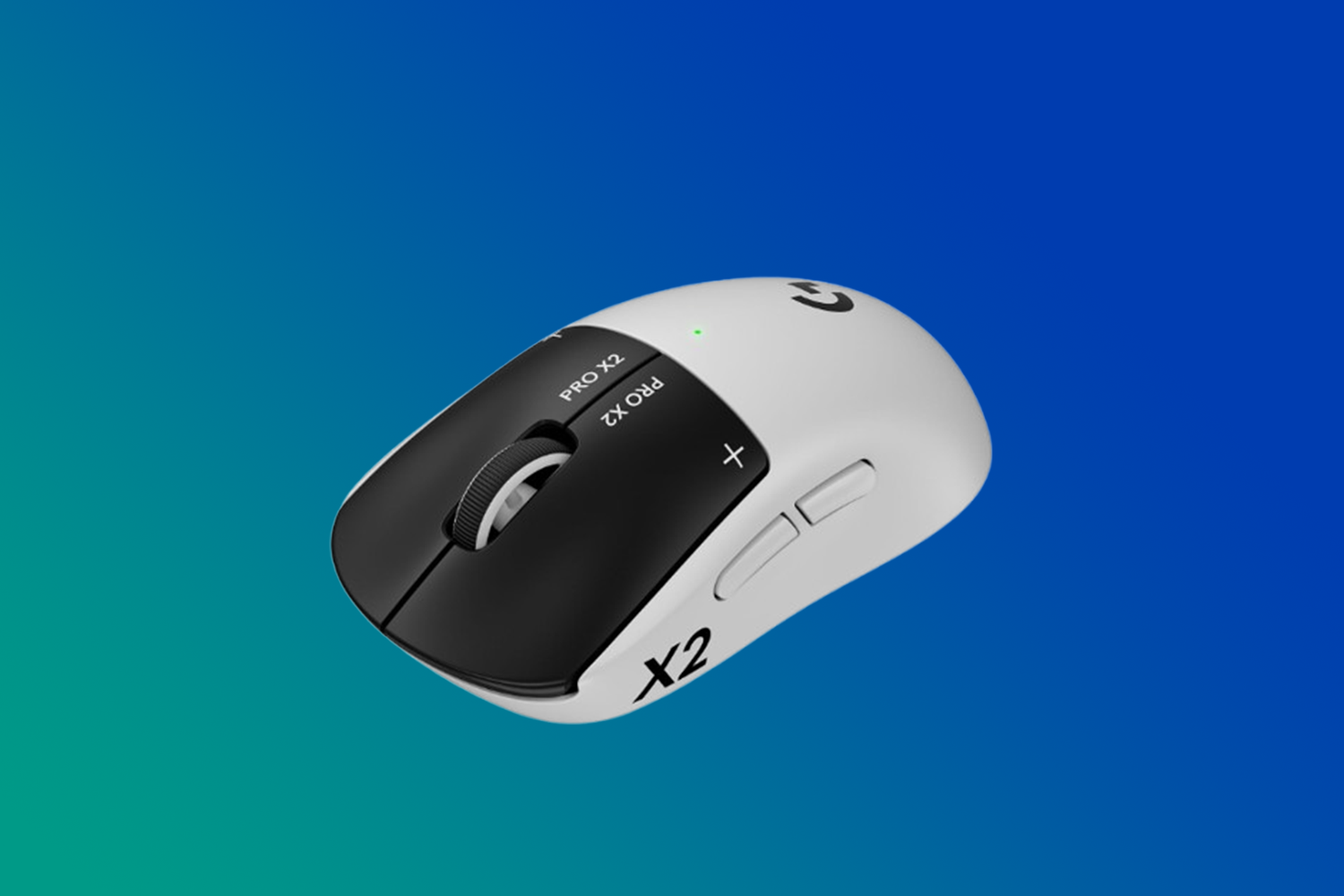
The first thing I noticed with the Logitech Pro X2 Superstrike wasn’t the 44,000 dots per inch (DPI) figure on the spec sheet. It was how quickly the left and right mouse buttons responded after I adjusted their actuation points in Logitech G HUB. The difference is subtle at first, then becomes easier to notice in fast games with repeated firing.
That response comes from Logitech’s Haptic Inductive Trigger System (HITS). The Superstrike lets you adjust when the primary buttons register, how soon they reset, and how much physical feedback they provide. After using it, I think HITS is the main reason to consider this mouse.
The Superstrike is aimed at competitive gamers who want less movement between pressing a button and having that input register. If you play competitive shooters, follow esports, or pay close attention to how your gaming mouse responds, that’s where the Superstrike starts to make the most sense.
If you’re looking for a wireless gaming mouse for competitive play, the real question is where HITS actually makes a difference. That’s what I focused on during testing.

A lightweight design that stays comfortable
The Logitech Pro X2 Superstrike has a clean shape that feels built for competitive gaming. The right-handed shell is solid and well put together, and the lightweight body makes quick movements easy. It moves easily across a mousepad without loading the shell with features that could get in the way.
I found the shape most natural with a claw grip. The curved body supports my hand without interfering with quick movements. A relaxed palm grip also works well, particularly if your hand isn’t especially large. Fingertip grip is possible, but the shape made claw grip a better match for me.
If you prefer a fingertip grip, the Superstrike may not feel as natural as it does with a claw grip. The shape gives you options, but claw grip is where I found it most comfortable and easiest to control.
I could use the Superstrike for hours without my hand getting tired or uncomfortable. The balance worked well during quick changes in direction. At 60 g, the Superstrike is light enough for quick movements without feeling insubstantial. Some competing esports mice are lighter, but I never found the Superstrike difficult to move or reposition.
I tested the limited 18K Gold Edition and Supergirl Edition. Both use the same internal components and features as the standard white version sold at Best Buy Canada. Their cosmetic finishes are the difference.
The 18K Gold version has a more premium appearance, and the Supergirl version has much more personality. Neither changes performance, but both show how different the same mouse can look with a new finish.
Competitive games bring out the Superstrike’s strengths
The wireless connection was reliable throughout my testing. I didn’t notice lag, dropped movement, or connection problems once a game started. Even with other wireless devices around my normal gaming setup, movement and button response remained consistent.
The HERO 2 sensor also tracked fast movements and smaller aiming corrections cleanly.
Counter-Strike 2 and Fortnite make HITS easier to notice
Counter-Strike 2 is where I noticed the difference most. The lightweight design made quick aiming corrections easy, while shorter actuation settings and Rapid Trigger made repeated firing respond more directly.

I noticed the same benefits in Fortnite during faster fights. The Superstrike kept up with rapid aiming changes and repeated firing, and the wireless connection and tracking remained dependable throughout. HITS was noticeable here too, although I found its effect easier to isolate in Counter-Strike 2.
If competitive shooters make up a large part of what you play, these are the situations where the Superstrike’s HITS technology is easiest to appreciate. The difference isn’t about suddenly aiming better. It is about reducing the physical movement required before the mouse registers another press.
Dota 2 and World of Warcraft test different demands
Dota 2 gave me a very different experience. Accurate cursor movement and repeated primary-button presses are a big part of the game, and the Superstrike handled both without any issues. HITS still had value, although I didn’t find the difference as pronounced as I did in Counter-Strike 2. If MOBAs are your main focus, HITS can still be useful, but its benefits may not be as compelling as they are in a fast competitive shooter.
World of Warcraft shifted the focus to comfort and button layout. The Superstrike stayed comfortable and responsive during longer periods of play, but its simple button layout became much more noticeable. If you rely heavily on mouse-bound abilities, you may be better off with an MMO-focused mouse that has more buttons.

The 44,000 DPI ceiling still wasn’t the part I cared about after testing all four games. Most gamers will use sensitivity settings far below that maximum, and I never found a practical reason to push anywhere close to it. Accurate tracking at the sensitivity I actually wanted was far more useful.
Across all four games, I got the most out of the Superstrike when fast aiming, repeated firing, and button timing mattered. HITS became less important when I wanted more shortcuts and mouse-bound controls instead.
HITS is the Pro X2 Superstrike’s biggest advantage
Haptic Inductive Trigger System separates the Logitech Pro X2 Superstrike from a more conventional gaming mouse. The left and right buttons use inductive sensing, so Logitech G HUB can change the point where each press registers. Haptic feedback provides a physical response when that happens.
Changing the actuation point made a noticeable difference. At shorter settings, a press registers with less downward movement. In a fast game, firing responds sooner to your finger without changing the game’s own response time.
Compared with mechanical and optical switches I’ve used on other gaming mice, HITS was noticeably different once I shortened the actuation point. The reduced movement needed before the button registered was easier to notice than I expected.

Rapid Trigger reduces the movement between presses
Rapid Trigger changes how far the button must return before another press can register. With it enabled, the reset can happen before the button returns to its original actuation point. That shortens the movement required before you can press again.
I noticed the benefit most during repeated firing. Follow-up presses came sooner because I didn’t need to let the button rise as far before pressing again.
The biggest improvement was in timing and consistency rather than accuracy. The shorter reset made repeated presses easier to time, and the haptic response gave me a clear physical cue when the input registered. It didn’t improve my aim on its own, but rapid firing responded more directly to what my finger was doing.
Haptic feedback keeps the primary buttons tactile
The haptic response is convincing without trying to copy a conventional mechanical switch exactly. There is enough physical feedback to make each press clear, and I never found it distracting during games.
Logitech G HUB lets you change the haptic strength. I preferred a lighter setting because it kept the physical cue without drawing my attention away from the game. Stronger settings provide a more pronounced response if that is what you prefer.
That combination is what made HITS useful for me. Adjustable actuation, Rapid Trigger, and configurable haptics let me change how the primary buttons respond instead of being locked into one fixed behaviour. In competitive games, I found that much more useful than simply having a higher maximum DPI.
Logitech G HUB makes customization easy
Setting up the Superstrike in Logitech G HUB was straightforward, and the controls for DPI, actuation, Rapid Trigger, and haptic strength were easy to find. The software also lets you remap buttons and save settings for different games.
The actuation controls are what I used most. Moving between a conventional response and a much shorter press makes the effect of HITS easy to understand. You can then choose how sensitive you want the main buttons to be instead of accepting one fixed response.
Rapid Trigger is just as easy to test. Turn it on, try a series of repeated presses, and the shorter reset becomes apparent quickly. That is especially useful in competitive games where fast follow-up fire matters.
The five programmable controls cover the basics, and G HUB lets you decide what each should do. My World of Warcraft testing also showed why you may want more physical buttons if you rely on a lot of mouse-bound commands.

What makes the customization useful is that these settings actually change how the mouse behaves. I preferred shorter actuation for competitive games, while a longer actuation point made more sense for normal desktop use. That makes G HUB profiles more useful than simply changing DPI or remapping a button.
If you enjoy tuning your gaming hardware around different games, there is a lot here to experiment with. I wouldn’t recommend buying the Superstrike and ignoring G HUB because much of its value comes from changing how the main buttons respond.
Battery life holds up for everyday use
Battery life met my expectations during testing. Logitech rates the Pro X2 Superstrike for up to 90 hours of constant motion, giving it plenty of time between charges for regular gaming use. Charging is straightforward through the included USB-A-to-USB-C cable.

Haptic strength can affect that figure because stronger feedback requires more power. Your preferred HITS settings will therefore influence how often the mouse needs to be charged.
Outside gaming, the Superstrike works well as an everyday wireless mouse. Cursor movement remains accurate for browsing, editing, and normal desktop tasks, and the lightweight body is easy to move for long periods.
If you use the same mouse for gaming and everyday PC tasks, the adjustable actuation is useful here too. A very short actuation point that works well for rapid firing may be too sensitive for everyday work. Increasing the distance can reduce accidental button presses without changing your gaming profile.
The simple button layout is the main limitation for productivity. I sometimes prefer a mouse with more shortcut options for everyday work. The Superstrike is much more focused on gaming, and that priority is clear in its control layout.
If you’re comparing computer accessories for a gaming PC, the Superstrike is built for gaming first, not productivity.
The Pro X2 Superstrike makes the most sense for competitive gamers
For me, HITS is what separates the Logitech Pro X2 Superstrike from a more conventional flagship gaming mouse. Adjustable actuation and Rapid Trigger are its biggest advantages, backed by accurate HERO 2 tracking, dependable wireless performance, and a comfortable lightweight design.
If you’re already using a Logitech G mouse, HITS is the clearest reason to consider upgrading. It changes how the primary buttons behave rather than simply increasing a familiar specification. The difference was easiest to appreciate in Counter-Strike 2 and other situations where repeated firing and button timing mattered.
For competitive gamers who will actually use HITS, I think the added control over actuation and reset behaviour is enough to justify the premium over a more conventional flagship gaming mouse. If those features aren’t important to you, that premium becomes much harder to justify.
There are still a few reasons the Superstrike won’t be for everyone. Gamers who want many programmable controls, a different shape, or the lightest mouse available may prefer another flagship option. Its competitive focus also means some of its most distinctive features have less impact in slower games.
The Logitech Pro X2 Superstrike won’t replace practice or improve your aim by itself. What it does is make repeated primary-button presses respond with less physical movement while giving you extensive control over how that response behaves.
If competitive gaming is your priority and you’ll actually use HITS, I’d recommend the Pro X2 Superstrike. If you don’t need that level of button customization, there are less expensive gaming mice that will make more sense.
Before upgrading, compare how much control HITS gives you over actuation and reset points with what your current mouse already offers.






I am happy to announce the winners of this contest:
Patrick B. – Toronto, ON
Thomas W. – Toronto, ON
Calvin W. – Courtice, ON
Darian S. – Toronto, ON
Loretta K. – Saskatoon, SK
Keep reading blog.bestbuy.ca and get great informative articles about a wide range of topics from tech to toys, from smartphones to style. Participate on the blog by asking questions and offering your expertise to the comment sections of articles you read. And enter more contests: you never know when we will get more great products to give away.
This contest is now closed. We will draw the winners soon in accordance with the rules. Return to the blog often to read great articles, learn about the latest technology, and to enter more contests. You never know when we’ll be doing another amazing giveaway!
witcher 3
The first game I would play with the Logitech Pro X2 Superstrike mouse would be Call of Duty. I love the fast pace and competitive action, and I think having a mouse this responsive would make every shot, movement, and reaction feel even better. I’d be excited to put it to the test and see how much it could improve my gameplay.
The game I would play first is League of Legends because the rapid trigger feature allows MOBA players to micro-manage movement and click at extreme frequencies with significantly less finger fatigue!
Cool colours…and would add a bright dimension to my over-crowded and drabbis
GTA6
Classic Super Mario Bros
Tropico 6 🙂
I would play Counter Strike 2
I would play Wolverine first!!!
Is there a new Zelda coming out? That would be the perfect game to play.
I would play Minecraft first. My parent or guardian has read and accepts the contest rules for this entry.
I would first play CS2, this mouse will help me escape 5K rating. I need it desperately.
Mahjongg Candy
Fortnite
I’d play Counter Strike 2
I’ve been looking for a good gaming headset, and this one caught my attention. The comfort and sound quality seem really solid, and I’d be curious to try it during longer gaming sessions.
World of Tanks
Forza Horizon 5
Forza Horizon 5
Forza Horizon 5
Forza Horizon 5
i would play The Sims.
I’d play Minecraft with my kids.
Fortnite
Big Walk
I would play shape of dreams.
Counter Strike 2!
I would play Counter Strike 2
Civilization VII
Diablo
Fortnite
Forza Horizon 5
Forza Horizon 5
Counter Strike 2
World of Warcraft!!!
#1–Factorio
Forza Horizon 5
I would play stardew valley of course!