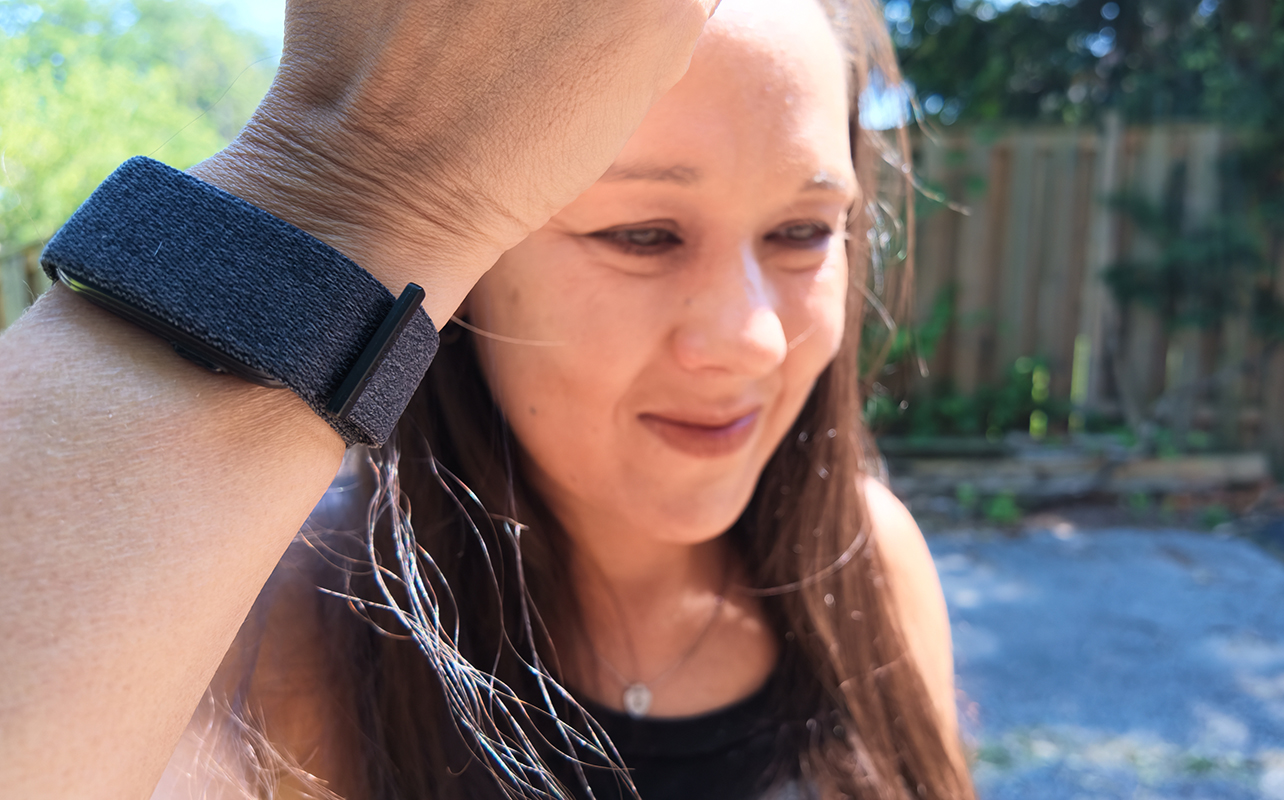
When it comes to health and fitness tracking, this is going to be the year of the screenless tracker, and one of the latest models is the Garmin CIRQA. Wear the screen-free band around your wrist to capture 24/7 vitals, activities and workouts, sleep and more. Like any screenless (and screened) tracker, you can visit the companion app to get a comprehensive look at your stats, adjust settings, manually start workouts, and more. What’s most exciting about this band, however, is that while there is a subscription option, it does not require it. I have been wearing the CIRQA band for the last few weeks to see how well it works and who might love it.


Garmin CIRQA vs. Fitbit Air
Since these are the two most prominent new brands in this space, let’s see how they compare when it comes to specs. You can also refer to my Fitbit Air review if you’re deciding between the two as well as my comparison of the Fitbit Air vs. Garmin CIRQA.
| Garmin CIRQA | Fitbit Air | |
| Size | S-M 120-200mm, L-XL 145-240mm | S 130-175mm, L 165-210mm (textile and polyurethane OS 130-210mm) |
| Band Material | Fabric ComfortFit bands | Textile with stainless steel buckle |
| Band Colours | French Grey, Captain Blu, Mauve, Black | Obsidian, Berry, Lavender, Fog |
| Sensors | Heart rate, respiration/pulse OX, stress, skin temperature, accelerometer | Heart rate, respiration/pulse OX, stress, skin temperature, accelerometer, vibration motor |
| Sleep Tracking | Yes (with sleep coach, alignment, breathing variations, nap detection) | Yes (basic stages without subscription, advanced with subscription) |
| Automatic Workout Detection | Yes | Yes |
| Battery Life | Up to 10 days | Up to 7 days |
| GPS | Connected | Connected |
| Water Resistance | 5ATM | 5ATM |
| Unique Subscription Features | Active intelligence, nutrition tracking, live activities in app, LiveTrack, Garmin Trails, 3D maps, training guidance and workouts, wheelchair workouts | AI Health Coach/Ask Coach with detailed guidance, analysis, and assistance, nutrition tracking, detailed sleep tracking, create custom workouts |
| Subscription Price | $9.99/mo. ($99.99/yr.), one-month trial | $12.99/mo., three-month trial; included with Google AI Pro, AI Ultra subscription |
| Hardware Price | $279.99 | $129.99 |
Design and comfort
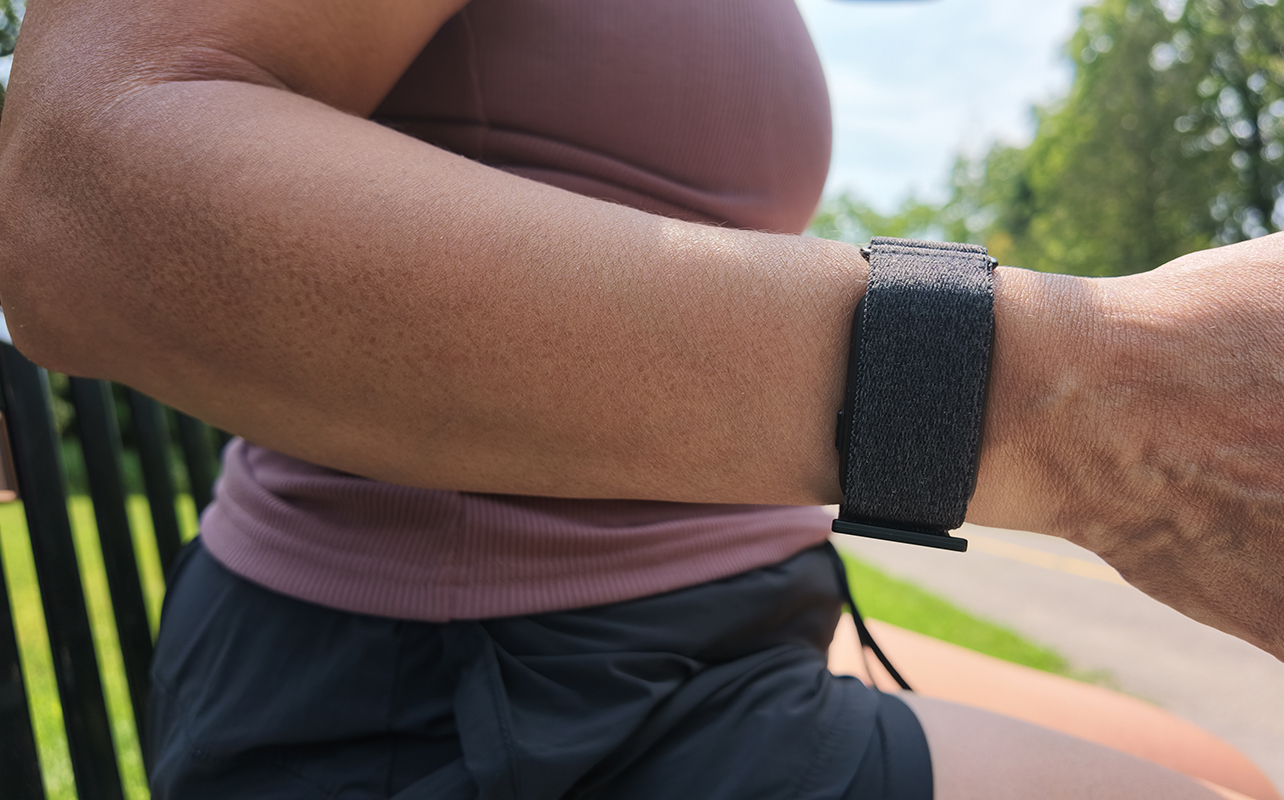
The Garmin CIRQA is 27mm wide, about the width of a chunky bracelet. The fabric band, available in Black, Captain Blue, French Gray, or Mauve, comes in S/M and L/XL, both adjustable to fit different sized wrists. My sample came in L/XL and though I have thin wrists, I could still wear it wound all the way around. The sensor is similar in thickness to a traditional fitness tracker.
I wouldn’t say this band is easily disguised as a bracelet. But it’s incredibly comfortable to wear 24/7, including while sleeping. And the absence of a screen means there’s no distractions, which is the primary selling point of smart bands like this one.
The Garmin Connect app experience
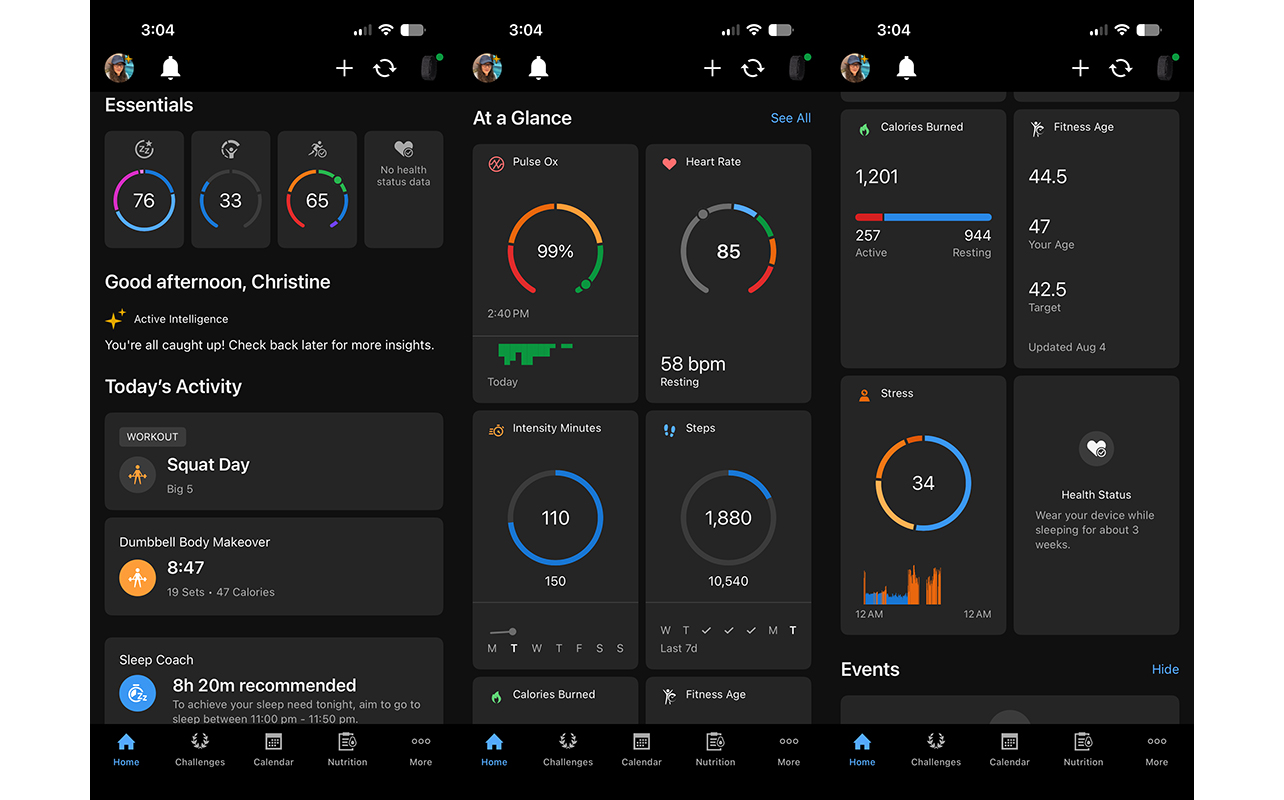
Garmin offers a subscription tier (more on that next), but I first wanted to try the CIRQA band without it. I was pleased to realize that you get all the most important features without a subscription.
Basic and advanced tracking
Tracking metrics like 24/7 heart rate, steps, intensity minutes, calories burned, and more, are all included. They are arranged neatly in the app with colour-coded rings. Keep the default view or adjust the dashboard screen to show metrics that are most important to you.
Along with the basics, there’s advanced stats like pulse Ox, stress, and even fitness age with a target goal to work towards, Thankfully, I’m already at lower than my actual age, but I’m hoping to shave off a few more years!
Sleep tracking
You get sleep quality, duration, stages, and even a sleep score, all without a subscription. Sleep coach, also part of the free tier, advises when you should go to bed to properly recharge. There’s a detailed list of nightly metrics, too, like frequency of breathing variations, number of restless moments, skin temperature and body battery change, and more. It’s the type of data you’d expect to be behind a paywall, so it’s nice that it isn’t.
Body Battery
Body Battery, a signature of Garmin devices, is basically what other brands call readiness. A score each day tells you how recharged or drained you are. The training readiness score helps you decide if you should do an hour cardio workout or stick to a leisurely walk.
Health Status
Health status takes everything into account to develop a baseline. It takes three-to-four weeks to calibrate. Once available it keeps track of baselines for my typical heart rate, heart rate variability (HRV), respiration, skin temperature, and pulse Ox while sleeping and notifies me if any of these metrics are out of my typical range. For example, one day I was advised that my heart rate had risen two beats-per-minute (bpm) over my typical range, which was a good indication to slow down and de-stress.
Additional features
Set a smart wake alarm and the band gently vibrates to wake you up. There’s also lifestyle logging for manually logging things like alcohol consumption, allergy symptoms, late-night meals, migraines, caffeine intake, even stretching. This can help you gauge how your body responds to various actions or triggers by cross-referencing with other stats. Maybe you get worse quality sleep when you eat late, for example, or burn more calories when you have a caffeine-based pre-workout drink before exercising.
You can log gear like your shoes or a stationary bike to monitor how often you use them or when they might need to be replaced. Use LiveTrack to send a real-time view of your location to friends and family members so they can follow along on a run or hike.
What do you get with a Garmin Connect+ subscription?
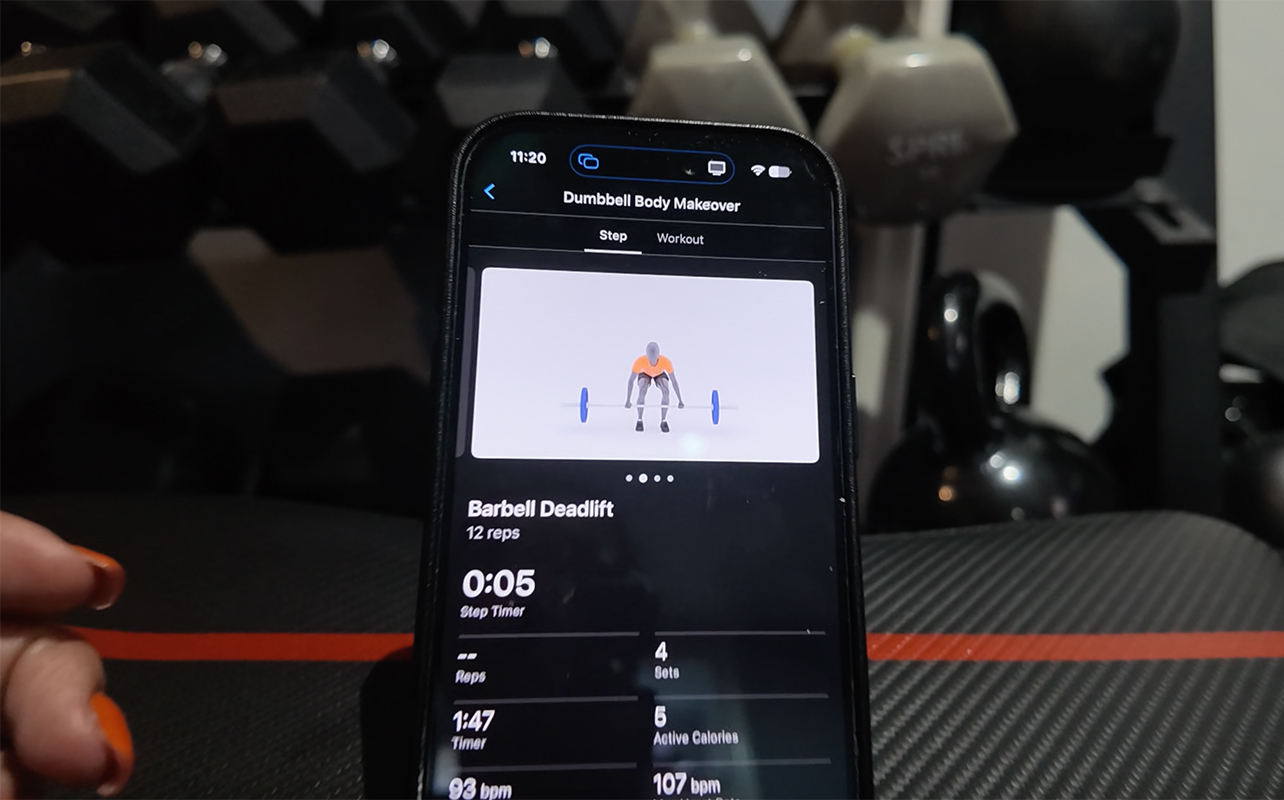
A Garmin Connect+ subscription is $9.99/mo. or $99.99/yr. I tried it for my second week of testing. The verdict? The add-ons aren’t for everyone, so it’s only worth it if you’ll use them. Unlike the Fitbit Air and Google Health Premium, Connect+ is a nice-to-have not a need-to-have.
To help you decide, I’ll break down the most notable upgrades.
AI-powered insights
AI-powered insights are provided throughout the day. However, it’s not an AI assistant you can interact with. And the insights are very basic. It’s easily a feature you can live without.
Garmin Coach and workouts
Use Garmin Coach to devise workout plans you can follow along with right from the app. There are over 100 in the app at the time of this writing, ranging from 15-minute full body sweat to advanced strength training workouts, flexibility, basics, yoga, and more. Workouts are available for everyone from beginners to advanced.
This is valuable if you’re looking for tailored workout plans you can follow along with from your phone. However, it’s rudimentary with an animated image showing each move and start/stop functions. You can find better free workouts from other sources. The biggest advantage is being able to see the live workout stats the band is tracking while you do the workout. It’s also worth noting that Connect+ adds wheelchair workouts.
Nutrition tracking
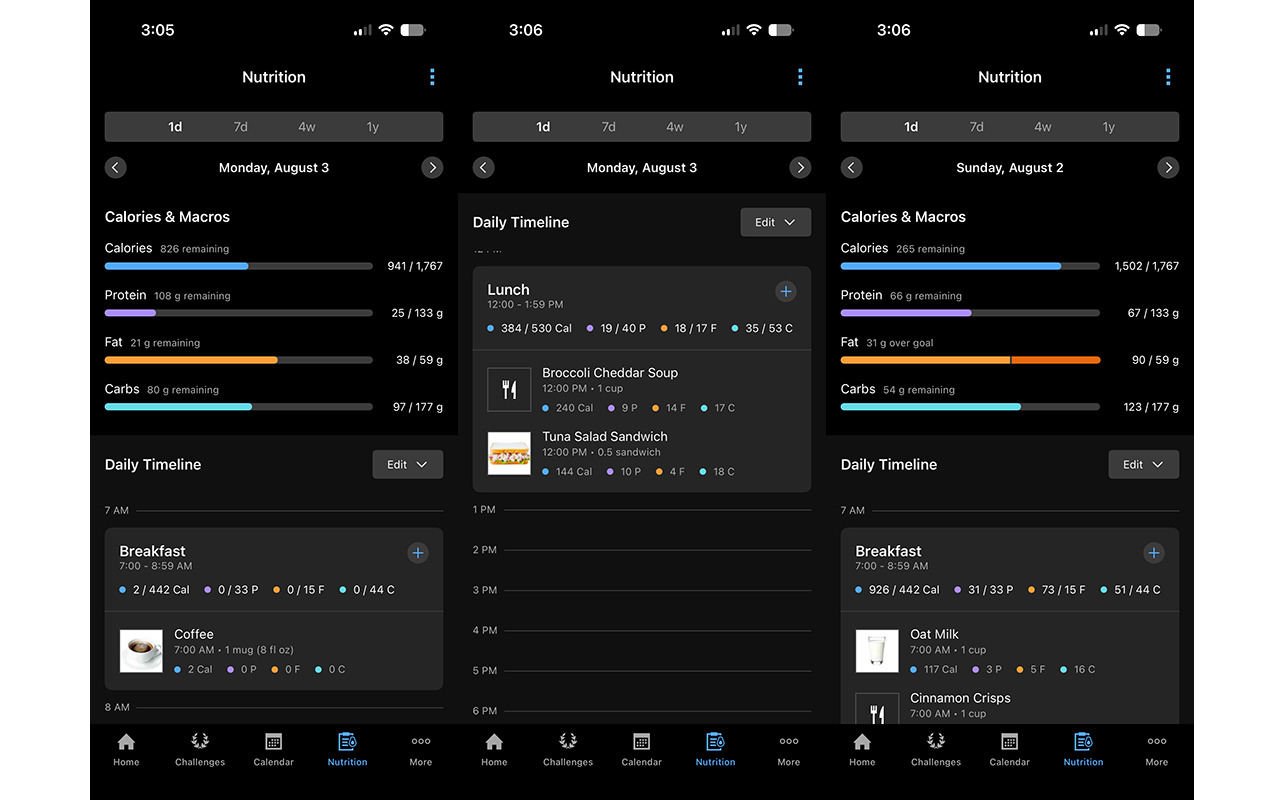
Log your meals to keep track of calories and macros. I had a bit of trouble logging food at times, with the limited library or an image or barcode not being read properly. You can manually input items and it recognizes food from popular restaurants or grocery stores as well as known brands. It’s useful if you’re on a diet and counting calories or looking to meet protein goals. I logged food each day and it was nice to keep track. But it’s not a feature I would pay extra to get.
Outdoor features
Some of the other features that come with Connect+ are designed mainly for outdoor adventurers. Enhanced LiveTrack can send text updates to your friends and family members, useful if you run alone at night. For hikers and cyclists, there’s also Garmin Trails and 3D maps.
Activity, wellness, and sleep tracking
Whether you opt for the subscription or not, most important is ease of use and accuracy of tracking.
Automatic activity tracking is fantastic
I was most impressed with automatic activity tracking. Right from the jump, the CIRQA band recognized my first strength training and walking workouts. It consistently picked up these activities, missing them or mislabeling them only a couple times. The accuracy may lead back to initial setup. You’re asked what workouts you most often do, which probably gives the feature a kickstart. Still, it’s the best device for automatic activity tracking I have used outside of the Oura Ring 5. One thing I don’t like, however, is that there’s no way to manually add an activity if the tracker somehow doesn’t detect it and you didn’t initiate it.
Quick start an activity is a great feature
Speaking of that, you can manually start an activity before it begins by choosing it from a list. You can also press the side button on the tracker to start live tracking. It will buzz to confirm then press it again to stop. It logs this as a “timed activity” in the app, but you can rename it to whatever you want, like basketball or unloading firewood. I did once push the button and forgot, which kept the tracking going and drained the battery. So, be mindful of that!
Add personal records is useful
I like that you can add personal records to workouts to keep track of things like what weights you used for what exercises. Many of the programs I do advise you to write down your weights after each set. So, being able to log it all in the app for review and tacking progress is useful.
Add personality to workout selfies
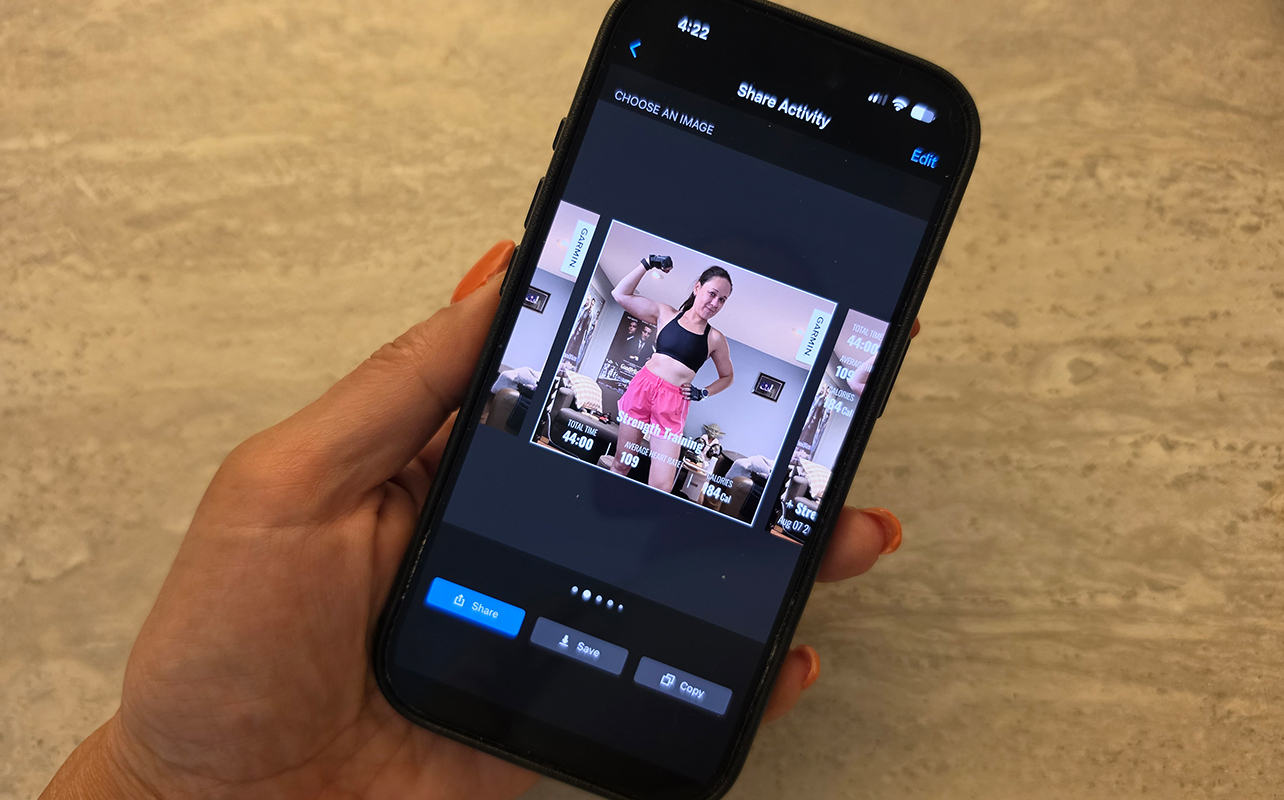
One feature I really love is the ability to create cute workout cards. My girlfriends and I share workout selfies with one another as we progress through a program. We include a selfie and a screenshot of our smartwatch or tracker workout summary screen. This feature lets me put both together in a single, fun and shareable and savable image with stats. That’s great if you are working towards losing weight or adding muscle and want to see progress over time.
Comparing stats
Comparing data collected from this band to other trackers I wore at the same time, including a trusted smartwatch and smart ring, it was consistent. Differences in stats like sleep duration and stages, calorie burn during workouts, and vitals is negligible. Having reviewed dozens of smartwatches, fitness trackers, and smart rings over the years, I’m confident in the data the CIRQA smart band provides.
Battery life
A high point with the Garmin CIRQA is battery life. It’s rated to run for up to 10 days per charge, though it’s closer to six or seven in real-world scenarios with daily tracking. Activating certain features like 24/7 pulse Ox measurements drains the battery more quickly.
Watch the Garmin CIRQA in action
Is the Garmin CIRQA smart band right for you?
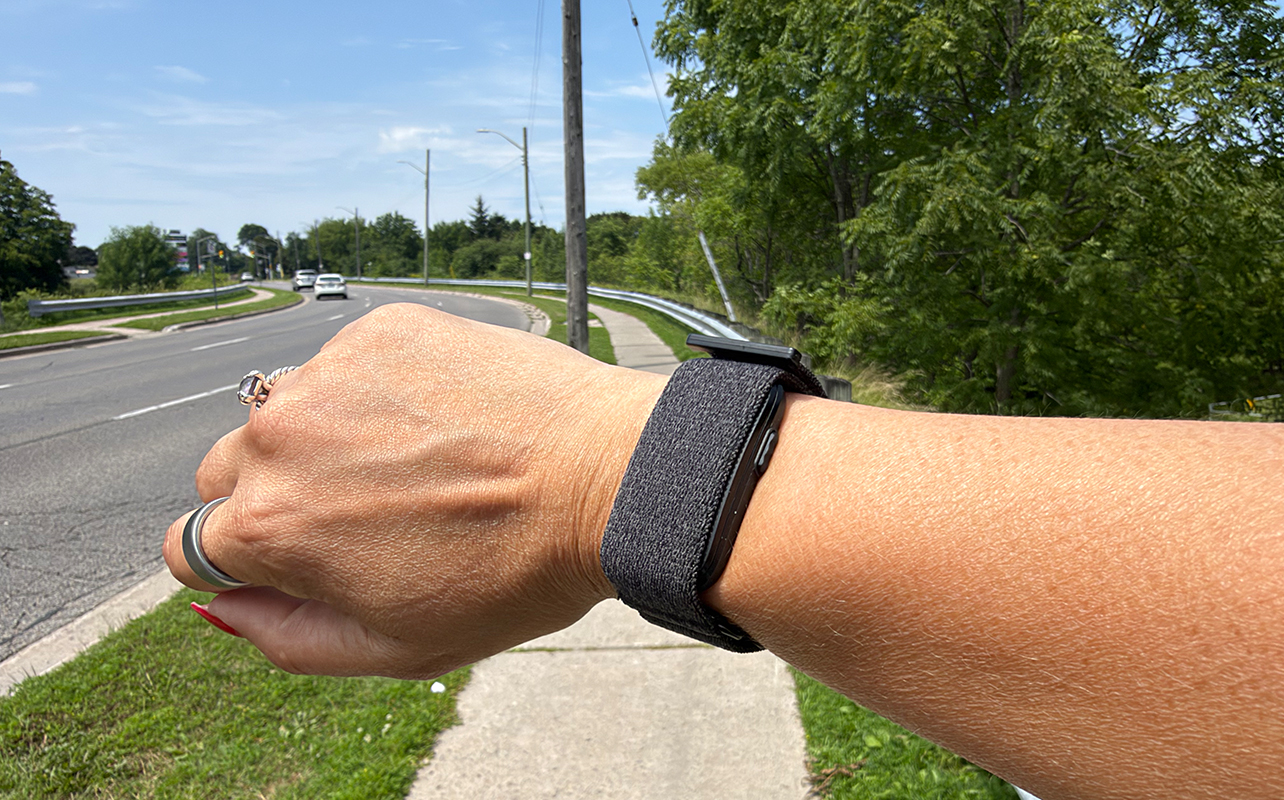
If you’re looking for a screenless fitness tracker, the Garmin CIRQA is a great option. It’s not the sleekest design but it’s durable and comfortable. Most important is that you get plenty without a subscription. If you’re like me and use your own workout app, only needing a band to track the stats, this is a solid choice.
I’m most impressed with automatic workout detection. I also like that if I’m going to do something out of the ordinary, like play spike ball in the backyard with my son, I can just push the side button to start and stop. Then, I can edit the workout label in the app later.
I’d recommend the Garmin CIRQA if you want a distraction-free but accurate tracking experience for workouts, vitals, and sleep. There’s so much more to explore in the app beyond core features I mention here, like joining groups, connecting with friends, even using the Garmin Dive app. But the app rivals any good fitness tracker with a screen while the band eliminates the temptation to constantly check your wrist. A Connect+ subscription is nice to have with this band, but the best part about this tracker is that most people won’t even need it.
Find the Garmin CIRQA smart band at Best Buy.