If you’ve been researching 3D printers for more than five minutes, you’ve almost certainly run into these two names. The Bambu Lab vs Creality debate is one of the most common buying decisions in the consumer 3D printing market right now, and for good reason, since both brands produce genuinely capable machines. But they are built around very different philosophies, and choosing the wrong one for your situation can lead to a lot of unnecessary frustration.
Bambu Lab is for people who want results fast, with minimal effort. Creality is for people who want to spend less upfront and don’t mind getting hands-on with their machine. This article will help you figure out which of those two people you are.
Both brands sell filament-based 3D printers, machines that build objects layer by layer by melting and depositing plastic through a heated nozzle. This process is called FDM (Fused Deposition Modelling), and if you’re still deciding whether FDM or resin printing is the right fit for your projects, it’s worth understanding the difference before committing to a brand, so check our guide on FDM vs resin 3D printers. You can browse the full range of filament 3D printers at Best Buy Canada to see what’s currently available from both brands.

Table of contents:
- Quick answer: Bambu Lab vs Creality?
- How much do Bambu Lab and Creality printers cost?
- Which 3D printer is faster?
- How easy is each printer to set up and use?
- What is the Bambu Lab AMS, and how does it compare to Creality’s system?
- Which brand is better for beginners?
- Pros and cons: Bambu Lab vs Creality
- Which 3D printer should you actually buy?
- FAQs
Quick answer: Bambu Lab vs Creality?
Before getting into the details, here’s a fast way to figure out where you likely land:
Choose Bambu Lab if you want:
- A printer that works well right out of the box.
- Fast print speeds with minimal setup.
- Automatic calibration so you’re not constantly adjusting things.
- Multi-colour printing without a complicated manual process.
- Reliable, consistent results regardless of your experience level.
Choose Creality if you want:
- A lower upfront cost with solid hardware at the entry level.
- The freedom to modify, upgrade, and customise your machine.
- Compatibility with a wide range of filament types and third-party tools.
- A hands-on experience where you understand and control every variable.
- A large community of hobbyists sharing tips, mods, and troubleshooting advice.
One thing worth saying upfront: this isn’t a case where one brand is clearly superior. They’re built for different kinds of buyers, and the “right” answer genuinely depends on how you plan to use the printer and how much time you’re willing to invest in learning it.
How do Bambu Lab vs Creality compare side by side?
When you’re comparing two brands across multiple features at once, it helps to see everything in one place before diving deeper into each area. The table below covers the factors that matter most to buyers: price, speed, setup experience, print quality, multi-colour capability, and overall ecosystem. Use it as a reference point as you read through the rest of the article:
| Feature | Bambu Lab | Creality |
| Price range | ~$300–$1,000+ | ~$100–$900 |
| Print speed | Up to ~500 mm/s | ~50–300 mm/s (varies by model) |
| Setup experience | Plug-and-play (~10–20 min) | Assembly and tuning required |
| Print quality (out of box) | Very consistent | Depends on calibration |
| Multi-colour printing | AMS system (automated) | CFS system (more manual) |
| Ecosystem | Closed, optimised | Open, customisable |
| Filament compatibility | Best with Bambu-recommended filaments | Wide third-party compatibility |
| Best suited for | Beginners and results-focused users | DIY hobbyists and budget buyers |
The core insight here is that Bambu Lab optimises for your time, while Creality optimises for your wallet and your freedom. If you want a printer that handles complexity for you, Bambu Lab is the stronger choice. If you want a platform you can grow, modify, and make your own, Creality is built for that.
How much do Bambu Lab and Creality printers cost?
Price is often the first filter people apply, and it’s worth being honest about what each brand’s price range actually means not just in dollars, but in terms of what you get at each level.
Creality: strong value across all tiers
Creality offers some of the most accessible entry points in the FDM printer market, and their lineup spans a wide range of budgets:
- At the entry level (roughly under $300 CAD), you’ll find models like the Ender 3 series one of the most popular beginner printers in the world. These machines offer a decent build volume, basic print quality, and a massive community of users to help you troubleshoot. The catch is that they require more hands-on setup and calibration, and print speeds are modest.
- In the mid-range (roughly $300–$600 CAD), Creality’s newer models like the Ender 3 V3 start to close the gap in speed and automation. You get better hardware, some degree of auto-levelling, and improved out-of-box performance without crossing into premium territory.
- At the higher end (roughly $600–$900+ CAD), models like the K1 Max bring CoreXY motion systems, significantly faster print speeds, and a more refined experience. At this price point, Creality starts to compete directly with Bambu Lab on performance though the ecosystem and automation differences still remain.
Bambu Lab: premium pricing, premium experience
Bambu Lab’s lineup starts higher and stays higher, but the value proposition is different:
- Their entry-level A1 Mini sits around $300–$400 CAD and already delivers auto-calibration, fast speeds, and a polished setup experience that most Creality printers at the same price can’t match in terms of ease.
- The mid-range P1P and P1S models sit in the $700–$900 CAD range and add an enclosed build chamber (important for printing materials like ABS and ASA that are sensitive to temperature fluctuations), faster speeds, and more advanced sensor systems.
- Their flagship X1 Carbon sits at $1,000 or more and is aimed at users who want the best performance available at the consumer level multi-material printing, the fastest speeds, and the most comprehensive automation.
| Price tier | Creality | Bambu Lab |
| Entry (~under $300 CAD) | Ender 3 series | Not available at this tier |
| Entry-mid (~$300–$400 CAD) | Ender 3 V3 | A1 Mini |
| Mid (~$500–$900 CAD) | K1, K1 Max | P1P, P1S |
| Premium (~$1,000+ CAD) | Not available at this tier | X1 Carbon |
The comparison isn’t always apples to apples. A $250 Creality printer and a $700 Bambu Lab printer will both make plastic objects but the amount of time, effort, and troubleshooting you put in to get quality results will be very different. For some buyers, that difference in effort has a real cost. Others find that the tinkering is half the fun. Either way for current pricing in Canada, check the 3D printers section at Best Buy Canada.
Which 3D printer is faster?
Print speed is one of the most noticeable differences between these two brands at most price points, and it’s not a marginal gap.
Bambu Lab printers use a motion system called CoreXY, which moves the print head along two axes simultaneously using a crossed-belt arrangement. In plain terms, this means the print head can move faster and more precisely than traditional designs, where the print bed itself moves back and forth during printing. That bed movement limits how fast you can go before vibration affects print quality. CoreXY eliminates that constraint. The result: Bambu Lab machines can reach print speeds of around 500 mm/s and sustain them reliably not just as a marketing number, but in actual use.
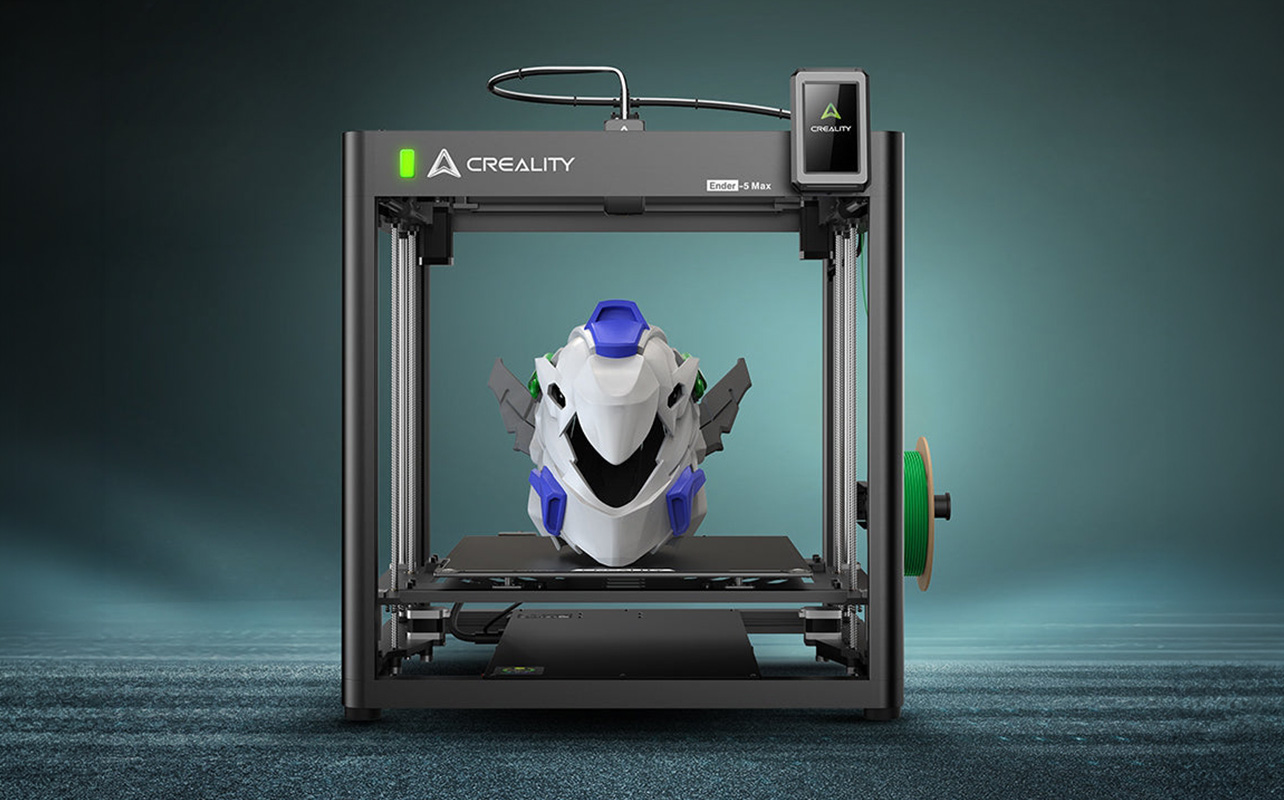
Creality’s traditional models, including most of the Ender 3 lineup typically operate in the 50–150 mm/s range. These are “bed slinger” designs where the print bed moves along the Y-axis, which limits speed before vibration becomes a problem. Creality’s newer models, like the K1 and K1 Max, use their own CoreXY-style systems and can hit speeds closer to 300–600 mm/s. So the gap is narrowing at Creality’s higher end, but for the majority of models and price points, Bambu Lab still holds a clear and consistent speed advantage.
In practical terms: a print that takes six hours on a standard Creality machine might take two to three hours on a comparable Bambu Lab printer. If you plan to print frequently whether for prototypes, cosplay props, household items, or custom gifts that time difference compounds quickly. For someone printing occasionally on weekends, it matters less. For someone printing regularly or in volume, it’s a significant factor in the total value of the machine.
How easy is each printer to set up and use?
This is arguably the most important differentiator for most buyers, especially anyone coming to 3D printing for the first time. Two printers can produce identical quality on paper, but if one takes an afternoon to dial in and the other takes a weekend of troubleshooting, that experience shapes how much you actually enjoy using it.
Bambu Lab: designed to work from day one
Bambu Lab printers are built to behave like appliances. You take them out of the box, run through a guided setup process, load your filament, and print. Auto-calibration takes care of bed levelling, flow rate adjustments, and first-layer consistency all automatically, before each print begins. These are tasks that used to require careful manual attention on traditional printers and are a common source of failed prints for beginners.
The Bambu Handy app lets you monitor and control your printer remotely from your phone. The Bambu Studio slicer—the software that converts a 3D model file into instructions the printer can follow is polished, well-documented, and beginner-friendly. You don’t need to understand the underlying settings to get good results. The printer handles the complexity for you.
The honest trade-off is that Bambu Lab’s ecosystem is relatively closed. Their printers are optimised for Bambu’s own software and recommended filaments. You can use third-party materials, but you may lose some automatic calibration benefits when you do. For users who want to tinker with firmware, run open-source slicers freely, or modify the hardware, the platform offers less flexibility than Creality. That’s a real limitation worth knowing about before you buy.
Creality: a hands-on experience by design
Creality printers, particularly the Ender 3 family require more active involvement. Depending on the model, you may need to partially assemble the printer yourself, manually level the print bed, calibrate the extruder steps, and fine-tune temperature and speed settings in the slicer before your prints come out the way you want them. On some models, this process can take a few hours the first time.
For a large portion of the 3D printing community, that process is genuinely rewarding. Understanding how your machine works makes you better at diagnosing problems, improving results, and expanding what you can print over time. When those problems do show up, knowing the most common 3D printing issues and exactly how to fix them will save you a lot of frustration. Creality’s printers are also highly moddable there are thousands of community-created hardware upgrades, firmware modifications, and printable accessories available. The Ender 3, in particular, has one of the most active user communities of any consumer 3D printer ever made, which means tutorials, upgrade guides, and troubleshooting threads are never more than a search away.
If your goal is to learn the craft of 3D printing deeply, Creality gives you the platform to do that. If your goal is to produce reliable prints quickly without becoming an expert in the machine itself, Bambu Lab is the more practical choice.
What is the Bambu Lab AMS, and how does it compare to Creality’s system?
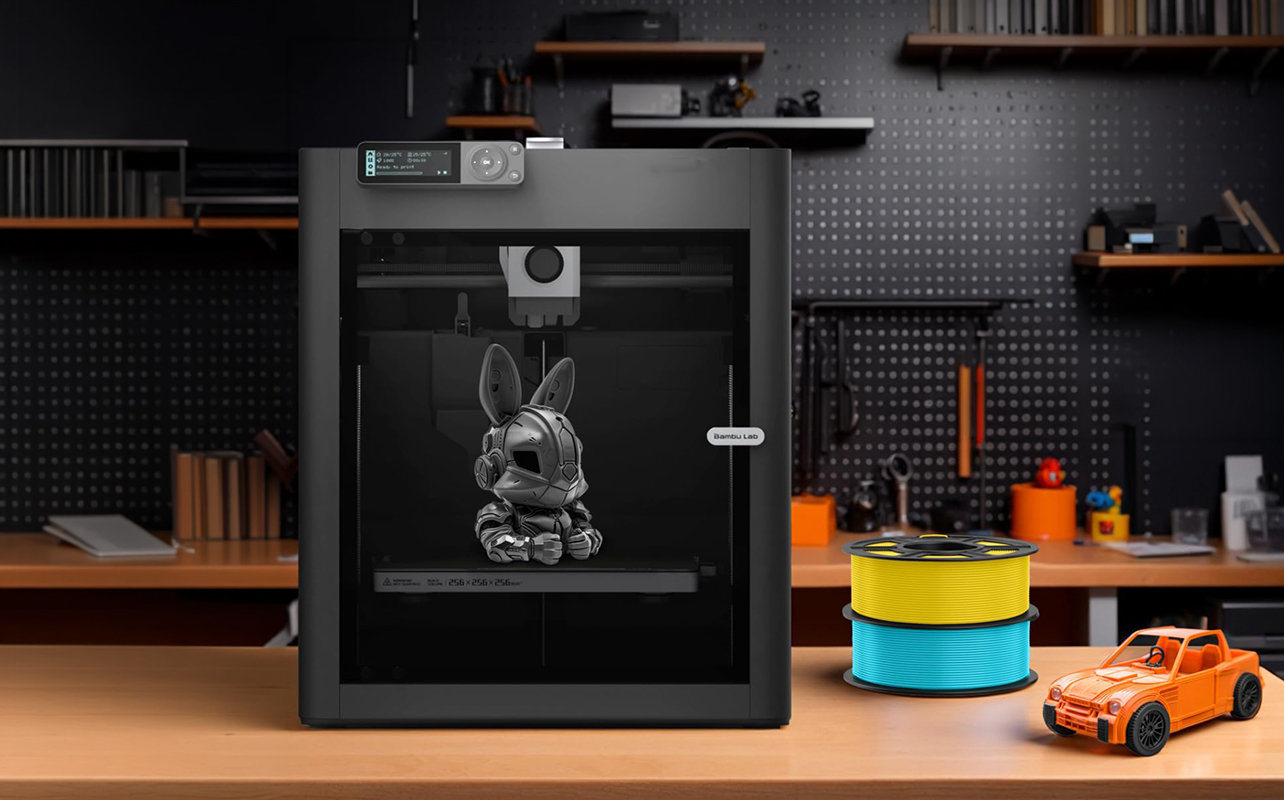
Multi-colour printing is one of the most impressive capabilities available in consumer 3D printers today, and it’s an area where Bambu Lab and Creality take noticeably different approaches. If printing in multiple colours or materials is something you care about, this section is worth reading carefully.
Bambu Lab AMS (Automatic Material System)
The AMS is Bambu Lab’s multi-filament unit a separate attachment that sits alongside the printer and holds up to four spools of filament. During a print, it automatically switches between them as needed. Your printer can pause mid-layer, purge the previous colour, load the next one, and continue all without you touching anything.
In practice, this means you can print objects with distinct colour sections, gradient effects, or even different material properties in a single session. Imagine printing a figurine where the base, body, and details are each a different colour, all produced in one uninterrupted print. It’s not flawless there is some filament waste during the purging process between colour changes, and very complex multicolour models can produce noticeable purge towers but it works reliably and requires very little manual input once set up. The AMS integrates directly with Bambu Studio’s multicolour painting tools, which let you assign colours to different surfaces of a 3D model visually before you send it to the printer.
Creality CFS (Creality Filament System)
Creality’s answer to the AMS is the CFS. It supports multi-filament printing across compatible models and takes a more open approach it works with a broader range of filament types and third-party spools, which matters for users who want more material flexibility or lower filament costs.
The trade-off is that the CFS is more manual in operation. Filament changes require more user involvement, the software integration is less seamless than Bambu’s, and the overall experience is less automated. For users who are comfortable managing the process themselves and want the freedom to use a wider variety of materials, the CFS is a capable option at a lower cost. For users who want multi-colour printing to work with minimal fuss from day one, it falls short of the AMS experience.
| Feature | Bambu Lab AMS | Creality CFS |
| Filament spools supported | Up to 4 | Varies by model |
| Switching method | Fully automatic | More manual involvement |
| Software integration | Tight (Bambu Studio) | Less integrated |
| Filament compatibility | Best with Bambu filaments | Broad third-party support |
| Ease of use | High | Moderate |
| Filament waste during switching | Yes (purge tower) | Yes |
| Best for | Beginners, convenience-focused users | Users who want material flexibility |
If multi-colour printing is a priority and you want it to work reliably without a steep learning curve, Bambu Lab’s AMS is the stronger choice. If you want more control over your materials and are happy to manage the process yourself, Creality’s system is worth considering especially if filament variety and cost matter to you.
Which brand produces better print quality?
Both brands are capable of producing excellent prints. The real distinction is in how reliably they do it and how much effort it takes to get there.
Bambu Lab printers come equipped with a set of sensors that work together automatically during every print. Vibration compensation detects and adjusts for micro-vibrations caused by fast print head movement, vibrations that would otherwise cause rippling or ghosting artefacts on the surface of a print. Flow rate monitoring tracks how consistently filament is being extruded and makes real-time corrections to prevent under- or over-extrusion, which is one of the most common causes of weak or rough-looking prints. Bed mesh mapping scans the surface of the print bed before each print and creates a compensation map to account for any slight unevenness, which helps the first layer the most critical layer adhere correctly and uniformly.
Together, these systems mean that most Bambu Lab prints come out clean and accurate from the very first attempt, even if you’ve never used a 3D printer before.
Creality printers, at their best, can produce prints that rival or match Bambu Lab in quality. But reaching that ceiling requires the user to do manually what Bambu Lab’s sensors do automatically. Bed levelling needs to be done carefully and repeated when the printer moves or cools down. Temperature profiles need to be set and tested for each filament type. First-layer adhesion needs to be confirmed before committing to a long print. For a patient user who invests the time in proper calibration, a well-tuned Creality printer is a genuinely capable machine.
Think of it this way: Bambu Lab sets the table for you. Creality gives you all the ingredients and lets you cook. The meal can be equally good but one path requires significantly more skill and patience to get there.
Which brand is better for beginners?
If you’re brand new to 3D printing and your goal is to start making things as soon as possible, Bambu Lab is the more beginner-friendly choice, though if you haven’t yet figured out what you need to get started at home, it’s worth getting that foundation in place first. The setup is short, calibration is automatic, and the software is approachable enough that you can go from unboxing to a finished print in a single afternoon.
That said, “beginner” doesn’t mean the same thing to everyone. If you’re someone who enjoys learning how a machine works, experiment with modifications, and build expertise over time then Creality’s learning curve is a feature, not a drawback. The Ender 3 series has one of the largest and most active communities of any consumer 3D printer ever made. Tutorials, upgrade guides, and troubleshooting threads are everywhere, and the process of dialling in a Creality machine teaches you things about 3D printing that will make you a better operator regardless of what printer you eventually move to.
The honest question to ask yourself is this: do you want to spend your time making things, or do you want to spend your time learning about the printer? Both are valid goals. The answer should guide your choice because either way, you’ll be spending real time doing it.
Pros and cons: Bambu Lab vs Creality
Here’s a side-by-side look at where each brand genuinely wins and where it falls short. No brand is perfect; knowing the trade-offs upfront helps you choose with confidence.
Bambu Lab
Pros:
- Very fast print speeds out of the box.
- Minimal setup nearly plug-and-play from day one.
- Automatic calibration handles most variables before each print.
- AMS makes multi-colour printing genuinely accessible for beginners.
- Highly consistent print quality from the very first print.
- Polished app and slicer software that’s easy to learn.
Cons:
- Higher upfront cost than comparable Creality models.
- Closed ecosystem limits third-party software and hardware modification.
- Works best with Bambu-recommended filaments some third-party materials reduce automation benefits.
- Less community-driven customisation culture compared to Creality.
- AMS produces filament waste during colour transitions.
Creality
Pros:
- Lower entry price some models available under $300 CAD.
- Open ecosystem with broad filament and software compatibility.
- Highly customisable with a large library of community mods and upgrades.
- Strong hobbyist community with active forums, tutorials, and user-created guides.
- Great platform for learning the fundamentals of 3D printing.
Cons:
- Requires more setup, assembly, and calibration especially on entry-level models.
- Print quality is less consistent until the machine is properly tuned.
- Multi-colour system (CFS) is less automated and less integrated than Bambu Lab’s AMS.
- Can be frustrating for users who want to print without troubleshooting first.
So which 3D printer should you actually buy?
Here’s a direct breakdown based on what matters most to you:
| Your priority | Best choice |
| Best for beginners | Bambu Lab |
| Best for tight budgets | Creality |
| Best for fast printing | Bambu Lab |
| Best for tinkering and mods | Creality |
| Best for multi-colour printing | Bambu Lab (AMS) |
| Best open-source ecosystem | Creality |
| Best for consistent results | Bambu Lab |
| Best for learning 3D printing deeply | Creality |
If ease and performance are your top priorities: Go with Bambu Lab. You’ll spend more upfront, but you’ll spend far less time troubleshooting and far more time actually printing. This is especially true if you’re buying a 3D printer as a tool to produce things for a small business, a creative project, or a workflow where reliability matters.
If budget and flexibility matter more: Go with Creality. You’ll get a capable machine at a lower cost, and if you’re willing to invest time into learning it, you’ll have a printer you understand inside and out one you can keep improving, upgrading, and adapting over time. This is the natural home for hobbyists, makers, and anyone who enjoys the process as much as the output.
Ready to find your next 3D printer?
Whether you’re drawn to Bambu Lab’s streamlined experience or Creality’s flexibility and value, both brands offer strong options for Canadian buyers across a range of price points. Browse the full selection of 3D printers at Best Buy Canada, or narrow your search by exploring filament 3D printers specifically. If you’re still exploring which printing method suits your projects best, the resin 3D printer category is worth a look as well resin printing takes a different approach that works particularly well for fine detail and miniature-scale work.
Frequently asked questions
Is Bambu Lab better than Creality?
It depends entirely on what you’re optimising for. Bambu Lab is faster, easier to use, and more consistent out of the box. Creality is more affordable and gives you more freedom to customise and experiment. Neither is universally better; the right choice depends on your budget, your experience level, and how you plan to use the printer day to day.
Which 3D printer brand is better for beginners?
Bambu Lab is generally the better choice for beginners who want to start printing quickly without a steep learning curve. Their printers are designed to work well from day one, with automatic calibration and an approachable app. That said, beginners who enjoy hands-on learning may find Creality’s community support and customisability more rewarding as they develop their skills over time. This guide on how to choose your first 3D printer can also be helpful.
What is the Bambu Lab AMS system?
The AMS (Automatic Material System) is Bambu Lab’s multi-filament attachment that allows the printer to hold up to four spools of filament and switch between them automatically during a print. This enables multi-colour and multi-material printing without manual swaps. It works in conjunction with Bambu Studio’s slicer software, which lets you paint colours directly onto a 3D model before sending it to the printer.
Are Creality printers cheaper than Bambu Lab?
Yes, in general. Creality offers entry-level models starting well under $300 CAD, while Bambu Lab’s lineup starts around $300–$400 and goes up from there. The price gap narrows at the higher end of both ranges, Creality’s K1 Max and Bambu Lab’s P1-series models occupy similar price territory, but Bambu Lab’s entry point comes with a more automated experience than Creality’s at the same price.
Which brand prints faster?
Bambu Lab printers are significantly faster across most of their lineup. Their CoreXY motion systems support print speeds up to approximately 500 mm/s and maintain that speed consistently. Creality’s traditional Ender-series models average 50–150 mm/s, though their newer K1-series machines are substantially faster and more competitive with Bambu Lab at similar price points.
What filaments can each brand use?
Both brands support standard FDM filament types, including PLA, PETG, TPU, and ABS, and if you’re not yet sure how those materials differ in practice, a closer look at how PLA, ABS, and PETG compare can help you plan your material choices before you buy. The key difference is compatibility. Creality’s open ecosystem means you can use virtually any third-party filament brand without restrictions, and the machine’s settings can be fully adjusted to suit different materials. Bambu Lab printers work best with Bambu’s own filament line using third-party materials is possible, but may reduce the effectiveness of automatic calibration features that rely on filament-specific profiles. If material variety and lower filament costs are important to you, Creality has a clear advantage here.