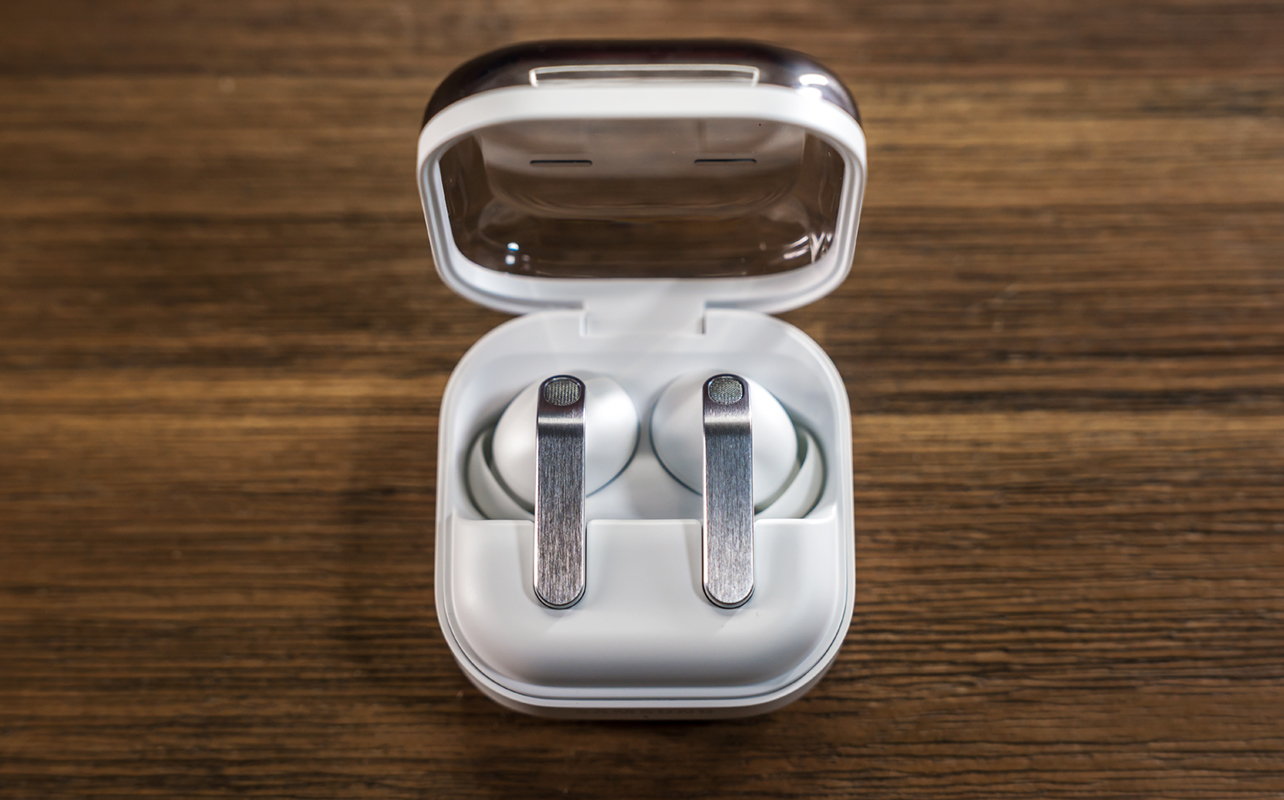
The Samsung Galaxy Buds4 Pro borrow heavily from their predecessors, but they also offer some meaningful improvements that many Samsung phone users will enjoy the most. We’re not talking any major shifts in design or performance, more like useful nudges in the right direction that help the overall experience.
Off the bat, I will say don’t bother getting these if you have an iPhone. You would be dealing with a constrained feature set, and at this price, there are deeper options with iOS compatibility. These are for Samsung users first, other Android phone users second.


Design and fit
Since Samsung totally redesigned the previous Galaxy Buds3 lineup by introducing stems, it’s not surprising we get the same here. They just move away from the past triangular style and go with a more rectangular design, which actually leads to more precise control. They also have IP57 dust and water resistance.
The drivers inside get 20% bigger, but the ear tips are still proprietary. If you lose or break one, you have to get replacements from Samsung. Fortunately, these tips don’t run into the same problem as the previous pair, so they won’t rip when taking them off.
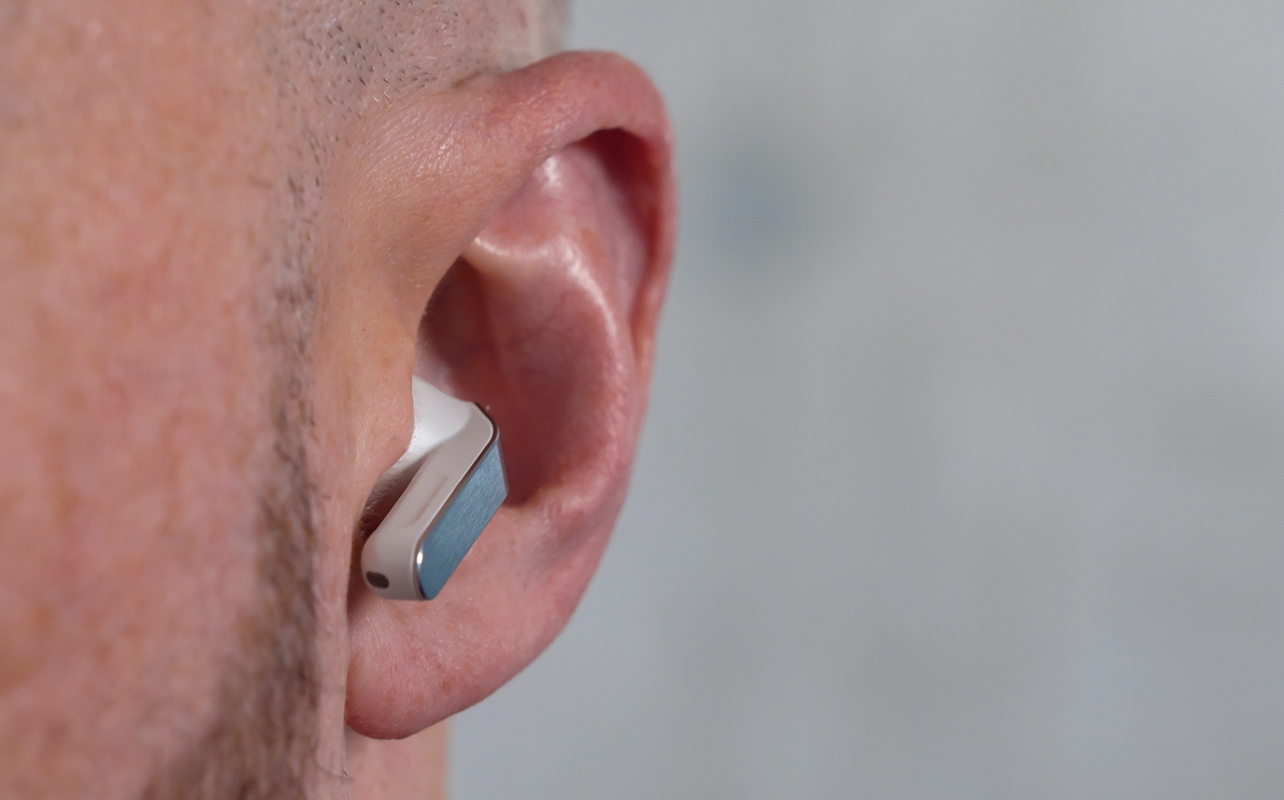
It’s worth going through the earbud fit test in the Galaxy Buds settings because it helps determine which of the three ear tip pairs work best for your ears. In rare cases, you might even see it approve different sizes for each ear. I just wish Samsung would think to include a fourth or fifth pair, like extra-small or extra-large, to accommodate more ear types. Other brands do this and it’s high time Samsung does it, too.
I personally like the switch to a clamshell charging case and the transparent lid, so I know they’re actually both in there. The clamshell is more a return to what Samsung did with its earbuds before, having used that design going back to the first Galaxy Buds pair.
Connectivity and controls
For Samsung devices, Galaxy Buds settings reside in the Settings app, not the Galaxy Wearable app. However, it’s the opposite on non-Samsung devices. You can find tips and the user manual available in case you’re not sure how something works. Either way, this is where you initially set up the Galaxy Buds4 Pro, learn controls, customize features, and install software updates.
That includes the ability to manually choose between ANC, Ambient and Off, and set the ANC level yourself between the five distinct points. When you do, switching ANC on defaults to that level until you change it to something else.
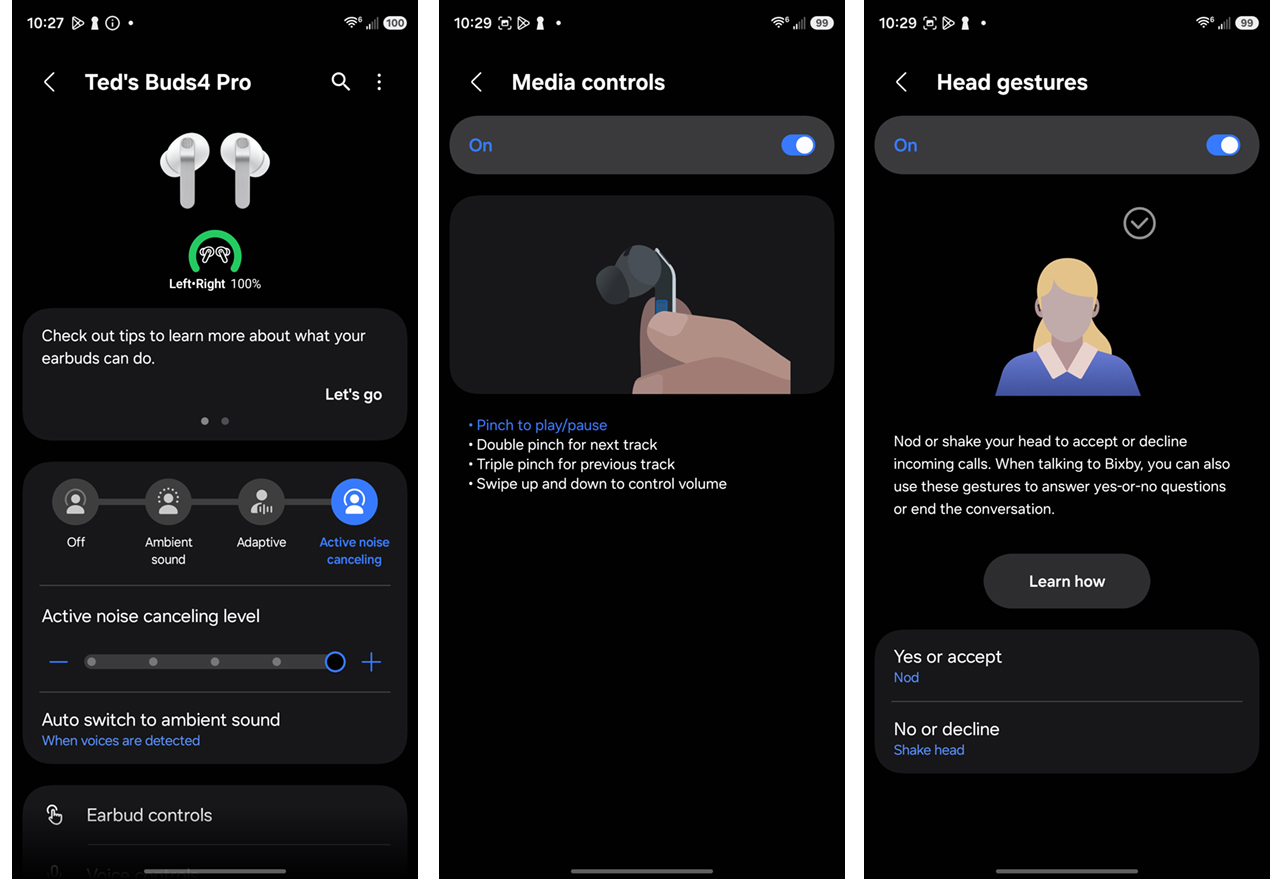
The stems have tactile controls with haptics to feel the effect between your fingers. Pinch and hold to cycle between ANC and Ambient mode, pinch once to play/pause, double-click to skip a track, and triple-click to go back one. Swipe up and down to control volume. While volume can be finicky, the other controls are consistent because the haptics take away a lot of the guesswork in knowing whether you did it right or not.
The Galaxy Buds4 Pro introduce head gestures, like nodding to answer a call or shaking your head to decline it. However, you need to keep Samsung’s Bixby voice assistant active on the paired phone. It’s easy enough to use these gestures to accept or decline a call, while going further requires using Bixby to respond—similar to yes-or-no questions when interacting with Samsung’s voice assistant. They won’t work with Perplexity or any other AI agent.
It’s also worth noting Auracast support, a Bluetooth protocol that lets you use the Galaxy Buds4 Pro to tune in on public or shared broadcasts, like at an airport or train terminal. It will eventually become standard but you can find it now in the Buds settings under “Listen to audio broadcast”.
Pairing with two devices at once
Samsung sticks to its Audio Switch ecosystem where pairing moves from one device to another. The problem is they must be compatible Samsung devices, so it’s not the type of multipoint connectivity other brands routinely offer. In other words, you can pair the Galaxy Buds4 Pro to your phone and laptop but they won’t be connected to both simultaneously.
Hence, if you’re listening to music on your phone and want to switch to the laptop for a video call, you have to disconnect from the phone first and then see if the laptop will pick them up. It takes up valuable time in the process. It’s only quick and intuitive if the two devices in the equation are Samsung models.
Audio performance
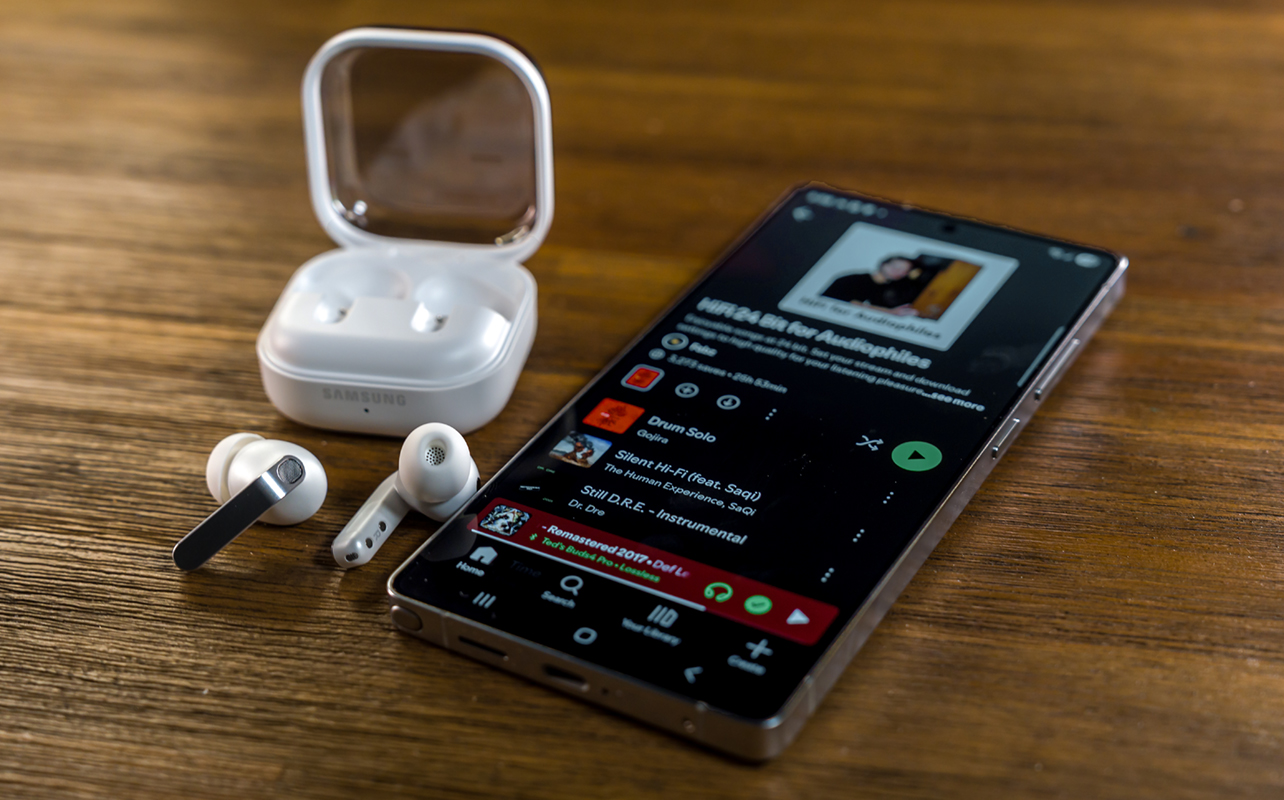
Between Ultra High Quality (UHQ) audio and a custom equalizer, the Galaxy Buds4 Pro produce the kind of resonant sound Samsung has only flirted with before. If you have a Samsung phone (Galaxy S23 or newer), you have exclusive access to the Samsung Seamless Codec (SSC) and hi-res Bluetooth audio. Tidal, Spotify, and Apple Music all offer lossless streaming with their subscriptions. And paired with these earbuds, the difference is audible. I mean, really audible. The quality is superb and sounds noticeably clearer than standard streams that work with compressed codecs (SBC, AAC).
Now that Samsung embraces a custom EQ, you have every reason to try tuning it to your liking. I highly recommend doing this in the Galaxy Buds settings because a nine-band EQ gives you a lot of flexibility to tune the sound how you see fit. Save it as a custom preset and then use it again anytime.
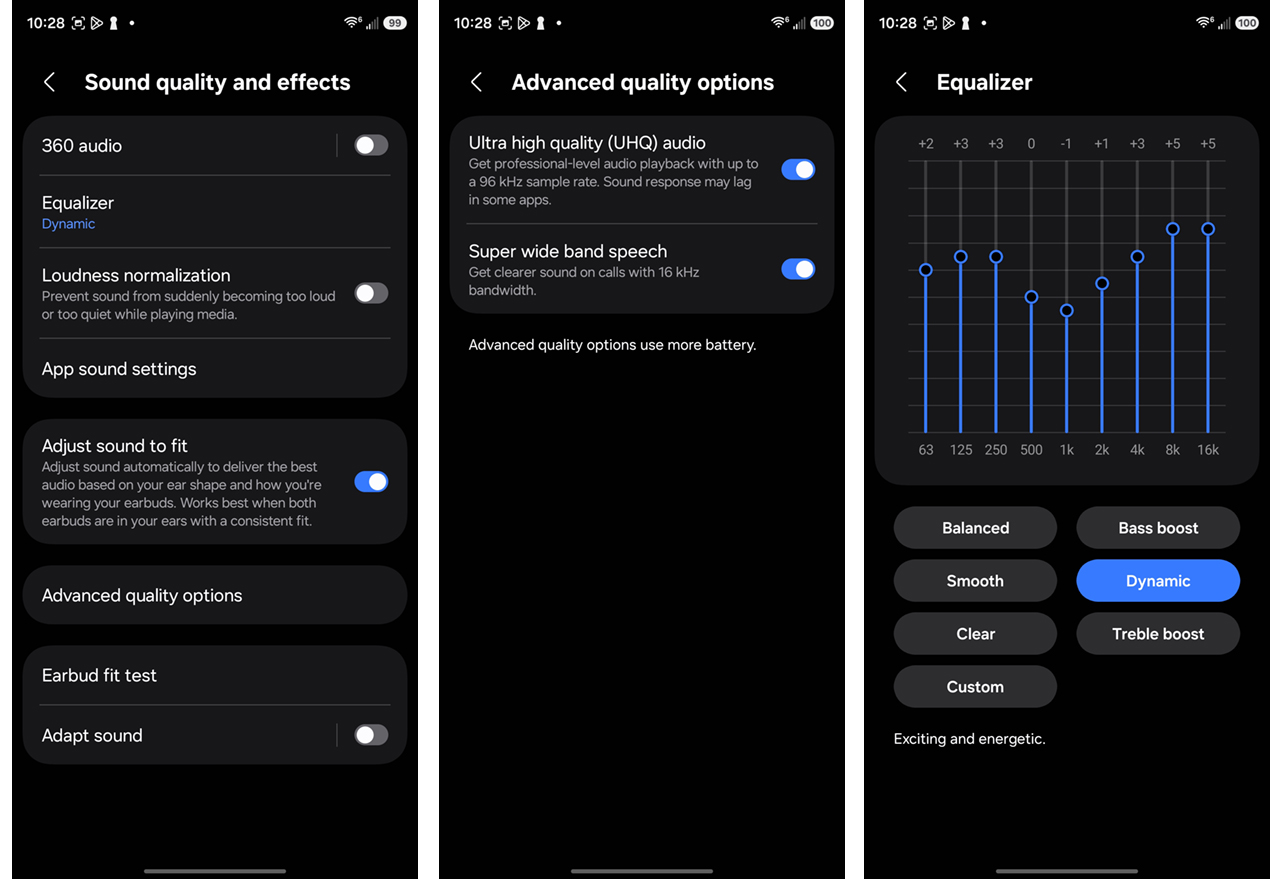
While the custom EQ is available for other Android devices, you lose out on the hi-res/HiFi/Lossless streams because the codec only works with Samsung devices. That still gets you good, but not necessarily great sound. Mind you, if you never hear these lossless streams, you won’t know what you’re missing, so it’s a double-edged sword.
As is, there’s solid bass right out of the box. Tuning these will likely depend on how much of the highs and mids you feel need a boost. Personally, I don’t mind the initial balance. But I find the Dynamic EQ preset does a nice job of boosting the sound without skewing too far. I also use it as a base to make manual adjustments to save as presets.
Phone call clarity
Calls come out pretty clearly. For the best possible result, the Galaxy Buds4 Pro support Super Wideband (SWB) voice audio—a higher-bandwidth call codec designed to make voices sound clearer and more natural. This feature is off by default but you can turn it on under Advanced Quality Options in the settings.
For this to work flawlessly, both phones on the call need to support it, meaning they each need to be compatible Samsung devices. It won’t work if, say, you’re talking to someone who’s using an iPhone or non-Samsung Android phone. This also goes for video calls, especially on laptops.
That said, the earbuds will still kick in noise cancelling if you want that for calls. However, they can also automatically switch to ambient to help you hear your own voice. Alternatively, you can set them to only switch to ambient when detecting voices. This is a longstanding feature in the Galaxy Buds that lowers volume and activates ambient mode for those quick moments where you need to speak with someone. It keeps getting better, particularly in reducing that lull between uttering the first word and the effect kicking in. But it also only works with Samsung devices.
ANC and Ambient mode
This is a big reason why it’s worth doing the ear fit test. A good passive seal helps the ANC do its job more effectively, and the evidence for that is noticeable here. When you’re travelling on a plane, it does well in muffling the droning sound of the engines. They sometimes let in surprising sounds that you wouldn’t expect. While I couldn’t hear a passenger next to me pulling something out of their bag, I caught snippets of a flight attendant talking three rows away.
When listening to music or a podcast out and about, the ANC does a fine job reducing the variances of street noise. While high-pitched sounds like sirens and horns break through somewhat, you’re not likely to hear much going on around you, especially when listening to music at the same time.
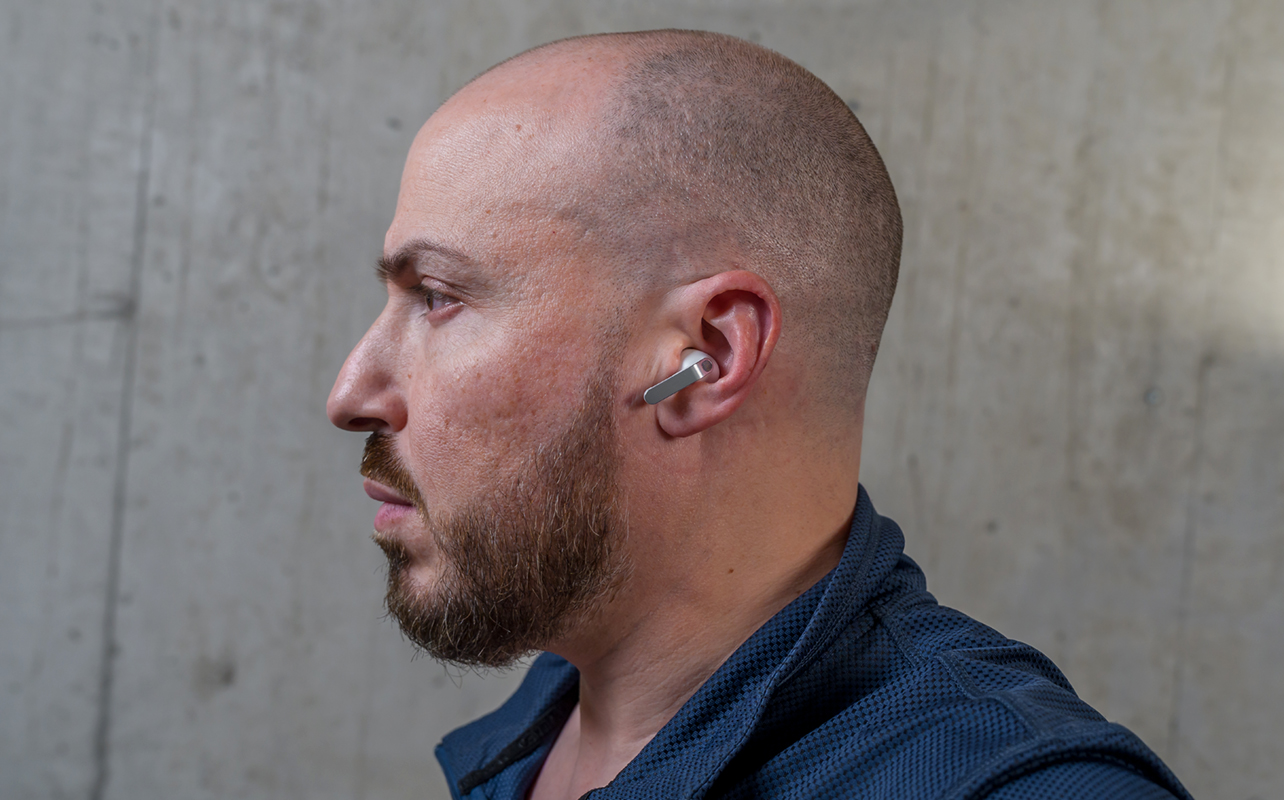
In short, ANC won’t match the likes of Sony and Bose, but it’s definitely better than it was before. Adaptive mode is fine in kicking it in based on how much noise you have around you. But apart from being a battery-saving feature, I personally tend to just switch to Ambient mode since the stem controls make that so simple.
I would argue Ambient is perhaps more impactful because it sometimes feels like not wearing earbuds at all. Not only could I easily hear announcements and street noise, conversing with others also didn’t sound overtly mechanical. There’s no audible hiss, nor a slight echo, making it one of the clearest I’ve heard to date.
Battery life
There’s nothing particularly fancy going on here. Samsung rates the Galaxy Buds4 Pro at about six hours per charge with ANC on. They’re mostly right—it’s probably between 5-6 hours—except the bigger battery drainer is audio volume. Go loud and you won’t last as long. Leave ANC off and you could stretch out the battery an extra hour or more. But again, that’s all relative to how loud the music is.
The case gives you an extra three charges, so you’re covered for a while before you need to plug in again. It also supports wireless charging.
Final thoughts
While the Samsung Galaxy Buds4 Pro don’t require you to use a Galaxy phone, the two go together more than perhaps any other time. That’s especially true if it’s a Galaxy S23 or later giving you the ability to listen to hi-res and lossless audio. Granted, you could do the same by plugging in a pair of wired earbuds to the USB-C port but doing so wirelessly feels pretty liberating, if you ask me.
By withholding certain features and keeping them as exclusives to its own ecosystem, Samsung makes the benefits more substantial for those using its devices. In a crowded earbuds market, Android users have no shortage of options. For Samsung users, these are a solid choice that won’t disappoint.
The Samsung Galaxy Buds4 Pro are available now in black and white.