

Telephone scams are nothing new, and neither are telephone scams where cybercriminals pretend to be tech support staff. That’s been going on for years. We discuss “How to avoid internet and telephone scams” often on the blog and on Best Buy Canada’s social channels. However, the bad guys are continuing to taking advantage of a nervous public. Calls and text messages supposedly from reputable tech support services including Geek Squad, Microsoft and Apple have spiked. And they’re often asking people to give them access to their computer so that they can “fix” a virus or issue that they’ve found through a remote scan.
Don’t take the bait.
This is a classic telephone tech scam. No reputable tech support company is going to call you out of the blue and ask to access your PC. Certainly not Geek Squad. Unless you’ve called them first and asked for remote assistance, this is a scam!


Taking Advantage of a Nervous Public
Telephone tech scam incidents have been on the rise recently. A big part of this current flood of attacks can be traced back to last May and the WannaCry ransomeware attack (you can read everything you need to know about WannaCry and protecting your PC from ransomware).
WannaCry made headlines globally. The consequences of losing access to a computer altogether and having to pay big bucks to get it back shocked many people. Subsequent high profile ransomware attacks have continued to make people nervous.
This apprehension and the public warnings to make sure your PC is protected haven’t been lost on cybercriminals. They are opportunists. They’re using the fear created by WannaCry to pose as legitimate tech support specialists, calling their victims directly and claiming they’ve detected a virus on their computer from a remote scan. Or, offering to scan their PC for viruses and malware as a free service.
The Consequences of Being Victimized by a Telephone Tech Scam
Cybercriminals want access to your computer for a variety of reasons, none of them good.
If they gain access to your PC, they can quickly grab critical personal information including credit card numbers. They could gain access to your online accounts, including banking. They could gain access to your e-mail and social media accounts. They could copy your digital photos, movies, and other personal files. Some cybercriminals also install software than runs in the background, using your PC and your internet bandwidth to attack other computers, sending spam and viruses, or constantly hammering websites in a denial of service attack.
The consequences to you are all bad.
They range from an immediate financial hit if they start starting buying things with your credit card or transferring money out of your online bank accounts. There could be personal safety and privacy issues—not to mention blackmail opportunities—if cybercriminals get their hands on your private information. There is the possibility your e-mail and social media accounts could be used to send misleading or offensive information to all your contacts. You could end up in a WannaCry situation, where the cybercriminals install ransomeware that encrypts your hard drive, effectively locking you out of your computer and all of your files until you pay a ransom fee.
Even in a best case scenario (if you could call it that), where your personal info isn’t hacked and your PC is instead used as part of a botnet to attack other computers, your internet bandwidth is going to take a hit and your PC will likely run sluggishly.
How the Scam Works
The goal of the telephone tech scam is to gain remote access to your PC. The cybercriminals will call you, and claim to be from Geek Squad, Microsoft or some other tech company that you trust. The call display number may also get spoofed to try to make the call seem legitimate. Playing on fears of WannaCry and other high profile malware, they may try a variety of ploys:
- Claiming their system performed a remote scan of your PC and discovered a problem, or that your PC has been sending warning messages that it is infected to the company
- Offering to remotely install an official update that protects your PC from malware
- Asking if your PC performance seems slower, and implying that is being caused by a virus (which they can fix for you)
- Offering to remotely scan your PC to ensure you are virus-free
- Trying to sell you virus protection software that they will remotely install
- Directing you to a website where you can have have your PC scanned, or buy anti-virus software
It all sounds legitimate—the people making these calls are pros who can sound very convincing—but it never ends well for you.
One way or another, they will request remote access to your PC and once they have it, often flash fake warning screens that “prove” to you that your computer has been infected. You could be pressured to buy antivirus services (adding insult to injury), your personal information will be jeopardized and your PC will undoubtedly now be infected.
What to Do if a Scammer Calls You
I’m going to repeat this point, because it is key to this entire telephone tech scam: a legitimate tech support service—Geek Squad, Microsoft, Apple or anyone else—is not going to call you out of the blue and ask to access your computer or ask for personal or financial information. You call them if you need support.
If you receive one of these phone calls, consumer protection organizations including the Better Business Bureau and the CRTC agree on what you should do: hang up. Never give the caller remote access to your computer, and don’t engage them in a conversation—that just gives them more opportunity to persuade you. And they can be very good at that …
Concerned You’re a Victim of This Telephone Scam?
If you have that sinking feeling that you have been victimized by a telephone tech scam (or any other malware attack for that matter), you need to act quickly to minimize the potential damage.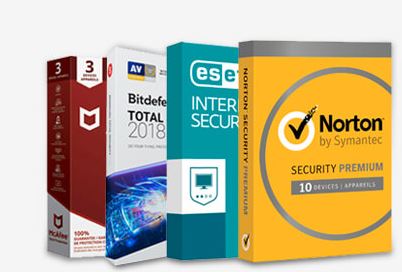
- Change all of your online account names and passwords
- Change the administrator and individual account passwords on your PC (if you’re able to)
- Install antivirus software and run a full scan of your PC. Geek Squad offers free tools for Windows and Mac that can help you, or you can purchase commercial packages like McAfee or Norton.
If you’re concerned that the situation may be worse than you can handle yourself, you can contact a Geek Squad online agent for assistance, or even bring your PC to your local Best Buy store for a hands-on assessment by a trained Geek Squad agent.
The ideal solution is to make sure your computer’s security software is always kept up to date, ensure you always have a full backup of your system and its files, and hang up if someone unexpectedly calls you, claiming to be offering computer support.
To learn how to protect yourself and your family from computer-based scares, including phishing, be sure to read this online guide. It’s full of tips, resources and real-life examples.





Got another call today and when I said I didn’t want their services they wanted me to go to a website to discontinue.
THe link they gave http://bestbuyxx.xxxx.xxx/ (EDITOR NOTE: we removed the rest of the link since we don’t want anyone clicking on it from the blog by mistake) and asked me to click on server two and then save and run an executible.
This way they can get you if you say no or yes.
Do not run their program
Hi Paul,
thanks for sharing your experience. We appreciate you helping us all to be aware of these scams. You’ll notice that I removed part of the link above to protect our customers
take care,
Martin
Just got a call from a Geek Squad Scammer calling on 650-815-7860 from Sunnyvale California claiming that they are going to debit my VISA $400 tomorrow … I didn’t let him get to the unless part.
Received at least a dozen calls in the last two days from 8213497966 and 4166021819 and 7802194440 and 7802177528 and a few more. First clue it is a scam is the number repeats itself on the phone display.
Challenged the person and they immediately hung up.
What if someone from the Geek Squad called and said that the Better Business Bureau has them giving a refund to me and goes as far as having me go to a store to purchase gift cards because “oops” we accidently put too much into your banking account, and I need to get certain gift cards to give them.
Please help clarify Fact or Damn scammers…
Received Text +1 (302) 788-6775 at 2:530
Pm today
Best-Buy has sent you a message regarding your winnings from the draw on 12th May. Grab it here: {link provided}
Hi Betty,
Thanks for making us aware of this text that you received. I have sent your comment, and contact details to Best Buy’s customer service department to confirm but I am pretty sure that message was not sent to you from Best Buy. If customer service needs to contact you they will do so using the email address you just added on the blog.
best regards,
Hi Betty,
Our customer service department sent this response:
Thank you for letting us know about a text message you received purporting to be from Best Buy. This specific message asked you to click on a link and share your personal information, including credit card information. We can assure you that we did not send you this message.
Unfortunately, it is a common scam for fraudsters to use the name of a high profile retailer to entice the recipient to provide his or her personal information including financial information. The fraudster will then either sell the individual’s information to other parties (e.g., marketers or fraudsters) or use the credit card details themselves. This can also be an avenue to download viruses or other malicious software.
Please do not click on suspicious links, including the link in this text message.
You can report this fraudulent text message to the CAFC online or by phone at 1-888-495-8501.
More information on these types of scams and what to do if you’ve been the victim of fraud are available from the Canadian Anti-Fraud Centre (CAFC):
http://www.antifraudcentre-centreantifraude.ca/index-eng.htm
Thank you again for bringing this to our attention.
Comments are closed.