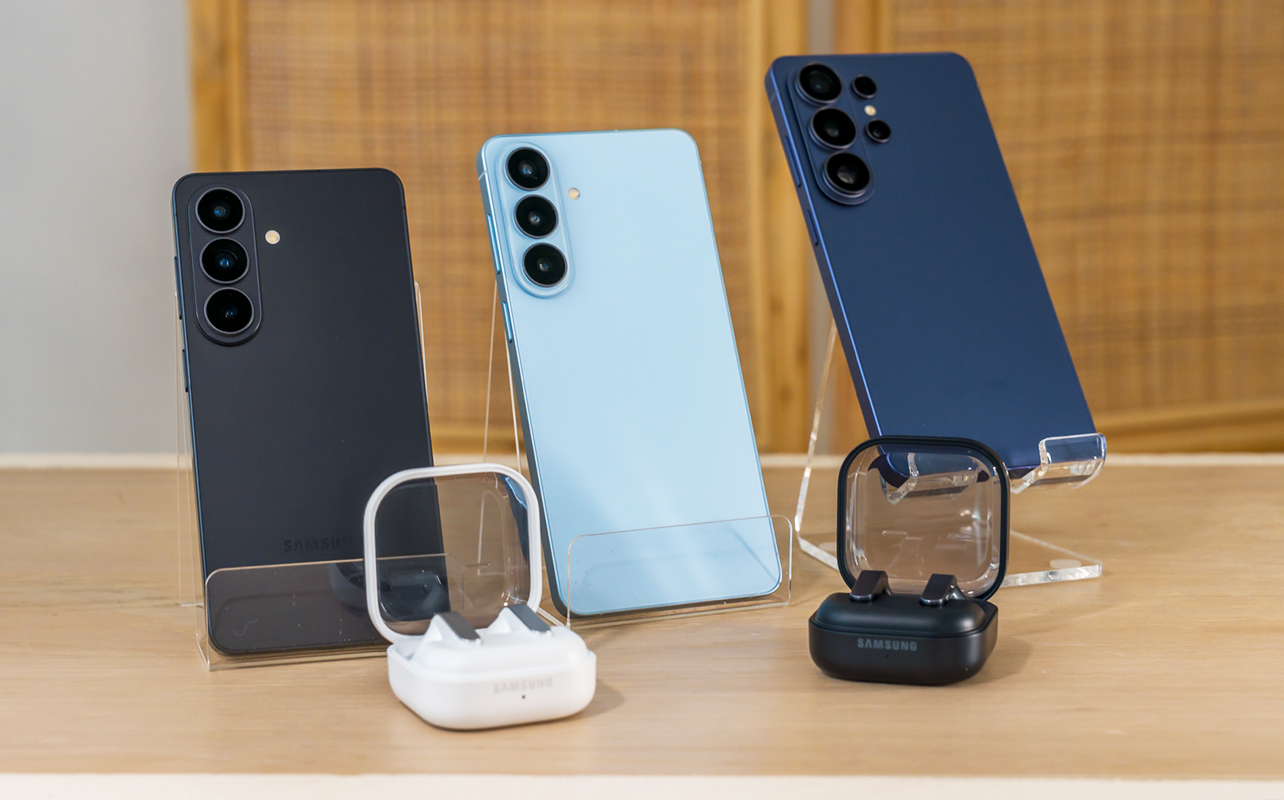
Samsung is back again with a new trio of Galaxy S26 phones along with a new duo of Galaxy Buds4. Led by the flagship Galaxy S26 Ultra, the new devices largely stick to a similar look and focus more on adding software and usability features to change things. As for the earbuds, some key tweaks aim to push the audio experience further.
All of this comes on the heels of Samsung’s annual Unpacked winter announcement, though as in past years, there are no major overhauls here. Just refinements to expand on what’s come before. I got to see them all before the event and here are some first impressions before reviews hit the blog.

About the Galaxy S26 lineup
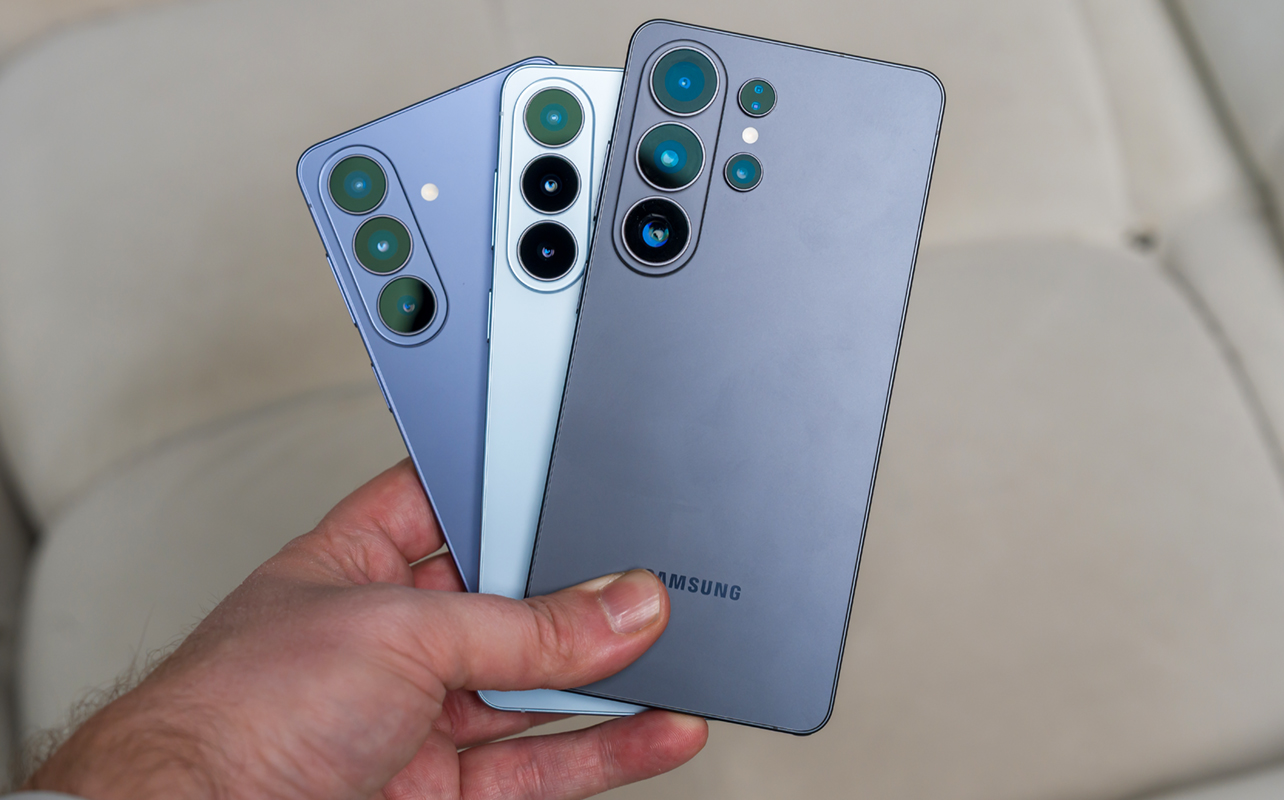
Physically and stylistically, things largely stay the same compared to the previous Galaxy S25 lineup. There are minor differences, like how the Galaxy S26 Ultra is a tiny bit longer and wider, though a tad thinner and marginally lighter. The Galaxy S26 and S26+ are just a tad bigger and heavier than their predecessors. We are talking mostly split hairs here, though, as these variances don’t make much of a functional difference.
Some notable things that have changed: The base storage now starts at 256GB across the board. While the base S26 sticks to 25W wired charging, it’s 45W for the S26+ and moves up to 60W for the Ultra. No charger in the box, mind you, just gives you an idea of how much wattage these devices can handle. Only the S26 and S26+ get slightly larger batteries, while the Ultra stands pat at 5,000mAh. Also, these aren’t silicon-carbon batteries, like other Android devices are using, which may play a factor in what kind of longevity each of these models can offer.
All three phones get an upgrade to the Snapdragon 8 Elite Gen 5 processor, so there’s more power under the hood. Not a particular surprise there since that’s currently Qualcomm’s strongest chipset. Since some of the Galaxy AI features work on-device rather than purely in the cloud, the extra muscle certainly can’t hurt.
New Privacy Display
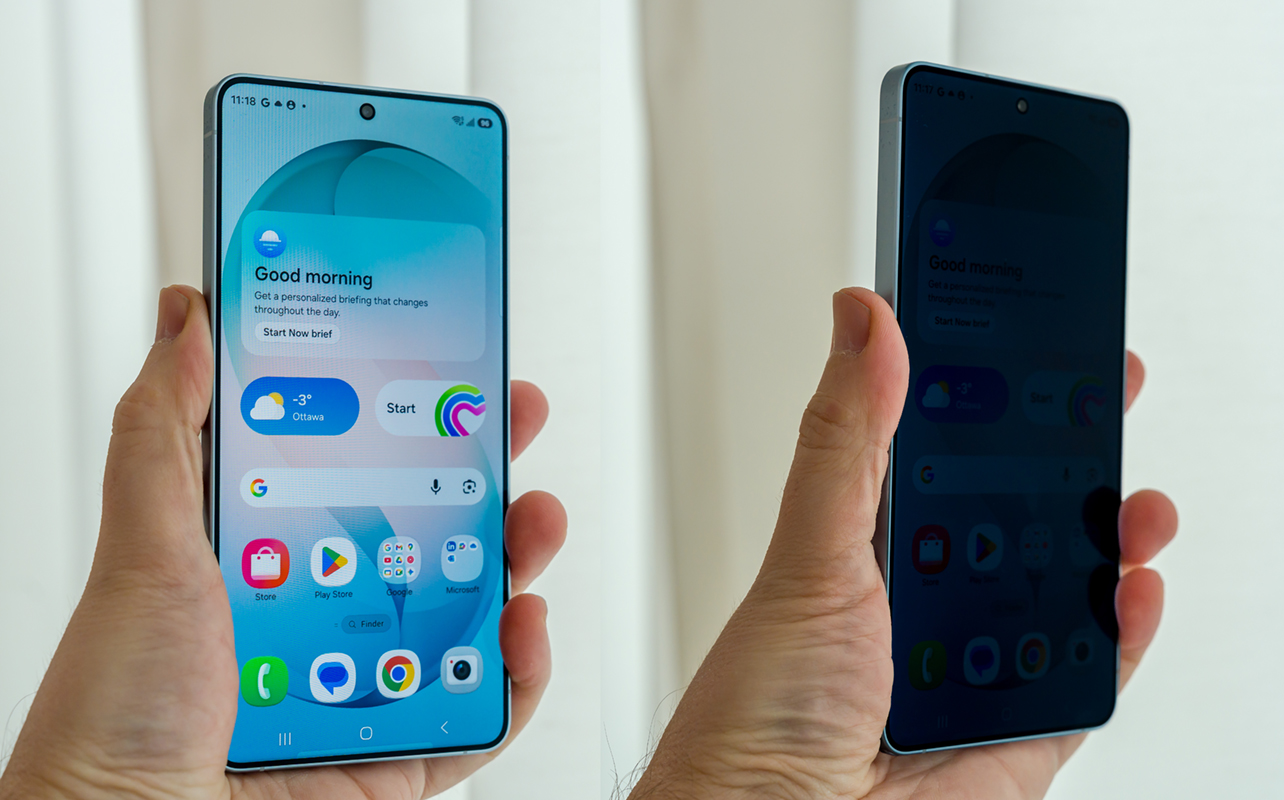
This feature is exclusive to the S26 Ultra and what it does is use nifty pixel trickery to effectively dim it and reduce visibility from angles. Without getting too technical, when enabled, certain pixels will make it hard to see the screen if you’re not facing it directly. You can set this to work generally or for specific apps, which is interesting. And because it’s essentially shutting some pixels off to do this, there’s a chance it might have a positive effect on battery life. Only real testing will prove that, but it is a theory I want to try myself.
It’s an interesting implementation based on my brief time with it. Note, however, the effect applies when the phone tilts laterally, not up or down. That’s great when sitting next to someone, but it is still possible for someone to peek from overhead. I’ll need to test this further but that’s one of the takeaways I got from trying it out.
One of the neat things about this feature is that you can tailor it to specific notifications, so if something sensitive comes in, the Privacy Display can kick in to reduce visibility. Unfortunately, the other two S26 models don’t get this feature, but they do share a couple others.
Camera and AI Editing
On the camera side, very little changes. Samsung is using the same image sensors all around, though manages to increase the aperture on the Ultra’s 200-megapixel main camera to f/1.4. That’s as wide as you’ll get on a phone camera and should help with low-light and night photos.
Another interesting video feature that all models will get is a Super Steady with Horizontal Lock mode that prevents unwanted rotation during filming. Enabling it maintains a horizontal lock to keep the frame stable, thereby avoiding any abrupt shift when tilting the device while recording. In other words, it maintains the ability to record landscape footage even if you’re forced to tilt it for whatever reason. It works with the main and ultra-wide lenses but not the telephoto.
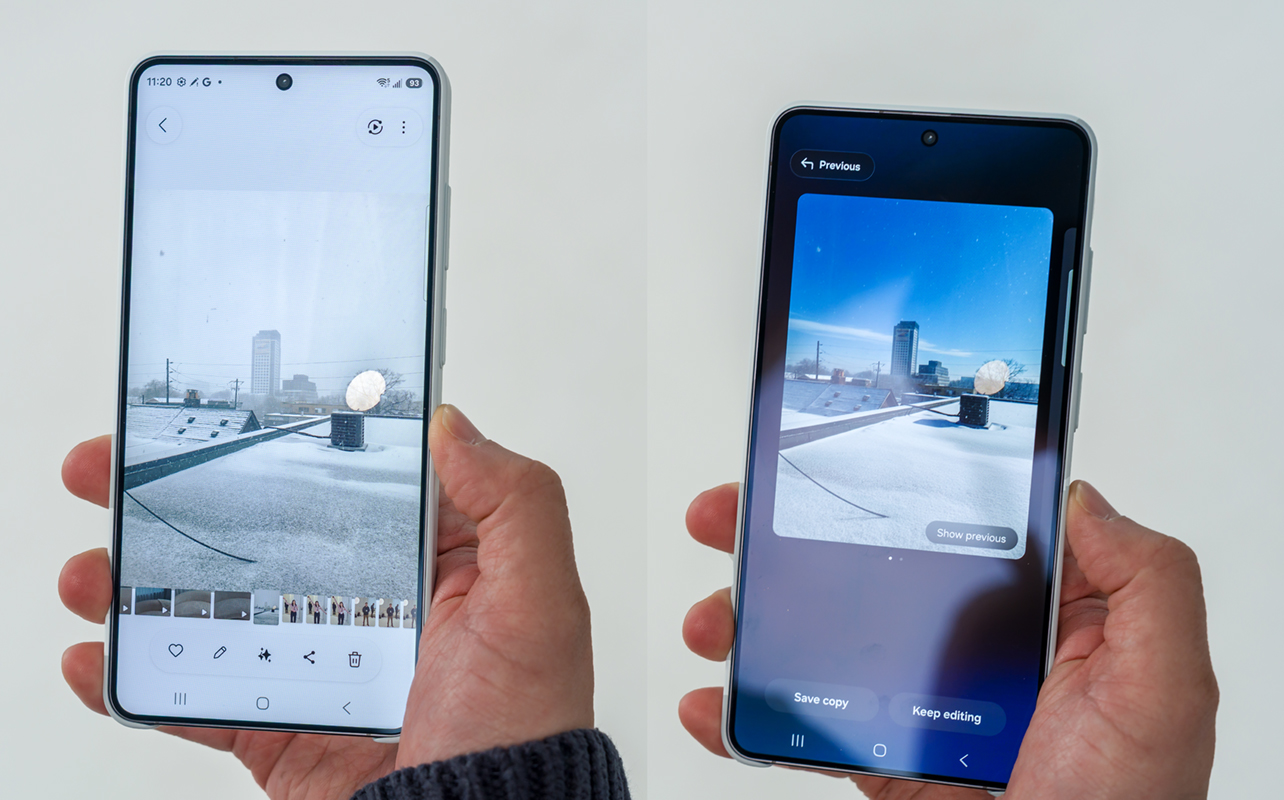
Galaxy AI photo editing incurs a combination of voice and visual input. Take any image in the Gallery, tap Create, and then either type in or verbalize a command. In the image here, it was to make the environment appear sunnier, which replaced the overcast sky of the original with a sunny blue sky. These are AI-generated images, and are noted as such with watermarks in the corner. The information also appears in the image’s metadata.
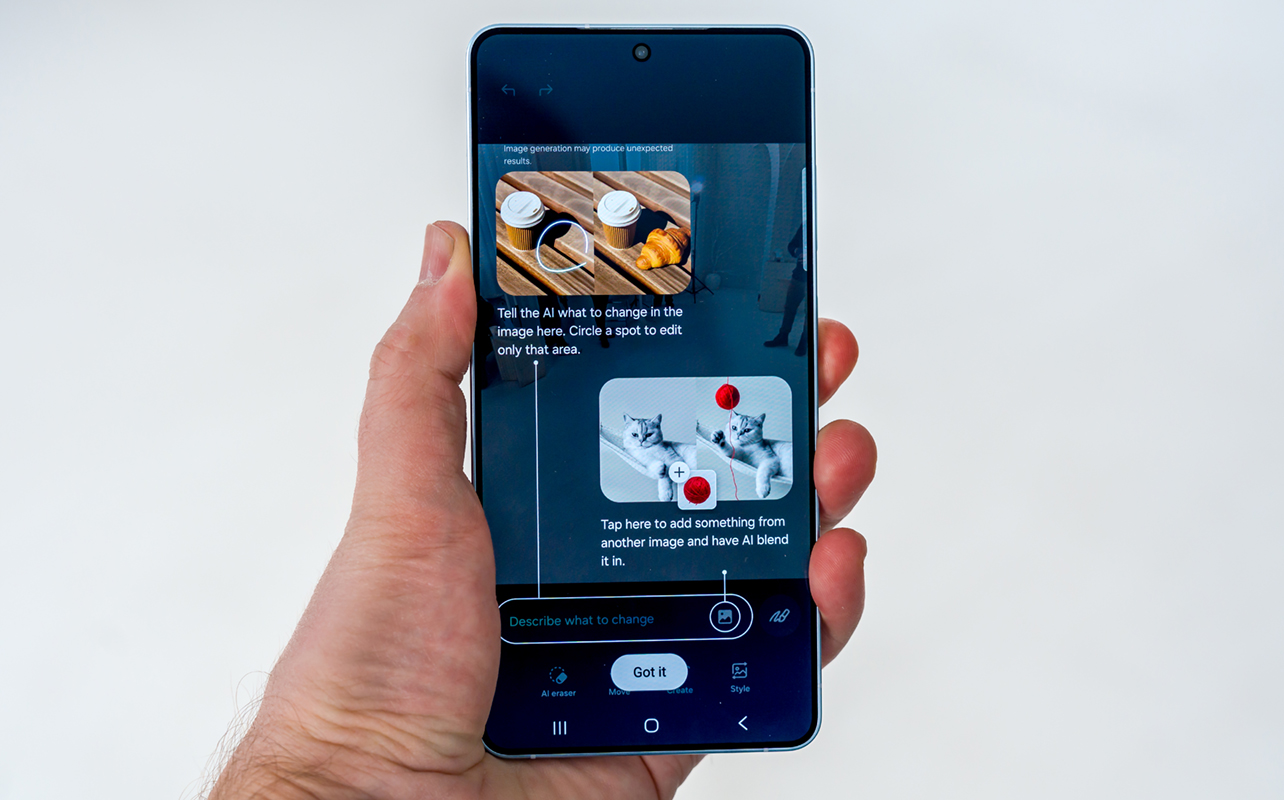
If you want to add an object to a photo, circle a specific area and tell the AI to add a new element. After getting it wrong a couple of times, it finally got it right when it added the requested hot air balloon into the selected area. Not only can you localize these edits but also take an object or person from one of your photos and slot them into another. The AI tries to add its own twist to make it all fit contextually. We’ll see how this expands in time.
About the Galaxy Buds4 Pro and Buds4
Here, too, Samsung doesn’t change much on the spec sheet. The only major differences (if I can call them that) are slightly larger batteries on both pairs and a bump to Bluetooth 6.1. Features like Auracast will be great down the line, though likely won’t have an immediate impact. Samsung includes three sets of silicone ear tips with the Galaxy Buds4 Pro, while the base Galaxy Buds4 stick to the exposed driver opening of their predecessor.
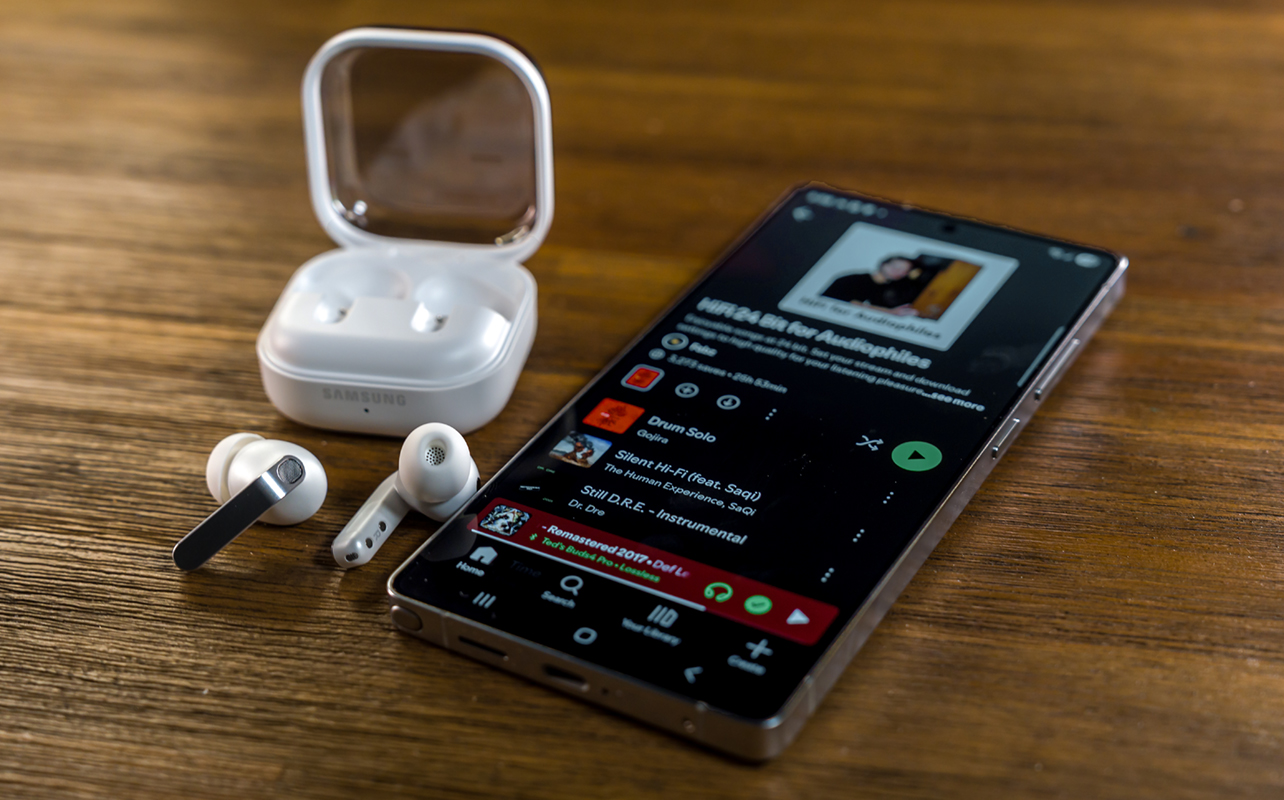
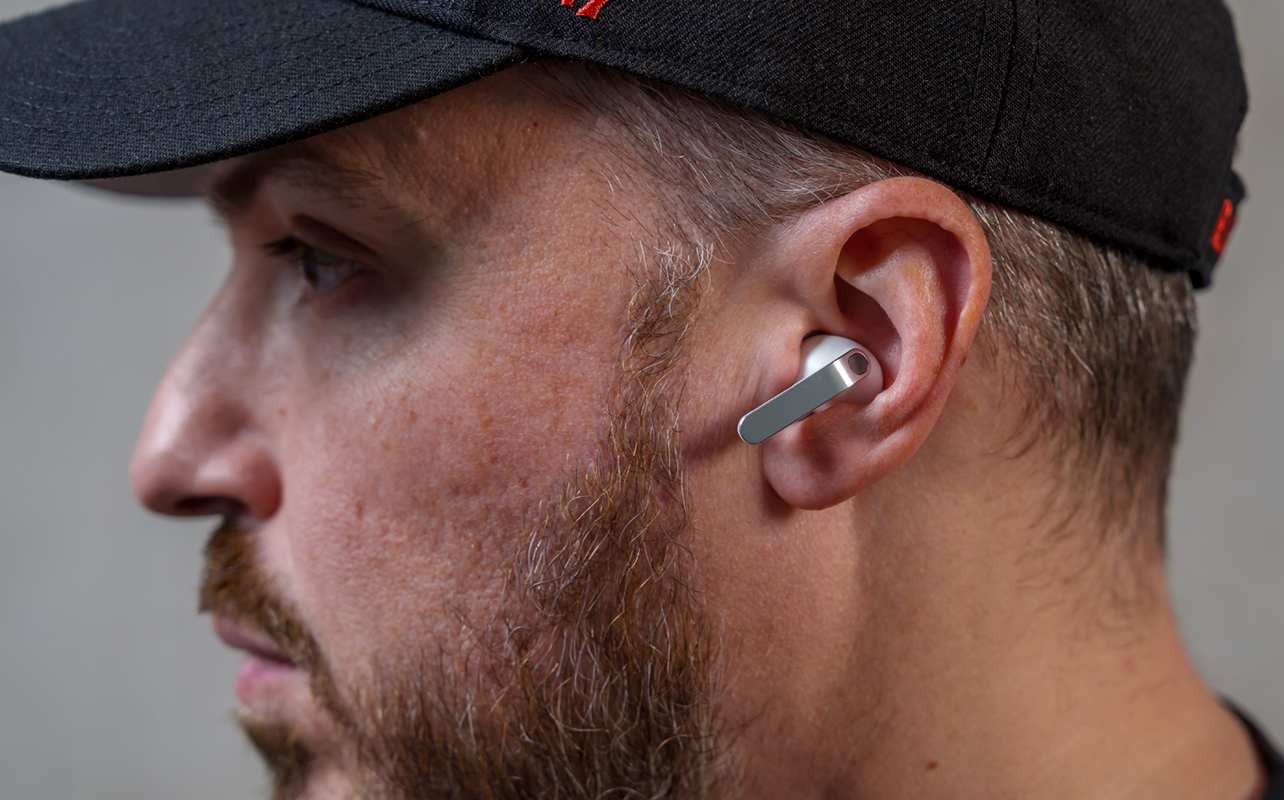
They do each get a revision on the outside with redesigned stems that do away with the previous triangular style and go with a more neutral rectangular one. Both incorporate some metal elements along the top and sides, and haptics make touch and pinch gestures feel a little more precise than before. These will also support head gestures, where you can nod to answer a call or shake your head to decline it. They also work to dismiss alarms, timers, notifications, and other system prompts through Samsung’s Bixby AI.
The charging case also gets a new look in the form of a clamshell case with a transparent lid. This is one way to know if the earbuds are inside or not. They slot into place with onboard magnets and the built-in batteries on either case can recharge the earbuds another three times.
An AI trio enters the fray
Both the Buds4 Pro and Buds4 will support multiple voice assistants, including Bixby, Gemini, and Perplexity, though you have to pick which one is active by wake word. Bixby remains firmly integrated with system-level phone functions like reminders and alarms, while Gemini covers broader AI queries. As for Perplexity, it may sit somewhere in the middle as a means to retrieve information and answer contextual questions but I’ll wait to see what it’s like when it’s available to test.
Promising sound and noise cancellation updates
Samsung gives the Buds4 Pro a boost with a 20% larger woofer than before. Based on my initial listening experience, it helps deliver a nicer balance of bass and highs, though mids finally get some time to shine. A custom equalizer in the settings helps a great deal in tuning the sound more to your liking. Samsung Seamless Codec (SSC) still keeps hi-res audio playback to Samsung devices but it really makes a difference when you try it out.
Both models include adaptive sound features that adjust audio output based on the surrounding environment. This allows the earbuds to respond automatically when you move between quieter and noisier locations, like going from an indoor space to public transit or a busy street.
More impactful is better active noise cancellation (ANC), at least based on some of my own experience. You get more control with the Buds4 Pro because of the five adjustable ANC levels, but there’s also an adaptive option to let the earbuds figure it out based on noise levels around you.
Samsung is also introducing a “Super Clear Calls” feature, available when pairing the earbuds with compatible Samsung devices. The idea is to enhance call-related frequencies to improve voice clarity during phone calls, be they audio or video.
Pre-order your S26 phone and Buds4 now at Best Buy
All three Galaxy S26 devices will be available on March 11, with pre-orders starting today, coming in black, cobalt violet, and sky blue. The Galaxy Buds4 Pro and Galaxy Buds4 will come in black and white.