

The Fitbit Air is the brand’s first screenless tracker. It’s a bracelet that passively keeps tabs of your fitness, activity, health, and wellness. But with the Google Health app, and especially Google Health Premium, it does so much more. This wearable and app combination leverages the power of AI through Health Coach. It can assist you in reaching goals, developing tailored workout plans, and answering lingering questions. I spent several weeks with the Fitbit Air alongside a Google Health Premium subscription. The goal was to find out if the Fitbit Air is worth wearing. And is Google Health Premium worth the monthly cost?


Design and comfort
The Fitbit Air comes with a Velcro Performance Loop band in Lavender, Obsidian, or Berry that houses the pebble sensor. It’s incredibly comfortable such that you don’t even feel it around your wrist. Since there’s no screen, you aren’t looking at it constantly either. It really does seem just like a bracelet. You’d never know all the cool technology hiding inside!
As with other Fitbits, you can swap bands for others. The standard loop is pretty durable. I have worn mine in the shower and it dries quickly. Repeated exposure to water can cause the end to start to raise, however, and the Velcro to annoyingly snag on things. So, you’re best to keep it out of water whenever possible.
Set up is super quick and simple, and requires a Google account. If you still use the old Fitbit app, Google will prompt you to port your data over to Google Health. You can connect the device to Apple Health. But since I also wear an Apple Watch, I chose not to do so. I wanted to ensure that data gathering was completely separate between the two.
The Google Health app experience
The entire experience exists within the Google Health app since the band is a passive tracker with no buttons nor screen. This app works with Android 11 or higher and iOS 16.4 or higher phones.
The app pops with a much more colourful dashboard than the Fitbit app. This highlights data like weekly cardio, steps, readiness, and sleep. You can swipe left to see other data like heart rate, calories burned, vitals, distance, exercise days, and food (if you choose to log meals). There are slots for additional data you can customize.
Without Premium, you get a simplistic experience similar to the Fitbit app without Fitbit Premium. You will only get basic activity and fitness tracking data, bare bones sleep tracking, vitals like resting heart rate, Sp02, and cycle tracking, and a leaderboard with friends. You can also set the band to vibrate for notifications. But the free version is very basic.
Google Health Premium and Ask Coach
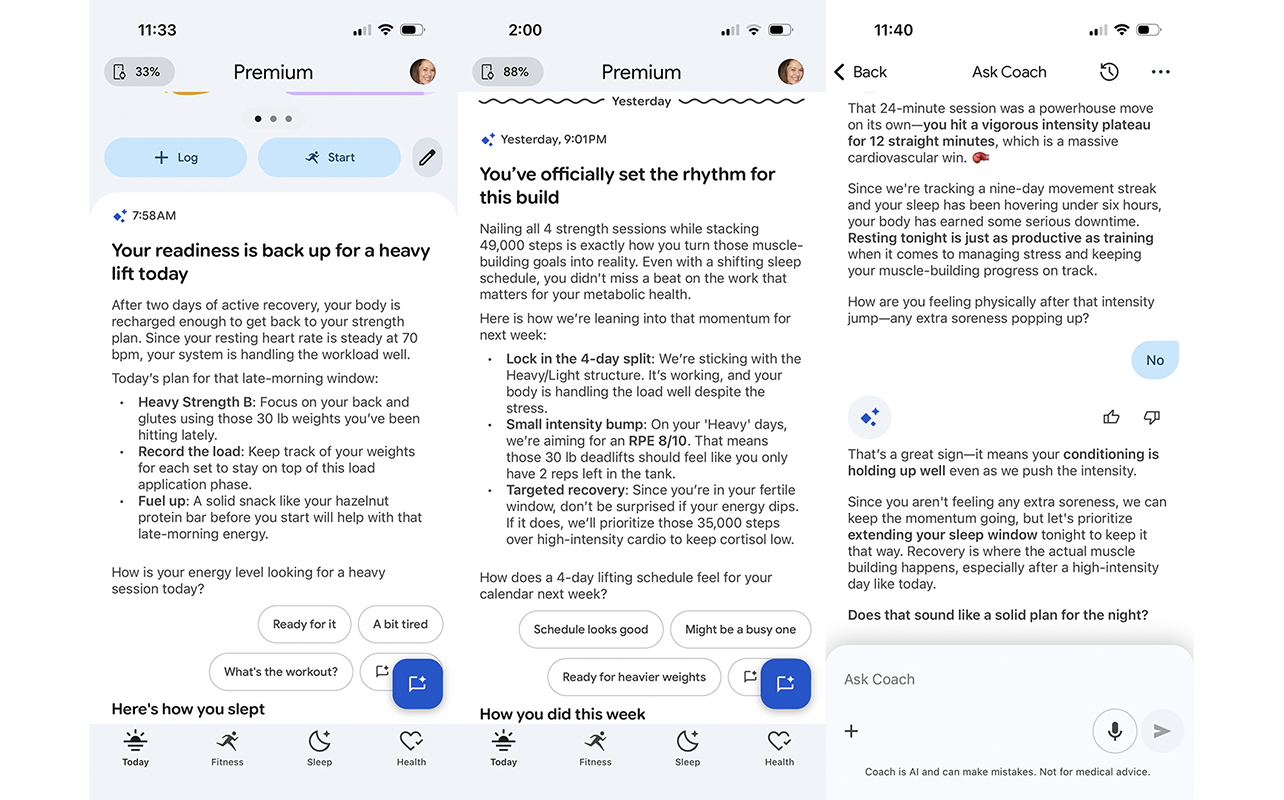
Where the magic truly happens is with Google Health Premium. Once you have this set up (the tracker comes with a three-month trial after which it’s $12.99/mo.; it also comes included with a Google AI Pro or AI Ultra subscription), Ask Coach pops up as your virtual trainer.
Ask Coach onboarding
Start with an onboarding conversation, which takes about five minutes using text or voice. It asks you to provide details about your usual habits, goals, what equipment you have at home, and more. You can divulge as little or as much as you want. I discussed my current workout regimen. This involves a mix of strength training, cardio, and core workouts six-to-seven days a week and two days of walking workouts. My goals? To build muscle and reduce midsection weight. I have a weight bench and a wide selection of dumbbells, which I told it as well.
It advised that my current workout regimen is spot-on for what I need. Why the lack of muscle building and stomach weight gain? It could be my age and stage of life as well as stress and lack of sleep. Since the watch tracks all this data, too, it’s able to gauge that these may play a role and provide tips to help you improve, monitoring progress over time. It provided goals to work towards, serving as a virtual guide.
Keeping you accountable
What I love about the Health Coach is that you get a summary several times a day to help keep you accountable. For example, one morning, I learned that my body bounced back with good REM and deep sleep. It recommended that I do a lifting workout then take time to walk this weekend. It also reminded me to hydrate. After my strength training workout, Health Coach advised to grab protein to assist with muscle repair since the last bit of my workout was intense, my heart rate peaking at 145 bpm. This ongoing data makes it tempting to check the app periodically throughout the day. Some push notifications prompt you to do so as well (you can turn these off if desired).
Something to note
One thing worth noting is that Ask Coach isn’t instantaneous. There’s a processing delay of up to 10 seconds between when you speak or type a question while it’s “preparing an answer,” at least when using iPhone. So, while it’s conversational, it doesn’t mimic a traditional back and forth conversation. This is frustrating, but with patience, it’s worth taking the time to log things like meals, add context to workouts, and ask questions. Usually what you get in response is pretty valuable and worth the short wait.
Is Google Health Premium worth it?
There’s no question that Google Health Premium is worth it if you’re looking to reach a goal. It also helps you plan activity and workouts. You will appreciate insights into how other aspects of your health and wellness play into your overall progress as well.
But even for basic fitness tracking, it’s worth it to upgrade for everything you get above and beyond the basics. Knowing how long you sleep or how many calories you burned, for example, is only a small part of the picture. Seeing how everything works together is what’s most helpful for overall wellness.
Useful Health Coach features
It’s also useful to leverage Health Coach to accomplish things more quickly and easily. I can audibly tell it what specific exercises I did and weights I used and have that added to the workout tracking. It can then call this data up later if I need it, like if I want to increase weights but forgot what I used last time. I can also use voice commands to log meals, even take photos of a dish. It analyzes the meal, adds to my log, and provides feedback. (You can modify if it gets something wrong, like to add ingredients or change portion sizes).
With Create Workout, provide details for exactly what you want, like a 20-minute upper body workout. It will create a workout routine for you that you can follow along with and save to go back to at any time. I tried this with strength training and the devised workout was great.
The good news is that you get a three-month trial to try Google Health Premium. Cancel when it’s done to compare, and renew if you miss the features. It’s likely you will, so factor in the monthly cost with the overall purchase. Since the Fitbit Air itself is really affordable, it’s a subscription fee you can stomach. Plus, if you have a Google AI Pro plan, it’s included with that.
Activity, wellness, and sleep tracking
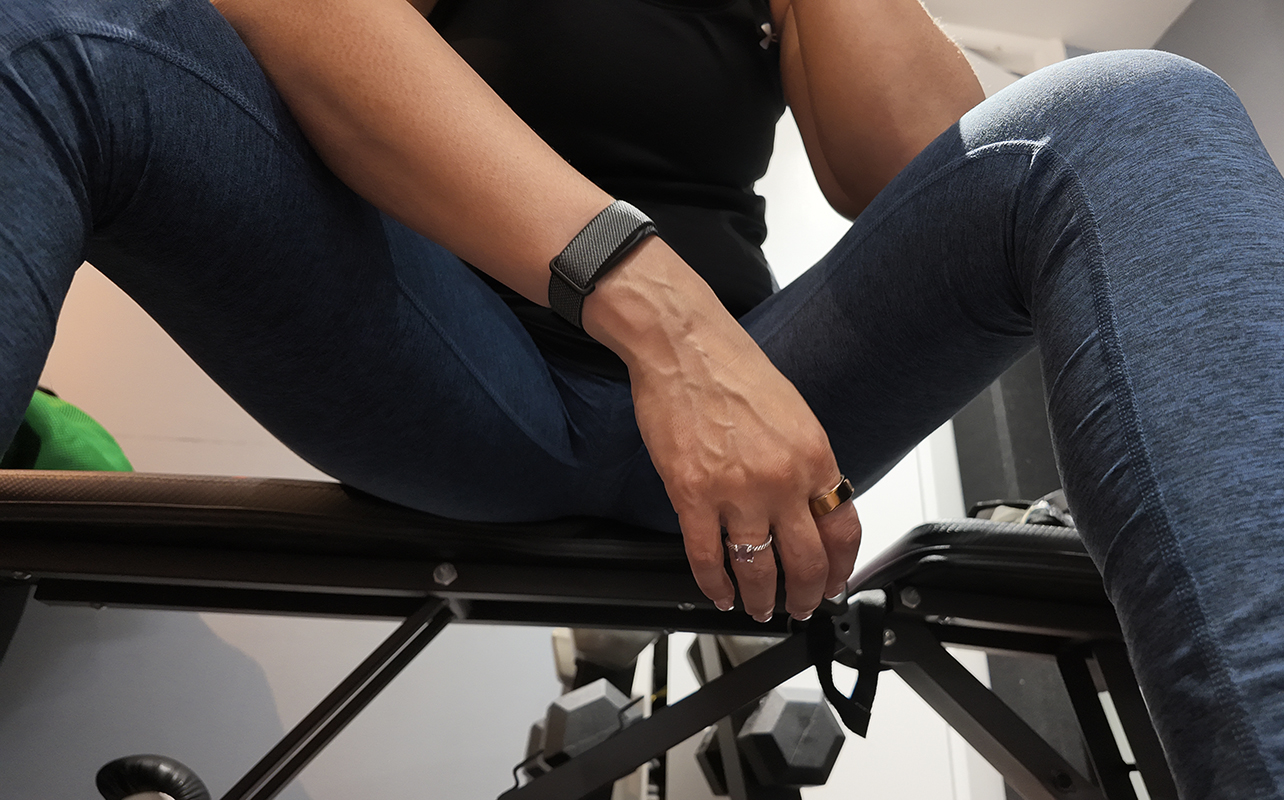
I’m already familiar with the Fitbit and Google wearables ecosystem, which offers accurate activity and wellness tracking. I wore my Apple Watch Series 11 on the opposite arm alongside two smart rings (one on each hand), including the Oura Ring 4. This way, I was able to get a good comparison of data for workout tracking, vitals, and sleep.
The Fitbit Air accurately captures all the essentials (ECG is not yet supported in Canada). But it doesn’t track elevation, and it consistently undershoots steps. It always tracked about half the number of steps as the other devices did. For example, the Fitbit Air logged 2,100 steps while the Apple Watch was already at 6,100, Oura Ring at 4,000, and another smart ring at 5,000. Even when accounting for wearing the Fitbit Air on my non-dominant hand, there’s still a significant discrepancy. So, keep this in mind if one of your goals is to get those ever-popular 10,000 steps a day. Maybe set the Fitbit Air to 5,000 instead.
One feature I love is with the presentation of sleep tracking data in the app. Along with sleep duration, score, and stages, you also get a summary of how the pattern plays into recovery. A graph shows your usual range and if that night was in range, above, or below. Hit “Reply” to ask questions, or log context. It might be that you woke up in the middle of the night because your baby was crying or the dog was barking. Or maybe you had a cappuccino after dinner that was impacting your sleep.
Battery life is a high point
The Fitbit Air is rated to last up to a week per charge, and I found this to be accurate. After about five days, I was still at 38 percent. Check battery status at the top, left corner of the app. You can also tap twice on the surface of the Air to see the LED light up on the side. White means battery life is high, blinking red means low, and solid red means it’s almost dead.
It uses a proprietary charger and recharges quickly. You get an extra full day in five minutes. This means you can quickly recharge in the morning while making coffee to get through the day.
Watch the Fitbit Air in action
Is the Fitbit Air right for you?
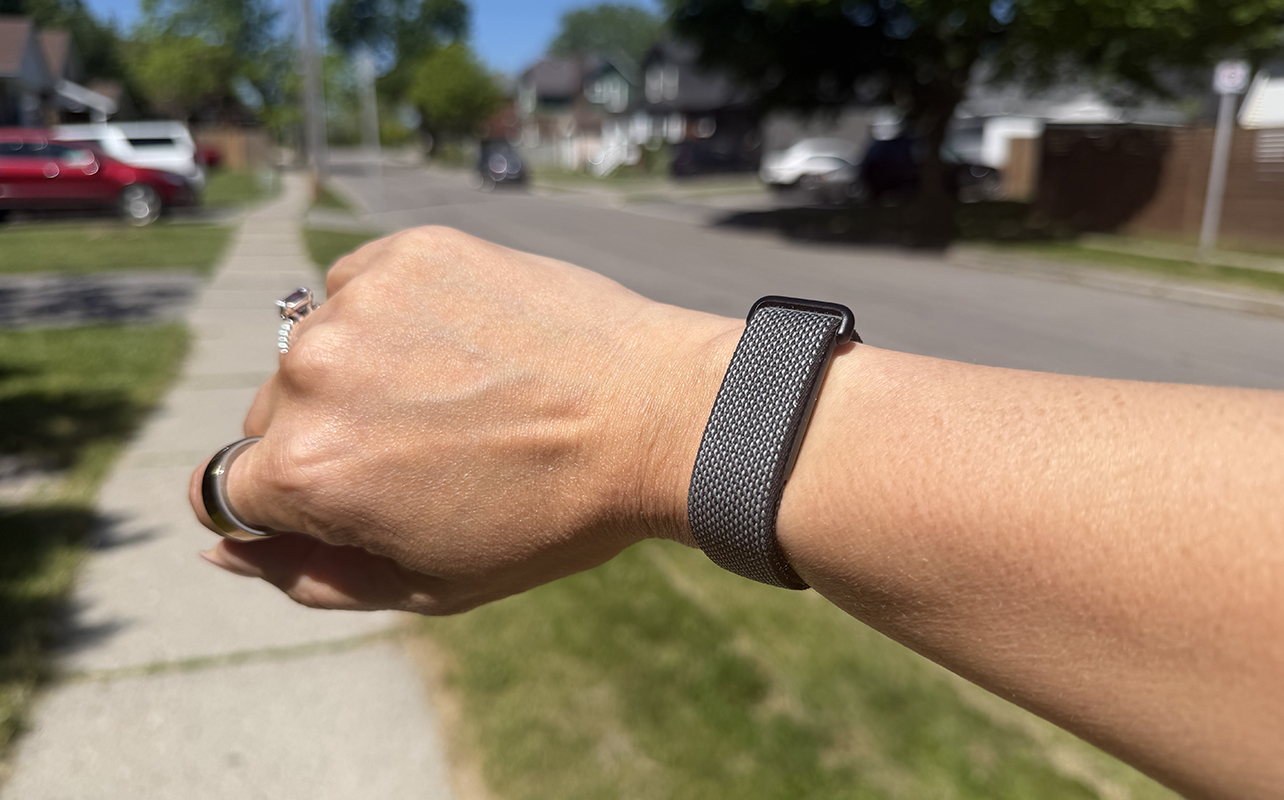
The Fitbit Air is an interesting proposition during a time when we yearn to disconnect. It’s for this reason that smart rings and screenless trackers are appealing. They eliminate the distractions of screens while still tracking important health and wellness stats in the background. The Fitbit Air is a solid choice if you’re willing to stomach the recurring monthly subscription. It isn’t worth it without Google Health Premium unless you’re looking for bare bones workout, sleep, and vitals tracking. Given the low cost of the device and the inclusion of a three-month Google Health Premium trial, you won’t be disappointed. Consider the monthly subscription as being one less take-out lunch per month.
There are alternatives if you want distraction-free with advanced metrics and no subscription, like the Ultrahuman Ring Air and Samsung Galaxy Ring. But these are fitted devices on your finger and come at a higher upfront cost. There are other screenless trackers, too, like the Amazfit Fitness Tracker. But if you are looking for the combination of advanced tracking, comprehensive AI guidance, and simple, distraction-free design, the Fitbit Air is a winner. Yes, even if you need a subscription to get the most out of it.
Get the Fitbit Air from Best Buy Canada. Sign up for the Google Health Premium free trial, and get started on your health and wellness journey. Also, see my comparison of the Fitbit Air vs. Garmin CIRQA smart band, another new screenless tracker.





Very helpful