
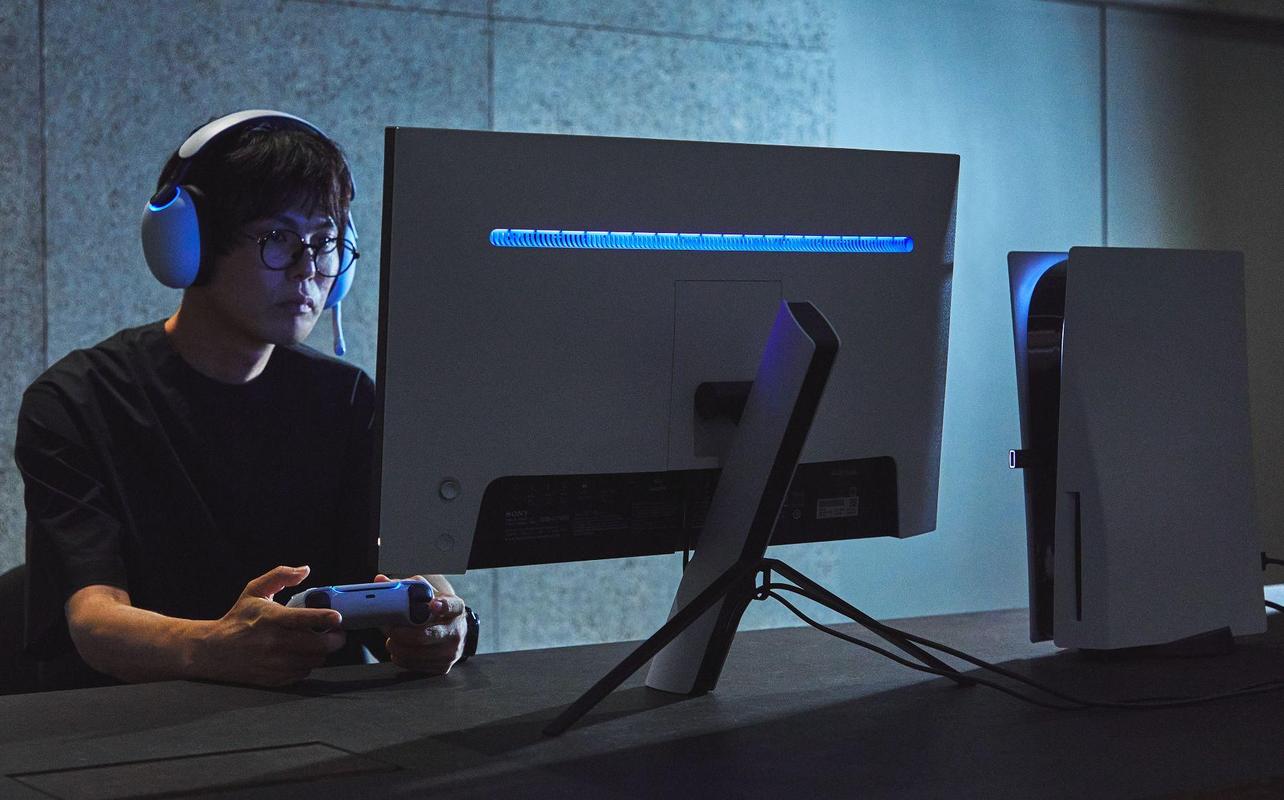
The best PS5 accessories depend on what you want to change or add to the way you use your console. The right accessory can give you another controller for multiplayer, improve your audio, add more storage, make charging easier, or let you use your PS5 away from the main TV. Racing gear, creator accessories, and other specialized products make more sense when they match something you already want to do.
Whether you’re adding accessories to a PS5 you already own or deciding what to buy with a new console, start with the problem you want to solve instead of trying to buy everything at once. This guide breaks the choices into essential, optional, and specialized categories, then recommends products for different budgets and ways to play. You’ll also learn what each accessory is useful for, what tradeoffs to consider, and which categories you may not need at all.
If you’re starting with a new console, you can browse PS5 consoles and PS5 accessories at Best Buy Canada as you narrow down the categories that fit the way you play.

What accessories do you actually need for a PS5?
Not every PS5 owner needs the same accessories. If you mainly play single-player games, you may care more about storage and audio. Families who play together may get more value from another controller and a charging station. Your priorities change again when you play competitively, create content, enjoy racing games, or use Remote Play.
The most useful way to shop is to separate what you need now from what could improve a specific part of your PS5 experience later.
Essential accessories
For many PS5 owners, an extra controller is the first accessory to consider. It gives you a second controller for local multiplayer and a spare when the other controller needs charging.
A headset is another common early purchase, especially if you play online with friends or want private audio. The right choice depends on whether you want wireless convenience, a lower-cost wired option, or a premium audio product that can serve several devices.
A charging solution can also make day-to-day use easier. It isn’t mandatory, but a dock gives multiple controllers a dedicated place to charge instead of relying on a cable connected to the console.
Nice-to-have accessories
Storage expansion becomes more valuable as your installed PS5 library grows. An internal M.2 SSD lets compatible PS5 games play directly from the added storage. An external drive gives you much more archive space, but PS5 games stored there must be copied back to compatible internal storage before you can play them.
The PlayStation Portal is useful if you regularly want to play PS5 games away from your main TV. It supports Remote Play from your console, while PlayStation Plus Premium members can also use Cloud Streaming for select PS5 games. The PlayStation Media Remote is useful if you use your PS5 for streaming apps and would rather control movies and shows with a conventional remote.
PS5 cases, covers, and skins are another option if you want to protect or change the look of your console without changing how it plays.
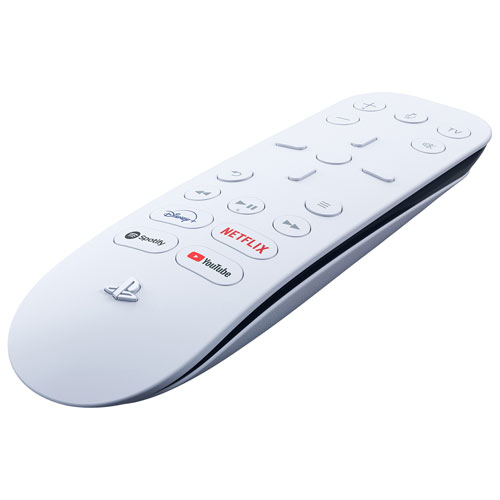
The PlayStation Media Remote gives you dedicated controls for PS5 media playback, including common playback buttons and quick access to compatible entertainment apps. It can also power on the console and control power and volume on compatible TVs through infrared.
It makes the most sense if your PS5 is one of your main entertainment devices. If you’re already comfortable using a DualSense controller or your TV controls for streaming apps, this is an optional convenience rather than a priority purchase.
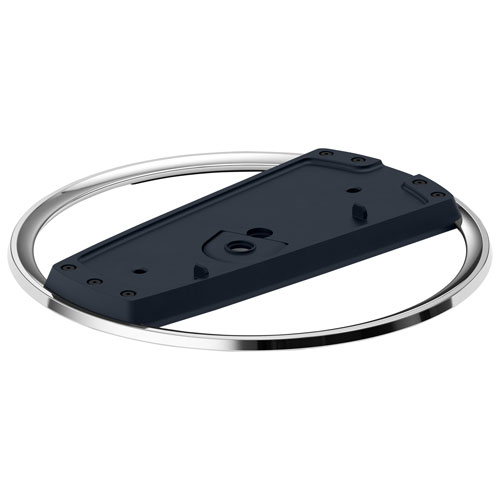
If you want your PS5 upright, the official PlayStation Vertical Stand is a safer choice than buying an accessory fan and assuming it will improve cooling. The stand supports compatible PS5 console models and PS5 Pro, and its purpose is secure vertical placement.
The important cooling advice comes from how the console is placed. PlayStation recommends keeping the vents clear, leaving at least 10 cm of free space around the console, avoiding cramped locations, and keeping dust away from the vents. The stand itself should not be treated as a cooling accessory.
Specialty accessories
Racing wheels, capture devices, microphones, cameras, lighting, and PlayStation VR2 belong in the specialized group. These products can change what you can do with your PS5, but they only make sense if you already know you want that type of experience.
If racing games are a big part of how you play, you may want a Direct Drive wheel and compatible pedals. Content creators may need a capture card, microphone, and camera. If you’re interested in virtual reality, you can look at PlayStation VR2. These are targeted purchases, not accessories every new PS5 owner needs.
Best PS5 controllers
A controller purchase is easiest to narrow down by deciding whether you want the standard PS5 experience, more competitive controls, or the lowest-cost full-featured option. The DualSense covers the widest range of needs for most buyers. A pro controller makes more sense when you already know you want extra rear controls, shorter trigger travel, or more remapping options. Our Best PS5 controllers guide goes deeper into those differences.
Best overall controller
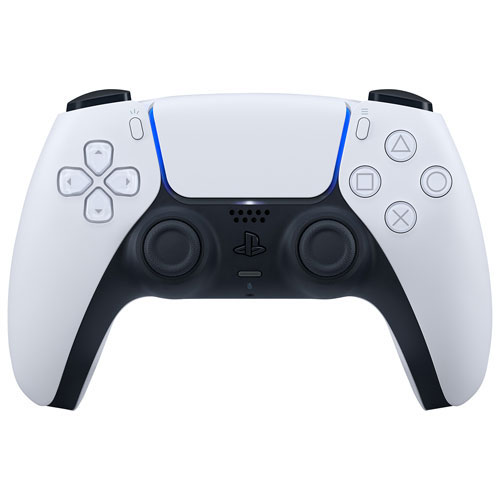
The DualSense wireless controller remains the best overall controller for most PS5 owners. It gives you the first-party PS5 control features, including haptic feedback and adaptive triggers in supported games, without moving into the much higher price range of a pro controller.
It’s an easy choice for a second controller, local multiplayer, or replacing a controller you already use every day. The tradeoff is straightforward. You don’t get rear controls, short-trigger options, or the broader customization offered by pro models.
Best premium controller
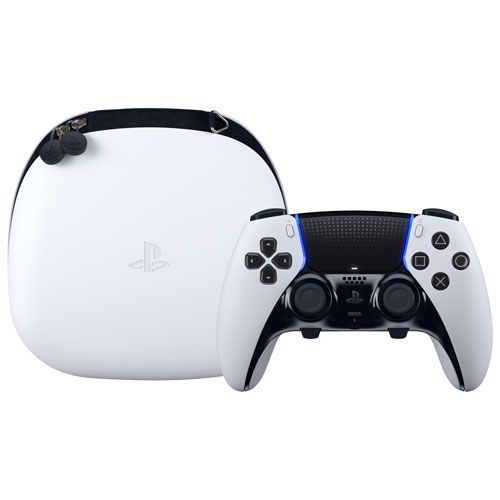
The DualSense Edge wireless controller is the best premium controller for your PS5 if you want to customize your controls for different games. It has two remappable back buttons, adjustable stick sensitivity, and profiles you can switch between while playing. You also get haptic feedback and adaptive triggers in supported PS5 games.
The adjustable trigger stops let you shorten how far you need to press L2 and R2, but there’s a tradeoff. The medium and short settings disable adaptive trigger effects. You can also change the stick caps and replace a faulty stick module instead of buying another controller, although replacement modules are sold separately. The DualSense Edge costs considerably more than a standard DualSense wireless controller, so it’s best if you’ll regularly use the extra features.
Best pro controller
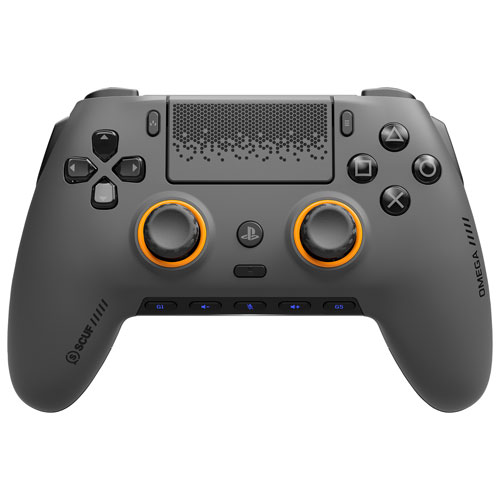
The SCUF Omega Wireless Performance Controller is the best pro controller if you want more control options for competitive play. It includes four rear paddles, two side controls, five G-Keys, TMR thumbsticks, and adjustable Instant Triggers that can switch between full analogue travel and a shorter activation.
Those additions give you more control options without taking your thumbs away from the sticks as often. The tradeoff is that the SCUF Omega gives up vibration, haptic feedback, and adaptive triggers. That makes it a better match if you value extra commands and shorter trigger travel more than the standard DualSense feedback features.
Best budget controller
The standard DualSense is also the best budget controller if you want the complete first-party feature set without paying premium pro-controller prices. There isn’t a cheaper new controller that gives you the same complete first-party PS5 feature set.
You still get the standard DualSense features without paying extra for the additional controls offered by a pro controller.
Best PS5 headsets
Headsets are another category where the right choice depends more on your priorities than on one product being best for everyone. Wireless convenience, price, comfort, battery life, audio quality, voice chat, and multi-device use all matter.
Our Best PS5 headsets guide compares these options in greater detail.
Best wireless headset
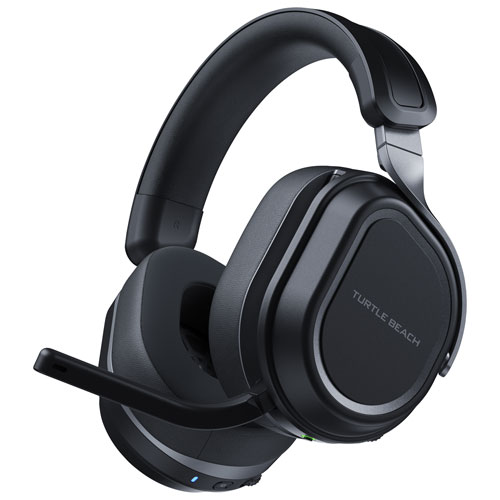
The Turtle Beach Stealth 700 Gen 3 is the best wireless headset if you want more than basic PS5 audio and voice chat. The PlayStation version uses two USB wireless transmitters, supports simultaneous 2.4GHz wireless and Bluetooth 5.2, and uses 60mm Eclipse dual drivers. Turtle Beach rates battery life at up to 80 hours, with up to three hours of use from a 15-minute charge.
The dual-transmitter design is especially useful if you move between PS5 and PC and also want Bluetooth for a phone or tablet. The tradeoff is price. If you only need straightforward PS5 audio and voice chat, a wired headset costs much less.
Best budget headset
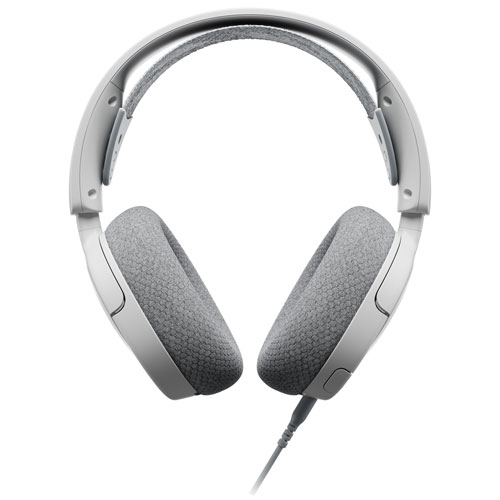
The SteelSeries Arctis Nova 1P keeps the cost down by using a wired 3.5mm connection. Plug it into the DualSense controller and you don’t have to manage a wireless adapter or headset battery.
It also includes AirWeave memory foam ear cushions and a retractable ClearCast Gen 2 microphone. The limitation is simple: there’s no wireless or Bluetooth connection. If a cable to the controller doesn’t bother you, the Nova 1P covers the PS5 audio and chat basics without paying for features you may not use.
Best premium audio option
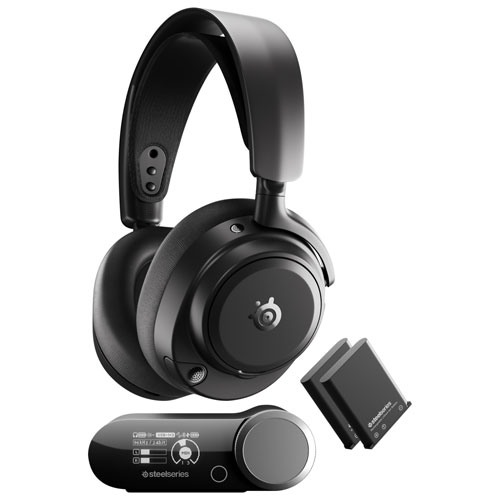
The SteelSeries Arctis Nova Pro Omni is the premium choice if you want one headset across PS5 and several other devices. Its GameHub handles multi-device connections, active cancellation to reduce surrounding sound, and additional audio controls. The headset also uses two swappable batteries, with the spare charging inside GameHub.
That broader device support is the reason to pay more. If you don’t need active cancellation, battery swapping, or extensive device switching, you can save a significant amount with a simpler headset.
Best PS5 storage accessories
Storage becomes a bigger concern as your installed library grows. Large game sizes can fill available storage quickly, and your download speed affects how long reinstalling a deleted game takes. The first decision isn’t which brand to buy. It’s whether you want more space for PS5 games you can play directly or inexpensive capacity for storing games you aren’t currently playing.
Why additional storage matters
PS5 supports compatible PCIe Gen4 x4 NVMe M.2 SSDs from 250GB through 8TB, with cooling required and at least 5,500MB/s sequential read speed recommended by PlayStation. A compatible internal M.2 SSD can store and play PS5 and PS4 games directly.
External USB storage fills a different role. It’s useful for keeping a large library without repeatedly downloading games, and PS4 games can play directly from compatible external storage. PS5 games can be stored externally, but they need to be copied back to internal console storage or a compatible M.2 SSD before play.
Best internal SSDs
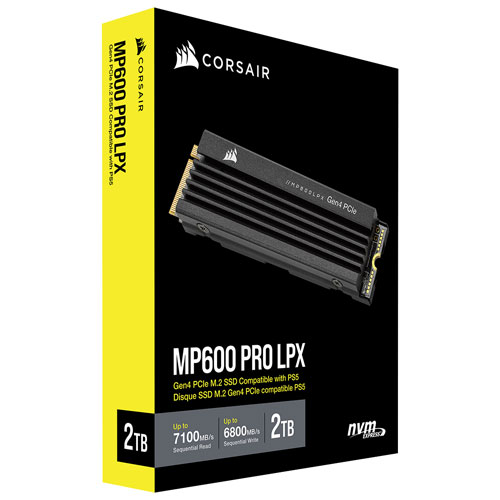
The Corsair MP600 PRO LPX 2TB is a strong fit for PS5 because it meets the console’s M.2 requirements and includes a low-profile heatsink. Corsair rates sequential read speeds at up to 7,100MB/s and write speeds at up to 6,800MB/s.
The 2TB capacity gives you a substantial increase without moving immediately to the largest capacities supported by PS5. Installation is the main consideration. If you would rather avoid opening the M.2 expansion bay and only need archive space, an external drive may suit you better.
Best external storage options
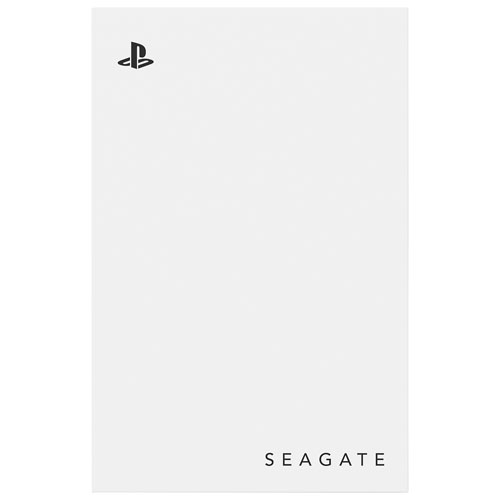
The Seagate Game Drive for PlayStation Consoles 5TB is for you if you want a lot of archive capacity. It’s officially licensed for PlayStation and works with PS5 and PS4 consoles.
Its limitation is important. You can store PS5 games on the drive, but you can’t play those PS5 games directly from it. They must be copied back to compatible internal storage first. That makes the Seagate drive a better choice if you want a large archive than if you want every installed PS5 game ready to play at once.
Best charging accessories for PS5
You don’t need a charging station to use a DualSense controller. A dock becomes useful when you want a dedicated place for one or two controllers, want to keep them organized, and would rather keep console USB ports available.
Charging stations
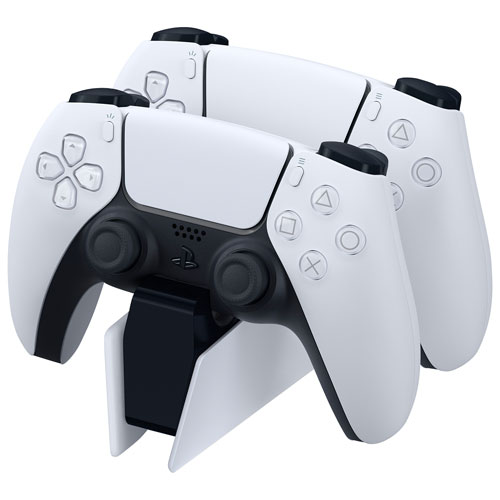
The official DualSense Charging Station charges up to two DualSense or DualSense Edge controllers at the same time. PlayStation states that its charging speed is comparable to connecting the controllers directly to a PS5 console.
Its main advantage is convenience. Put the controllers on the station when you’re finished and they have a consistent place to charge. If you only use one controller and are happy charging by USB, the station is easy to skip.
Controller docks
A controller dock and a charging station often solve the same basic problem, so there’s no reason to buy both. Focus on compatibility, how many controllers the dock can charge, and whether it gives you a place you actually want to keep the controllers.
If the official DualSense Charging Station already meets your needs, you don’t need a second dock that does essentially the same thing.
Additional power solutions
Extra cables and charging adapters can be useful if you play from farther away or move controllers between rooms, but they aren’t essential purchases. Start with the charging method you already use and add another option only if you regularly end up with an empty controller battery at the wrong time.
A charging station should also be bought for convenience, not because you expect it to extend the battery’s lifespan. PlayStation’s main selling point for the official station is charging two controllers without tying up PS5 USB ports.
Best PS5 accessories for multiplayer gaming
Multiplayer accessories depend on whether everyone is in the same room or playing online. Local multiplayer needs another controller. Online team play puts more emphasis on voice chat and private audio.
Extra controllers
For local multiplayer, another DualSense is the straightforward choice. It gives the second player the same PS5 control features as the first controller, and it can double as a spare when needed.
If you already plan to buy a pro controller for yourself, your standard DualSense can become the controller you hand to a second player instead of buying two premium controllers.
Headsets for team communication
For online multiplayer, choose a headset based on how much you care about wireless freedom, price, and multi-device use. The SteelSeries Arctis Nova 1P is the lower-cost wired option. Choose the Turtle Beach Stealth 700 Gen 3 if you want wireless, while the Arctis Nova Pro Omni makes more sense if you want premium multi-device audio.
The important part isn’t buying the most expensive headset. It’s choosing the connection type and features you’ll use regularly.
Best PS5 accessories for competitive gamers
For competitive play, input precision, quick access to extra controls, clear communication, and comfort during longer sessions all matter. These accessories can help with those areas, but they can’t fix Internet latency or turn a poor network connection into a better one.
Pro controllers
The SCUF Omega gives you rear paddles, side controls, G-Keys, TMR thumbsticks, and adjustable trigger travel, giving you more ways to keep important commands close at hand.
That doesn’t make it the better controller for everyone. If haptic feedback and adaptive triggers matter more to you than extra commands, the standard DualSense remains the better match.
Gaming headsets
A competitive headset should make voice chat easy to manage and remain comfortable for the amount of time you normally play. Wireless freedom may matter to one person, and a wired connection with no battery to manage may matter more to another.
Use the headset section above to decide between those priorities. Don’t expect a headset purchase to reduce online latency. Network conditions remain a separate issue.
Best PS5 accessories for content creators and streamers
Your PS5 already includes built-in sharing and broadcasting features, so you don’t need a separate collection of creator gear to start sharing gameplay. A more advanced creator workflow becomes relevant when you want PC-based capture, a dedicated microphone, camera video, or controlled lighting.
Cameras
A camera is mainly useful if you want your face on screen during a broadcast or recording. Before buying one, decide where it will sit, what part of the room it needs to capture, and whether your creator software supports the video arrangement you want.
If you’re only recording gameplay, a camera may not add anything you need.
Microphones
A dedicated microphone can give you more control over commentary than relying on a headset microphone. It becomes more useful when spoken audio is a major part of your videos or streams.
For occasional team chat or simple console broadcasts, the microphone already built into a good headset may be enough. Buy a dedicated microphone when your content needs it, not because every creator desk is expected to have one.
Capture devices
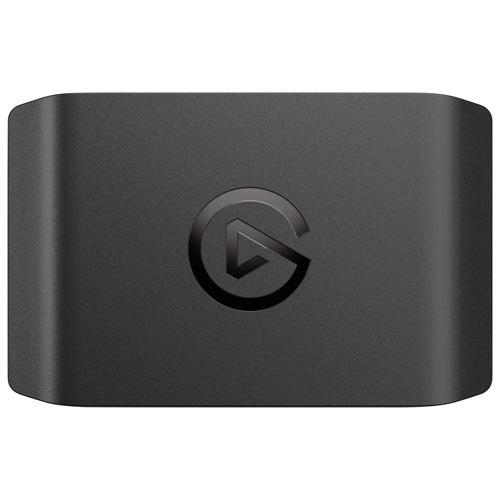
If you’re moving from the PS5’s built-in sharing tools to PC-based recording or streaming, the Elgato 4K S supports capture up to 4K at 60 frames per second.
The extra capability comes with extra cost and a more involved workflow. If you only want to share clips or use basic console broadcasting, the PS5 tools you already have may cover what you need.
Lighting solutions
Lighting matters when a camera is part of your content. The goal is to make your face and background clear without adding glare to the TV or monitor.
If cameras, microphones, lighting, and capture gear become a larger part of your content creation plans, compare those categories separately before adding more gear.
Best PS5 accessories for racing and simulation fans
Racing games are one of the clearest examples of an accessory changing how you play. A wheel, pedals, and stable mounting position can give you more direct steering and braking control than a standard controller, but the cost and space requirements rise quickly.
Steering wheels
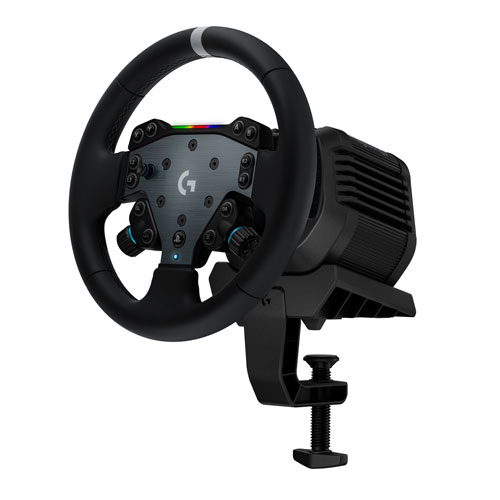
If you’re ready to move into Direct Drive for PS5 racing, the Logitech G RS50 uses an RS50 wheel base rated at up to 8 Nm and supports TRUEFORCE in compatible games.
The important purchase detail is what isn’t in the box. Pedals are sold separately, so the price of the wheel package isn’t the final cost of a complete racing arrangement. That makes the RS50 a better fit if you’re ready to build around it than if you only want to try a wheel for a few races.
Pedal sets
Pedals are an essential part of a complete wheel arrangement, and compatibility should come before extras such as load-cell braking or additional adjustment. Start by making sure the pedal set works with the wheel base and platform you’re buying for.
With the RS50 package, compatible pedals are a separate purchase. Factor that into your budget from the beginning.
Racing seats
A dedicated racing seat can improve stability and give the wheel and pedals fixed mounting points, but it also takes up much more room. If your space is limited, a compact wheel stand or desk-mounted wheel base may work better.
Measure the area where you plan to play before buying a seat. Space can be just as important as price in this category.
Best PS5 accessories for Remote Play
Remote Play lets you stream games from your PS5 without using the TV connected to the console. You can use a dedicated device or play on a phone, tablet, PC, or Mac you already own. The PlayStation Portal also supports Cloud Gaming for PlayStation Plus Premium members, giving you another way to play select PS5 games without connecting back to your console.
PlayStation Portal
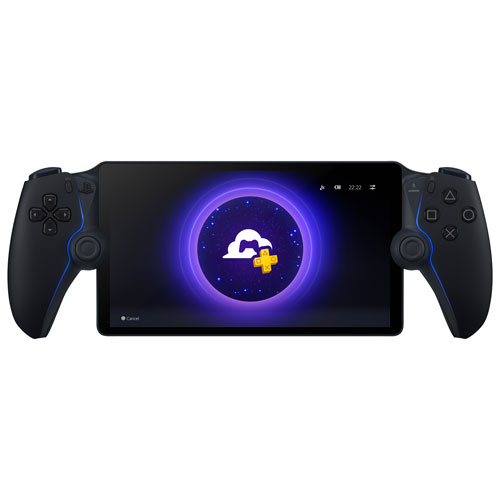
The PlayStation Portal is the best dedicated option if you regularly want to play your PS5 away from your main TV. Remote Play streams games from your own PS5 to the PlayStation Portal, so your console is still part of the connection. PlayStation Plus Premium members can also use Cloud Gaming to play select PS5 games from the Game Catalog, Classics Catalog, and eligible digital games in their own library directly on the PlayStation Portal. Because Cloud Gaming doesn’t rely on your PS5, the console can be powered off or used by another account while you play.
The PlayStation Portal has an 8-inch Full HD LCD and supports Remote Play up to 1080p at 60 frames per second, along with compatible DualSense features such as haptic feedback and adaptive triggers. A reliable network connection is important for both options. For Cloud Gaming, PlayStation lists 5Mbps as the minimum to establish a session and 13Mbps for 1080p. For Remote Play, PlayStation recommends at least 15Mbps for a better experience. Cloud Gaming requires PlayStation Plus Premium and isn’t available to child accounts.
Mobile gaming controllers
You don’t automatically need a separate mobile controller for PS5 Remote Play. A compatible phone paired with a DualSense controller is already a strong option and keeps the same controls you use on PS5.
A phone-mounted controller can be useful if you want a more compact handheld arrangement. If your phone and DualSense already work well for Remote Play, you may not need another controller.
Travel-friendly accessories
For travel, think first about protecting the device you’re bringing and making sure you have the charging cable or adapter you normally rely on. Both Remote Play and Cloud Gaming on the PlayStation Portal depend on the connection available where you’re staying, so buying more accessories can’t compensate for an unreliable network.
Keep your travel kit simple until you know what you regularly miss when playing away from home.
How to choose the best PS5 accessories
The best PlayStation 5 accessories are the ones that solve a specific problem without adding cost or clutter you don’t need. When comparing the best accessories for PS5, start with how you use the console now. Then decide which accessory category would make the biggest difference.
Budget considerations
Set your budget by category instead of comparing every accessory against one another. A controller, headset, SSD, capture card, and racing wheel solve completely different problems.
If money is limited, start with the accessory you’ll use most often. That may mean another DualSense, a headset, or storage. Specialized products can wait until the need is clear.
Gaming style
Think about the games and activities that take up most of your time. Local multiplayer benefits from another controller. Online team play may make a headset more important. A growing digital library points toward storage. Racing fans have a reason to consider a wheel. Creators may need capture and audio gear. If you regularly use Remote Play or Cloud Gaming, you’ll have more reason to consider the PlayStation Portal.
There’s no advantage in buying an accessory category that doesn’t match how you actually use your PS5.
Storage needs
Look at how often you delete and reinstall games. If you regularly remove PS5 games to make room, an internal M.2 SSD is the more convenient answer because compatible PS5 games can play directly from it.
If your priority is keeping a large archive without downloading games again, external storage costs less per terabyte in many cases and offers large capacities. Just remember that PS5 games stored there must return to compatible internal storage before play.
Multiplayer requirements
For local multiplayer, count how many people are actually going to play together and buy controllers accordingly. For online multiplayer, focus on communication and the connection type you prefer for a headset.
Don’t assume that competitive accessories are required for ordinary multiplayer. Standard DualSense controllers and a straightforward headset already cover most social gaming needs.
Future-proofing your setup
Before paying more for an accessory, think about whether it can continue serving you if your needs change. Multi-device headsets may make sense if you also play on PC. A larger internal SSD can delay another storage purchase. A racing wheel ecosystem with compatible add-ons may suit you if you plan to expand over time.
Compatibility matters more than collecting features. Check the exact console, device, connection, and accessory requirements before buying.
Frequently asked questions
The best PS5 accessories depend on how you use your console. For many owners, an extra DualSense controller, a headset, and a charging option are the most useful starting points. Storage, the PlayStation Portal, capture devices, and racing gear become more relevant for specific needs.
A standard DualSense is the best lower-cost full-featured controller, while the SteelSeries Arctis Nova 1P is a lower-cost wired headset option. You can also save money by skipping specialized accessories until you know you’ll use them regularly.
Start with the accessory that solves your most common problem. Another controller is useful for local multiplayer, a headset helps with private audio and voice chat, and storage becomes important when you regularly delete games to make room.
There is no accessory every new PS5 owner must buy immediately. A second DualSense, headset, and charging option are useful for many people, but storage, the PlayStation Portal, racing gear, and creator products depend on how you plan to use the console.
A pro controller can give you faster access to extra commands, and a good headset can improve communication, but accessories don’t fix Internet latency. Online gaming, Remote Play, and Cloud Gaming all depend on your network connection.
Choosing the right PS5 accessories for you
You don’t need every accessory in this guide to get more from your PS5. Start with the problem you want to solve. An extra DualSense, headset, or charging station covers common everyday needs. An internal SSD can make a growing game library easier to manage. If you want a premium upgrade, a pro controller, multi-device headset, or Direct Drive racing wheel can make sense when those features match how you play. The PlayStation Portal makes more sense if you regularly use Remote Play or Cloud Gaming, while a capture card or racing gear becomes more useful when content creation or racing is a regular part of how you play.
For most people, the best value comes from buying one useful accessory at a time instead of building a long shopping list on day one. Once you know which category matters most, compare the current PS5 accessories available at Best Buy Canada and choose the product that fits your budget and how you play.