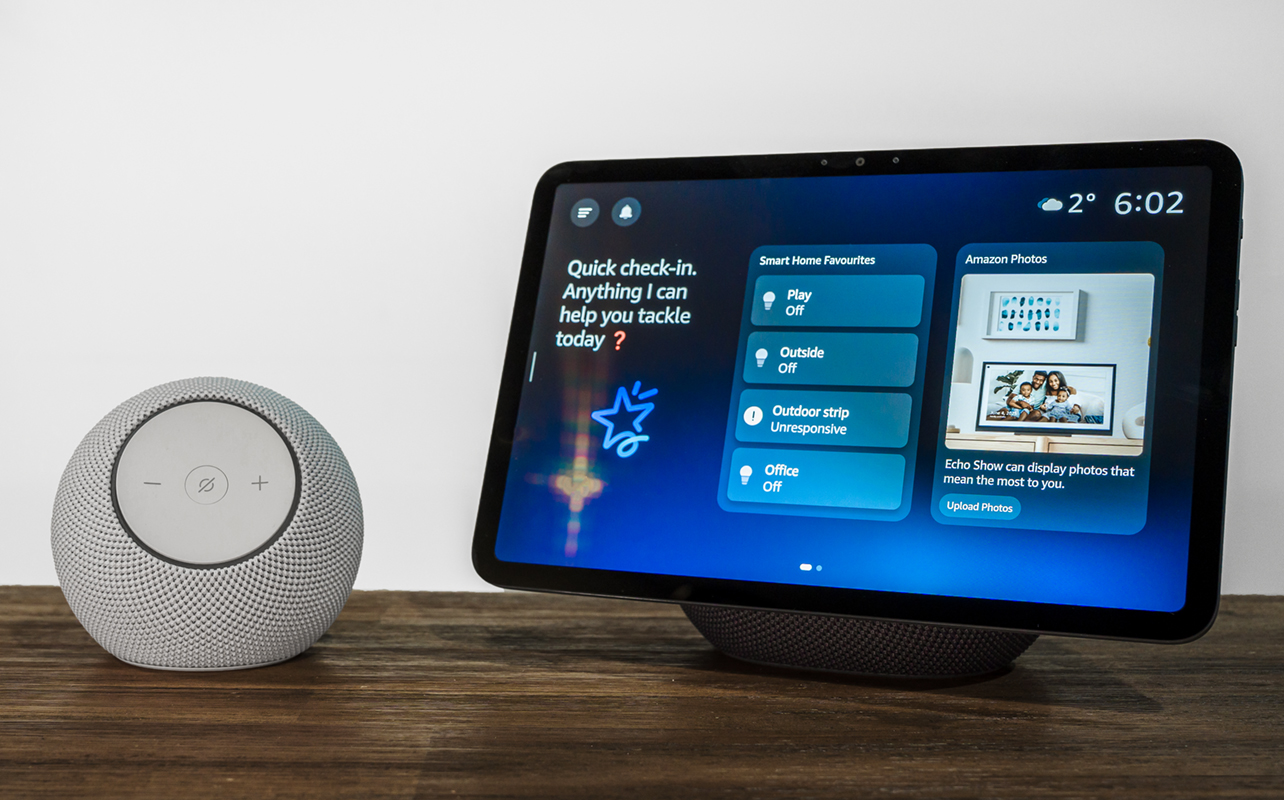
Alexa+ isn’t new having been available in the United States for most of 2025 but its expansion into Canada changes the prospect of what the voice AI can be in the home. It’s an evolution designed to graduate Alexa from a voice assistant to an AI agent. Rather than tell it what to do in single sentences, the ‘+’ makes it more of a conversation. And not just about your day and what smart lights to control, but also deeper connections and even philosophical questions.
In that the respect, this review is actually about tying in devices—the Echo Show 11 and Echo Dot Max—with the AI platform itself. While you could use them independently, the hardware needs the integration to justify your interest.


What the latest Echo devices are about
Echo Show 11
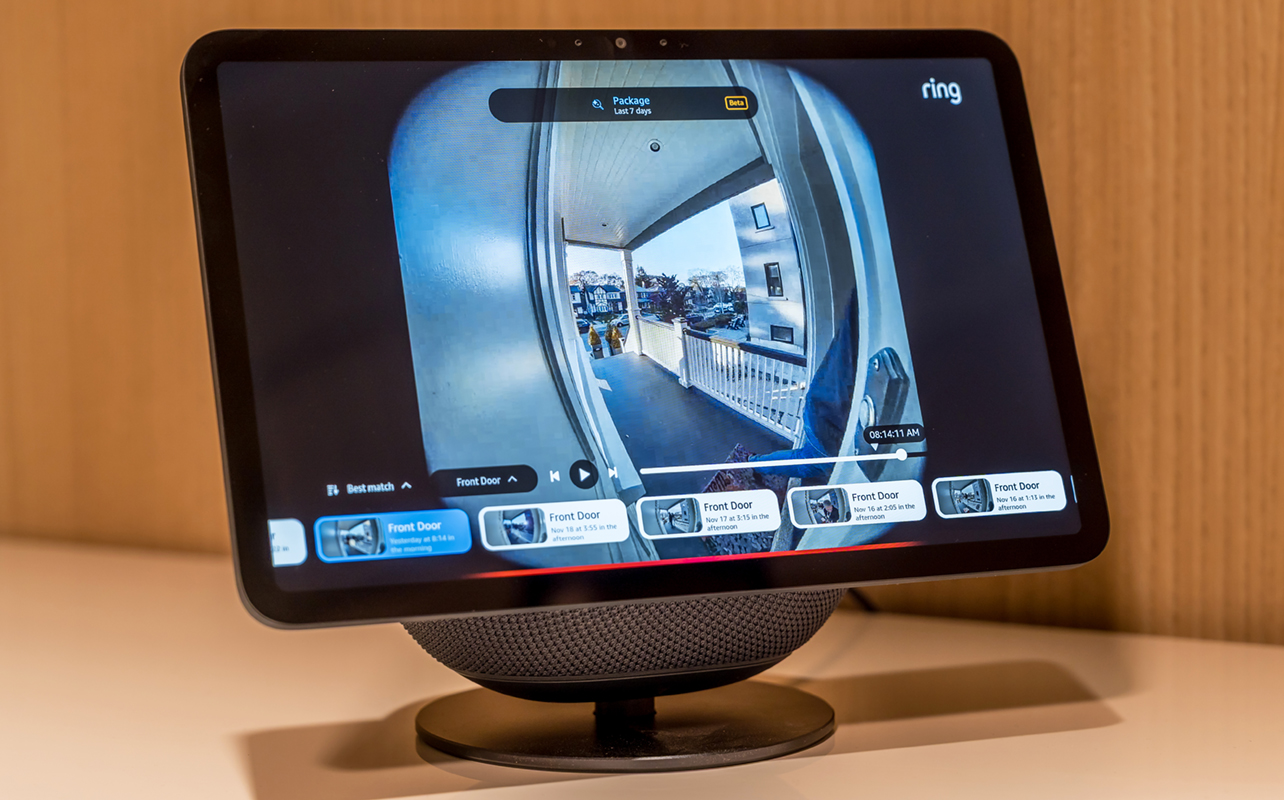
By virtue of its 11.95-inch display, the Echo Show 11 holds an advantage over the smaller screen-less Dot Max. Not only do you get Alexa+, you also get to visualize what you’re talking about onscreen in various ways. Mind you, this is a fixed display, meaning you can’t adjust or tilt it in any way. The angle is what it is.
Its base, which doubles as the speaker, looks like a giant pill but it also acts as a sturdy and stable foundation. Melding the two together might force you to consider where exactly to place it. The screen itself is glossy and reflective, while the base needs some room to stay firmly planted. Plus, you need a wall outlet nearby for constant power. None of this is necessarily new to past Show devices but Amazon reckons you won’t need to actually look at the screen as often because of Alexa’s new level of intelligence.
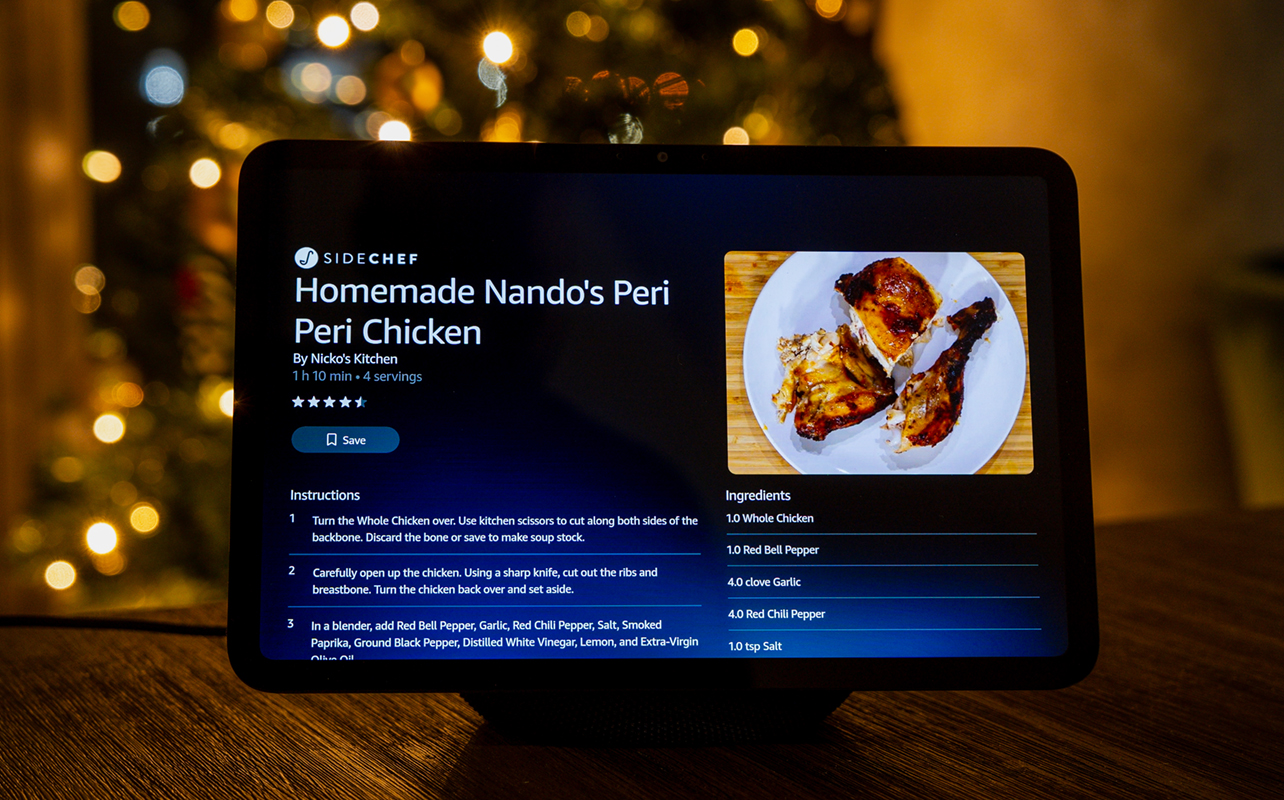
When you do look at the screen, you benefit from better resolution (1920 x 1200), making it also far easier on the eyes for a variety of purposes. The 13-megapixel camera is capable, though there’s no privacy shutter so you have to manually disable it in the device. If you care about this a lot and feel like you won’t need the camera much, a small piece of electric tape does the trick.
If you’re new to the Show or Echo lineup, as a whole, the Show 11’s interface doesn’t run exactly like your typical tablet. Fortunately, though, the setup and layout won’t confuse you after you experiment and learn where things are. The idea is for you to also control certain features by voice but when peace and quiet is necessary, knowing the interface is a good idea.
Echo Dot Max
The best way to look at this speaker is as the more ideal entry point for the Echo ecosystem when you want some decent sound in a smaller profile. While not huge by any means, the Dot Max name suggests it might be. This is the kind of speaker you can tuck away just about anywhere that’s not too far from a wall outlet.
Wrapped in fabric and faced with a small indent housing the volume and mute buttons, the Dot Max looks like an orb that fits in wherever it sits. It actually has fewer buttons than the regular Echo Dot does, and I take that as an indication that Amazon believes you won’t need to touch this thing all that often. Well, that’s mostly true, but not entirely, as I’ll explain.
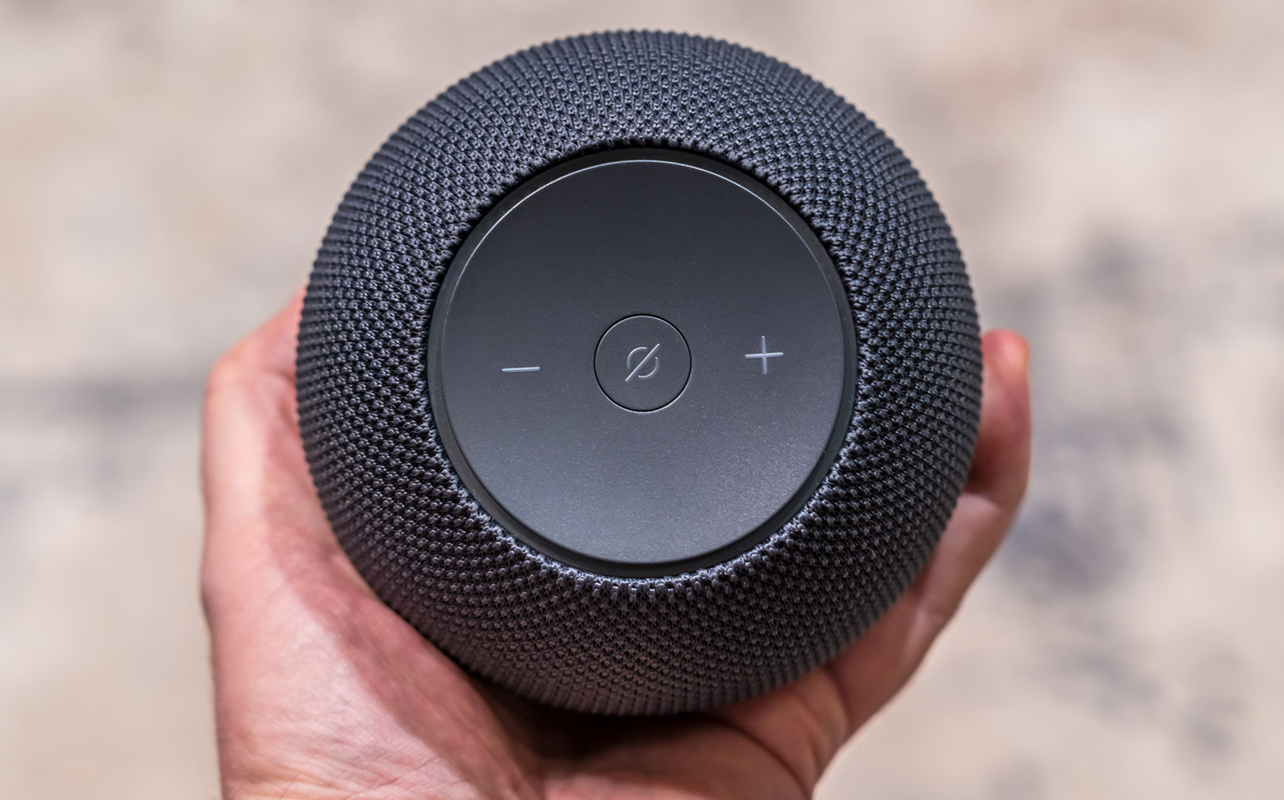
With Alexa+ onboard, this speaker works to relay commands without playing any music. Much like past models, you can control smart lights, appliances, and other smart home devices, including Ring models, by voice. If you want music, just tell it what you want—so long as it’s from a supported service. As of this review, Amazon Music Unlimited, Spotify, Apple Music, and Deezer are on the list, whereas Tidal and YouTube Music aren’t.
One of the cooler integrations available here is that you can pair multiple Echo Dot Max devices together and create a single setup under Alexa Home Theatre. This supports up to five units, but there’s a big catch: you need a Fire TV Stick 4K Max, Fire TV Stick 4K Plus, or Fire Cube to make it work. That may limit your options, though it’s great that you only need to plug them all in and initiate the setup so that Alexa configures the whole thing.
Alexa+ does a lot more talking
Having spoken with other AI platforms like Gemini, ChatGPT, and Claude before, it’s nice to see a big competitor enter the fray. The differences between the original Alexa and this Plus version are obvious off the bat. Not only is the tone more conversational, the breadth of what to ask or discuss grows exponentially.
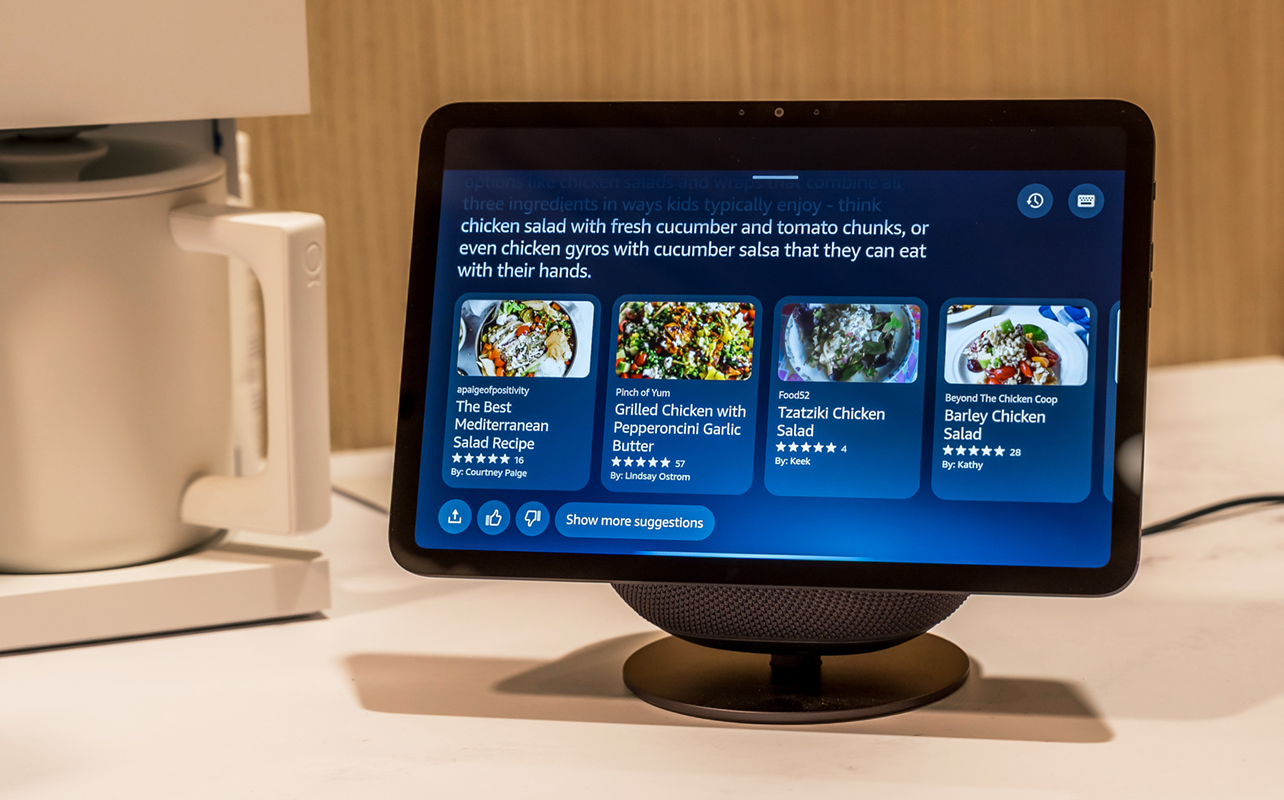
In one case, I wanted to marinate chicken breast using a spice and rub mix that I haven’t done before. Alexa gave me a couple of recipes to consider but I chose instead to tell it plenty of the ones I already have (which are many) and it then tailored a marinade based on them. The back and forth conversation enabled me to ask it again for specific measurements and whether it was a good idea to add this or that. I smiled when it suggested I refrain in one instance because adding a mesquite seasoning would be redundant.
In another instance, I got into a back-and-forth discussion over a counterfactual: what if the Library of Alexandria never burned down? The conversation not only proved enlightening but also delved into connective tissue, like the Renaissance and French Revolution.
This is a radical departure from the previous command-based interactions. “Alexa, turn off the bedroom lights,” or “Alexa, set a timer for 15 minutes.” Nor do you have to start every single sentence with “Alexa”. The Plus version broadens contextual understanding to convenient levels. If you have a compatible smart thermostat, saying, “Alexa, I’m cold,” will see it adjust the temperature. If you ask, “Alexa, what’s this trade deal I heard about Canada signing yesterday,” it will vocalize some basic details.
Learning as it goes along
Time will tell as it evolves but it can remember things you asked or details about past conversations. I do find it hit or miss, though. In one conversation, it failed to respond. When I asked it to carry on from where we left off, it ventured into a totally different thing.
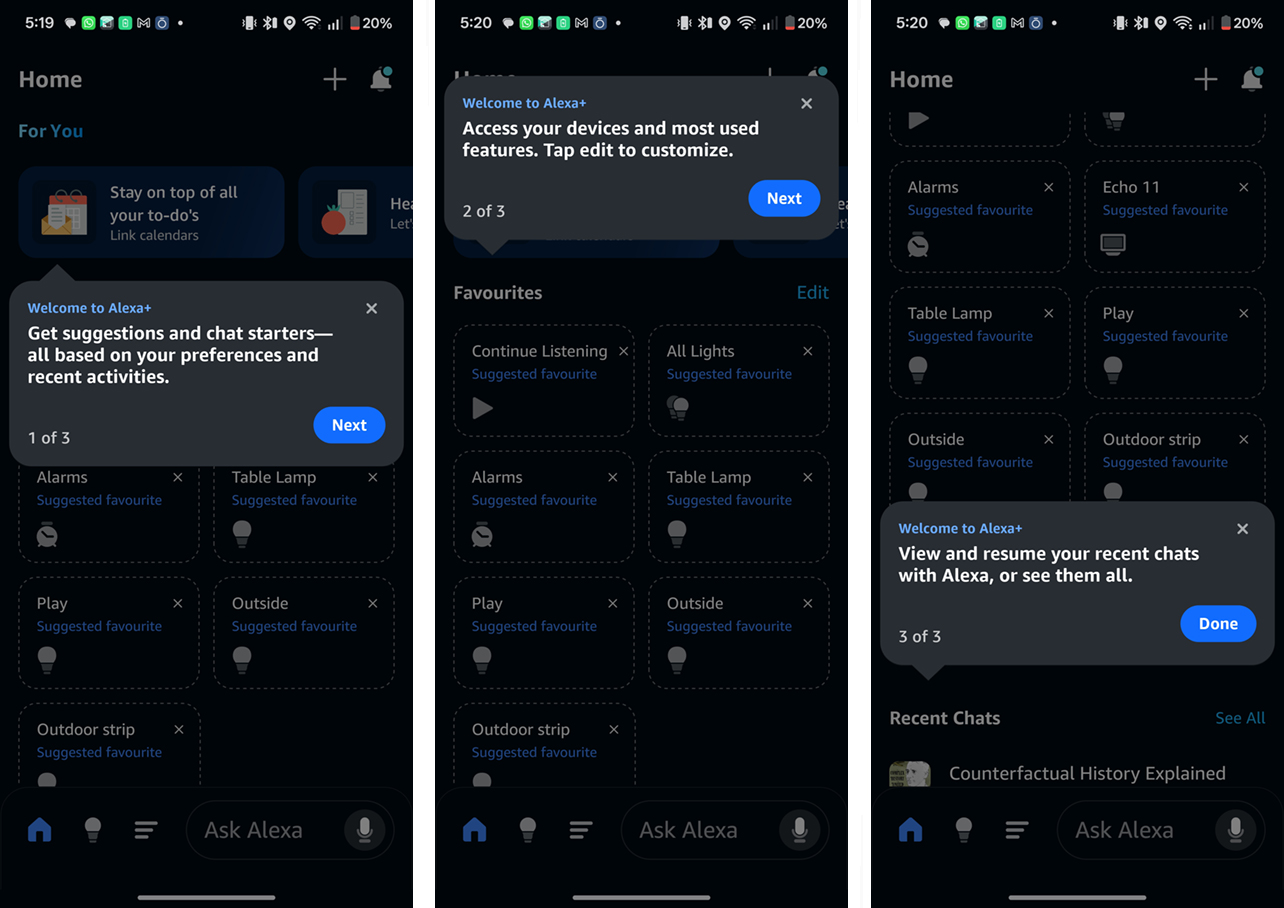
Amazon says this kind of personalization takes time, only it’s also alluding to data you have to provide. For instance, you can integrate your Google, Outlook, or Apple iCloud calendar to help it keep track of your day-to-day routine. The more it knows about what you’re doing and where you go, the more it can chime in with helpful suggestions. For example, if you tell it that you don’t like spicy foods, recipe suggestions will always avoid that. If it knows that you don’t like a particular genre of music, it won’t play it for you when asking for random tunes.
Since multiple people might use it in the home, it can detect different voices and keep track of everyone’s likes and dislikes. Hence, if someone at home—or a guest—is vegetarian, Alexa’s feedback will take that into account.
Another neat feature to save time is emailing documents to Alexa. While you can do this via a web browser on a computer, the mobile app becomes a really useful conduit for this sort of thing. Upload and send over documents for it to summarize. One cool suggestion an Amazon rep told me was how users could upload a report or assignment and ask Alexa to draw up a quiz to test them. Rather than use the AI to cheat, students could theoretically prepare for a big test doing something like this.
Feeling a little more local
To give Alexa a bit of local flavour, it understands Canadianisms more colloquially. That’s why local phrasing in one part of the country will land just as well as another trademark in another part. Cultural references by region or sports league and team also appear more elaborate here. It will even point out weather patterns unique to different regions, so using this in the Maritimes might feel as close to home as doing so in the Prairies, for instance.
Things like temperatures in Celsius and our hybrid system of measurement help deliver what feels like less of a throwaway interaction. Same with pulling news bits from Canadian sources.
Third-party integration
Things get interesting here because most of the rollout has yet to happen. OpenTable works when you want to reserve a table at a local restaurant, or even in a place you plan to travel to. Otherwise, services like Uber Eats, Yelp, and TripAdvisor are set to go “soon”. No word on when the various services Americans can already tap into will make it north of the border with Alexa+ as well.
What about privacy?
Always a big question when AI feels this intricate and advanced. Amazon admits it has to process a considerable amount of the interactions to keep training the language models Alexa+ works from. That means all voice commands and conversations go to the cloud, regardless if you choose not to save recordings. In those cases, Amazon simply deletes the data after processing it to enable Alexa to respond. Since on-device data processing is all but non-existent, a good Internet connection helps a great deal, too.
Voice ID and vocal recognition also needs to stay in the cloud in order for Alexa to know who’s talking. Leaving this off leaves the AI thinking that every voice interaction is coming from the same person. This is one of the caveats of telling Alexa to delete either something specific you said or an entire day’s worth of voice data.
Many of these parameters were already in place with the previous version, so not much of this surprises me, personally. However, I do recommend that you go into the Alexa mobile app and assess what settings you want on or off. As you go along, you may find the privacy-driven experience a bit stifling but it’s up to you on how to proceed from there.
Back to the speakers
For sheer sound, the Echo Show 11 packs a bigger punch but if you feel a screen isn’t necessary to chat with this new-look Alexa, then the Echo Dot Max is nimble enough as an alternative. I’m not blown away by the Dot Max’s overall sound signature, seeing it more as a speaker you use to serenade a few people at home in the background rather than entertain a bigger group looking to get loud.
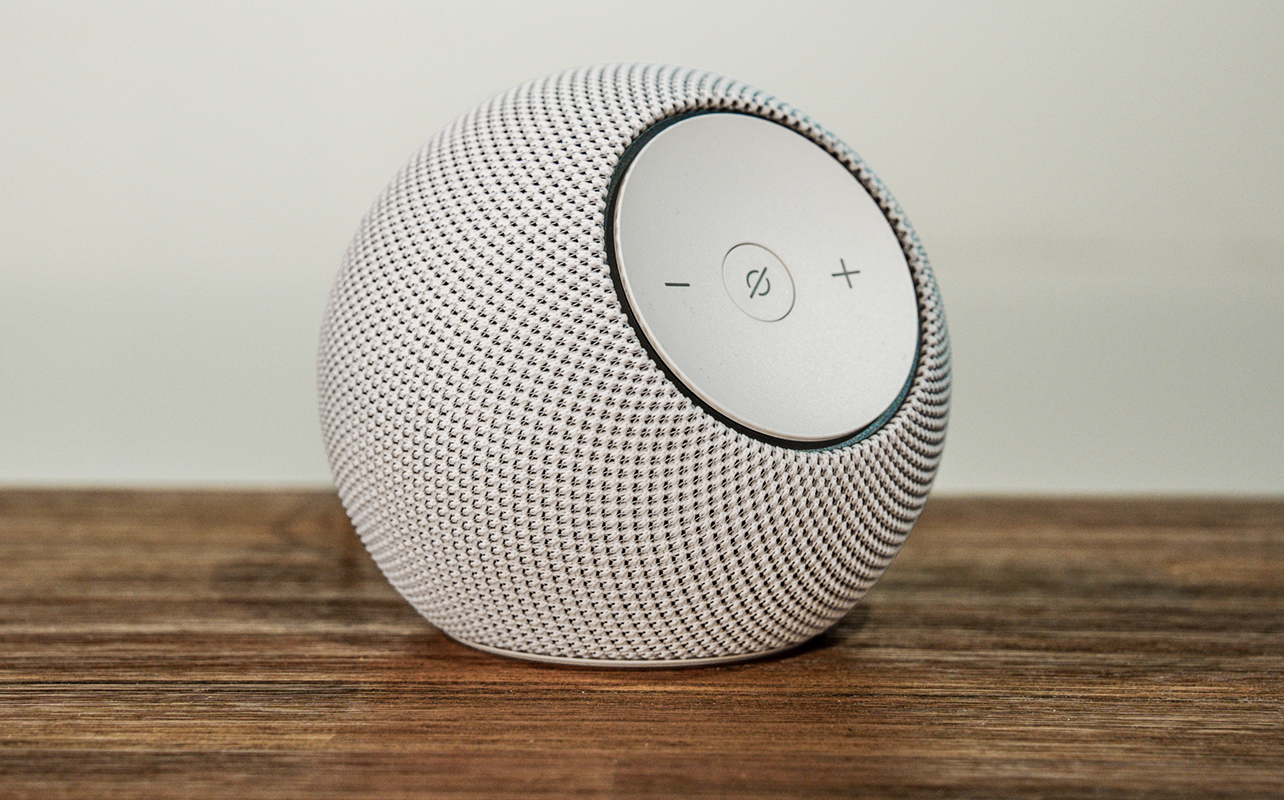
Its value proposition is that it serves two masters: you and Alexa+. Without the voice integration and smart device control all that enables, this speaker wouldn’t stand out as much compared to others in the same price range.
The Echo Show 11 offers a totally different perspective because it invites both verbal and physical input. You can just as easily tap your way to information you want and not always ask for it. Since this concept of an Alexa smart speaker with a screen isn’t new, the hybrid usability is more impactful here because a) the screen looks better and b) there’s so much more to say and hear this time.
Just keep a microfibre cloth nearby. The screen lacks a proper oleophobic coating to ward off the inevitable fingerprints and smudges covering it. As a speaker, it’s good for background music but won’t wow you with crisp audio. Again, the device serves a dual purpose. At least it does well in serving up content from Amazon Prime and Fire TV channels. For YouTube, you’ll need to go through the Silk browser first.
Final thoughts
Seeing and hearing is believing, after all. Alexa has been so widely dispersed in the market over the last decade that it’s likely many have experienced it one way or another. Alexa+ feels like it grew up and can hold a real conversation. It’s still prone to mistakes and the odd hallucination but the fact it’s conversational to begin with makes its level of control far more engaging. Now, you’re not just telling it to turn something off, you’re asking it to help you figure something out in real time. With support for Matter, Thread, and Zigbee smart devices, there’s an expansive set of integrations that aren’t relegated to Alexa Routines to work together in tandem.
The latest Echo speakers are the currently the best way to get into all this. As of this review, Alexa+ is still in an early stage rollout. It will cost $27.99 per month once the early stage period lifts, though remain free for Prime members. Over time, the more advanced agentic AI will roll out in an update to a variety of past Echo and Fire (TV and tablet) devices. If you want to get a sense before jumping in, see if you can talk to it in the mobile app.
The Amazon Echo Show 11 and Echo Dot Max are available at Best Buy now. Check out the other Echo and Alexa-compatible devices.