
Congratulations: You’re going to art school! Or maybe your child is, or your partner, or perhaps you’ve just taken the bold move of enrolling in your first digital art class. Whatever it is, it’s awesome, and now it’s time to figure out which tools for art students you’ll need. Digital artists, photographers, and animators can really benefit from using dedicated digital art tools. Unlike other tech-based jobs, like writing or coding, it’s tough for an artist to get by with just a keyboard and a mouse (or trackpad). The precision you can get from items like styluses and drawing tablets is unparalleled by older forms of technology.
Tools for art students: Two types of tablets
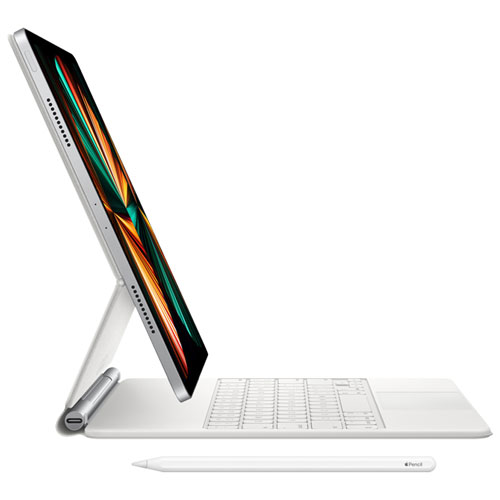
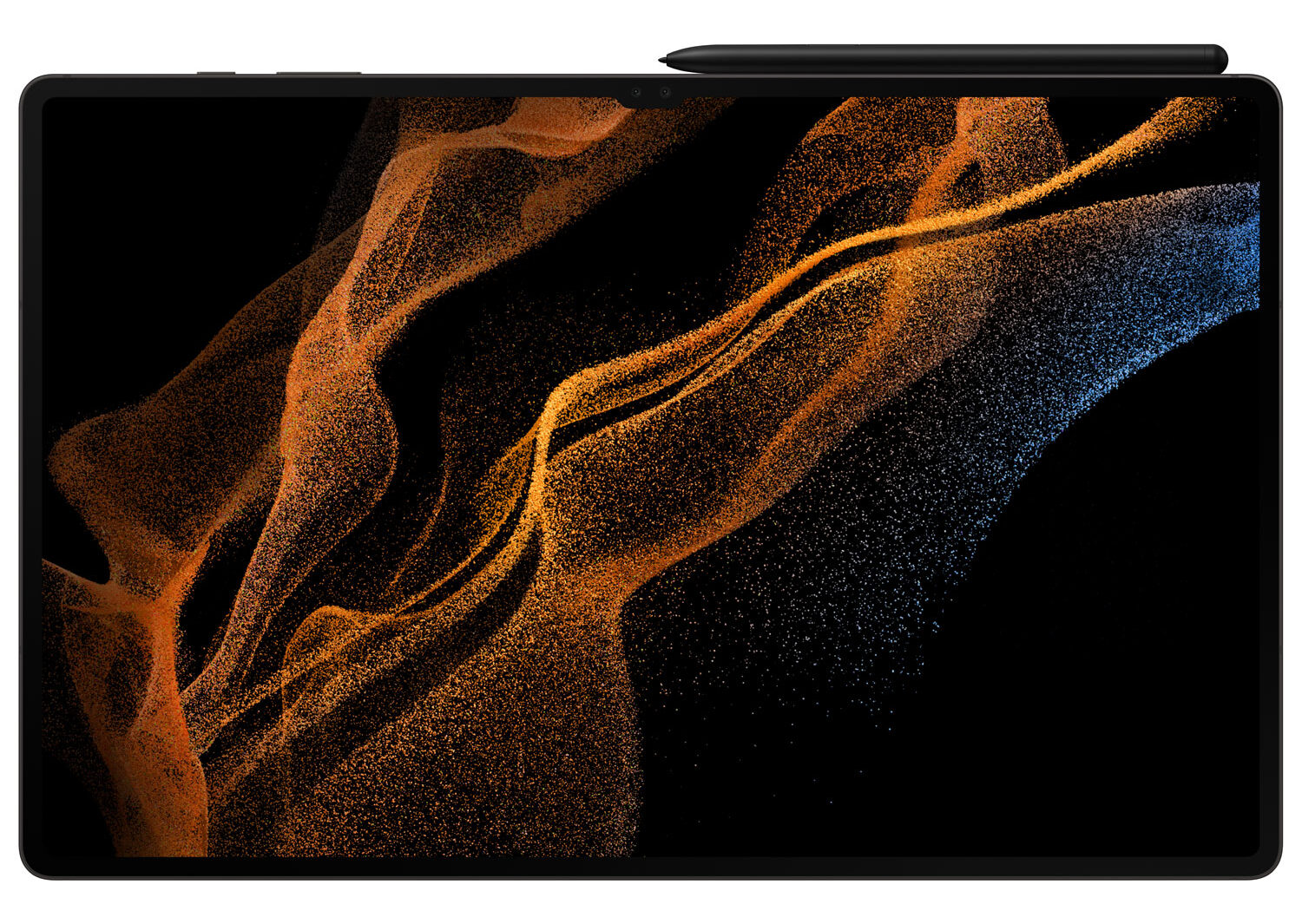
If you’re new to digital art, it might surprise you to find out that there are actually three types of tablets. (We’ll discuss the most common two first, then get into the specialized version.) First, there are the touch-screen display tablets that work like powerful smartphones. Some of examples of these are the iPad, the Surface, and the Samsung Galaxy Tab. These tablets are multi-use. They’re great for people who are starting their digital art or graphics careers, but they have limited processing power.
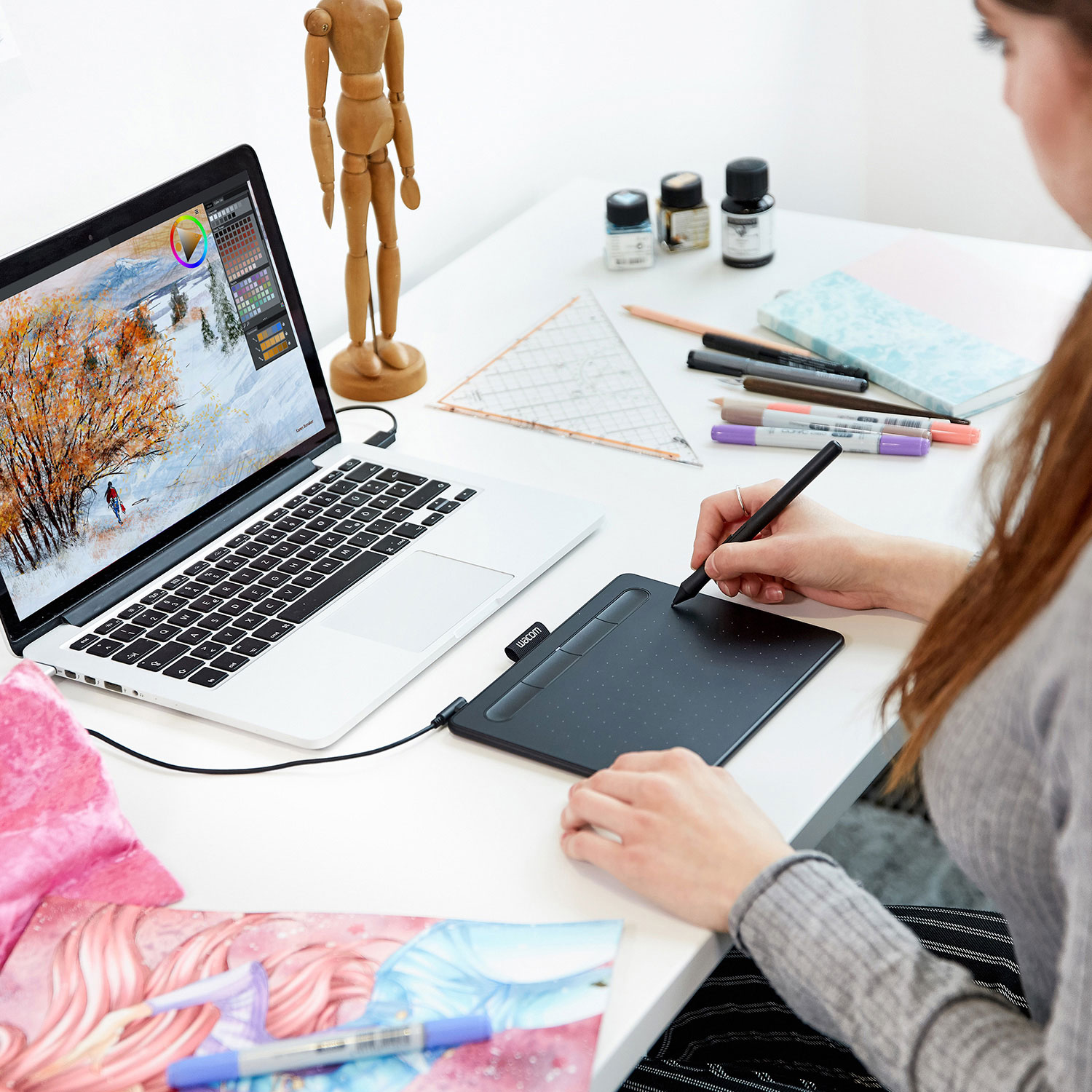
Then, there’s the drawing tablet, which has been around in some form or another since 1957. The first graphic tablets were designed only to recognize handwriting; today, they can create digital renderings of everything from handwriting to full-scale digital paintings. For most students, an iPad or iPad-style tablet is the best option. They’re a simple solution for students use for art and academic classes, and they’re easy to transport. They can be used solo, without a ton of accessories or a separate computer, which makes them easy to take to class.
However, for students in the fine arts, graphic tablets are tools that are not to be underestimated. The graphic tablet market is dominated by Wacom, who make passive tablets—AKA tablets with non-electronic styluses—at price points for both students and professionals. Many of their products offer detailed pressure sensitivity and a paper-like feel. Their more professional designs feature even more pressure levels, as well as options like pen tilt and increased sensitivity.
Professional-grade drawing tablets: Pen displays
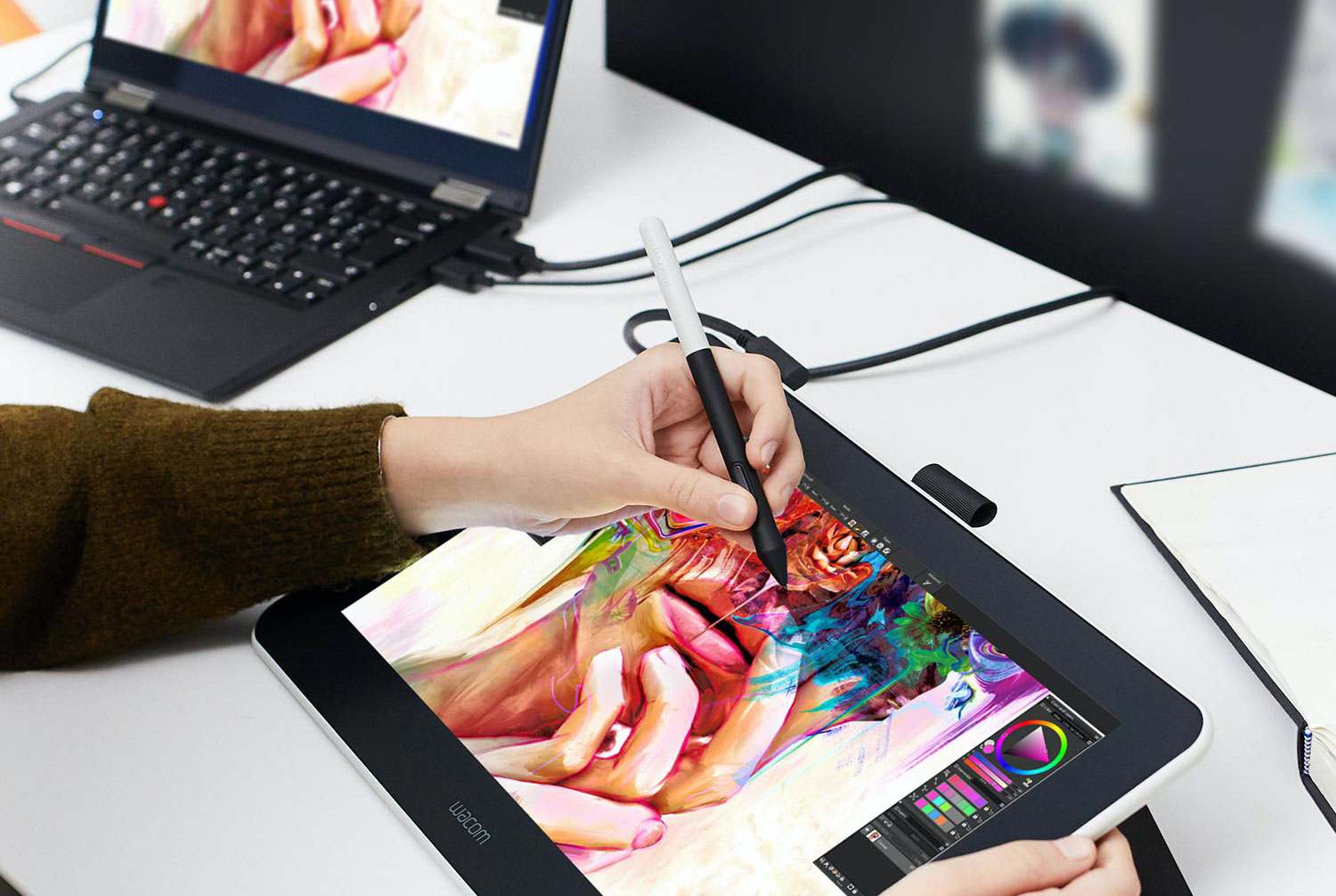
For fine art students who take their art very seriously, a lower-end tablet might not cut it. If you’re planning to create vast artworks, or extremely intricate animations, you may need something more powerful. Many students who sell their artwork on the side will opt for this style of tablet, perhaps to hone their skills to get ready for an internship or perhaps to create professional works that they can sell online to help pay for their degree. In cases like these, I recommend opting for a pen display: a touchscreen drawing tablet with a high-quality digital display.
If you’re ready and able to take the plunge, a drawing tablet with a touch screen will allow you to work directly on your image, video, animation, etc. You won’t lose track of your pixels as they translate from a tablet under your hand to the screen in front of you. Expect a smooth user experience for high-end tablets, which are optimized for 3D animation, and a precise but laggier experience with your budget buys.
Once upon a time, this style of tablet was the only option for digital artists who wanted to work directly on their screen. However, that’s no longer the case. For many artists, the iPad Pro works just as well or better than other tablets. The Pro can be used for both drawing and animation, and it isn’t limited to tablet functionality (unlike earlier iPad designs)—you can hook it up to your more powerful computer to use it as a pen display.
Styluses and other tools for art students
For most students, a basic graphics tablet or a smartphone-style tablet is more than capable of getting the job done. It’s tough to create a masterpiece using just your stubby fingers, though, so a stylus is a must! (I mean, have you ever tried to draw a freehand straight line with your finger on an iPad? I’m convinced that it simply cannot be done.) A simple stylus makes using a tablet easier for anyone. Even for basic applications, getting in the habit of using a stylus instead of your finger can keep your motions precise and your dexterity high.
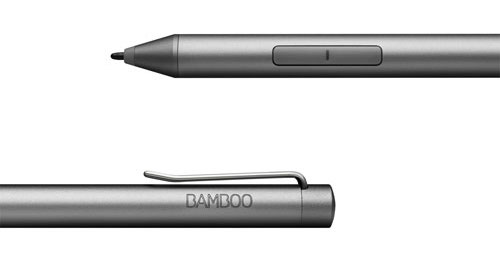
But for art and other detailed work, styluses really are essential. They introduce something to your tablet that your finger can’t offer: pressure and angle sensitivity. With a basic stylus, you gain the benefit of a super fine point. With an art stylus, however, you get a lot more. Many styluses feature thousands of points of pressure sensitivity, angle awareness, and textured tips. These features allow you to get more out of your stylus than a mouse, unlocking the ability to create realistic-looking calligraphy, brushwork, shading, and more. When your tablet knows how hard you’re pressing and the angle of your brush, it can create a lifelike drag and opacity for each stroke.
Make sure to find out if your stylus is battery-powered before purchasing. Some, like many of the ones used with drawing tablets, are not electronic. Others, like the Apple Pencil or Microsoft Surface Pen, need to be recharged.
Set up your art tablet
Finally, one last tool to consider for your burgeoning artist or art career is a great tablet mounting system. Crouching over a tablet can cause eye and back strain, especially when it’s flat on your desk, but a mount is an easy way to essentially set your tablet up like a sketchbook on an easel. Consider mounting your tablet, buying a small angled stand for it, or investing in a sit-stand desk to help manage the long hours of art school or a career in the digital arts.
A tablet mount probably won’t be going to art class with you, of course, but, well: Artists rarely haul around their easels, either! That doesn’t mean they aren’t still an essential part of an atelier.
Shop tablets and drawing tablets at Best Buy today.





The Wacom Cintiq 22 Creative Pen Display 18.7″x10.5″ Graphic Tablet with Pro Pen 2 Stylus (DTK2260K0A) Model Number: DTK2260K0A Web Code: 15734664 would best suit my drawing needs because it has a pressure sensitivity level of 8192 to create detailed pieces of art.
I need a pen for more precise details
Ma petite-fille prendrait bien un écran avec stylet car il peut être déplacé et il a d’autres utilisations
The precision, sensitivity, and colour accuracy of a Pen Display would best suit my needs. My colours need to be as crisp as possible for artwork prints and online posting, and I would need the accuracy and sensitivity of a Pen Display to best translate my skills from traditional art to digital art.
A pen display would be best as it is more powerful than a tablet and allows extremely intricate artwork.
I think that a pen display would be perfect for my art!
A pen display would really help, not me buy my daughter with her increasing interest in drawing murals. She is currently completing a mural with an environmentally-friendly message at our local ball diamond.
Would enhance photography hobby
A pen display would fit best for my needs because doing abstract art the fine lines and procession would look awsome
A pen displays to draw my abstract inspiration.
A stylus would best suit my drawing needs because I love drawing freely
iPad Pro cause its mobile and versatile
Microsoft Surface looks great!
A tablet and stylus would be great because I could work anywhere.
A pen display would fit best for my needs because I would draw with optimal accuracy and precision.
I would choose a drawing tablet to give me the most freedom to create my own work.
I would prefer a pen display as surface would be best for me.
I would really lean towards the tablet with a stylus of course, as the near paper feel and response would work best for my experience.
a pen display would be the best for me- i think visually and this would help me jot my creative ideas down however they come to me
Le IPad Pro serait parfait pour moi à cause de son usage multiple. Je pourrais corriger mes photos, mais aussi l’utiliser à d’autres fins.
I would love to work with a pen display because I love digital art but I miss being able to look down and see what I’m drawing!
I think pen display would work best for what I want.
Would love an iPad Pro for working on the go!
Tablet mounting system; bonus function as movie viewer during break time!
I have an iPad, but I feel like a pen-display would actually be nicer to use.
surface would be best for me, microsoft qualtiy
Pen display would be really helpful to me in creating articulate pieces of art.
A pen display would be awesome for my daughter.
A pen displays to draw my abstract inspiration.
Pen display would be helpful to draw
As much as I’d like to be low maintenance and use a drawing tablet, my old eyes really appreciate the clarity that comes with a pen display. I like to draw in 3D and am trying to put together some animations so a pen display would definitely be best for me.
My daughter takes her artwork very seriously. She hopes one day to be a successful digital animator. She has self taught herself many skills independently but is also taking lessons to improve her skills. I think she is ready for a pen display set up. She would be thrilled to win this prize. Thank you so much for the opportunity.
My daughter is just started drawing and she is very good at it and I think the the drawing tablet would be a perfect for her!!!
I think that a pen display would help my daughter who is currently studying make-up design for media and creative arts!
A pen display would be a good start for me
A drawing tablet such as the Samsung Galaxy Tab would be a good place to start for a beginner like me
The iPad pro would be perfect, as a Graphic Artist specializing in logos and corporate branding, this would make my life so much easier instead of scanning and retracing the image in a program! And it would sync seamlessly with my iMac
2- I like the iPad Pro for both drawing and animation; I can try both to find out what best suits my needs then I’d hook it up to my computer to use it as a pen display which would make it easier for me.
The iPad Pro would best fit my drawing needs because I’m not focused solely on drawing, but animation is also a great part of my artistic interests.
A pen display works best for my setup because I match that with my drawing software on my computer or laptop, though I would definitely consider a standalone tablet like an iPad Pro.
A stylus would best suit my drawing needs because I love drawing freely and need a tool that can deliver pressure and angle sensitivity.
an iPad tablet would be the best device for digital art and back to school because of how multipurpose a device it is
The graphic drawing tablet would best suit my drawing needs due to the pressure sensitivity and pen tilt feature.
I think a Samsung Galaxy Tab is very good because it’s great for beginners and have multiple uses.
i would buy a touch-screen display tablets, because it can be used for so many other uses.
It seems like a pen display like Wacom makes is what I need since I’m currently frustrated by the drawing on a samsung galaxy tab.
Wacom One Creative Pen Display Model Number: DTC133W0A , could be a amazing drawing tablet for my kind of tool and artistic style i most identifies with like digital artists . This screen with an active area of provides natural surface friction for a realistic pen and paper feel when sketching, drawing, and painting this is what i need for a unforgettable painting experience. It comes with a battery-free pen, digital brushes, cloning capabilities, and customisation features to sketch, draw, and paint on the screen. The precision i can get with this battery-free stylus feels like a real pen and uses software to function as a pen, pencil, marker, paintbrush, and chalk in a full range of colours with superb accuracy. Mixer pad, and SmartStroke brush technology is what type of digital tool that would best apply to my needs and what i wish!
You can never go wrong with an iPad! although, I find myself personally preferring a drawing tablet when at home.
My granddaughter loves Wacom! I bought her a lower-end Wacom Pen Tablet a few years ago and I’m sure a pen-display would be a much appreciated upgrade.
iPad Pro cause its mobile and versatile
I like the stylus, it would give me good control over my work.
Comments are closed.