
Shopping for a new laptop today presents you with more choices than ever. You can choose from budget-friendly Chromebooks to premium Chromebook Plus models, and Apple’s latest-generation M5 MacBook to Windows laptops ranging from affordable PCs to high-end AI and gaming machines. Those equipped with AI hardware like neural processing units (NPUs) become increasingly interesting as alternatives. Choosing the right laptop is less about brand or operating system and more about finding the hardware and features that best match how you actually plan to use it.

Table of contents
- Quick comparison: Chromebook vs. MacBook vs. Windows laptops
- What’s the difference between a Chromebook, MacBook and Windows laptop?
- ChromeOS vs macOS vs Windows
- How do their performance compare?
- How do they compare in terms of design?
- Which is better: Chromebook, MacBook, or Windows laptop?
- Frequently asked questions

Quick comparison: Chromebook vs. MacBook vs. Windows laptops
There are some basic tenets to keep in mind when shopping around for a laptop. One of the first is to know what makes each platform unique when comparing a Chromebook, MacBook, and Windows laptop.
| Category | Chromebook | MacBook | Windows PC |
| Operating system | ChromeOS | macOS | Windows 11 |
| Typical budget | Budget to premium | Mid-range to premium | Budget to premium |
| Best known for | Simplicity, web-based work, & value | Apple ecosystem, efficiency, & performance | Choice, compatibility, & gaming |
| AI | Gemini & Chromebook Plus features | Apple Intelligence | Copilot & Copilot+ PC features |
| Software | Web, Android on supported devices and Linux on supported devices | macOS and web apps | Broad Windows software library |
| Gaming | Primarily cloud, browser and supported Android games | Growing game support | Broadest PC gaming support |
| Hardware choice | Moderate | Limited | Widest |
| Touchscreen | Available on many models | No | Widely available |
| 2-in-1 ecosystem | Available Google/Android | No | Widely available |
| Ecosystem | Google/Android | Apple | Microsoft/Windows |
There is no “better” in the grander sense here because each is designed around different needs, priorities, and budgets. It’s more about how you plan to use the laptop than a brand or operating system—whether that means web browsing and simplicity, creative work and ecosystem integration, gaming, productivity, or AI-focused tasks.
What is the difference between a Chromebook, MacBook and Windows laptop?
A Chromebook runs ChromeOS and is designed mainly for web-based apps, cloud storage, and simplicity, often at a lower price. A MacBook runs macOS and is designed for tighter integration with Apple devices, strong performance, and a polished ecosystem. A Windows laptop runs Windows and offers the widest range of hardware, software, prices, and specialized options, including gaming and AI-focused PCs.
Chromebooks
An increased presence of Chromebooks in schools exposed students to what laptops can do when they’re relatively lightweight and user-friendly. These laptops run Google’s ChromeOS, which offers a number of advantages when you understand how Chromebooks work. From the outset, Chromebooks are more beholden to online access because cloud-based apps offset the general lack of computing power these devices have, compared to your average MacBook or Windows PC. That means Chromebooks can use relatively inexpensive CPUs and minimal storage, resulting in a very affordable price. It also means startup times are significantly faster because of the lower system load necessary to run them.
Chromebooks are also generally more secure because of consistent software and security updates to keep malware at bay. Cyberattackers also don’t target them as much as Windows and macOS devices but that doesn’t mean you should be complacent. Many of the same best practices to protect students from malware apply to Chromebooks as well.
They still retain the reputation of being low-powered laptops, but that perception may also change now that performance and premium touches grow in importance. Google addressed this by setting a new designation called Chromebook Plus. It essentially means Chromebooks falling under that classification meet certain spec requirements, which can include Intel Core and AMD Ryzen processors, and at least 8GB of RAM and 128GB of storage. Screens also have to be at least 1080p HD resolution to qualify. Since touchscreens are common on Chromebooks, that only adds to their versatility that way.
That versatility poses a challenge when it comes to peripheral compatibility. While more accessories work with Chromebooks than ever before, not all will. If a Chromebook supports Bluetooth, it should be compatible with most wireless computer accessories like mice, keyboards, and headphones. USB hard drives and thumb drives are also fine, so long as you properly format them. A Chromebook should also be able to print to a Wi-Fi printer. Still, it’s a good idea to check if a specialized accessory will work with one of these laptops because some might not. Graphics tablets are good examples.

MacBook
Young professionals often choose a MacBook as their tool of choice. A big reason for that is Apple’s sense of style and its reputation for premium quality. Historically, malware attacks also don’t hit macOS as much as Windows, adding to the overall sense of security.
There’s no such thing as a “cheap” Apple laptop, so a MacBook don’t compete at the entry level of the laptop market. For example, there’s no real option to compete with a Chromebook’s affordability unless it’s an older MacBook. Note that a MacBook running on Apple’s own CPUs (the M1, M2 and M3 chips) performs far more efficiently next to older models with Intel chips.
You can choose from three different MacBook models. Technically speaking, the most affordable model—the 13-inch MacBook Air—has been a top choice among students for years. It’s built solid, thin and light with an iconic solid-aluminum design. Not to mention vastly improved 18-hour battery life. But the MacBook Neo takes over as the most affordable Apple laptop now.
At the higher end of the spectrum, students in more creative and demanding programs pick the MacBook Pro. The Pro is a more powerful and advanced device in every way that’s ideally suited to students who work in visual mediums. Photo and video editing are good examples, as are graphics, architecture, animation, and audio, among others. Robust performance with vibrant and sharp screens make for a good combination.
Apple doesn’t equip MacBook with the most RAM or storage, so you may need to consider upgrading first. Since a MacBook is difficult to upgrade manually post-purchase, you’d want to do that in advance. If you like a touchscreen, forget it on a Mac because macOS doesn’t support it. You also won’t find as many ports on a MacBook, though it’s gotten much better. Just get an adapter or dock because USB-C stands in as the default. Moreover, make sure you get a good sense of the specs you need. Not just now, but also a few years down the line.
Windows laptops
Windows laptops are always a safe pick because Windows remains the most widely-used computer operating system. Many schools support Microsoft’s Office applications. When you want compatibility and the ability to run the most diverse library of software, Windows laptops can get it done. They’re also the preferred platform for PC gaming—something particularly popular among the student crowd.
Windows laptops are also the clear winner in terms of variety. A wide range of major PC manufacturers make Windows laptops, including trusted names like HP, Acer, ASUS, Dell, Lenovo, and even Microsoft itself. This provides an almost overwhelming choice of form factors (not just traditional laptops, but also 2-in-1 and convertible options), sizes, capabilities, and price ranges. Windows laptops can range from affordable models to high-performance gaming laptops with the power to take on a desktop PC.
Windows laptops feature the latest Intel Core and AMD Ryzen processors, but there is also a new wave of models that run on Qualcomm Snapdragon processors.
Many of the latest Windows laptops also offer touchscreen support, and you can use a pen or stylus as well. This is a feature that can be particularly useful for students, who can use a stylus to take notes and easily edit files. Windows also offers some parental controls under what’s called Family Safety.
ChromeOS vs. macOS vs. Windows
Now, let’s compare these laptops based on the operating system they’re running.
ChromeOS
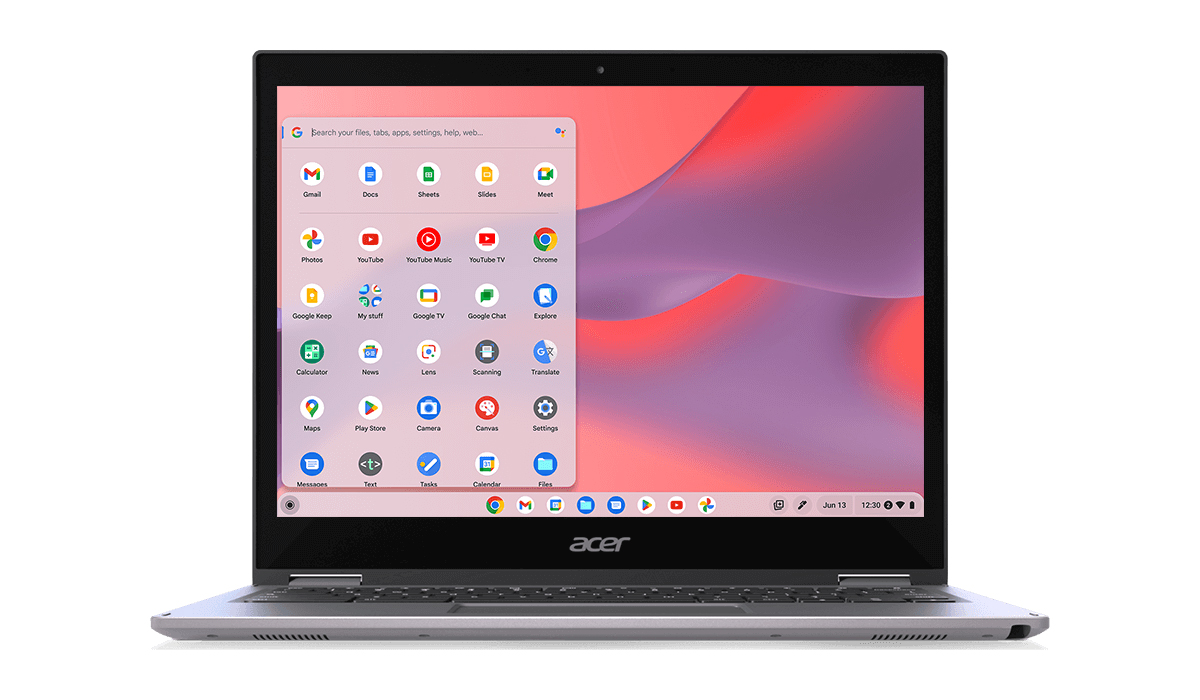
Forget the old idea that Chromebooks only work online. Google Play also offers Android apps, so you can download your favourite apps and games and use them completely offline—no Wi-Fi necessary. Keep in mind that not every Android app is built for a bigger screen, so a few may look stretched or awkward compared to their phone versions. But the gap is closing fast: developers who used to ignore Chromebooks are now optimizing their apps to run smoothly on them.
Setup is simple if you’re already in the Google ecosystem—you just need your Google account (via Gmail login) to sign in and start using ChromeOS right away. The interface borrows pretty heavily from Android, which is why switching between your phone and Chromebook feels familiar instead of like learning a new system. Settings changes also take fewer steps, since ChromeOS is built to be lightweight. And with Gemini built in, you can not only control your smart home devices—lights, thermostats, speakers—straight from your Chromebook, but also leverage the AI to answer questions about anything. All that without picking up your phone.
Pair an Android phone with a Chromebook through Phone Hub, and a few things become possible. Instant Tethering lets your Chromebook automatically pull an internet connection from your phone’s hotspot when no Wi-Fi network is available. You can also view pictures from your phone directly on your Chromebook without cables, transferring files, or touching your phone. Pixel phones carry additional advantages, where you can stream apps from it directly to your Chromebook, giving you a larger display for the apps you already use daily.
macOS

Apple builds both the hardware and the software for a MacBook, and that helps deliver performance that doesn’t always translate on a spec sheet. Since Apple controls every key component, macOS and the machine it runs on are built to work as one system. That’s primarily why a MacBook can outperform a similarly priced Windows laptop with seemingly weaker specs on paper. The optimization just works. Using a MacBook running on one of Apple’s M-series chips shows this off best, unlocking boosted speed and performance because of the synergy between the two.
If you’re new to Mac, you won’t feel lost after a while. You also won’t run into the app gaps that used to hold Mac back. Nearly every major app you’d need for school or work now runs on macOS. For example, Microsoft 365 runs on macOS just as it does on Windows, so you can work in Word, Excel, and PowerPoint without missing a beat. Adobe Creative Cloud brings the full lineup of professional creative applications to the Mac, from Photoshop to Premiere Pro.
Development tools get their support, too, letting you code, test, and deploy without fighting your operating system. And since the same browsers you use on Windows work here, web applications and cloud-based tools carry over without a hitch.
You’ll need an Apple ID to download from the Mac App Store, though you can skip that requirement entirely by downloading apps straight from a web browser instead. Siri comes built in as your voice assistant, and more is to come as Apple Intelligence develops across Mac and iPhone. You can also turn an iPad into a second screen, use AirDrop to send files back and forth between devices, or tap into your iPhone’s cellular connection to hotspot your Mac when there’s no Wi-Fi available.
Windows 11
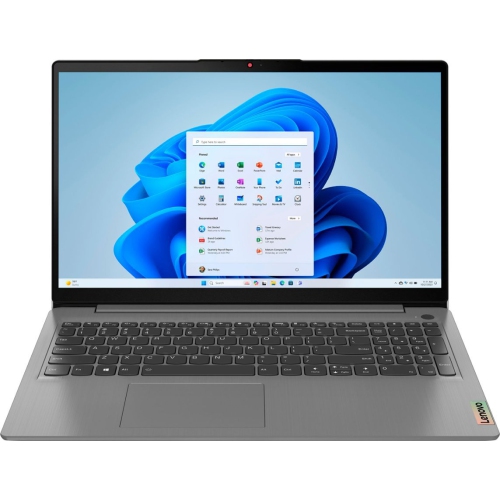
Windows simply offers more flexibility than the others because it supports more hardware and software than any competing system. Compatibility rarely becomes an issue here. Windows also has a head start with Copilot, Microsoft’s built-in AI assistant powered by OpenAI. You can ask it to change settings or open apps for you, use it as a chatbot to answer questions or troubleshoot problems with your laptop, and even talk to it as a voice assistant. While it can’t control smart home devices the way Google Assistant or Amazon Alexa can, Copilot+ features can handle more demanding AI tasks like real-time translation, image generation, and enhanced search directly on your device.
Windows’ broad desktop software support means you’re unlikely to find an app or program that doesn’t run on it. Microsoft 365 works exactly as expected and any business software you can think of is built with Windows first. Then there are specialized applications, including engineering and CAD programs, run reliably here because they’re developed for the platform first. For developers, Windows Subsystem for Linux lets you run a full Linux environment alongside Windows, so you can move between the two without switching machines.
Gaming is where Windows pulls further ahead, though performance depends heavily on your GPU (graphics processing unit) rather than the OS itself. That’s why gaming laptops exist as their own category considering the graphics hardware can deliver a very different experience compared to others with a more standard GPU.

Find the right laptop for you at Best Buy Canada
Best Buy has a large selection of laptops, including the latest MacBook, Chromebooks, and Windows laptops. You’ll also find all the accessories you might need. No matter what you’re looking for, you’re covered.
You can also check out the Best Buy Blog’s laptop buying guide to learn more about the types of laptops and key components you should consider.
How do their performance compare?
You can expect performance variabilities between individual laptops, regardless of whether they run ChromeOS, macOS or Windows. For fast performance, be sure to check the capacity of the CPU, GPU, RAM, and storage. The CPU is like the engine for general purpose tasks, whereas the GPU handles graphics-heavy work, like gaming, video editing and 3D. Laptops with integrated graphics combine the two, while others pair the processor with a dedicated GPU for higher performance. RAM is key to multitasking and demanding apps, and fast SSD storage improves loading and file access.
An NPU, or neural processing unit, is a processor designed specifically for AI workloads, increasing efficiency by taking the load off the CPU or GPU. That includes on-device AI features, like speech recognition, file search, image processing, and video-call effects.
Chromebook Plus is a category rather than a single hardware platform, so AI capabilities differ between models. Some include processors with dedicated NPUs, while others rely on the CPU or GPU for AI features. An Apple silicon Mac includes a dedicated Neural Engine alongside the CPU and GPU, with macOS and compatible applications designed to take advantage of Apple’s integrated hardware. Copilot+ Windows PCs are designed around capable NPUs for local AI features. Hence, current models use processors from Qualcomm, AMD and Intel.
Thermals and power efficiency also play big roles, which is why larger laptops can often sustain demanding workloads for longer. They simply have more physical room for cooling, while thinner or fanless designs usually prioritize portability and quiet operation. All that impacts battery life, so the complete system matters.
So does the operating system. ChromeOS is built around web, Android and supported Linux apps, macOS closely integrates with Apple’s hardware, and Windows supports a particularly broad range of software and hardware. That means the same application can perform differently across platforms.
How do they compare in terms of design?
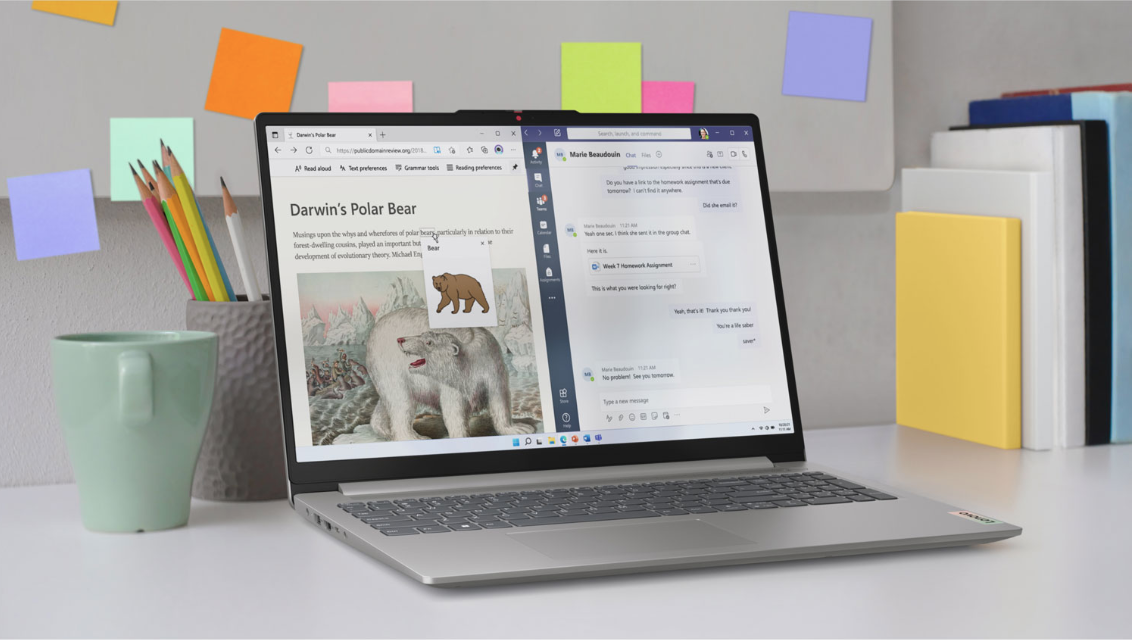
This is where things can get a little interesting. Manufacturers will cut costs by way of the materials they use to build their laptops. That’s why more affordable notebooks don’t generally have aluminum or metallic bodies. More premium laptops often do, and if they don’t, they use polycarbonate or other blends to deliver a more durable frame. Windows PCs and Chromebooks are pretty varied that way, though since Chromebooks usually offer more budget-friendly prices, plastics will make up the bodies. Windows laptops can have both less robust materials or durable metals, depending on the make and model. You may see the same manufacturer offering laptops that greatly vary in price, not to mention in concept, when you consider there are dual-screen laptops, like the ASUS Zenbook DUO, for example.
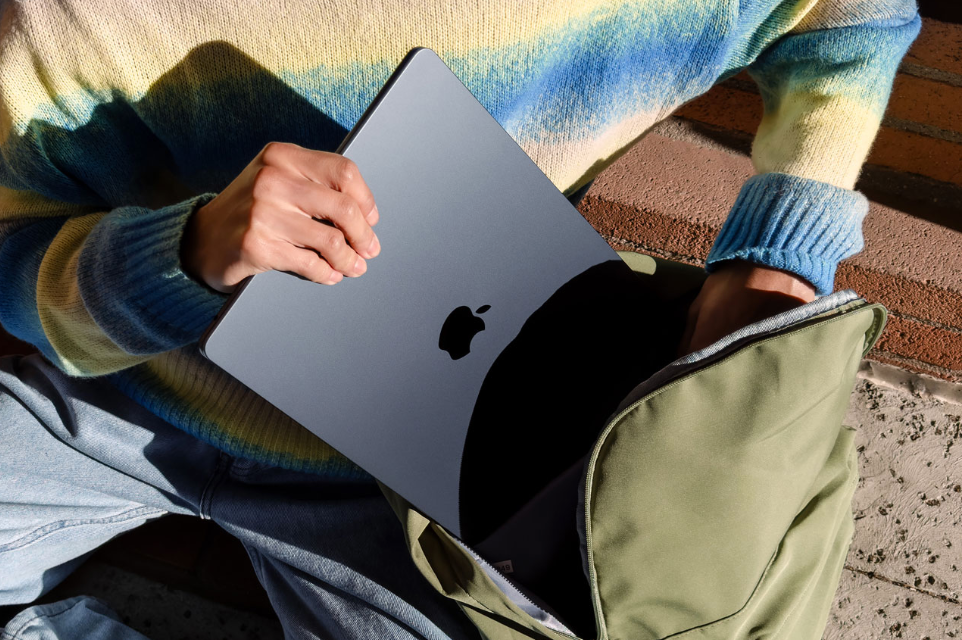
Apple is the most consistent because all MacBook essentially use the same aluminum build. The MacBook Pro and MacBook Air share characteristics that way, even if the components inside aren’t alike. But the rest of the design picture also matters, like how glass is used for trackpads on more expensive laptops, regardless of brand. Same with keyboards, where the look and feel of the keys can differ from one laptop to another. If you want a numeric keypad, you’ll really only find those in select Windows laptops.
No matter which laptop you choose, you need to respect it and keep it safe from any drops or spills by using a laptop case, for example.
Which laptop is best for demanding work?
For photo and video editing, MacBook have long been the preferred standard, buttressed further by Apple silicon, thanks to strong performance and efficient operation. Windows laptops provide a wider range of hardware, including models with powerful dedicated GPUs. With that in mind, there are different categories of PCs that can address professional work, be it creative, engineering, productivity, or something else. Chromebooks are generally better suited to browser-based or cloud-based 3D and CAD tools than demanding desktop applications.
The tools and development environment can work well across all three platforms. A MacBook offers a Unix-based environment, Windows provides broad software and enterprise compatibility, and Chromebooks can be effective for web development and Linux-based workflows. CPU performance and RAM matter more than graphics hardware for large spreadsheets, but if you rely on advanced Excel features, Windows might be the safer choice.
For AI workloads, NPUs can accelerate local AI features, but demanding generative AI and other workloads may rely more heavily on the GPU or cloud services. Gaming is particularly dependent on hardware configuration, and that’s where Windows holds an edge because a laptop with a dedicated GPU can provide much higher gaming performance than a thin laptop using integrated graphics. A Mac support more games than before, but it’s a small library. Chromebooks are best suited for cloud and browser-based gaming.
Which laptop has the best battery life?

The tricky part in all this is battery life. Not all laptops are made equal that way. Some can last longer whereas others are either too strong or too weak to offer true all-day battery life. If that spec matters to you, find a laptop that doesn’t compromise too much on performance. Ideally, you want it to last at least 10 hours. Note that battery life ratings are also based on the laptop not running any particular apps. The true number will likely be lower once you factor in how apps and processes drain it.
All that being said, there’s no universal battery life winner. A high-resolution or screen with a high refresh rate can consume more power. You will always use up more battery through gaming, video editing, and AI workloads than light web browsing and word processing.
Efficient Apple silicon, Snapdragon processors and other modern laptop chips can all deliver long battery life, but results vary considerably between models. Two laptops with similar processors can have very different runtimes because of differences in battery size, display and system design.
Which laptop is best for gaming?
Windows is by far the most versatile platform for PC gaming courtesy of its huge game library and range of compatible hardware. Windows gaming laptops come with dedicated NVIDIA and AMD GPUs, high-refresh-rate screens, and other gaming-specific features. That can include advanced cooling and customizable performance settings, among others. Some of these laptops are portable models, and others powerful desktop replacements, giving gamers more choice than on other platforms.
MacBook is slowly becoming more a capable gaming machine, thanks to Apple silicon and improved graphics technology. The Mac game library is still growing, with more major titles supporting macOS and Apple silicon. But compatibility trails Windows in many ways, so check compatibility and support before playing a game on a MacBook.
Chromebooks do best with more casual cloud gaming and browser-based games, with some supported models also able to run Android games. There is very limited support for top PC games, although cloud services can provide access to more demanding titles without requiring powerful local hardware (Xbox Game Pass Cloud).
Which laptop works best with your phone?
Much of this depends on the devices and services you already use. Using Android, Chromebooks may feel particularly convenient because of features like Phone Hub, Quick Share, Google Photos, Google Drive, and Android app integration.
For iPhone users, a MacBook generally provides the most seamless integration. AirDrop makes it easy to transfer files, while iCloud syncs photos, documents and other data. Handoff and Continuity allow tasks and content to move between Apple devices, and you can use an iPad as a second display with supported a Mac. Apple Watch integration can also add features such as convenient authentication and device unlocking.
Windows offers a mix in that there’s strong integration with both Android phones and Microsoft’s broader ecosystem. Phone Link connects supported Android phones to Windows for messages, notifications, calls and other features, while OneDrive and Microsoft 365 provide cross-device access to files and productivity tools. Windows also connects naturally with Xbox services and hardware.
You don’t necessarily need to match brands, as the tools to bridge gaps are increasing in both number and sophistication. On the other hand, choosing a laptop from the same ecosystem can reduce friction and make everyday tasks easier.
Which laptop is the most secure?
No one wins this flat out. ChromeOS, macOS and Windows all include built-in security protections, but they also still face security threats. Downloading security updates and good user habits are important regardless of which laptop you choose.
ChromeOS uses a security-focused architecture that includes automatic updates, including provisions for compromised apps and websites. Check how long a Chromebook receives security updates, as some have defined update periods. Google’s Extended Updates program can extend the useful life of eligible ChromeOS devices, but it’s best to look into that first before relying on it.
Apple gives macOS multiple layers of security, including app protections and regular security updates. A MacBook can also support biometric authentication through Touch ID on models equipped with it. Windows similarly includes built-in protections through Windows Security and Microsoft Defender, along with features such as biometric Windows Hello authentication on supported hardware.
All that works on the backend but how you use the laptop also matters. Updating the system and apps, using strong passwords, enabling two-factor authentication, and looking out for suspicious links and downloads can significantly reduce risk. The most secure choice is therefore usually a combination of a well-supported device, current software, and sensible security practices.
Which is better: Chromebook, MacBook, or Windows laptop?
There’s no single best laptop platform for everyone. The right choice depends on the software you use, the devices you already own, your budget, and the features you value most. Chromebooks tend to suit users who work primarily online. A MacBook is a strong fit for people invested in Apple’s ecosystem and macOS, while Windows laptops offer the broadest combination of software, hardware, and gaming options.
Choose a Chromebook if…
Choose a Chromebook if you mainly use web apps and Google Workspace and want a straightforward, easy-to-manage interface. Chromebooks can also be attractive if you prioritize portability and more affordable pricing. They’re best suited to users who don’t rely on specialized desktop software that is unavailable or limited on ChromeOS.
Choose a MacBook if…
Choose a MacBook if you already use an iPhone or iPad and want close integration with Apple’s ecosystem. A Mac is also worth considering if you prefer macOS, use supported creative applications or prioritize a combination of portability and battery efficiency. Before buying, make sure the applications and peripherals you rely on are fully supported on macOS and Apple silicon.
Choose a Windows laptop if…
Choose a Windows laptop if you need specialized Windows software or want the broadest selection of laptop designs and hardware configurations. Windows is also the strongest choice for PC gaming and offers the widest range of dedicated GPU options. If you want a touchscreen, 2-in-1 design or access to Copilot+ PC hardware, Windows provides the most options.
At a glance
Choosing the right laptop for you depends on what you prioritize. Here’s a quick table on what laptop to consider based on your needs.
| Your priority | Platform(s) to consider |
| Affordable school laptop | Chromebook, Windows |
| Google Workspace | Chromebook |
| Apple ecosystem | MacBook |
| Microsoft 365 | All three, depending on required features |
| Creative work | MacBook, Windows |
| Engineering/CAD | Windows, depending on software |
| Gaming | Windows |
| Touchscreen/2-in-1 | Chromebook, Windows |
| Maximum hardware choice | Windows |
| Simple web-based computing | Chromebook |
| Portable premium laptop | MacBook, premium Windows |
| AI features | Chromebook Plus, MacBook, Copilot+ PC |
| Android integration | Chromebook, Windows |
| iPhone integration | MacBook |
Chromebook vs. MacBook vs. Windows laptops FAQ
There is no single best brand for after-sale support, as service varies by product line, warranty, and support channel. When comparing laptops, check the standard and extended warranty, manufacturer support, repair network, parts availability, online troubleshooting, software and driver updates, and return or exchange policy. Major manufacturers include Apple, Dell, HP, Lenovo, ASUS, Acer, Microsoft and Samsung, but the specific model’s terms matter most.
No clear winner here, but always check your school’s or program’s requirements before buying. Chromebooks are a good fit for web-based schoolwork and Google Workspace, while a MacBook suits students who use Apple devices or need macOS and creative applications. Windows laptops are a strong choice for specialized software, gaming and programs that require Windows. Check out this best laptops for students for my top recommendations.
You can access Word, Excel, PowerPoint, and Outlook through their web app versions right in the browser. You can also run their Android versions on supported Chromebooks through Google Play for a more app-like experience, including some offline access. These versions handle everyday tasks like documents, presentations, spreadsheets, and email well. However, ChromeOS lacks full Windows desktop apps, limiting advanced features such as macros and specialized software.