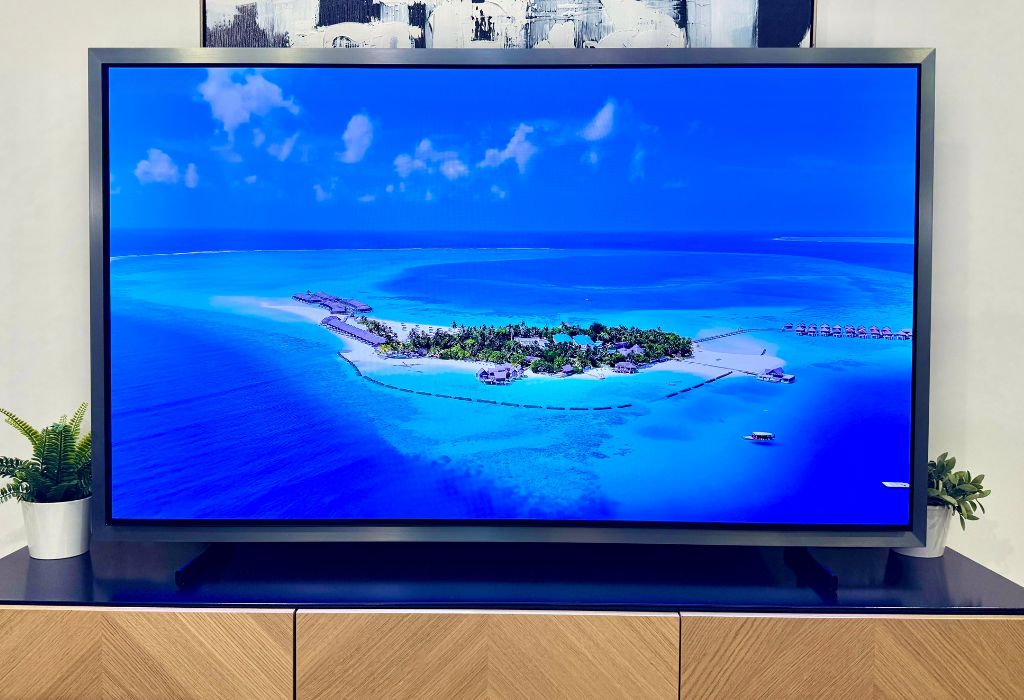
The Samsung S95H OLED TV brings together an array of high-end features I look for in a premium television: rich colours, impressive HDR brightness, and smart features that enhance everyday viewing. Samsung also pushes OLED beyond the dark home theatre setting, combining impressive brightness and reflection control for a picture that shines even in brighter rooms.
This flagship TV also packs Samsung’s NQ4 AI Gen3 processor, which manages upscaling, picture processing, and sound. Together, these features make the Samsung S95H an appealing upgrade for movie lovers, sports fans, and gamers who also want a versatile TV.
In this Samsung S95H review, I’ll explore its cinematic picture quality, design, smart features, and a few minor trade-offs that come with Samsung’s flagship OLED TV.


Cinematic OLED picture quality
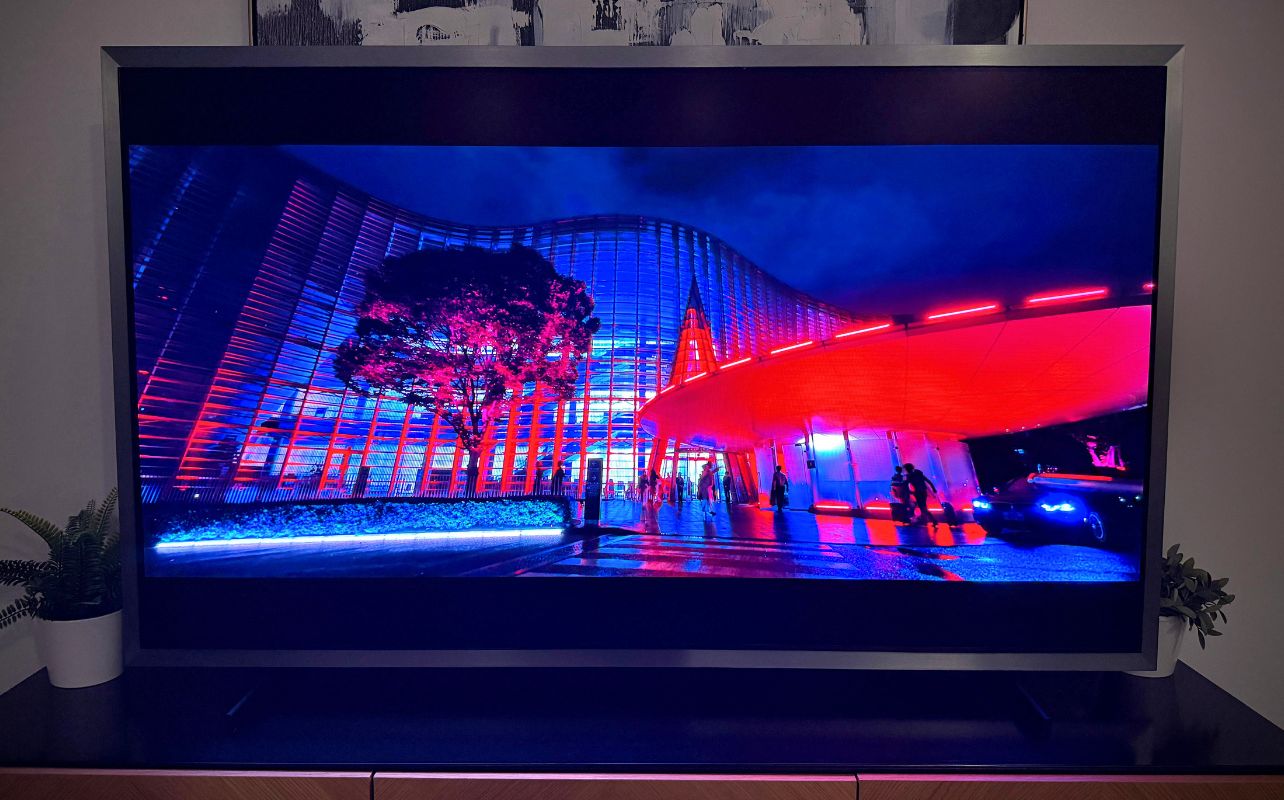
From the moment I turned on the Samsung S95H TV, it became clear the picture quality is its biggest strength. Like other OLED panel tech, each pixel controls its own light, allowing pixels to completely switch off and produce deep blacks without the glowing edges sometimes visible on backlit televisions. The TV performs exceptionally well with dark scenes: stars stay sharp against dark skies, and subtitles stay clean without surrounding blurriness or halos.
This also allows for pinpoint contrast, giving movies and video games tremendous depth. Faces and foreground objects separate naturally from their surroundings, while bright details stand out against shadowy backgrounds.
If you are upgrading from an older LCD television, you are in for a treat. The difference is immediately noticeable, with inky blacks that contrast beautifully with vivid colour and overall brightness.
Picture quality as the director intended
Filmmaker Mode would be my starting point for evening movie viewing. It reduces unnecessary processing and prioritizes a more faithful presentation as the original film director intended. Movie Mode offers a brighter alternative for daytime watching without the exaggerated appearance of the Dynamic preset.
Impressive colour range
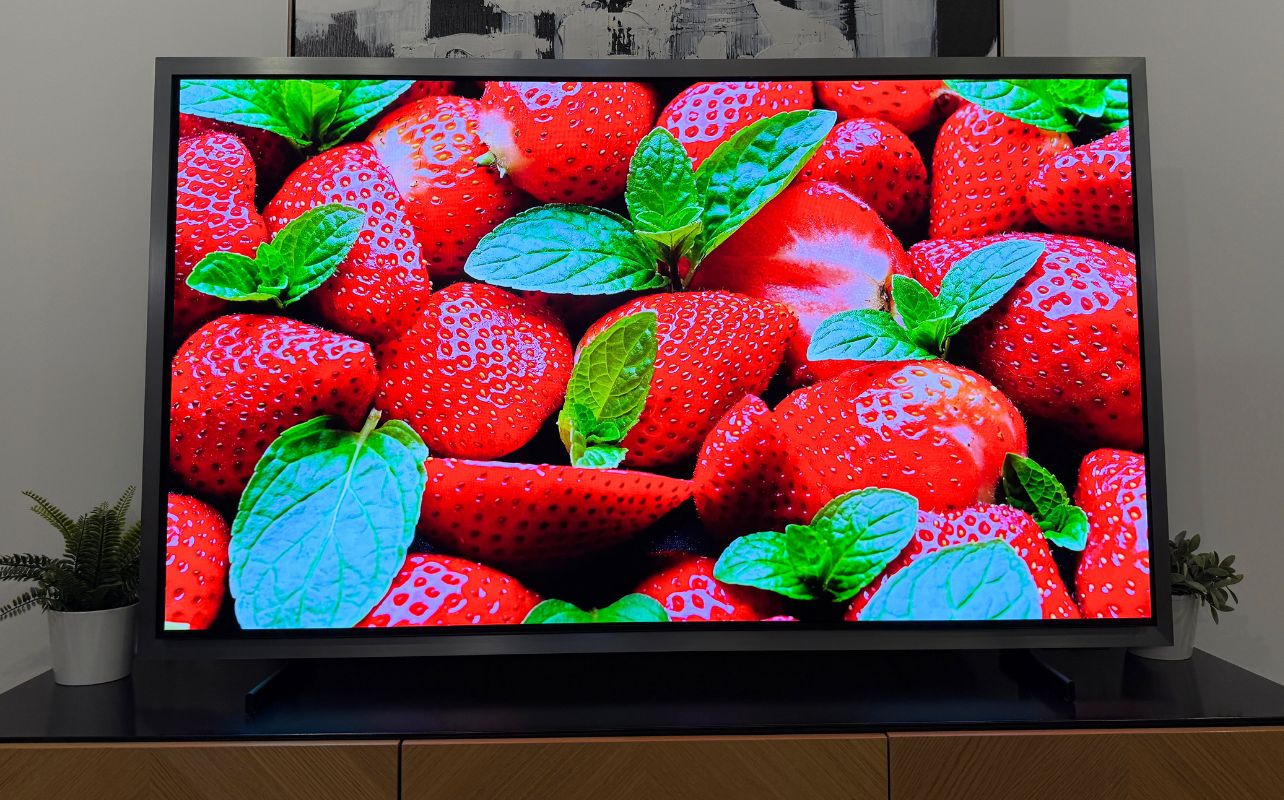
Colour expression is equally impressive. Reds, greens, and blues have excellent intensity, but the panel also handles more delicate shades convincingly. Skin tones look natural, skies retain smooth gradients, and colourful scenes maintain texture instead of becoming overwhelmingly saturated.
The Samsung S95H flexes its incredible range at every turn, whether you are watching a nature documentary or an animated film, bringing vivid colour to the screen without sacrificing the finer details that make an image feel natural and convincing.
Brightness and HDR performance
Another aspect that stood out to me is just how bright the Samsung S95H can get, especially for an OLED. Samsung has measured peak HDR highlights above 2,700 nits, and that intensity can make HDR scenes feel remarkably lifelike. For example, when a movie character moves from a dark cave toward a sunlit entrance, the sudden burst of light has a convincing radiance that pulls you deeper into the scene.
That capability gives sunlight, glowing signs, sparks, and explosions an impressive impact that I haven’t seen on other OLEDs I’ve tested out. Combined with the panel’s precise black levels, these highlights create the dynamic range that makes movies feel more cinematic.
Dolby Vision is absent, but HDR still dazzles
Samsung supports HDR10, HLG, and HDR10+, but Dolby Vision remains absent. That omission is disappointing on a flagship television, particularly for viewers with extensive Dolby Vision streaming or 4K Blu-ray libraries. Nevertheless, the TV’s brightness and HDR processing still deliver a spectacular picture from supported content.
Auto HDR Remastering Pro can add brightness and perceived depth to standard dynamic range content. I would use this selectively, since a punchier presentation may suit some shows better than older films.
Impressive glare-free viewing in brighter spaces
Samsung S95H’s Glare Free screen is one of its most useful features. Rather than reflecting windows and lamps like a mirror, its matte surface diffuses those reflections, making daytime viewing more comfortable. I did a lot of my daytime testing in a space with large floor-to-ceiling windows, and I found the TV looked incredible despite the extra light coming into the space.
Combined with the panel’s brightness, its Glare Free screen provides a very sharp, nearly reflection-free picture in bright spaces. This makes the it far more flexible than older OLED televisions—you don’t need to avoid sunlight like a vampire when considering where to set up your TV. The Samsung S95H is a strong option for living rooms where controlling every light source is impractical.
FloatLayer design makes a statement
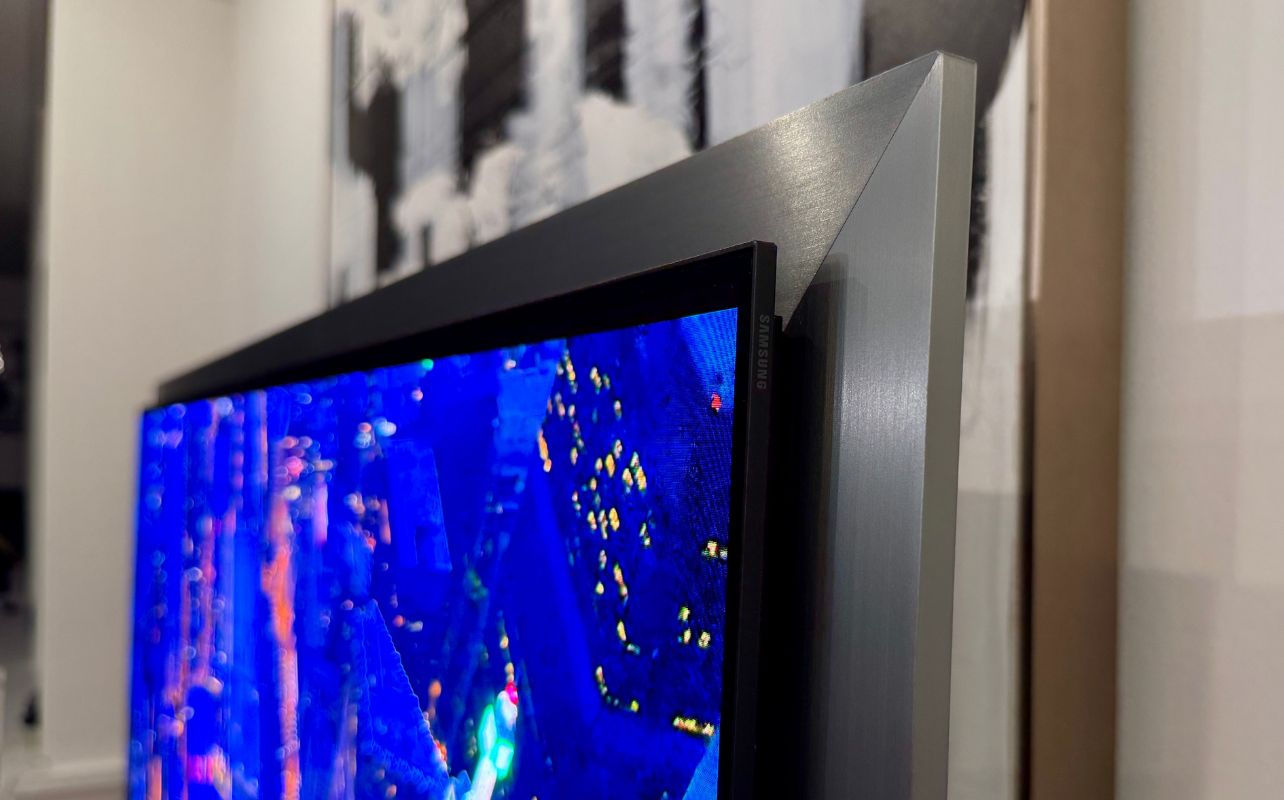
Samsung’s FloatLayer Design places a silver frame behind the thin OLED panel, creating the impression that the screen is floating in front of it. It’s a striking design that looks like a piece of modern art. Wall-mounted, it looks more like a framed display than a conventional television.
After spending a lot of time with this design, I think it looks good overall, though I prefer the thinnest bezel possible. This really comes down to personal preference, but the visible silver border will not suit everyone. If you are like me and prefer a minimalist bezel, you may find it distracting, so this is worth considering alongside picture quality.
Connections and ports
Ports are built directly into the rear of the television for hardwire connections, so you don’t need an external connection box to use the Samsung S95H. You get four HDMI inputs supporting up to 4K at 165Hz, including eARC, three USB-A ports, Ethernet, optical digital audio output, a 3.5mm audio output, an RF antenna/cable input and an Ex-Link (RS-232C) port.
Wireless connectivity options also include modern standards like Wi-Fi 6E and Bluetooth 5.3.
Designed for “wire-free” expansion options
The Samsung S95H is also Samsung Wireless One Connect Box ready, although the Wireless One Connect Box is sold separately rather than included with the TV. The optional box acts as a central hub for connected devices, letting you plug equipment such as game consoles and media players into it and transmit their signals wirelessly to the television. It helps reduce wire clutter and lets you go completely flush-mounted with the TV.
Smart and AI features for everyday viewing
The TV runs Samsung’s One UI Tizen platform. You get access to major streaming services, connected devices, settings, and Samsung TV Plus. Overall, I really liked the interface, and after just a few sessions, I felt comfortable navigating it. It’s also a nice touch that frequently used apps and inputs are easy to reach, helping make the TV even more approachable, especially if you are upgrading from an older smart television.
The Samsung TV Plus provides plenty of free, ad-supported entertainment. The interface can still feel busy, and Samsung TV Plus autoplay may be distracting, especially when you’re navigating the menu and suddenly a video starts with audio that you didn’t anticipate. You can simply disable the autoplay if you don’t want it.
AI Upscaling and Vision AI
Another impressive feature is Samsung’s 4K AI Upscaling Pro, which improves the definition of lower-resolution content, particularly clean 1080p sources. Heavily compressed streams can still show noise or banding. It’s great because it can take some lower-tier streaming sources and upgrade them to a crisper 4K picture.
The Vision AI Companion is also a handy add-on, offering conversational search, recommendations, and contextual information. It makes finding something to watch feel more natural, especially when you have a general idea of what you want rather than a specific title in mind. For example, I asked for a genre or a term, like “family movies,” and it came up with some good hits for movies that my family liked.
You can ask broader questions, discover related content, and pull up useful information without digging through multiple menus. These features aren’t essential to enjoying the Samsung S95H TV, but they make the TV feel more intuitive and responsive in everyday use.
Impressive sound out of the box
The Samsung S95H includes a 4.2.2-channel, 70-watt speaker system with Dolby Atmos and Object Tracking Sound+. Its audio features offer excellent dialogue clarity and help connect sound effects with on-screen action. In some of the thinner, flat-panel TV sets I’ve tested, the sound isn’t great, but I was especially impressed by what the Samsung S95H could do without any additional speakers. For truly cinematic sound, I would still add a sound bar or surround system, but what comes onboard is truly impressive.
Need help buying a new TV? Check out our guide to learn about what to look for in a TV for your home.
Final thoughts on the Samsung S95H OLED TV
The Samsung S95H OLED TV delivers the cinematic picture quality I expect from a flagship OLED, with rich colour, deep blacks, spectacular HDR highlights, and excellent reflection control that makes it equally impressive in brighter rooms.
Dolby Vision’s absence and the prominent silver frame are worth noting, but neither detracts from an otherwise outstanding viewing experience. If you’re upgrading from an older TV and want premium picture quality with useful smart features, the Samsung S95H tops my list for movies, streaming, and gaming.