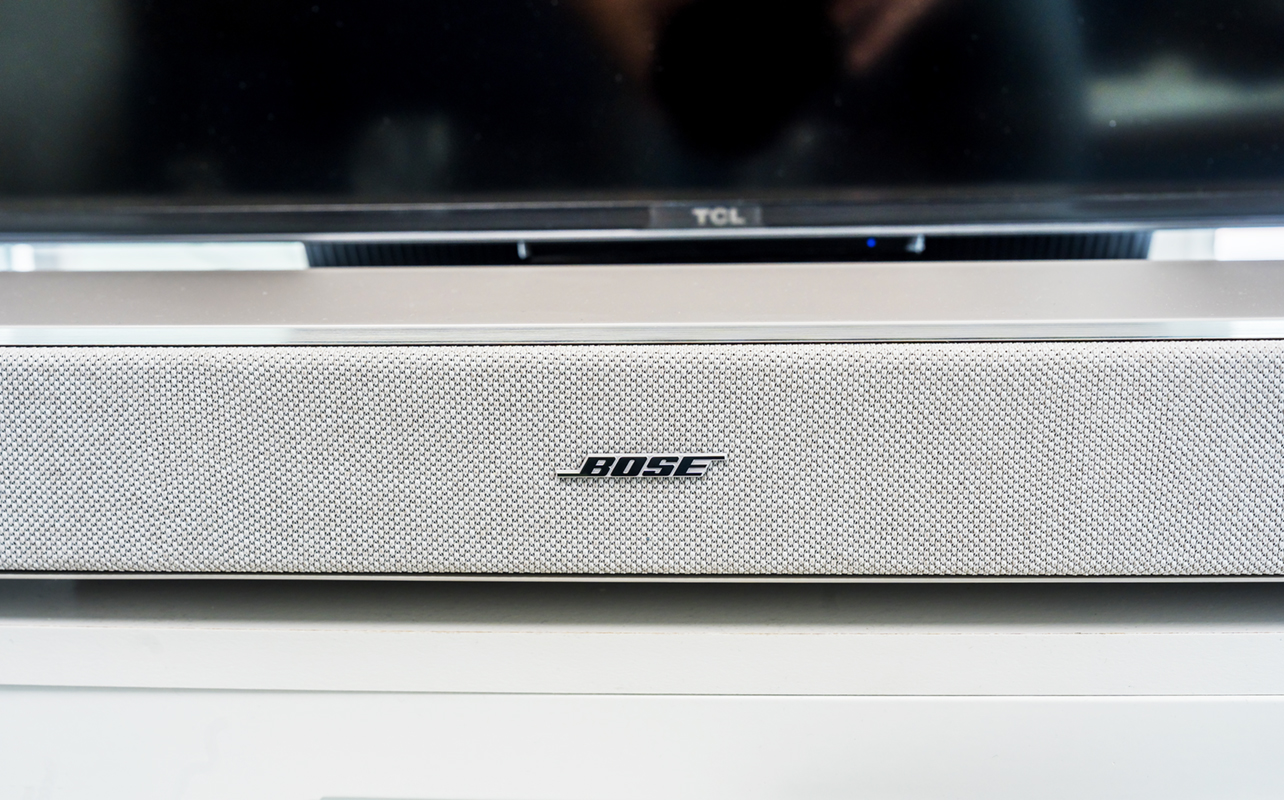
The new Bose Lifestyle Ultra Soundbar poses a serious challenge to the best sound bars currently available. And, it goes up a notch when you expand the system. Add in the Lifestyle Ultra Subwoofer and the Lifestyle Ultra wireless surround speakers, and it becomes a cinema-style Dolby Atmos package that truly resonates.
To be clear, you don’t have to commit to the full 7.1.4 system off the bat. The sound bar alone is a noticeable investment, which is why I look at this as a broader system made for serious buyers. You don’t necessarily have to be an audio nerd to get in on it, but you should expect some of the best sound you can get in your living room. Here’s my review.


Watch my review of the Bose Lifestyle Ultra Soundbar
Bose Lifestyle Ultra Soundbar is, by far, the best sound bar that Bose has probably made for the average consumer. Here’s my video review of the sound bar, plus the Lifestyle Ultra subwoofer and surround speakers.
Bose Lifestyle Ultra Soundbar’s premium design
The Lifestyle Ultra Soundbar only comes in black and arctic white. Not surprising given the neutrality both offer for a living room or TV room but just noting that anyway. It’s got a certain premium look to it courtesy of the glass panel up top that blends nicely with the fabric-wrapped body. It’s Bose, after all, but nothing about this sound bar screams out cutting corners.
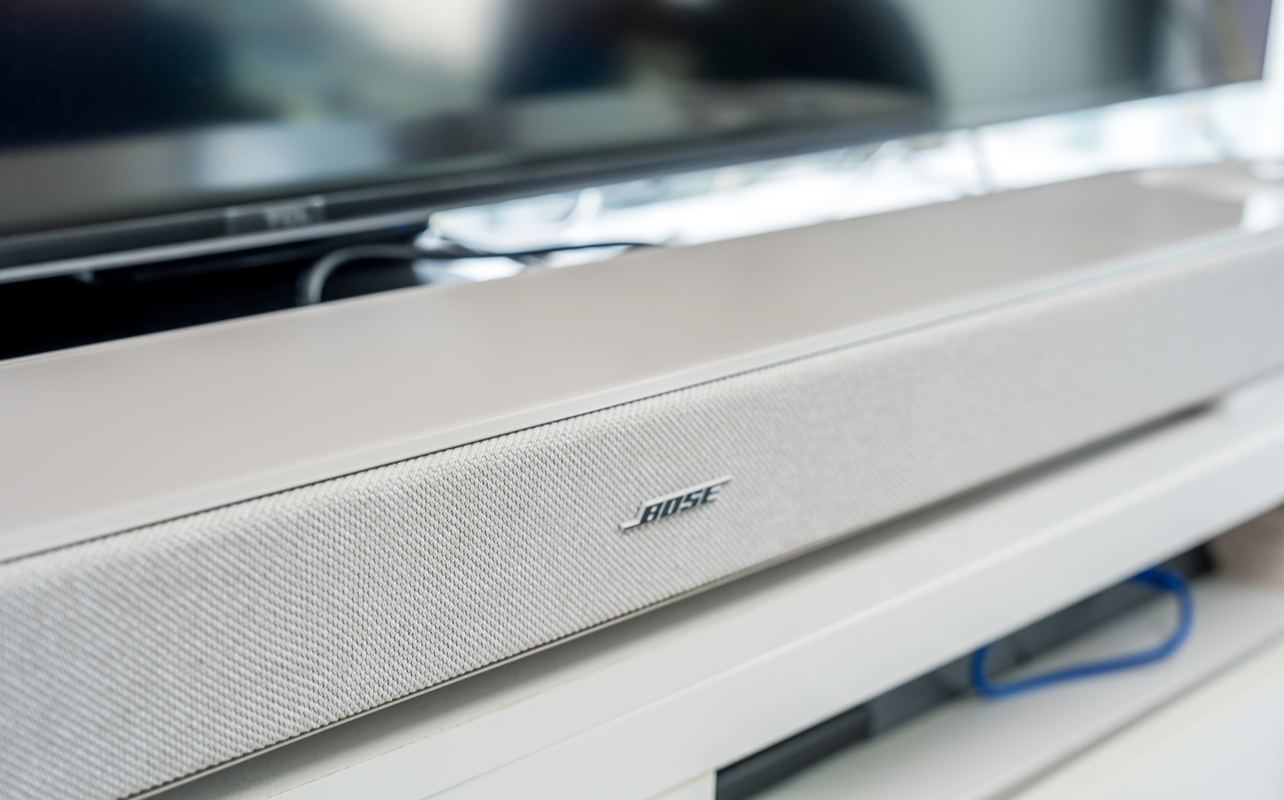
Touch controls for playback, volume, microphone muting, Bluetooth pairing, and a custom shortcut button all sit on the top surface. That’s important when there’s no dedicated remote in the box. Bose says it’s because of HDMI-CEC integration to use your TV’s existing remote instead. Alternatively, the Bose app on iOS or Android can supplement that, too.
Inside the speaker are six drivers—four front-facing and two up-firing—to go with a centre tweeter and two Bose PhaseGuide drivers. The far left and right drivers are full-range, whereas the PhaseGuide drivers process sound to amplify the spatial effect when pushing it out. Look at the back and there are two openings which Bose calls QuietPort that are part of the company’s CleanBass technology.
One key thing here: the up-firing speakers go directly 90 degrees. They’re located at the part where the glass top ends. So this is definitely a sound bar you won’t want to tuck away in a shelf. It needs open space.
The sound bar measures 43.5 inches wide and 2.6 inches tall. It places squarely in the territory of matching TVs that are 55-inch and up. It’s also noticeably slimmer and shorter than the Sonos Arc Ultra. It should fit well under your TV, regardless of whether you have an entertainment console or plan on mounting it.
What about the subwoofer and rear speakers?
The Lifestyle Ultra Subwoofer comes with a similar look, including a glass top. At roughly 12-13 inches all around, it’s a lot like a square, though a hefty one weighing around 34 pounds. Its lower height (compared to others) makes it a little easier to slot into certain spots near the TV but it’s by no means something you can hide.

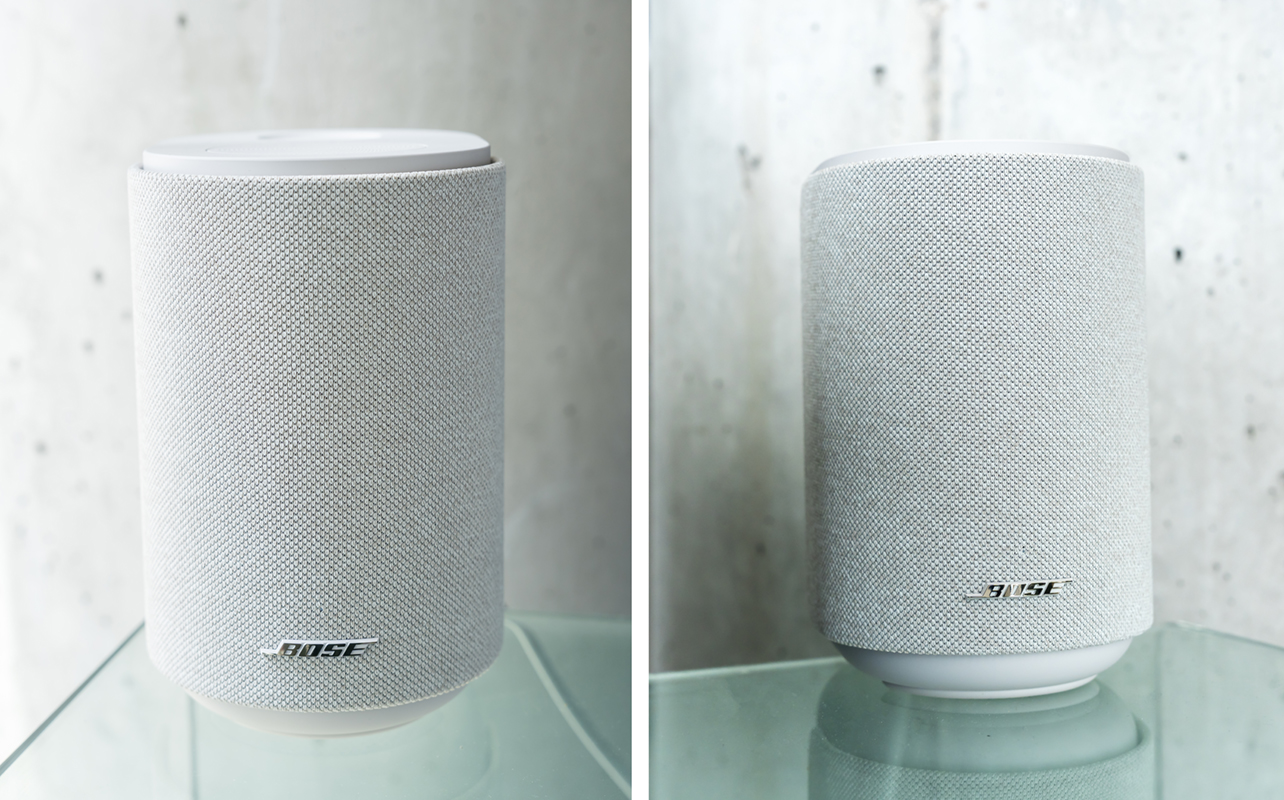
Meanwhile, the Lifestyle Ultra wireless speakers are best as a pair because they serve as rear speakers to complete the surround sound effect. These, and the subwoofer, all connect to the main sound bar wirelessly when setting them up in the Bose app.
Again, you don’t have to necessarily start out this way but I can tell you that the full weight of the system is much easier to hear and appreciate when all the pieces are in place.
Straightforward setup—mostly
The Bose app runs you through the setup process for the Lifestyle Ultra Soundbar, guiding you on each step to make sure the connections are right. It connects the sound bar over Wi-Fi, and if included, also pairs the wireless subwoofer and rear speakers.
Either way, you can run CustomTune, which is Bose’s newer room calibration technology. It uses the sound bar’s built-in microphones in tandem with the mic on your iOS or Android device. Together, they analyze your space and automatically optimize the system for your room’s specific acoustic characteristics.
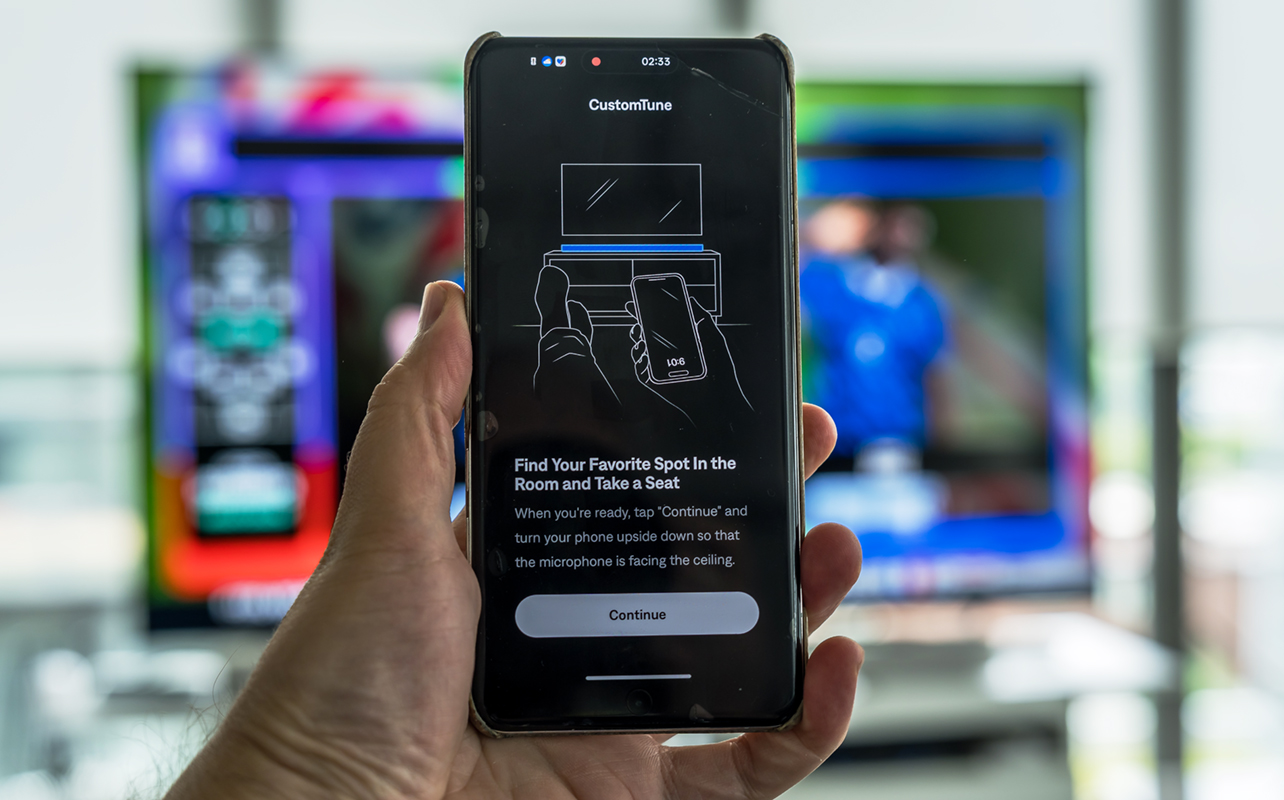
CustomTune is a key part of the process because it ultimately determines how Dolby Atmos will sound relative to the space you’re in. Without it, you probably come away with flatter sound and less dynamism in the content you’re watching. When you’re spending this kind of money, you shouldn’t skimp out on the particulars.
Unlike Sonos’ Trueplay calibration, CustomTune doesn’t force you to walk around with a phone to sonically measure the room. You just sit down in the best spot in front of the TV and let it run from there.
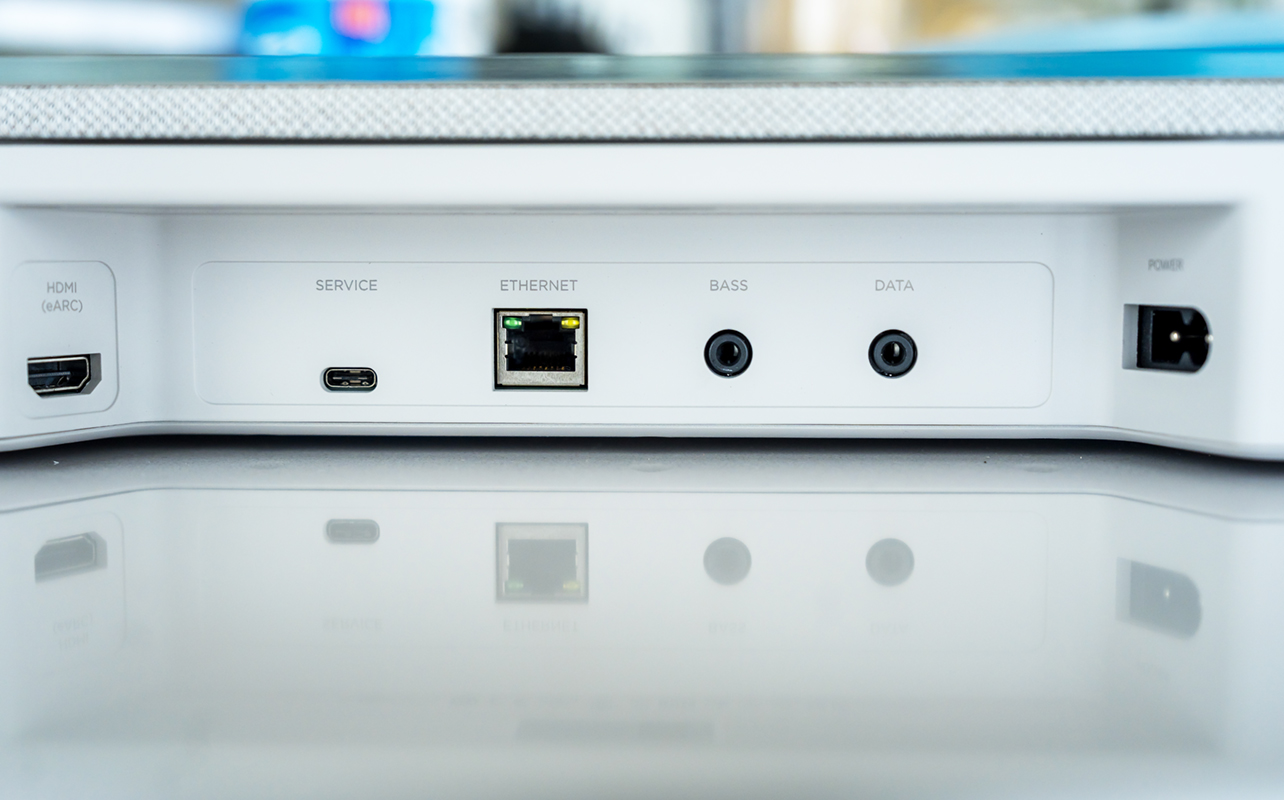
The sound bar has a standard array of ports in the back. The most important one is HDMI eARC that goes to the same designated port on your TV. If you’re worried about your Wi-Fi stability, there’s an Ethernet port to facilitate the network link.
If you’re expecting an optical input or other HDMI ports, there are none. No way to use pass-through from, say, a game console or anything like that. The Bass and Data 3.5mm ports aren’t all that useful, though you can technically use the former to plug in an external Bose subwoofer but it’s not necessary if you’re getting the one part of this system.
Connectivity and smart features
I didn’t run into too many issues with the setup, though there was one bizarre instance where it showed the sound bar as “Not Connected,” even though it was playing audio at the time. I’m not sure why this happened but it is something others have noted online as well.
Bringing in the subwoofer and rear speakers is mostly seamless. The subwoofer can connect up to 30 feet away from the sound bar. You might run into a minor snag along the way setting up the system, but it should generally work out. Some have noted issues requiring more troubleshooting, so your experience may vary.
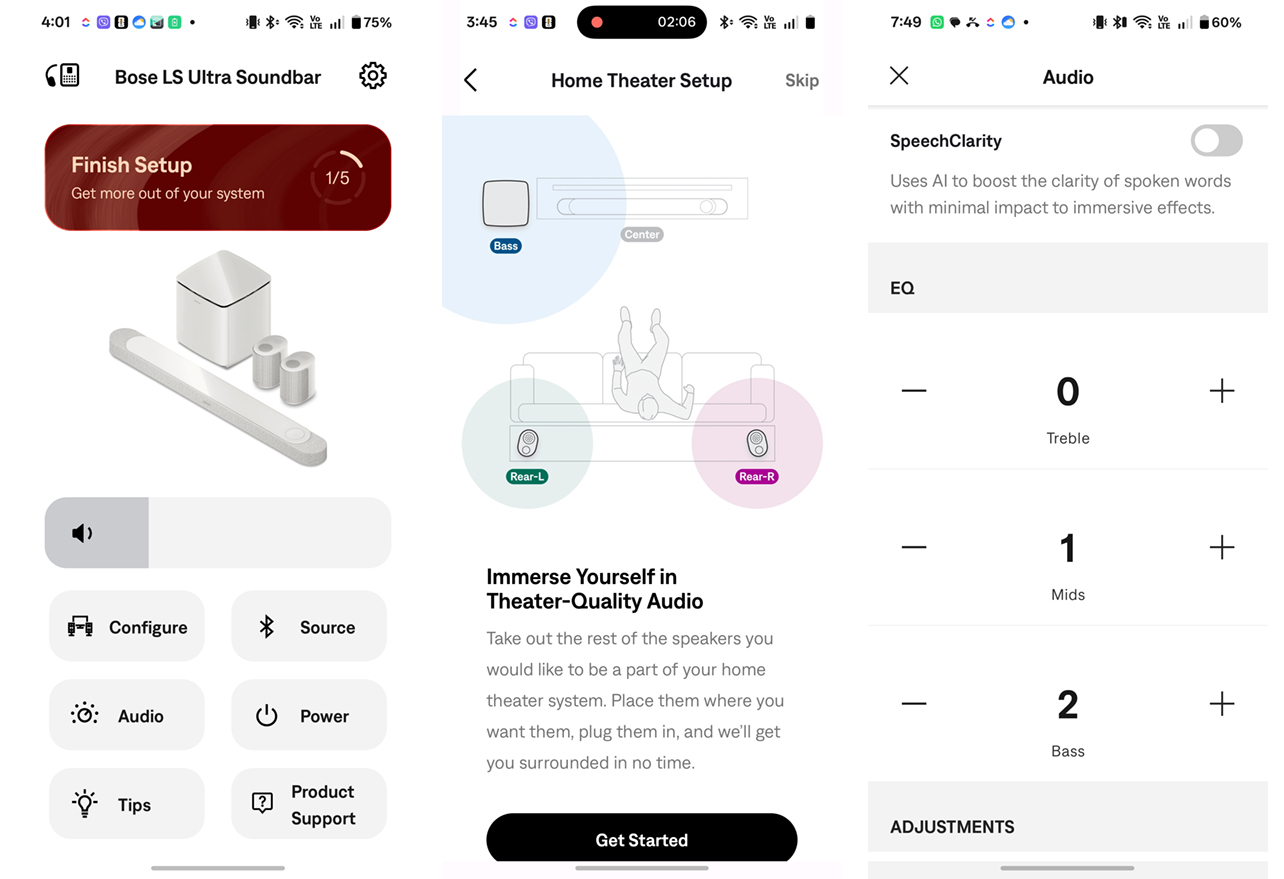
While up and running, the Lifestyle Ultra system is a pretty open book for streaming standards. Gone is the old method in the Bose Music app that made integrating streaming services unnecessarily complicated. Now, it’s easy to simply “see” the system as an option when using Google Cast, Apple AirPlay 2, and Spotify Connect. Just open whatever music or streaming app you already use, select the Lifestyle Ultra from the output menu, and audio flows.
Bluetooth connectivity is pretty straightforward, though it’s really only something you’d use for devices or apps that can’t make use of the Wi-Fi connection. You also get Amazon Alexa built-in, but it’s not the smarter Alexa+—at least for now as it starts in the U.S. first. If you don’t want any false positives with it, you can turn Alexa off in the Bose app or tap the sound bar’s microphone mute button (you know it’s muted from the red LED).
The Bose app otherwise handles tweaks, like EQ adjustments, subwoofer level control, surround speaker height calibration, and SpeechClarity dialogue enhancement.
Multiroom expansion adds other speakers
If you were to expand with additional speakers in other rooms, the system can integrate other ones compatible with AirPlay 2 or Google Cast. This doesn’t only mean older Bose speakers, but those from other brands as well. An important caveat I have to stress here is that it doesn’t mean you actually see or control those speakers in the Bose app. The way it works is that you can play the same audio together with other speakers through Google Cast or AirPlay when that pops up in the streaming app you’re using. Mind you, the app also has to allow it, which is why you might have more luck with YouTube Music over Spotify, for example.
Again, by “multiroom”, it’s simply playing the same audio for the grouped speakers, not treating those third-party speakers like they’re part of a spatial system. For example, you can’t take two Apple HomePod or two JBL speakers and turn them into rears for the TV surround setup.
Even so, this is a cool integration that Sonos doesn’t offer—nor do most brands, to be honest. It can take a little finagling to get it just right but definitely worth trying out.
Sound quality of the Bose Lifestyle Ultra Soundbar
There are two ways to qualify the sound, as a whole. One is the sound bar itself, which is an obvious upgrade from any TV’s built-in speakers. It’s not just the range, it’s also the clarity that stands out. While entirely virtual, you do get a sense of sounds moving directionally side to side or upwards because of how the drivers are arrayed inside.

Watching movies and TV shows
Sound quality also depends on the content. Action movies with explosions, car chases, or dynamic audible shifts will demonstrate what the sound bar can do from a home theatre standpoint. You may not feel it as much watching a drama with mostly dialogue but the sheer breadth compared to your TV’s own audio is still noticeable.
Speaking of dialogue, Bose’s SpeechClarity technology is solid. Toggle it on in the app and choose between Low, Medium, and High for the effect, which boosts dialogue more than other sound profiles no matter what you’re watching. You’ll need to experiment with it because the effect, if too high, can make every general sound come off a bit strange.
Once you add the Lifestyle Ultra Subwoofer, the whole soundstage changes. With significant power inside, you’ll know it just by tapping the test tone on the Bose app, which sounds like bass rippling across the room. That depth makes itself super obvious no matter what’s onscreen. Anything physical from gunfire, explosions, crashes, to fighting will sound closer to the boom you get in a theatre.
Add the two wireless speakers as rears, and the whooshing and roaring sounds of a jet plane, helicopter, boat, motorcycle, or projectile zip through with far more resonance. You won’t notice the rears as much on dialogue-heavy shows, for instance, but they really come through for more sound-heavy shows/movies and music.
Listening to music
Music sounds great through the sound bar or system, as a whole. By default, it goes for a balance between mids, highs, and lows, but you can use the app to tweak that. Want more bass? Just increase it. Same if you feel the treble or mids aren’t quite right. This also goes for the height and surround effect, as well as the speaker level for the sub.
Playing Dolby Atmos vs. non-Dolby Atmos content
In Dolby Atmos content, including both movies and music, the full 7.1.4 configuration delivers directional sound that makes spatial audio feel more enveloping. The sound bar will process non-Atmos content through Bose’s TrueSpatial engine, which widens and spatializes standard stereo or 5.1 mixes with reasonable effectiveness. It’s definitely not the same as a native Atmos mix, though. It’s worth noting that DTS and its variants—DTS:X, DTS-HD Master Audio—aren’t supported, in case that matters for you.

Looking for the right sound bar?
Learn about how sound bars can enhance your viewing experience and what to features and specs to consider.
Final thoughts on the Bose Lifestyle Ultra Soundbar
The Bose Lifestyle Ultra Soundbar is as a potential starting point if you’re not committing to the full system right away. It will fit in nicely in any home décor and is a significant step up from built-in TV audio. That said, add the subwoofer and you bring in a thunderous element. Bring in the rear speakers and Dolby Atmos performance provides a truly immersive experience. How you choose to build out that system is really up to you. There’s no “right” way to do it.
The Bose Lifestyle Ultra Soundbar is available now.