

Review: Linksys AC5400 Max-Stream Gigabit Router
If a router could be designated as a tank, the Linksys AC5400 might be it. While already large in physical stature, it’s the power under the hood that makes this unit as robust as it is, even if a good deal of what’s in there can’t be utilized by most devices yet. In many ways, this is a router that is built more for the next year or two than it is for the here and now, and if that appeals to you, the AC5400 is worth a look.
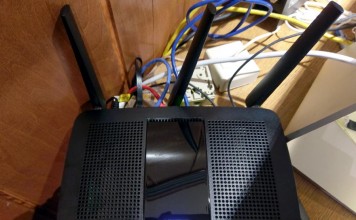
Review: Linksys EA7500 Dual-Band Smart Router
Choosing a router sometimes isn’t easy, and one of the main reasons why is assessing how one might be better than another. Another reason is how the one you choose will improve or enhance your home network. The Linksys EA7500 is a smart router that doesn’t look as flashy as others on the market, but is still outfitted with high-end performance and some future-proofing in mind.

OnHub from Google: now with IFTTT functionality
The newest feature for the OnHub Wireless Routers isn’t a Google feature at all. So what is it, where did it come from, and why does it make your connected digital home more useful than ever before?
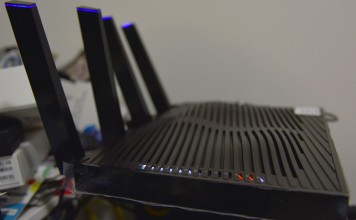
Review: Netgear Nighthawk X8 AC5300 router is a beast for those...
Comparing a router to a muscle car probably wouldn’t seem like an apt analogy, but in the Nighthawk X8, Netgear has built a unit that is designed to roar with power. Outfitted with a variety of features and unique hardware connections, this is a router aimed at users who know their home networking situation and want to raise it to another level.
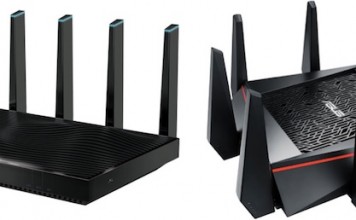
High end routers compared: ASUS RT-AC5300 and Netgear Nighthawk X8
With the 802.11ac Wi-Fi standard now over two years old, we are starting to see routers that push the technology to unbelievable levels. The AC1200 routers that were once so impressive seem pedestrian compared to the extreme performance of AC5300 routers. But who needs this kind of Wi-Fi speed? I tried out two of the fastest Wi-Fi routers on the planet—the ASUS RT-AC5300 and Netgear Nighthawk X8—to find out.
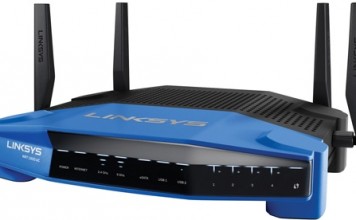
The gift of better Wi-Fi
Want a gift that can noticeably improve everything from online gaming to browsing the web or even watching streaming video? A single device makes the experience of using virtually any gadget in today’s connected homes faster and more reliable. Choose a new 802.11ac Wi-Fi router and you can give the gift that everyone wants: the gift of better Wi-Fi.
Fast media streaming and more with the Linksys EA8500 router
Routers take the cake when it comes to lengthy product names and here’s a prime example: Linksys just released its new EA8500 Max-Stream MU-MIMO Gigabit Smart Wi-Fi router. In this case, the extended name actually means something, because this router is literally packed with the latest technology. But from this point forward, I’m just going to call it the Linksys EA8500 Max-Stream for short.
Comparing AC750 and AC1900 WiFi technology with TP-Link
Shopping for a router can be intimidating. There are so many different feature and technologies you hear about but it can be tough to tell what they all mean with Wireless AC techology there is a handy classification system. Today I’ll take a look at an AC750 router and an AC1900 router to see how the classifications compare and what they mean to you when you’re shopping.
Create a smart wireless network for your smart home
The most important part of your Smarthome network has nothing to do with the products you choose or how they interact with each other. Flashy coordination is nothing without a solid network connection. Without a stable wireless network setup, you won’t have a stable smarthome network. Read on about how to create an easy and smart wireless network for your smart home.
Replacing your wireless router: what’s really involved and what you gain
With 802.11ac (Gigabit Wi-Fi) now mainstream, we are currently in the midst of a big wireless router replacement cycle. I’ve tested so many routers in the past year that I’ve lost count. Despite the potential payoff of a new router, many people are reluctant to make the upgrade. Routers can be intimidating, and once our Wi-Fi is working, it’s such an integral part of our homes now that we’re naturally reluctant to do anything that might rock the boat. After getting a taste of what the latest generation of 802.11ac routers can do, I finally made the jump myself, replacing my own aging router. And to help you understand everything that’s involved, I chronicled every step of the process. Hopefully this account of one person’s Wi-Fi router upgrade will help to demystify the process and show why it’s worth doing.